
Key Takeaways
-
Tampa businesses should prioritize 4K resolution, color night vision, cloud storage, and remote monitoring capabilities when selecting security cameras for optimal footage clarity and accessibility.
-
Cloud-based camera systems are the preferred choice for Tampa businesses in 2026 because they enable remote access, automatic backups, and easy scalability without relying on physical hardware.
-
Your network infrastructure is critical—ensure your business has high-speed internet, proper structured cabling, and adequate bandwidth before installing cameras, as system performance depends entirely on network reliability.
-
Match your camera system to your business type: Ring for small retail, ADT/Lorex for warehouses, Avigilon for multi-location franchises, and Arlo for outdoor or wireless deployments.
-
Integrating security cameras with cloud-based access control systems creates automatic recording triggers, real-time alerts, and centralized management from a single dashboard.
-
Budget $500-$2,000 for small business installation plus $10-$50/month for cloud services; enterprise setups range from $8,000-$25,000+ with $150-$500+/month monitoring costs.
If you run a business in Tampa, Florida, you already know how important it is to keep your property safe. Whether you manage a small retail shop, a busy warehouse, or a multi-location franchise, having the right security cameras can make all the difference. But here’s the thing — with so many brands and options out there, picking the best one can feel overwhelming. Don’t worry, though. We’ve got you covered!
In this guide, we’ll walk you through the best security camera brands for businesses in Tampa, Florida. We’ll also share what features matter most, how these systems fit into your broader telecom and network setup, and how to make a smart choice for your business. There are currently 88 security providers listed in Tampa alone, so knowing what to look for is more important than ever.
Let’s dive in and make this easy for you!
Why Security Cameras Matter for Tampa Businesses
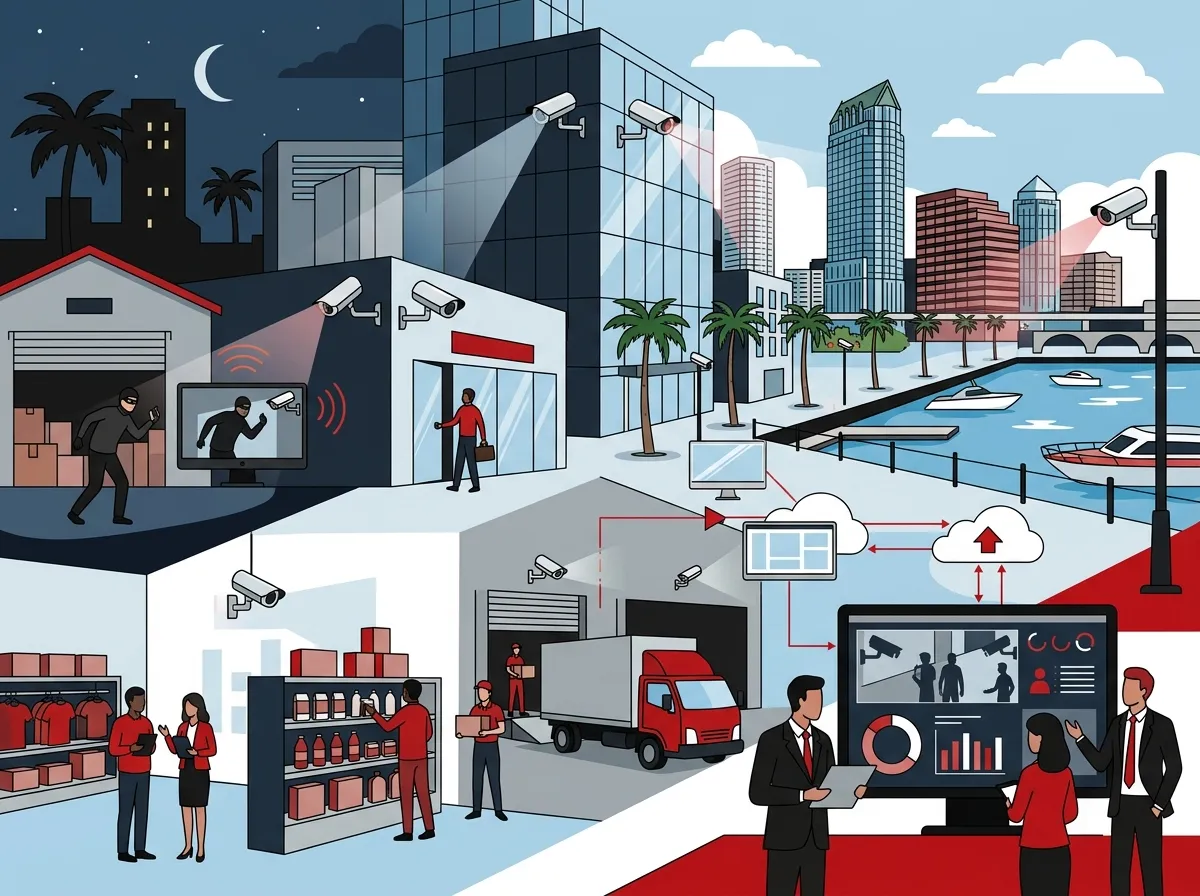
Security cameras do a lot more than just record footage. They deter theft, protect employees, and give you peace of mind when you’re away from the office. For businesses in Tampa, where the commercial landscape is growing fast, a strong surveillance system is a smart investment.
Modern cloud-based security cameras now connect directly to your business network. This means you can check in on your property from your phone, tablet, or laptop — from anywhere in the world. That’s a game-changer for franchise operators and multi-location businesses especially.
The best camera systems also integrate with access control and your network infrastructure. This creates a complete business security stack that works together seamlessly. Think of it as your digital security team that never takes a break!
What to Look for in a Business Security Camera System
Before we get to our top picks, let’s talk about what makes a camera system great for businesses. Not all cameras are built the same, and business needs are very different from home use.
Here are the key features Tampa businesses should prioritize:
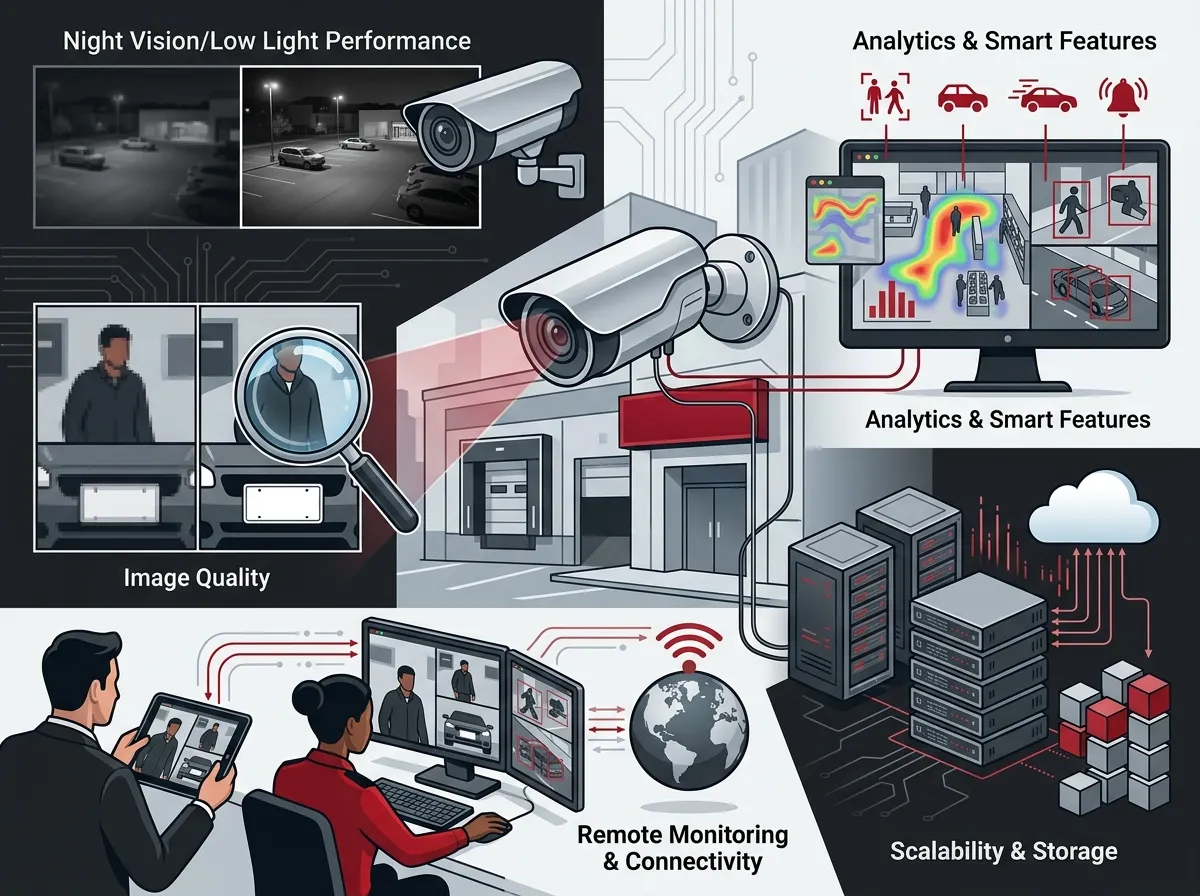
- 4K HD resolution — Clear images that hold up in court and identify faces easily
- Color night vision — Critical for Tampa businesses with evening or 24/7 operations
- Cloud storage — Access footage remotely without needing bulky on-site DVR equipment
- Remote monitoring — View cameras from your phone or computer at any time
- Network integration — Works well with your existing business internet and cabling
- Scalability — Easily add cameras as your business grows
- Access control integration — Pairs with door locks and entry systems for full security coverage
For IT managers and office managers especially, the ability to manage everything from one platform is a huge time-saver. If you’re curious about how cloud-based cameras integrate with your network, check out our guide on cloud video security solutions for businesses.
How Camera Systems Fit Into Your Telecom Setup
Here’s something many business owners don’t think about: your security cameras are only as good as your network. A slow or unreliable internet connection can mean choppy video, delayed alerts, or dropped footage. That’s why it’s important to think about cameras as part of your overall telecom infrastructure.
Good structured cabling services and a solid business network solution form the backbone of any reliable camera system. Your cameras need consistent bandwidth, especially if you’re running multiple HD feeds. Pairing your cameras with a high-speed, dedicated internet connection makes a world of difference.
If you’re not sure whether your current internet can handle a full camera system, it might be time to check out some high-speed internet options for Tampa businesses.
5 Best Security Camera Brands for Tampa Businesses
Now for the part you’ve been waiting for! Based on expert reviews and real-world business use cases, here are the top five security camera brands that work great for Tampa businesses in 2026.
1. ADT — Best for Large Businesses
ADT is a household name in business security, and for good reason. It’s consistently ranked as the top choice for large businesses that need professional monitoring, enterprise-grade hardware, and 24/7 support. ADT offers fully managed services, which means someone is always watching your back — literally.
For Tampa businesses with multiple departments, large warehouses, or complex layouts, ADT’s scalable solutions shine. Their cameras deliver crisp 4K footage, and the system integrates smoothly with alarm and access control systems. If you want a hands-off security experience with professional oversight, ADT is a strong contender.
2. Ring — Best for Small Businesses
Ring has grown way beyond its doorbell roots. In 2026, Ring offers a solid lineup of business-ready cameras that are affordable, easy to set up, and packed with smart features. Security.org’s 2026 guide ranks Ring as the best choice for small businesses, and it’s easy to see why.
Ring cameras offer motion detection, two-way audio, and cloud video storage. For a small Tampa retail shop, office, or service business, Ring provides a reliable and budget-friendly option. You can monitor everything from the Ring app on your phone — no complicated setup required.
3. Arlo — Best for Wireless Deployments
Need flexibility in where you place your cameras? Arlo is your best friend. Arlo’s wireless cameras are perfect for businesses that can’t run cables to every corner of their building or outdoor spaces. This makes them especially useful for temporary setups, outdoor monitoring, and locations where drilling isn’t an option.
Arlo cameras deliver sharp video quality with color night vision and smart motion alerts. They connect to your Wi-Fi network and store footage in the cloud. For businesses undergoing renovations or expansion, Arlo’s plug-and-play setup is a huge convenience. It’s also a great match when paired with cloud-based access control systems for full property management.
4. Lorex — Best for DIY Business Security
Lorex is a popular choice for businesses that want quality cameras without the high price of professional monitoring contracts. Lorex offers 4K cameras, color night vision, and both wired and wireless options. It’s the go-to brand for businesses that prefer a DIY approach or have in-house IT teams to manage installation.
Lorex systems often include local storage options alongside cloud backup, giving businesses flexibility in how they manage footage. For IT managers in Tampa who want to keep things in-house, Lorex gives you control without sacrificing camera quality.
5. Avigilon — Best for Enterprise and Multi-Site Operations
Avigilon is a premium brand designed for enterprise-level surveillance needs. It’s widely used in commercial buildings, government facilities, and large Tampa businesses that need highly detailed video analytics. Avigilon cameras use AI-powered features like automatic license plate recognition, unusual activity detection, and advanced search tools.
For franchise operators or companies managing multiple Tampa Bay locations, Avigilon’s centralized management platform is a game-changer. You can monitor every site from one dashboard. Paired with cloud video security systems and strong network infrastructure, Avigilon delivers a surveillance experience that’s hard to beat at the enterprise level.
Quick Comparison: Top 5 Business Security Camera Brands
Here’s a handy side-by-side look at how these brands stack up for Tampa businesses:
| Brand | Best For | Key Features | Cloud Storage | Professional Monitoring |
|---|---|---|---|---|
| ADT | Large businesses | 4K, full managed service, alarm integration | Yes | Yes (24/7) |
| Ring | Small businesses | Motion alerts, two-way audio, easy app | Yes | Optional |
| Arlo | Wireless deployments | Wire-free, color night vision, cloud access | Yes | Optional |
| Lorex | DIY setups | 4K, local + cloud storage, wired/wireless | Yes | No |
| Avigilon | Enterprise / Multi-site | AI analytics, centralized dashboard, advanced search | Yes | Optional |
Key Features to Compare When Choosing a Camera System
Not sure which brand fits your business best? Use this feature checklist to narrow down your options:
| Feature | Why It Matters for Businesses | Must-Have? |
|---|---|---|
| 4K Resolution | Captures clear, detailed footage for incident review | Highly recommended |
| Color Night Vision | Identifies people and vehicles after dark | Yes for most businesses |
| Cloud Storage | Access footage remotely and avoid on-site hardware failure | Yes |
| Mobile App Access | Monitor cameras from anywhere using your smartphone | Yes |
| Access Control Integration | Combines door access with camera triggers for full security | Ideal for offices and warehouses |
| Multi-Site Management | Manage all locations from one platform | Essential for franchises |
| Scalability | Add more cameras easily as your business grows | Yes |
Cloud vs. DVR: Which Storage Option Is Right for Your Business?
One of the biggest decisions Tampa businesses face is whether to use cloud storage or a traditional DVR system. Both have their pros and cons, and the right choice depends on your business size and setup.
Here’s a quick breakdown:
- Cloud storage — Access footage from anywhere, no on-site hardware to maintain, automatic backups, and easy scalability
- DVR/NVR systems — One-time hardware cost, local storage control, no monthly fees, but limited remote access
- Hybrid systems — Combine local and cloud storage for maximum flexibility and redundancy
For most Tampa businesses in 2026, cloud-based systems are the preferred choice. They’re easier to manage, integrate well with mobile apps, and don’t rely on physical hardware that can fail. You can learn more about the differences in our article on cloud video security vs. DVR systems.
How to Match Your Camera System to Your Business Type
Every business is different. Here’s a quick guide to help you match the right setup to your specific needs:
- Small retail or office — Go with Ring or Lorex for an affordable, easy-to-manage setup with cloud access.
- Medium-sized warehouse or distribution center — Choose ADT or Lorex for wide coverage, 4K clarity, and optional professional monitoring.
- Multi-location franchise — Avigilon or ADT work best thanks to centralized management and enterprise-grade support.
- Outdoor-heavy or construction sites — Arlo’s wireless cameras are ideal for flexible, temporary, or outdoor-focused deployments.
- Corporate office with IT team — Avigilon or Lorex give IT managers the control and analytics tools they need.
If you’re still not sure which system fits your business, reach out to our team for a free consultation. We’ll help you figure out exactly what you need without the guesswork.
Don’t Forget Your Network Infrastructure
We can’t stress this enough — your camera system is only as strong as the network behind it. Before investing in cameras, make sure your business internet, cabling, and network are up to the task.
Here’s a quick checklist to prepare your network for camera installation:
- Upgrade to a high-speed business internet connection with enough bandwidth for multiple HD streams.
- Install proper structured cabling for your Tampa office to support wired cameras and network equipment.
- Set up a dedicated network VLAN for your cameras to keep security traffic separate from everyday business use.
- Ensure your router and switches can handle the extra load from multiple camera streams.
- Test your upload speed — cloud cameras rely heavily on upload bandwidth to send footage to the cloud.
Tampa businesses working with Ideal Solutions Provider benefit from having all of these services handled by one trusted partner. From cabling to internet to cameras and access control, there’s no juggling multiple vendors or confusing service calls.
Integrating Security Cameras With Access Control
One of the smartest upgrades any Tampa business can make is combining their camera system with cloud-based access control. This pairing lets you see who enters and exits your building, trigger camera recording when doors open, and manage everything from one app.
Here’s what you get when cameras and access control work together:
- Automatic recording triggered by door events
- Real-time alerts when unauthorized access is attempted
- Visual verification of who used an access credential
- Centralized dashboards for managing both systems
- Better incident documentation for HR and legal purposes
Want to see how these systems look in action? Check out some helpful video walkthroughs on our website to see the technology in real-world business settings. You can also follow us on YouTube for tips and demos on business security and telecom solutions.
Pricing Guide: What to Budget for Business Camera Systems in Tampa
Cost is always a factor, so here’s a general pricing overview to help you plan:
| Business Size | Estimated Camera Count | Approximate Install Cost | Monthly Cloud/Monitoring |
|---|---|---|---|
| Small (under 10 employees) | 2–6 cameras | $500–$2,000 | $10–$50/month |
| Medium (10–50 employees) | 6–20 cameras | $2,000–$8,000 | $50–$150/month |
| Large (50+ employees) | 20+ cameras | $8,000–$25,000+ | $150–$500+/month |
| Multi-location franchise | Varies per site | Custom pricing | Custom pricing |
Keep in mind that these are ballpark figures. The actual cost depends on camera resolution, storage needs, installation complexity, and whether professional monitoring is included. For a detailed estimate tailored to your business, give us a call at 813-388-4935 — we’re happy to walk through the numbers with you at no charge.
Top Tips for Getting the Most From Your Camera System
Once you’ve chosen your cameras and gotten them installed, a few best practices can really stretch your investment:
- Place cameras at entry and exit points, parking areas, and high-value storage areas first
- Keep your camera firmware updated to protect against cybersecurity threats
- Use motion zones to reduce false alerts and focus on the areas that matter most
- Review footage regularly — don’t wait for an incident to check if your cameras are working
- Make sure your camera system is on your business continuity plan in case of internet outages
For tips on keeping your cameras running even if your connection drops, read our article on how to keep security cameras working during internet outages. It’s a must-read for any Tampa business relying on cloud cameras!
Also, stay connected with our community on Facebook and Instagram for the latest tips on business security, telecom upgrades, and technology news relevant to Tampa businesses.
Conclusion: Finding the Best Security Camera for Your Tampa Business
Choosing the right security cameras for your Tampa business doesn’t have to be complicated. Whether you’re a small business owner looking for something simple and affordable, an IT manager who wants enterprise-grade analytics, or a franchise operator managing multiple sites, there’s a camera brand and system that’s perfect for you.
Here’s a quick recap of our top picks:
- ADT — Best for large businesses with complex needs and 24/7 monitoring
- Ring — Best for small businesses wanting easy setup and mobile access
- Arlo — Best for wireless, flexible, or outdoor deployments
- Lorex — Best for DIY setups with in-house IT management
- Avigilon — Best for enterprise operations and multi-location management
Remember, the best camera system is the one that fits your network, your budget, and your business goals. At Ideal Solutions Provider, we help Tampa businesses find the right mix of cameras, cabling, internet, and access control — all from one trusted partner with over 24 years of experience.
Ready to upgrade your business security? Contact our team today for a free consultation and let us build the perfect surveillance solution for your Tampa business. We make it simple, affordable, and stress-free!
FAQs
Q: What are the best security camera brands for small businesses in Tampa?
A: For small Tampa businesses, Ring is a fantastic choice! It’s affordable, easy to set up, and lets you monitor everything right from your smartphone. Lorex is another great option if you prefer a DIY setup with local storage control.
Q: Are cloud-based security cameras better than DVR systems for businesses?
A: For most Tampa businesses in 2026, yes! Cloud-based cameras let you access footage from anywhere, update automatically, and don’t rely on physical hardware that can fail or get stolen. They’re especially great for multi-location businesses that need centralized video management.
Q: Which security camera brands work best with access control systems?
A: Avigilon and ADT are top choices when you need tight integration between cameras and access control systems. They support automated recording triggers, real-time entry alerts, and centralized dashboards — perfect for office buildings and warehouses in Tampa.
Q: How much does commercial security camera installation cost in Tampa?
A: Costs vary based on camera count and system complexity. Small businesses typically spend $500–$2,000 for installation, while larger businesses may invest $8,000 or more. Reach out to a local telecom and security partner like Ideal Solutions Provider for a free, personalized estimate!
Q: Can I monitor my Tampa business security cameras from my phone?
A: Absolutely! All five brands we recommend — ADT, Ring, Arlo, Lorex, and Avigilon — offer mobile apps that let you watch live footage and receive motion alerts from anywhere. Just make sure your business internet connection has enough upload speed to support smooth remote viewing.





