

Key Takeaways
-
Use a structured star layout with Category 6A cable for new open offices; it supports 10Gbps speeds and handles Power over Ethernet well while remaining future-proof for years.
-
Choose consolidation points or MUTOAs over direct home-run cabling when desks move frequently; consolidation points must be placed at least 15 meters from the telecom room in permanent, accessible locations.
-
Manage PoE heat by avoiding large cable bundles and following manufacturer temperature ratings and installation limits; the 2024 standard recommends 45°C max ambient and 60°C min cable temperature.
-
Plan pathways before furniture arrives by coordinating with facilities and electrical teams; use ceiling drops, under-floor systems, or furniture channels while protecting cables from crushing and sharp bends.
-
Require certified testing, detailed labels on both cable ends, as-built drawings, and complete documentation; certification proves each link meets standards and provides a baseline for future troubleshooting.
-
Plan at least two data outlets per workstation plus extra drops for printers, meeting rooms, and wireless access points; adding cable during construction costs far less than pulling it after occupancy.
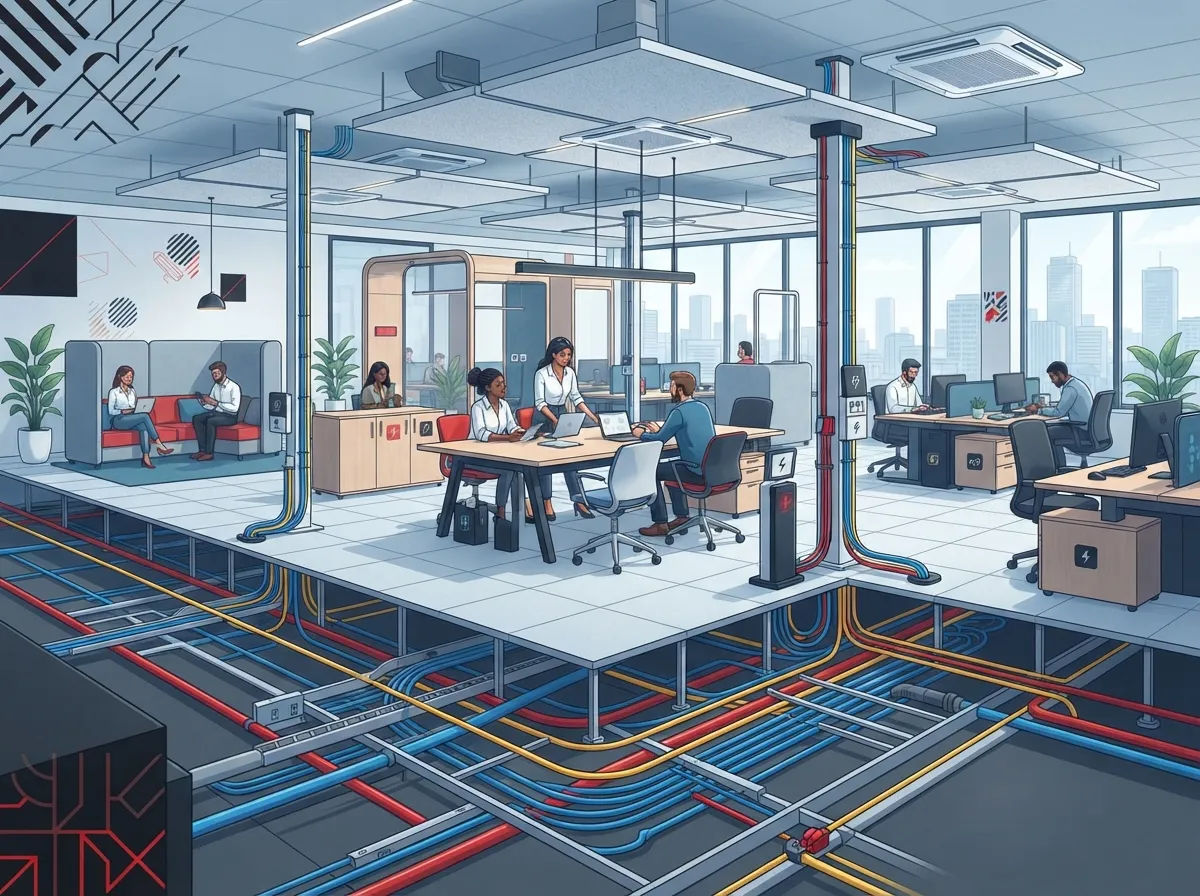
Open offices look great on a floor plan. Desks in rows, collaboration zones, no walls in the way. But anyone who has managed one knows the secret headache: the cables. Desks move, teams grow, and suddenly there are cords snaking across the carpet and a network that struggles to keep up.
The good news? With smart planning, cabling for open office layouts can be tidy, flexible, and ready for whatever comes next. Whether you run a ten-person startup or a growing regional team, this guide walks you through the basics in plain English. We will cover the layout options, the cable types, power over Ethernet, pathways, and testing.
Think of it like building a good road system. Do it right once, and traffic flows for years. Let’s get started.
Why Open Offices Need a Different Cabling Approach
Traditional offices had fixed walls and fixed desks. You could run a cable to each room and call it done. Open offices are different because the furniture is modular and people move often.
That means your cabling plan must be flexible. A structured cabling approach gives you a clean, standards-based system instead of a pile of one-off connections. If you want a deeper look at the difference, see Structured Cabling vs. Ad-Hoc Wiring: Which Wins for Tampa?
Here are the common pain points open offices face:
- Desks that get rearranged every few months
- Cables running across floors and creating trip hazards
- Phones, laptops, cameras, and Wi-Fi access points all competing for ports
- Slow networks caused by old or poorly installed cable
- No documentation, so nobody knows which cable goes where
The Basic Building Blocks of Open Office Cabling
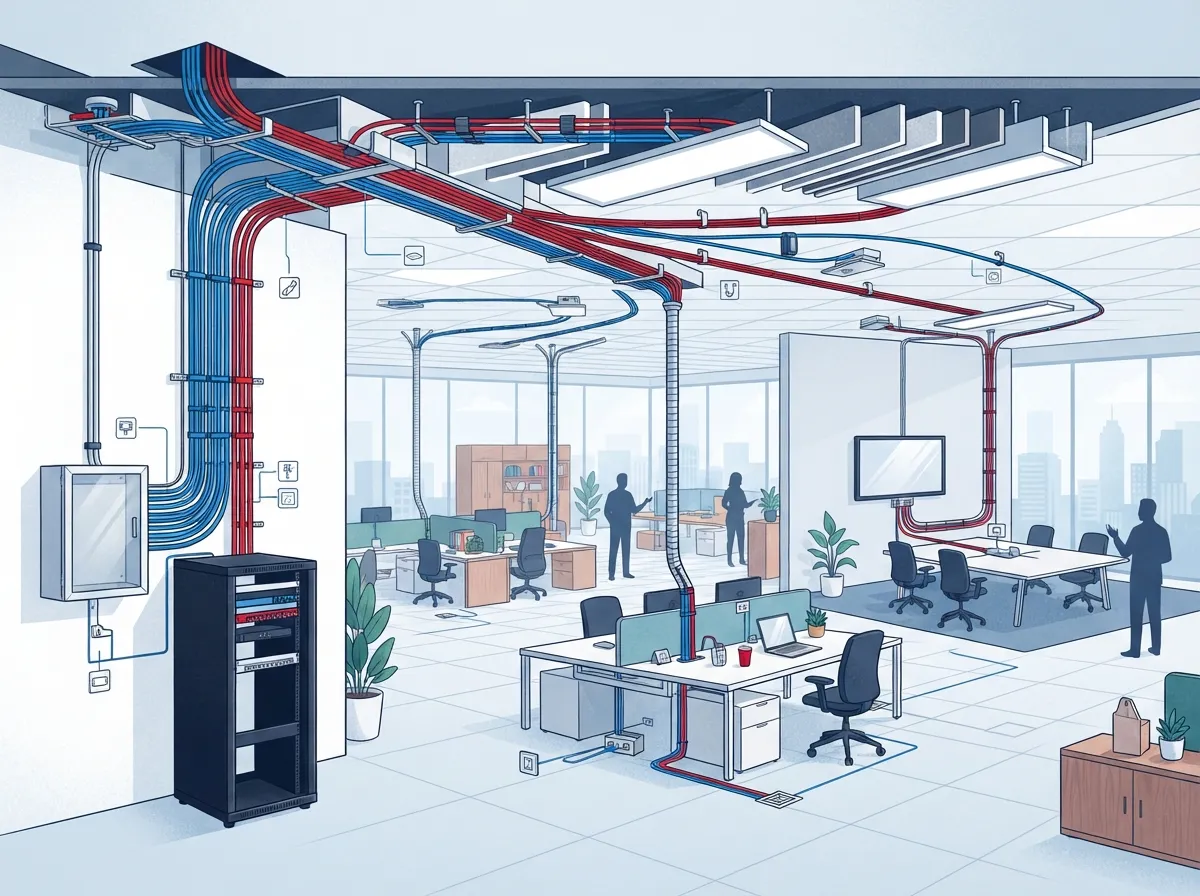
Most open office cabling follows a star layout. Cables run from a central telecommunications room (TR) on each floor out to outlets or to small collection points near the desks. Every run goes back to the same hub, which makes troubleshooting much easier.
Here are the main pieces:
- Telecommunications room: The home base with racks, patch panels, and switches.
- Horizontal cabling: The cables that run from the TR to the work area.
- Work area outlets: The wall, floor, or furniture jacks where devices plug in.
- Patch cords: The short cables that connect your devices to the outlets.
- Labels and documentation: The map that keeps everything understandable.
This setup supports everything from VoIP phones to laptops, printers, and security cameras. For more on how one cabling backbone serves many devices, check out 13 Ways Structured Cabling Supports VoIP & Cameras.
Three Layout Options for Flexible Open Offices
Open offices usually rely on one of three approaches. Each has its place, so the right pick depends on your furniture, budget, and how often things change.
Direct Home-Run Cabling
Every outlet gets its own cable straight back to the telecommunications room. It is simple and reliable. The downside is that moving a desk far from its outlet can mean pulling new cable.
Consolidation Point (CP)
A consolidation point is a small, passive connection in the middle of the horizontal run. Cables go from the TR to the CP, then from the CP to the outlets nearby. It makes changes easier because you only rework the short final stretch.
Industry guidance suggests placing a twisted-pair consolidation point at least 15 meters (about 49 feet) from the telecommunications room. This helps protect signal performance. The CP must also stay in a permanent, accessible spot, not hidden behind a wall or buried under fixed furniture.
Multiuser Telecommunications Outlet Assembly (MUTOA)
A MUTOA groups several outlets in one spot. Long patch cords then reach the desks nearby. It works well in modular furniture setups where desk positions shift often. Older guidance listed a limit of 12 work areas per MUTOA, but standards change, so always confirm current rules and your project specifications.
| Approach | Best For | Main Benefit | Watch Out For |
|---|---|---|---|
| Direct home-run | Stable desk layouts | Simple and dependable | Harder to rearrange |
| Consolidation point | Zones that change now and then | Easy moves, adds, and changes | Needs a permanent, accessible location |
| MUTOA | Modular furniture, frequent changes | Flexible desk placement | Longer patch cords and strict standards limits |
A CP and a MUTOA are not the same thing. A CP is part of the permanent cable run, while a MUTOA is an outlet group serving nearby desks with work-area cords. Pick the one that matches your furniture and pathway design.
Choosing the Right Cable Category
Cable category matters more than most people think. It sets the speed ceiling for your network and how well it handles power over Ethernet.
For new business installations, Category 6A is commonly specified when you want strong performance. It supports 10GBASE-T and handles PoE well. Category 6 can still work for shorter runs and lighter needs. If you are weighing the two, read How to Choose Between Cat6 and Cat6A for Your Office.
Here is a quick way to decide:
- Choose Category 6A if you expect high bandwidth, lots of PoE devices, or a long lifespan for the cabling.
- Consider Category 6 if runs are short and needs are modest.
- Add fiber for backbone links between floors or buildings.
One important tip: specify and test the complete channel, not just the cable itself. Connectors, patch panels, and patch cords all affect real performance. For a fuller view of the options, see 10 Best Cabling Options for Business Networks in Tampa FL.
Planning for Power Over Ethernet
Open offices are full of PoE devices. Think VoIP phones, wireless access points, and cloud security cameras. That brings real benefits, because one cable carries both data and power. But it also changes how you install cable.
The current balanced twisted-pair standard, ANSI/TIA-568.2-E, was published in October 2024. It includes guidance on power delivery, covering cable types, operating conditions, pathways, and bundling.
Why does bundling matter? PoE makes cables warm. Large, tightly packed bundles hold that heat in, which can hurt performance. Keep these habits in mind:
- Avoid unnecessarily large cable bundles.
- Follow the cable maker’s installation limits.
- Check temperature ratings for the environment above ceilings or inside walls.
- Use the cable category that fits the PoE power level you plan to deliver.
One manufacturer summary of the standard cites a 45°C (113°F) maximum ambient temperature and a 60°C (140°F) minimum cable temperature rating for the conditions it describes. Always review the full standard and product documentation for the complete requirements.
Pathways: Where the Cables Actually Go
Great cable is wasted if the route is poor. Plan your pathways before furniture arrives, and work with facilities and electrical teams early.
Common routes in open offices include:
- Ceiling pathways: Good for drops down columns or poles to desks.
- Under-floor systems: Raised floors or floor boxes offer flexible access.
- Perimeter raceway: Runs along walls with outlets at set points.
- Furniture pathways: Channels built into modular desks and partitions.
Whatever route you choose, protect the cable. Avoid crushing, sharp edges, and tight bends. Keep outlets and zone enclosures reachable, even after desks move. Also keep network cable properly separated from electrical wiring, following code and manufacturer guidance.
Wi-Fi Is Not a Replacement for Cable
Some owners ask whether wireless means they can skip cabling altogether. Not quite. Wireless access points still need wired connections, often with PoE. In a busy open office, cabled desks keep voice calls and video meetings steady, while Wi-Fi handles mobile devices and guests.
Plan for access points as part of your design, with enough cabled drops placed across the ceiling. For a closer comparison, see Structured Cabling vs. Wireless: Which Wins for You?
Testing, Labeling, and Documentation
This is the step people skip, and it comes back to bite them. Good documentation turns a confusing mess into a manageable system.
Make sure your installer provides:
- Labels at both ends of every cable
- Matching outlet and patch panel identifiers
- As-built drawings showing pathways and locations
- Certification test results for every installed link
Certified testing proves each link meets the specified standard and category. It also gives your IT team a baseline for troubleshooting later. If you want a checklist of mistakes to dodge, read 12 Structured Cabling Mistakes That Hurt Your Business.
How Many Outlets Does Each Desk Need?
There is no single magic number, but a few rules of thumb help. Most workstations benefit from at least two data outlets: one for the computer or docking station and one for a phone or spare device. Add extra drops for printers, conference rooms, and wireless access points.
Leave room to grow. Adding cable during construction costs far less than pulling it later. If you are planning ahead, How Do You Plan Cabling Now for Growth You’ll Need Later? offers helpful pointers.
Planning Steps for Your Open Office Project
Ready to put this into action? Follow this simple sequence:
- Map your space. Note desks, meeting areas, printers, cameras, and access points.
- List your devices and bandwidth needs. Include PoE power requirements.
- Pick a layout approach. Choose direct runs, CPs, or a MUTOA based on how often things change.
- Select cable category. Match it to speed, PoE, and lifespan goals.
- Design pathways early. Coordinate with furniture and electrical trades.
- Plan documentation and testing. Require labels, drawings, and certification.
- Confirm standards and codes. Check the applicable TIA edition and local requirements.
For a fuller walkthrough, see How to Plan Network Cabling Installation in Tampa Bay.
Should You DIY or Hire a Pro?
Running a few patch cords is a fine DIY task. Designing and installing a structured system is a different story. Standards compliance, PoE heat, firestopping, and certification testing all need experience and the right tools. Poor installs often lead to slow networks and expensive rework.
If you are on the fence, DIY vs. Professional Cabling: Which Is Right for Tampa Offices? breaks down the tradeoffs.
Why Work With a Single Telecom Partner
Open office projects touch many systems at once. Cabling, internet service, VoIP phones, Wi-Fi, security cameras, and access control all depend on one another. Coordinating separate vendors can get messy fast.
That is where Ideal Solutions Provider’s structured cabling services come in. As a Tampa-based telecom and IT partner with over 24 years of experience and 35+ vetted suppliers, the team handles consultation, installation, and ongoing support. You get one point of contact instead of juggling several. Franchise operators and multi-location businesses also benefit, since the same approach scales across sites.
Final Thoughts
Great cabling for open office layouts comes down to a few smart choices. Use a structured star layout. Pick a flexible approach like consolidation points or MUTOAs when desks change often. Specify Category 6A where performance and PoE matter. Plan pathways early, keep bundles reasonable, and insist on testing and clear documentation.
Do these things, and your office stays tidy, fast, and easy to reconfigure for years. Ready to talk through your layout? Contact us for a free consultation, or call us to speak with a telecom expert today. You can also follow our tips on YouTube.
FAQs
Q: What type of cabling is best for an open-plan office?
A: A structured cabling system using a star layout is the best fit. Most new offices choose Category 6A because it supports higher speeds and PoE devices. Pairing it with a consolidation point or MUTOA keeps desk changes simple.
Q: What is the difference between a consolidation point and a MUTOA?
A: A consolidation point is a passive connection inside the permanent cable run, with cables continuing on to nearby outlets. A MUTOA groups outlets in one spot so longer work-area cords can reach nearby desks. Both help with flexibility, but they follow different design rules.
Q: How does PoE affect cable choice in an office?
A: PoE sends power along with data, which warms the cable. That makes the right cable category, temperature rating, and bundle size really important. Keep bundles reasonable and follow the cable and system maker’s installation limits.
Q: How should open-office cabling be tested and documented?
A: Each installed link should be certified to the specified standard and category. Label both ends of every cable, and keep patch panel identifiers, pathways, test results, and as-built drawings on file. This makes future troubleshooting and office changes much easier.
Q: How many network outlets does each workstation need?
A: Many offices plan at least two data outlets per workstation, one for the computer and one for a phone or spare device. Add extra drops for printers, meeting rooms, and wireless access points. Planning a few extras now costs far less than adding cable later.





