

Key Takeaways
-
Cloud PBX is hosted by a provider and runs over the internet, so you avoid buying and maintaining a server, while on-premises PBX requires owning and upkeeping hardware in your building.
-
Cloud PBX usually lowers upfront spending and shifts costs to a predictable monthly per-user fee, but total cost depends on calling plans, phones, network upgrades, setup fees, and contract terms.
-
Cloud reliability depends heavily on your internet, so plan backups like call forwarding to mobile phones or a secondary connection, and read the SLA's uptime exclusions rather than trusting headline figures.
-
Before switching, confirm number portability, configure and test emergency calling addresses, and test failover so calls reach mobile phones or a backup site if the primary connection drops.
-
Cloud PBX suits businesses with remote or hybrid staff, plans for growth, multiple locations, or small IT teams, while on-premises may still fit those needing full on-site control or with unreliable internet.
-
Protect cloud systems from toll fraud by checking for encryption, multifactor authentication, audit logs, and limits on international calling, and confirm which security features actually apply to your plan.
Picture this: it’s Monday morning, and your office manager is stuck in a closet full of blinking boxes, trying to figure out why the front desk phone won’t ring. Sound familiar? If you’ve ever wrestled with an old phone system, you know how frustrating it can be. The good news is that you have options, and choosing the right one is easier than you might think.
A cloud PBX system is a business phone system hosted by a provider instead of living in your building. An on-premises PBX is the traditional version, where the hardware sits on your site and your team looks after it. Both can get calls to the right people. They just go about it very differently.
In this friendly guide, we’ll compare the two side by side. We’ll cover how each one works, what it really costs, how reliable and secure it is, and who each option suits best. Whether you run a small shop, manage a busy office, or oversee several franchise locations, you’ll leave with a clear idea of which path fits your business in 2026.

What Is a Cloud PBX System?
A cloud PBX (private branch exchange) is a business telephone system where the call-control software is hosted by a service provider. It sends calls over the internet and gives you business extensions and call-management tools. You don’t buy or maintain a PBX server in your office.
Your team can make and take calls on desk phones, desktop apps, or mobile apps. Everyone shares your business number and settings that are managed in one web portal. That makes it a good fit for office, remote, and hybrid teams.
Common features include:
- Auto attendants (the friendly voice menu that greets callers)
- Extensions, ring groups, and call queues
- Business-hours routing and call forwarding
- Voicemail and a web-based admin portal
- Optional add-ons like call recording, analytics, video, and CRM integrations (these vary by provider and plan)
You may hear the terms “hosted PBX,” “cloud PBX,” and “VoIP” tossed around as if they’re the same thing. They overlap, but they aren’t identical. VoIP is the technology that carries voice over the internet. Cloud or hosted PBX is the phone system built on top of it. If you’d like a deeper primer, check out What Is a Cloud-Based Phone System and Do You Need One?
What Is an On-Premises PBX?
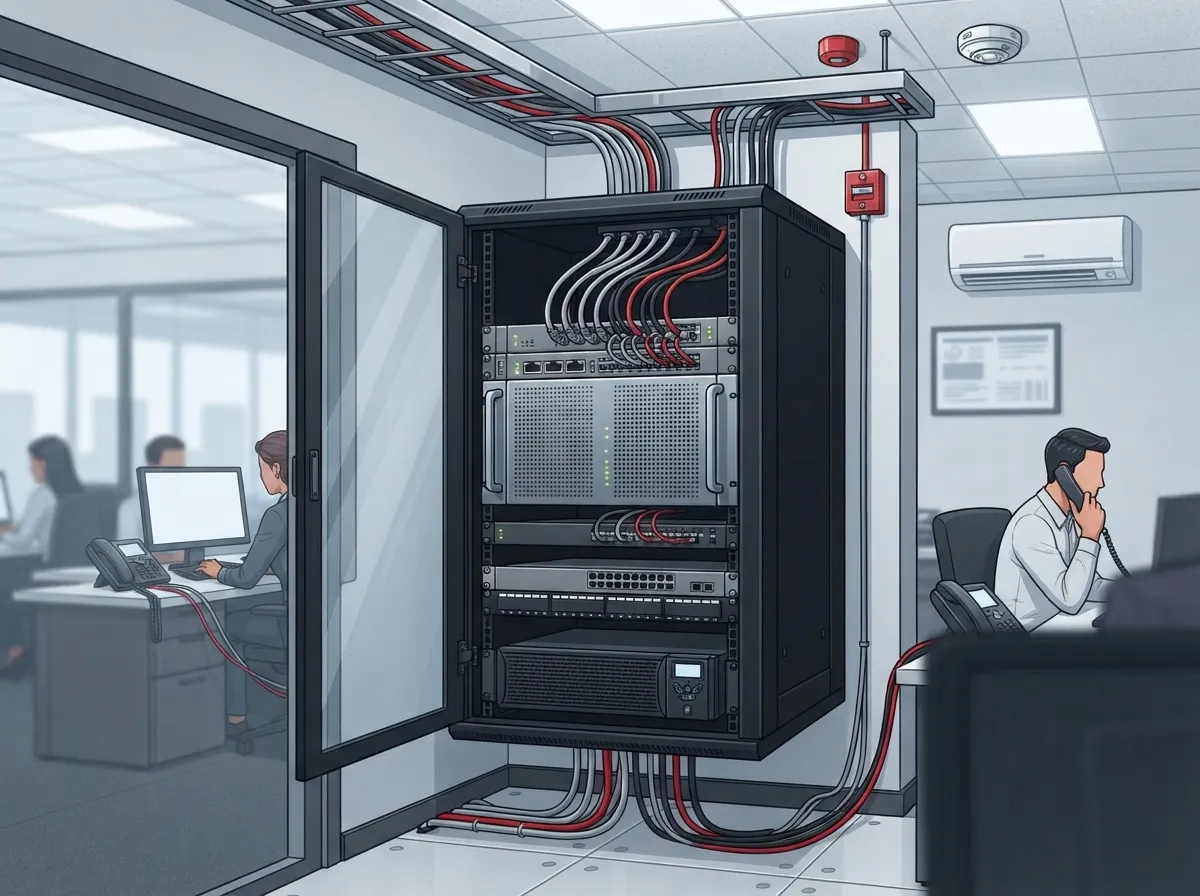
An on-premises PBX is the classic setup. A physical server or control box sits in your building, usually in a closet or server room. It connects to phone lines and desk phones, and your team (or an outside technician) maintains it.
This approach has served businesses well for decades. You own the equipment, and you control how it’s configured. However, you’re also responsible for repairs, upgrades, and replacement parts when things age out.
Here’s the simple version. With on-premises, you buy and manage the system. With cloud, you subscribe to a service and the provider manages the heavy lifting. For a closer look at how modern options stack up against older ones, see 6 Key Differences Between VoIP and Traditional Phone Systems.
Cloud PBX vs. On-Premises PBX: Side-by-Side Comparison
Sometimes a quick table says it best. Here’s how the two approaches compare on the things most businesses care about.
| Factor | Cloud PBX | On-Premises PBX |
|---|---|---|
| Where the system lives | Provider’s hosted platform | Server or hardware in your building |
| Upfront costs | Typically lower (devices, setup, network upgrades) | Typically higher (hardware, licenses, installation) |
| Ongoing costs | Monthly subscription plus calling plans | Maintenance, support contracts, upgrades |
| Adding users or locations | Generally simple, done in the admin portal | May require new hardware or licenses |
| Remote and hybrid work | Built for it, with apps and a shared number | Often needs extra equipment or workarounds |
| Maintenance | Handled mostly by the provider | Handled by you or your IT vendor |
| Dependence on internet | High, so network readiness matters | Lower for internal calls, depends on trunking |
| Control over hardware | Less direct control | Full control |
Remember, total cost always depends on subscriptions, calling plans, phones, network upgrades, implementation, and contract terms. A lower sticker price doesn’t always mean a lower final bill, so it pays to look at the whole picture.
The Cost Question: What Will You Really Pay?
Let’s talk money, because that’s usually the first question we hear. Cloud PBX generally reduces the need to purchase and maintain PBX servers. That can cut your upfront spending quite a bit. Instead of one big purchase, you pay a predictable monthly fee per user.
On-premises systems often cost more at the start. You pay for the equipment, licensing, and installation. Over time, you may also pay for maintenance contracts and eventual upgrades. Some businesses prefer this model because they own an asset. Others find the hidden upkeep costs add up.
When you compare quotes, make sure you account for:
- Monthly per-user subscription fees
- Calling plans and any international calling charges
- Phones and headsets, if you need new ones
- Network or internet upgrades to support voice quality
- Setup, training, and number porting fees
- Contract length and early termination terms
Want a realistic picture of what to expect locally? Our guide on How Much Does a VoIP Phone System Cost for a Business in Tampa? breaks it down in plain language. And if you’re hunting for savings across all your services, 15 Ways to Reduce Business Telecom Costs in Tampa (2026) is worth a read.
Reliability: What Happens When Things Go Wrong?
Reliability is where honest conversations matter most. A cloud PBX depends on two things: the provider’s platform and your own internet connection, local network, and power. If your internet goes down, your cloud phones can be affected unless you’ve planned for it.
The good news is that this is very manageable. Smart businesses build in backups, such as:
- Call forwarding to mobile phones during an outage
- A secondary internet connection or backup site
- A provider with clear redundancy and outage communications
You’ll often see providers advertise uptime numbers like 99.99% or 99.999%. Those are promotional figures, not a universal standard. Always read the specific service level agreement (SLA), including exclusions, how uptime is measured, and what remedies you get if the provider misses the mark.
On-premises systems have their own risks. A failed server, a power surge, or an aging component can take down the phones, and fixing it falls on you. Neither option is magically bulletproof. The key is planning for failure before it happens.
Since your network is the foundation, it’s worth checking that it’s ready. Our article on What Internet Speed Do I Need for VoIP in Tampa? can help you size things up, and 13 Ways Structured Cabling Supports VoIP & Cameras explains why clean wiring makes a big difference. You can learn more about the basics of structured cabling to see how it fits together.
Security and Compliance Considerations
Phone systems carry sensitive conversations, so security deserves real attention. With a cloud PBX, you’ll want to do some homework on the provider. Ask about:
- Encryption of calls in transit
- Administrator access controls and multifactor authentication
- Audit logs and secure device provisioning
- How your data is handled and stored
- Protections against toll fraud (when criminals rack up fake calls on your account)
Don’t assume every safeguard or compliance attestation applies automatically. Confirm which ones actually cover the service and configuration you choose.
On-premises systems keep everything under your roof, which some people find comforting. But you’re then responsible for patching software, locking down access, and protecting against fraud yourself. That takes time and know-how.
Also plan for regulatory needs. Verify number portability, emergency-calling address and location procedures, international-calling controls, and any recording and retention rules that apply to your industry. Test emergency calling and failover arrangements before you rely on the system. It’s a small step that can matter a lot.
Who Should Choose Cloud PBX?
A cloud PBX tends to shine for businesses that value flexibility and simplicity. Think about it if you:
- Have remote or hybrid employees who need the same business number
- Plan to add users or locations as you grow
- Want to avoid buying and maintaining a PBX server
- Run multiple franchise or branch locations that need consistent settings
- Have a small IT team (or none at all)
Market research suggests the category is growing. One 2025 estimate valued the global cloud PBX market at USD 22.29 billion, with a forecast of USD 25.42 billion for 2026. Another report on hosted PBX used a different definition and reached different numbers. These are commercial estimates, not verified adoption statistics, so treat them as a sign of momentum rather than hard proof.
For small teams weighing their choices, How to Choose the Right Phone System for Small Business is a handy companion. And if you’d like to see the upside in action, here are 14 Reasons to Switch to a Cloud Phone System in Tampa.
Who Might Still Prefer On-Premises PBX?
We believe in giving fair advice, and on-premises still makes sense for some businesses. You might lean that way if you:
- Have strict requirements that call for keeping all equipment on-site
- Operate in an area with limited or unreliable internet
- Already own a modern, well-maintained system with plenty of life left
- Have in-house IT staff who enjoy managing the hardware
There’s no shame in sticking with what works. The goal is a phone system that fits your needs, not the trendiest one on the market. If you’re still comparing, Local vs. Cloud VoIP Providers in Tampa: Which Wins? offers another helpful angle.
How to Make the Switch Without the Stress
If you decide to move to the cloud, a little planning goes a long way. Here’s a simple path to follow:
- Assess your needs. Count your users, locations, and must-have features.
- Check your network. Confirm your internet speed, wiring, and power backup can support voice calls.
- Compare providers. Look at pricing, SLAs, security, support, and integrations.
- Plan your number transfer. Confirm number portability so you keep your existing business numbers.
- Configure emergency calling. Set up and test addresses and location procedures.
- Train your team. A short walkthrough saves a lot of headaches later.
- Test failover. Make sure calls reach mobile phones or a backup site if the primary connection drops.
Want the full playbook? Our articles on 5 Steps to Switch Your Business Phone to the Cloud in Tampa and How to Keep Your Phone Number When Switching to VoIP in Tampa walk you through each stage. It’s also smart to read about common slip-ups in 5 Hosted PBX Mistakes Tampa Small Businesses Must Avoid.
Why Work With a Single Telecom Partner
Phones are only one piece of the puzzle. Your internet, cabling, networking, cameras, and door access all connect to each other. Juggling a separate vendor for each one can feel like herding cats.
That’s where Ideal Solutions Provider comes in. With over 24 years of experience and partnerships with more than 35 vetted suppliers, the team acts as an independent partner. They compare options side by side, audit your current setup, and recommend what fits your business, not what hits a sales quota. You can explore their cloud based phone systems to see what’s available.
For multi-location owners and growing companies, having one point of contact for installation, support, and upgrades keeps things simple. For more on this approach, see 11 Reasons to Use One Telecom Partner in Tampa FL.
The Verdict: Which One Wins?
So, which fits your business? Here’s the honest summary.
Choose a cloud PBX system if you want flexibility, easier scaling, support for remote work, and less hardware to babysit. Choose an on-premises PBX if you need full on-site control, have limited internet reliability, or already own equipment that’s serving you well.
Most growing small and mid-sized businesses find the cloud approach the better fit in 2026. Still, the right answer depends on your network, budget, industry rules, and goals. Take your time, ask plenty of questions, and test before you commit.
Ready to talk it through with people who’ve done this for decades? Contact us for a free consultation, or call us and we’ll review your current telecom setup and help you spot potential savings. We’d love to help you find the phone system that makes Monday mornings a little brighter.
FAQs
Q: What is a cloud PBX system, and how does it work?
A: A cloud PBX is a business phone system hosted by a provider instead of in your office. It routes calls over the internet and lets your team use business numbers and extensions from desk phones, computers, or mobile apps, all managed through a simple web portal.
Q: What is the difference between cloud PBX, hosted PBX, and VoIP?
A: VoIP is the technology that sends voice calls over the internet. Cloud PBX and hosted PBX are phone systems built on that technology, with the provider running the call-control software for you. The terms overlap a lot, so it’s smart to ask any provider exactly what features and support come with their plan.
Q: How reliable is cloud PBX, and what happens if the internet goes down?
A: Reliability depends on your provider’s platform and your own internet, network, and power. If your connection drops, you can keep calls flowing by forwarding them to mobile phones or switching to a backup connection or site. Always check the provider’s SLA, since uptime numbers like 99.99% are promotional and vary by company.
Q: How secure is cloud PBX, and how can businesses prevent toll fraud?
A: Security depends on the provider and how your system is set up. Look for encryption in transit, multifactor authentication for admins, audit logs, and secure device provisioning. You can reduce toll fraud by limiting international calling, setting spending alerts, and using strong passwords.
Q: How do businesses keep their phone numbers and set up emergency calling when switching to cloud PBX?
A: Most providers can port your existing numbers, but you should confirm the process and timeline before you switch. You’ll also need to register your emergency-calling address and location procedures, then test them. Doing both ahead of time helps you avoid surprises on moving day.





