

Key Takeaways
-
Shared business broadband costs less and installs faster but can slow at peak hours, while Dedicated Internet Access reserves bandwidth for your business and usually costs more.
-
Judge connections by upload speed, latency, jitter, and packet loss, not just download speed, since video calls, cloud backups, and cameras depend on upload capacity.
-
Read the SLA closely: check the availability target, how uptime is measured, exclusions, response times, and how to claim credits, because an uptime guarantee is not a promise against outages.
-
Compare full quotes including installation, equipment, fees, and contract length, since a low advertised monthly rate can hide significant upfront and ongoing costs.
-
Add a backup connection, such as fixed wireless or cellular, with automatic failover, and make sure it does not share the same cable path as your main line.
Picking a commercial internet service can feel a bit like choosing a new office chair. They all look fine in the catalog, but you only find out the truth after sitting in one for eight hours. The good news? You do not have to guess. A little planning goes a long way, and you are in the right place.
In 2026, almost every task a business does leans on the web. Phones run on it. Cameras stream over it. Payments, email, and cloud apps all depend on it. So the real question is not whether you need good commercial internet service. It is which kind fits your team, your budget, and your risk level.
The big choice usually comes down to two paths: shared business broadband or Dedicated Internet Access (DIA). In this friendly guide, we will compare them side by side, share what to check before you sign, and help you feel confident about your next step.
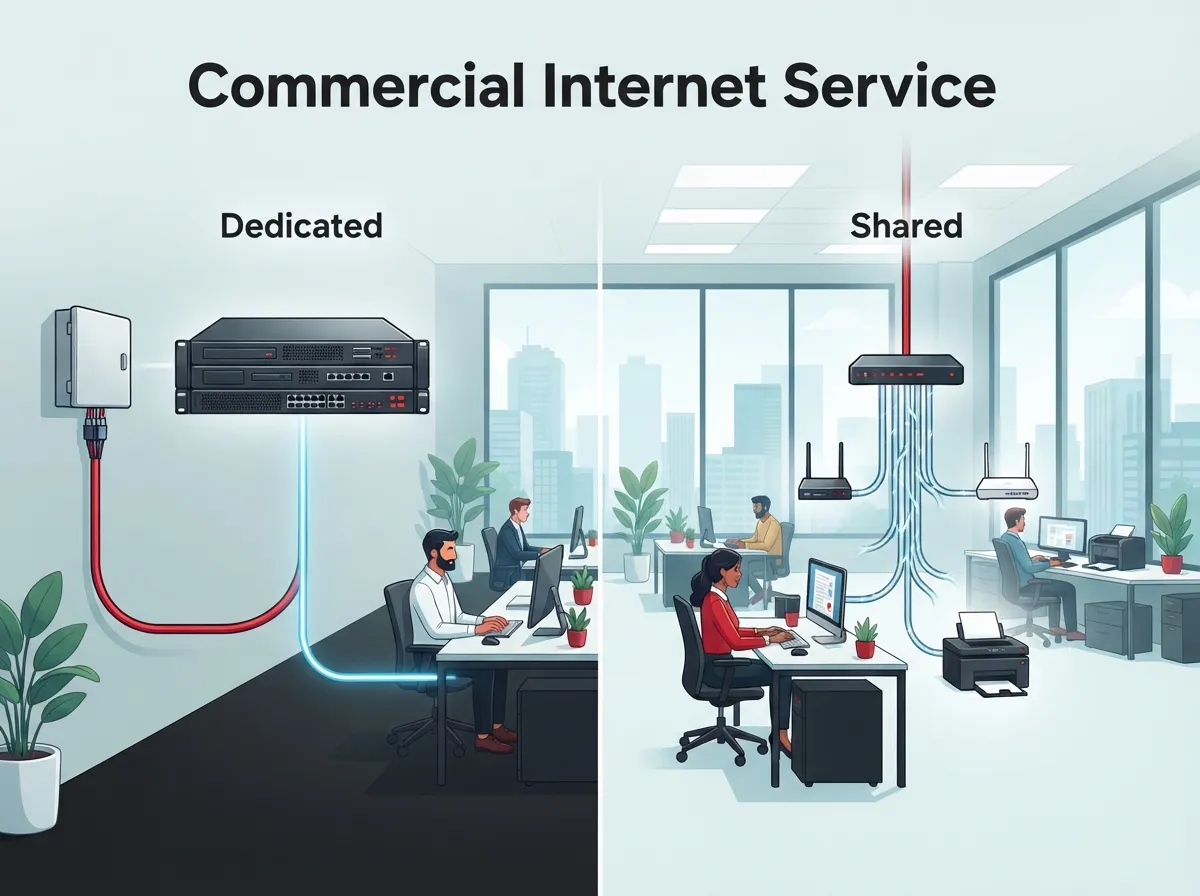
What Is Commercial Internet Service?
Commercial internet service is internet connectivity sold for business use. It is built for offices, shops, warehouses, clinics, and multi-location companies. Depending on the plan, it can include business support, static IP addresses, monitoring, service-level agreements (SLAs), and backup options.
Residential plans are made for streaming and browsing at home. Business plans are made for steady work, faster help, and clearer promises in writing. That does not mean every business plan is fancy. Some are simple and affordable, and that is perfectly fine for many small teams.
Common access types include:
- Business fiber: Great for high capacity and strong upload speeds.
- Business cable: Widely available and often budget friendly.
- DSL: An older option that still shows up in some areas.
- Fixed wireless: Useful where wired service is limited.
- Cellular broadband: Handy as a backup or in tricky locations.
Availability and speed vary by address, so two buildings on the same street can have very different options. If you want a deeper look at picking a plan, our guide on business internet service and how to pick the right plan in 2026 is a nice companion read.
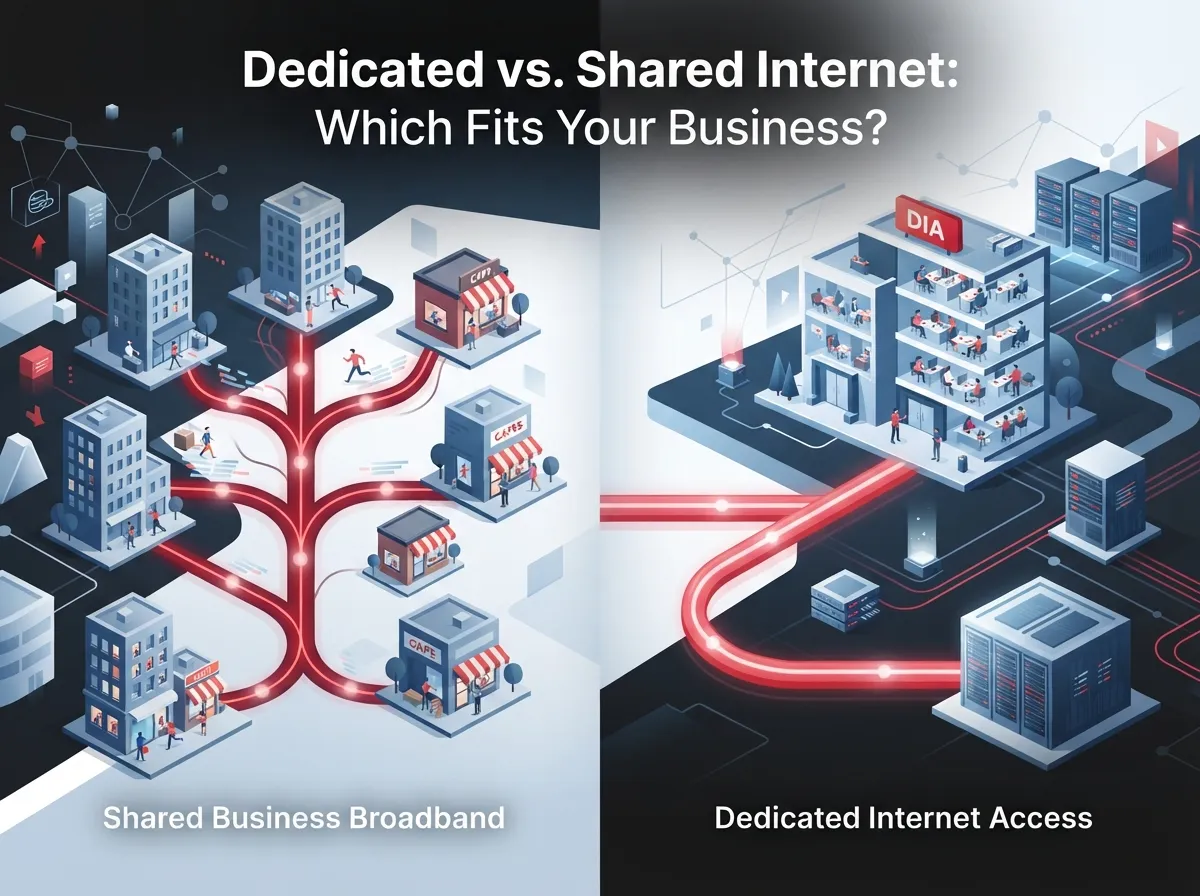
The Contenders: Shared Business Broadband vs. Dedicated Internet Access
Let us meet our two contenders. Think of shared broadband as a busy highway. Many drivers use it, and speeds can slow at rush hour. Think of DIA as a private lane just for your company.
Shared Business Broadband
Shared business broadband, often cable or basic fiber, is a best-effort service. Your access capacity is shared in some way with other customers. Most of the time it works great. At peak hours, it may slow down.
It usually costs less and installs faster. For a small office with email, cloud apps, and a handful of VoIP phones, it can be a smart fit.
Dedicated Internet Access (DIA)
Dedicated Internet Access reserves bandwidth for your business instead of sharing access capacity the way typical best-effort broadband does. It commonly offers symmetrical speeds, which means upload matches download. It also usually comes with contractual performance commitments.
The tradeoff is cost. DIA generally costs more than shared business broadband. If you want the full picture, our guide to dedicated fiber internet explains what you get for the extra spend.
Head-to-Head Comparison
Here is a quick side-by-side look. Remember that these are general patterns. Your actual plan terms will decide the details.
| Feature | Shared Business Broadband | Dedicated Internet Access |
|---|---|---|
| Bandwidth | Shared, best effort | Reserved for your business |
| Upload speed | Often lower than download | Commonly symmetrical |
| Performance commitments | Limited or none | Often written into the SLA |
| Typical cost | Lower | Higher |
| Install time | Often faster | Can take longer |
| Best for | Small offices, light cloud use | Voice, video, large teams, critical apps |
Neither option is automatically better. The right choice depends on how much downtime would hurt and how much you want to spend each month.
Why Speed Alone Is Not the Whole Story
It is easy to fall for a big download number. But a faster plan on paper does not always mean a smoother day at work. Several other factors shape how your commercial internet service feels.
- Upload capacity: Video calls, cloud backups, and security cameras push data out, not just in.
- Latency: The delay between sending and receiving data.
- Jitter: Uneven timing that makes calls sound choppy.
- Packet loss: Dropped data that causes glitches.
- Peak-time performance: How the connection acts when everyone is online.
If your team uses cloud phones, these details matter a lot. A choppy call can cost you a customer. For help sizing things up, see what internet speed is needed for VoIP in 2026.
Cameras matter too. Cloud security systems stream footage all day, so upload speed is a big deal. Our post on internet speeds your cloud cameras actually need breaks it down in plain language.
The FCC Numbers: Good News With a Catch
Here is some encouraging news. The FCC’s May 2025 Broadband Data Collection update reported that, as of December 2024, 110 million U.S. homes and small businesses, or 95% of locations, had reported access to terrestrial fixed broadband at 100 Mbps download and 20 Mbps upload or faster.
The FCC also noted that nearly 7 million additional locations gained access to fixed broadband at 1 Gbps download and 100 Mbps upload or faster between the June and December 2024 data collections. On the mobile side, 96% of locations had access to 5G at 7/1 Mbps or faster, and 92% had access to 5G at 35/3 Mbps or faster.
Now for the catch. These are reported availability figures, not guarantees for your address. Local provider options and commercial terms still vary a lot. The FCC National Broadband Map is a handy place to start. Just be sure to confirm serviceability, construction needs, actual speeds, and plan terms directly with providers.
Understanding the SLA: What to Look For
An SLA, or service-level agreement, is the written promise behind your service. It sounds technical, but it is really just a list of what the provider agrees to do and what happens if they miss.
Some providers advertise a 99.99% availability SLA for certain dedicated services. Others advertise things like a three-hour mean time to restore for a specific product. These figures are tied to specific services and contracts, so please do not treat them as a universal promise.
Here is a simple checklist for reading an SLA:
- Availability target: What uptime number is promised, and for which service?
- Measurement method: How is uptime counted, and over what period?
- Exclusions: What events are not covered, like planned maintenance?
- Response and restoration: How fast will they respond and fix problems?
- Performance metrics: Are latency, jitter, or packet loss covered?
- Credit process: How do you claim a credit, and how much is it worth?
One important reminder: an uptime guarantee is not a promise that outages cannot happen. It is a promise about what the provider owes you if they do. Credits and remedies are set by the contract, so read the fine print.
What Does Commercial Internet Service Cost?
This is the question everyone asks, and the honest answer is, it depends. Pricing is tied to your location and the exact service. Several things can move the number up or down:
- Dedicated bandwidth versus shared bandwidth
- Higher speeds
- Stronger SLAs
- Redundancy and backup connections
- Construction or building extensions to reach your site
- Equipment and installation fees
- Contract length
- Taxes and added fees
Headline monthly rates can be misleading. A low advertised price may leave out install costs, equipment, or fees. Always compare full quotes and contract terms side by side. To dig into numbers, check out dedicated internet access pricing for 2026 and business fiber internet pricing.
Who Should Choose Which?
Let us make this practical. Here is how different teams often think about it.
Small Business Owners and Office Managers
If you run a small Tampa shop or office with a few phones and cloud apps, shared business fiber or cable may do the job nicely. It keeps costs low. Just make sure upload speed fits your needs, and consider a simple backup connection so one outage does not stop your day.
Mid-Sized Companies and IT Managers
If your team is growing, leans on cloud phones, and runs video meetings all day, DIA starts to look attractive. Symmetrical speeds and written performance commitments give you peace of mind. You may also want to look at SD-WAN services to manage traffic across sites.
Franchise Operators
With many locations, consistency is the goal. You may mix connection types by site, using DIA for busy hubs and shared fiber for smaller shops. Comparing providers across multiple addresses is a big job, and our post on multi-location telecom solutions can help you plan.
Do Not Skip the Backup Plan
Even the best connection can go down. A fiber cut down the road, a storm, or a provider issue can all cause trouble. That is why a backup plan is so valuable.
A secondary connection can be a different wired provider, fixed wireless, or cellular service. Pair it with automatic failover so your network switches over on its own. Here is the key tip: a backup works best when it avoids shared infrastructure with your main line. If both connections run through the same cable path, one cut can take both down.
Want to go deeper? Our post on automatic internet failover tips walks through the setup in a friendly way.
A Simple Step-by-Step Way to Choose
Feeling a little overwhelmed? Totally normal. Here is an easy path to follow:
- List your needs. Count users, sites, phones, cameras, and cloud apps.
- Rate your risk. Ask how much an hour of downtime would cost you.
- Check your address. Use the FCC map, then confirm with providers.
- Compare full quotes. Include install, equipment, fees, and contract length.
- Read the SLA. Look at scope, exclusions, and credit rules.
- Plan your backup. Pick a second path that does not share a failure point.
You can also use our guide on ways to compare business internet providers to keep your comparison tidy.
Why Many Businesses Use a Single Partner
Here is something many owners learn the hard way. Juggling several vendors for internet, phones, cabling, and cameras can eat up your week. When something breaks, everyone points at someone else.
Ideal Solutions Provider is a Tampa-based telecom and IT partner with over 24 years of experience. We work with 35+ vetted suppliers, so we can compare options for you instead of pushing one product. We handle consultation, installation, and ongoing support, all with one point of contact. Our business high speed internet services cover fiber, broadband, SD-WAN, and dedicated circuits, and we serve businesses nationwide.
It also helps to understand the bigger picture of how your network is built. Good internet needs good structured cabling inside your walls, and a clear understanding of how your Internet Service Provider delivers service to your door. When these pieces work together, everything feels smoother.
Final Verdict: Which One Wins?
So, which commercial internet service wins? The honest answer is that it depends on your business, and that is okay. Shared business broadband wins on price and speed to install. Dedicated Internet Access wins on reserved bandwidth, symmetrical speeds, and stronger written commitments.
If downtime would hurt, and you rely on voice, video, or cloud systems all day, DIA is often worth the investment. If your needs are lighter and your budget is tight, shared broadband with a good backup can be a smart, friendly choice. Many businesses also blend both across locations.
You do not have to figure this out alone. We offer free consultations to review your current setup and spot ways to save. Contact us today, or call us to talk through your options with a friendly expert.
FAQs
Q: What is commercial internet service, and how is it different from residential internet?
A: Commercial internet service is connectivity sold for business use. It can include business support, static IPs, monitoring, SLAs, and backup options, while residential plans focus on home use. Features vary by provider, so always check the plan details.
Q: What is the difference between business broadband and Dedicated Internet Access?
A: Business broadband is usually shared and best effort, so speeds can dip at busy times. Dedicated Internet Access reserves bandwidth just for your company and often offers symmetrical speeds and contractual performance commitments. DIA typically costs more, but it brings extra steadiness.
Q: What should a business internet SLA include?
A: A good SLA spells out the availability target, how it is measured, exclusions, response and restoration times, performance metrics, and the service-credit process. Remember that an uptime guarantee is not a promise that outages cannot happen. Credits and remedies come from your contract.
Q: How can a business keep internet running during an outage?
A: Add a secondary connection, such as a different wired provider, fixed wireless, or cellular service, and set up automatic failover. The backup works best when it does not share infrastructure with your main line. That way, one problem will not knock out both.
Q: How do I find out if fiber is available at my business address?
A: Start with the FCC National Broadband Map to see reported providers at your location. Then confirm serviceability, construction needs, real speeds, and plan terms directly with providers. A telecom partner can also check many suppliers for you at once.





