
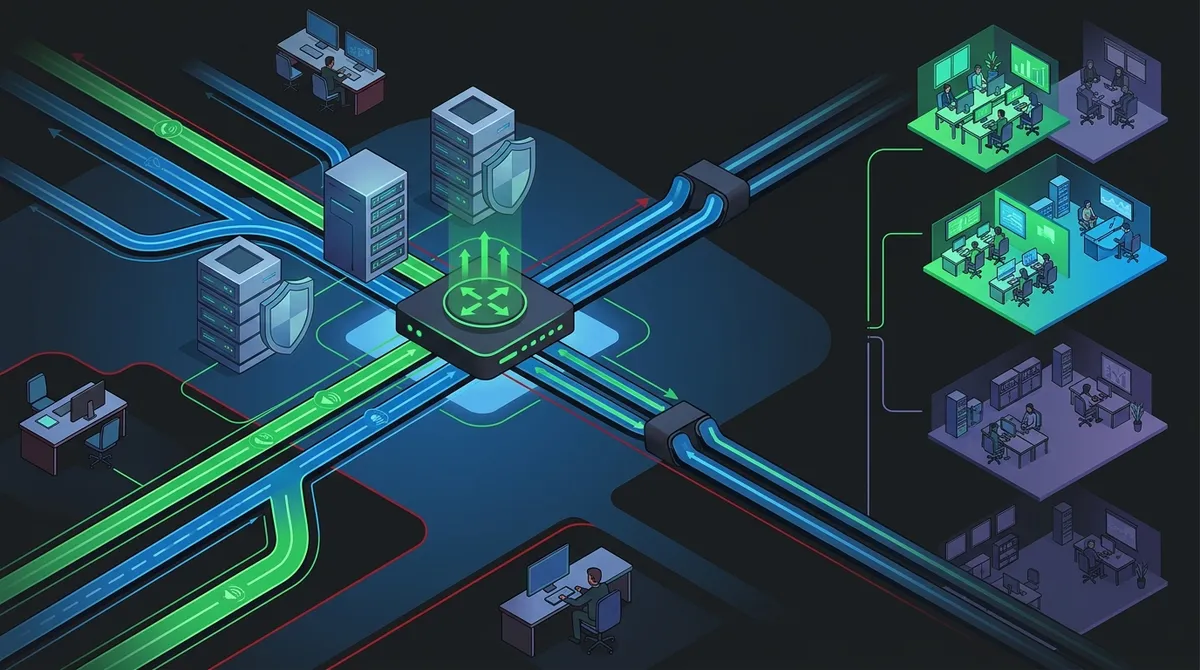
Key Takeaways
-
Configure Quality of Service (QoS) on your router to prioritize voice traffic and prevent bandwidth congestion from degrading call quality during important client calls.
-
Conduct a network assessment before installation to ensure your internet connection supports at least 100 Kbps per active VoIP line; for example, 20 simultaneous calls require 2 Mbps minimum.
-
Implement security measures from day one including Session Border Controller (SBC), SRTP/TLS encryption, strong password policies, and regular software updates to protect against IP-based attacks.
-
Plan a staged go-live rollout starting with a test group or single department before company-wide deployment to identify and resolve issues before they affect all operations.
-
Establish a backup internet connection from a different provider for automatic failover to ensure business continuity if your primary connection fails.
-
Choose between SIP trunking with on-premises IP PBX for large enterprises or fully hosted cloud PBX for SMBs and growing companies based on your scalability and maintenance needs.
Switching your business phone system can feel like a big deal. But VoIP implementation doesn’t have to be stressful or confusing. In fact, with the right plan in place, it can be one of the smartest upgrades you make in 2026. Whether you’re a small business owner in Tampa or an IT manager overseeing a multi-location enterprise, this guide walks you through everything you need to know — step by step, in plain English.
VoIP stands for Voice over Internet Protocol. Instead of using old copper phone lines, your voice calls travel as data packets over your internet connection. The result? Lower costs, better features, and a phone system that actually grows with your business. Let’s break down how VoIP implementation works and how you can make it a smooth experience.

What Is VoIP and Why Are Businesses Making the Switch?
VoIP converts your voice into digital data and sends it over a broadband network. No extra telephone infrastructure is needed. Traditional phone lines are expensive to maintain, especially for international calls. VoIP offers far more competitive rates and cuts those costs significantly.
More businesses are also choosing cloud-based phone systems because they’re easy to scale. Add a new employee? Just add a new line. Open a new location? Your system expands without a full rewire. It’s flexibility that traditional phone systems simply can’t match.
If you want a deeper look at the differences, check out this breakdown of 6 Key Differences Between VoIP and Traditional Phone Systems.

The 4-Phase VoIP Implementation Process
A successful VoIP rollout follows a clear, structured process. Skipping steps leads to call quality issues, dropped calls, and frustrated employees. Here’s the four-phase approach that most telecom professionals follow:
- Network Assessment — Evaluate your current internet infrastructure and bandwidth capacity before anything else.
- System Configuration — Set up your VoIP platform, configure SIP trunks or hosted PBX, and integrate business tools.
- User Training — Teach your team how to use the new system, including features like voicemail-to-email and call forwarding.
- Staged Go-Live — Roll out the system in phases, starting with a test group before going company-wide.
Each phase is important. Rushing through one can cause problems in the next. Think of it like building a house — you wouldn’t skip the foundation just to get to the paint.
Phase 1: Network Assessment — Start Here First
Before you install a single VoIP phone, you need to know if your network can handle the traffic. VoIP significantly increases the load on your broadband connection. Performance tests help identify whether you need bandwidth upgrades.
Most businesses need at least 100 Kbps per active VoIP line. If you have 20 simultaneous calls, that’s 2 Mbps just for voice — plus all your other data traffic. For reliable service, your internet connection needs to handle both comfortably.
Here’s a quick reference guide for bandwidth needs:
| Number of Simultaneous Calls | Minimum Bandwidth Required | Recommended Bandwidth |
|---|---|---|
| 1–5 calls | 0.5 Mbps | 2 Mbps |
| 6–15 calls | 1.5 Mbps | 5 Mbps |
| 16–30 calls | 3 Mbps | 10 Mbps |
| 31–50 calls | 5 Mbps | 20 Mbps |
Need to understand your internet needs better? This article on What Internet Speed Do I Need for VoIP in Tampa? is a great place to start. You might also want to explore why Tampa businesses need dedicated fiber internet to support voice traffic reliably.
Quality of Service: The Secret to Clear Calls
One of the most important technical steps in VoIP implementation is configuring Quality of Service (QoS) on your network. QoS settings tell your router to prioritize voice traffic over regular data traffic.
Without QoS, a large file download could cause choppy, delayed, or dropped calls. Nobody wants that — especially not during an important client call. Here’s what QoS does for your VoIP system:
- Prioritizes voice packets over other data
- Reduces latency (delay) and jitter (inconsistent packet delivery)
- Prevents bandwidth congestion from affecting call quality
- Ensures consistent audio clarity across all calls
Think of QoS like a carpool lane on the highway. VoIP traffic gets its own lane so it always moves smoothly, even when other traffic is heavy.
Phase 2: Choosing the Right VoIP System Type
Once your network is ready, it’s time to choose your VoIP deployment model. There are two main options: SIP trunking with an IP PBX, or a fully hosted cloud PBX. Each has its pros and cons depending on your business size and needs.
| Feature | SIP Trunking (IP PBX) | Hosted Cloud PBX |
|---|---|---|
| Hardware required | Yes, on-premises PBX | Minimal — mostly IP phones |
| Upfront cost | Higher | Lower |
| Maintenance | In-house or outsourced | Provider handles it |
| Scalability | Moderate | Very easy |
| Best for | Large enterprises | SMBs and growing companies |
Most companies today choose SIP trunking to connect their IP PBX to the Public Switched Telephone Network. But cloud PBX (hosted PBX) is rapidly growing in popularity because it reduces hardware needs and offers quick, low-maintenance implementation. Learn more about Hosted VoIP vs. Traditional Phone: Which Is Right for You?
For businesses worried about making costly mistakes, this guide on 5 Hosted PBX Mistakes Tampa Small Businesses Must Avoid is a must-read before you sign any contracts.
Security: Don’t Skip This Step
VoIP systems are a target for hackers if left unsecured. Because calls travel over IP networks, they’re vulnerable to the same threats as any other internet traffic. Security must be part of your VoIP implementation plan from day one.
Here are the key security measures every business should put in place:
- Session Border Controller (SBC) — Secures all enterprise communication layers against external IP-based attacks
- Encryption — Use SRTP and TLS protocols to encrypt voice data in transit
- Strong password policies — Prevent unauthorized access to your VoIP portal
- Firewall configuration — Block suspicious traffic while allowing legitimate VoIP traffic
- Regular software updates — Keep your VoIP platform patched against known vulnerabilities
An Internet Service Provider with business-grade security features can also add an extra layer of protection to your VoIP environment. If you want to explore broader security options, check out Cloud Security vs. Traditional Network Security: Which Wins?
The Role of Backup Internet in VoIP Reliability
What happens if your internet goes down? Without a backup connection, your phone system goes silent. That’s a serious problem for any business that depends on customer calls.
A backup broadband connection is essential for VoIP reliability. Many businesses use a secondary connection from a different internet service provider to ensure failover coverage. Here’s how a backup connection fits into your VoIP setup:
- Primary internet connection carries normal VoIP and data traffic
- Network monitoring detects an outage on the primary line
- Traffic automatically fails over to the backup connection
- Calls continue without interruption until the primary line is restored
For businesses that simply can’t afford downtime, this kind of redundancy is non-negotiable. Explore your options with this guide on 7 Best Business High-Speed Internet Services in Tampa FL.
VoIP Integration With Your Business Tools
One of the biggest advantages of modern VoIP systems is how well they integrate with other business software. This is where VoIP really shines beyond just making phone calls.
Popular integrations include:
- CRM software — Log calls automatically, view customer records during calls, and improve follow-up
- Email platforms — Receive voicemails directly in your inbox as audio files or transcripts
- Instant messaging — Unified communications bring calls, chat, and video into one platform
- Calendar tools — Schedule calls and video meetings directly from your calendar
These integrations save time, reduce errors, and keep your team in sync. Want to explore the full range of features available? Check out 12 VoIP Phone System Features Every Business Needs in 2026.
You can also follow along with real-world VoIP tips and updates on the Ideal Solutions Provider Facebook page.
Phase 3: Cabling and Physical Infrastructure
Even with a cloud-based VoIP system, your physical network infrastructure matters. IP phones connect via ethernet cables or Wi-Fi. For the best call quality, wired connections are always preferred over wireless.
Proper structured cabling supports your VoIP deployment by ensuring clean, fast, and reliable data transfer between devices. If your cabling is outdated or poorly installed, you’ll experience more call quality issues than you’d expect.
| Cabling Type | Max Speed | Best Use for VoIP |
|---|---|---|
| CAT5e | 1 Gbps | Acceptable for small setups |
| CAT6 | 10 Gbps | Recommended for most businesses |
| Fiber Optic | 100+ Gbps | Ideal for large enterprises |
Learn more about how structured cabling supports VoIP phones and security cameras in commercial environments. And if you’re building out a new office, this article on whether you need structured cabling for a new office buildout in Tampa covers everything you need to know.
Phase 4: User Training and Going Live
Your shiny new VoIP system is only as good as the people using it. User training is often overlooked, but it’s one of the most important parts of VoIP implementation. A short training session prevents a lot of frustration later on.
Here’s what a solid training plan covers:
- How to make and receive calls on new IP phones or softphone apps
- Setting up voicemail, call forwarding, and do-not-disturb features
- Using the mobile app for remote or hybrid workers
- Accessing call logs and integrations with CRM tools
- Escalation procedures if something doesn’t work as expected
After training, roll out the system in stages. Start with one department or location. Get feedback. Fix any issues. Then expand to the rest of your organization. This staged approach prevents company-wide disruptions if a hiccup occurs. For a step-by-step roadmap, check out 10 Phone System Setup Steps Every Business Should Follow.
How Ideal Solutions Provider Makes VoIP Implementation Easy
VoIP implementation has a lot of moving parts. That’s why working with an experienced telecom partner makes such a big difference. Ideal Solutions Provider has over 24 years of experience helping Tampa businesses and companies nationwide navigate exactly this process.
As an independent telecom partner, they compare options across 35+ vetted suppliers to find the best fit for your specific needs — not just whatever earns the highest commission. From network assessment to installation to ongoing support, they serve as your single point of contact throughout the entire VoIP implementation journey.
Want to see behind the scenes of how they work? Visit their YouTube channel for helpful videos on business telecom solutions. You can also explore how to choose a Business VoIP Solutions Provider in Tampa to make sure you’re partnering with the right team.
Common VoIP Implementation Mistakes to Avoid
Even with the best intentions, businesses make avoidable mistakes during VoIP rollouts. Here’s a quick list of what NOT to do:
- Skipping the network assessment before installation
- Forgetting to configure QoS on your router
- Not planning for a backup internet connection
- Choosing a system that can’t scale as your business grows
- Neglecting security settings like SBC and call encryption
- Failing to train employees before go-live day
For more detail on what to watch out for, this article on 8 VoIP Provider Mistakes Tampa Businesses Must Avoid is incredibly helpful. Also worth bookmarking: 7 VoIP Integration Mistakes That Hurt Your Business.
Stay connected with tips, updates, and behind-the-scenes content on the Ideal Solutions Provider Instagram page.
Is Your Business Ready for VoIP?
VoIP implementation is one of the most impactful telecom upgrades a business can make in 2026. It cuts costs, improves communication, and gives you features that traditional phone systems never could. The key is approaching it with a solid plan — from network readiness to security to user training.
Whether you’re a small business owner looking to simplify your phone setup or a franchise operator managing multiple locations, VoIP has a solution that fits. Want to see what affordable VoIP phone services are available for Tampa businesses in 2026? Or curious about why so many Tampa businesses are switching to VoIP this year? The resources are all there waiting for you.
Ready to take the next step? Get in touch with our team at Ideal Solutions Provider for a free consultation. We’ll review your current setup, identify where you might be overpaying, and help you build a VoIP implementation plan that works for your business — without the headaches.
FAQs
Q: How long does VoIP implementation take for a small business?
A: Great news — most small businesses can complete a VoIP implementation in just a few days to two weeks! The timeline depends on the size of your team, your current network readiness, and how quickly your chosen provider can configure the system. Working with an experienced telecom partner can speed things up significantly.
Q: Do I need to replace all my existing phones when switching to VoIP?
A: Not necessarily! Many businesses use Analog Telephone Adapters (ATAs) to connect older phones to a VoIP system, which saves money during the transition. However, investing in IP phones or using softphone apps on computers and mobile devices typically delivers a much better experience and takes full advantage of VoIP features.
Q: What happens to my existing phone number when I switch to VoIP?
A: You can absolutely keep your existing business phone number — this is called number porting, and it’s a standard part of VoIP implementation. The process usually takes 2–4 weeks to complete, and your telecom provider handles the paperwork. You won’t miss any calls during the transition!
Q: Is VoIP reliable enough for businesses that depend heavily on phone calls?
A: Absolutely! Modern VoIP systems are highly reliable when properly implemented with adequate bandwidth, QoS configuration, and a backup internet connection. Many businesses find VoIP more reliable than traditional phone systems because cloud-hosted services offer built-in redundancy and uptime guarantees from their providers.
Q: How much can a business save by switching to VoIP?
A: Most businesses see substantial savings when they make the switch — especially on international and long-distance calling costs. VoIP also reduces hardware maintenance expenses and eliminates many fees associated with traditional landlines. The exact savings depend on your call volume, current provider, and the VoIP plan you choose, but it’s not unusual for businesses to cut their phone bills significantly.





