

Key Takeaways
-
Check internet availability at your exact address, including suite number, before comparing plans, since service can differ from one suite to the next in the same building.
-
Prioritize upload speed, not just download speed, because video calls, cloud backups, and file sharing depend heavily on upload bandwidth.
-
Compare total costs beyond the advertised price, including promotional rates, post-promo pricing, taxes, installation and equipment fees, and data overage charges.
-
Request a written SLA with uptime and repair-time commitments, and confirm support hours and whether you will reach a business support team.
-
Plan a backup connection, such as fixed wireless or a second provider's wired service, so operations continue if your main line fails.
-
Size your speed by counting simultaneous users and devices, including phones, POS systems, cameras, and guest Wi-Fi, and leave room for growth over two to three years.
Picking internet for your business can feel like a big, scary decision. You see ads for gigabit speeds, low monthly prices, and big promises. Then the contract arrives, and the fine print tells a different story. Sound familiar? You are not alone, and the good news is this: you can make a smart choice without a degree in networking.
The right small business internet service keeps your phones, payment systems, cloud apps, and security cameras running smoothly. The wrong one leads to dropped calls, frozen video meetings, and frustrated customers. In this friendly guide, we will walk through every step. You will learn what types of service exist, how much speed you really need, what to compare besides price, and how to build in a backup plan. Whether you run a small shop, a growing office, or several franchise locations, you will leave with a clear path forward.

What Small Business Internet Service Really Means
Small business internet service is broadband connectivity sold or set up for a business location. It supports everyday work like cloud software, payment processing, video meetings, voice over IP (VoIP) phones, customer Wi-Fi, and remote access for your team.
It is different from home internet in a few key ways. Business plans often come with faster support, static IP addresses, stronger security options, and sometimes a service-level agreement (SLA). An SLA is a written promise about uptime and repair times. Home plans rarely offer that.
Here is a simple way to think about it. Your internet connection is like the main road to your business. If that road is slow or closed, nothing else can get through. Your phones, cameras, door locks, and cloud tools all travel on it. So it pays to get it right.
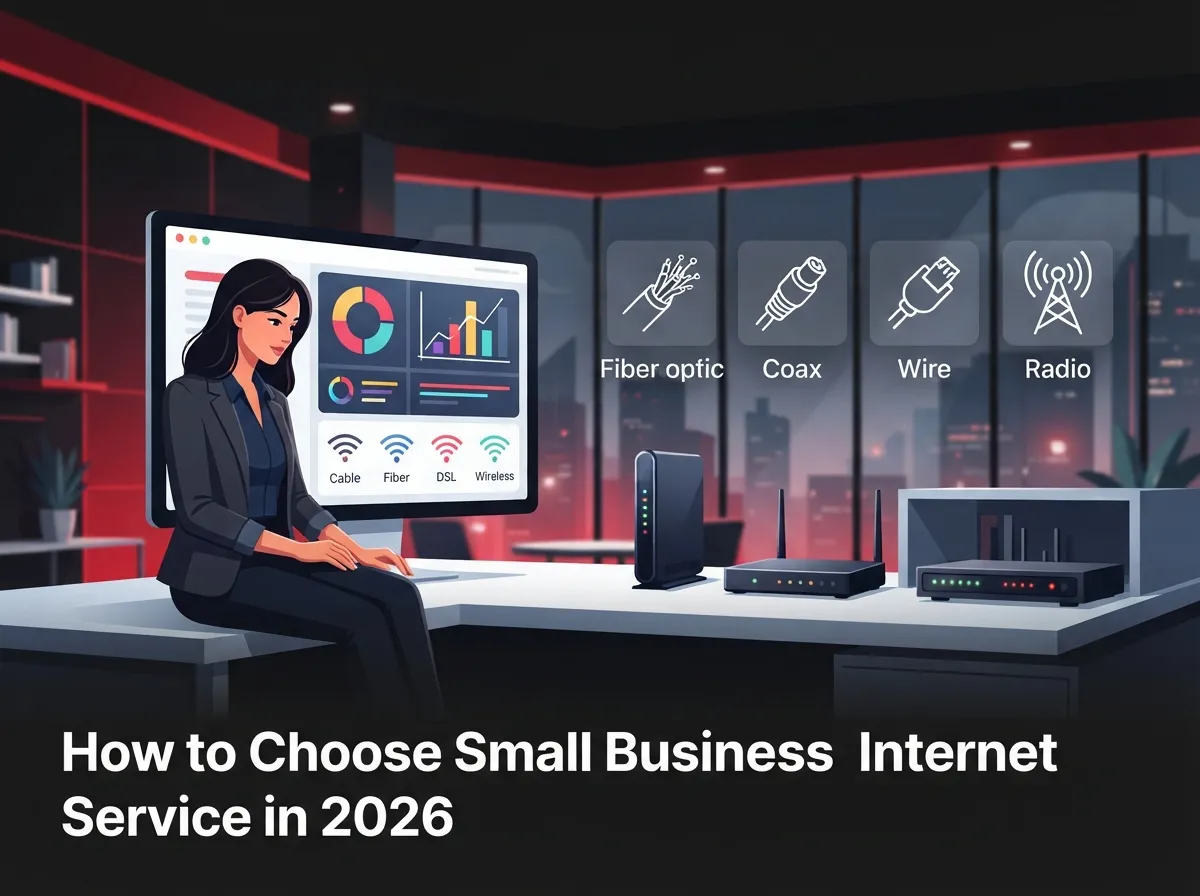
Step 1: Know the Main Types of Business Internet
Before you shop, it helps to know your options. Each type has strengths, and the best fit depends on your location and needs. Availability is always address-specific, so a plan that works down the street may not reach your door.
Fiber Internet
Fiber is often the top choice for speed and reliability. It usually offers high capacity and symmetrical speeds, meaning upload and download speeds match. That is a big deal if your team shares large files, hosts video calls, or backs up data to the cloud all day. If you want to go deeper, our guide on fiber internet business benefits breaks down why so many companies are making the switch.
Cable Internet
Cable is widely available and can be a cost-effective choice for everyday business needs. The catch is upload speed. Many cable plans offer much lower upload speeds than download speeds. For example, one provider lists cable tiers with 35 Mbps upload even on plans with download speeds up to 2 Gbps. That gap matters for video calls and cloud backups.
Fixed Wireless and 5G
Fixed wireless, including 5G, delivers service without a wired last-mile connection. It can be quicker to install, which helps when you need to open fast. Performance depends on local signal strength and network traffic. Some providers may manage speeds during busy periods, so ask about that up front.
Dedicated Internet Access
Dedicated internet access (DIA) reserves bandwidth just for your business. It usually comes with stronger service commitments. It fits companies where an outage costs real money, like medical offices, call centers, and busy retail operations. Curious about the cost side? Take a look at our piece on dedicated internet access pricing for what to expect.
| Connection Type | Best For | Typical Strength | Watch Out For |
|---|---|---|---|
| Fiber | Cloud-heavy teams, video, file transfers | High speed, matching upload and download | Not available at every address |
| Cable | Everyday office tasks, tight budgets | Wide availability, solid value | Lower upload speeds |
| Fixed Wireless / 5G | Fast setup, backup connections | Quick installation, no wired last mile | Signal and congestion can affect speeds |
| Dedicated Internet | Mission-critical operations | Reserved bandwidth, stronger SLAs | Higher monthly cost |
Step 2: Check What Is Available at Your Exact Address
This step saves you a lot of time. Internet availability changes from one street to the next, and even from one suite to another in the same building. A provider might advertise fiber in your city, but it may not reach your location.
Here is how to start:
- Write down your exact business address, including suite or unit number.
- Check which providers serve that address.
- Ask about both wired and wireless options.
- Note any construction or installation fees to bring service to your building.
- Ask about install timelines so your opening date does not slip.
Checking every provider one by one takes hours. If that sounds exhausting, you can learn how to find business internet providers by address in a much simpler way.
Step 3: Figure Out How Much Speed You Need
Many owners either overbuy speed they never use or underbuy and suffer daily slowdowns. Neither is fun. A little math helps you land in the sweet spot.
Start by counting the people and devices on your network at the same time. Do not forget phones, tablets, printers, point-of-sale systems, security cameras, and guest Wi-Fi. Each one uses some bandwidth.
Next, think about what your team does all day. Basic email and web browsing need very little. Video meetings, cloud software, large file uploads, and VoIP calls need much more. Cloud cameras also use steady upload bandwidth, which is easy to overlook. Our article on internet speeds your cloud cameras actually need can help you plan for that.
Do Not Forget Upload Speed
Most ads shout about download speed. But upload speed is just as important for modern business. Every time someone joins a video call, sends a big file, or backs up data, they use upload bandwidth. If your plan has a low upload speed, everyone on the team feels it.
A Simple Speed Planning Checklist
- Count how many people use the network at the same time.
- List your must-have cloud apps and tools.
- Note how many video meetings happen at once during busy hours.
- Add cameras, VoIP phones, and guest Wi-Fi to your list.
- Leave room to grow over the next two to three years.
Provider examples in 2026 show advertised small business tiers ranging from 300 Mbps up to 2 Gbps on some cable services. Some fiber plans go to several gigabits, and one provider advertises dedicated fiber up to 10 Gbps. These are plan examples, not a rule for every market, so always verify what is offered at your address.
Step 4: Compare More Than Just Speed and Price
A cheap plan can turn expensive fast. Advertised entry-level business internet prices often fall in the roughly $35 to $70 per month range in selected offers. But those prices may need autopay, a bundle, or a promotional period. Taxes, fees, and post-promotion rates can look very different.
When you compare plans, line them up side by side. Here are the items worth checking:
| What to Compare | Why It Matters |
|---|---|
| Upload speed | Affects video calls, cloud backups, and file sharing |
| Data limits | Overage charges can surprise you |
| Contract length | Longer terms may lock you into a poor fit |
| Promotional vs. regular price | Your bill may jump after the intro period |
| Installation and equipment fees | One-time costs add up quickly |
| Static IP availability | Needed for some VoIP, security, and remote access setups |
| Support hours | Business problems do not follow a 9-to-5 schedule |
| Security features | Built-in protection can save you money later |
| SLA or uptime guarantee | Sets repair expectations in writing |
Our guide on what to look for in a business internet provider goes even deeper on this checklist.
Step 5: Think About Reliability and Support
Speed is nice. Reliability is essential. If your internet goes down on a busy Friday, how fast will someone fix it?
Ask each provider these questions:
- Do you offer an SLA with uptime and repair-time commitments?
- What are your support hours, and is support available around the clock?
- Will I talk to a business support team or a general help line?
- How fast do you typically respond to outages?
- What credits do I receive if service goes down?
Dedicated internet usually comes with the strongest commitments. Standard cable or fiber plans may offer less. Neither is wrong. It just depends on how costly downtime would be for you. A small retail shop can survive a short outage better than a medical office that needs cloud records and phones all day.
If you are using cloud-based tools, reliability matters even more. In fact, you may be surprised to learn why cloud-based security systems fail without fast internet. The same logic applies to cloud phones and other connected tools.
Step 6: Plan a Backup Connection
Here is a tip that many owners wish they had learned sooner. Even the best internet can go down. A backup connection keeps you running when your main line fails.
A common setup is a wired primary connection, like fiber or cable, paired with a backup using fixed wireless or a different provider’s wired service. If one goes down, the other takes over. Some businesses use technology that automatically switches between the two. You can learn how that works in our article on SD-WAN services and whether your business needs them.
Think of it like a spare tire. You hope you never need it, but you will be very glad it is there when you do.
Step 7: Bundle Wisely With Phones and Security
Your internet does not work alone. It carries your VoIP phones, your cloud security cameras, and your cloud-based access control. When these systems work together, life gets easier. When they come from different vendors that do not talk to each other, troubleshooting turns into a finger-pointing game.
That is why many owners prefer one trusted partner for everything. If you are curious about combining services, read our guide on how to bundle your business phone and internet service.
Do not forget what is inside your walls, either. Even a great internet plan can feel slow if the cabling inside your office is old or poorly installed. Good structured cabling makes sure your speed actually reaches every desk and device.
Step 8: Use an Independent Partner to Compare Options
Here is something many owners do not realize. When you call one provider, you only hear about that provider’s plans. They are not going to tell you if a competitor offers a better deal at your address.
An independent telecom partner works differently. Instead of selling one brand, they compare options across many suppliers and match you with what fits your business. Ideal Solutions Provider is a Tampa-based telecom and IT partner with over 24 years of experience and relationships with 35+ vetted suppliers. They act as a single point of contact, from the first consultation through installation and ongoing support. Their team even offers free reviews of your current setup to spot savings.
This can save you time, money, and stress. You do not have to chase down quotes from a dozen vendors, and you get honest side-by-side comparisons. You can also see how they approach this on their business high speed internet services page.
Common Mistakes to Avoid
Even smart owners trip over a few common issues. Watch out for these:
- Choosing on price alone. A low intro rate may jump later, and weak support can cost you more in lost work.
- Ignoring upload speed. Slow uploads cause lag on video calls and cloud tasks.
- Skipping the SLA. Without it, you have no written repair promise.
- Forgetting a backup. One connection is one point of failure.
- Not planning for growth. A plan that fits today may feel tight in a year.
- Missing hidden fees. Installation, equipment, and taxes add up.
For more cautionary tales, our article on business cable internet mistakes that waste your money is a quick, helpful read.
Your Quick-Start Action Plan
Feeling a bit overwhelmed? Take a breath. Here is a simple plan you can follow today:
- Write down your address, number of users, devices, and key apps.
- Check which providers and connection types reach your location.
- Estimate your speed needs, with special attention to upload speed.
- Compare total costs, including fees, contract terms, and post-promo pricing.
- Review SLA terms and support hours.
- Choose a backup connection for outages.
- Talk to an independent expert to double-check your options.
Provider plans, prices, and offers change often, so always confirm the current terms for your exact service address before you sign. If you want to see what local pricing looks like, our guide to finding the best business internet deal in Tampa is a good place to start. You can also read more about the basics of an Internet Service Provider if you want a quick refresher.
Ready to Find the Right Fit?
Choosing small business internet service does not have to be stressful. When you know your options, check your address, size your speed, and compare real costs, you set your business up for smooth days ahead. Add a backup plan and a trusted partner, and you will sleep a lot easier.
If you would like a friendly hand, contact our team at Ideal Solutions Provider for a free review of your current setup. You can also call us to talk through your needs. We would love to help you find a plan that fits your business, your budget, and your goals. And if you like seeing how we work, follow along on YouTube for helpful tips.
FAQs
Q: What is the best small business internet service?
A: There is no single best option, because it depends on what is available at your address and what your team does all day. Fiber is a strong pick for heavy cloud use and video calls, while cable works well for everyday tasks. Check availability first, then compare upload speed, support, and total cost.
Q: How much internet speed does a small business need?
A: It depends on how many people and devices share the connection and what tools they use. Count your users, devices, cloud apps, VoIP phones, and cameras, then leave room to grow. Do not forget upload speed, since video calls and cloud backups lean on it heavily.
Q: Is fiber internet better than cable for a small business?
A: Fiber often offers higher capacity and matching upload and download speeds, which helps with video meetings and large files. Cable is widely available and can cost less, but upload speeds are usually lower. The best choice depends on what your address offers and what your daily work demands.
Q: How can a small business keep internet running during an outage?
A: The easiest way is a backup connection, such as fixed wireless or a second provider’s wired service. If your main line fails, the backup keeps you online. You can also look at an SLA and technology like SD-WAN that switches between connections automatically.
Q: What is the difference between business internet and residential internet?
A: Business plans often include faster support, static IP options, stronger security features, and sometimes an SLA with uptime commitments. Residential plans usually do not offer those perks. Business service is built for the steady, daily demands of running a company.





