

Key Takeaways
-
Modern IP phones run on standard Ethernet cabling, so most offices no longer need separate voice and data wiring; one well-built structured network can carry phones, computers, Wi-Fi, and cameras.
-
Cat 6A supports 10GBASE-T over a full 100-meter channel, while Cat 6 only reaches 10 Gbps over shorter distances, making Cat 6A the smarter pick for growth and PoE-heavy setups.
-
A copper Ethernet channel is limited to 100 meters (up to 90 m horizontal plus 10 m of patch cords); longer runs need an extra telecom closet or a fiber link.
-
Power over Ethernet can deliver power and data over one cable, but high-power PoE needs careful planning around cable category, bundle size, ambient temperature, and pathway fill to avoid heat problems.
-
Insist on certification testing for every link (copper wire map, length, insertion loss, return loss, crosstalk; fiber insertion loss) and get documented results, since they provide a baseline for future troubleshooting.
-
Plan for growth while walls are open by counting endpoints, reserving telecom room capacity, adding redundancy for critical links, and leaving pathway space for future pulls.
Picture this. It’s Monday morning, your team is jumping on calls, the Wi-Fi is humming, and the security cameras are streaming. Everything works because of something nobody ever sees: the cables inside your walls. If you have ever wondered what keeps all of that connected, you are asking the right question.
Voice and data cabling is the physical network that links your phones, computers, wireless access points, and cameras to the switches and services that power them. It is the quiet backbone of every office. When it is planned well, nobody notices it. When it is done poorly, everybody feels it.
In this friendly guide, we will walk through what voice and data cabling is, how it works, which cable types make sense, and how to plan an installation that lasts. Whether you run a small shop, manage an office, or oversee several locations, you will walk away with clear, practical answers. Let’s dive in!
What Is Voice and Data Cabling?
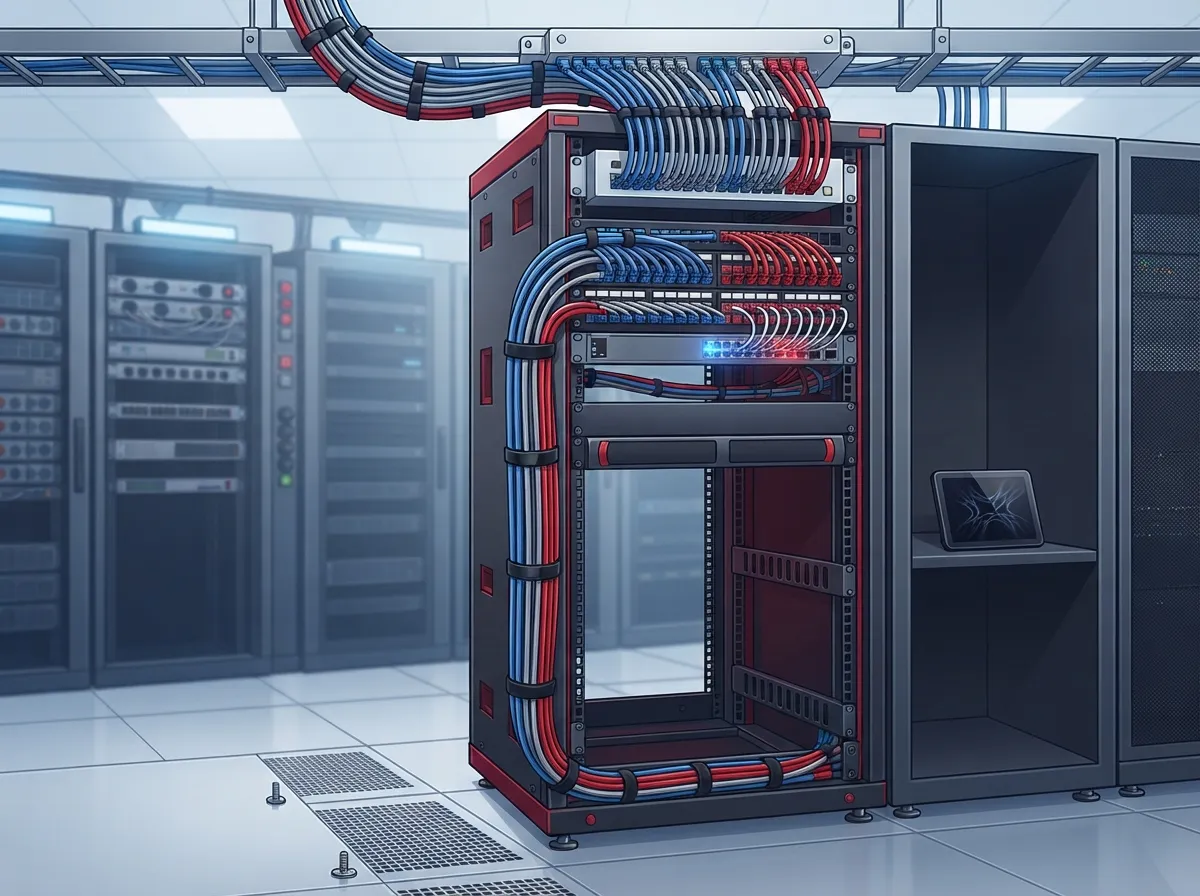
Voice and data cabling is the structured physical wiring that carries phone calls and network traffic through your building. It connects each desk, room, and device back to a central telecommunications room, where switches, patch panels, and telecom services live.
Here is the good news. Modern IP phones use the same Ethernet cabling as your computers. That means you no longer need separate wiring for voice and data in most offices. Voice-only wiring is mostly found in older or specialized systems.
A proper installation is built as structured cabling. This means the design follows a standard, organized layout instead of random cable runs added over time. If you are curious about the basics, our guide on what structured cabling is for your business network is a great companion read.
The Main Parts of a Cabling System
Think of your cabling system like the plumbing in a building. Each part has a job, and they all work together.
- Horizontal cabling: Runs from the telecom room to each work area or outlet.
- Backbone cabling: Connects telecom rooms, equipment rooms, or separate buildings.
- Patch panels: Organize and terminate cables in the rack.
- Outlets and jacks: Give your devices a place to plug in at each desk or wall.
- Racks and patch cords: Hold the gear and link equipment together.
When these pieces are labeled and documented, moves, adds, and changes become simple. Troubleshooting gets faster too.

Why Voice and Data Cabling Matters for Your Business
Your cabling affects almost everything your team does each day. Calls, video meetings, cloud apps, and file sharing all travel over it. A weak link means dropped calls, slow loading, and frustrated staff.
Good cabling also protects your investment. A cloud phone system or fast fiber internet plan can only perform as well as the wiring behind it. If you want a deeper look at how bad wiring can hold you back, check out 9 signs your Tampa business needs structured cabling now.
Who Benefits Most?
Nearly every business benefits, but a few situations stand out:
- Small business owners who want phones and internet to simply work without juggling vendors.
- Office managers who need steady uptime so the day does not grind to a halt.
- IT managers who want clean, documented infrastructure that is easy to support.
- Franchise operators who need the same reliable setup across many locations.
- Growing companies that are moving, expanding, or building out a new space.
Copper vs. Fiber: Which Cable Fits Your Needs?
Most businesses use a mix of copper and fiber. Copper handles the everyday connections to desks and devices. Fiber shines for longer runs and heavy bandwidth between rooms or buildings.
For copper, Cat 6 and Cat 6A are the most common choices today. Cat 6A is designed to support 10GBASE-T over a full 100-meter channel. Cat 6 can support 10GBASE-T only over shorter distances in suitable conditions, so it is not the full-distance equivalent. If you are weighing the two, see our breakdown on how to choose between Cat6 and Cat6A for your office.
| Cable Type | Best For | Key Strength | Things to Consider |
|---|---|---|---|
| Cat 6 | Standard office desks, phones, and Wi-Fi | Specified to 250 MHz; solid everyday performance | 10 Gbps only over shorter distances |
| Cat 6A | High-demand offices, PoE devices, future growth | Specified to 500 MHz; 10GBASE-T at 100 meters | Thicker cable and higher cost |
| Fiber optic | Building backbones, long links, heavy bandwidth | Handles long distances and high capacity | Requires proper termination and testing |
Not sure whether copper or fiber is right for your space? Our article on copper vs. fiber structured cabling walks through the tradeoffs in plain language.
How Far Can Ethernet Cabling Run?
This is one of the most common questions we hear. A standard copper Ethernet channel is limited to 100 meters, which is about 328 feet. That total usually breaks down like this:
- Up to 90 meters of permanent horizontal cabling
- Up to 10 meters of patch cords and equipment cords
Go beyond that and performance can drop. If you have a long run, you may need an extra telecom closet or a fiber link. Actual results always depend on quality components, careful installation, and testing.
Understanding Power over Ethernet (PoE)
Power over Ethernet, or PoE, lets one cable carry both data and power. A compatible switch or injector sends power over the same line to IP phones, wireless access points, and security cameras. That means fewer outlets and cleaner installs.
The standards keep growing. IEEE 802.3bt Type 4 PoE specifies up to 90 watts at the power-sourcing port. The power that actually reaches the device is lower because of losses along the cable.
PoE Planning Tips
Higher-power PoE needs a bit of extra care. Keep these points in mind:
- Choose the right cable category for the power level you need.
- Watch bundle sizes, since large bundles can trap heat.
- Consider ambient temperature in ceilings and closets.
- Check pathway fill so cables are not packed too tightly.
- Follow manufacturer and standards guidance for your devices.
If you plan to add cameras, our guide to security camera cabling for business shows how PoE fits into the bigger picture.
Standards That Keep Installations Honest
You do not need to memorize every standard, but it helps to know they exist. ANSI/TIA-568 and ISO/IEC 11801 are the key structured-cabling standards families. They set expectations for design, components, and performance.
The exact requirements depend on your project, your location, the cable type, and the edition of the standard. A good installer will name the current standard in the specification and install and certify to it. For a closer look, read 5 ANSI/TIA-568 cabling rules Tampa businesses must follow.
How a Professional Installation Works
A great installation is not just about pulling cable. It is a process. Here is how it typically unfolds when done right.
- Consultation and site walk: Your installer reviews your layout, devices, and goals.
- Design and planning: They map outlet locations, pathways, telecom room needs, and growth plans.
- Installation: Cables are run, terminated, labeled, and organized in racks and panels.
- Testing and certification: Every link is tested against the specified category.
- Documentation and handoff: You receive test results, labeling schemes, and as-built records.
For a step-by-step view of timing and planning, see how to plan network cabling installation in Tampa Bay.
What Gets Tested?
Testing is what separates a guess from a guarantee. For copper, certification commonly checks wire map, length, insertion loss, return loss, and crosstalk. For fiber, testing typically includes insertion-loss measurements and, when required, additional checks.
The results give you a baseline. If something acts up later, you can compare against those numbers and find the problem faster. We cover common pitfalls in 4 cable testing and certification mistakes to avoid in 2026.
Planning for Growth and Real-World Conditions
The best time to think about tomorrow is while the walls are open today. A little planning now saves a lot of rework later.
- Endpoint locations: Count desks, phones, access points, cameras, and shared devices.
- Telecom room capacity: Make sure there is room for racks, switches, and power.
- Redundancy: Consider backup paths for critical links.
- Future bandwidth: Choose media that can handle where your business is headed.
- Firestopping and separation: Seal penetrations and keep data cable away from electrical services where required.
- Pathway access: Leave room for future pulls without tearing things apart.
Multi-floor offices and larger buildings need extra thought. Our post on planning multi-floor office cabling the right way can help you map it out.
What Does Voice and Data Cabling Cost?
Here is the honest answer: it depends. Cost varies with the number of drops, cable category, building construction, ceiling access, distance, and testing requirements. A new buildout with open ceilings is very different from retrofitting an older space.
To get a realistic number, you need a site walk and a clear scope. If you are building a budget, our list of 10 factors that shape network cabling installation cost is a helpful starting point. Be wary of any quote that skips testing or documentation, because those gaps tend to cost more later.
For market context, third-party estimates of the global structured cabling market vary by source. Grand View Research estimated USD 13.7 billion for 2025, while Fortune Business Insights estimated USD 15.13 billion. These figures differ because methods and scope differ, so treat them as rough indicators rather than a single official number.
Common Mistakes to Avoid
Even smart businesses trip over the same few issues. Watch out for these:
- Choosing the cheapest cable without checking it meets your needs
- Skipping labeling and documentation
- Running cable too long or past the 100-meter limit
- Ignoring PoE heat and bundle size
- Forgetting to leave room for growth
- Hiring someone who will not test and certify the work
Want to go deeper on what to watch for? Read 12 structured cabling mistakes that hurt your business before you sign anything.
Why Work With a Single Telecom Partner?
Cabling does not live in a bubble. It ties into your phone system, internet service, cameras, and access control. When one partner understands the whole picture, the pieces fit together smoothly.
Ideal Solutions Provider is a Tampa-based telecom and IT partner with over 24 years of experience. They work with 35+ vetted suppliers and act as a single point of contact, from consultation and installation to ongoing support. That means fewer vendors to chase and one team that stays accountable. You can explore their structured cabling services to see how it all comes together.
Curious about the people and process? You can also follow along on YouTube for helpful videos.
Ready to Build a Network That Just Works?
Voice and data cabling may be hidden behind walls and above ceilings, but it shapes the experience of everyone in your business. With the right design, quality materials, proper testing, and clear documentation, your network can serve you reliably for years.
The best next step is a conversation. Share your space, your goals, and your growth plans, and get honest recommendations in return. If you are ready to talk it through, contact us for a free consultation, or call us and let’s get your cabling set up the right way.
FAQs
Q: What is the difference between structured cabling and traditional phone wiring?
A: Traditional phone wiring was built mainly for voice and often ran in ad-hoc layouts. Structured cabling is a standards-based system that carries voice, data, Wi-Fi, and more over the same organized Ethernet infrastructure, with labeling and documentation that make changes easy.
Q: Can the same cable support business phones, computers, and Wi-Fi access points?
A: Yes, it can! Modern IP phones, computers, and wireless access points all use standard Ethernet cabling, so one well-built network handles them together. With PoE, that same cable can even power your phones and access points.
Q: Should a business choose Cat 6 or Cat 6A cabling?
A: Cat 6 works well for many everyday office needs, while Cat 6A is built for full-distance 10 Gbps and demanding PoE setups. If you expect growth or heavy bandwidth needs, Cat 6A is often the smarter long-term pick.
Q: What is PoE, and what cabling do PoE devices need?
A: Power over Ethernet delivers power and data over one Ethernet cable to devices like IP phones, access points, and cameras. Higher-power setups need the right cable category and attention to bundle size, temperature, and pathway fill.
Q: How is a commercial data cabling installation tested and certified?
A: Copper links are commonly checked for wire map, length, insertion loss, return loss, and crosstalk, while fiber links get insertion-loss testing and more when required. The results are documented, giving you a handy baseline for any future troubleshooting.





