
Key Takeaways
-
Plan the whole network before buying equipment; piecemeal purchases often create devices that don't fit together and cause slowdowns as users, phones, and cameras are added.
-
Identify single points of failure (one router, one internet line, one power source) and add diverse links or cellular backup where the business impact justifies it.
-
Test failover regularly; a backup link you've never tested is unreliable, and it must be able to carry your critical services, not just basic internet.
-
Build security into the original design through network segmentation that separates guest Wi-Fi, office devices, voice, cameras, and sensitive systems, plus 802.1X access controls.
-
Plan capacity for peak concurrent use, not average days, counting users, devices, cloud apps, and voice/video traffic; QoS prioritizes traffic but cannot replace adequate bandwidth.
-
Maintain complete documentation (diagrams, IP/VLAN plans, circuit details, equipment inventory) and review the design whenever major changes occur, such as new sites, headcount growth, or new phones and cameras.
Picture this: it’s Monday morning, your team is logging in, the phones are ringing, and suddenly everything slows to a crawl. Video calls freeze. The cloud app everyone relies on won’t load. Sound familiar? More often than not, the culprit isn’t one bad cable or one cranky router. It’s the way the whole network was put together in the first place.
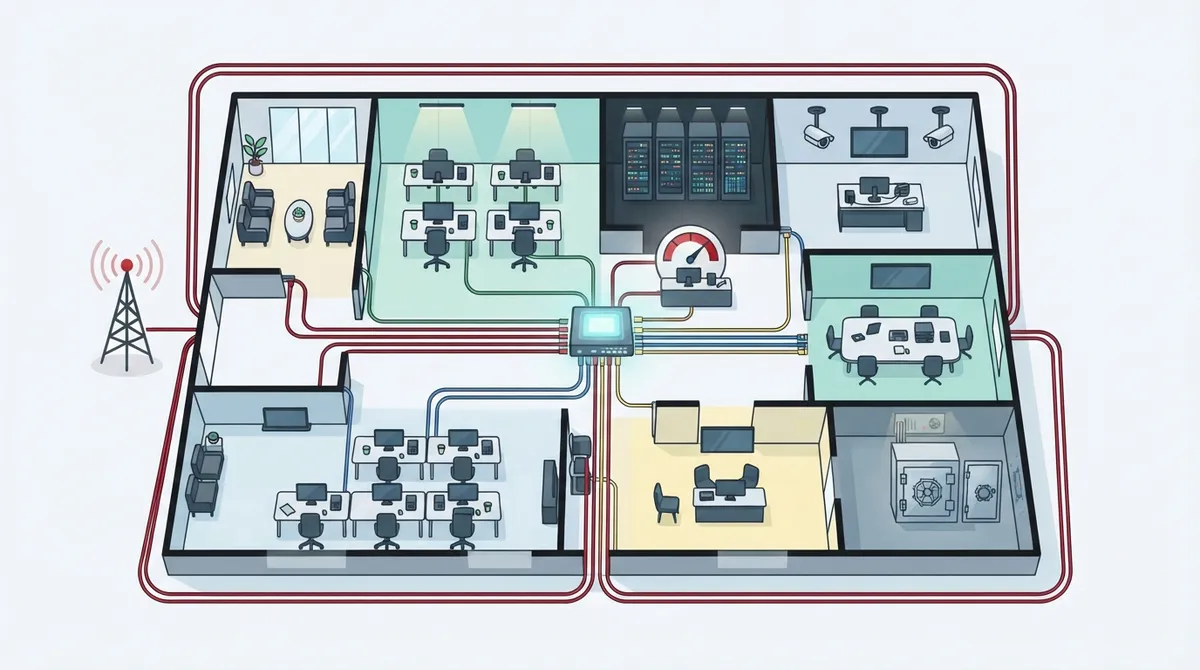
That’s where network infrastructure design comes in. It’s the planning behind how your wired and wireless connections, internet services, phones, security tools, and equipment all work together. Think of it as the blueprint for your business’s digital nervous system.
Whether you run a small Tampa office, manage IT for a growing company, or oversee several franchise locations, a smart design saves headaches, protects your data, and keeps your people productive. In this guide, we’ll walk through the key pieces in plain English, share practical tips, and help you spot where to start. Grab a coffee, and let’s dive in!

What Is Network Infrastructure Design?
Network infrastructure design is the process of planning the physical and logical systems that connect your employees, locations, applications, cloud services, voice systems, and business devices. It balances performance, availability, security, growth, and cost.
In a business telecom setting, a good design usually covers these areas:
- LAN and Wi-Fi: The wired and wireless networks inside your building
- WAN and internet access: How your sites connect to each other and to the outside world
- Routing and switching: The gear that directs traffic where it needs to go
- Cabling: The physical pathways that carry your data and voice
- Security: Firewalls, segmentation, and access controls
- Monitoring: Tools that show you what’s happening on the network
- Provider connections: Your internet, voice, and circuit services
The right choices depend on what your business actually does. A dental office with a few workstations has very different needs than a manufacturer with cameras, access control, and dozens of connected devices.
Why Design Matters Before You Buy Anything
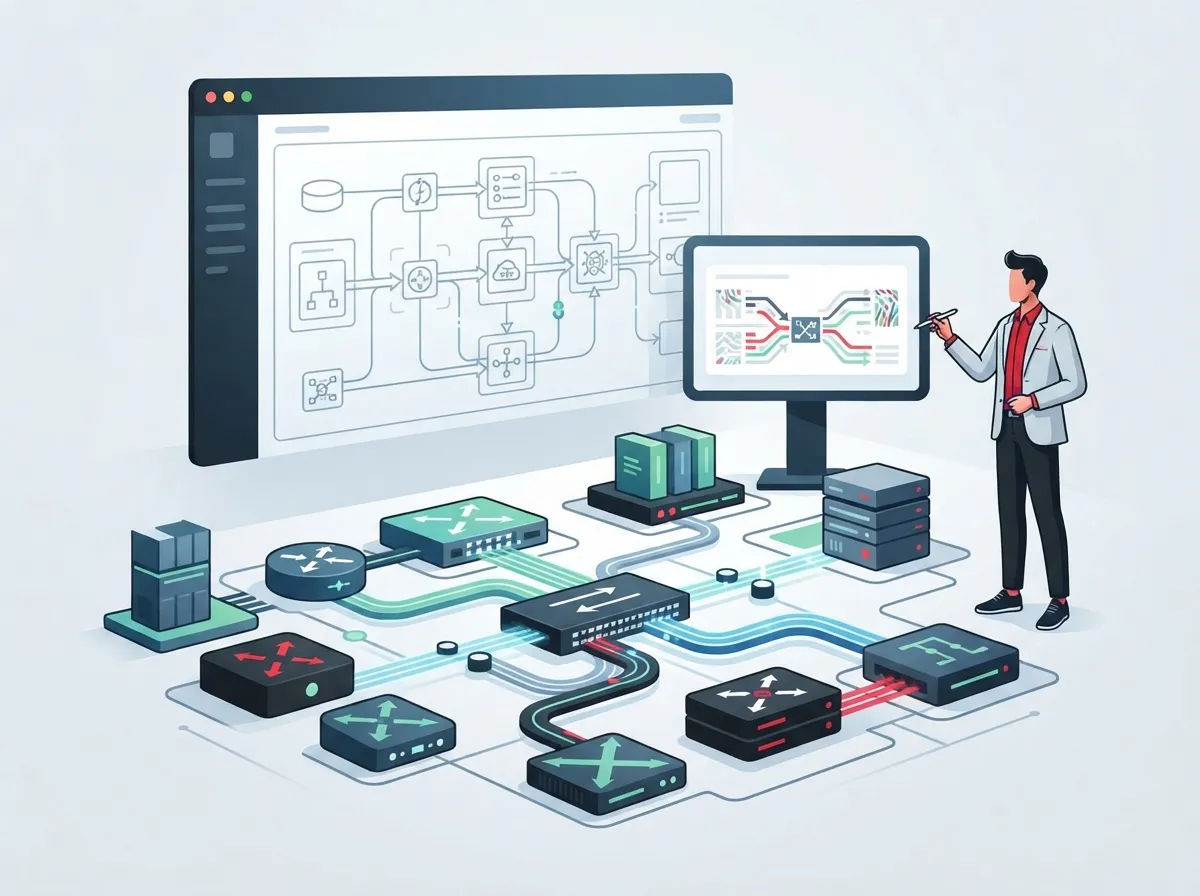
It’s tempting to start with equipment. A new router here, a faster internet plan there. But buying pieces without a plan is a bit like building rooms without a floor plan. You may end up with things that don’t fit together.
A thoughtful design helps you:
- Avoid surprise slowdowns when you add users, phones, or cameras
- Reduce downtime by planning for failures before they happen
- Keep sensitive data separated and protected
- Control costs by sizing services to real needs
- Make future upgrades easier and less disruptive
If you’d like a deeper look at the planning side, our guide on what network architecture services include for business is a great companion read.
The Building Blocks of a Solid Network Design
Let’s break the design into its main layers. You don’t need to memorize every term, but knowing the basics helps you ask better questions.
Cabling: The Foundation
Everything starts with the physical pathways. Poor cabling can cap your speeds no matter how fast your internet plan is. Structured cabling uses an organized, standards-based approach so your network is easier to manage, troubleshoot, and expand.
Choosing the right cable type matters too. For help, see Cat5e vs. Cat6: which office cabling wins in 2026 and what structured cabling is for your business network.
The Access, Distribution, and Core Layers
A common enterprise approach uses modular layers sized to your organization:
- Access layer: Where users, phones, cameras, and devices plug in
- Distribution layer: Where traffic gets aggregated, filtered, and routed between areas
- Core layer: The high-speed backbone that ties everything together
Smaller sites often combine these functions to save cost and space. Larger or more critical environments benefit from separating them, because problems stay contained instead of spreading across the whole network.
WAN and Internet Connectivity
If you have more than one location, your WAN design becomes a big deal. Options often include business internet, dedicated internet access, MPLS, cellular backup, and satellite links. Here’s a quick comparison:
| Connection Type | Best For | Key Considerations |
|---|---|---|
| Business Internet | Small offices, general use | Lower cost, shared capacity |
| Dedicated Internet Access | Voice, video, cloud-heavy teams | Consistent performance, higher cost |
| MPLS | Multi-site private connectivity | Predictable paths, provider-managed |
| Cellular/Satellite | Backup or remote sites | Useful for failover, may have limits |
Many businesses now layer these with SD-WAN, which manages multiple connections through an overlay and applies traffic and security policies. Learn more in what SD-WAN services are and whether your business needs them, or compare options in SD-WAN vs. traditional WAN.
Planning for Reliability and Failover
No network is perfect, but a good design plans for the bumps. The smartest approach is to design around business impact. Ask yourself: what happens if this link, switch, or device fails? How long can we afford to be down?
Here are some practical resilience habits:
- Find single points of failure: One router, one internet line, or one power source can bring everything down
- Use diverse links where justified: A second provider or a cellular backup can keep you online
- Check remaining capacity: A backup link is only helpful if it can carry the services you truly need
- Keep it simple: Redundancy should be tested and understood, not piled on without a plan
- Test failover regularly: A backup you’ve never tested is just a hope
For more on keeping connections alive, check out 15 automatic internet failover tips for business.
Security Belongs in the Design From Day One
Security isn’t something you bolt on at the end. It works best when it’s part of the original plan. Common design measures include:
- Network segmentation: Separating guest Wi-Fi, office devices, voice, cameras, and sensitive systems
- Firewalls and secure WAN overlays: Protecting traffic between sites and the internet
- Strong identity and device controls: Tools such as 802.1X help make sure only approved users and devices get on
- Secure management access: Limiting who can change your network settings
- Monitoring: Spotting unusual activity early
Your policies should account for employees, managed and unmanaged devices, voice phones, IoT gadgets, and guests. If you’re weighing options, our article on how to choose network security services for your business can help.
Capacity Planning: Will It Handle Tomorrow?
One of the most common design mistakes is planning only for today. Before you finalize anything, think through:
- Users and devices: How many connect at the same time, including phones, laptops, tablets, and cameras?
- Applications: Which ones are business-critical, and how much traffic do they create?
- Voice and video: Calls and meetings are sensitive to delays and drops
- Cloud usage: More cloud apps usually mean more reliance on your internet connection
- Wireless density: Busy spaces need more access points and careful placement
- Growth and peak times: Plan for the busiest moments, not the average ones
Quality of service (QoS) can prioritize time-sensitive traffic like voice, but it doesn’t replace having enough bandwidth. Think of QoS as a traffic cop, not a wider highway. For a deeper dive, see how to calculate cabling bandwidth requirements right.
Designing for Different Types of Businesses
Every business has its own flavor. Here’s how design priorities often shift:
Small Businesses
Keep it simple and affordable. A well-planned LAN, reliable business internet, quality cabling, and a cloud phone system can go a long way. Combining some network layers is perfectly fine at this size. The goal is a clean, dependable setup that won’t need constant attention.
Mid-Sized Enterprises
Growth brings complexity. You’ll likely want clearer separation of network layers, stronger segmentation, monitoring, and a documented plan for adding sites or users. Voice, video, access control, and cameras often share the network, so capacity planning matters more.
Franchise and Multi-Location Operators
Consistency is king. You want a repeatable design that can be rolled out at each location, with centralized policies and dependable connectivity. Our post on multi-location telecom solutions Florida firms need offers helpful ideas.
Don’t Skip the Documentation
Here’s the unglamorous but powerful secret: good documentation turns a network from a mystery into something manageable. When someone new joins your team, or something breaks at 4:45 on a Friday, you’ll be glad it exists.
A solid design package typically includes:
- Physical and logical network diagrams
- IP addressing and VLAN plans
- Routing and security policies
- Circuit details and provider contacts
- Equipment inventories
- Capacity assumptions
- Recovery objectives and operating procedures
Pair it with ongoing monitoring and periodic failover testing so you know the design performs the way you intended. For help with the paperwork side, read how to build structured cabling documentation that works.
A Simple Step-by-Step Approach to Your Design
Feeling a little overwhelmed? No worries. Here’s an easy path to follow:
- Take stock of what you have. List your sites, devices, services, and pain points. An infrastructure audit makes this much easier.
- Define your needs. Identify critical applications, user counts, and how much downtime you can tolerate.
- Map out the layout. Decide on cabling, switching, Wi-Fi, and WAN connections for each site.
- Plan for security and resilience. Build in segmentation, access controls, and backup paths.
- Right-size your services. Match internet, voice, and circuit options to real requirements.
- Document, install, and test. Confirm everything works, including failover.
- Monitor and review. Revisit the design as your business changes.
How Often Should You Review Your Design?
A good rule of thumb is to review your network any time something big changes: a new location, a jump in headcount, a move to cloud phones, or new cameras and access control. Even without major changes, a periodic check helps catch aging equipment and growing demands before they cause trouble.
Not sure whether it’s time? Take a look at 7 signs your Tampa business network needs an upgrade.
Why Working With One Trusted Partner Helps
Network design touches a lot of moving parts: cabling, internet, phones, security cameras, access control, and more. Juggling a separate vendor for each can get messy fast. That’s where a single point of contact makes life easier.
Ideal Solutions Provider is a Tampa-based telecom and IT partner with over 24 years of experience. They work with more than 35 vetted suppliers and can handle everything from consultation and installation to ongoing support for businesses nationwide. Because they compare options across providers, you get recommendations based on your needs, not a single carrier’s sales goals.
You can also see their work and tips on YouTube.
Ready to Build a Network That Works for You?
A great network doesn’t happen by accident. It comes from thoughtful planning, honest capacity estimates, smart security choices, and a little room to grow. When your design is solid, you stop thinking about your network, and that’s exactly the point.
If you’d like friendly, practical help, contact us for a free consultation. We’ll review your current setup, spot opportunities to improve performance and savings, and help you map out a design that fits your business. Prefer to chat? You can also call us anytime.
FAQs
Q: What is network infrastructure design for a business?
A: It’s the planning of the physical and logical systems that connect your people, sites, applications, cloud services, and voice. A good design balances speed, reliability, security, growth, and cost so your business runs smoothly.
Q: How do you design a network for redundancy and failover?
A: Start by finding single points of failure, then add independent devices or diverse internet links where the business impact justifies it. Make sure the backup can carry your critical services, and test failover regularly so you know it works.
Q: What is the difference between MPLS, business internet, and SD-WAN?
A: Business internet is a shared, lower-cost connection, while MPLS is a provider-managed private network with predictable paths. SD-WAN is an overlay that can manage several connections at once, applying traffic and security policies and choosing the best path.
Q: How should businesses plan network capacity for cloud, voice, and video?
A: Count your concurrent users and devices, note your busiest times, and consider how much traffic your key apps create. Voice and video need steady, low-delay connections, so plan for peak use and leave room to grow rather than sizing for an average day.
Q: How often should a business review its network infrastructure?
A: Review it whenever something big changes, like a new location, more staff, or new cameras and phones. It’s also smart to do a periodic check so aging equipment and growing demands don’t surprise you.





