

Key Takeaways
-
The cheapest headline price often isn't the real cost: calculate the total including promo end dates, installation, equipment, taxes, fees, and contract length before comparing plans.
-
Check availability at your exact service address, since providers and speeds can differ from one street to the next and a neighbor's service doesn't guarantee yours.
-
Prioritize upload speed if you use video calls, cloud phones, cloud backups, or cloud cameras, because these tools send large amounts of data outward, not just download it.
-
Fiber generally offers the strongest upload speeds, while cable is often the lower-cost pick, and fixed wireless works well for fast setup or places without wired service.
-
Ask about data caps, overage rules, and price changes after promotions end, and get all terms in writing to avoid surprise charges on your bill.
-
For businesses where downtime is costly, pair a primary connection with a truly independent backup link, since two connections sharing the same line or pole can fail together.
Let’s be honest. Nobody likes staring at a telecom bill and wondering what half the line items mean. If you run a business, you want affordable business internet that works every single day without surprise charges. That sounds simple, but it rarely is.
Here is the tricky part. The cheapest price on a flyer is not always the cheapest price you pay. Promo rates end. Equipment fees pop up. Slow upload speeds make video calls freeze. Suddenly that bargain does not feel like a bargain at all.
The good news? You can find a plan that fits your team and your budget. You just need to know what to compare and where to look. In this friendly guide, we will walk through what affordable really means, which connection types cost less, and how to avoid common traps. Whether you run a small shop, manage an office, or oversee several franchise locations, you will leave with a clear plan.

What Does Affordable Business Internet Actually Mean?
Affordable does not mean the lowest number on the page. It means the best value for what your business truly needs. A plan that is cheap but constantly slow costs you money in lost time and unhappy customers.
Think of it like buying a work truck. The least expensive one may not haul what you need. The right choice balances monthly cost, speed, upload capacity, reliability, support, and contract terms.
When you size up a plan, look at the full picture:
- Monthly price after any promotion ends
- Download and upload speeds that match your daily tasks
- Reliability and how fast the provider fixes outages
- Equipment and installation fees you pay up front
- Taxes and surcharges added to the bill
- Contract length and early cancellation fees
When you add these up, the true cost becomes clear. That total, not the headline price, is your real number.
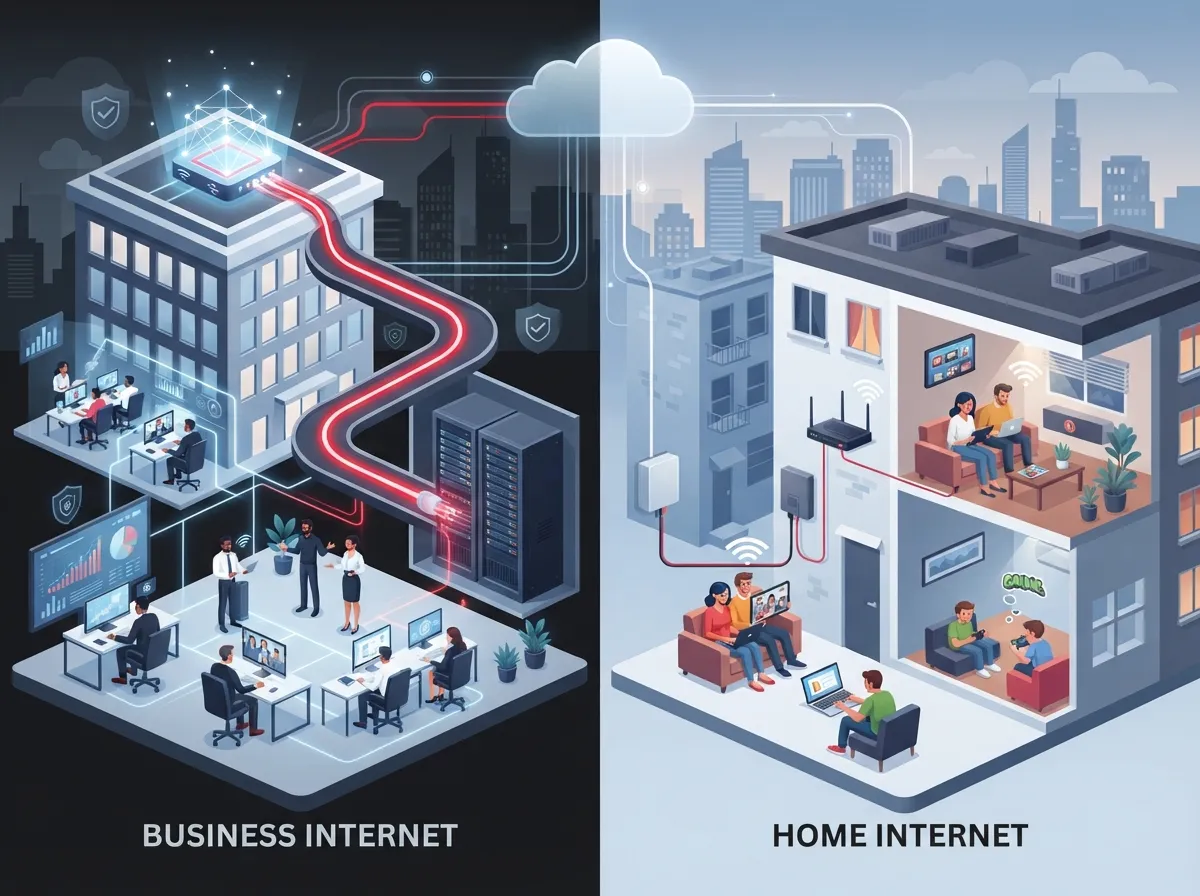
Why Is Business Internet Priced Differently Than Home Internet?
Many owners ask, “Can’t I just use my home plan?” It is a fair question. Home plans often cost less each month. But they are built for streaming and browsing, not for running a company.
Business plans may include features that home plans usually skip. These can include business-focused support, service-level commitments, static IP addresses, and backup options. Keep in mind that these perks vary by provider and plan. Never assume every business plan includes them. Always ask and get it in writing.
A residential connection can also come with limits on commercial use. And if a provider covers homes on your street, that does not guarantee it sells business service at your exact address. Availability is checked address by address.
So is business internet worth the extra cost? For most companies, yes. If your phones, payment systems, or cloud tools rely on the connection, downtime hurts more than a slightly higher bill.
Which Connection Types Keep Costs Low?
There are several ways to get online, and each has strengths. The most common options are fiber, cable, fixed wireless (including 5G), and in some places DSL. Satellite exists too, mostly for remote spots.
Here is a quick comparison to help you think it through:
| Connection Type | Typical Strength | Watch Out For | Best Fit |
|---|---|---|---|
| Fiber | Strong upload speeds and capacity | Not available everywhere | Cloud apps, video calls, many users |
| Cable | Often lower cost, fast downloads | Uploads can be slower; shared network congestion | Small offices with moderate needs |
| Fixed Wireless / 5G | Quick installation, wired alternative | Performance varies by signal and location | Spots without wired service, backup links |
| DSL | Sometimes available where others are not | Slower speeds | Very light use only |
Fiber generally offers the strongest upload speeds. That matters a lot if you use cloud software, host video meetings, or back up files all day. Cable can be a nice budget pick. Fixed wireless can be fast to set up and handy where wired service is limited.
For a deeper look at the benefits of going fiber, check out 7 Fiber Internet Business Benefits You Can’t Ignore in 2026. And if you are weighing options, Fiber vs. Fixed Wireless: Best Tampa Business Internet? breaks it down nicely.
How Much Does Business Internet Typically Cost?
Prices swing a lot based on your address, the speed you choose, and the provider. Rather than guess a single number, it helps to look at how promotions work.
Recent provider listings show some entry-level offers. For example, one major carrier listed Business Fiber 300 starting at $40 per month after an eligible wireless-service discount. Another listed its fixed wireless Internet Air for Business Standard at $35 per month with autopay and eligible wireless discounts. A third listed select wireless business internet plans starting at $35 per month when paired with an eligible business smartphone plan.
Notice the pattern. Those low prices depend on bundles, autopay, or qualifying mobile plans. Taxes, fees, and offer end dates apply. So the number you see may not be the number you pay long term.
Here is how to read an offer wisely:
- Find the price without any discounts or bundles.
- Ask how long the promotional price lasts.
- Learn what the bill becomes after the promo ends.
- Add installation, equipment, taxes, and fees.
- Multiply by the contract length to see the full commitment.
That five-step habit can save you real money. It turns a flashy ad into an honest budget number.
What Internet Speed Does a Small Business Need?
This is one of the most common questions we hear, and the answer depends on your team. A five-person office has very different needs than a busy call center.
Here is a helpful benchmark. In 2024, the FCC raised its fixed broadband benchmark from 25/3 Mbps to 100 Mbps download and 20 Mbps upload. It also set a long-term goal of 1 Gbps download and 500 Mbps upload. That tells you the bar for “basic” has moved up.
To estimate your own need, think about peak moments:
- How many people are online at the same time?
- Do you run video meetings, VoIP calls, or cloud backups?
- Do you use cloud security cameras or cloud access control?
- Do customers connect to guest Wi-Fi?
Upload speed deserves extra attention. Video calls, cloud phones, and camera footage all push data out, not just in. If you rely on those tools, a plan with strong upload capacity is worth a few extra dollars.
Cameras are a good example. If your security setup lives in the cloud, you need steady bandwidth. Read 8 Internet Speeds Your Cloud Cameras Actually Need (2026) to see how this plays out.
What Hidden Costs Should You Watch For?
This is where a lot of budgets get bruised. The monthly rate looks great, then the first bill arrives and it is higher. Sound familiar? You are not alone.
Before you sign, ask the provider about these items:
- Installation charges and any one-time setup fees
- Equipment costs like modems, routers, or gateways
- Price changes after the promotional period ends
- Data allowances and any overage rules
- Contract length and cancellation fees
- Outage support and how fast they respond
Data caps matter too. Some plans, especially wireless ones, may include data allowances or overage rules. Ask directly so there are no surprises.
We cover a lot of these pitfalls in 12 Business Internet Cost Mistakes Tampa Owners Make in 2026. It is a quick read that can keep your wallet happy.
How Can You Keep Service Running During an Outage?
Even the best provider has an off day. A storm, a cut line, or a local outage can take you offline. That is why many owners now think about a backup plan.
A cost-effective approach is to pair a main connection with a separate backup. For example, you might use wired broadband as your primary link and fixed wireless as your backup. Whether this pays off depends on what an hour of downtime costs you. If lost sales, dropped calls, or locked doors would hurt, a backup may be a smart small investment.
One key point: the backup should use a truly independent network. If both connections share the same line or pole, one failure can knock out both. Independence is what gives you real protection.
For multi-location setups, you can also look at tools that manage traffic across links. Learn more in What Are SD-WAN Services and Does Your Business Need Them?
How Do You Compare Plans at Your Exact Address?
Here is something many people miss. Availability and pricing change from one street to the next. A provider that serves your neighbor may not serve you, and speeds can differ block by block.
That is why checking at your exact service address matters. You can try our walkthrough on how to find business internet providers by address to get started.
Here is a simple process to follow:
- List your must-have apps and the number of users.
- Estimate your peak use during a busy hour.
- Check which providers actually serve your address.
- Compare real totals, including fees and promo end dates.
- Ask about upload speeds, support, and outage handling.
- Decide if a backup connection makes sense for you.
Fiber availability is growing, but it is still uneven. One report citing FCC data said fiber serviceability reached just under 46% of U.S. households as of June 2024, up from about 40% in June 2023. That is a household estimate, not a measure of business addresses, so treat it as a rough guide only.
Why Work With a Telecom Partner Instead of Going It Alone?
Shopping every carrier yourself can eat up your week. Each one has its own forms, terms, and fine print. And you only see the plans that one company sells.
That is where an independent partner helps. At Ideal Solutions Provider, we work with 35+ vetted suppliers and compare options side by side. Because we are not tied to one carrier, we can recommend what fits your needs and budget, not a sales quota. We have been doing this for over 24 years from our Tampa base, and we serve businesses nationwide.
You also get a single point of contact. Instead of juggling separate vendors for internet, phones, cabling, and security, you can bring it all under one roof. If you are curious how that works, read Why Do Tampa Bay Businesses Need One Telecom Partner?
Bundling smartly can also help your budget. Our guide on how to bundle your business phone and internet service shows how to combine services without overpaying.
What Else Should Small Businesses and Franchises Consider?
Your internet does not live alone. It supports your phones, cameras, door access, and point-of-sale tools. A weak connection can quietly cripple all of them.
For example, cloud phones need steady bandwidth for clear calls. Cloud cameras and access control need reliable connectivity to stream video and unlock doors. Good cabling inside your building matters just as much. Even a fast plan slows down if your wiring is old or messy.
If you are planning a new space or an upgrade, take a peek at What Is Structured Cabling for Your Business Network? It explains how solid wiring helps your whole network perform.
Franchise owners with several sites have another challenge: keeping every location consistent without multiplying the paperwork. A partner who handles many locations at once can simplify life. Our piece on multi-location telecom solutions goes deeper on that.
IT managers and office managers often tell us the same thing. They want fewer vendors, clearer bills, and fast help when something breaks. That is exactly what a well-run telecom partnership should deliver.
Ready to Find Your Best-Value Connection?
Finding affordable business internet is not about chasing the lowest sticker price. It is about matching the right speed, reliability, and support to your real needs, then checking the full cost before you sign. Compare at your exact address, watch for promo traps, and consider a backup if downtime would sting.
You do not have to figure it out alone. If you want a friendly, no-pressure review of what you pay now and what you could save, contact us for a free consultation, or call us to talk it through. We will compare options across our supplier network and help you pick a plan that fits your team and your budget. You can also see our work and tips on YouTube, Facebook, or Instagram. For background on how providers work, you can also read about the role of an Internet Service Provider.
FAQs
Q: What is the cheapest business internet available at my address?
A: It really depends on your exact location, since providers and speeds change from street to street. The best way to find out is to check availability at your service address and compare the full cost, including fees and promo end dates. We are happy to run that comparison for you across many providers.
Q: Is business internet worth the extra cost compared with residential internet?
A: For most companies, yes. Business plans may offer business-focused support, service commitments, static IPs, or backup options, though these vary by provider. If your phones, payments, or security tools depend on the connection, avoiding downtime is usually worth a little more each month.
Q: Do business internet plans have data caps or overage fees?
A: Some do, especially certain wireless plans, while many wired plans do not. Always ask the provider about data allowances and overage rules before you sign. Getting those details in writing helps you avoid surprise charges later.
Q: How can a business keep internet service available during an outage?
A: A smart, budget-friendly option is to pair your main connection with a separate backup, like wired broadband plus fixed wireless. Make sure the backup uses a truly independent network so one failure does not take down both. Whether it is worth it depends on what downtime costs your business.





