
Key Takeaways
-
Hosted phone systems move your call platform from an on-site server to a provider's cloud, so you avoid hardware purchases, surprise repair bills, and most maintenance work.
-
Before switching, check your internet bandwidth during peak hours, backup connectivity, internal wiring, and Wi-Fi coverage, since voice quality depends heavily on your network.
-
Costs are usually a per-user monthly subscription, but watch for extra charges on hardware, phone numbers, setup, support, taxes, and contract length, and ask for the full price.
-
Plan for outages by setting up automatic call forwarding to mobile phones, adding a backup internet connection, and testing your failover plan before you need it.
-
Ask providers how they handle encryption, user access controls, and 911 call routing, and keep each user's emergency location details current since staff may work remotely.
-
Hosted PBX suits teams focused on dependable phone service, while UCaaS fits teams that rely heavily on chat and video, so match the platform to how your team actually communicates.
Picture this: it’s Monday morning, the phones are ringing, and your old office phone box in the back closet just gave up. Sound familiar? You’re not alone. A lot of businesses are tired of aging equipment, surprise repair bills, and phone lines that only work when everyone is sitting at the office.
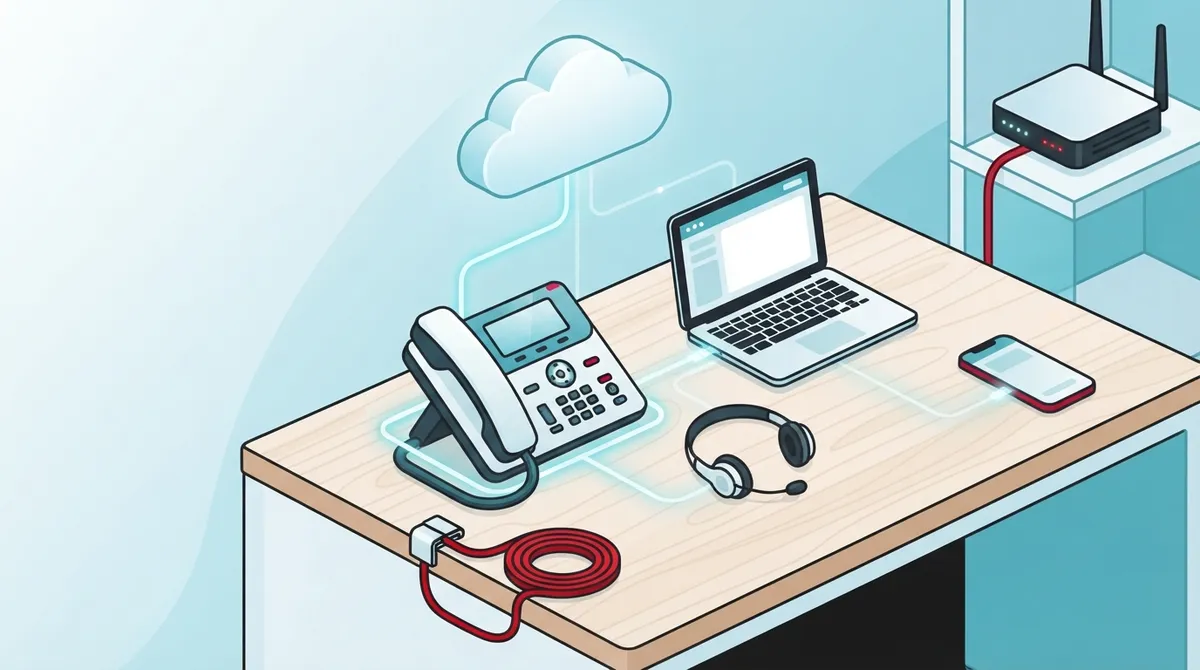
That’s where a hosted phone system comes in. Instead of keeping a bulky phone server on your premises, a provider runs it for you in the cloud. Your team makes and takes calls over the internet using desk phones, laptops, or cell phones. It’s friendly on the budget, easy to grow, and much simpler to manage.
In this guide, we’ll walk through what a hosted phone system is, how it works, what it costs, and what to check before you sign anything. Whether you run a small shop in Tampa or manage a growing multi-location company, you’ll leave with clear answers and a few helpful tips along the way.

What Is a Hosted Phone System?
A hosted phone system is a business phone service where the main call-control platform lives in your provider’s data centers, not in a box at your office. You may also hear it called hosted PBX or cloud PBX. Most calls travel over the internet using VoIP, which stands for Voice over Internet Protocol.
Think of it like streaming music instead of owning a shelf full of CDs. You don’t have to store or maintain the library. You just press play and enjoy it. Your provider handles the heavy lifting, and you simply use the phones.
If you want to see how this fits into the bigger picture, our guide on what a cloud-based phone system is and whether you need one is a great companion read.
How Does a Hosted Phone System Work?
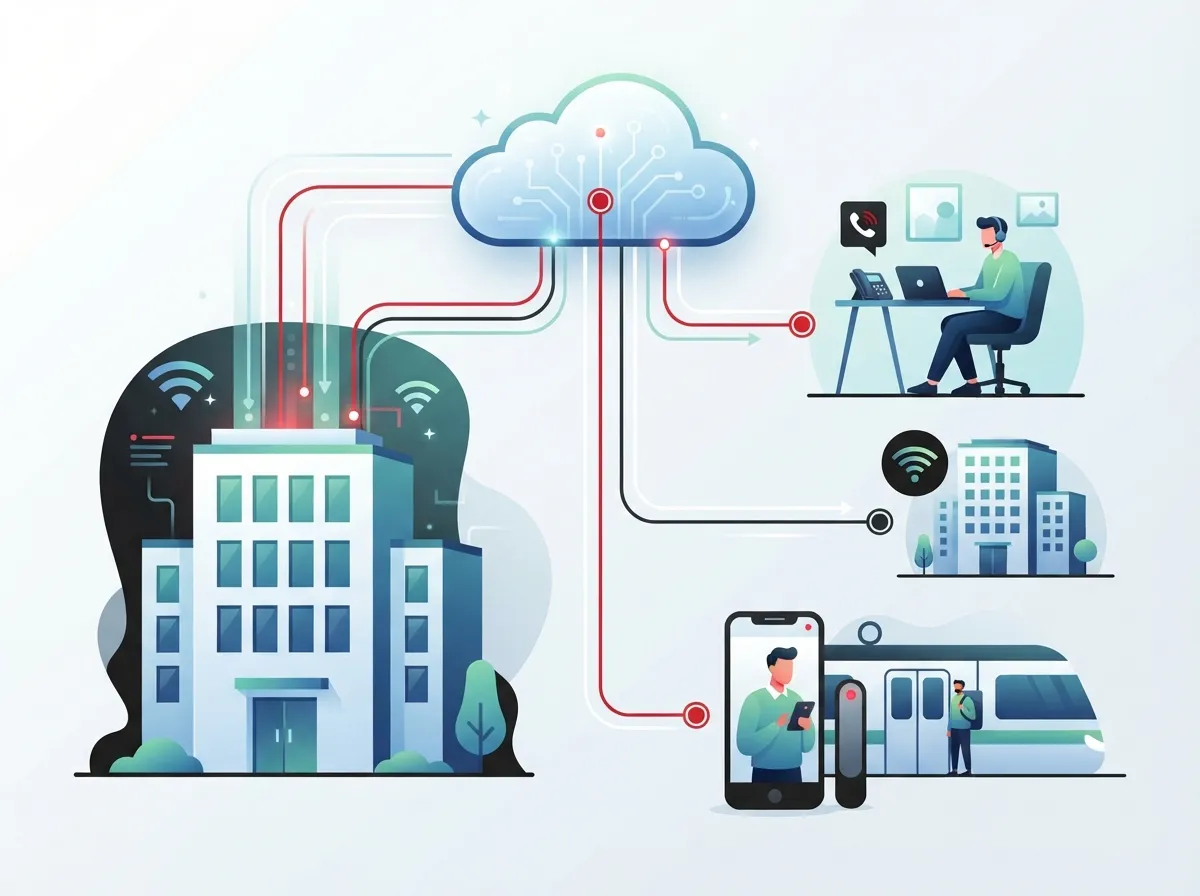
The idea is simple, even if the technology behind it is clever. Here is the basic flow of a typical call:
- Someone dials your business number.
- The call reaches your provider’s hosted platform over the internet.
- The platform checks your rules, such as the auto attendant menu or call queue.
- The call is routed to the right desk phone, computer app, or mobile phone.
- Your team member answers, no matter where they happen to be working.
Because the platform is managed by your provider, software updates and core infrastructure are handled for you. You still manage user access, phone setup, and your local network, but you skip the expense and worry of running a phone server yourself.
Key Features You Can Expect
Most hosted phone systems come packed with tools that used to cost a fortune. Exact features depend on your plan, but here are the common ones:
- Business numbers and extensions for every employee or department
- Auto attendant that greets callers and directs them to the right person
- Call routing and queues so no caller gets lost
- Voicemail and call forwarding to keep you reachable
- Conferencing for team and client calls
- Web-based administration for easy changes without a technician visit
- Mobile and desktop apps so your business line follows you
Some plans also add text messaging, video meetings, analytics, and integrations with other business tools. For a deeper look, check out these 9 VoIP phone system features every business needs in 2026.
Hosted Phone System vs. On-Site Phone System
Many owners wonder how a hosted setup stacks up against a traditional on-premises system. This table breaks down the main differences:
| Feature | Hosted Phone System | Traditional On-Site System |
|---|---|---|
| Where it runs | Provider’s data center | Server at your office |
| Upfront cost | Lower, often subscription based | Higher, hardware purchase |
| Maintenance | Handled mostly by provider | Handled by you or a vendor |
| Adding users | Quick and simple | May require new hardware |
| Remote work | Easy with apps and softphones | Often limited |
| Internet dependence | Requires reliable internet | Less dependent for local calls |
For a closer comparison, take a look at 6 key differences between VoIP and traditional phone systems.
Hosted PBX vs. UCaaS: What’s the Difference?
These two terms get mixed up a lot, so let’s clear things up. A hosted PBX focuses mainly on cloud-based business calling. UCaaS, short for Unified Communications as a Service, is a bigger package. It can combine calling with team messaging, video meetings, and other collaboration tools in one place.
Neither one is automatically better. If your main need is dependable phone service with great call handling, hosted PBX may be all you need. If your team lives in chat and video all day, a UCaaS platform might be the better fit.
The UCaaS market is growing steadily. Metrigy reported that the global UCaaS market reached $23.0 billion in 2025, with 117.1 million worldwide seats, up 6.9% from 2024. That tells us a lot of businesses are moving their communications to the cloud.
What Does a Hosted Phone System Cost?
Hosted systems are usually sold as a monthly subscription, often priced per user. That’s easier on cash flow than buying a big piece of hardware up front. But the final number depends on several things.
Here are the main cost factors to keep an eye on:
- Licensing tier: Basic calling costs less than plans with video, analytics, and integrations.
- Number of users: Most pricing is per seat.
- Phone numbers and usage: Extra numbers or heavy calling can add up.
- Hardware: Desk phones and headsets are often a separate cost.
- Setup and support: Installation, training, and ongoing help may be extra.
- Taxes and contract terms: Fees and term length affect your total.
Always ask for the full picture, not just the headline price per user. Our guide on how much a VoIP phone system costs for a business in Tampa walks through realistic budgeting.
What Internet Do You Need?
Here’s the part many people forget. A hosted phone system is only as good as the network it rides on. Your internet needs enough speed and stability to carry voice calls clearly, especially when other people are streaming, uploading, or joining video meetings at the same time.
Before you switch, it’s smart to check:
- Your available bandwidth during your busiest hours
- Whether you have a backup internet connection
- The quality of your internal wiring and network gear
- Wi-Fi coverage if people use mobile or softphone apps
Good internal wiring matters more than most folks expect. Clean, organized structured cabling helps keep calls crisp and your network running smoothly. You can learn more in what internet speed you need for VoIP in Tampa and 13 ways structured cabling supports VoIP and cameras.
Benefits for Different Types of Businesses
A hosted phone system isn’t one-size-fits-all, but it can help many types of organizations in different ways.
Small Business Owners
You get a professional phone setup without hiring an IT team. Features like auto attendants and mobile apps make a small crew sound polished and stay reachable.
Office Managers and IT Managers
Web-based admin tools let you add users, change routing, and fix common issues without waiting on a technician. That means fewer headaches and more time for the rest of your list.
Franchise Operators and Multi-Site Companies
You can keep a consistent phone experience across every location. Employees can share the same business identity whether they work from one office or five. Learn more about reliable network solutions for multi-location Tampa businesses.
Is a Hosted Phone System Reliable?
Reliability is a fair question, and the honest answer is: it depends on planning. Because calls travel over the internet, an internet outage can interrupt service. A power outage at your office can also affect desk phones.
The good news is that you can plan around these risks. Smart steps include:
- Choose a provider with clear uptime commitments and support terms.
- Set up automatic call forwarding to mobile phones if your office goes offline.
- Use a backup internet connection when possible.
- Add battery backup for key network equipment.
- Test your failover plan before you actually need it.
If you’re curious about how fast, dependable connections are built, our article on 7 ways to get fast and reliable business internet in Tampa Bay has useful ideas.
Security and Emergency Calling: Don’t Skip This
Two topics deserve a spot on every buyer’s checklist: security and 911 calling.
For security, ask how the provider protects voice data, controls user access, and handles encryption. Make sure admin logins are strong and that former employees are removed promptly.
For emergency calling, confirm how 911 calls are routed and what location information is needed for each user or device. Since staff can work from anywhere, location details need to stay current. It’s a simple step that can make a big difference in a real emergency.
Questions to Ask Before You Choose a Provider
A little homework now saves a lot of stress later. Use this quick checklist when you compare options:
- What internet and network requirements does the service have?
- What call quality, uptime, and support commitments are in the contract?
- Can you keep your existing phone numbers? (See how to keep your phone number when switching to VoIP.)
- How easy is it to add or remove users as you grow?
- Does it integrate with the tools your team already uses?
- What are the security controls and data handling practices?
- How are emergency calls handled?
- What happens if you need to cancel or change plans?
It’s also worth reading about common slip-ups. These 5 hosted PBX mistakes Tampa small businesses must avoid can help you sidestep the usual traps.
How to Switch to a Hosted Phone System
Moving to the cloud doesn’t have to be scary. A smooth switch usually follows a simple path:
- Review your needs. Count users, locations, and must-have features.
- Check your network. Confirm your internet and wiring can handle voice traffic.
- Compare options. Look at pricing, features, support, and contract terms side by side.
- Plan your number transfer. Port your existing numbers so customers can still reach you.
- Install and train. Set up phones and apps, then walk your team through the basics.
- Test and fine-tune. Try call routing, voicemail, and failover before going fully live.
For a step-by-step view, see 5 steps to switch your business phone to the cloud in Tampa and how cloud phone system installation works for Tampa businesses.
Why Work With a Single Telecom Partner?
Phones are only one piece of the puzzle. Your internet, cabling, network, cameras, and door access all need to work together. Juggling a separate vendor for each one can feel like herding cats.
That’s where Ideal Solutions Provider can help. With over 24 years of experience and partnerships with 35+ vetted suppliers, the Tampa-based team acts as one point of contact for your communications needs. They compare options, handle installation, and stick around for ongoing support. You can explore their cloud based phone systems to see what’s possible.
If you want to see their story and approach, visit the About Ideal Solutions Provider page, or follow along on YouTube and Facebook for tips and updates.
Ready to Make Your Phones Work Smarter?
A hosted phone system can lighten your workload, support remote and multi-site teams, and give your business a polished, professional voice. The key is choosing the right plan, preparing your network, and working with people who truly understand telecom.
Not sure where to start? That’s perfectly okay. Contact us for a friendly, no-pressure conversation about your phone needs, or call us to talk it through. We’ll help you find a setup that fits your team and your budget.
FAQs
Q: What is a hosted phone system for business?
A: A hosted phone system, also called hosted PBX or cloud PBX, is a business phone service run from your provider’s data centers instead of a server at your office. Calls usually travel over the internet using VoIP, so your team can use desk phones, computers, or mobile devices.
Q: What internet setup does a hosted phone system need?
A: You need an internet connection with enough speed and stability to handle voice calls during your busiest hours, plus a well-organized local network. A backup connection is a smart extra for peace of mind. Your provider or a telecom partner can help check your readiness before you switch.
Q: Can employees use a hosted phone system on mobile phones and computers?
A: Yes! Most providers offer mobile and desktop apps, so your team can make and take business calls from almost anywhere. This keeps the same business number and identity, which is a big help for hybrid and multi-site teams.
Q: Is a hosted phone system reliable during an internet or power outage?
A: Because calls rely on the internet, an outage can interrupt service unless you plan ahead. Backup internet, battery backup for network gear, and automatic call forwarding to mobile phones all help keep you reachable. It’s a good idea to test your failover plan before you need it.
Q: What security and emergency-calling features should I check before choosing a provider?
A: Ask about encryption, user access controls, and how voice data is handled. Also confirm how 911 calls are routed and what location details are needed for each user or device, so emergency responders can find your team quickly.





