

Key Takeaways
-
Cloud surveillance enables real-time remote monitoring from any device, allowing business owners to respond instantly to alerts without driving to their location or waiting until business hours.
-
Cloud systems automatically back up footage off-site, protecting your evidence from hardware failure, theft, or building damage—unlike traditional DVRs that can lose all recordings when equipment fails.
-
Adding cameras to new locations is fast and requires no major rewiring, making cloud surveillance ideal for multi-site franchises and growing businesses that need scalable, centralized management from one dashboard.
-
Cloud video surveillance can be bundled with existing telecom services (internet and phone), reducing upfront costs and eliminating the need to manage multiple separate vendors for security.
-
Modern cloud systems use hybrid edge-to-cloud architecture, buffering footage locally so cameras keep working during brief internet outages while still providing cloud backup and remote access flexibility.
-
When selecting a provider, prioritize encrypted storage, strong access controls, cybersecurity protections, and 24/7 support—features that protect your business and comply with regulated industry standards.
Picture this: you’re sipping coffee at home on a Sunday, and you get a notification that someone just walked into your Tampa office at 2 a.m. With a few taps on your phone, you check the live feed and see it’s just your cleaning crew running late. No panic, no drive across town, no waiting until Monday to find out what happened. That’s the magic of cloud based video surveillance systems, and it’s why so many business owners are saying goodbye to clunky old security setups.
Whether you run a single storefront in Tampa or manage a dozen franchise locations across the country, keeping an eye on your property shouldn’t feel like a second job. This guide breaks down what cloud video surveillance really is, why it matters for your business, and how to pick the right setup without getting lost in tech talk. Grab your coffee, and let’s dig in together.
What Is Cloud Based Video Surveillance, Really?
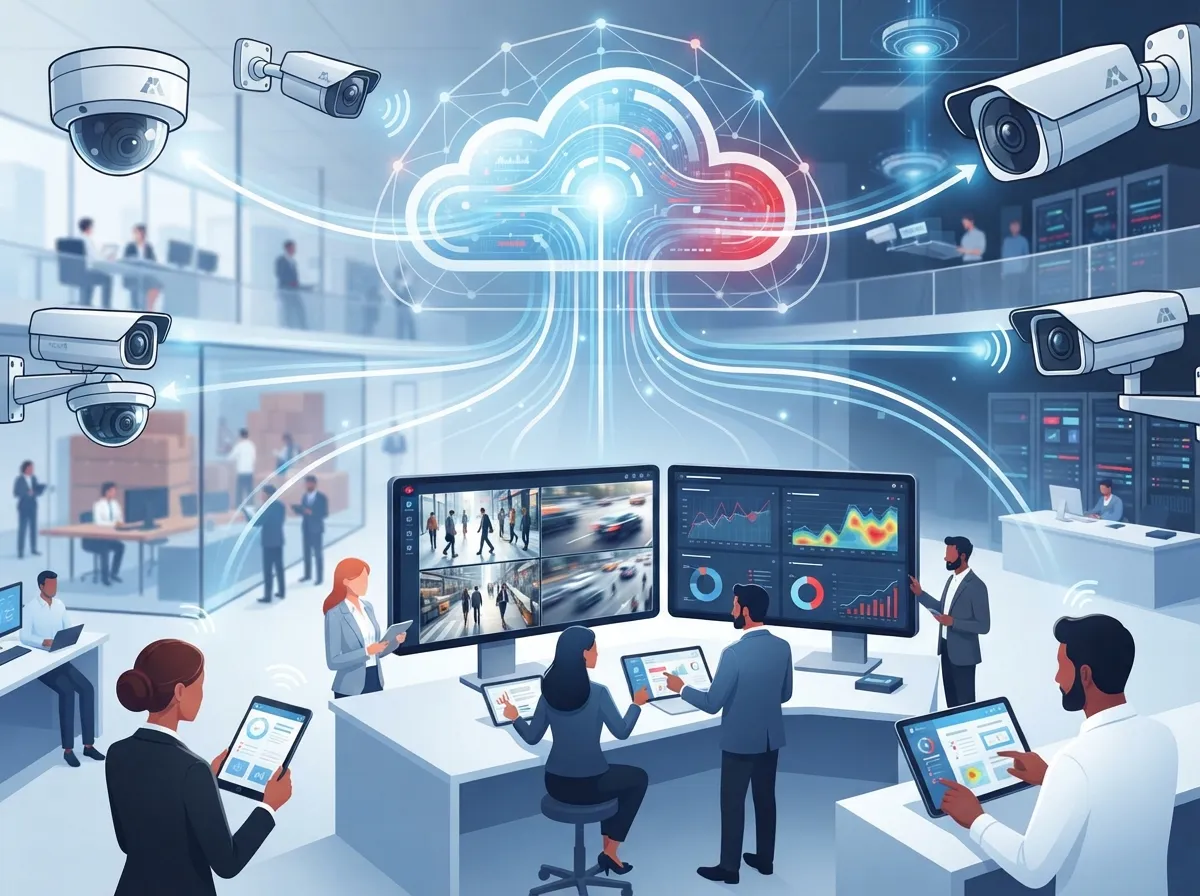
Cloud based video surveillance, sometimes called Video Surveillance as a Service (VSaaS), stores and manages your security footage online instead of on a bulky box in your back office. Instead of relying only on a local DVR or NVR that can fail or get stolen, your video lives safely in the cloud where you can reach it anytime.
Think of it like the difference between saving photos on an old flash drive versus storing them in the cloud. One is fragile and limited. The other follows you everywhere, on any device, whenever you need it. This shift is a big reason telecom providers now bundle cloud cameras alongside internet and phone services, since it fits naturally into a business’s existing technology stack.
How It Differs From Traditional DVR and NVR Systems
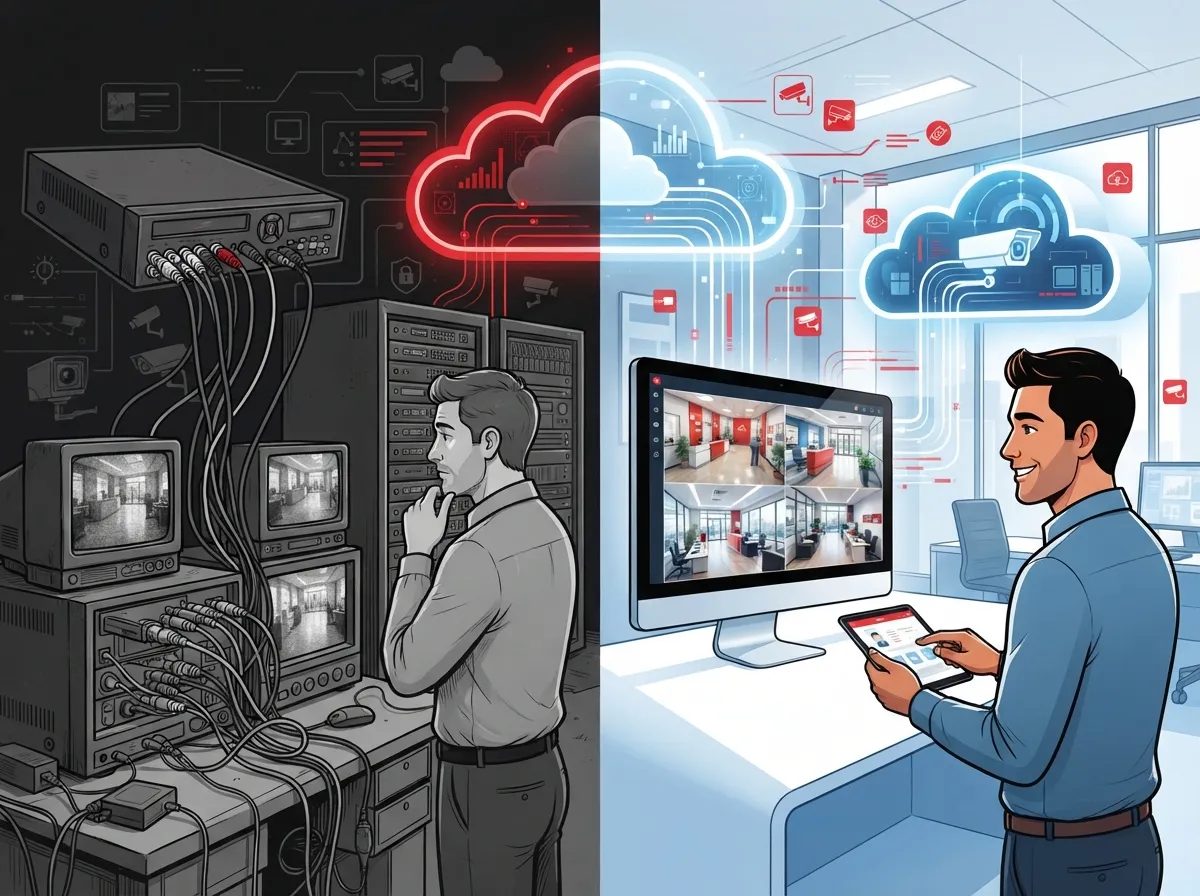
Traditional systems keep everything on-site. If your hard drive dies or a break-in damages your equipment, your footage might vanish right when you need it most. Cloud systems back things up automatically, so your evidence stays safe even if something happens to your physical hardware.
Many businesses also love that cloud platforms let you add cameras without ripping out old equipment. If you’re curious about the technical differences, our guide on the 6 Key Differences Between Cloud Video Security and DVR Systems breaks it down in plain language.
Why Business Owners Are Making the Switch
Running a business already keeps you busy enough. You don’t have time to babysit a security system or drive to the office every time an alarm goes off. Cloud surveillance takes that stress off your plate in a few simple ways.
- You can view live footage from your phone, tablet, or laptop, no matter where you are.
- Storage lives safely off-site, so theft or damage to your building won’t erase your records.
- Adding cameras to new locations is fast and doesn’t require major rewiring.
- Software updates and security patches happen automatically in the background.
- You get instant alerts for motion, unusual activity, or after-hours access.
- Multiple locations can be managed from one simple dashboard.
For franchise operators managing several sites, this centralized control is a game changer. You don’t need a separate system for every location. Everything ties together in one place, which saves time and headaches.
A Value-Added Service Worth Knowing About
Here’s something interesting from the telecom world: providers and ISPs increasingly offer cloud video surveillance as a value-added service. Instead of building a full security infrastructure from scratch, businesses can add cameras to their existing internet and phone setup. This keeps upfront costs low and gets your system running quickly, often described by vendors as launching in almost no time compared to traditional builds.
That means your telecom provider can become your one-stop shop for phones, internet, and now security too. It’s one less vendor to manage and one more reason to love a bundled approach.
How Cloud Video Surveillance Actually Works
Understanding the moving parts helps you make a smarter choice. Here’s a simple step-by-step look at how these systems typically operate:
- Cameras capture video at your business location, just like traditional systems.
- Footage is processed locally first, often on a small on-site device or edge box.
- Important clips, alerts, and metadata sync up to the cloud automatically.
- You access footage anytime through a secure app or web dashboard.
- Older footage rolls off after your chosen storage period, or gets archived longer if needed.
This hybrid edge-to-cloud design is popular because it combines the best of both worlds. Your system keeps working smoothly even during a brief internet hiccup, while still giving you the flexibility of cloud access. If you’re worried about outages, check out our post on how to keep security cameras working during internet outages.
Storage Options You Should Know About
Not every business needs the same amount of storage. Some only need a week’s worth of footage. Others, especially those in regulated industries, need much longer retention.
| Storage Duration | Best For | Common Use Case |
|---|---|---|
| 7 days | Small retail shops | Basic theft deterrence and quick review |
| 30 days | Restaurants, offices | Incident review and insurance claims |
| 90 days | Multi-site franchises | Compliance and dispute resolution |
| 1+ years | Healthcare, finance, government | Regulatory compliance and audits |
Talking through your storage needs with an expert can save you from paying for space you don’t use, or worse, running out of history when you need it most.
Cloud vs. Traditional Systems: A Side-by-Side Look
Still on the fence? Here’s a quick comparison to help you see the bigger picture.
| Feature | Cloud Based Systems | Traditional DVR/NVR |
|---|---|---|
| Remote Access | Yes, from any device | Limited or none |
| Scalability | Add cameras easily | Often requires new hardware |
| Data Backup | Automatic, off-site | Vulnerable to on-site damage |
| Upfront Cost | Lower | Higher, larger hardware investment |
| Multi-Site Management | Centralized dashboard | Separate systems per site |
| Software Updates | Automatic | Manual, often delayed |
As you can see, cloud systems offer real advantages, especially for growing businesses. That’s why so many companies are exploring cloud video security systems Tampa FL businesses love more each year.
Security and Compliance: What to Look For
Not all cloud surveillance platforms are created equal. When choosing a provider, keep these must-have features in mind:
- Encrypted storage so footage stays private and protected.
- Strong identity controls limiting who can view or download footage.
- Cybersecurity protections against hacking attempts.
- Support for regulated environments if your industry requires it, like healthcare or finance.
- Reliable uptime guarantees so your cameras stay online when you need them.
These features aren’t just nice extras. They protect your business, your customers, and your peace of mind. A trusted partner like Ideal Solutions Provider can walk you through these details so you’re not left guessing which provider actually delivers on their promises.
Can You Reuse Your Existing Cameras?
Good news if you already have cameras installed. Many cloud platforms are compatible with existing hardware, meaning you don’t have to start from zero. This can significantly lower your upgrade costs and speed up the transition. It’s worth asking any provider directly whether your current setup can plug into their cloud system before you commit to buying anything new.
Who Benefits Most From Cloud Video Surveillance?
While almost any business can benefit, some situations make cloud surveillance an especially smart move. Here are the top scenarios:
- Businesses with multiple locations that need centralized monitoring.
- Companies with mobile teams who aren’t always at a fixed office.
- Franchise operators wanting consistent security standards across sites.
- Retail stores concerned about theft or liability claims.
- Healthcare or financial offices needing compliant, long-term storage.
- Growing businesses that don’t want to overhaul security every time they expand.
If any of these sound like your situation, it might be time to have a conversation about upgrading. Our article on what security cameras really do for your business covers even more reasons this investment pays off.
Small Businesses vs. Larger Enterprises
Small business owners often love cloud surveillance because it doesn’t require a big IT team to manage. You just log in and check your cameras, simple as that. Larger enterprises appreciate the scalability and the ability to layer in analytics, access control integration, and detailed reporting across many locations.
Either way, the flexibility of cloud systems means you’re not locked into a setup that only works for one size of business. It grows right along with you.
Pairing Cloud Surveillance With Your Telecom Setup
Here’s something a lot of business owners don’t realize: your surveillance system depends heavily on your internet connection and network infrastructure. If your business internet is slow or unreliable, your camera feeds and cloud uploads will suffer too.
That’s why it makes sense to think about surveillance as part of your bigger telecom picture, not a separate project. Solid structured cabling and a dependable network keep your cameras running smoothly, your VoIP calls clear, and your whole office connected without hiccups.
Many businesses combine cloud cameras with cloud access control for an even stronger security layer. If you’re curious how those two systems work together, take a look at our piece on cloud access control systems and how they complement video monitoring.
Choosing the Right Cloud Surveillance Partner
With so many providers claiming to offer the best solution, how do you actually choose? Here’s a simple checklist to guide your decision:
- Ask how many camera brands and models they support.
- Confirm storage retention options match your industry’s needs.
- Check if they offer 24/7 support, not just business hours help.
- Find out if they can service multiple locations under one contract.
- Ask about installation timelines and whether they handle everything start to finish.
A good partner won’t just sell you cameras. They’ll audit your current setup and tell you honestly whether you’re overpaying or underprotected. That kind of straight talk is worth its weight in gold when you’re making a security investment.
Why a Single Point of Contact Matters
Juggling separate vendors for internet, phones, cabling, and cameras is exhausting. It also means more finger-pointing when something goes wrong. Working with one trusted telecom and security partner means fewer headaches and faster fixes when issues pop up.
This is exactly the kind of streamlined support that busy IT managers and office managers appreciate most. One phone call solves the problem instead of five.
Real Talk: Common Concerns About Going Cloud
It’s normal to have a few worries before making the switch. Let’s address the big ones honestly.
What if the internet goes down? Most modern systems buffer footage locally, so you won’t lose critical recordings during short outages.
Is my data actually safe? Reputable providers use encryption and strict access controls, similar to standards used by major Internet Service Provider networks that protect sensitive data daily.
Will this cost more long-term? Often it’s the opposite. You avoid expensive hardware replacements and repair costs that come with aging on-site systems.
These are fair questions, and any provider worth working with should answer them clearly without dodging or using confusing jargon.
Wrapping It Up: Your Next Step Toward Smarter Security
Cloud based video surveillance systems aren’t just a trendy upgrade. They’re a practical way to protect your business, save money over time, and finally stop worrying about what’s happening at your office when you’re not there. Whether you’re a small shop owner in Tampa or managing franchise locations across the country, this technology fits into your life without adding stress.
You deserve a security system that works as hard as you do, without the tech headaches. If you’re ready to see what cloud video surveillance could look like for your business, reach out to our team for a friendly consultation, or simply give us a call to talk through your options. We’re here to help you feel confident, protected, and never left guessing again.
You can also follow along and see real setups in action on our Facebook page, catch quick tips on Instagram, or watch installation walkthroughs on our YouTube channel. We can’t wait to help your business feel a little more secure and a lot more connected.
FAQs
Q: What is cloud based video surveillance in simple terms?
A: It’s a security camera system that stores footage online instead of on a box in your office. You can check your cameras from your phone anywhere, anytime, which feels a lot less stressful than driving back to check things yourself!
Q: How is VSaaS different from a regular DVR system?
A: Traditional DVR systems keep footage locally, so if that hardware breaks or gets stolen, your recordings go with it. Cloud based systems back everything up automatically, so your footage stays safe no matter what happens on-site.
Q: Can I use my current security cameras with a cloud platform?
A: In many cases, yes! Plenty of cloud surveillance platforms work with existing camera hardware, saving you money and hassle. It’s always worth asking your provider directly before assuming you need a full replacement.
Q: Is cloud video surveillance secure enough for regulated industries?
A: Absolutely, as long as you choose a provider offering encryption, strict access controls, and compliance-ready storage options. Many healthcare and financial businesses already rely on these features every single day.
Q: What happens to my cameras if the internet goes down?
A: Most modern hybrid systems buffer footage locally during outages, then sync everything back to the cloud once your connection returns. So you won’t lose those important moments even during a brief internet hiccup.





