

Key Takeaways
-
Category 6A copper supports 10 Gb/s up to 100 meters and enables Power over Ethernet, making it ideal for horizontal cabling to desktops and access points, while fiber is better for backbones and distances beyond 100 meters.
-
Fast internet from your provider is only half the solution; internal cabling quality directly determines how well that speed reaches users, servers, and devices, so old or mismatched wiring can bottleneck performance regardless of carrier speeds.
-
A true 10 Gb/s connection requires compatible switch ports, network cards, properly rated cabling with correct connectors, and proper optics at both ends; missing any component can cause the link to silently drop to lower speeds.
-
Existing Category 6 cabling may support 10 Gb/s over shorter runs (commonly up to 55 meters), but this depends on installation quality and crosstalk; always test and certify rather than assume performance.
-
Installation quality critically impacts 10 Gb/s performance: respect bend radius, avoid overstuffed cable pathways, separate data cables from power lines, use matched components, and always certify each link against applicable standards before deployment.
-
A mixed approach works best for most businesses: deploy fiber for building backbones and long-distance runs to future-proof growth, while using Cat6A for access points and devices where Power over Ethernet simplifies installation.
If your office network feels like rush-hour traffic on Dale Mabry Highway, you’re not alone. More cloud apps, more video calls, more cameras, and more Wi-Fi devices all fight for the same pipes. The good news? A smart 10 gigabit cabling infrastructure can clear the road for years to come.
Here’s the friendly truth: fast internet from your provider is only half the story. The cables inside your building decide how well that speed reaches your people, your servers, and your devices. Old or mismatched wiring can hold everything back.
In this guide, we’ll walk through what a 10-gigabit cabling setup really is, which cable types work best, how far they can run, and how to plan a project without headaches. Whether you run a small Tampa shop, manage IT for a growing company, or oversee multiple franchise locations, you’ll find simple, practical answers here. Grab a coffee, and let’s get started.
What Is a 10 Gigabit Cabling Infrastructure?
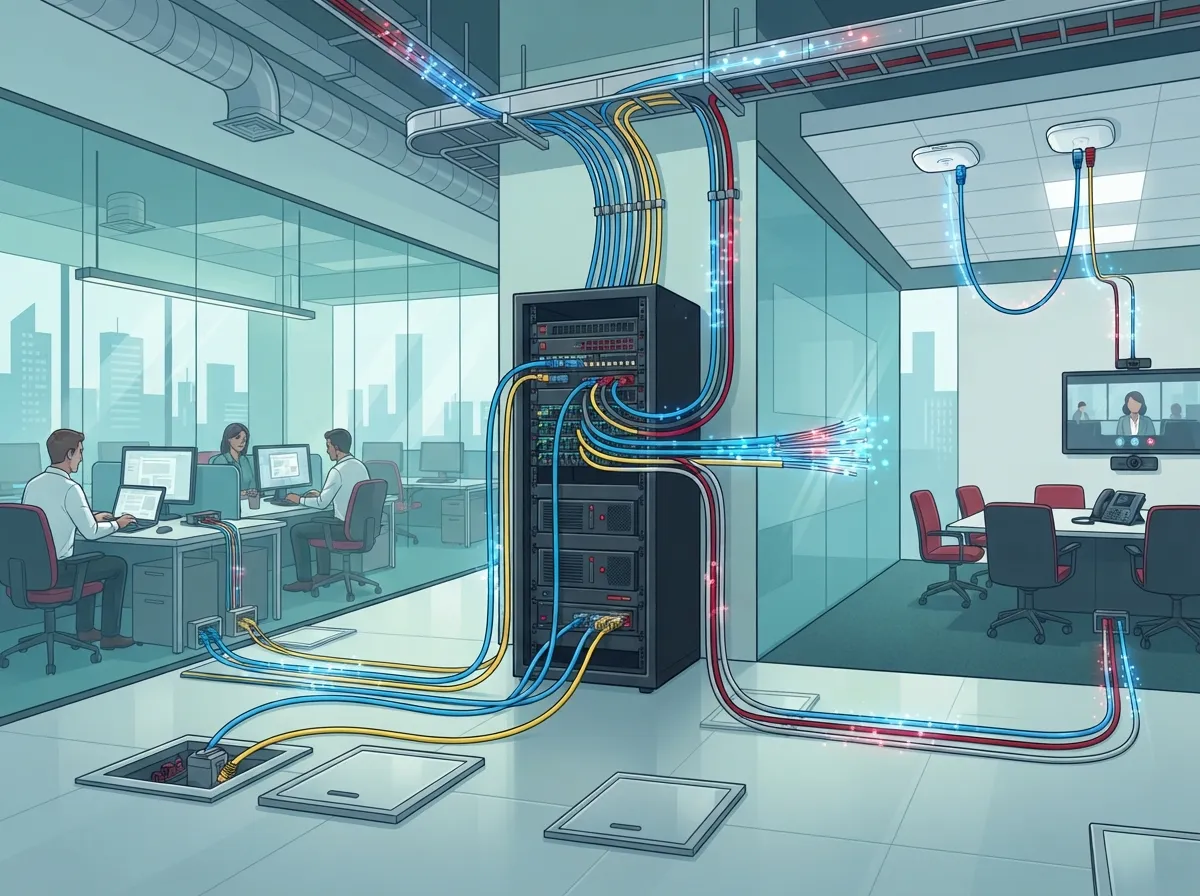
A 10-gigabit cabling infrastructure is the physical layer of your network. Think of it as the roads and bridges. It includes copper cable, fiber cable, connectors, patch panels, and the pathways that hold them. Its job is to carry 10 Gigabit Ethernet (10 Gb/s) between switches, servers, access points, and other network gear.
The right choice depends on a few things:
- How far the cable needs to run
- How much bandwidth your team needs today and tomorrow
- Whether devices need power over the cable
- How much room you want for growth
Good news: you don’t have to guess. A well-planned design follows the same principles as any solid structured cabling system, with clean pathways, labeled ends, and tested links.

Why 10 Gigabit Matters for Your Business
Ten years ago, gigabit speeds felt like overkill. Today, they’re standard. Now 10-gigabit links are showing up in server rooms, wireless backbones, and busy offices. Here’s why more businesses are making the move.
- Wi-Fi is getting faster. Modern access points can outrun a single gigabit uplink. A 10 Gb/s connection keeps them from bottlenecking.
- Video and cloud tools eat bandwidth. Video meetings, cloud backups, and large file transfers all benefit from extra capacity.
- Security systems add up. Many cameras streaming to a central point need a strong backbone.
- Growth is easier. Cabling lasts a long time. Installing the right type once can save you from opening ceilings again in a few years.
If you’re already thinking about faster service from your carrier, our tips on high-speed internet for business pair nicely with a cabling upgrade.
Copper vs. Fiber: Which Cable Fits 10 Gigabit?
This is the big question. Both copper and fiber can deliver 10 Gb/s. Each shines in different spots.
Copper: Category 6A for Desktops and Access Points
For new copper runs, Category 6A is the practical choice. It supports 10GBASE-T across a full 100-meter channel (328 feet). That channel usually breaks down into a 90-meter permanent link plus up to 10 meters of patch cords.
Copper is familiar, friendly on budget for shorter runs, and can support Power over Ethernet for devices like access points. That makes it a great fit for the horizontal cabling that connects each work area to the telecom room.
Fiber: Backbones, Long Runs, and Growth
Fiber is often the better pick for building backbones, longer distances, and high-density links. It also handles electrically noisy spaces well, such as areas near heavy machinery. Two main types exist:
- Multimode fiber: Common for shorter links. Some setups reach up to about 300 meters at 10 Gb/s, depending on fiber grade and optics.
- Single-mode fiber: Built for longer distances and future capacity growth.
One thing to remember: fiber does not carry electrical power. If a device needs PoE, it needs a copper connection or a separate power source. You can dig deeper in our guide on how to choose fiber cabling for your business network.
Quick Comparison Table
| Feature | Cat6A Copper | Multimode Fiber | Single-Mode Fiber |
|---|---|---|---|
| Best use | Desktops, access points, cameras | Short backbone links | Long links, future growth |
| 10 Gb/s reach | Up to 100 m (328 ft) channel | Often up to ~300 m, varies by fiber grade | Much longer, depends on optics |
| Carries PoE | Yes, per equipment specs | No | No |
| Noise resistance | Good, better if shielded | Excellent | Excellent |
| Typical cost focus | Cable and labor | Optics and switches | Optics and switches |
Can Your Existing Cat6 Handle 10 Gigabit?
This one comes up a lot, and the honest answer is: maybe. Existing Category 6 cabling may support 10GBASE-T over shorter runs, commonly up to about 55 meters. But real-world reach depends on installation quality and something called alien crosstalk, which is interference from nearby cables.
So please don’t assume. Test it and qualify it. A certified test report tells you exactly what your cable can do, and that can save you from buying expensive switches that never hit full speed.
Curious how the two categories compare? Take a look at our simple breakdown of choosing between Cat6 and Cat6A for your office.
A quick note on ratings: Category 6A is specified at 500 MHz, while Category 6 is listed at 250 MHz. Those numbers describe cable bandwidth, not the Ethernet data rate itself, so don’t mix the two up.
The Cable Is Only One Piece of the Puzzle
Here’s a point that surprises many people. A 10-gigabit cable does not automatically give you a 10-gigabit connection. Every link in the chain has to be ready.
For a true 10 Gb/s connection end to end, you need:
- Compatible switch ports that support 10GbE at both ends of the link
- Network cards or uplinks that can run at 10 Gb/s
- The right cabling with correctly rated connectors and patch cords
- Proper optics (transceivers) if you’re using fiber
- Correct configuration so the devices negotiate the speed you expect
Miss one of these, and your link may quietly drop to a lower speed. It’s a bit like buying a sports car and driving it in a school zone. The power is there, but the road isn’t ready.
That’s also why the total cost includes more than cable. Switches and transceivers often cost more than the cabling itself, so a smart budget looks at the whole picture.
How to Plan a 10 Gigabit Cabling Project
A little planning goes a long way. Here’s a simple path most businesses can follow.
- Survey what you have. Check existing pathways, cable condition, and telecom room space.
- Map your needs. List where users, access points, cameras, and servers will live, and how much bandwidth each needs.
- Choose your media. Use Cat6A for most horizontal runs and fiber for backbones and longer links.
- Design for growth. Add spare capacity, extra conduit, and room for more ports.
- Plan the telecom room. Make sure there’s enough space, cooling, and power for the new gear.
- Install with care. Respect bend radius and fill limits, and label both ends of every cable.
- Test and document. Certify each link to the applicable cabling standard and keep the results on file.
If you want a deeper walkthrough, we cover the basics in how to plan network cabling installation in Tampa Bay.
Installation Details That Make or Break Performance
Even the best cable can underperform if it’s handled poorly. Small habits make a big difference at 10 Gb/s.
- Respect the bend radius. Sharp turns can hurt signal quality.
- Avoid overstuffed pathways. Crowded bundles increase crosstalk and heat.
- Separate from power lines. Keep data cables away from electrical sources when you can.
- Use matched components. Jacks, patch panels, and patch cords should all be rated for the category you’re installing.
- Keep it tidy. Good cable management makes future changes faster and safer.
These details are why many teams lean on pros. Our post on structured cabling mistakes that hurt your business shows the common slip-ups to dodge.
Testing and Certification: Don’t Skip This Step
Think of certification as your network’s report card. After installation, each link should be tested against the applicable cabling standard, and the results should be saved. This proves the cable meets the specs you paid for.
Testing also protects you later. If a performance issue pops up, you’ll have a clear baseline to compare against. For warranty claims and future upgrades, those records are gold.
Skipping this step is one of the most common regrets we hear about. A link that “seems fine” on a laptop can still fail at 10 Gb/s under real load.
Powering Devices Over 10 Gigabit Copper
Many modern devices, such as wireless access points and IP cameras, get power through the same copper cable that carries data. That’s Power over Ethernet, or PoE, and it keeps installs clean and simple.
Copper 10GBASE-T can support PoE, but the details matter. The cable, the bundle size, and the equipment all affect how much power you can safely deliver. Larger bundles can trap heat, so it pays to plan the pathway carefully.
This is one big reason copper stays popular at the edge of the network, even as fiber takes over the backbone. If you’re adding cameras too, see how structured cabling supports VoIP and cameras.
Who Benefits Most From a 10 Gigabit Upgrade?
Not every business needs 10 Gb/s everywhere. But many will benefit in key spots.
- Small businesses: Use 10-gigabit links between the main switch and a file server or Wi-Fi controller, while keeping standard runs elsewhere.
- Mid-sized companies: Build a fiber backbone between floors and Cat6A to the desk, so you’re ready as demand grows.
- IT managers: Consolidate vendors and get one team to handle cabling, testing, and documentation.
- Office managers: Enjoy fewer outages and smoother phone and video calls without chasing multiple contractors.
- Franchise operators: Standardize your cabling design so every new location follows the same trusted plan.
The smartest approach is usually mixed: fiber where distance and growth matter, Cat6A where devices and power matter.
Getting Help From a Single Trusted Partner
Planning cabling, switches, internet service, and security gear across several vendors can feel like herding cats. That’s where a single point of contact helps. Ideal Solutions Provider has more than 24 years of experience in business telecom, and we work with 35+ vetted suppliers to match the right cabling and equipment to your building and budget.
We handle consultation, installation, testing, and ongoing support, so you’re not left holding a pile of parts. Whether you’re upgrading one floor in Tampa or rolling out sites nationwide, we keep the process simple.
Ready to Build a Network That Keeps Up?
A strong 10 gigabit cabling infrastructure isn’t about chasing the biggest number. It’s about giving your business a solid foundation that handles today’s demands and tomorrow’s surprises. Choose Cat6A for most copper runs, use fiber for backbones and longer distances, match your switches and optics, and always test what you install.
Ready to talk it through? Contact us for a free consultation, or call us to speak with a friendly expert. You can also see our latest tips and behind-the-scenes work on YouTube. We’d love to help you build a network you never have to worry about.
FAQs
Q: What cable do I need for 10-gigabit Ethernet in a business network?
A: For new copper runs, Category 6A is the go-to choice, supporting 10GBASE-T up to 100 meters. For backbones, longer runs, or high-density links, fiber is often the better fit. Your switches and network cards must also support 10GbE.
Q: Can Cat6 cable support 10GbE, and how far can it run?
A: Sometimes, yes! Cat6 may handle 10GBASE-T over shorter distances, commonly up to about 55 meters. Actual reach depends on installation quality and crosstalk, so it’s best to test and qualify your cable rather than assume.
Q: Is Cat6A or fiber better for a 10-gigabit business network?
A: It depends on the job. Cat6A is great for desktops, access points, and PoE devices within 100 meters, while fiber shines for backbones, longer distances, and future growth. Many businesses happily use a mix of both.
Q: Can 10-gigabit cabling support PoE access points and other devices?
A: Copper 10GBASE-T cabling can support Power over Ethernet, subject to the cable, bundle size, and equipment specs. Fiber can’t carry electrical power, so powered devices need a copper connection or a separate power source.
Q: How do I test and certify a 10-gigabit cabling installation?
A: A qualified installer tests each link with certification equipment against the applicable cabling standard, then documents the results. Keep that report handy, since it proves your cabling meets spec and helps with future troubleshooting.





