
Key Takeaways
-
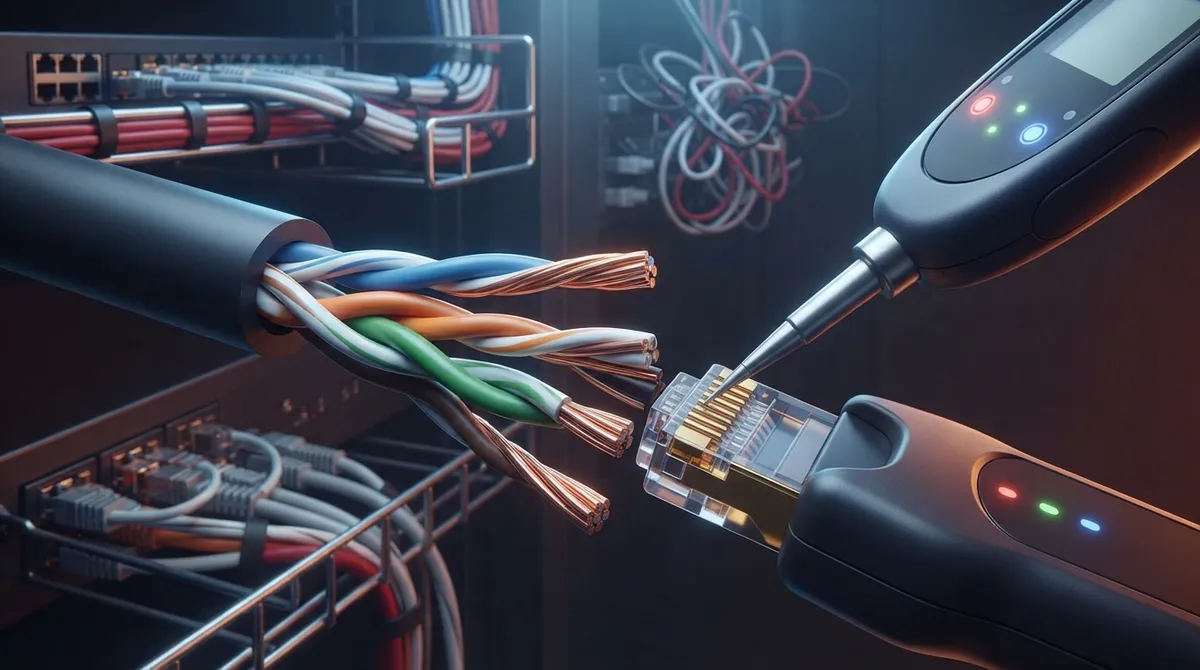
Keep pair twists intact during termination and follow the 13mm maximum untwist rule for Cat 5e, 6, and 6A to prevent NEXT failures, as poor termination is the most common crosstalk cause.
-
Use calibrated field testers to certify every installed link against TIA or ISO/IEC standards, measuring NEXT, power-sum NEXT, and return loss to catch hidden crosstalk problems before they cause outages.
-
Match cable category to your actual needs: upgrade to Cat 6A when deploying 10-gig links, PoE devices, or Wi-Fi 6E to avoid costly rework, since the right cable during installation is far cheaper than fixing problems later.
-
Manage cable bundles carefully by avoiding tight cinching and overcrowded trays, and test a representative sample for alien crosstalk on high-speed runs, as tight bundling between separate cables significantly increases interference.
-
Use quality connectors and patch cords rated for your cable category throughout the entire channel, as low-grade components can undo proper permanent link installation and introduce split pairs that break twist patterns.
-
Request detailed link-by-link certification reports from your installer and keep them on file as proof of quality and a troubleshooting reference, especially when diagnosing unexplained slowdowns or dropped network links.
Ever had a network link that tests fine one day and acts flaky the next? Maybe your video calls stutter, or a new 10-gig uplink never hits full speed. Nine times out of ten, nobody thinks about crosstalk and cabling until something goes wrong. That’s a shame, because the cables hiding in your walls and ceilings shape how well everything else works.
Here’s the good news. Crosstalk is very manageable once you know what causes it. A little planning, the right cable, and careful installation go a long way. You don’t need to be a network engineer to understand it, either.
In this friendly guide, we’ll break down what crosstalk is, where it comes from, and how it affects business Ethernet and VoIP. We’ll also cover the steps that keep it under control, from picking the right cable to testing every link. Whether you run a small office or manage several locations, you’ll walk away with clear, practical answers.

What Is Crosstalk in Network Cabling?
Crosstalk is unwanted signal leaking from one wire pair into another. Think of two people talking in a quiet room while a third conversation bleeds in from next door. The message is still there, but it’s harder to hear.
In copper Ethernet cable, signals travel as tiny electrical pulses. Those pulses create small electromagnetic fields. When pairs sit close together, one pair can “bleed” into its neighbor. This unwanted coupling can lower your signal-to-noise ratio. The result may be transmission errors, retransmitted data, or slower link speeds.
The twists in twisted-pair cable exist to fight this problem. Each pair is twisted at a slightly different rate, which helps cancel out interference. When that twist is lost, through rough handling or sloppy termination, crosstalk creeps in.
The Main Types of Crosstalk Explained
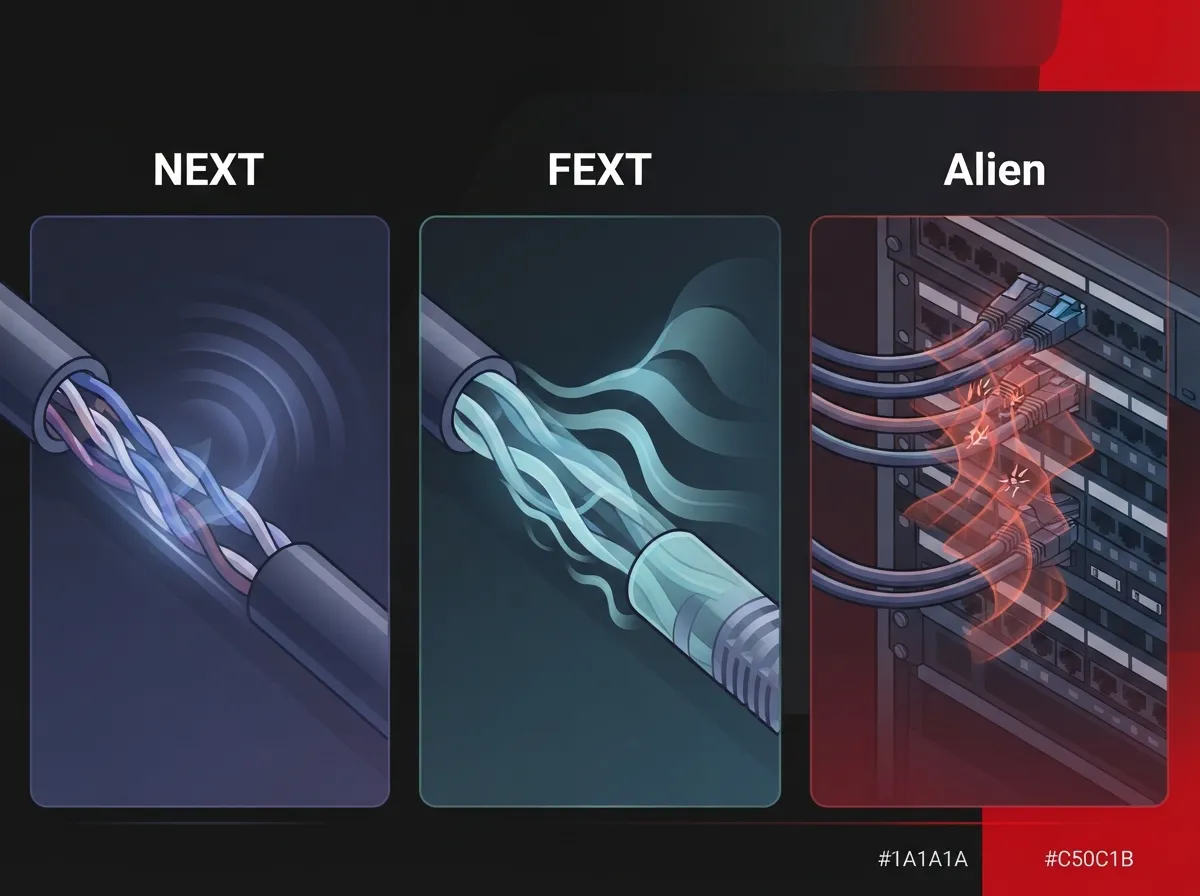
Not all crosstalk is the same. Network testers measure several types, and each points to different problems. Here’s a simple breakdown.
| Type | What It Means | Common Cause |
|---|---|---|
| NEXT (Near-End Crosstalk) | Interference measured at the same end where the signal is sent | Poor termination, too much untwisting, low-quality connectors |
| FEXT (Far-End Crosstalk) | Interference measured at the opposite end of the link | Long cable runs, weak pair balance |
| Power-Sum (PSNEXT, PSFEXT) | Combined effect when several pairs transmit at once | Gigabit and 10-gig links that use all four pairs |
| Alien Crosstalk | Interference between separate cables or links | Tightly packed bundles and shared pathways |
NEXT and FEXT: Crosstalk Inside One Cable
NEXT and FEXT happen between pairs inside the same cable. NEXT is measured at the transmitting end, where signals are strongest. That makes it the most common trouble spot. FEXT is measured at the far end, after the signal has weakened along the run.
Modern Ethernet uses all four pairs at once. That’s why testers also report power-sum numbers, which account for interference from several pairs at the same time.
Alien Crosstalk: The Neighbor Problem
Alien crosstalk is different. It happens between separate cables, often in tight bundles or crowded cable trays. It matters most for high-bandwidth copper links, like 10GBASE-T running over Category 6A. You can’t fix it with a better patch cord alone. It’s a design and installation issue, so planning matters.
How Crosstalk Affects Business Ethernet and VoIP
So why should a busy business owner care? Because crosstalk shows up as real-world headaches, not lab numbers.
- Slow file transfers: Errors force devices to resend data, which eats bandwidth.
- Choppy VoIP calls: Voice traffic is sensitive to delay and packet loss. Interference can cause jitter or dropped audio.
- Unstable links: A port that connects at 1 Gbps one day and 100 Mbps the next often points to a cabling fault.
- Camera and access control hiccups: Power over Ethernet devices depend on clean, reliable cabling.
If your phones sound rough, cabling may be part of the story. Our guide on how structured cabling supports VoIP and cameras explains why the wiring behind the wall matters as much as the system on the desk.
What Causes Crosstalk in Your Cabling?
Crosstalk rarely comes from one big mistake. It’s usually a pile of small ones. The most common culprits include:
- Excessive untwisting at the termination point. Fluke Networks’ troubleshooting guidance cites about 13 mm (0.5 in) as the maximum untwist for Category 5e, 6, and 6A terminations. Less is better, and you should always follow the current standard and manufacturer instructions.
- Poor or mismatched connectors. Jacks and plugs must be rated for the category you need.
- Split pairs. This wiring error swaps wires between pairs, breaking the twist pattern that cancels interference.
- Low-quality or unsuitable patch cords. A cheap cord can undo the work of a great permanent link.
- Dense bundling. Packing too many cables tightly together raises alien crosstalk risk.
- Poor pair balance in the cable itself. Low-grade cable may not hold up at higher frequencies.
Poor termination is a frequent cause of NEXT failures. In other words, workmanship counts. Learn more about common mistakes in our post on 12 structured cabling mistakes that hurt your business.
Does Category 6A Prevent Crosstalk?
Short answer: it helps a lot, but it isn’t magic. Category 6A standards include specific alien-crosstalk performance requirements, and the frequency range extends to 500 MHz. Common alien metrics include PSANEXT (power-sum alien near-end crosstalk) and PSAACRF (power-sum alien attenuation-to-crosstalk ratio at the far end).
But even great cable can fail if it’s installed poorly. A Cat 6A run with sloppy terminations or crushed bundles can still cause trouble. The cable sets the ceiling, and the installation decides whether you reach it. If you’re weighing options, see how to choose between Cat6 and Cat6A for your office.
Quick Comparison of Common Cable Categories
| Category | Typical Use | Crosstalk Consideration |
|---|---|---|
| Cat 5e | Basic gigabit office links | Older design; less margin for interference |
| Cat 6 | Gigabit and limited 10-gig runs | Better pair separation; alien crosstalk limits longer 10-gig use |
| Cat 6A | 10GBASE-T, PoE devices, future growth | Alien crosstalk requirements built into the standard |
Curious about the gap between the lower categories? Check out 7 key differences between CAT5e and CAT6 cabling for a side-by-side view.
How to Reduce Crosstalk: 7 Practical Steps
Ready for the good part? Here’s a simple checklist that keeps crosstalk in check. You can use it when planning a new office or reviewing an existing closet.
- Match the cable to the job. Pick cabling and connecting hardware rated for the category you need. Use Cat 6A where 10-gig speeds or heavy PoE are likely.
- Keep the twists intact. Preserve the natural pair twist right up to the termination point, and follow manufacturer instructions.
- Use quality connectors and patch cords. Every part of the channel should meet the same category rating.
- Avoid unnecessary couplers. Extra connection points add crosstalk and signal loss.
- Manage bundles and pathways. Don’t cinch cables too tightly or pack trays to the brim. Follow your cabling design for spacing and routing.
- Watch for pathway hazards. Keep copper runs away from heavy electrical sources where possible.
- Test every link. Certification catches problems before they become outages.
A well-planned closet also makes life easier for your team. Our article on how to set up cable management for business networks offers tips for tidy, dependable racks.
How to Test a Cabling Installation for Crosstalk
Plugging in a laptop and seeing a link light isn’t testing. A link can light up and still have hidden crosstalk problems. Real verification means certification testing.
Here’s how professionals approach it:
- Use an appropriate, calibrated field tester rated for the category being tested.
- Test against the applicable TIA or ISO/IEC requirements.
- Check in-channel parameters like NEXT, power-sum NEXT, and return loss on every installed link.
- Run alien-crosstalk testing on a representative sample when the applicable standard and system design permit it.
Fluke Networks’ guidance describes an initial sampling approach across short, medium, and long links, with a 5 dB margin criterion before stopping. Because standards and project specs change, always confirm the current requirements before using any sampling method.
Also ask for the test results. A good contractor hands over clear, link-by-link reports. That paperwork is your proof of quality and a handy reference if issues pop up later.
What Causes a NEXT Failure?
When a link fails NEXT, start with the basics. Look closely at the terminations at both ends. Check for too much untwisting, mismatched jacks, split pairs, or a damaged patch cord. Retermination fixes most failures. If it keeps failing, the cable itself, a coupler, or the pathway may be the issue.
When Should a Business Upgrade Its Cabling?
Cabling isn’t something you want to redo every few years. Still, there are clear signs it’s time to take a fresh look:
- You’re adding 10-gig links, Wi-Fi 6E or newer access points, or lots of PoE devices.
- Your network has frequent unexplained slowdowns or dropped links.
- Your building still runs older Cat 5e or unlabeled, tangled cable.
- You’re moving offices, remodeling, or adding locations.
If several of those sound familiar, you may be due for an upgrade. See 9 signs your Tampa business needs structured cabling now for a deeper checklist.
Why Planning Beats Fixing Later
Every audience has its own version of this story. A small business owner wants one fewer thing to worry about. An IT manager wants clean documentation. A franchise operator needs the same quality at every site. An office manager just wants the phones to work on Monday morning.
Good structured cabling answers all of those needs. It’s a standards-based approach to organizing cable, pathways, and connections so your network stays reliable and easy to grow. Doing it right the first time costs far less than chasing intermittent problems later.
That’s where a single point of contact helps. At Ideal Solutions Provider, we handle consultation, installation, and ongoing support for Tampa businesses and multi-location operations nationwide. With over 24 years of experience, we plan cabling that supports your phones, internet, cameras, and access control together. You can also explore our professional structured cabling services overview, or see how to plan network cabling installation in Tampa Bay.
Not sure whether to tackle it yourself? Our comparison of DIY vs. professional cabling lays out the tradeoffs honestly. And if you’d like to follow our updates, find us on YouTube.
Quick Tips for Busy Office Managers and IT Teams
- Label every cable and port. It makes troubleshooting much faster.
- Keep a copy of your certification reports on file.
- Replace damaged or bargain-bin patch cords right away.
- Leave a little room in trays and pathways for future growth.
- Ask your installer how they handle alien crosstalk on Cat 6A runs.
Wrapping Up: Clean Cabling, Calm Network
Crosstalk may sound technical, but the takeaway is simple. Good cable, careful termination, smart bundle management, and proper testing keep your network running smoothly. Get those right, and your phones, internet, cameras, and access control all benefit.
You don’t have to figure it out alone. If you’d like a friendly expert to review your current cabling or plan a new build, contact us today for a free consultation, or call us at 813-388-4935. We’ll help you build a network that’s ready for whatever comes next in 2026 and beyond.
FAQs
Q: What is crosstalk in network cabling?
A: Crosstalk is unwanted signal leaking from one wire pair into another inside copper cabling. It lowers your signal-to-noise ratio and can cause errors or slower links. The good news is that quality cable and careful installation keep it well under control.
Q: What is the difference between NEXT, FEXT, and alien crosstalk?
A: NEXT is interference measured at the transmitting end, while FEXT is measured at the far end of the link. Alien crosstalk is different because it happens between separate cables, often in tight bundles. It matters most for high-speed copper links like 10GBASE-T over Cat 6A.
Q: How can I reduce crosstalk in a cable bundle or telecom closet?
A: Start with cable and connectors rated for the category you need, and keep pair twists intact up to the termination. Avoid extra couplers, and don’t over-pack trays or cinch bundles too tightly. Finish with certification testing so you know every link performs.
Q: How do you test a structured cabling installation for crosstalk?
A: Use a calibrated field tester and test against the applicable TIA or ISO/IEC requirements. Every installed link should be checked for in-channel parameters like NEXT, while alien-crosstalk testing may be done on a representative sample when the standard allows. Always ask for the link-by-link results.
Q: When should a business upgrade from Cat 5e or Cat 6 to Cat 6A?
A: Consider Cat 6A if you’re adding 10-gig links, newer Wi-Fi access points, or lots of PoE devices. It’s also smart during a remodel, move, or build-out, since it’s much cheaper to install the right cable once. Its built-in alien-crosstalk requirements give you extra room to grow.





