
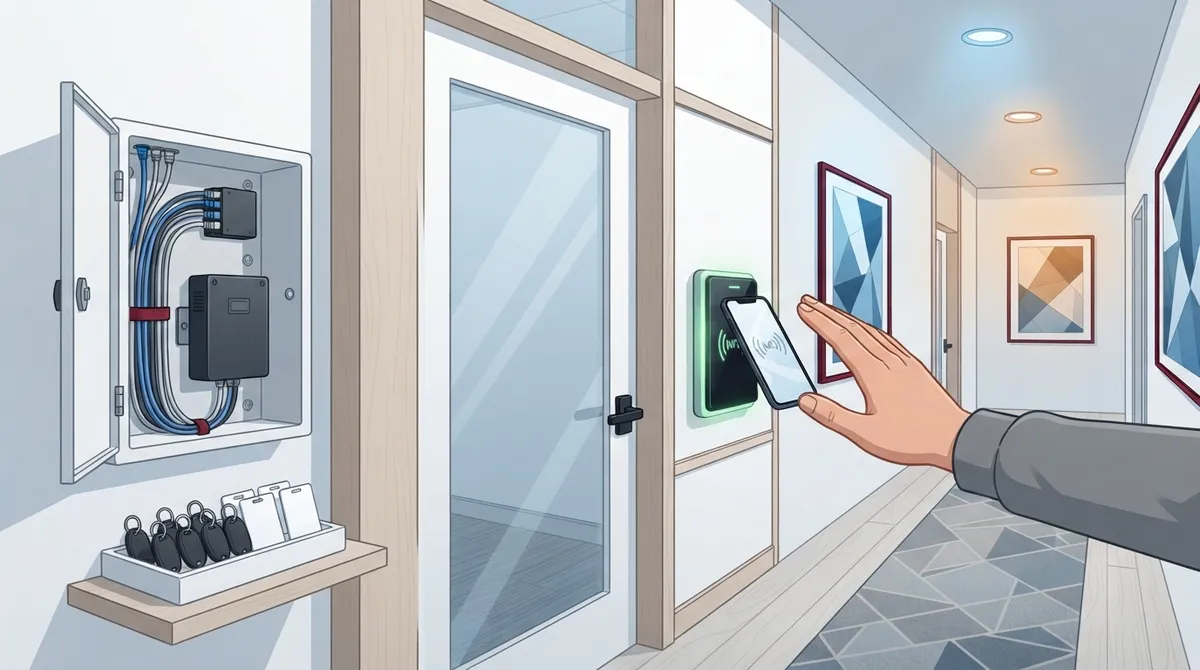
Key Takeaways
-
Mobile NFC credentials can be issued, changed, or revoked digitally, so cutting off a departed employee's or lost phone's access can happen in minutes instead of waiting for a key return.
-
NFC's short read range (a few centimeters) requires a deliberate tap, which reduces accidental unlocks at server rooms, supply closets, and executive offices.
-
Keep spare cards or fobs for visitors and for employees whose phones are dead or incompatible, since mobile-only access can leave people locked out.
-
Verify compatibility with your existing cards, door controllers, locks, and mobile operating systems, and pilot the system on one or two doors before a company-wide rollout.
-
Your access system depends on your network: plan clean structured cabling, reliable internet, network segmentation, and battery backup so doors keep working during outages.
-
Judge security by the whole implementation, not just short range: look for credential encryption, strong admin sign-in, audit logs, regular firmware updates, and a lost-device procedure.
Picture this: it’s Monday morning, and your office manager is juggling a dead phone line, a missing key fob, and a new hire who needs door access by nine. Sound familiar? Many small business owners, office managers, and IT teams know that scramble all too well. The good news is that a modern NFC access control system can take a big chunk of that stress off your plate.
NFC stands for near-field communication. It’s the same tap-to-pay style technology you may already use with your phone. In a business setting, it lets employees tap a card, fob, or smartphone to open a door. Simple, right?
But a good setup is more than a reader on the wall. It depends on your network, your cabling, your software, and a plan for when things go wrong. In this friendly guide, we’ll walk through four things every business should know before choosing an NFC access control system in 2026. Whether you run one office in Tampa or a handful of franchise locations, you’ll leave with clear, practical next steps.
1. How an NFC Access Control System Actually Works
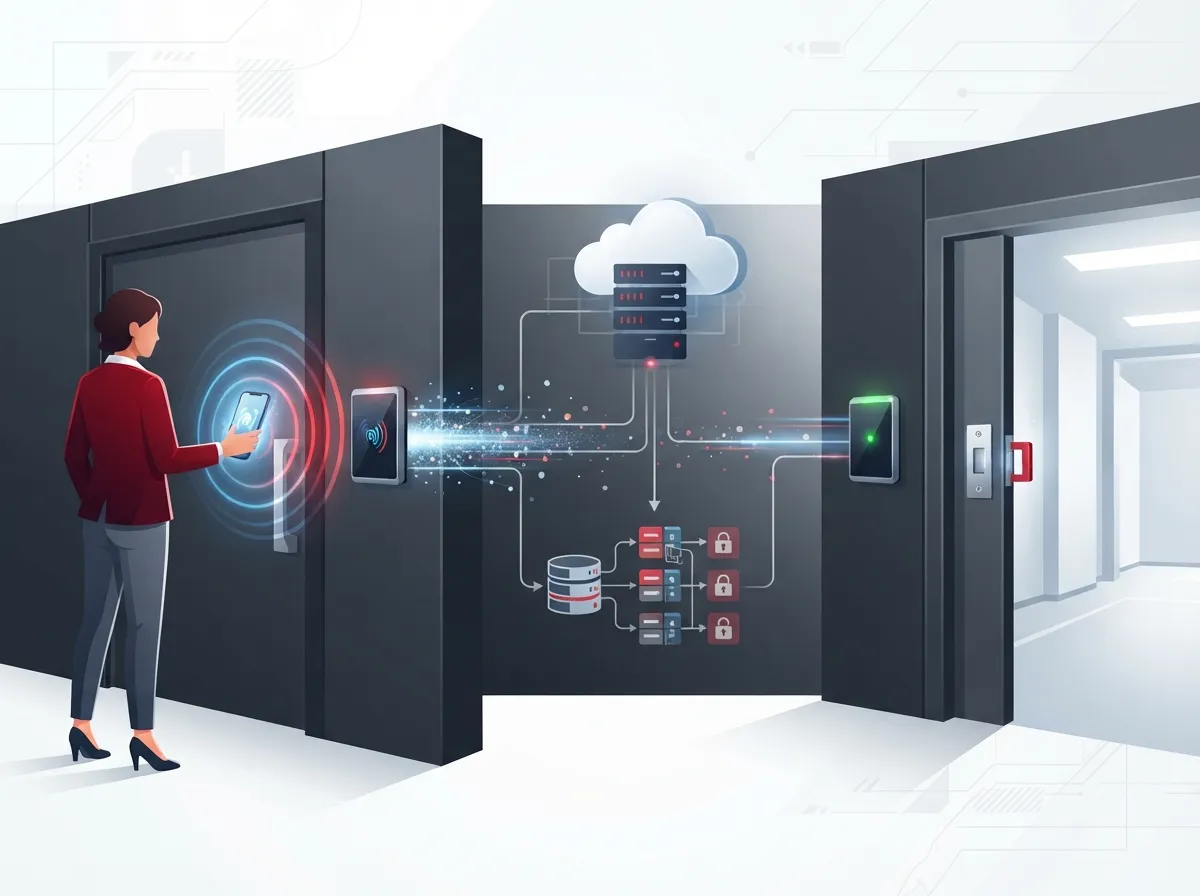
Let’s start with the basics, because a little understanding makes every later decision easier. An NFC access control system uses short-range wireless technology to decide who gets in and who stays out.
The Core Parts
Most business systems share the same building blocks. Each part has a job, and they all need to work together.
- Credential: The card, fob, or smartphone a person taps to request entry.
- Reader: The device at the door that picks up the credential.
- Door controller: The “brain” that checks the credential and decides whether to unlock.
- Locking hardware: The electric strike or magnetic lock that physically opens the door.
- Management software: The dashboard where admins add users, set schedules, and review activity.
What Happens When Someone Taps
Here is the typical flow, step by step:
- An employee holds a card, fob, or phone close to the reader.
- The reader captures the credential and sends it to the door controller.
- The controller checks the user’s permissions in the management software.
- If the person is approved for that door and time, the lock releases.
- The system logs the event so admins can review it later.
NFC operates at 13.56 MHz and works at very short range. Typical access interactions need only a few centimeters of distance, with one source citing about 4–10 cm. Actual read distance varies by device, reader, and installation. That deliberate “tap” is what makes NFC a nice fit for office doors, elevators, turnstiles, and restricted rooms.
If you want a deeper look at how credentials and cloud management fit together, our guide on how cloud access control works for business telecom breaks it down in plain language.
2. NFC vs. Bluetooth, Key Fobs, and Other Credentials
Here’s a question we hear a lot: “Should we use NFC, Bluetooth, or just stick with cards?” The honest answer is that it depends on your doors, your people, and your goals.
NFC vs. Bluetooth Low Energy
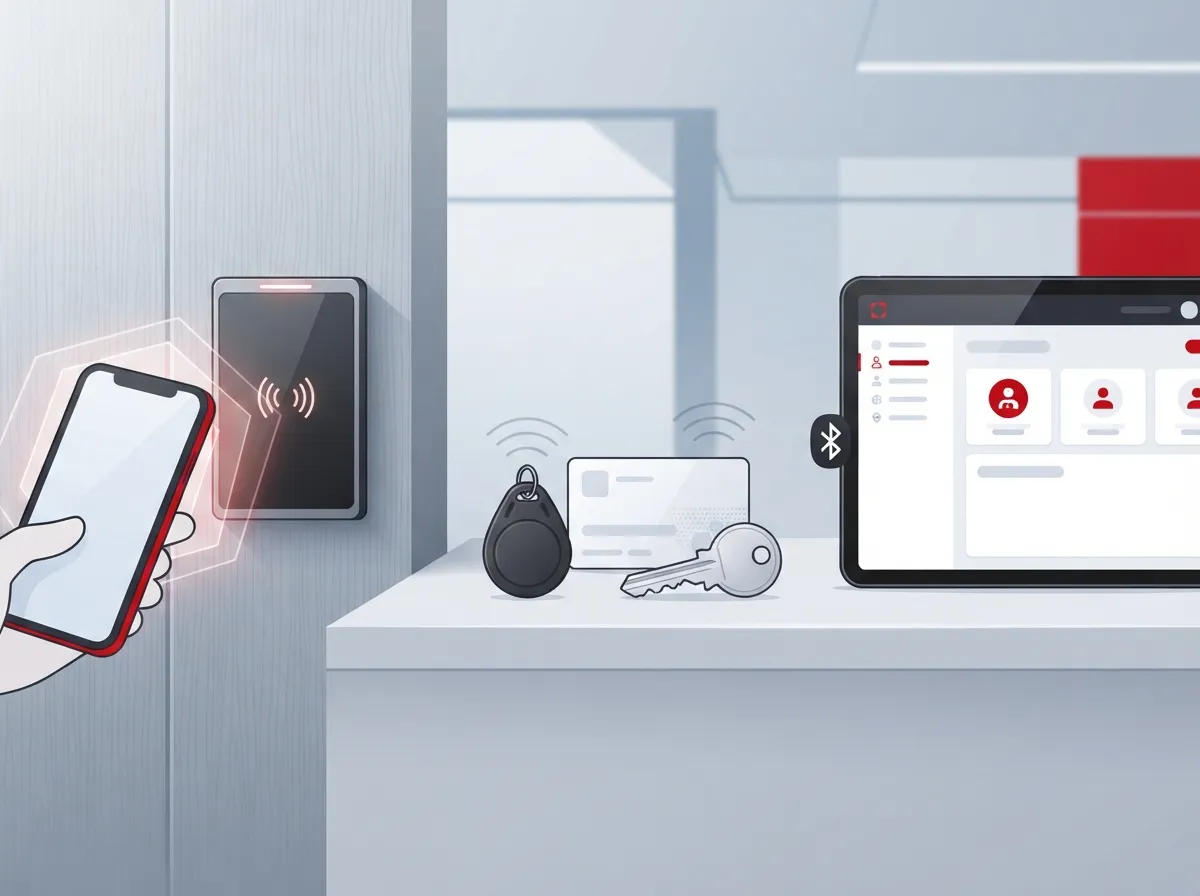
NFC is one of several mobile-access options. Bluetooth Low Energy (BLE) is also widely used and can support tap-style or hands-free entry. Some systems support more than one method. What you actually get depends on your reader, credential platform, phone, and configuration.
| Feature | NFC | Bluetooth Low Energy | Traditional Key Fob or Card |
|---|---|---|---|
| Typical range | A few centimeters | Longer, configurable | Short, tap or swipe |
| User action | Deliberate tap | Tap or hands-free | Tap or swipe |
| Phone as credential | Yes, on compatible devices | Yes | No |
| Remote issue or revoke | Yes, for mobile credentials | Yes | Requires physical handling |
| Best for | Controlled, intentional entry | Busy or hands-free entry | Simple, low-tech setups |
Why Many Offices Like NFC
The short range is a real plus. Because someone has to tap at the reader, accidental unlocks are less likely. That feels reassuring at server rooms, supply closets, and executive offices.
Mobile credentials add convenience too. Administrators can issue, change, or revoke access digitally, which cuts down on printing and mailing replacement cards. Still, you’ll want a plan for visitors and for employees whose phones are dead or incompatible. A few spare cards or fobs behind the front desk go a long way.
Curious how phone-based entry compares overall? Check out mobile vs. traditional access control for Tampa businesses for a side-by-side view.
A Quick Word on the Market
Interest in mobile credentials keeps growing. One research firm estimated the global access-control market at $13.5 billion in 2025, projecting $25.88 billion by 2034 (Dataintelo). Another put the mobile access-control segment at $3.5 billion in 2025. These figures come from vendor-research reports with different definitions, so treat them as directional rather than exact. The takeaway? Mobile and NFC-based access is clearly a fast-moving part of the security world.
3. The Network and Cabling Behind Every Reliable Door
This is the part many people overlook, and it’s where a telecom partner really shines. An NFC reader is only as dependable as the network it talks to. If your internet drops or your cabling is a tangle of mystery wires, doors can lag or fail.
Why Your Network Matters
In a business deployment, readers connect to door controllers and management software over your organization’s network. Cloud-based platforms add internet connectivity to the mix. That means your access system depends on the same infrastructure as your phones and cameras.
A few connectivity basics help keep things smooth:
- Solid structured cabling: Clean, labeled runs to every door make installs and troubleshooting much easier.
- Reliable internet: Cloud management needs a steady connection, especially for multi-site teams.
- Network segmentation: Keeping access devices on their own network segment adds a protective layer.
- Backup power: Battery backup helps doors keep working during outages.
Good structured cabling is the quiet hero here. If you’re planning new doors, a smart move is to pull the cable at the same time you run phone and camera lines. We cover that in 13 ways structured cabling supports VoIP and cameras.
Internet Speed and Reliability
Access control doesn’t use a ton of bandwidth on its own, but it shares your connection with everything else. If your phones, video, and cloud apps already strain your line, adding more devices can expose weak spots. Before you roll out new readers, it’s worth reviewing your plan with your Internet Service Provider. Our post on how to choose the right internet speed for your Tampa business can help you size things up.
One Partner, Fewer Headaches
When access control, cabling, internet, and cameras come from different vendors, finger-pointing can happen fast. A door fails, and nobody owns the problem. That’s why many mid-sized companies and franchise operators prefer a single point of contact.
At Ideal Solutions Provider, we’ve spent over 24 years helping businesses coordinate telecom, networking, cloud video security, and cloud access control through 35+ vetted suppliers. Having one team to call keeps projects moving and support simple. If you’re weighing that approach, see 11 reasons to use one telecom partner in Tampa FL.
4. Security, Compatibility, and Budget: Your Pre-Launch Checklist
Now for the grown-up questions. A great NFC access control system is secure, plays nicely with what you already own, and fits your budget. Let’s tackle each one.
Security Is More Than Short Range
It’s tempting to say, “NFC only works up close, so it must be safe.” Short range helps, but real security depends on the whole implementation. When you evaluate a system, look closely at these areas:
- Credential encryption and storage: How are credentials protected on cards and phones?
- Reader and controller security: Are devices hardened against tampering?
- Administrator authentication: Does the dashboard support strong sign-in options?
- Audit logs: Can you see who entered where, and when?
- Software updates: How often are patches delivered, and how?
- Lost device procedures: Can you revoke a credential in minutes?
That last point matters a lot. When an employee leaves or loses a phone, you want to cut access right away. Cloud platforms make that quick, which is one reason so many businesses are moving this way. Explore the upside in 10 cloud access control benefits every business should know.
Check Compatibility Before You Buy
Already have readers on your doors? Don’t rip them out just yet. Before replacing anything, verify compatibility with your existing:
- Cards and fobs already in employees’ hands
- Door controllers and locking hardware
- Mobile operating systems your team uses
- Identity or building-management platforms you rely on
Some systems can read multiple credential types, which makes a gradual upgrade possible. A phased pilot is often the smartest path. Try the new readers on one or two doors first, test coverage and user experience, check failover behavior, and gather feedback. Then expand with confidence.
Our hardware compatibility guidance style planning is easier with an expert in your corner, and our post on how to choose access control systems for Tampa businesses offers a helpful starting framework.
Budgeting Without the Surprises
Costs vary widely, so let’s focus on what drives them. Thinking through these items up front helps you avoid sticker shock later:
| Cost Area | What to Consider |
|---|---|
| Hardware | Number of doors, readers, controllers, and locks |
| Credentials | Cards, fobs, and mobile credential licensing |
| Software | Cloud subscription or on-site licensing, often per user or per door |
| Cabling and installation | New cable runs, mounting, and door preparation |
| Network | Switches, PoE power, and internet capacity |
| Ongoing support | Monitoring, updates, and help when something breaks |
Remember to account for backup power and for spare credentials for visitors. If you manage multiple sites, scalability matters too. Our guide on scalable access control systems for multi-location Tampa businesses shows how to plan for growth, and how much you should budget for cloud access control digs deeper into pricing.
Pair It With Cameras for the Full Picture
Door logs tell you who badged in. Cameras tell you what actually happened. Together, they give you a much clearer view of your space. If you’re already considering video, read what security cameras really do for your business to see how both pieces work as a team.
Putting It All Together
An NFC access control system can make daily life easier for everyone, from the front-desk team to the IT manager. The best results come when you treat it as part of your whole communications and security foundation, not a standalone gadget. Here’s a quick recap of the four big ideas:
- Understand how credentials, readers, controllers, and software work together.
- Compare NFC with Bluetooth and traditional cards based on your real-world needs.
- Build on a strong network and clean cabling so doors stay dependable.
- Verify security, compatibility, and budget before you commit, and pilot first.
You don’t have to figure it all out alone. We love helping Tampa-area businesses and multi-location operators nationwide sort through the options with no pressure. Ready for a friendly, no-obligation conversation? Contact us for a free consultation, or call us and let’s talk through your doors, your network, and your goals. You can also see our work and tips on YouTube, and explore our cloud based access control services anytime.
FAQs
Q: What is an NFC access control system, and how does it work?
A: An NFC access control system lets people open doors by tapping a card, fob, or smartphone on a nearby reader. The reader sends the credential to a door controller, which checks permissions in the management software and unlocks the door if approved. It’s quick, simple, and logs every entry for you.
Q: Can employees use a smartphone as an NFC access credential?
A: Yes, many systems support phones as credentials, though it depends on your reader, credential platform, phone model, and settings. Mobile credentials can be issued or revoked digitally, which is handy. It’s still smart to keep spare cards or fobs for visitors or anyone with a dead or incompatible phone.
Q: Can NFC access control work with existing card readers and door controllers?
A: Sometimes it can, but you’ll want to verify compatibility first. Check your current cards, controllers, locks, mobile operating systems, and any building-management platforms. A small pilot on a few doors is a friendly way to test before you roll out company-wide.
Q: What security features should a business look for in an NFC access control system?
A: Look beyond NFC’s short range and review the whole setup. Key things include credential encryption, secure readers and controllers, strong administrator sign-in, audit logs, regular software updates, network segmentation, backup power, and a clear process for lost devices.
Q: How does NFC access control connect to my business network and telecom services?
A: Readers typically connect to door controllers and access software over your business network, and cloud platforms also use your internet connection. That’s why quality cabling, reliable internet, and good network design matter. A telecom partner can help coordinate all of it so your doors stay dependable.





