

Key Takeaways
-
Shared fiber shares some network capacity upstream with other customers, so quoted speeds are often 'up to' maximums rather than guarantees, and you should confirm upload speed in writing.
-
Dedicated Internet Access (DIA) reserves bandwidth for your business and commonly includes an SLA, while shared fiber costs less but may offer best-effort support with limited or no SLA.
-
Judge a plan by its written SLA, checking uptime commitments, latency and packet loss targets, repair times, service credits, and whether support runs 24/7.
-
Shared fiber suits small and midsize offices relying mainly on cloud apps, email, web, and VoIP, but businesses where downtime costs real money should consider DIA or a backup connection.
-
Fiber availability varies building by building, so verify service at your exact address and ask about installation charges, contract length, static IPs, and upload speeds before ordering.
-
Even a strong fiber connection can be bottlenecked by old or messy internal cabling, so check your office wiring when planning an internet upgrade.
Picture this. Your team is on a video call, the cloud phone system is humming, and someone is uploading a big file to the shared drive. Everything just works. That is the dream for most business owners, and fiber often gets the credit.
But here is the catch. Not every fiber plan is built the same way. Shared fiber internet is a popular, budget-friendly option, and it can be a great fit for many offices. It also comes with fine print that is worth reading before you sign.
In this friendly guide, we will walk through eight things to know about shared fiber internet. You will learn what it is, how it differs from dedicated service, what to ask your provider, and how to pick the right fit for your business in 2026. No jargon overload, we promise.
1. What Shared Fiber Internet Actually Means
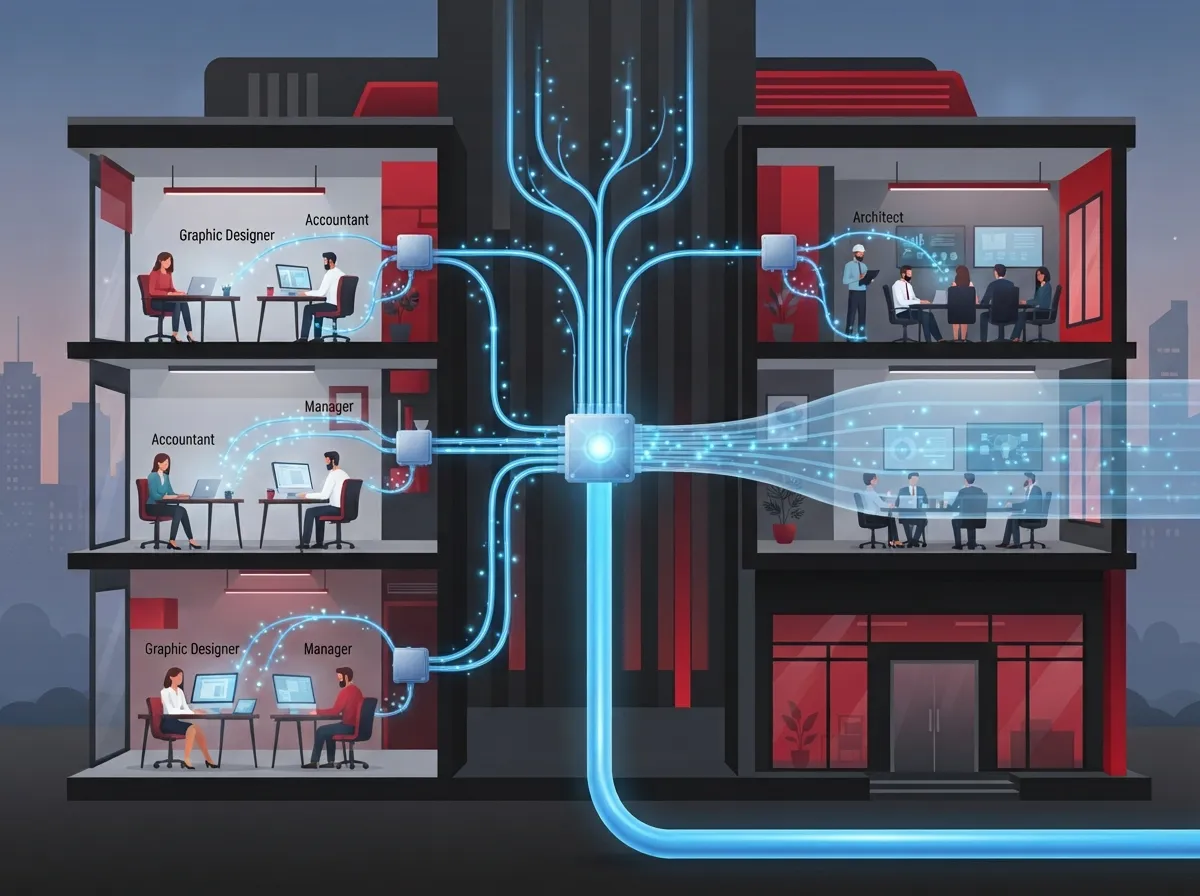
Shared fiber internet is a business broadband service delivered over fiber cable to your building. The key word is shared. Some of the network capacity behind your connection is shared with other customers.
A common design for this is called GPON, short for Gigabit Passive Optical Network. In simple terms, a passive optical splitter lets several buildings connect to one shared feeder line. Think of it like a main water pipe in a neighborhood. Each home has its own tap, but the big pipe serves many homes.
Here is the part people often miss. Shared does not mean you have no fiber of your own. Your building still gets a fiber connection. It just means that some capacity upstream is shared. That is why many plans say “up to” a certain speed.
2. How Shared Fiber Differs From Dedicated Internet Access
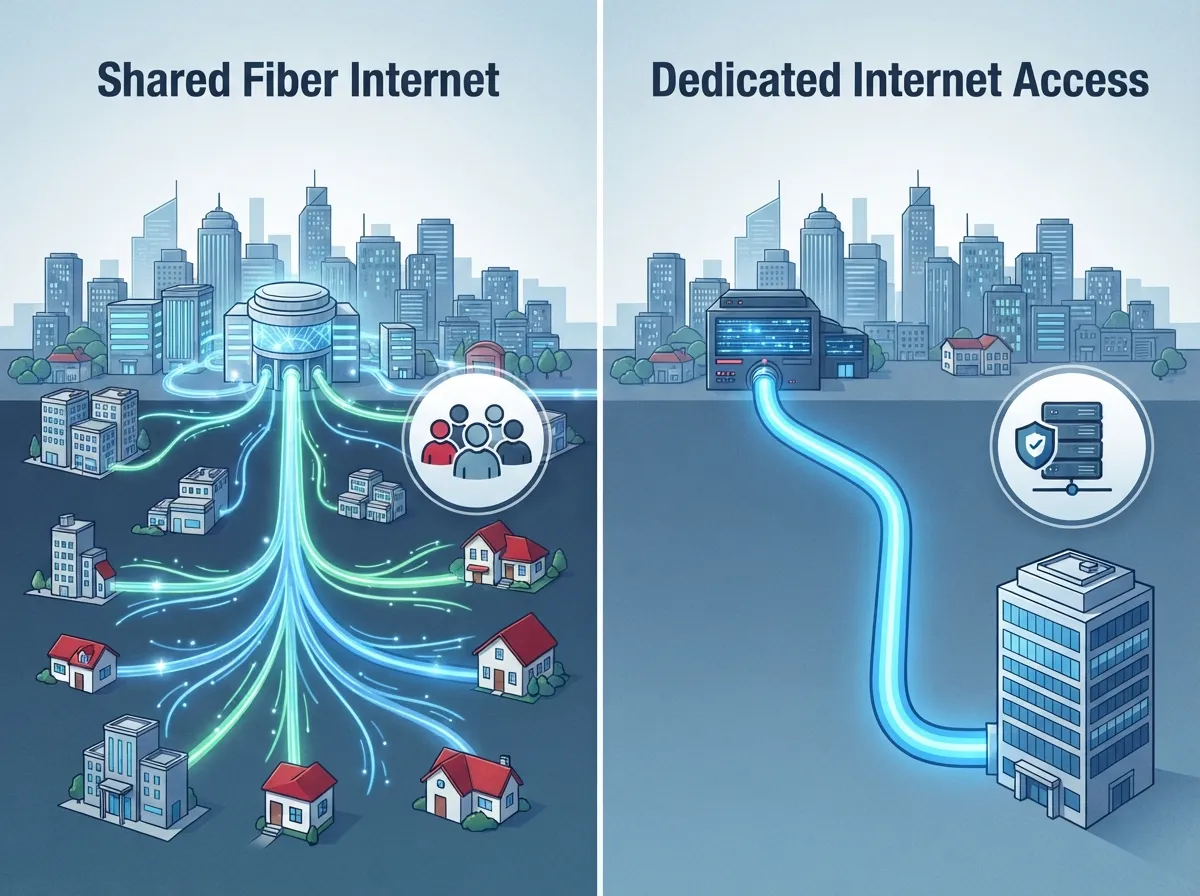
The biggest comparison you will make is shared fiber versus Dedicated Internet Access, often called DIA. They sound alike, but they are different products. If you want a deeper side-by-side, our guide on dedicated vs. shared fiber for Tampa businesses walks through it in detail.
| Feature | Shared Fiber | Dedicated Internet Access (DIA) |
|---|---|---|
| Access capacity | Shared at the access level | Provisioned for your business |
| Advertised speed | Often “up to” or best-effort | Usually committed bandwidth |
| SLA | May be limited or absent | Commonly included in the contract |
| Typical cost | Lower | Higher |
| Best for | Everyday cloud, web, and voice use | Mission-critical or latency-sensitive work |
Neither is “better” in every case. The right choice depends on your needs and your budget. Our post on what dedicated fiber internet is can help you decide whether you need the premium option.
3. Speeds Can Be Fast, but Read the Fine Print
Good news first. Business shared-fiber plans can deliver very high download speeds. Depending on the provider and plan, they may also offer symmetrical speeds, meaning upload matches download.
Now the friendly warning. A quoted speed is often a maximum, not a promise. Before you order, ask these simple questions:
- What is the actual upload speed on this plan?
- Is the quoted speed guaranteed or best-effort?
- Are there any caps, throttling, or fair-use limits?
- What happens if I do not get the speed I am paying for?
For context, the FCC describes broadband as at least 100 Mbps download and 20 Mbps upload. That is a general benchmark, not a definition of shared fiber or a business guarantee. Many modern fiber plans go far beyond it, but always confirm the numbers in writing.
4. Will It Slow Down During Peak Hours?
This is one of the most common questions we hear. The honest answer is: it depends.
Fiber has a lot of capacity, so congestion is often less noticeable than on some other shared-access technologies. That is a real advantage. Still, shared fiber should not be assumed to be congestion-free. Performance can shift with network design, provider capacity, traffic levels, and your specific plan.
Here is a simple way to think about it. If your office mostly does email, web apps, cloud storage, and a handful of calls, a well-run shared fiber network will likely feel snappy all day. If you run heavy, steady workloads, like constant large file transfers or many video streams, you may want to ask about committed bandwidth.
If your connection ever feels sluggish, our guide on why business internet gets slow in Tampa and how to fix it is a handy troubleshooting companion.
5. The SLA Is the Real Story
Here is a tip that can save you a lot of headaches. Do not judge a plan by the word “fiber.” Judge it by the written Service Level Agreement, or SLA.
An SLA is the part of your contract that spells out what the provider promises. DIA contracts commonly include one. Shared fiber plans may offer a lighter version, or sometimes none at all, with support on a best-effort basis.
When you review a plan, look for these items:
- Uptime commitment: How much availability is promised, and how is it measured?
- Latency and packet loss: Are there targets for these? They matter a lot for voice and video.
- Repair targets: How fast will a technician respond or restore service?
- Service credits: What do you get if the provider misses the mark?
- Support hours: Is help available 24/7 or only during business hours?
If you are unsure how to compare these terms, you are not alone. Our overview of dedicated internet access pricing in 2026 shows what stronger guarantees can cost, so you can weigh the tradeoff fairly.
6. When Shared Fiber Is a Smart, Budget-Friendly Pick
Shared fiber shines for many small and midsize businesses. It often delivers strong speeds at a lower monthly cost than DIA. For plenty of offices, that is exactly the sweet spot.
It tends to be a good fit when:
- Your team relies mostly on cloud apps, email, web browsing, and VoIP calls.
- You want fiber-level speed without a premium contract.
- A short outage would be annoying, but not a business emergency.
- You are a small shop, clinic, office, or retail location watching costs.
If you are exploring a business high speed internet upgrade, shared fiber is often worth a close look. It is also a nice step up from older connections. Our comparison of fiber vs. cable business internet in Tampa explains why many owners make the jump.
7. When You May Want Dedicated Service Instead
Sometimes predictable performance matters more than saving a few dollars. That is when DIA, or another dedicated option, can be worth the extra cost.
Consider stepping up when:
- Your phones, point-of-sale, or cloud security cameras must work all day, every day.
- You host servers, run heavy data transfers, or support many users at once.
- You need fast, contractually backed restoration after an outage.
- Your business loses real money for every hour of downtime.
Cloud tools are a big reason this matters. Video and access systems lean on a steady connection, as we explain in why cloud-based security systems fail without fast internet. And if you are sizing a camera setup, our list of internet speeds your cloud cameras actually need gives you realistic numbers.
You can also mix and match. Some businesses pair a shared fiber primary line with a backup connection. Our tips on automatic internet failover show how to keep working even if one line drops.
8. How to Check Availability and Order With Confidence
Fiber availability is very local. A provider may serve the building next door but not yours. Fiber growth is strong overall, which is encouraging. A 2025 market update from the Fiber Broadband Association and RVA reported 84.6 million unique U.S. homes passed by fiber, with 11% growth in homes passed during 2025. Those are residential figures, so they do not tell you whether fiber reaches your specific business address.
A separate CostQuest analysis of FCC data found that more than 58% of U.S. broadband serviceable locations were served by fiber, with 1,561 active fiber providers. It is a useful snapshot of the market, but again, it is not a guarantee for your street.
So how do you find out what is truly available? Follow these steps:
- Verify the exact address. Availability can change from one building to the next.
- Ask about installation and construction charges. New fiber builds can add cost and time.
- Check the contract term. Know how long you are committed.
- Ask about static IPs. Many business tools, like VPNs and some phone setups, need them.
- Confirm upload speed and SLA coverage. Get it in writing.
- Ask about backup options. A second connection can be a lifesaver.
Want a head start? Our guide on how to find business internet providers by address walks you through the process, and our guide to choosing the right fiber internet for your business covers the next steps.
A Quick Word on Getting Help
Comparing plans across many carriers can feel like a second job. That is where a partner helps. Ideal Solutions Provider is a Tampa-based telecom and IT partner with over 24 years of experience and relationships with 35+ vetted suppliers. They act as a single point of contact, so you do not have to chase quotes from every carrier yourself.
Because they are independent, they can compare shared fiber, DIA, and other options side by side. That makes it easier to match a plan to what your business really needs. If you want to see the full picture, take a look at their business network solutions and read more about the team on their about page.
One more helpful read: our checklist for choosing a business internet provider pairs nicely with everything above. And if you are curious how an Internet Service Provider fits into the larger network picture, that quick reference is a good place to start.
Do Not Forget the Wiring Inside Your Office
Here is something that surprises a lot of people. Even the best shared fiber line can only perform as well as the cabling inside your building. Old or messy wiring can bottleneck a brand-new connection.
Good structured cabling keeps data moving cleanly from the fiber handoff to every desk, phone, and camera. If you are planning an internet upgrade, it is smart to check your wiring at the same time. Our guide on what structured cabling is is a friendly place to begin, and you can learn about professional structured cabling services when you are ready to take the next step.
Wrapping It Up
Shared fiber internet is a smart, budget-friendly way to get fast, modern connectivity for many businesses in 2026. It is not magic, though. Speeds are often “up to,” support can be best-effort, and the real details live in the contract.
The takeaway is simple. Look past the word “fiber.” Check the upload speed, read the SLA, verify your address, and match the plan to how your team really works. Do that, and you will feel confident about your choice.
Ready for a friendly second opinion? Contact us for a free review of your current setup, or call us and talk it through with a real person who has helped businesses nationwide.
You can also see more tips and behind-the-scenes updates on YouTube, or follow along on Facebook. Here is to fast, steady internet and one less thing to worry about!
FAQs
Q: What is shared fiber internet for businesses?
A: Shared fiber internet is a business broadband service delivered over a fiber connection to your building, where some network capacity is shared with other customers. Your building still gets its own fiber line. The sharing happens upstream, which is why many plans advertise “up to” speeds.
Q: How does shared fiber internet differ from dedicated fiber or DIA?
A: With Dedicated Internet Access, bandwidth is set aside just for your business, and contracts commonly include an SLA. Shared fiber shares some access capacity and often costs less, but speeds and support may be best-effort. Compare the written SLA, not just the word “fiber.”
Q: Does shared fiber internet slow down during peak hours?
A: Fiber has plenty of capacity, so slowdowns are often less noticeable than on other shared technologies. Still, it is not guaranteed to be congestion-free, and results depend on the provider’s network and your plan. Ask about committed speeds if steady performance is critical.
Q: Is shared fiber internet suitable for VoIP, video conferencing, and cloud applications?
A: For many small and midsize offices, yes. Shared fiber usually handles everyday VoIP calls, video meetings, and cloud apps well. If your business cannot tolerate any interruption, consider asking about an SLA, dedicated service, or a backup connection.
Q: How can I check whether shared fiber internet is available at my business address?
A: Start by verifying service at your exact address, since fiber availability varies from building to building. Then ask about installation charges, contract length, static IPs, and upload speeds. A telecom partner like Ideal Solutions Provider can check options across many carriers for you.





