
Key Takeaways
-
Network readiness matters as much as the cameras: check PoE switch capacity, cabling quality, and especially upload speed before committing to cloud viewing.
-
Cloud storage suits schools needing easy scaling, remote access, and multi-campus views, while on-prem storage offers local control and lower upstream bandwidth needs.
-
Consider a hybrid model where cameras record locally for reliability and key clips are sent to the cloud for backup or remote review.
-
Video may qualify as a FERPA education record depending on context, so work with privacy and legal teams to write clear policies on purpose, access, sharing, and retention.
-
Place cameras at entrances, hallways, cafeterias, perimeters, and parking lots based on a site risk assessment, and never in bathrooms or locker rooms.
-
Protect the system itself by isolating cameras on their own network segment, enforcing multi-factor authentication, and keeping firmware updated.
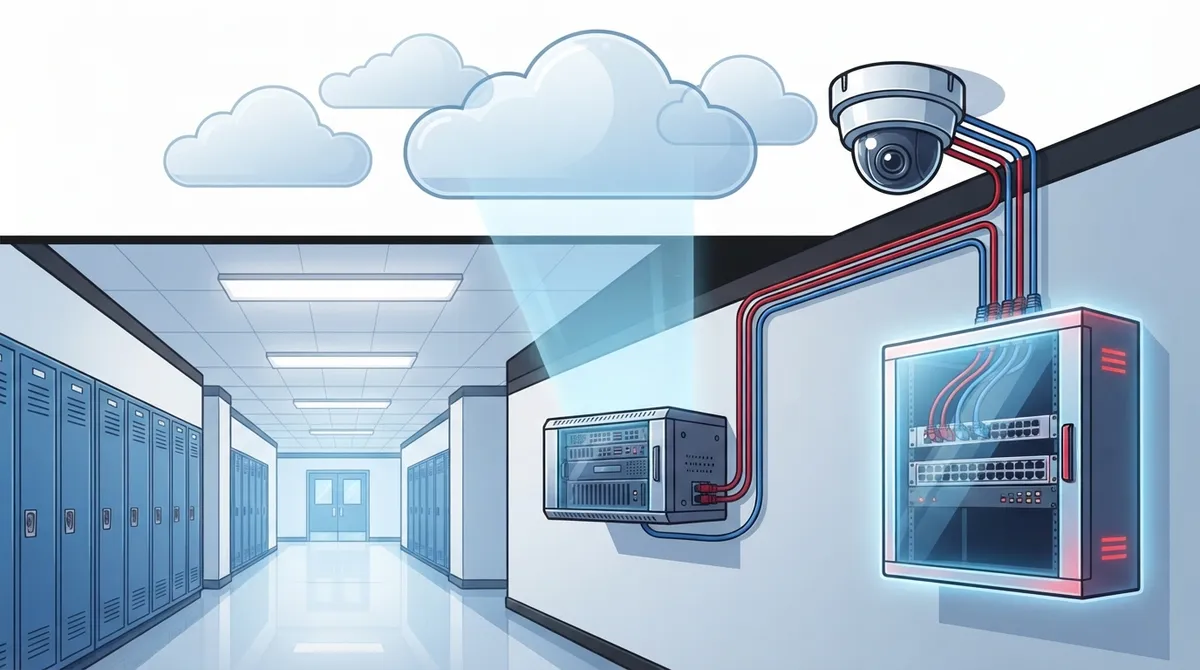
Picture a busy school morning. Buses are lining up, doors are opening, and hallways are filling with students. Somewhere in the front office, a staff member needs to check a camera feed. Does it load right away? Or does it spin and stall because the network can’t keep up? That small moment tells you a lot about school security camera systems. The cameras are only half the story. The network behind them matters just as much.
Many schools now face a big choice: store video in the cloud or keep it on servers in the building. Both can work well. The right pick depends on your internet, your cabling, your staff, and your policies. This friendly guide walks you through the choice in plain language. We will compare both options side by side, look at the network needs, and cover privacy basics too. Whether you run a district office or manage IT for a single campus, you will leave with a clear plan.
Why School Security Camera Systems Are Really Network Projects
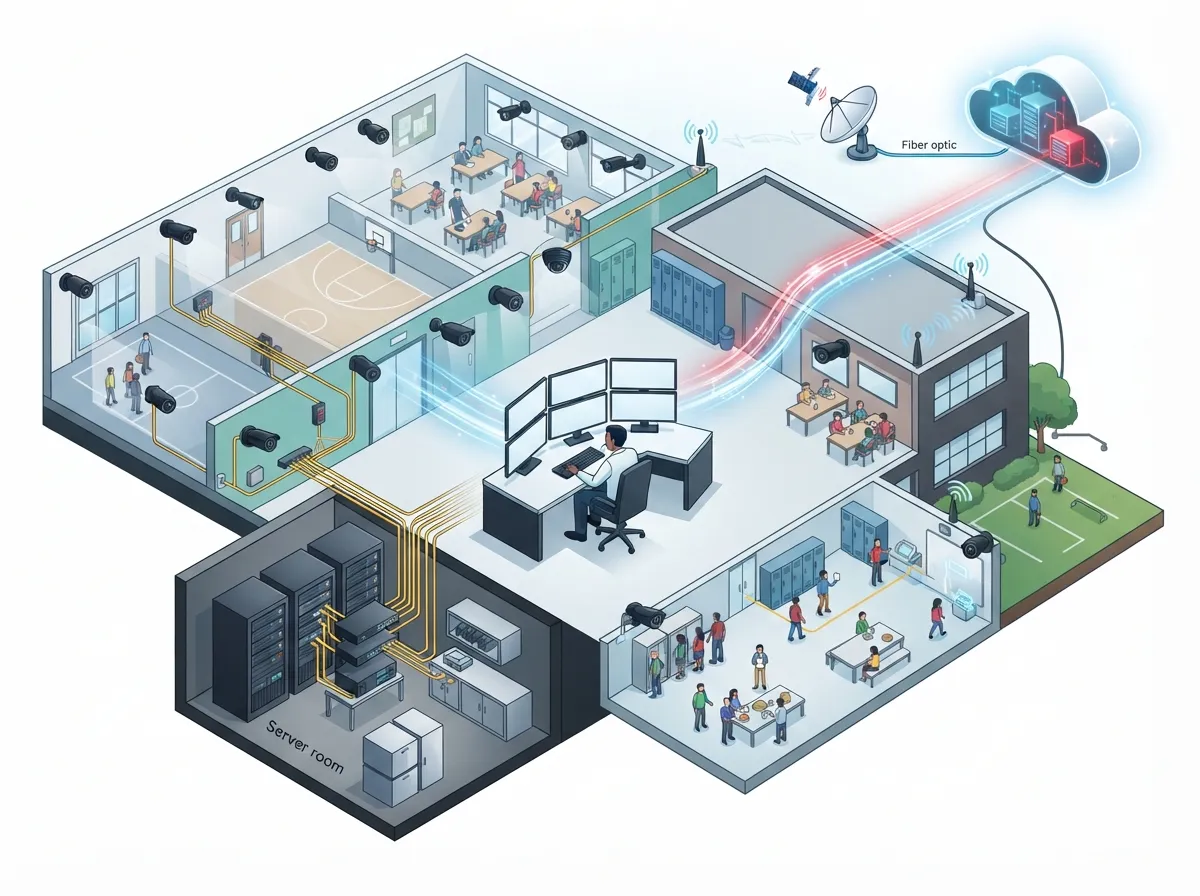
Modern school cameras are IP cameras. That means each camera connects over your wired or wireless network. It then sends video to a recorder or a cloud service. Authorized staff can watch live video or review recordings.
This is why telecom know-how matters so much. Reported adoption is already high. Historical data from the National Center for Education Statistics, cited in a 2026 news report, shows that schools using cameras to monitor premises grew from 19.4% in 1999-2000 to 92.6% in 2021-22. That number shows adoption, not coverage or results. Having a camera does not always mean having the right view at the right time.
A good deployment depends on a few key pieces:
- Cabling: Solid wiring carries both data and power to each camera.
- Switches: Power over Ethernet (PoE) switches must have enough capacity.
- Internet: Cloud viewing needs enough upstream bandwidth.
- Storage: Video files get big fast, so plan the space.
- Segmentation: Cameras should live on their own network segment.
The school sets policy. A telecom partner can help with the network, installation, and ongoing care. If you want a deeper look at how the pieces fit together, our guide on why CCTV installation needs network planning first is a helpful read.
The Two Main Options at a Glance
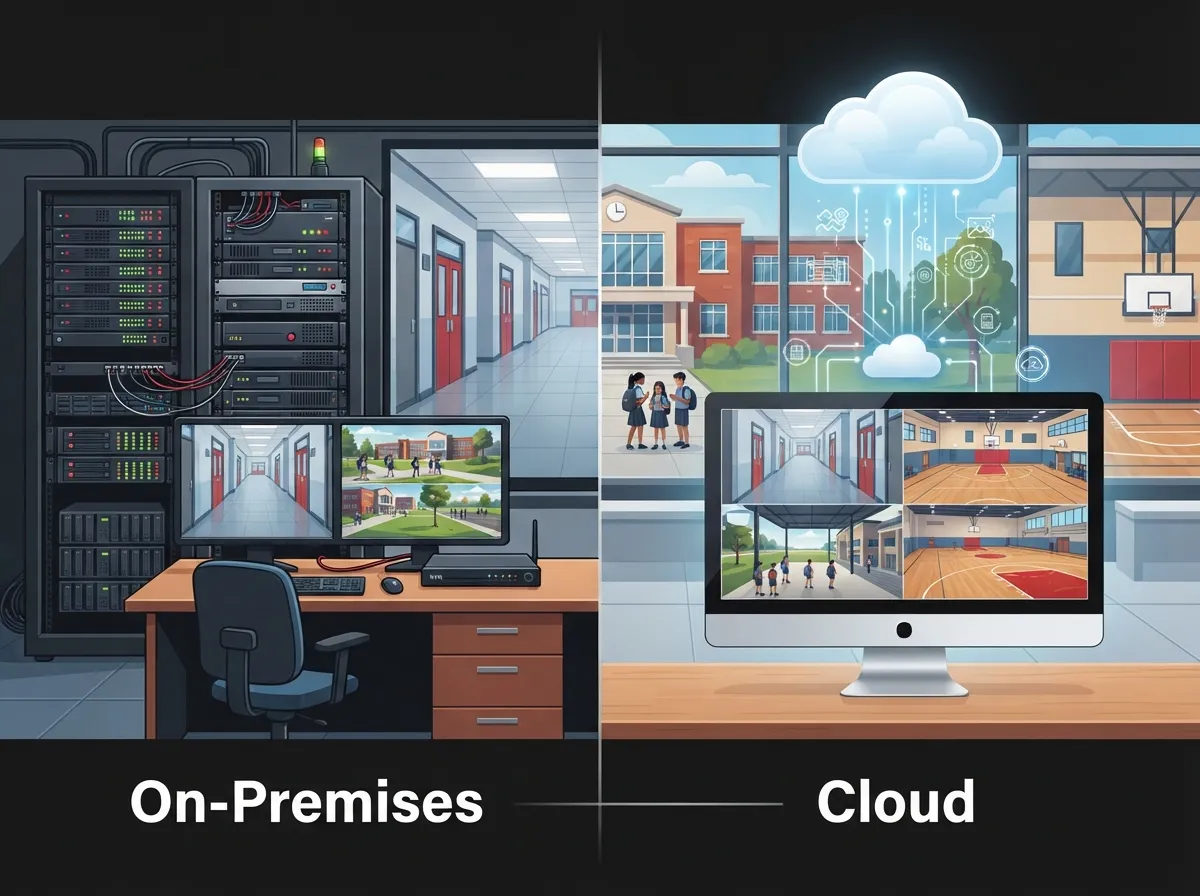
Let’s keep it simple. There are two common storage models for school cameras.
On-Premises Video Storage
With an on-prem setup, cameras send video to a recorder or server located on campus. Your team owns the hardware. Footage stays inside your building unless you choose to export it. Many schools like this control. It can also reduce the need for large upstream internet bandwidth.
Cloud-Based Video Storage
With a cloud setup, video is stored with a hosting service. Staff view it through a web portal or app. Updates often happen automatically. Adding a camera can be as simple as plugging it in. But the system leans on your internet connection, so the network has to be ready.
Here is a quick side-by-side view.
| Factor | Cloud Storage | On-Prem Storage |
|---|---|---|
| Remote viewing | Usually built in | Needs secure remote access setup |
| Upstream bandwidth | Higher need | Lower need for local viewing |
| Hardware on campus | Minimal | Recorders or servers required |
| Updates and patching | Often handled by the provider | Handled by your IT team |
| Scaling to new buildings | Often simpler | May need more hardware |
| Data location | Provider-hosted storage | On site |
Neither column wins every row. That is why a quick audit matters before you buy anything.
Network Readiness: The Part Everyone Skips
Here is a friendly truth. Most camera troubles are not camera troubles. They are network troubles in disguise. A fancy camera on a weak network is like a sports car on a dirt road.
Before you add cameras, walk through these checks:
- Count your cameras and pick a resolution. Higher resolution means more data to move and store.
- Check your switches. Make sure you have enough PoE ports and enough total power budget.
- Look at your cabling. Old or poorly run cable can cause dropped video. Newer standards give you room to grow.
- Test your internet. If you plan cloud viewing, check your upload speed, not just your download speed.
- Plan for outages. Ask what happens to recording if the internet drops.
- Segment the network. Keep cameras separate from student and guest Wi-Fi.
No single national number tells you exactly how much bandwidth or storage a school needs. It depends on camera count, resolution, recording schedule, and storage model. That is why a custom assessment beats a guess. For help sizing your connection, see our guide on internet speeds your cloud cameras actually need.
Why Cabling Deserves Its Own Spotlight
Wiring is not glamorous, but it is the backbone of the whole thing. Good structured cabling gives every camera a clean, labeled path back to the network closet. It also makes future changes much easier. If your school is adding cameras to an older building, a cabling check is a smart first step. Our post on Cat5e vs. Cat6 cabling can help you choose what fits.
Cloud vs. On-Prem: How to Decide
Now let’s get practical. Ask yourself a few honest questions.
Choose Cloud When…
- You have several campuses and want one view of all of them.
- Your IT team is small and you want fewer servers to manage.
- You have a strong, reliable internet connection with good upload speed.
- You want easy remote access for administrators and approved responders.
Choose On-Prem When…
- Your internet upload speed is limited or costly.
- Your district prefers to keep footage on site.
- You have IT staff who are comfortable maintaining servers.
- You already own recorders that still have life left in them.
Consider a Hybrid When…
Some schools mix both. Cameras record locally for speed and reliability. Selected clips or key cameras are then sent to the cloud for backup or remote review. A hybrid can give you the best of both worlds, though it adds a bit more planning.
If you want to dig deeper into storage choices, take a look at 13 security camera storage solutions to know in 2026. For a direct comparison of the two models in business settings, our post on cloud vs. on-prem camera setups is a good companion.
Where Cameras Belong (and Where They Don’t)
Smart placement beats sheer quantity. A site risk assessment should guide every decision. In general, schools focus on places where people enter, gather, and move through.
Common placement areas include:
- Main entrances and visitor check-in areas
- Hallways and stairwells
- Cafeterias and other common areas
- Building perimeters
- Parking lots and bus loops
Just as important, know where cameras should not go. Bathrooms, locker rooms, and other spaces where people expect privacy are off limits. State and local laws and district policies may add more rules. Always check with your legal team before you finalize a plan. Our guide to camera installation mistakes that break compliance offers more detail.
Parking areas deserve special thought, since lighting and distance can be tricky. Our look at how parking lot security cameras really work explains what to expect.
Privacy and FERPA: A Quick, Friendly Primer
Privacy questions come up in almost every school camera project. The good news is that you can handle them with clear policies.
The U.S. Department of Education explains that FERPA does not treat every image of a student as an education record. A video may qualify when it is directly related to a student and maintained by the school or someone acting for it. Whether it is directly related depends on the context. For example, footage used for discipline or another official purpose may be covered. Records created and kept by a school’s law enforcement unit for a law enforcement purpose are treated differently, depending on the facts and the rules that apply.
The takeaway is simple. Do not guess. Work with your privacy and legal teams to set written rules. You can read the official guidance in the Department of Education’s FAQs on photos and videos under FERPA.
What Your Written Policy Should Cover
- The purpose of the cameras
- How you give notice to staff, students, and families
- Who may view live and recorded footage
- How and when footage may be shared
- How long footage is kept and when it is deleted
- How incident footage is saved and handled
There is no single national number for the best retention period. Local policy, storage capacity, and legal needs all play a part. For a plain-language look at this topic, read how long security footage stays recorded.
Security of the System Itself
A camera system should protect people, not create new risks. Because cameras live on your network, they need the same care as any other connected device.
- Limit access to people who truly need it.
- Use strong sign-in methods, such as multi-factor authentication where available.
- Keep camera firmware and software updated.
- Put cameras on a separate network segment.
- Ask where footage is stored and who owns it.
These steps matter whether you pick cloud or on-prem. If cloud safety is on your mind, our article is cloud video security actually safe for business walks through the main points.
Connecting Cameras to the Rest of Campus Safety
Cameras work best as part of a bigger picture. Many schools link video with access control, intercoms, alarms, and emergency notification tools. That way, staff can verify what is happening and coordinate a response faster.
A word of caution here. Integration is not automatic. It should be designed around your school’s real workflows, your existing equipment, and your emergency procedures. Ask your provider to show how each system will talk to the others before you sign.
For example, pairing cameras with door controls can help staff see who is at an entrance before they allow entry. To explore that side, read how to plan a school access control system that works. For wider context, our piece on cloud access control education mistakes to avoid is also worth a look.
Questions to Ask Before You Sign a Contract
Choosing a partner is just as big as choosing a system. A good provider should welcome tough questions. Here are some to bring to the table:
- How will you check our network before installation?
- What bandwidth and PoE capacity do you recommend, and why?
- Where is footage stored, and who owns the data?
- What are your service-level commitments for repairs and support?
- How do you handle cybersecurity, updates, and user access?
- Will the system work with our current cameras and doors?
- Who do we call when something goes wrong?
This is where having a single point of contact can save a lot of headaches. Ideal Solutions Provider is a Tampa-based telecom and IT partner with more than 24 years of experience. The team works with 35+ vetted suppliers and can help with connectivity, cabling, networking, and cloud security cameras under one roof. That means fewer vendors to juggle and one team to call. You can learn more about cloud video security options on their site.
Schools also need dependable internet to make any cloud tool work. Our guide to 6 smart steps to get reliable internet for schools is a great place to start. And if your connection ever drops, it helps to know why cloud-based security systems fail without fast internet.
A Simple Step-by-Step Plan
Feeling a little overwhelmed? Take a deep breath. You can break the whole project into small, friendly steps.
- Assess your risks. Walk the campus and note entrances, blind spots, and busy areas.
- Audit your network. Check cabling, switches, PoE, Wi-Fi, and internet speeds.
- Set your policies. Write down purposes, access, notice, and retention rules with your legal team.
- Pick your storage model. Choose cloud, on-prem, or hybrid based on what you learned.
- Plan the install. Map camera locations, cable runs, and timing so school stays on track.
- Test and train. Make sure staff know how to use the system and where to find help.
- Review often. Update firmware, check access lists, and revisit coverage each year.
Each step builds on the last. Skip none of them, and your system will be stronger for it. For hands-on tips about timing, see how long camera installation takes for business.
The Bottom Line on School Security Camera Systems
There is no single winner in the cloud versus on-prem debate. Cloud shines for easy scaling and remote access. On-prem shines for local control and lower bandwidth needs. A hybrid can bridge the gap. What matters most is that your network is ready, your policies are clear, and your partner is dependable.
Strong school security camera systems start with good planning, not just good hardware. When the cabling, internet, and storage fit together, the cameras simply work. And that gives teachers, staff, and families a little more peace of mind every day.
Ready to talk through your campus? Contact the Ideal Solutions Provider team for a free consultation, or call us to get started. We are happy to look at your network, compare your options, and help you build a plan that fits your school. You can also follow along on YouTube for helpful telecom and security tips.
FAQs
Q: How do school security camera systems work over a school network?
A: Most school cameras are IP cameras that connect through wired or wireless network links. They send video to an on-site recorder or a cloud service, where approved staff can watch live or recorded footage. Good cabling, PoE switches, and enough bandwidth keep everything running smoothly.
Q: Should a school choose cloud-based or on-premises video storage?
A: It depends on your internet, your IT staff, and your policies. Cloud is great for scaling and remote viewing, while on-prem gives you local control and needs less upstream bandwidth. Some schools mix both in a hybrid setup, so a quick network audit helps you decide.
Q: Are school security camera recordings protected by FERPA?
A: Not always. The U.S. Department of Education says a video may count as an education record when it is directly related to a student and kept by the school. The answer depends on the context, so work with your privacy and legal teams to set clear rules.
Q: Where should cameras go in a school, and where are they off limits?
A: Cameras usually go at entrances, hallways, stairwells, common areas, building perimeters, and parking lots, guided by a site risk assessment. Bathrooms, locker rooms, and other private spaces are off limits. State and local laws may add more rules, so always check first.
Q: What should schools ask a telecom provider before installing cameras?
A: Ask how they will assess your network, where footage is stored, who owns the data, and what support commitments they offer. Also ask about cybersecurity, compatibility with your current equipment, and who to call when something breaks. A single point of contact can make all of this much easier.





