

Key Takeaways
-
Most businesses should retain footage for 30 days as a baseline, but higher-risk locations like warehouses need 60-90 days; retention depends on your risk level, industry regulations, and insurance requirements, not a universal legal mandate.
-
Rolling storage systems automatically overwrite old footage when full, so you must export critical clips immediately to a separate secure location and label them clearly to preserve evidence for investigations or insurance claims.
-
Cloud storage offers convenient remote access with clear pricing tiers ($15-$60/camera/month for 30-90 days), while local NVR/DVR systems provide independence from internet outages but require on-site hardware management.
-
Your camera system's actual retention reliability depends on network quality, upload bandwidth, and internet uptime; weak infrastructure can cause dropped footage and failed uploads regardless of your planned retention period.
If you’ve ever needed to pull up an old security clip, you know the panic. Was it saved? Did the system overwrite it already? You’re not alone in wondering this. Business owners across Tampa Bay ask us this question all the time, and honestly, it’s a smart thing to ask before you need the footage, not after.
Here’s the short answer: there’s no single magic number. How long does security footage stay recorded depends on your storage setup, your industry, and how your camera system is configured. Most businesses land somewhere between 30 and 90 days, but that range can shift quite a bit based on your risk level and what you’re trying to protect. Let’s walk through exactly what affects this timeline and how to make sure you never lose footage you actually need.

Why There’s No Universal Retention Period
A lot of folks assume there’s a law that says “keep footage for X days.” In most cases, that’s not true. Retention comes down to your business purpose, your risk level, your industry rules, and your insurance requirements. A small accounting office and a busy warehouse have very different needs, so their retention settings should look different too.
Think of it like this: your camera system is only as good as the plan behind it. Ideal Solutions Provider works with businesses every day to build that plan, matching cloud video security systems to the actual risks each location faces.
Common Retention Ranges by Risk Level
To make this easier to picture, here’s how retention windows typically break down across different types of businesses.
| Business Type | Typical Retention | Why |
|---|---|---|
| Low-risk office or small retail | 7–14 days | Low incident volume, tight budgets |
| General commercial (most businesses) | 30 days | Balances cost with enough time to catch issues |
| Higher-risk sites (logistics, manufacturing, large campuses) | 60–90 days | More incidents, longer discovery time, insurance needs |
| Regulated industries (healthcare, finance, cannabis, government) | 90+ days or set by law | Compliance and legal requirements |
Notice that 30 days shows up as the common baseline for general commercial use. It’s not a legal rule, but it’s a widely used starting point because it gives most businesses enough time to catch a problem before it slips away.
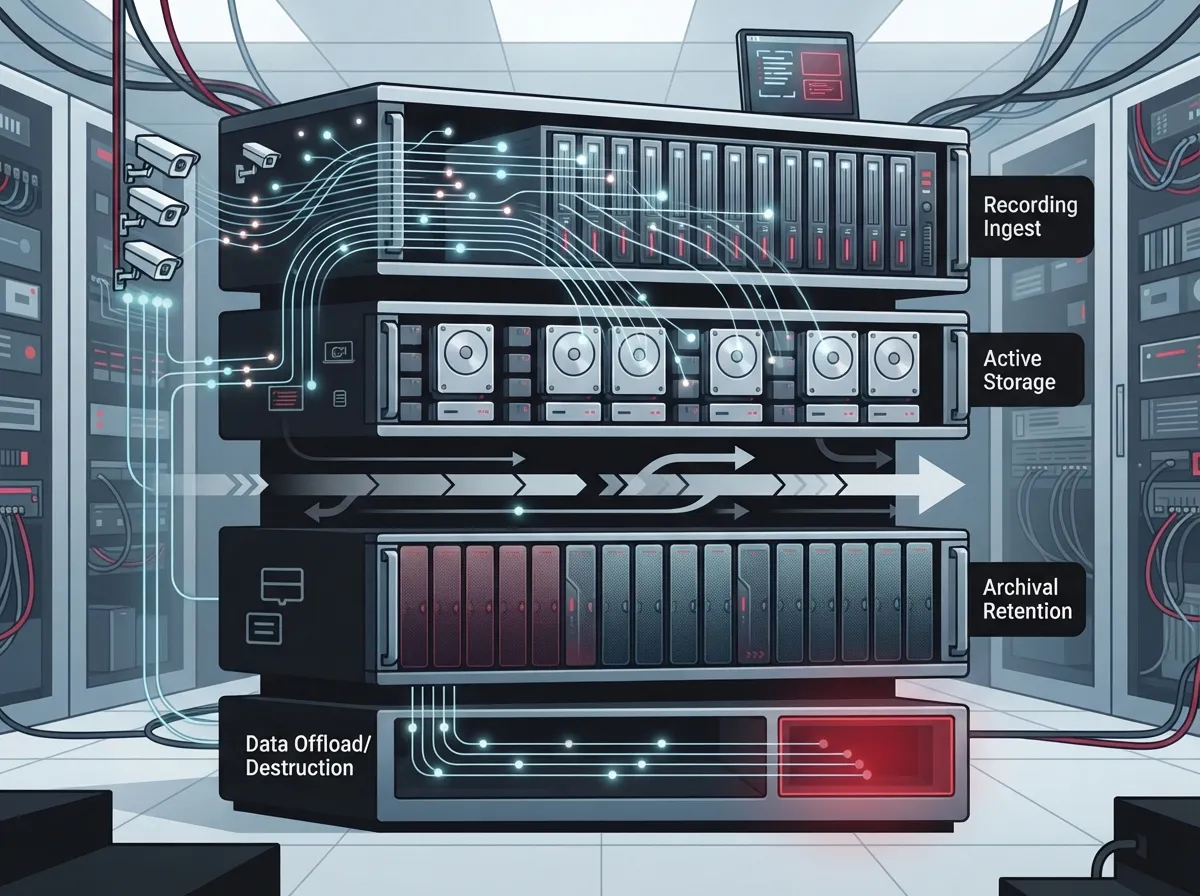
How Rolling Storage Actually Works
Here’s something a lot of business owners don’t realize until it’s too late. Most video systems record on a rolling basis. Once the storage fills up, the system automatically records over the oldest footage.
So even if your NVR or DVR is advertised as having a huge hard drive, the real retention period depends on a few things:
- How many cameras you have running
- The resolution and frame rate you record at
- Whether cameras record all the time or only when they detect motion
- How much video compression the system uses
- Total available storage capacity
A 16-camera system recording in 4-megapixel resolution around the clock can eat up 8 to 10 terabytes of storage just for 30 days. That’s a lot of space, and it’s why so many businesses are moving toward cloud-based security cameras instead of managing physical hard drives on-site.
Cloud Storage vs. Local NVR/DVR Systems
This is one of the biggest decisions business owners face when setting up or upgrading their camera system. Both options work, but they behave very differently when it comes to retention.
Cloud Video Security
Cloud systems typically use subscription plans with clear retention tiers. You pick how many days you want to keep footage, and the provider handles the storage for you. Pricing generally scales with retention length:
- 7-day plans: roughly $5–$15 per camera per month
- 30-day plans: roughly $15–$30 per camera per month
- 90-day plans: roughly $30–$60 per camera per month
The upside? No hard drives to manage, easy remote access, and automatic backups. The catch? You need dependable upload bandwidth. If your business internet connection isn’t strong enough, cloud footage can lag or drop frames.
Local NVR/DVR Systems
Local systems store footage on-site, usually on hard drives inside a recorder. They’ll keep recording during an internet outage, which is a real plus. But you lose remote access if your connection drops, and someone has to physically manage the equipment.
Local systems also cost more upfront for hardware but don’t carry ongoing subscription fees the same way cloud does. It really comes down to what matters more to your business: convenience and remote access, or independence from your internet connection.
Steps to Set a Smart Retention Policy
Building a retention policy doesn’t have to be complicated. Here’s a simple process we walk clients through:
- Assess your risk level. A retail storefront handling cash has different needs than a quiet back office.
- Check industry and location rules. Licensed premises, healthcare offices, and government facilities often have specific requirements.
- Talk to your insurance provider. Some policies require a minimum retention window to support claims.
- Choose your storage method. Decide between cloud, local, or a hybrid setup based on your bandwidth and budget.
- Document the policy by camera group or site. Multi-location businesses should set retention per site, not just company-wide.
- Restrict access. Only authorized staff should be able to view or export footage.
- Review annually. As your business grows, your risk level and retention needs may change too.
If you run a franchise or manage multiple locations, this step-by-step approach becomes even more important. Scalable access control and camera systems make it much easier to apply consistent policies across every site.
Protecting Footage Before It’s Overwritten
This is the part that trips people up the most. If something happens, like theft, an accident, or a dispute, you need to grab that footage fast. Rolling storage doesn’t wait around for you to remember.
Here’s what to do the moment an incident occurs:
- Export the relevant clip immediately, even if you’re not sure you’ll need it later
- Save it to a separate, secure location, not just the same system
- Label it clearly with the date, time, and reason for the export
- Restrict access to that exported file so it isn’t accidentally deleted
- Keep it until the investigation, claim, or legal matter is fully resolved
Preserving footage this way is often called a legal hold. It’s a simple habit, but it can make a huge difference if you ever need that clip for a police report, insurance claim, or lawsuit.
How Your Network and Internet Affect Retention Reliability
Here’s something people don’t always connect: your camera system is only as reliable as the network behind it. Weak business internet, spotty Wi-Fi, or outdated cabling can cause dropped footage, failed uploads, or gaps in your recordings.
A few things that directly affect retention reliability:
- Upload bandwidth for cloud-based systems
- Network uptime and backup internet connections
- Quality of structured cabling connecting cameras to your network
- Secure remote access setup for viewing footage off-site
- Redundant storage or backup systems in case of hardware failure
This is exactly where a telecom partner like Ideal Solutions Provider adds real value. We don’t just install cameras. We look at your whole network, from your business network solutions to your internet provider, and make sure everything works together so your footage is actually there when you need it.
Legal and Compliance Considerations
While there’s no single nationwide law dictating retention periods for most businesses, some industries and locations have specific rules. Licensed premises, financial institutions, healthcare offices, and government facilities often face longer mandatory retention windows.
In places like the UK, privacy guidance encourages businesses to keep footage only as long as necessary for its stated purpose, rather than picking an arbitrary number. Australian licensed venues commonly follow 28 to 30 day retention rules. If your business operates across multiple states or countries, it’s worth checking local requirements for each location rather than assuming one policy fits everywhere.
It’s always smart to loop in your legal counsel or compliance team when setting official retention windows, especially if you’re in a regulated industry.
Building a System That Actually Works for Your Business
At the end of the day, the right retention period is the one that matches your actual risk and gives you enough time to catch problems. For most general businesses, 30 days is a solid starting point. For higher-risk operations, 60 to 90 days often makes more sense.
What matters even more than the exact number is having a system you can trust. That means reliable security cameras, dependable network infrastructure, and a clear plan for preserving footage the moment something happens.
Ideal Solutions Provider has spent over 24 years helping Tampa Bay businesses and companies nationwide build telecom and security setups that actually work together. Whether you need cloud video security, structured cabling, or a network audit to catch weak spots before they cause problems, we’re happy to help. Follow along on Facebook, Instagram, or YouTube for more tips like these.
Ready to find out if your current camera setup and network can actually support the retention period your business needs? Contact us for a free consultation, or call us today to talk through your options.
FAQs
Q: How long should a business keep security camera footage?
A: Most general businesses keep footage for about 30 days, but it really depends on your risk level and industry. Higher-risk locations like warehouses or manufacturing sites often keep footage for 60 to 90 days. The best approach is to match your retention window to how quickly incidents are usually discovered at your business.
Q: Is 30 days enough for commercial security footage?
A: For a lot of businesses, yes! Thirty days is a widely used baseline because it gives you enough time to catch most issues before they slip away. That said, if your business handles higher risk activities or deals with regulated industries, you might want to stretch that window to 60 or 90 days for extra peace of mind.
Q: Is there a legal requirement to retain CCTV footage for a specific number of days?
A: In most cases, there’s no single universal law requiring a specific number of days. It really depends on your industry, your location, and any contracts or insurance requirements you have. Some licensed premises and regulated industries do have specific rules, so it’s always worth double-checking what applies to your business.
Q: What happens when an NVR or DVR runs out of storage?
A: Once storage fills up, most systems automatically overwrite the oldest footage first. This is called rolling storage, and it means your actual retention window might be shorter than you think if you have a lot of cameras or record in high resolution. That’s why it’s so important to export important footage right away.
Q: How can a business preserve security footage for a police investigation or lawsuit?
A: The key is acting fast! As soon as an incident happens, export the footage to a separate secure location before the system has a chance to overwrite it. Label it clearly with the date and reason, restrict who can access it, and keep it safe until the investigation or legal matter wraps up completely.





