

Key Takeaways
-
Use the MICE assessment (Mechanical, Ingress, Climatic/Chemical, Electromagnetic) to rate each plant area separately from 1-3 severity, allowing you to spend on rugged parts only where needed and avoid costly overbuilding.
-
Follow ANSI/TIA-1005-A and ISO/IEC 24702 standards plus local fire and electrical codes before installation; these provide a shared language that keeps installers, IT teams, and inspectors aligned on industrial cabling requirements.
-
Design with both fiber optic and copper cabling: use fiber for building backbones and electrically noisy areas, and four-pair copper Ethernet for endpoint devices and Power over Ethernet delivery to cameras and access points.
-
Protect the entire link by ensuring connectors, patch panels, switches, and enclosures match the environmental rating of the cable itself; sealed cables paired with unsealed enclosures create weak points that fail first.
-
Install extra fiber strands and spare conduit during initial build; adding capacity later costs significantly more and reduces your ability to support growth in connected production equipment and security devices.
-
Test every link after installation, label both cable ends and ports clearly, and maintain detailed route drawings; this documentation turns emergency outages from hours-long troubleshoots into quick fixes.
Picture this: it’s a busy Tuesday on your plant floor. Orders are stacking up, and then a switch drops offline. A phone line goes quiet. A camera feed freezes. Somewhere behind a wall or above a ceiling tile sits a cable that was never meant to survive that environment. Sound familiar?
Good manufacturing facility cabling keeps all of that from happening. It’s the planned physical network that ties together your phones, internet, cameras, wireless access points, and the industrial Ethernet devices running your production line. And a plant is very different from an office. Heat, oil, vibration, and electrical noise all take a toll.
The good news? You don’t need to be a cabling expert to plan this well. This friendly guide walks you through the steps, from checking your environment to picking cable types and planning for growth. Whether you run a small shop, manage IT for a growing company, or oversee several sites, you’ll leave with a clear plan. Let’s get started!
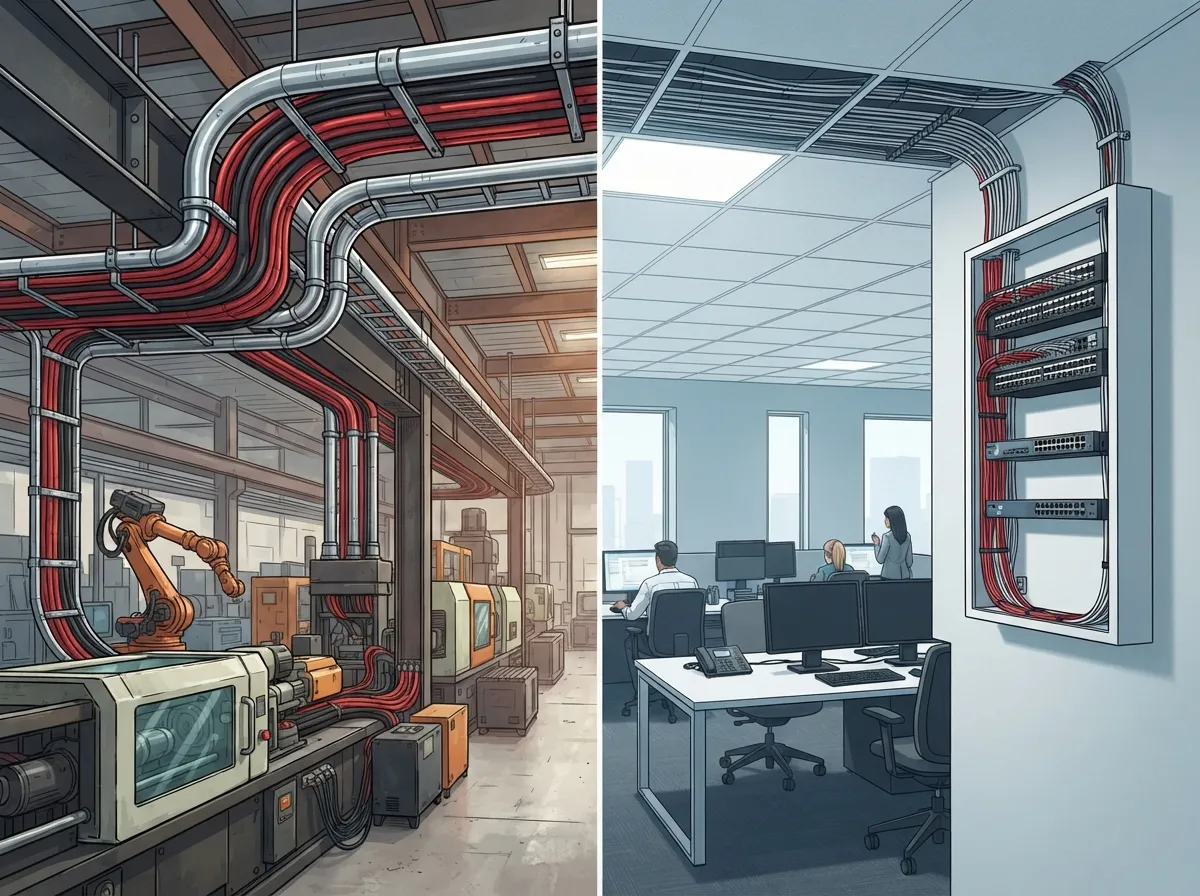
Why Manufacturing Facility Cabling Is Different From Office Cabling
In an office, cables live in clean, climate-controlled spaces. On a plant floor, they face forklifts, welding sparks, washdowns, and heavy machinery. That changes everything about how you design the system.
Manufacturing facility cabling is the physical communications backbone that connects enterprise IT, production equipment, industrial Ethernet switches, wireless access points, phones, cameras, and building systems. It can carry voice, data, video, and control-network traffic all at once. That means your telecom team and your operational technology (OT) team need to talk early and often.
Treating the whole plant like an office is one of the most common (and costly) mistakes. A cable that works fine in a conference room may fail within months near a hot press or a chemical line. If you want a refresher on the basics, our guide to what structured cabling is for your business network is a great place to start.

Step 1: Know the Standards That Apply
Before you pull a single cable, learn which rules guide the work. Standards give your project a shared language and help your installer, your IT team, and your inspectors stay on the same page.
- ANSI/TIA-1005-A: Covers telecommunications infrastructure for industrial premises. It builds on commercial structured cabling guidance by adding industrial topology, environmental, and electrical considerations.
- ISO/IEC 24702: A related international standard for generic cabling in industrial premises.
- Local codes: Fire, electrical, and building codes still apply, including rules on firestopping and cable separation.
Standards get updated, so always confirm the current editions and what applies to your specific project. A qualified designer can check this for you. For a deeper look at office-side rules, see our post on structured cabling standards mistakes to avoid.
Step 2: Assess Your Environment With MICE
Here’s a handy tool that makes planning so much easier. Industrial designers use MICE to rate how harsh each area of your plant is. It stands for:
- M – Mechanical: Vibration, shock, crushing, and bending.
- I – Ingress: Dust, dirt, and moisture getting into connectors and enclosures.
- C – Climatic and Chemical: Temperature swings, oils, solvents, UV light, and washdowns.
- E – Electromagnetic: Electrical noise from motors, drives, and welders.
Each factor is scored from level 1 (mild) to level 3 (severe). The magic is that you score each area separately. Your front office might be a MICE level 1, while a stamping area is a level 3. That lets you spend money where it matters and avoid overbuilding everywhere else.
Walk the plant with a notepad. Mark the hot spots, the wet spots, and the noisy spots. This simple walkthrough often saves thousands of dollars later.
Step 3: Choose Your Cable Type Wisely
Now for the fun part: picking the right cable. The best choice depends on distance, noise, speed, and what the device needs.
Fiber vs. Copper
Both have a place in a manufacturing facility. Fiber is often a great fit for building backbones, long runs, and electrically noisy areas. Copper Ethernet handles many endpoint connections and can deliver Power over Ethernet (PoE) for devices like cameras and access points, as long as your power budget allows.
| Factor | Fiber Optic | Copper Ethernet |
|---|---|---|
| Best use | Backbones, long runs, noisy areas | Endpoint devices, short runs |
| Electrical noise | Not affected by electromagnetic interference | Needs shielding or careful routing near noise sources |
| Power delivery | None over the fiber itself | PoE possible where budgets allow |
| Typical role | Links telecom rooms to production zones | Connects phones, cameras, and access points |
Want to dig deeper? Check out our guides on how to choose fiber cabling for your business network and copper vs. fiber cabling.
Watch Your Pairs
Here’s a detail that trips up many projects. Two-pair Ethernet cabling is limited to 10/100 Mb/s in the described configurations. Gigabit Ethernet needs four-pair cabling end to end. Always check the specific Ethernet standard and equipment you plan to use before you order cable.
You may also hear about single-pair Ethernet, which can carry power and data on two conductors. Some market reports say it can reach up to 1,000 m in applicable setups. Actual reach and speed depend on the standard, the gear, and your channel design, so treat that number as a possibility, not a promise.
Protect the Whole Link, Not Just the Cable
A tough cable is only part of the story. Your connectors, patch panels, switches, and enclosures also need the right environmental rating. Protecting only the cable leaves weak links that fail first. If a washdown area needs sealed connectors, the enclosure must be sealed too.
Step 4: Pick a Topology That Fits Your Plant
Most plants use a mix of two approaches: structured cabling and point-to-point cabling.
- Structured cabling: Organized, documented, testable links that run from telecom rooms to distribution points. It makes moves, adds, and changes much easier.
- Point-to-point cabling: Direct runs between devices. It can suit certain machine or process layouts.
A practical design often runs structured cabling from your telecom or equipment rooms out to distribution points. From there, suitable industrial cabling reaches production areas and machines. Think about lifecycle support, downtime risk, and your plant’s real operating needs when you choose. Our post on structured cabling vs. ad-hoc wiring shows why planned systems usually win.
Step 5: Plan Pathways, Separation, and Safety
Where cables travel matters as much as what they are. A few smart habits protect your network for years.
- Separate communications cabling from interference sources such as power lines and heavy motors, following code and standards.
- Reserve extra pathway space and rack space for future growth.
- Plan grounding and bonding with your facility and electrical teams.
- Use proper firestopping wherever cables pass through fire-rated walls and floors.
- Provide accessible patching and testing points so maintenance is quick.
- Coordinate redundancy and backup power so one failure doesn’t stop production.
Good pathways also keep your install tidy. Learn more in how to set up cable management for business networks.
Step 6: Support All Your Telecom and Security Needs
A manufacturing facility rarely needs cabling for just one thing. Your plan should carry everything your business depends on.
- VoIP phones for the front office, shipping dock, and floor supervisors
- High-speed internet and WAN links for cloud tools and multi-site connections
- Cloud security cameras covering docks, entrances, and storage areas
- Access control readers for restricted production and inventory zones
- Wireless access points for tablets, scanners, and handheld devices
If you’re running cameras on the plant floor, see our guide on how to set up cloud video security for manufacturing. For locked-down areas, read cloud vs. on-site access control for plants. And if you’re planning phone service, our piece on how structured cabling supports VoIP and cameras explains why your cable plant comes first.
Step 7: Test, Label, and Document Everything
You wouldn’t build a machine without blueprints, and the same goes for cabling. Every link should be labeled, tested, and recorded. When something breaks at 2 a.m., a clear map turns a long outage into a quick fix.
- Label both ends of every cable and every port.
- Test every link after install and keep the results.
- Record routes on drawings so future crews know where cables run.
- Update records after every change.
Our guide on how to build structured cabling documentation that works walks you through it.
Step 8: Budget Smart and Plan for Growth
Cost is the question everyone asks, and the honest answer is: it depends. Plant size, cable types, route difficulty, enclosure ratings, and testing needs all change the price. A site walk is the best way to get a real number.
A few budget tips can help:
- Spend on rugged parts only where your MICE scores say you need them.
- Install extra fiber strands and spare conduit now. Adding them later costs far more.
- Choose cabling that supports faster speeds and PoE devices you may add down the road.
It also helps to know the industrial Ethernet market is growing fast. One market-research estimate put the 2025 value at USD 11.15 billion, with a forecast of USD 18.44 billion by 2031, and says managed switches held 77.35% of that market in 2025 (Mordor Intelligence). That’s a market-research figure, not a cabling price, but it shows how many plants are connecting more devices every year. Your cabling should be ready for that growth.
Step 9: Work With One Trusted Partner
Juggling separate vendors for internet, phones, cabling, cameras, and access control gets messy fast. When something fails, everyone points at someone else. A single partner keeps the whole project on track.
That’s where Ideal Solutions Provider comes in. With over 24 years of experience and relationships with 35+ vetted suppliers, the Tampa-based team handles consultation, installation, and ongoing support for businesses nationwide. If you’re comparing options, our guide on reasons to use one telecom partner explains the benefits. You can also review our structured cabling services to see how a project typically flows.
Multi-site franchise or manufacturing operators will also like our tips in reliable network solutions for multi-location businesses. And if you want to avoid common pitfalls, read 12 structured cabling mistakes that hurt your business.
Quick Checklist Before You Start
Use this short list to check your readiness:
- Confirm which standards and local codes apply.
- Score each plant area with MICE.
- Choose fiber or copper for each route.
- Verify four-pair cabling for Gigabit devices.
- Match connectors, panels, and enclosures to the environment.
- Plan pathways, separation, grounding, and firestopping.
- Reserve space and spare capacity for growth.
- Test, label, and document every link.
Ready to Build a Plant Network That Keeps Up?
Great manufacturing facility cabling isn’t about buying the toughest cable everywhere. It’s about knowing your environment, matching the right parts to each zone, and planning for tomorrow’s devices today. Do that, and your phones, internet, cameras, and production network all stay steady while your team focuses on making great products.
You don’t have to do it alone. If you’d like a friendly expert to walk your plant and map out a plan, contact us for a free consultation, or call us at 813-388-4935. We’d love to help your facility run smoother, safer, and faster. You can also follow our updates on YouTube for more helpful tips.
FAQs
Q: What cabling standards apply to a manufacturing facility?
A: ANSI/TIA-1005-A covers telecommunications infrastructure for industrial premises, and ISO/IEC 24702 is a related international standard. Local fire and electrical codes apply too. Be sure to confirm the current editions and what fits your project with a qualified designer.
Q: What does MICE mean in industrial cabling design?
A: MICE stands for Mechanical, Ingress, Climatic/Chemical, and Electromagnetic. Each area of your plant gets a level from 1 to 3 for each factor, which helps you choose cable, connectors, and enclosures that fit each zone instead of treating the whole plant like an office.
Q: Should a manufacturing plant use fiber optic or copper cabling?
A: Most plants use both. Fiber works well for backbones, long runs, and electrically noisy areas, while copper Ethernet handles many endpoint devices and can deliver PoE where your power budget allows. The best mix depends on distance, noise, and the devices you connect.
Q: What is the difference between structured cabling and point-to-point cabling in a factory?
A: Structured cabling uses organized, testable links from telecom rooms to distribution points, which makes moves and changes easier. Point-to-point cabling runs directly between devices and can suit certain machine layouts. Many plants blend the two based on downtime risk and lifecycle support needs.
Q: How should a facility plan cabling for PoE devices, wireless access points, and future expansion?
A: Start by checking the power needs of each device and the limits of your cabling and switches. Then reserve extra pathway, rack space, and spare fiber so you can add devices later without tearing into walls. Good labeling and documentation keep future changes quick and stress-free.





