
Key Takeaways
-
Firewall management services outsource setup, monitoring, updates, and troubleshooting, but your team should still control policy decisions.
-
Choose a model based on your footprint: premises-based firewalls suit one office, router bundles suit small offices, SD-WAN suits multi-site businesses, and cloud firewalls suit remote or cloud workloads.
-
Follow a default-deny approach: block all traffic first, then allow only what your business truly needs, documenting each rule with a reason and owner.
-
Ask for a written list of enabled features, since capabilities like intrusion prevention and web filtering vary by product and service tier.
-
Before signing, confirm who responds to alerts, response and resolution commitments, change request handling, reporting, and how quickly failed equipment is replaced.
-
A managed firewall is one layer only; it does not guarantee compliance or stop every breach, so pair it with staff training, MFA, backups, and endpoint protection.
If you have ever stared at a router blinking in a closet and wondered who is actually guarding your network, you are not alone. Many Tampa business owners tell us the same thing. They have great phones, fast internet, and a fresh office build-out, but the firewall is a mystery box nobody has touched in years.
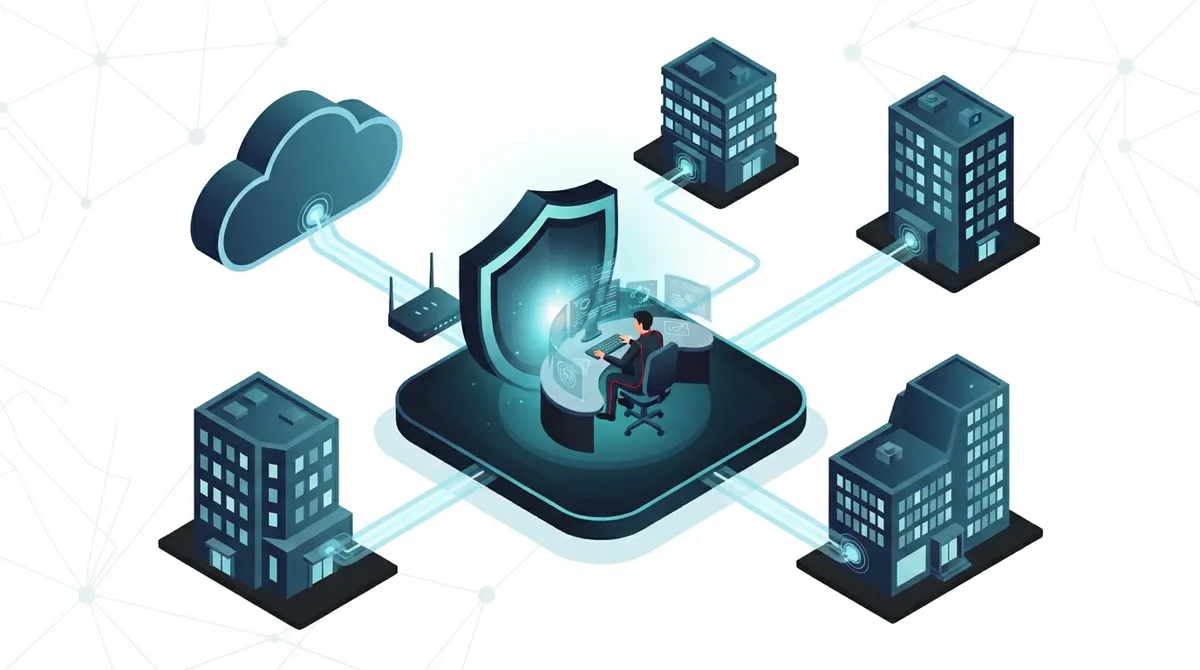
That is exactly where firewall management services come in. In plain terms, a provider sets up, watches, updates, and fixes your business firewall so your team can focus on running the company. Think of it like hiring a good security guard for your network front door.
In the business telecom world, these services often come bundled with internet connectivity, managed routers, or SD-WAN. That means one partner can handle the pipe and the protection. In this guide, we will walk through four common service models, what they include, how to compare them, and the questions to ask before you sign anything. Grab a coffee. We will keep it simple and friendly.

What Are Firewall Management Services?
Firewall management services are outsourced care for your business network firewall. A provider handles the day-to-day work that keeps the firewall healthy and useful. Your own team stays in the driver’s seat on policy, while the provider handles the heavy lifting.
A typical service covers these tasks:
- Firewall selection and deployment
- Configuration and policy changes
- Continuous monitoring
- Firmware and security updates
- Troubleshooting and technical support
- Reporting and equipment replacement
Scope differs from provider to provider, so always read the fine print. One company may include change requests in the monthly fee. Another may charge per change. Knowing this up front saves headaches later.
The 4 Firewall Management Services Models
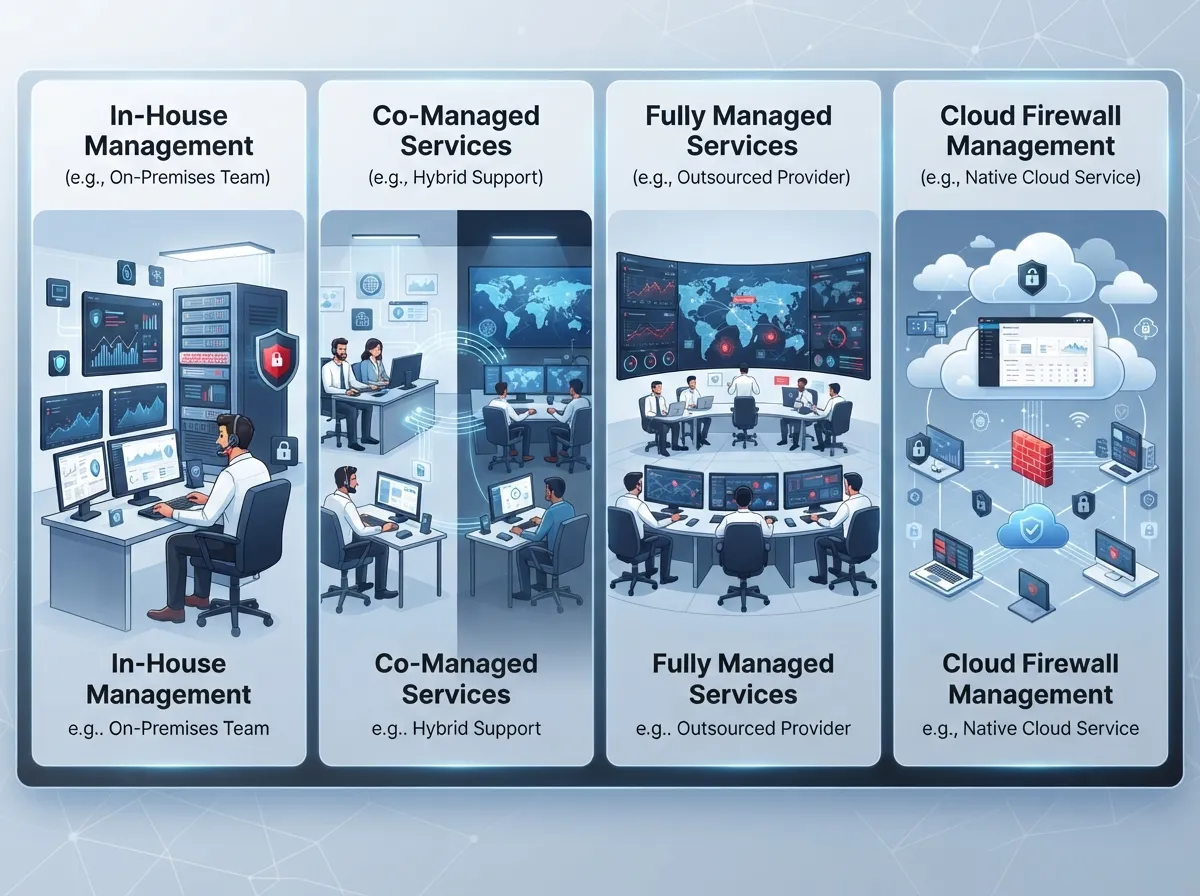
Not every business needs the same setup. The right model depends on your locations, traffic, applications, and security needs. Here are the four models you will run into most often.
1. Managed Premises-Based Firewall
This is the classic option. A physical firewall appliance sits at your office, and your provider manages it remotely. It works well for a single office or a small group of sites with steady, predictable traffic.
Providers in the telecom space describe this model as including 24/7 monitoring and management, security reporting, and optional unified threat management features such as intrusion prevention, antivirus, antispam, and web filtering. Availability depends on the product and service tier, so confirm what is actually included.
This model suits small business owners and office managers who want a straightforward box with someone else watching it. It also pairs nicely with a clean, well-organized wiring setup. If your closet is a tangle, our guide on professional structured cabling services for Tampa businesses can help you start fresh.
2. Managed Router and Firewall Bundle
Here, the provider ships and manages a router that includes firewall features. Some carriers describe this bundle as including 24/7 network monitoring, configuration updates, support, and a stateful firewall. One bill. One support number. One partner to call.
This is a popular fit when you are already buying business internet from a carrier. It keeps things tidy and cuts down on finger-pointing when something goes wrong. If you are still shopping for connectivity, our post on high-speed internet for business tips that save money is a helpful companion.
Just remember that a bundled router firewall may offer fewer advanced controls than a dedicated next-generation appliance. Ask what features are on and what costs extra.
3. SD-WAN With Integrated Firewall Management
If you run several offices, this model deserves a close look. SD-WAN ties your locations together and manages traffic across them. When firewall controls are built in, you can set policies once and apply them across every site.
Centralized policy management is the big win. It helps a franchise operator keep the same rules at every storefront instead of hoping each location configured things the same way. It also simplifies administration for IT managers who are stretched thin.
Want to dig deeper? Read 6 SD-WAN benefits every business owner should know or learn how to choose SD-WAN solutions for Tampa Bay businesses.
4. Cloud-Delivered or Virtual Firewall Services
Not every workload lives in an office anymore. Many teams work from home, use cloud apps, or run servers in cloud platforms. Virtual firewalls and cloud-delivered firewall services protect those environments without a box on the wall.
This model can scale up or down as your business changes. It also fits hybrid setups where some traffic stays on site and some lives in the cloud. If you are weighing this path, our comparison of cloud security vs. traditional network security lays out the tradeoffs in friendly terms.
Models at a Glance
| Model | Best For | Where It Lives | Key Strength |
|---|---|---|---|
| Managed premises-based firewall | Single office or small business | Appliance at your site | Simple, dedicated protection |
| Managed router and firewall bundle | Small offices buying internet and security together | Provider-managed router | One bill and one support contact |
| SD-WAN with firewall | Multi-site businesses and franchises | Branch devices with central control | Consistent policy at every location |
| Cloud or virtual firewall | Remote teams and cloud workloads | Cloud environment | Flexible and scalable |
What a Modern Managed Firewall Can Do
Today’s firewalls do far more than block a few ports. Many are called next-generation firewalls because they add smarter inspection. Depending on the product and service tier, you may see:
- Stateful inspection of network traffic
- Application control, so you can manage which apps are allowed
- Intrusion prevention to spot and stop suspicious activity
- Web or DNS filtering to block risky sites
- VPN support for remote workers and branch offices
- Inspection of encrypted traffic
Here is the friendly warning: feature lists vary a lot. A feature that shows up in one tier may be missing from another. Always ask for a written list of what is turned on in your plan, not just what the brochure says.
Policy Governance: The Part Everyone Forgets
A firewall is only as good as its rules. And rules should come from real business needs, not guesswork. NIST guidance recommends blocking traffic by default and allowing only the traffic your business truly needs. Rules should also be documented, reviewed, and updated as your business and the threat picture change.
Here is a simple way to build good governance with your provider:
- Write down your business needs. List the apps, phones, cameras, and remote access your team uses.
- Set a default-deny stance. Block everything first, then allow only what is required.
- Document every rule. Each rule should have a reason and an owner.
- Agree on a change process. Decide who can request and approve changes.
- Review on a schedule. Revisit rules quarterly or after major changes like a new office or phone system.
This process matters even more when you add VoIP or cloud cameras. Voice traffic and video streams need the right paths open, and a poorly tuned firewall can cause choppy calls. If you are planning a phone upgrade, see what internet speed you need for VoIP in Tampa to plan the whole picture.
What a Managed Firewall Does Not Do
Let’s keep it real. A managed firewall is a strong layer, but it is just one layer. It does not automatically make you compliant with any rule or regulation. It also cannot promise that no breach will ever happen.
A healthy security program usually includes:
- Staff training on phishing and safe habits
- Strong passwords and multi-factor sign-in
- Regular backups and tested recovery plans
- Endpoint protection on laptops and servers
- Physical security such as cameras and door controls
That last point is close to our heart. Network security and physical security work as a team. Our posts on what security cameras really do for your business and cloud access control benefits show how the pieces fit together.
How to Compare Providers: A Simple Checklist
Before you sign a contract, get clear answers to these questions. Good providers welcome them.
| Question to Ask | Why It Matters |
|---|---|
| What does monitoring cover, and who responds to alerts? | Monitoring without response is just watching |
| What are the response and resolution commitments? | Service-level terms set real expectations |
| How are change requests handled and approved? | Prevents surprise charges and risky edits |
| What reporting will I receive? | Helps you see activity and prove diligence |
| Who handles incident response and escalation? | Avoids confusion during a real problem |
| How is my data handled? | Protects privacy and sets boundaries |
| Who replaces failed equipment, and how fast? | Keeps downtime short |
Also ask about contract length, early termination terms, and what happens to your configuration if you leave. You should always be able to get a copy of your rule set.
Should You Outsource or Do It Yourself?
This depends on your team. If you have a skilled IT group with time to spare, running your own firewall can work. But many small and mid-sized companies find that firewall care slips behind other urgent tasks. Updates get postponed. Old rules pile up. Nobody checks the logs.
Outsourcing makes sense when:
- You do not have a full-time network or security person
- You manage several locations that need consistent rules
- You want 24/7 coverage without staffing nights and weekends
- You would rather deal with one partner for internet and security
For a deeper look at this choice, read in-house IT vs. a network solutions provider. You can also explore 8 managed network services every business should know for the bigger picture.
How Much Do Firewall Management Services Cost?
Honest answer: it depends. Pricing varies based on the number of sites, the firewall model, feature tiers, bandwidth, and support level. Some providers bundle the firewall into a monthly connectivity fee. Others charge separately for hardware, licenses, and management.
To compare apples to apples, ask each provider to quote the same scope. List your sites, users, and must-have features, then request a written breakdown. Our guide on how to budget for managed network services in Tampa walks through the main cost drivers.
A Note for Multi-Location and Franchise Teams
If you run several sites, consistency is everything. One location with a loose rule can become the weak link for the whole group. Centralized management helps you apply the same policies everywhere and make changes once instead of ten times.
A single telecom partner can also give you one point of contact and consolidated billing across connectivity and firewall services. That is a big relief when you have a dozen locations and a small support team. See reliable network solutions for multi-location Tampa businesses for more ideas.
Where Ideal Solutions Provider Fits In
At Ideal Solutions Provider, we have spent over 24 years helping businesses sort through telecom choices. Because we work with 35+ vetted suppliers, we can compare options side by side and help you find a managed firewall approach that matches your network, your budget, and your growth plans. We also handle the connected pieces, from internet and structured cabling to cloud security cameras and access control, so you are not juggling vendors.
Ready to Protect Your Network?
Firewall management services take a big weight off your shoulders when you pick the right model and ask the right questions. Start with your real needs, insist on clear service terms, and remember that the firewall is one strong layer in a bigger security plan.
Not sure where to begin? Contact our team for a free consultation and we will review your current setup, or call us at 813-388-4935 to talk it through. We are happy to help you find a safer, simpler setup.
FAQs
Q: What are firewall management services?
A: Firewall management services are outsourced care for your business firewall. A provider handles setup, policy changes, monitoring, updates, and support so your team does not have to do it all alone. Exact scope varies, so always confirm what is included.
Q: What is the difference between a managed firewall and a next-generation firewall?
A: A next-generation firewall describes the technology, which can include application control, intrusion prevention, and web filtering. A managed firewall describes the service, where a provider runs and supports the firewall for you. You can have a managed next-generation firewall, but features depend on the provider and plan.
Q: Should a small business outsource firewall management?
A: Often, yes. Many small teams do not have a dedicated security person, and firewall updates and rule reviews are easy to put off. Outsourcing gives you steady monitoring and support, as long as the contract spells out response times and who handles alerts.
Q: Can managed firewall services support multiple offices and cloud environments?
A: Yes. Many providers pair firewall management with SD-WAN so you can apply consistent rules across every site. Virtual and cloud-delivered firewalls can also cover cloud workloads and remote teams.
Q: Does a managed firewall guarantee compliance or stop every breach?
A: No. A managed firewall is one important layer, but it does not guarantee compliance or prevent every attack. Pair it with staff training, strong sign-in practices, backups, and endpoint protection for a stronger overall defense.





