
Key Takeaways
-
Two internet circuits don't guarantee redundancy if they share the same physical route, provider infrastructure, or power source; verify true diversity before relying on failover.
-
SD-WAN manages traffic across multiple links (fiber, broadband, cellular), prioritizing critical apps like video calls and shifting traffic automatically if one connection fails.
-
Compare total cost and service terms, not just advertised speed: SLAs, installation fees, equipment costs, contract length, early termination fees, and static IP charges.
-
Upload speed and latency matter as much as download speed for video calls, VoIP, and cloud backups, so check both before choosing an internet plan.
-
Test 5G or fixed wireless at your actual site before relying on it as backup, since performance depends on coverage, signal strength, and congestion.
-
Plan connectivity first, since a strong phone system or camera setup still performs poorly on a weak internet line; define uptime targets and critical apps upfront.
Picture a normal Tuesday at your company. Phones are ringing, your team is on video calls, the cloud software is humming, and the security cameras are quietly recording. Now picture the internet dropping out for twenty minutes. Suddenly nothing works, and everyone is staring at you. If that sounds painfully familiar, you’re in the right place.
Business connectivity solutions are the services and equipment that keep your company connected. They link your offices, your people, your devices, and your cloud apps. In telecom, that usually means a blend of internet access, private networking, Wi-Fi, voice, and security, all working together.
The good news? You don’t need to be a network engineer to choose well. This friendly guide walks through the main options, how they fit together, and what to ask before you sign anything. Whether you run a small shop, manage IT for a growing company, or oversee several franchise locations, you’ll leave with a clear plan.
What Do Business Connectivity Solutions Actually Include?
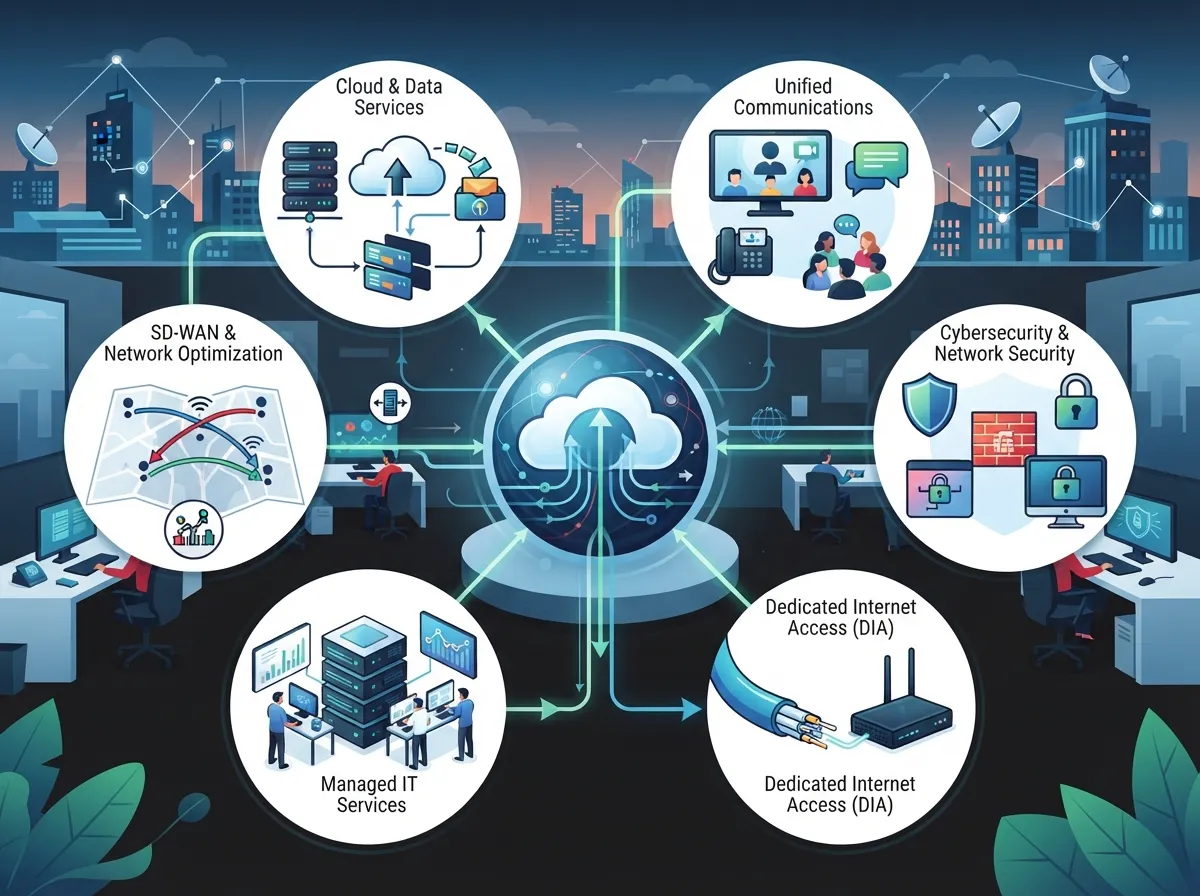
Think of business connectivity solutions as a toolbox, not a single product. Different tools solve different problems, and most companies use a few of them at once.
A typical setup can include:
- Internet access: business fiber, cable broadband, dedicated internet access (DIA), Ethernet, fixed wireless, or cellular 4G/5G.
- Networking: routers, switches, firewalls, and software like SD-WAN that tie your sites together.
- Wi-Fi: wireless coverage for staff, guests, and devices.
- Voice: cloud phone systems that ride on your internet connection.
- Security and monitoring: cloud cameras, access control, and managed support.
Notice how everything depends on the connection underneath. A great phone system on a weak internet line still sounds choppy. That’s why smart companies plan connectivity first and build everything else on top of it.
The Main Types of Business Internet Access
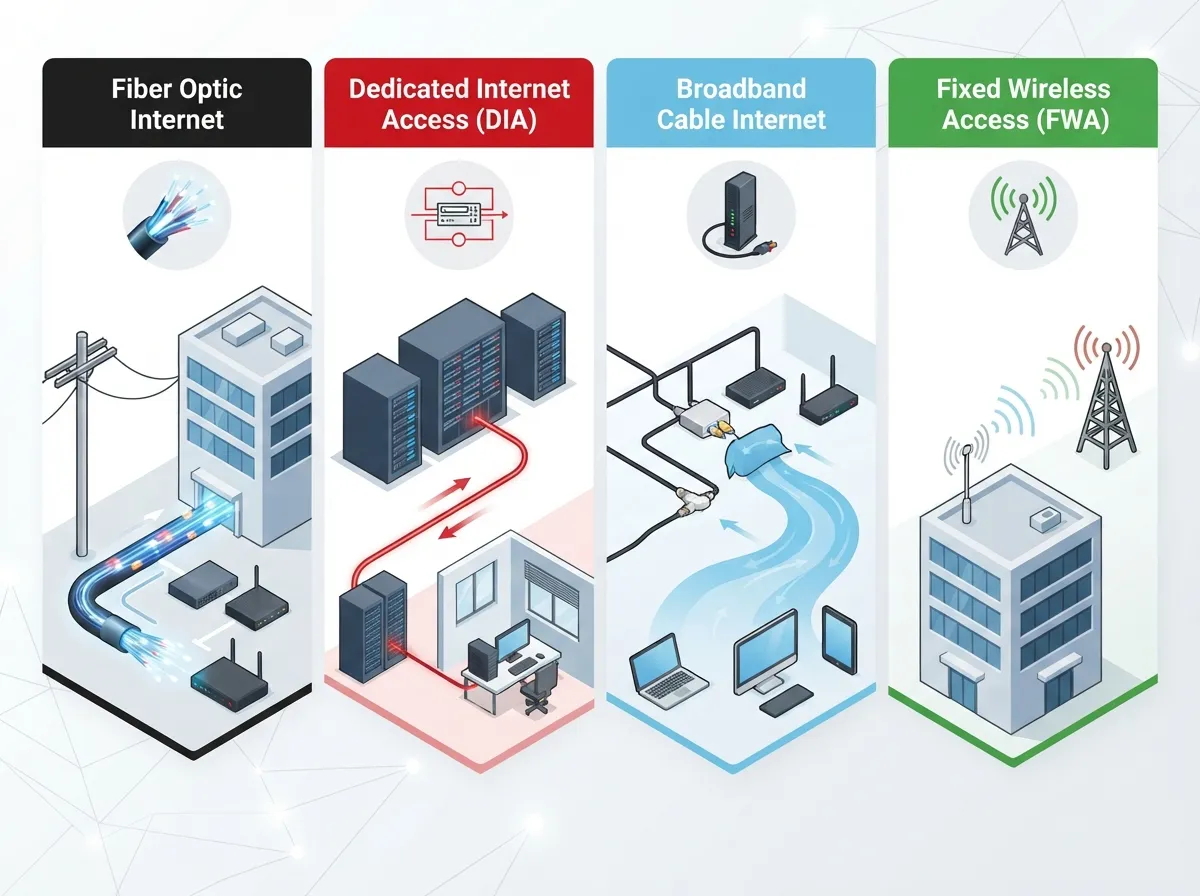
Let’s break down your access options in plain English. Availability, speed, and installation time vary by address and provider, so always check your exact location.
| Access Type | Best For | Key Strength | Watch Out For |
|---|---|---|---|
| Business Fiber | Data-heavy offices, cloud apps, VoIP | High capacity, often symmetrical upload and download | Not available at every address; install can take time |
| Cable Broadband | Small offices with moderate needs | Widely available, often budget friendly | Shared network; upload speeds are usually lower |
| Dedicated Internet Access (DIA) | Mission-critical operations | Business-grade, may include performance and repair commitments | Higher cost; terms depend on the contract |
| Ethernet | Connecting sites or reaching cloud services | Predictable and scalable | Pricing varies widely by location |
| Fixed Wireless | Hard-to-wire locations, quick deployment | Fast setup where cables are limited | Depends on signal and local congestion |
| Cellular 4G/5G | Backup or temporary sites | Rapid deployment, no cable needed | Performance depends on coverage and plan terms |
Want a deeper look at one of these? Our guide on fiber vs. cable business internet in Tampa compares the two side by side.
Fiber, DIA, and Business Broadband: What’s the Difference?
These terms get tossed around a lot, and they sound similar. Here’s the simple version.
Fiber describes the technology. It’s often chosen because it offers high capacity and symmetrical speeds, meaning uploads are as fast as downloads. That matters when you’re on video calls or backing up files to the cloud.
Dedicated internet access (DIA) describes the service level. It’s a business-grade connection that isn’t shared in the same best-effort way as typical broadband. DIA may come with defined performance and repair commitments, but the exact terms depend on your contract.
Business broadband is usually a shared service. It can work well for lighter needs and tight budgets. If you’re curious about the basics, see what business broadband is and why your company needs it.
To compare shared and private options in more detail, check out dedicated vs. shared fiber.
How SD-WAN Makes Your Connections Smarter
Here’s where things get fun. SD-WAN is software that manages traffic across several internet links at once. Those links might be fiber, broadband, and a cellular backup. The software picks the best path for each type of traffic.
Why does that help? Imagine your video calls get the express lane while a big file download takes the scenic route. If one connection slows down or fails, SD-WAN can shift traffic to another link automatically.
It also helps multi-location businesses, like franchises, manage every site from one place. SD-WAN can be provider-managed or customer-managed, so you can choose how hands-on you want to be.
For some perspective on adoption, a 2024 Frost & Sullivan survey cited in a 2025 Verizon business-networking resource found that 45% of network decision-makers considered SD-WAN critical to reaching their digitalization goals. Vendors also publish results; Cisco’s 2025 SD-WAN overview reports customer-reported modeled outcomes like 39% lower total cost of operations and 94% less unplanned downtime. Keep in mind those are vendor-published figures, not guarantees, so your results will vary.
Want the full picture? Read 6 SD-WAN benefits every business owner should know or SD-WAN vs. MPLS.
Building a Reliable Backup Plan
Every business has a story about the day the internet went down. The trick is making sure it’s a short story. A resilient design can include diverse access technologies or carriers, automatic failover, backup power, and tested recovery steps.
Here’s a gentle warning, though. Two circuits don’t guarantee true redundancy. If both lines share the same physical route, the same provider infrastructure, or the same power source, one problem can knock out both. It’s like having two umbrellas that both have the same hole.
Can 5G or Fixed Wireless Be Your Backup?
Yes, often. 5G and fixed wireless can serve as primary or backup connectivity, and they deploy quickly. They’re also handy where wired options are limited. Performance depends on coverage, signal strength, network congestion, equipment, and plan terms. So test it at your actual site before you rely on it.
Curious how this plays out with cameras? See how to keep security cameras working during internet outages.
How to Choose the Right Solution: A Simple Step-by-Step Plan
Don’t start by shopping for speed. Start with your business. Follow these steps and the right answer usually shows up on its own.
- List your locations and users. Count sites, staff, and connected devices, including phones and cameras.
- Name your critical apps. Cloud software, VoIP calls, video meetings, and point-of-sale systems all have different needs.
- Check upload needs and latency. Many companies focus only on download speed. Uploads and delay matter just as much for calls and cloud backups.
- Set an uptime target. Decide how much downtime your business can truly tolerate.
- Think about security and compliance. Healthcare, finance, and other industries may have extra rules.
- Plan for growth. Will you add staff, move offices, or open new locations soon?
- Compare total cost. Include installation fees, equipment, contract length, and static IP charges.
If you’re unsure about speed, our guide on choosing the right internet speed can help.
What to Compare Before You Sign
Advertised speed is only one line on the page. Before committing, compare these items side by side:
- Service-level agreement (SLA): What uptime and repair times are promised, and what happens if they’re missed?
- Installation lead time: Fiber builds can take longer than cable or wireless.
- Equipment and install charges: Ask what’s included and what costs extra.
- Contract terms: Check length, renewal rules, and early termination fees.
- Static IP needs: Some phone systems and remote tools require them.
- Support and escalation: Who do you call when something breaks, and how fast do they respond?
Cost surprises are common, so peek at 12 business internet cost mistakes Tampa owners make in 2026 before you negotiate.
A Quick Reality Check on Coverage Data
You may see big availability numbers in the news, and they’re encouraging. A 2025 analysis of FCC data cited in recent research reported that about 95% of U.S. homes and small businesses had terrestrial broadband available at 100 Mbps download and 20 Mbps upload. Fiber has been growing too; a 2026 summary of Fiber Broadband Association figures for year-end 2025 estimated fiber passed about 84.6 million U.S. homes, roughly 60%.
Here’s the catch. Those are broad estimates. The FCC’s Broadband Data Collection reports provider-submitted availability by location, and it isn’t a measurement or guarantee of real speed at your door. The fiber figure also covers homes, not business premises. So treat these numbers as context, then confirm what’s truly available at your address.
Managed, Co-Managed, or Do-It-Yourself?
How much do you want to handle yourself? That’s a big question, and there’s no wrong answer.
A managed model can bundle circuits, routers, Wi-Fi, SD-WAN, monitoring, security, and support. It lightens the load on your internal team, which is great for small businesses and office managers without a dedicated IT department. A co-managed or self-managed model gives you more direct control, which many IT managers prefer.
Whichever route you pick, get responsibilities in writing. Know who monitors the network, who fixes outages, and which services are included. For a closer look, read in-house IT vs. a network solutions provider.
Don’t Forget the Wires Behind the Walls
Even the best connection gets stuck if your internal cabling is a mess. Structured cabling is the organized system of cables, patch panels, and jacks that carries data through your building. Clean cabling means fewer dropouts, easier upgrades, and simpler troubleshooting.
It also supports your phones, Wi-Fi access points, and security cameras. If you’re planning an office move or buildout, learn whether you need structured cabling early in the process. And if you’re comparing cable types, here are key differences between CAT5e and CAT6.
Why a Single Point of Contact Makes Life Easier
Here’s something many owners tell us. Juggling an Internet Service Provider, a phone vendor, a camera installer, and a cabling crew gets exhausting fast. When something breaks, everyone points at someone else.
That’s where Ideal Solutions Provider comes in. As a Tampa-based telecom and IT partner with over 24 years of experience, the team works with 35+ vetted suppliers and acts as your single point of contact. They compare options side by side, audit what you have today, and help you find a fit for your needs, from consultation and installation to ongoing support. Learn more about business high-speed internet services or business network solutions.
Franchise operators and mid-sized companies especially benefit, since one partner can handle scalable, multi-location rollouts across Tampa Bay and nationwide. You can also see the team in action on their YouTube channel.
Ready to Build a Connection You Can Count On?
The best business connectivity solutions aren’t the fanciest or the fastest on paper. They’re the ones that match how your team actually works, with a backup plan ready for rainy days. Start with your needs, compare more than speed, and don’t be shy about asking tough questions.
You don’t have to figure it all out alone. If you’d like a friendly second set of eyes on your current setup, contact us for a free consultation or call us to talk it through. We’d love to help your business stay connected.
FAQs
Q: What are business connectivity solutions?
A: Business connectivity solutions are the wired and wireless services, equipment, and management that connect your sites, employees, devices, and cloud apps. They often combine internet access, private networking, Wi-Fi, voice, and security into one setup that works together.
Q: Is fiber or cable internet better for a business?
A: Fiber is often chosen for its high capacity and symmetrical upload and download speeds, which is great for cloud apps and video calls. Cable can work nicely for smaller offices with moderate needs and tighter budgets, so the best pick depends on what’s available at your address and how you work.
Q: How does SD-WAN improve business connectivity?
A: SD-WAN uses software to manage traffic across several connections, like fiber, broadband, and cellular. It can prioritize important apps and shift traffic to a backup link if one connection slows or fails, helping your team stay productive.
Q: Can 5G or fixed wireless be used as a business internet backup?
A: Yes, they can work as backup or even primary connectivity, and they deploy quickly. Performance depends on coverage, signal conditions, and congestion, so it’s smart to test the service at your actual location before relying on it.
Q: What should businesses compare when choosing a telecom connectivity provider?
A: Look beyond advertised speed. Compare service-level agreements, installation timelines and charges, contract terms, static IP needs, and how support and escalation work when something goes wrong.





