
Key Takeaways
-
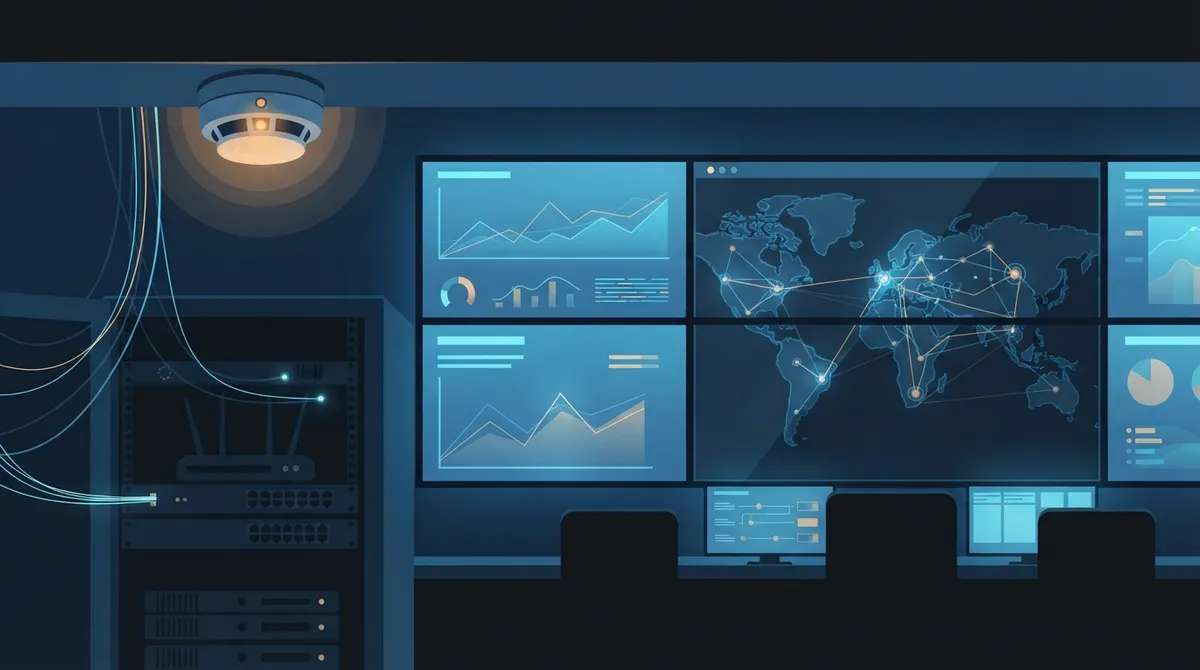
Network monitoring acts like a smoke detector for business connectivity, watching internet, phone, routers, and switches around the clock and alerting you when something looks wrong.
-
A 2025 Opengear/Digi survey found 84% of businesses saw network outages rise over two years, with device configuration changes (27%) and server hardware failures (26%) as common causes.
-
Uptime alone is not enough: latency, jitter, and packet loss can ruin calls and video even when a link shows as up, so track them together.
-
Check the SLA for coverage hours, response times, monitored scope, and who has authority to fix problems, not just report them.
-
Monitoring does not replace security tools, backups, or an incident response plan; it helps you detect and respond to issues faster.
-
Start by mapping your sites, circuits, and phone services, decide what downtime costs you, then choose business-hours or 24/7 coverage to match.
Picture this: it’s Monday morning, your team is logging in, and suddenly the phones go quiet. Customers can’t reach you. Your cloud apps crawl. Nobody knows why, and everyone is looking at you for answers. Sound familiar? You are not alone, and there is a friendly way to avoid that stress.
That is where network monitoring services come in. Think of them as a smoke detector for your business connectivity. They watch your internet, phone service, routers, switches, and more around the clock, and they speak up when something looks off. In this guide, we will walk through what these services include, which numbers matter, and how to pick the right setup for your size of business.
Whether you run a small Tampa office, manage IT for a growing company, or oversee several franchise locations, you will find simple, practical advice here. Let’s dive in!

What Are Network Monitoring Services?
Network monitoring services continuously track the health, speed, and availability of your business network. That includes routers, switches, firewalls, wireless access points, internet circuits, and often your voice services too. They can be run by your own IT team, a managed service provider, or a telecom partner.
The goal is simple: spot trouble early. A failing switch, a congested internet link, or a misconfigured device can slow your whole day. With good monitoring, someone sees the problem and starts fixing it, ideally before your staff even notices.
It helps to be honest about one thing, though. Monitoring does not magically prevent every outage, and it does not replace security tools, backups, or an incident response plan. It gives you eyes on your network so you can act faster and plan smarter.

Why Network Monitoring Matters More Than Ever
Businesses rely on connectivity for nearly everything: phones, payments, security cameras, door access, and cloud software. When the network hiccups, everything feels it.
The numbers back this up. A 2025 Opengear/Digi survey of more than 1,000 CIOs, security leaders, and network engineers found that 84% of businesses said network outages had increased over the prior two years. More than one-third reported outages that cost them between $1 million and $5 million in the previous year. Those figures are survey-reported impacts, not a promise for every company, but they show how serious downtime can get.
The same survey pointed to device configuration changes (27%) and server hardware failures (26%) among the most common causes. In other words, many outages come from everyday issues that monitoring can help catch or at least explain faster.
What Do Network Monitoring Services Include?
Every provider packages things a little differently. Here are the pieces you will commonly see:
- Continuous monitoring: Automated checks on devices, links, and services, day and night.
- Alerts: Notifications when something fails or crosses a set limit.
- Alert triage: A human or system sorts real problems from false alarms.
- NOC escalation: A network operations center (NOC) team steps in to investigate.
- Incident coordination: Working with carriers and vendors to get issues resolved.
- Reporting: Regular summaries of uptime, usage, and trends.
- Recommendations: Advice on capacity, reliability, and upgrades.
The exact response times, coverage hours, and who is allowed to make fixes all depend on the contract. That is why the service-level agreement (SLA) matters so much, and we will cover it below.
How Network Monitoring Works Behind the Scenes
You do not need to be a engineer to understand the basics. Monitoring tools use a few common methods to see what is happening:
- Device polling with SNMP: The monitoring system regularly asks devices how they are doing, such as CPU load, temperature, and interface errors.
- Log collection with syslog: Devices send event messages that help explain what went wrong and when.
- Traffic-flow analysis: Tools such as NetFlow, IPFIX, or sFlow show who is using bandwidth and for what.
- Active tests: The system sends test traffic to measure reachability and quality from end to end.
- Dashboards and maps: Visual views help operators find the affected link or device quickly.
Put together, these methods give a clear picture of your network, so troubleshooting becomes detective work with real clues instead of guesswork.
Key Metrics Your Business Should Watch
Not all numbers are equally useful. These are the ones that tend to matter most for everyday business operations:
| Metric | What It Tells You | Why It Matters |
|---|---|---|
| Uptime and availability | Whether devices and links are up | Shows basic reliability |
| Bandwidth utilization | How much of your capacity is used | Helps you spot congestion and plan upgrades |
| Latency | Delay in sending data | Affects app speed and call quality |
| Packet loss | Data that never arrives | Causes choppy calls and slow apps |
| Jitter | Variation in delay | Hurts voice and video quality |
| Interface errors | Problems on physical connections | Often points to cabling or hardware faults |
| Device health | CPU, memory, temperature | Warns of failing hardware |
Notice that a link can be technically “up” and still deliver a poor experience. For business voice and video, latency, jitter, and packet loss are especially important, because they can ruin a call even when the internet seems to be working.
Can Network Monitoring Improve VoIP Call Quality?
Yes, it can help quite a bit. Monitoring tools can track packet loss, latency, jitter, and round-trip time, and some even score call quality using a Mean Opinion Score. These are example measures, not universal rules, but they give you a way to see why a call sounded rough.
If you are moving to cloud phones, solid monitoring and a healthy network go hand in hand. Our guide on whether VoIP is reliable for business explains what to expect, and what internet speed you need for VoIP in Tampa is a great companion read.
Network Monitoring vs. Network Management
These two terms get mixed up a lot, so let’s clear it up.
- Monitoring is about watching. It collects data, raises alerts, and shows you what is going on.
- Management is about acting. It includes configuring devices, applying updates, fixing issues, and planning changes.
Many providers bundle both. If you want the bigger picture, see our friendly guide to network management services. Just make sure your contract spells out who has the authority to actually fix problems, not only report them.
Who Needs Network Monitoring Services?
Almost any business that depends on connectivity can benefit, but the needs look different depending on your situation.
Small Businesses and Office Managers
If you do not have a full-time IT person, monitoring gives you a safety net. Someone else watches the network while you focus on customers. It is also a great way to catch slow internet or phone problems before they snowball. Not every small shop needs 24/7 coverage, so match the service level to how costly downtime would be for you.
Mid-Sized Companies and IT Managers
Growing teams often have a mix of carriers, devices, and cloud services. Monitoring brings all of that into one view and shortens the time spent chasing problems across vendors. Many IT managers pair monitoring with managed network services so a partner handles the heavy lifting.
Franchise Operators and Multi-Site Businesses
With several locations, one weak link can hide in plain sight. Good monitoring covers the full service path where possible: local networks, carrier circuits, internet connectivity, cloud connections, and voice services. If you are connecting several sites, take a look at multi-location telecom solutions and SD-WAN services for ideas on keeping every site consistent.
What to Look for in a Monitoring SLA
The SLA is where promises become specifics. Before you sign, check these points:
- Coverage hours: Is it 24/7, or business hours only?
- Response times: How fast will someone acknowledge and start working an alert?
- Scope: Which devices, circuits, and voice services are actually monitored?
- Remediation authority: Can the provider fix issues, or only notify you?
- Carrier coordination: Will they open and chase tickets with your internet and phone carriers?
- Reporting: How often will you get reports, and what will they show?
- Escalation path: Who gets called, in what order, when something serious happens?
Clear ownership matters most when a fault crosses organizational lines. If your business, your carrier, and your managed provider all point at each other, nobody fixes anything. A written escalation process prevents that finger-pointing.
How Much Do Network Monitoring Services Cost?
Honestly, it varies a lot. Pricing usually depends on how many devices and sites you have, how deep the monitoring goes, how fast the response is, and whether the service includes hands-on management. A small office with a handful of devices will pay far less than a multi-site company needing 24/7 NOC coverage.
Rather than chase a single number, ask for a clear quote that lists what is included. If you are weighing the bigger budget picture, how to budget for managed network services in Tampa is a helpful starting point.
Don’t Forget Security and Cabling
Two quick but important notes. First, monitoring tools themselves need secure administration. NIST guidance highlights monitoring networks and network services to find potentially adverse events, including wired and wireless networks, communications and flows, and services like DNS and BGP. Protect who can access your monitoring system, and keep its communications secure. Our guide to choosing network security services covers the next layer.
Second, monitoring is only as good as the foundation under it. Interface errors often trace back to poor cabling. A clean, certified install makes alerts rarer and fixes simpler. See our tips on structured cabling and learn more about structured cabling standards if you want to dig deeper.
Simple Steps to Get Started
Ready to put monitoring in place? Here is an easy path:
- Map what you have. List your sites, circuits, devices, and phone services.
- Decide what hurts most. Is it dropped calls, slow cloud apps, or surprise outages?
- Pick your coverage level. Choose business-hours or 24/7 based on the cost of downtime.
- Compare SLAs. Use the checklist above and ask questions.
- Start with your most critical links. Expand coverage as you gain confidence.
- Review reports monthly. Use trends to plan upgrades before problems show up.
If juggling multiple vendors sounds exhausting, a single partner can simplify this. A telecom consultant can also help sort out the options, and what a telecommunications consultant does for you shows how.
Putting It All Together
Network monitoring services give your business something valuable: peace of mind and faster answers. They will not stop every outage, but they help you find trouble sooner, fix it faster, and plan upgrades with real data instead of hunches.
Ideal Solutions Provider is a Tampa-based telecom and IT partner with over 24 years of experience and relationships with 35+ vetted suppliers. We act as your single point of contact for internet, VoIP, cabling, networking, cloud security cameras, and access control, so you are not stuck juggling providers when something breaks.
Ready to see how your network is really doing? Contact us for a free consultation, or call us and let’s talk through the best monitoring setup for your business.
FAQs
Q: What do network monitoring services include for a business?
A: They typically include continuous monitoring of devices and connections, automated alerts, NOC escalation, incident coordination, and regular reports. Some also cover voice quality and capacity planning. The exact scope and response times depend on your provider’s SLA, so it is smart to ask for specifics.
Q: Do small businesses need 24/7 network monitoring?
A: Not always! If your team works set hours and a short outage would not cause big losses, business-hours monitoring may be enough. If you take orders, calls, or payments after hours, round-the-clock coverage can be well worth it.
Q: Which network metrics should a business monitor?
A: Start with uptime, bandwidth utilization, latency, packet loss, jitter, interface errors, and device health. For phone and video, latency, jitter, and packet loss are especially important because they affect call quality even when your link is technically up.
Q: What is the difference between network monitoring and network management?
A: Monitoring watches your network and alerts you to problems, while management takes action, such as configuring devices, applying updates, and fixing faults. Many providers offer both, so confirm who has the authority to make repairs.
Q: Can network monitoring prevent outages completely?
A: No, and it is good to be realistic about that. Monitoring helps you detect issues like congestion, failing hardware, or link problems sooner so you can respond faster, but it does not replace security controls, backups, or an incident response plan.





