
Key Takeaways
-
Slow office internet is often caused by inside-the-wall cabling, not the provider; a cabling review can reveal the real bottleneck before you pay for faster service.
-
Cat6 suits most small and mid-sized offices, while Cat6A makes sense for heavy data use or long-term headroom; compare upfront cost against growth plans.
-
Use fiber as a backbone between floors or buildings and copper out to desks for a cost-effective mix that delivers speed where it matters most.
-
Ask every contractor for testing and certification reports, labeled cables and ports, and whether the quote includes patch panels, racks, and pathways to avoid surprise costs.
-
Compare cabling quotes line by line, since a low price that omits testing, patch panels, or cleanup is not truly cheaper.
-
Verify licensing, insurance, and references directly rather than relying on a provider's self-reported website claims before signing any contract.
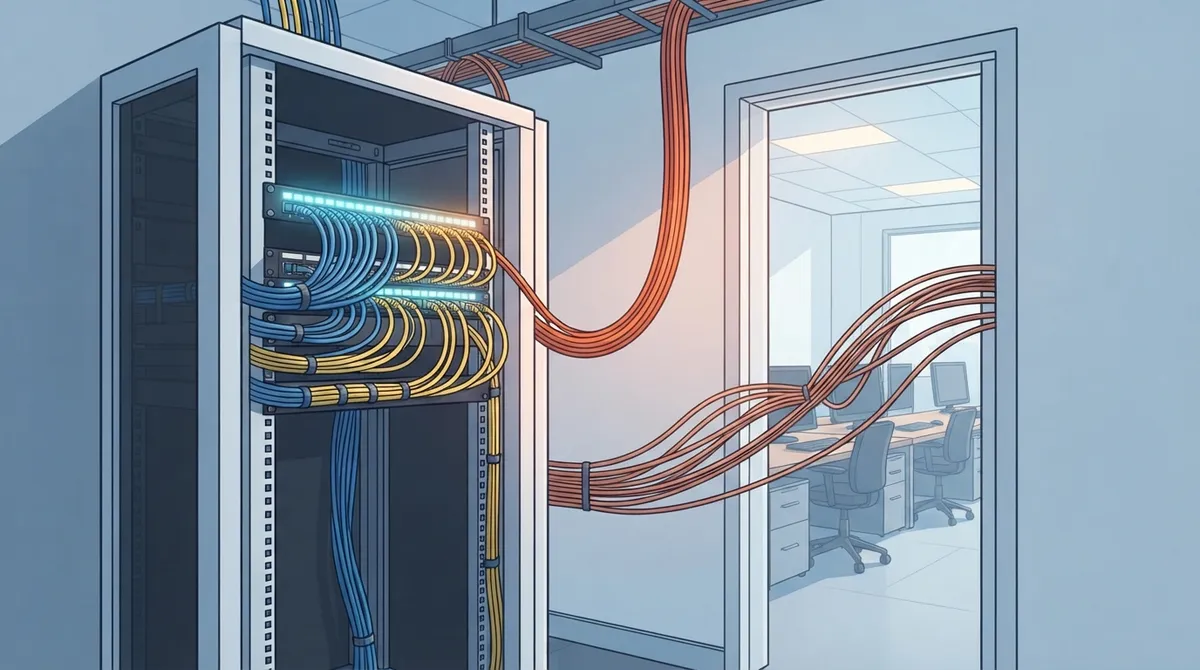
Picture this: your team is on a video call, someone starts a big file upload, and suddenly the whole office slows to a crawl. You blame the internet. You call the provider. Nothing changes. Here is a secret many Tampa business owners learn the hard way: the problem is often hiding inside the walls. Data cabling Tampa businesses rely on is the physical backbone of every phone, computer, and camera in your building.
Good news! You do not need to be a tech expert to make smart choices here. Data cabling is simply the set of wires and connection points that carry your network traffic. When it is planned well, nobody notices it. When it is done poorly, everybody feels it.
In this friendly guide, we will walk through what data cabling includes, how to pick the right cable type, what a good project looks like, and what questions to ask before you hire anyone. Whether you run a small shop, manage an office, or oversee several locations, you will leave with a clear plan and more confidence.

What Is Data Cabling and Why Does It Matter for Tampa Businesses?
In the world of Business Telecom Solutions, data cabling means the structured physical setup that connects your network equipment and devices. It covers planning, installing, terminating, testing, and documenting every cable run in your building.
Think of it like plumbing. You never think about pipes until water pressure drops. Your cabling works the same way. It carries the data that keeps your business moving all day long.
Cabling supports far more than desktop computers. Typical connected devices include:
- Wi-Fi access points
- VoIP desk phones
- Printers and copiers
- Conference room systems
- Point-of-sale terminals
- IP security cameras
- Access control readers and door controllers
If you want a quick primer on the concept itself, this overview of structured cabling explains how organized, standards-based cabling is designed. For a plain-English walkthrough tailored to your world, check out What Is Structured Cabling for Your Business Network?

What Does a Data Cabling Project Usually Include?
A solid data cabling Tampa project is more than pulling wire through a ceiling. It is a full process with several parts that work together.
Most commercial projects include these pieces:
- Copper runs: Cat6 or Cat6A cables that connect desks, phones, and devices
- Fiber-optic links: Used for longer distances or heavy bandwidth needs
- Voice and data outlets: The wall jacks where devices plug in
- Patch panels: Organized connection points in your telecom room
- Racks and cabinets: The framework that holds your equipment neatly
- MDF and IDF connections: Main and intermediate distribution areas that link floors or sections
- Labeling: Clear tags on every cable and port
Labeling might sound boring, but it is a lifesaver. When something breaks at 4:55 on a Friday, a clearly labeled cable saves hours of guessing. Our article on 10 Network Cable Labeling Tips That Save Time in 2026 shows how much a few simple habits can help.
If you want an even closer look at the full scope of work, read What Do Data Cabling Services Include for Businesses?
Cat6 or Cat6A: Which Cable Fits Your Tampa Office?
This is one of the most common questions we hear, and it is a great one. The right answer depends on your bandwidth needs, your cable distances, your building layout, and your plans for growth.
Here is a simple side-by-side look to get you started:
| Feature | Cat6 | Cat6A |
|---|---|---|
| Typical use | Everyday office networks | High-demand or future-focused networks |
| Best for | Small and mid-sized offices | Busy offices, labs, and growing teams |
| Cable thickness | Slimmer, easier to route | Thicker, needs more pathway space |
| Planning for growth | Good for most current needs | Stronger long-term headroom |
| Budget | Often lower upfront | Often higher upfront |
Neither choice is wrong. Cat6 works beautifully for many businesses. Cat6A makes sense when you expect heavy data use or want extra breathing room for the years ahead. For a deeper side-by-side, see How to Choose Between Cat6 and Cat6A for Your Office.
Still running older wiring? Our guide on Cat5e vs. Cat6: Which Office Cabling Wins in 2026? can help you decide if it is time to upgrade.
When Should You Choose Fiber Instead of Copper?
Copper cable handles most desk-level connections well. Fiber-optic cable shines in other situations. It is often used for links between floors, between buildings, or anywhere you need to cover longer distances with strong performance.
Consider fiber when:
- You need to connect two buildings on the same campus or lot
- Your telecom rooms sit far apart inside a large building
- You want a strong backbone that links your main equipment to each floor
- You expect your bandwidth needs to grow significantly
Many Tampa businesses end up with a blend: fiber as the backbone and copper out to the desks. That mix keeps costs sensible while giving you speed where it counts. To learn more, see Copper vs. Fiber Structured Cabling: Which Fits Your Office? and What Is Fiber Backbone Cabling and Does Your Office Need It?
What Should You Expect During a Site Survey and Installation?
A great cabling project starts long before anyone drills a hole. Knowing the steps helps you feel in control and spot a careless contractor early.
The Step-by-Step Flow
- Site survey: A technician walks your space, notes device locations, and checks pathways and ceilings.
- Design and scope: The plan covers cable types, outlet counts, telecom room layout, and equipment needs.
- Coordination: If you have a general contractor or building management, the installer works with them on access and timing.
- Installation: Cables are run neatly through approved pathways.
- Termination: Each cable end is connected to a jack or patch panel.
- Testing: Every run is tested to confirm it performs as expected.
- Labeling and documentation: You receive records showing what was installed and where.
Pathways matter more than people expect. Cables need proper routes, support, and spacing. Our post 5 Steps for Cabling Layout Planning for Office in 2026 walks through this planning stage in a friendly way.
If you are curious about timing, read How long does structured cabling installation take for a commercial building in Tampa? Every project is different, so your installer should give you a schedule based on your site.
How Much Does Commercial Data Cabling Cost in Tampa?
This is the question everybody asks, and we want to be honest: there is no single price. Reliable local pricing figures are hard to pin down because every building and project is different. Any trustworthy provider will want to see your site before quoting.
Here are the main things that shape your quote:
- The number of cable runs and outlets
- Cable category and fiber type
- Distance and difficulty of pathways
- Ceiling type, wall type, and building age
- Racks, patch panels, and cabinets needed
- Testing and documentation requirements
- Whether it is new construction or an existing space
Want a deeper breakdown? We cover this in 10 Factors That Shape Network Cabling Installation Cost and 12 Cabling Expenses for a New Office to Budget (2026).
One friendly tip: compare quotes line by line. A low price that leaves out patch panels, testing, or cleanup is not really a low price.
What Questions Should You Ask a Data Cabling Contractor?
Many Tampa-area providers advertise services for offices, warehouses, healthcare spaces, retail sites, industrial buildings, and new construction. Their descriptions are company-provided, so it pays to verify the details yourself. Here is a handy checklist.
| Question to Ask | Why It Matters |
|---|---|
| What cable category and fiber type do you propose? | Confirms the plan matches your needs |
| What testing and certification reports will I receive? | Proves each run performs properly |
| How do you handle permits and local requirements? | Helps you stay compliant |
| Does the quote include patch panels, racks, and pathways? | Avoids surprise add-ons |
| Do you label every cable and provide documentation? | Makes future support easier |
| Are you licensed and insured? | Protects you if something goes wrong |
| Can you provide references? | Shows real-world track record |
Always confirm licensing, insurance, references, and project-specific compliance directly before signing anything. Testing is a big one. Learn why in 4 Cable Testing and Certification Mistakes to Avoid in 2026.
Also, steer clear of common pitfalls. 5 Mistakes to Avoid When Hiring Cabling Installers is a quick, helpful read before you make a call.
Can One Partner Handle Cabling, Phones, Wi-Fi, and Cameras?
Yes, and for many busy owners this is a huge relief. Cabling does not live on an island. Your VoIP phones, wireless access points, security cameras, and door readers all depend on it. When one team plans everything together, the pieces fit better and fingers do not point in five directions when something goes wrong.
That is exactly why many small business owners, office managers, and IT managers prefer a single point of contact. Ideal Solutions Provider is a Tampa-based telecom and IT partner with over 24 years of experience and relationships with 35+ vetted suppliers. They handle consultation, installation, and ongoing support, so you do not have to juggle multiple vendors.
Franchise operators with several sites benefit too. Using one partner for structured cabling across locations keeps standards consistent. Learn more about this approach in Why Do Tampa Bay Businesses Need One Telecom Partner?
You can also explore the company’s full structured cabling services to see how projects are handled from start to finish. And if your cabling plans connect to a bigger network upgrade, take a look at business network solutions.
Signs Your Business Needs a Cabling Upgrade
Not sure whether your current setup is holding you back? Watch for these friendly warning signs:
- Wi-Fi and wired connections slow down at busy times
- Phones drop calls or sound choppy
- You have a tangled “spaghetti” mess in the telecom closet
- Nobody knows which cable goes where
- You are adding cameras, phones, or access points and running out of ports
- Your office has grown, moved, or been remodeled
If two or more of these sound familiar, it may be time for a professional review. Our list of 9 Signs Your Tampa Business Needs Structured Cabling Now goes into more detail. You may also want to run a quick network infrastructure audit to see where you stand.
For planning ahead, How Do You Plan Cabling Now for Growth You’ll Need Later? is a smart companion read.
Why Planning Matters Even More With Your Internet Service
Here is a point that surprises people. You can pay for blazing-fast service from your Internet Service Provider and still get poor results if your internal cabling cannot keep up. Fast internet entering the building is only half the story. The wiring inside decides how well that speed reaches every desk and device.
That is why it helps to think of your internet connection and your cabling as a team. Upgrading one without the other often leaves you disappointed. If your speeds feel off, read Why Is My Business Internet So Slow in Tampa and How Do I Fix It?
You can follow Ideal Solutions Provider on Facebook, Instagram, and YouTube for helpful tips and updates about business telecom.
Ready to Get Your Cabling Right?
Data cabling may not be the flashiest part of your business, but it quietly powers everything else. With the right plan, cable type, testing, and documentation, you set your team up for smooth days and fewer headaches for years to come.
Start by gathering your device counts, floor plans, and growth goals. Then ask the smart questions from our checklist and compare quotes carefully. You have got this!
If you would like a friendly expert to review your space, contact us for a free consultation or call us to talk through your project. We would love to help your Tampa business stay connected.
FAQs
Q: What does a commercial data cabling contractor in Tampa install?
A: A commercial contractor typically installs Cat6 or Cat6A copper runs, fiber-optic links, wall outlets, patch panels, racks, and cable labeling. They also test the cables and provide documentation so you know exactly what is in your walls.
Q: Do data cabling contractors test and label each cable run?
A: A good one absolutely should! Ask what testing and certification reports you will receive, and confirm that every cable and port gets a clear label. This makes future repairs and upgrades so much easier.
Q: Can one contractor install data cabling, Wi-Fi, VoIP phones, and security cameras?
A: Yes, many Tampa providers handle several of these services together. Using one partner means everything is planned as a team, which usually leads to a smoother install and simpler support afterward.
Q: How do I choose a licensed and insured data cabling contractor in Tampa?
A: Start by asking for proof of licensing and insurance, then request references from similar projects. Do not rely only on website claims, since company pages are self-reported. Verify the details directly before you sign.
Q: How much does commercial data cabling cost in Tampa?
A: Costs vary based on the number of runs, cable type, building layout, and equipment needed, so reliable pricing comes from a site-specific quote. Ask for an itemized estimate so you can compare options fairly.





