

Key Takeaways
-
Confirm fiber is available at your exact street address with a written provider quote, since general coverage maps don't guarantee service, speed, or install dates at your building.
-
Compare committed bandwidth against advertised 'up to' speeds, and confirm in writing whether upload and download speeds are symmetrical and whether bandwidth is shared with other customers.
-
Standard business fiber suits small offices that can tolerate brief outages, while dedicated internet access (DIA) with an SLA fits businesses that lose sales or security coverage when the connection fails.
-
Don't trust headline uptime numbers like 99.95% or 99.999%; each SLA measures uptime differently and has its own exclusions and remedies, so read the fine print on credits and repair response times.
-
Add up the full cost before signing, including installation or construction fees, equipment, static IP fees, early termination charges, and price increases after the first contract term.
-
Plan a backup connection from a different provider or technology, since fiber alone doesn't prevent outages from construction cuts, storms, or power loss for critical operations.
Picking a new internet plan can feel like shopping for a car in a language you do not speak. Every provider says their service is fast, reliable, and perfect for you. So how do you know what is true?
Here is the good news. Business fiber internet is one of the best upgrades a company can make in 2026, and you do not need to be a tech expert to choose well. You just need to know which questions to ask and which details to check in writing.
In this friendly guide, we will walk through what business fiber internet is, how it differs from dedicated service, and how to compare offers step by step. Whether you run a small shop, manage an office, or oversee several franchise locations, you will leave with a clear plan.

What Is Business Fiber Internet?
Business fiber internet connects your location to an internet provider using fiber-optic cable. Instead of sending signals through copper wire, fiber sends light through thin glass strands. That is why it can carry so much data so quickly.
Performance and service terms depend on the provider, your address, and your plan. Some plans are shared, and some are dedicated. We will cover that difference in a moment.
Why Businesses Love Fiber
Fiber is popular for a few simple reasons:
- High capacity: Fiber can handle lots of users, devices, and cloud tools at once.
- Symmetrical options: Many fiber plans offer matching upload and download speeds. That helps with video meetings, large file transfers, and cloud backups.
- Room to grow: It is easier to add bandwidth later on a fiber connection.
- Support for modern tools: Hosted voice, cloud cameras, and cloud access control all work better with a strong connection.
One quick note: symmetry is plan-specific. Always confirm it rather than assuming it.
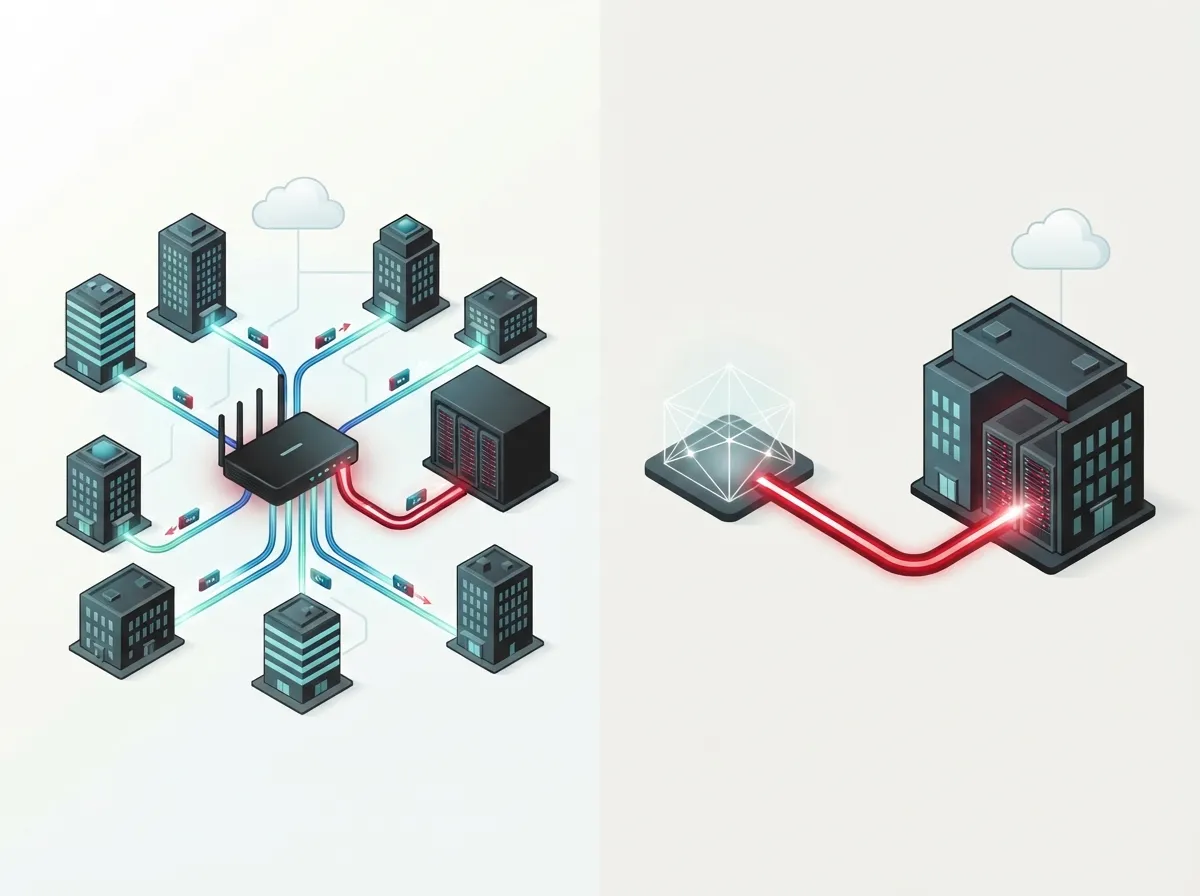
Business Fiber vs. Dedicated Internet Access (DIA)
This is the part that trips up many buyers. Two products can both use fiber and still behave very differently. The label on the plan matters less than the contract details behind it.
| Feature | Standard Business Fiber | Dedicated Internet Access (DIA) |
|---|---|---|
| Bandwidth | May be shared with other customers | Typically reserved for one customer |
| Service-level agreement (SLA) | May be limited or not included | Typically included |
| Speed symmetry | Plan-specific, often available | Commonly symmetrical |
| Cost | Usually lower | Usually higher |
| Best for | Small offices, general business use | Critical apps, hosted voice, multi-site networks |
In plain terms, standard business fiber is like a fast shared highway. DIA is like having your own private lane. If you want a deeper look at the dedicated side, our guide on dedicated fiber internet breaks it down nicely.
A Word About Uptime Claims
You may see numbers like 99.95% or 99.999% uptime in provider marketing. These sound great, but they are not directly comparable. Each SLA measures uptime in its own way and lists its own exclusions and remedies. Read the fine print before you trust the headline number.
How to Choose Business Fiber Internet: 7 Simple Steps
Ready to dig in? Follow these steps in order, and the process gets much easier.
- Check availability at your address.
- Estimate how much speed you really need.
- Decide between shared fiber and DIA.
- Compare committed bandwidth, not just advertised speed.
- Review SLA terms and support hours.
- Add up the full cost, including installation.
- Plan a backup connection.
Step 1: Check Availability at Your Address
Fiber availability is address-specific. A provider may advertise big speeds, but they may not be deliverable at your exact building. A site without nearby fiber may need new construction, a longer wait, or extra installation charges.
The FCC National Broadband Map is a handy place to start. It shows reported service availability by location. Just remember it describes reported coverage. It does not guarantee a plan, speed, or install date at your door.
The FCC reported that, as of December 2024, 95% of U.S. homes and small businesses had access to fixed broadband at 100 Mbps download and 20 Mbps upload or higher. That is encouraging, but the real answer for your building comes from a provider quote.
Step 2: Estimate the Speed You Really Need
More is not always better, but too little is painful. Think about who and what will use your connection at the same time.
- How many employees work on site?
- Do you run video meetings or hosted voice calls all day?
- Do you use cloud software, cloud backups, or cloud security cameras?
- Do you send large files, such as design work or medical images?
- Do you offer guest Wi-Fi to customers?
Cloud cameras are a good example. They constantly send video to the cloud, so upload speed matters a lot. If you want to see how much, check out our look at internet speeds your cloud cameras actually need.
Provider offers range widely. Some plans start in the hundreds of Mbps, and some custom enterprise circuits reach up to 100 Gbps. Those top numbers are provider-specific maximums, not typical speeds for most businesses. Most small and mid-sized offices land well below them.
Step 3: Decide Between Shared Fiber and DIA
Ask yourself one simple question: what happens to my business if the internet slows down or drops for an hour?
If the answer is “not much,” standard business fiber may be a great fit and save you money. If the answer is “we lose sales, calls, or security coverage,” DIA deserves a serious look. It usually reserves bandwidth just for you and comes with an SLA.
Step 4: Compare Committed vs. Advertised Bandwidth
Advertised speed is the marketing number. Committed bandwidth is the amount the provider actually promises to deliver. They can be very different.
Ask each provider these questions in writing:
- Is the speed I am buying committed or “up to”?
- Are upload and download speeds the same?
- Is the bandwidth shared with other customers?
- Do you offer static IP addresses?
Step 5: Review the SLA and Support Hours
An SLA is a written promise about service quality. It may cover availability, repair response time, or performance. What matters most is what happens when the provider misses the promise.
Look closely at these items:
- How uptime is measured
- What is excluded, such as planned maintenance
- What credit or remedy you receive
- How fast the provider responds to outages
- Whether support is available 24/7 or only during business hours
Step 6: Add Up the Full Cost
A low monthly price can hide big extras. Build a simple list of every cost before you sign.
- Monthly recurring fee
- One-time installation or construction charges
- Equipment fees
- Static IP fees
- Contract length and early termination fees
- Price increases after the first term
Pricing varies by address and provider, so ask for written quotes. Our article on dedicated internet access pricing shares helpful tips for what to expect.
Step 7: Plan a Backup Connection
Here is a truth that surprises many owners. Fiber does not by itself guarantee uninterrupted service. A construction crew can cut a line. A storm can knock out power. Even the best provider has a bad day.
For critical operations, consider these protections:
- A separate failover connection from a different provider or technology
- Diverse-path fiber, if the provider offers it
- A battery backup for your network equipment
- A business-grade firewall
You can learn more in our guide to automatic internet failover.
What Fiber Does Not Fix on Its Own
Fiber is wonderful, but it is not magic. A fast connection into your building can still be slowed down by problems inside the building.
- Old cabling: Outdated wiring can bottleneck even the fastest fiber line. See our guide on gigabit cabling capabilities.
- Weak Wi-Fi coverage: Dead zones stay dead zones.
- Outdated switches and routers: These can cap your speed.
- Security gaps: Fiber does not replace a firewall or good security habits.
If your office is slow even though you pay for plenty of bandwidth, the problem may be inside your walls. Our post on why business internet is slow and how to fix it can help you track it down.
Tips for Different Types of Businesses
Small Business Owners
You want solid speed without overpaying. Standard business fiber with symmetrical speeds is often a great match. Pair it with a simple backup connection, and you are covered for most needs.
Mid-Sized Companies and IT Managers
You likely rely on cloud tools, hosted voice, and security systems all at once. DIA or a well-designed fiber plan with an SLA makes sense. Ask about static IPs, support response times, and failover options.
Office Managers
Your biggest concern is keeping everyone working. Focus on support hours, repair response times, and a backup plan. A single call to resolve problems beats chasing multiple vendors.
Franchise Operators
Consistency across locations is the goal. Look for providers that can serve many sites, or work with a partner that can coordinate several carriers for you. Our guide on multi-location telecom solutions is a great starting point.
Why Work With a Telecom Partner?
Comparing fiber offers on your own can eat up weeks. Every provider has its own terms, and it is easy to miss a detail that costs you later. A partner can compare options side by side and help you read the fine print.
Ideal Solutions Provider is a Tampa-based telecom and IT partner with over 24 years of experience. They work with 35+ vetted suppliers, so they can compare fiber, broadband, and dedicated options without pushing a single carrier. They also handle consultation, installation, and ongoing support, which means one point of contact instead of many. If you want a broader view, see what to look for in a business internet provider.
Curious how fiber stacks up against other options? Check our comparison of fiber vs. cable for more detail.
A Quick Checklist Before You Sign
Print this list and keep it handy when you talk with providers:
- Is fiber confirmed at my exact address?
- Are upload and download speeds equal?
- Is the bandwidth committed or shared?
- Does the plan include an SLA, and what are the remedies?
- What are the installation costs and timeline?
- What is the contract length and renewal pricing?
- Can I get a static IP?
- What are the support hours?
- What is my backup plan if the line goes down?
Conclusion
Choosing business fiber internet does not have to be stressful. Check availability first, match the speed to your real needs, understand the difference between shared fiber and DIA, and read every SLA carefully. Add up the full cost, and do not skip a backup plan.
With a little preparation, you can pick a connection that keeps your team, phones, cameras, and cloud tools running smoothly for years. If you would like friendly, expert help comparing options, contact us for a free consultation, or call us to talk it through. You can also explore more about business high speed internet services to see what is possible for your location. We are always happy to help.
FAQs
Q: What is business fiber internet?
A: Business fiber internet connects your company to an internet provider using fiber-optic cable, which sends data as light through glass strands. It often offers high capacity and, on many plans, matching upload and download speeds. Actual performance depends on your provider, address, and plan.
Q: What is the difference between business fiber and dedicated internet access (DIA)?
A: Standard business fiber may share capacity with other customers and may not include a strong SLA. DIA typically reserves bandwidth for one customer and comes with an SLA covering things like availability and repair response. Always compare the written contract terms, not just the product name.
Q: How do I check whether fiber is available at my business address?
A: Start with the FCC National Broadband Map to see reported service in your area. Then ask providers for a written serviceability check for your exact address, since reported coverage does not guarantee a specific speed or install date. A telecom partner can also check several carriers for you at once.
Q: Should my business use fiber with a backup internet connection?
A: If downtime would hurt your sales, phones, or security coverage, a backup connection is a smart idea. Fiber does not guarantee uninterrupted service by itself, so a separate failover line, battery backup, and a good firewall add valuable protection.





