
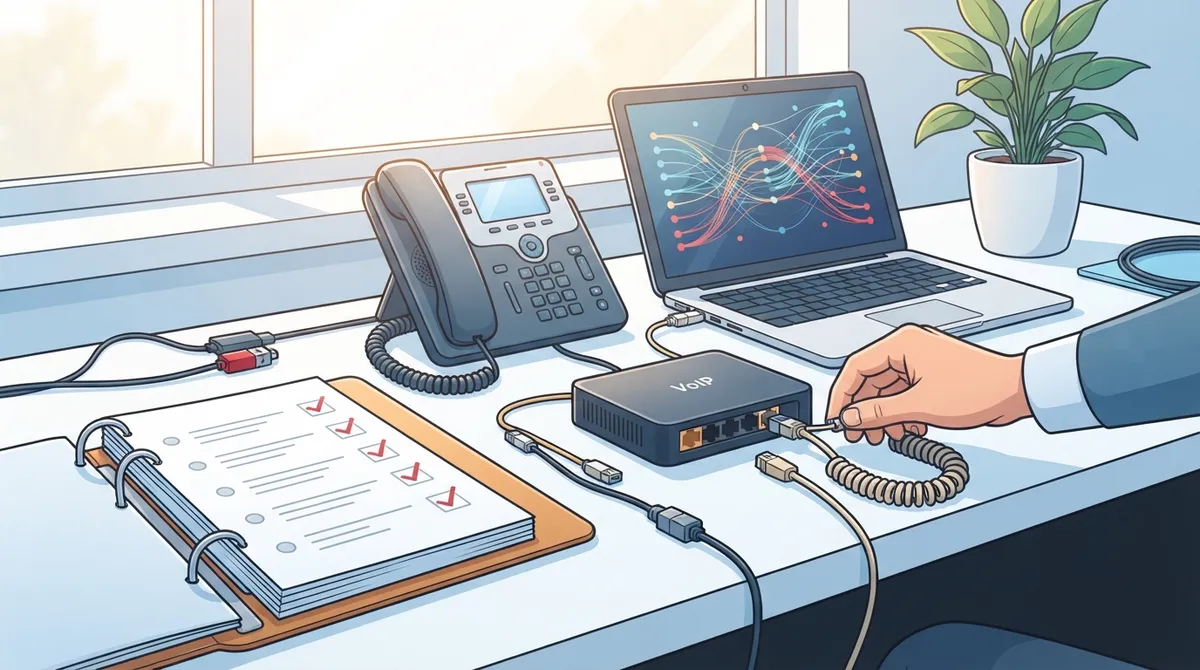
Key Takeaways
-
Start with a full inventory of phone numbers, users, devices, analog lines, and contract end dates so you avoid surprise fees and missed numbers during the switch.
-
Check network readiness first: a commonly cited guideline is about 100 kbps per concurrent call, but confirm vendor specs and test real capacity during peak hours.
-
Compare total cost, not just the monthly price, by asking providers for a full written quote covering add-ons, porting fees, equipment, and installation.
-
Keep your old phone service active until number porting is confirmed, so you don't lose your numbers or go offline during the transition.
-
Verify compatibility of fax machines, alarm panels, elevator phones, and payment terminals before disconnecting any legacy lines, since many may need adapters or replacements.
-
Plan for outages with battery backup, a second internet connection, and mobile failover, because modern phone systems generally need backup power unlike traditional copper lines.
Let’s be honest: nobody wakes up excited to upgrade a business phone system. It feels like a big, messy project with lots of ways to go wrong. But here’s the good news. With a little planning, the whole thing can go smoothly, and your team might even thank you afterward.
Maybe your old phone system keeps dropping calls. Maybe your provider just sent a notice about copper lines going away. Or maybe your team works from three places now, and the desk phones just don’t cut it. Whatever the reason, you are in the right place.
In this guide, we’ll walk through every step to upgrade a business phone system in 2026. We’ll cover what to check first, how to compare options, how to move over safely, and what to do about those old fax machines and alarm lines. Think of this as a friendly roadmap from a team that has helped businesses do this for over 24 years.

What Does It Mean to Upgrade a Business Phone System?
When most businesses upgrade a business phone system, they move from an old on-site PBX or copper-based phone line to a cloud-hosted or hybrid VoIP setup. VoIP simply means voice calls travel over an internet connection instead of old-style phone wires.
With cloud PBX hosting, most of the call-control gear and day-to-day admin shifts to your provider. That means fewer boxes in your closet and fewer headaches for you.
If you want a deeper look at the basics, our guide on what a cloud phone system is and how it works breaks it down in plain English.

When Should a Business Upgrade Its Phone System?
Not sure if it’s time? Here are the most common signs that you should upgrade a business phone system now rather than later:
- Your provider has sent a notice about retiring copper-based service
- Calls drop, echo, or sound fuzzy on a regular basis
- Adding a new employee or location takes days or weeks
- Remote and hybrid staff can’t take business calls easily
- Repairs and maintenance on old equipment keep getting more expensive
- Your system can’t connect to your CRM or other business tools
The FCC’s tech transition guidance is worth a look here. Providers must give required notices and get authorization before they discontinue service, and businesses are advised to confirm their current service type and planned upgrades with their provider. Rules and timelines can vary by service, so always verify the current notices rather than counting on a generic deadline.
The FCC also reports that over 97% of affected customers can upgrade to a modern fixed internet-based service such as VoIP. Check the FCC page for the scope and date of that figure, but the takeaway is encouraging: most businesses have a path forward.
Step-by-Step: How to Upgrade a Business Phone System
Ready to dive in? Here is a simple, low-stress process you can follow.
- Take inventory of what you have. List every phone number, extension, user, location, device, and analog line.
- Map your call flows. Write down how calls move today, from the main number to the auto-attendant to the right desk.
- Check your network. Make sure your internet and internal wiring can handle voice traffic.
- Compare providers and total costs. Look beyond the monthly price.
- Configure and test before cutover. Set everything up in advance and try it out.
- Pilot with a small group. Let a few friendly users test it first.
- Port your numbers and go live. Keep the old service active until the transfer is confirmed.
Let’s walk through the big ones in more detail.
Start With a Full Inventory
This step feels boring, but it saves you from nasty surprises later. Document your phone numbers, extensions, users, locations, devices, and any integrations. Also note your contract end dates so you don’t pay early termination fees by accident.
Don’t forget the features your team really relies on. Common ones include:
- Auto-attendants and call menus
- Call queues and hunt groups
- Voicemail and voicemail-to-email
- Call recording
- Fax lines
- Emergency calling setups
Not every system needs every feature, so this is your chance to decide what’s essential. Our post on choosing VoIP features that help your business grow can help you sort needs from nice-to-haves.
Check Your Network Readiness
Here’s where many upgrades succeed or stumble. Your phone system is only as good as the network under it. Before you upgrade a business phone system, check your internet capacity and reliability during your busiest hours.
A 2026 Business.com guide reports that providers commonly recommend about 100 kbps of bandwidth per concurrent call. Actual needs vary by codec, network overhead, and provider, so confirm the vendor’s specs and test real-world capacity before you commit.
Also think about:
- Voice priority: Set up quality of service rules so calls don’t compete with big file downloads.
- Equipment: IP phones, routers, switches, and analog adapters may need replacing or setup.
- Wiring: Poor cabling causes more call problems than most people expect.
If your wiring is old or messy, it may be time for a refresh. Learn more in what structured cabling is for your business network, or see our structured cabling services. For the basics of the topic, structured cabling is a good primer.
Your internet connection matters just as much. Check out what internet speed you need for VoIP to size it right.
How Do You Compare Phone System Providers?
It’s tempting to pick the lowest monthly price and call it a day. But a cheap quote can hide add-on fees that add up fast. Here’s a simple side-by-side look at what to compare.
| What to Compare | Why It Matters | Questions to Ask |
|---|---|---|
| Features and add-ons | Hidden fees can double your bill | Which features cost extra? |
| Number porting | Keeping your numbers avoids confusion | How long does porting take, and is there a fee? |
| Support hours | Problems don’t wait for business hours | Is support available 24/7? |
| Service-level commitments | Shows how reliable they promise to be | What uptime is guaranteed? |
| Security controls | Protects calls and customer data | What encryption and access controls exist? |
| Emergency calling | A safety must-have | How are 911 locations handled for remote staff? |
| Integrations | Saves time across tools | Does it connect to our CRM? |
| Contract terms | Avoid being locked in | What are the term length and exit fees? |
| Scalability | Your business will grow | Can we add locations and remote users easily? |
If you’re still deciding between styles of systems, our comparison of hosted vs. on-premises business phone systems is a great read. And if you want help narrowing the field, our guide on the best business phone system for your company walks through the options.
How Much Does It Cost to Upgrade a Business Phone System?
Costs vary a lot based on team size, features, and equipment. Rather than chase one magic number, think in terms of total cost. That includes:
- Monthly per-user fees
- Add-on features like call recording or advanced queues
- New phones, adapters, or network gear
- Installation and setup help
- Number porting fees, if any
- Backup internet or power solutions
Ask every provider for a full written quote, not just the headline price. For a closer look at what drives the bottom line, see the costs behind a business phone system.
How Long Does a Phone System Migration Take?
Good news for busy owners: it doesn’t have to drag on. The same Business.com guide estimates that small and midsize business migrations may take one to three weeks, while larger or more complex deployments can take 30 to 90 days.
Those are editorial estimates, not promises. Number porting and project complexity can stretch or shrink the timeline. The best way to avoid delays is to start your number porting paperwork early and keep your inventory accurate.
Can You Keep Your Existing Business Phone Numbers?
Yes, in most cases you can. This is called number porting, and it’s a normal part of any upgrade. Your new provider handles the transfer from your old carrier.
Here’s the golden rule: keep your old service active until the port is confirmed. Cancel too soon, and you could lose your numbers or go dark for a while. For a full walkthrough, read how to keep your phone number when switching to VoIP.
What About Fax Machines, Alarms, and Other Analog Devices?
This is the part that catches a lot of people off guard. Many older devices were built for traditional phone lines and may not work directly with internet-based voice. Think about:
- Fax machines
- Alarm and monitoring panels
- Elevator emergency phones
- Payment terminals and card readers
- Door entry and intercom systems
Before you disconnect any legacy line, confirm compatibility with the right providers. Some devices work with an adapter. Others need a replacement or a different connection type. Check with your alarm company, elevator vendor, and payment processor first. A quick phone call now can prevent a safety problem later.
How Do You Keep Phones Working During an Outage?
Here’s an important difference to understand. According to FCC guidance, traditional copper landlines typically keep working during power outages, while modern alternatives generally need backup power to keep running.
That doesn’t make VoIP risky. It just means you need a simple continuity plan. Start by identifying your most critical lines and locations. Then consider options like:
- Battery backup for routers, switches, and phone gear
- A second internet connection for redundancy
- Mobile failover so calls ring on cell phones during an outage
- Call forwarding rules that kick in automatically
Automatic failover is a big topic on its own. Take a look at automatic internet failover tips for business to see how it works. Wondering if cloud calling holds up day to day? We cover that in is VoIP reliable for business.
How to Test Before You Switch Everything
A calm cutover is a tested cutover. A lower-risk migration usually follows this pattern: configure and test the new system, pilot it with a small group, port numbers, and keep the old service active until everything is confirmed.
During testing, check each of these:
- Inbound calls reach the right person or menu
- Outbound calls show the correct caller ID
- Call routing, queues, and hunt groups work as planned
- Voicemail delivers properly
- Remote and mobile access works from home and on the road
- Emergency calling procedures are tested and understood
Pick a pilot group that includes a friendly receptionist, a salesperson, and someone who works remotely. They’ll find the quirks fast, and you can fix them before everyone else is on board.
Tips for Different Types of Businesses
Every business has its own rhythm, so here’s how a few common groups can approach this upgrade.
- Small business owners: Keep it simple. Pick a system with the features you need now and room to grow, and avoid paying for extras you won’t use.
- Office managers: Focus on easy admin tools so you can add users, change menus, and update greetings without calling for help.
- IT managers: Dig into network readiness, security controls, and integrations. A single partner for cabling, internet, and phones makes troubleshooting much easier.
- Franchise operators: Choose a cloud platform that scales across locations with consistent call flows and centralized management.
- Mid-sized companies: Plan for phased rollouts by location or department, and build in time for training.
If you run more than one site, our post on multi-location telecom solutions has helpful ideas.
Why Work With a Single Telecom Partner?
A phone upgrade touches more than phones. It touches your internet, your cabling, your network, and sometimes your security systems. Juggling a different vendor for each one can turn a simple project into a game of phone tag.
That’s where a single point of contact helps. Ideal Solutions Provider is a Tampa-based telecom and IT partner that compares options across 35+ vetted suppliers, handles everything from consultation to installation, and stays around for ongoing support. Because they act as an independent partner, recommendations are built around your needs rather than a sales quota. You can read more about this approach in why to choose an all-in-one telecom solutions provider.
You can also explore their cloud based phone systems and business high speed internet services to see how the pieces fit together.
Quick Checklist Before You Go Live
Before you flip the switch to upgrade a business phone system, run through this final list:
- Inventory of numbers, users, devices, and analog lines is complete
- Network and bandwidth have been tested under real conditions
- Provider quote includes all fees, add-ons, and equipment
- Number porting request is submitted and confirmed
- Analog devices have a compatibility plan
- Power and internet backup are in place for critical lines
- Pilot group has tested calls, routing, voicemail, and emergency calling
- Old service stays active until the port is complete
- Staff training is scheduled
Ready to Make the Move?
Upgrading your phones doesn’t have to be stressful. With a clear inventory, a tested network, a smart provider comparison, and a careful cutover plan, you can upgrade a business phone system and come out the other side with clearer calls, happier staff, and fewer headaches.
If you’d like a friendly expert to walk you through it, contact us for a free consultation, or call us to talk it through. We’ll review your current setup, point out any savings, and help you plan a smooth switch from start to finish. You can also see how we work on YouTube or follow along on Facebook.
FAQs
Q: When should a business upgrade its phone system?
A: It’s time when calls drop often, repairs keep piling up, remote staff can’t connect, or your provider announces copper line changes. If adding a user or location takes days, that’s another good sign. Starting early gives you time to plan instead of rushing.
Q: Can I keep my existing business phone numbers when I switch?
A: Yes, in most cases you can keep your numbers through a process called number porting. Your new provider handles the transfer. Just keep your old service active until the port is confirmed so you don’t lose your numbers or go offline.
Q: Will my fax machine and alarm system work with a new phone system?
A: Maybe, but don’t assume. Fax machines, alarm panels, elevator phones, and payment terminals may need an adapter or a replacement to work with internet-based voice. Check with each vendor before you disconnect any legacy lines.
Q: How can my phones keep working during a power or internet outage?
A: Plan ahead with battery backup for your network gear, a second internet connection, and mobile failover so calls ring on cell phones. Modern phone systems generally need backup power to keep running, so identify your critical lines first. A little prep means your team stays reachable no matter what.





