

Key Takeaways
-
Business internet is not automatically dedicated or guaranteed; some business plans are still shared connections, so read the written details before signing.
-
Upload speed and latency matter as much as the advertised download speed, especially for video calls, cloud tools, and cloud camera systems.
-
Dedicated Internet Access offers committed bandwidth and an SLA covering uptime and repair times, and is worth the higher cost when downtime threatens revenue.
-
Confirm serviceability at your exact address, ask for real upload speeds, and check installation fees, contract length, price changes after promotions, and static IP options.
-
Add a secondary connection from a different provider or technology with automatic failover so essential work like phones and payments keeps running during outages.
-
Size your connection around real daily workload: number of users, simultaneous video meetings, cloud apps, large file transfers, and point-of-sale needs.
Picking a business internet service can feel a little like choosing a car. Everyone has an opinion, the ads all promise the moon, and the fine print is where the real story lives. If you have ever stared at a pile of plans and wondered which one will actually keep your team working, you are in good company.
The good news is that this choice gets much easier once you know what to look for. In 2026, business internet service means more than getting online. It powers your phones, your cloud apps, your card readers, your security cameras, and your video calls. When it slows down, everything feels it.
In this friendly guide, we will walk through the main connection types, how much speed you really need, what Dedicated Internet Access means, and what to check before you sign. We will also share a simple checklist you can use today. Grab a coffee and let’s make this feel doable.

What Is Business Internet Service?
Business internet service is internet connectivity sold for commercial use. It usually comes with business-focused perks such as faster installation, support options, static IP addresses, security add-ons, or service commitments. The exact perks vary by provider and plan.
Here is the part many owners miss: the word “business” on a plan does not automatically mean it is dedicated or guaranteed. Some business plans are still shared connections. Others come with strong promises in writing. You have to read the details.
Think of it like this. A residential plan is built for streaming and browsing at home. A business plan is built for payroll, customer calls, point-of-sale systems, and cloud tools that cannot afford a bad day. If you want a deeper look at what separates the options, our guide on what to look for in a business internet provider is a helpful next read.
The Main Types of Business Internet
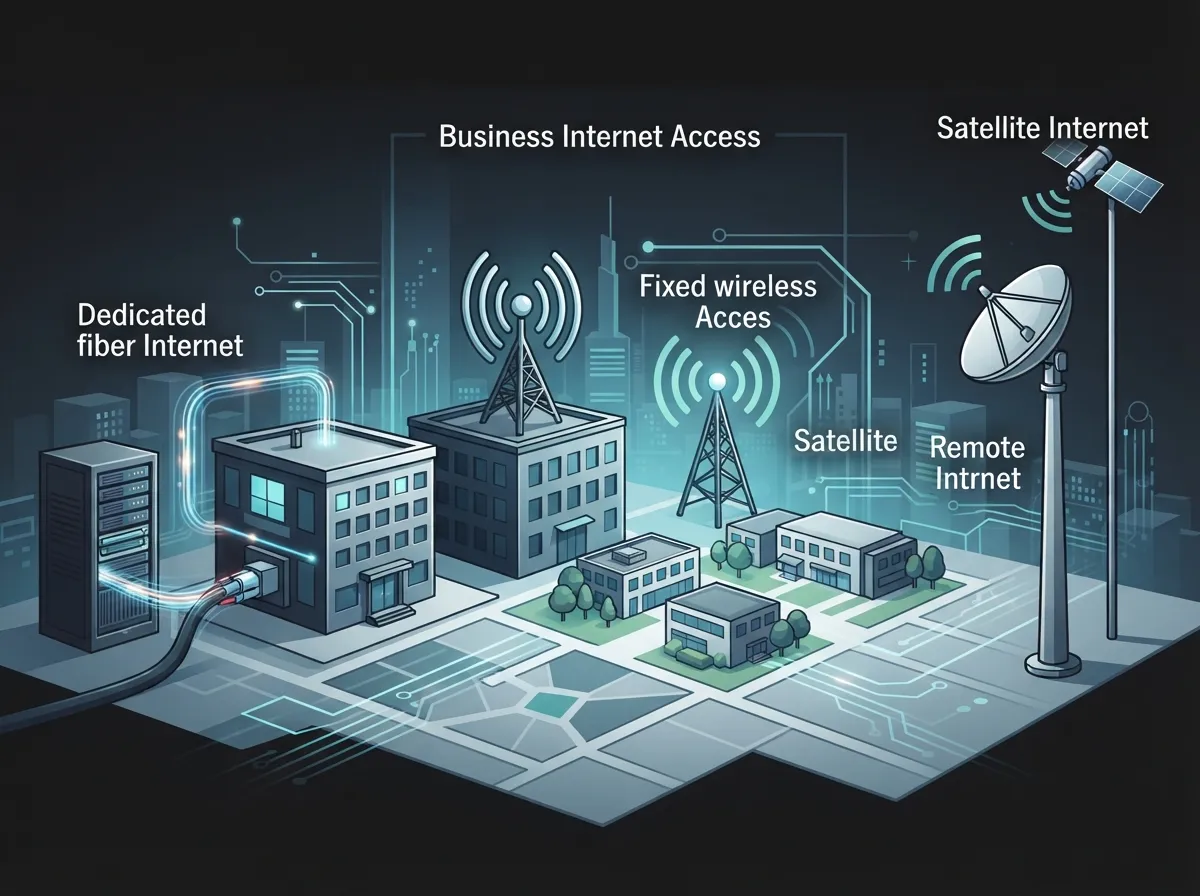
Several technologies can deliver a connection to your office. Each has strengths and trade-offs. Which ones are available depends on your exact street address, so always check before you fall in love with a plan.
Fiber
Fiber often offers symmetrical speeds, meaning upload and download are about the same. That is great for cloud backups, video meetings, and big file transfers. It is also a popular pick for growing teams. You can learn more in our post on fiber internet business benefits.
Cable
Cable can deliver strong download speeds at friendly prices. The catch is that upload speeds are often lower. If your team uploads a lot, such as video, design files, or backups, ask about the real upload number. Our article on business cable internet mistakes covers common slip-ups.
Fixed Wireless
Fixed wireless sends internet through radio signals to an antenna at your building. It can be a solid option where fiber has not reached yet. Performance depends on distance and line of sight. We compare it with fiber in Fiber vs. Fixed Wireless: Best Tampa Business Internet?
DSL and Satellite
DSL and satellite usually serve areas with fewer choices. They can work as a backup or a last resort. For busy offices, they are rarely the first pick because speed and latency can be limiting.
| Connection Type | Typical Strength | Common Watch-Out | Good Fit For |
|---|---|---|---|
| Fiber | Fast, often symmetrical speeds | Not available at every address | Cloud-heavy teams, video, backups |
| Cable | Strong download speeds, wide availability | Uploads may be lower | Offices focused on browsing and email |
| Fixed Wireless | Quick to deploy where fiber is missing | Depends on line of sight | Remote sites, backup links |
| DSL | Available in many older areas | Slower speeds | Light use, backup |
| Satellite | Reaches rural spots | Higher latency | Last-resort or remote locations |
Shared Broadband vs. Dedicated Internet Access
This is one of the biggest choices you will make, so let’s keep it simple.
Shared broadband means you share capacity with other customers in your area. Speeds can dip during busy times. It is often the most affordable path, and it works well for many small offices.
Dedicated Internet Access, or DIA, is different. It is typically set up just for your business, with committed bandwidth and a service-level agreement, often called an SLA. The SLA is a written promise about things like uptime and repair times.
DIA usually costs more, but it can be worth it if downtime hurts your revenue. If you want to see how pricing tends to work, check out Dedicated Internet Access pricing in 2026. And if you are weighing the two styles side by side, Dedicated vs. Shared Fiber breaks it down nicely.
What to Look for in an SLA
Do not assume every business plan includes strong guarantees. Read the SLA closely and ask about these items:
- Uptime commitment: What percentage is promised, and how is it measured?
- Repair time: How fast will a technician respond and fix an outage?
- Latency terms: Is there a promised delay limit for your traffic?
- Service credits: What do you get back if the provider misses the promise?
How Much Speed Does Your Business Really Need?
Here is a fun fact that surprises people. The FCC raised its fixed broadband benchmark in 2024 to 100 Mbps download and 20 Mbps upload. That replaced the older 25/3 Mbps benchmark. The FCC also set a long-term goal of 1 Gbps download and 500 Mbps upload.
That is a national yardstick for measuring broadband deployment. It is not a shopping list for your office. Your best speed depends on how your team actually works.
Think about these questions:
- How many people and devices are online at the same time?
- How many video meetings run at once during a busy hour?
- Do you use cloud apps, cloud phones, or cloud security cameras?
- Do you move large files or run nightly backups?
- Do you run card readers or point-of-sale systems that must stay online?
Upload speed and latency matter just as much as the big download number in the ad. Latency is the delay between sending and getting a response. Video calls and cloud tools feel snappy when latency is low and uploads have room to breathe.
Cameras are a good example. A cloud camera system constantly sends video up to the cloud. Our guide on internet speeds your cloud cameras actually need shows how quickly uploads add up. And VoIP has its own needs, which we cover in What Internet Speed Do I Need for VoIP in Tampa?
A Quick Planning Table
| Business Style | What Matters Most | Plan Direction to Explore |
|---|---|---|
| Small office, light cloud use | Reliable basics and fair price | Business cable or entry fiber |
| Busy team, many video calls | Upload speed and low latency | Fiber with strong uploads |
| Multi-camera or cloud phone setup | Steady uploads and quality of service | Fiber, possibly with a backup link |
| Revenue tied to uptime | SLA, repair times, committed bandwidth | Dedicated Internet Access |
Treat this table as a starting point, not a final answer. A short conversation about your real daily workload will get you much closer to the right size.
Check Before You Order: A Simple Checklist
Advertised speeds and coverage maps are helpful, but they do not guarantee your results at your address. Before you commit, run through this list.
- Confirm serviceability at your exact address. Availability changes block by block. You can start with our tips on finding business internet providers by address.
- Ask for real upload speeds, not just the maximum download number.
- Ask about installation and construction charges. New fiber builds can add one-time costs.
- Check contract length and price changes. Find out what happens after any promotional period.
- Ask about data limits and equipment fees.
- Ask about static IP addresses if you host services or use certain security tools.
- Confirm support hours and what outage remedies you get.
If you want a longer list of money-saving moves, our post on 14 business high speed internet tips for 2026 goes deeper. For Tampa-area shoppers, 12 ways to find the best business internet deal in Tampa is a handy companion.
Plan for Outages With a Backup Connection
Even great providers have bad days. A storm, a cut line, or a local outage can knock out a single connection. That is why many businesses add a second link.
A smart backup plan usually has two parts:
- A secondary connection from a different provider or a different access technology, so one problem does not take down both.
- Automatic failover through a compatible router, so traffic switches over without anyone lifting a finger.
This can help keep essential work moving, such as phones, payments, and cloud tools. It does not replace good backups or a broader continuity plan, though. For practical ideas, see 15 automatic internet failover tips for business.
Why Your Internet Choice Touches Everything Else
Your internet connection is the foundation under your whole telecom setup. A cloud phone system, cloud video security, and cloud-based access control all rely on it. When the connection is weak, those tools can struggle. If you are curious how this plays out, read why cloud-based security systems fail without fast internet.
The wiring inside your building matters too. Even a fast line will disappoint if old cables or a messy closet slow things down. Good structured cabling helps your network deliver what you pay for, and our overview of what structured cabling is is a great place to start. If your connection already feels sluggish, why is my business internet so slow can help you find the cause.
Multi-location owners and franchise operators have an extra puzzle: keeping every site consistent. Tools like SD-WAN can help connect locations smoothly, and our article on what SD-WAN services are explains when they make sense.
How a Single Telecom Partner Makes This Easier
Shopping across many carriers is a lot of work. Each one has its own plans, its own coverage, and its own sales pitch. It is easy to end up with a plan that looks great on paper and falls short in real life.
That is where a partner like Ideal Solutions Provider can help. As a Tampa-based telecom and IT partner with over 24 years of experience, the team compares options across 35+ vetted suppliers and recommends what fits your business. They can also handle business high speed internet services, plus phones, cabling, networking, cameras, and access control, so you work with one point of contact instead of many.
If you are still weighing the approach, our post on telecom broker vs. direct provider lays out the pros and cons in plain language. You can also explore business internet service providers in Tampa, Florida to see what local options look like. Any Internet Service Provider can sell you a plan, but a good partner helps you pick the right one.
Putting It All Together
Here is a short recap you can keep handy:
- Know what you are buying. “Business” does not always mean dedicated or guaranteed.
- Match the connection type to your address and workload.
- Size your speed around real use, with extra attention to upload and latency.
- Read the SLA if you choose Dedicated Internet Access.
- Verify details before ordering, from install fees to contract terms.
- Add a backup link and automatic failover for the things you cannot afford to lose.
You do not need to become a networking expert to get this right. You just need a clear picture of how your business works and a few smart questions. You have already done the hardest part by getting curious.
Ready for a Friendly Second Opinion?
Choosing business internet service should feel exciting, not stressful. If you would like a team that compares real options and explains them in plain English, we would love to help. Contact us for a free consultation, or call us to talk through your setup. We will help you find a connection that keeps your business running smoothly in 2026 and beyond.
FAQs
Q: What is business internet service, and how is it different from residential internet?
A: Business internet service is internet sold for commercial use, often with perks like faster installation, support options, static IPs, or service commitments. Residential plans are built for home use and usually have fewer business-focused features. Keep in mind that perks vary by provider, so always check the plan details.
Q: What type of internet is best for a small business?
A: Fiber is often a great fit because it can offer strong, symmetrical speeds for cloud tools and video calls. Cable, fixed wireless, and others can also work well depending on your address and budget. The best choice depends on what is actually available at your location and how your team works.
Q: What is Dedicated Internet Access, and does my business need it?
A: Dedicated Internet Access is a connection typically set up for your business with committed bandwidth and a written service-level agreement. It can be a smart choice if downtime would hurt your revenue or customers. Smaller offices with lighter needs may do well with a strong shared plan instead.
Q: How can my business keep internet access during an outage?
A: Many businesses add a secondary connection from a different provider or technology, plus a compatible router that switches over automatically. This helps keep essential tasks like phones and payments running. It works best alongside regular backups and a simple continuity plan.





