

Key Takeaways
-
Symmetrical business internet offers equal upload and download speeds (e.g., 500/500 Mbps), which keeps video calls, cloud backups, and large client file transfers from stalling when several people send data at once.
-
Equal speeds do not guarantee uptime or low latency; check whether the connection is shared or dedicated and ask for a written SLA with uptime and performance commitments.
-
Always confirm the upload speed is listed next to the download speed, since some fiber plans advertise only the large download number.
-
Shared fiber is typically cheaper and best-effort, while Dedicated Internet Access costs more but may include contractual performance and availability guarantees, making it better for uptime-critical businesses.
-
Verify service at your exact street address, since fiber availability varies building by building and citywide or national coverage claims do not guarantee access at your location.
-
Old or poorly installed internal cabling can bottleneck even a fast symmetrical connection, so check your wiring and consider a backup connection for business continuity.
Picture this: it’s Monday morning, and your team is jumping on a video call with a big client. Someone uploads a huge design file. Another person starts a cloud backup. Suddenly the call freezes, and everyone smiles awkwardly at a stalled screen. Sound familiar? You’re not alone, and the culprit might be a lopsided internet plan.
Many business plans were built for downloading, not uploading. But today’s offices send as much data as they receive. That’s where symmetrical business internet comes in. It gives you the same top speed in both directions, so sending files feels as smooth as pulling them down.
In this friendly guide, we’ll explain what symmetrical business internet means, who benefits most, and what to compare before you sign anything. We’ll also clear up a common mix-up: equal speeds are great, but they don’t promise perfect uptime. Grab a coffee, and let’s make this simple.

What Does Symmetrical Business Internet Mean?
Symmetrical business internet means your upload speed matches your download speed. A 500/500 Mbps connection is a classic example: 500 Mbps going out and 500 Mbps coming in, as described in the NTIA’s Broadband 101 resource.
Compare that with an asymmetric plan. Those usually give you much faster downloads than uploads. You might see something like 500 Mbps down and 20 Mbps up. That works fine for streaming and web browsing. It struggles when your whole team is sending data out.
Here’s an easy way to think about it. Picture a two-way street. On an asymmetric plan, one side has six lanes and the other has one. On a symmetrical plan, both sides get the same number of lanes. Traffic flows evenly, no matter which way it’s heading.
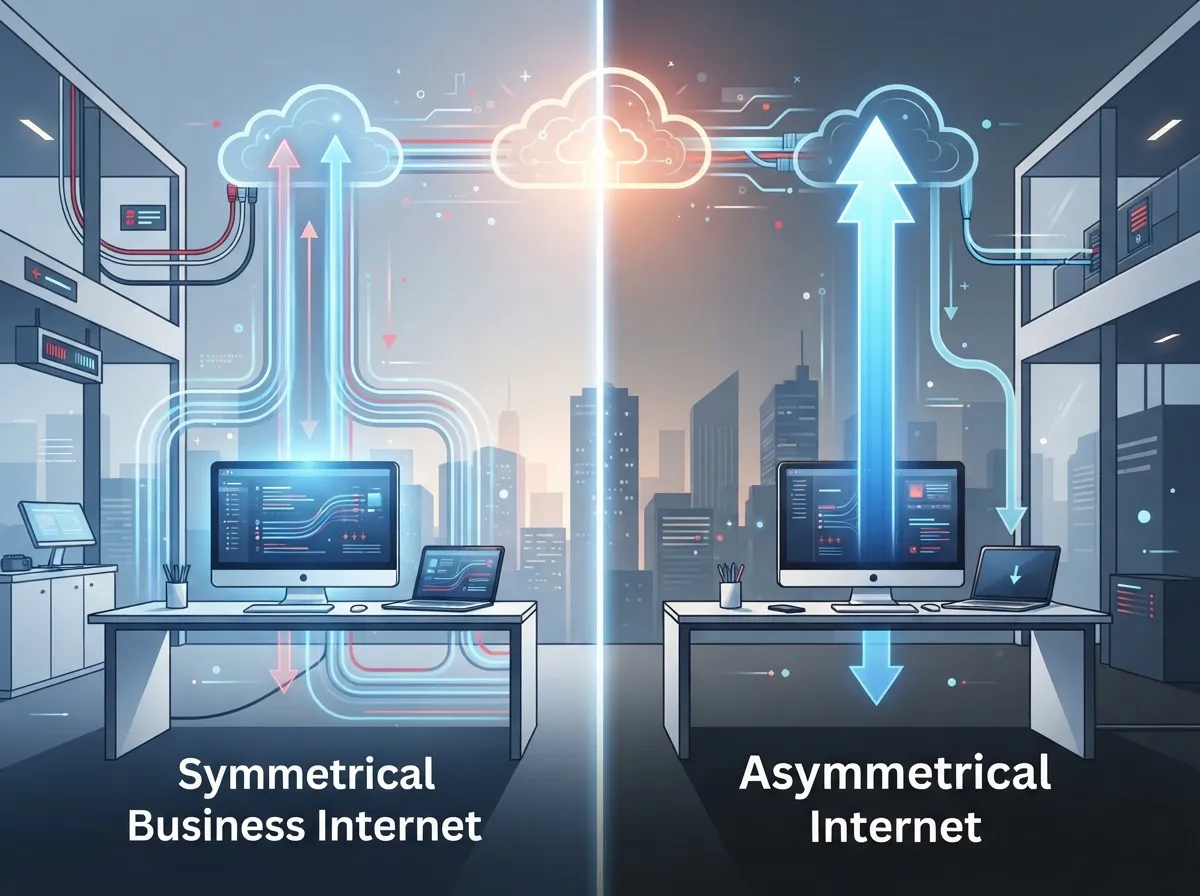
Symmetrical vs. Asymmetrical Internet: A Quick Comparison
Let’s put the two side by side so the difference is easy to see.
| Feature | Symmetrical Plan | Asymmetrical Plan |
|---|---|---|
| Download vs. upload | Equal top speeds (like 500/500 Mbps) | Downloads much faster than uploads |
| Best for | Cloud apps, backups, video calls, file sharing | Browsing, streaming, light office use |
| Common delivery | Fiber | Cable, DSL, some fixed wireless |
| Upload-heavy tasks | Handled comfortably | Can become a bottleneck |
Neither option is “wrong.” The right pick depends on how your team actually works. If your business sends a lot of data out, symmetrical service often makes life easier.
Why Does Your Business Need Fast Upload Speeds?
Uploads used to be an afterthought. Not anymore. Modern work leans on the cloud, and the cloud means constantly sending data out. Here are some everyday situations where upload speed matters:
- Cloud applications and backups: Syncing files and running nightly backups pushes data upstream.
- Video meetings: Every camera feed your team sends is an upload.
- Large file transfers: Sending drawings, photos, videos, or data sets to clients takes real upload capacity.
- Remote workers on a VPN: Remote staff reach your office network, and that traffic flows through your upload path.
- Cloud-managed systems: Cloud phones and cloud security cameras send data out all day long.
That last point deserves a spotlight. If you run cloud cameras, upload speed isn’t optional. We dig into this in our guide on internet speeds your cloud cameras actually need, and you can also read why cloud-based security systems fail without fast internet.
Is Fiber Always Symmetrical?
Here’s a question we hear a lot. The short answer: no, not always. Fiber is the most common way businesses get symmetrical service, but the two aren’t automatically the same thing.
Some fiber plans offer equal upload and download speeds. For example, AT&T lists business fiber tiers from 300 Mbps up to 5 Gbps with equal upload and download speeds where available. It also notes that speeds are based on wired connections and actual speeds may vary.
The key takeaway? Always read the plan details. Look for the advertised upload number right next to the download number. If you only see one big number, ask what the upload speed is. If you’d like a deeper dive into fiber itself, check out 7 fiber internet business benefits you can’t ignore in 2026.
Shared Fiber vs. Dedicated Internet Access
This is the part that trips up a lot of business owners, so let’s go slowly. Symmetry describes the speed relationship. It does not, by itself, describe how reliable or consistent your connection is.
Two types of service can both be symmetrical, yet behave quite differently:
| Feature | Shared Fiber Broadband | Dedicated Internet Access (DIA) |
|---|---|---|
| Bandwidth | Shared with other customers on the network | Dedicated connection for your business |
| Performance terms | Typically best-effort | May include contractual performance and availability commitments |
| Speeds | Often equal up and down | Equal up and down |
| Typical cost | Lower | Higher |
| Best fit | Small offices with moderate needs | Businesses that depend on constant uptime |
In plain words: shared fiber is like a fast highway that everyone uses. Dedicated internet is like having a private lane reserved just for you. Both can be fast. Only one usually comes with written promises about performance.
Want the full story on pricing? Our dedicated internet access pricing guide walks through what to expect, and Dedicated vs. Shared Fiber helps you pick between the two.
Does Symmetrical Internet Guarantee Low Latency or Uptime?
This one is important, so we’ll say it clearly: no. Equal speeds do not guarantee low latency, steady throughput, or uptime. Those things depend on how the service is built and what the provider agrees to in writing.
Think of it like a car. A high top speed sounds exciting. But it doesn’t tell you how smooth the ride is, how often the car breaks down, or how fast the repair shop responds. You need the full picture.
So when you compare plans, look beyond the headline speed. Ask about:
- Shared or dedicated bandwidth: Will you split capacity with other customers?
- Expected throughput: What speed can you realistically count on?
- Latency: How quickly does data make the round trip?
- Uptime commitments: Is there a written availability target?
- Support: Who do you call at 7 a.m. when something goes wrong?
- Service level agreement (SLA): What happens if the provider misses its promises?
Provider speed claims usually describe maximum or advertised rates. Real-world performance can vary, so it’s smart to ask these questions up front.
How Much Symmetrical Speed Does Your Business Need?
There’s no single magic number. A five-person insurance office and a 60-person design studio have very different needs. Still, you can estimate your requirements with a simple process.
- Count your people and devices. Include laptops, phones, tablets, and any smart devices that connect all day.
- List your busiest activities. Think video calls, cloud backups, large uploads, and cloud cameras.
- Estimate how many happen at once. Peak moments matter more than quiet ones.
- Check your upload demand, not just download. This is where symmetrical plans shine.
- Add room to grow. A plan that fits today might feel tight in a year.
- Decide if you need a backup connection. If downtime would hurt, plan for it.
A helpful rule of thumb: if several things upload at the same time during your busiest hours, aim higher. If you’re unsure, our guide to choosing the right internet speed for your Tampa business can help you size it properly. You can also read how to calculate cabling bandwidth requirements.
Is Symmetrical Fiber Available at Your Address?
Great question, and an important one. Availability depends on your exact service address and the provider’s network. Fiber might reach one building on a street and skip the one next door.
The big picture is encouraging, though. The FCC reported that as of December 2024, about 110 million U.S. homes and small businesses, or 95%, had access to terrestrial fixed broadband of at least 100 Mbps download and 20 Mbps upload. The FCC also noted that nearly 7 million additional locations gained access to fixed service of at least 1 Gbps download and 100 Mbps upload between June and December 2024.
Those numbers are real progress. But notice what they measure. A 100/20 Mbps threshold is not symmetrical, and national numbers can’t tell you what’s available at your front door. Always check address-level availability instead of assuming a speed tier is offered across a whole city.
Not sure where to start? We explain it step by step in how to find business internet providers by address. And if you’re searching locally, how to find a fiber internet provider near me is another handy read.
Your Cabling Matters Too
Here’s a friendly reminder many people miss. A speedy symmetrical connection coming into your building can still get slowed down by old or poorly installed wiring inside. It’s like buying a sports car and driving it on a bumpy dirt road.
Good structured cabling helps your network use the speed you pay for. If your building still runs on aging cables, you may not feel the full benefit of a gigabit plan. To learn what’s possible inside your walls, read what gigabit cabling capabilities mean for your business, or see our structured cabling services.
Should You Add a Backup Connection?
Even the best plan can have a bad day. A construction crew cuts a line, a storm rolls through, or a provider has an outage. If your phones, payments, and cameras all depend on one connection, a backup is smart insurance.
Many businesses pair a main symmetrical connection with a second connection from a different type of service. Automatic failover then switches over without anyone lifting a finger. Learn more in 15 automatic internet failover tips for business. If you run several locations, SD-WAN services can also help manage multiple connections smoothly.
How Ideal Solutions Provider Can Help
Shopping for business internet can feel like a maze. Plans, tiers, fine print, and a dozen sales pitches all competing for your attention. That’s where having a friendly guide helps.
Ideal Solutions Provider is a Tampa-based telecom and IT partner with over 24 years of experience. They work with 35+ vetted suppliers, so they can compare options for you instead of pushing a single product. Whether you’re a small business owner, an IT manager, an office manager, or a franchise operator with multiple sites, they act as one point of contact from consultation through installation and ongoing support. You can explore their business high-speed internet services to see what’s available.
If you’d like a broader view of what to compare, what to look for in a business internet provider is a great companion read.
A Simple Checklist Before You Choose
Before you sign a contract, run through this quick list:
- Is the upload speed clearly listed, and does it match the download speed?
- Is the connection shared or dedicated?
- Does the provider offer an SLA with uptime and performance terms?
- Is service confirmed at your exact address?
- What are the support hours and response times?
- Do you need a backup connection for continuity?
- Will your inside cabling support the speed you’re buying?
If you can answer all seven, you’re already ahead of most buyers.
Ready to Find the Right Fit?
Symmetrical business internet gives you equal upload and download speeds, and that can be a real game changer for cloud apps, video calls, backups, and remote teams. Just remember that equal speeds aren’t a promise of uptime or low latency. Check whether bandwidth is shared or dedicated, ask about an SLA, and confirm availability at your address.
You don’t have to figure it all out alone. If you’d like help comparing options, contact our team for a free consultation, or call us to talk through your needs. We’ll review your current setup and help you find a plan that truly fits. You can also follow along on YouTube for helpful telecom tips.
FAQs
Q: What does symmetrical business internet mean?
A: It means your upload speed matches your download speed, like a 500/500 Mbps connection. That’s different from asymmetric plans, which usually give you much faster downloads than uploads. It’s a handy setup for teams that send as much data as they receive.
Q: Is fiber internet always symmetrical?
A: Not always! Fiber is the most common way to get symmetrical service, but some plans advertise different upload and download speeds. Always check that the upload number is listed next to the download number before you sign.
Q: What’s the difference between symmetrical fiber broadband and dedicated internet access?
A: Shared fiber broadband gives you equal speeds over a network you share with other customers. Dedicated internet access gives you a connection reserved for your business and may include contractual performance and availability commitments. Both can be symmetrical, but they behave differently when things get busy.
Q: Does symmetrical internet guarantee low latency or uptime?
A: No, equal speeds describe the up and down balance, not reliability. For uptime and latency, look at whether the service is shared or dedicated and ask about a service level agreement. Think of speed as one piece of the puzzle, not the whole picture.
Q: How can I check if symmetrical business fiber is available at my address?
A: Availability depends on your exact address and the provider’s network, so a citywide claim doesn’t guarantee coverage for your building. Ask for an address-level check, or let a telecom partner like Ideal Solutions Provider compare options across multiple suppliers for you.





