
Key Takeaways
-
A wiremap test only finds wiring faults like opens, shorts, and crossed pairs; it cannot prove a cable meets Cat 5e, Cat 6, or Cat 6A performance, so use full certification for new installations.
-
Match the test limit to the link type: certify the permanent link (patch panel to wall outlet) for new installation acceptance, and use channel tests to verify the full end-to-end connection as equipment sees it.
-
Cat 6A is designed to support 10GBASE-T over channels up to 100 meters at 500 MHz, while Cat 6 (250 MHz) may reach 10 Gb/s only over shorter distances, depending on conditions.
-
Passing data certification does not guarantee reliable PoE power delivery; verify PoE operation separately with proper test equipment and check each device's power requirements and your switch's PoE budget.
-
Retest cabling after major moves, adds, or changes, before upgrading switches or adding PoE devices, after renovations or storm damage, and whenever unexplained slowdowns or device drops occur.
-
Save electronic test reports that include cable IDs, test limits, link models, tester details, dates, and pass/fail results for every link to simplify troubleshooting, warranty claims, and future changes.
Picture this: your team moves into a shiny new office, the phones are installed, the cameras are mounted, and then the video calls start dropping. Sound familiar? More often than not, the culprit is hiding in the walls. Bad cabling doesn’t announce itself. It just quietly steals speed, drops packets, and leaves everyone blaming the internet provider.
That’s why ethernet cable testing matters so much. It’s the step that proves your cabling can actually carry the speeds, and the power, your business depends on. Whether you run a small Tampa shop, manage IT for a growing company, or oversee a handful of franchise locations, this guide walks you through the process in plain English.
You don’t need to be a cabling expert to follow along. By the end, you’ll know what to test, how to test it, which results to keep, and when to call in a pro. Let’s get your network on solid ground.
What Ethernet Cable Testing Really Means for Your Business
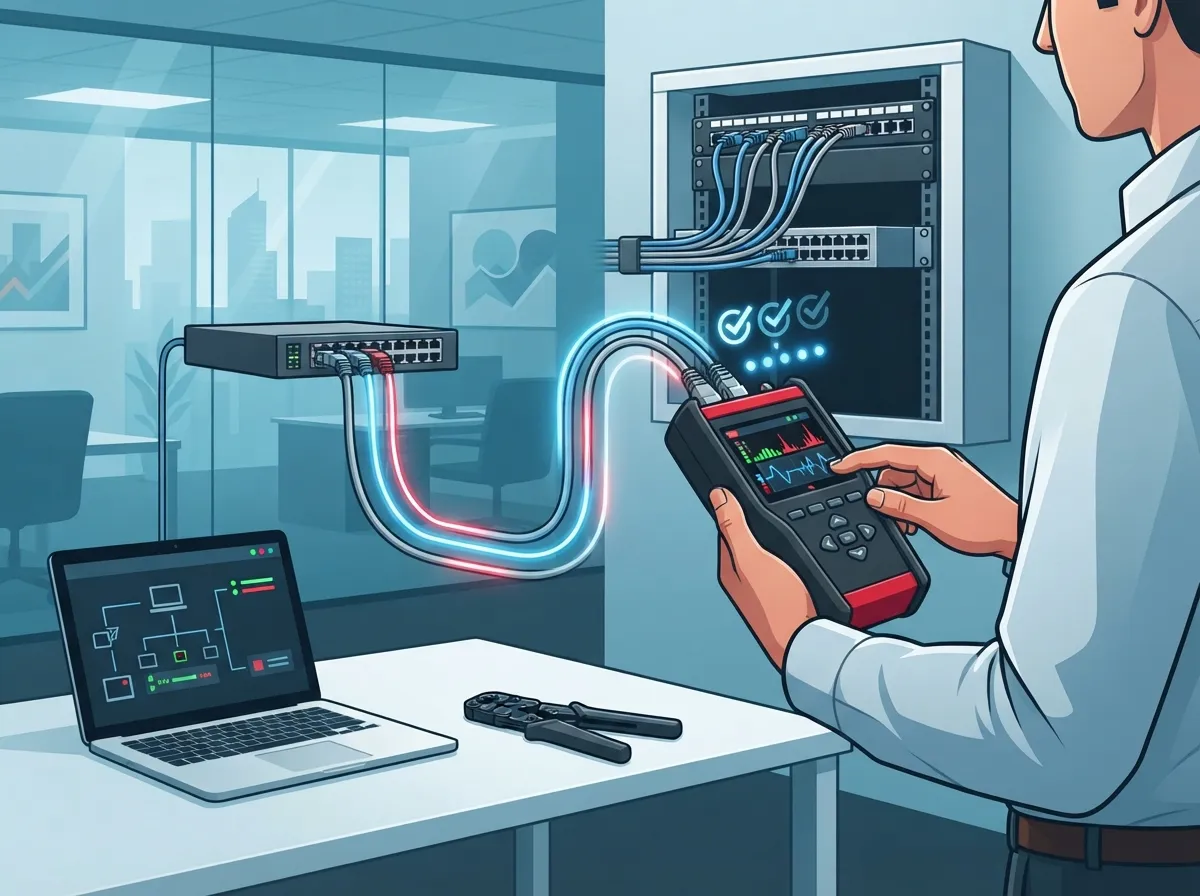
In a business setting, ethernet cable testing checks whether installed copper cabling can reliably carry data. It also checks whether the cabling can deliver power to devices like VoIP phones, wireless access points, security cameras, and door readers.
Think of it like a home inspection before you buy a house. The place might look great, but you want proof that the foundation holds up. Your structured cabling is the foundation of every phone, camera, and computer in your building.
A good test answers three simple questions:
- Are all the wires connected correctly from end to end?
- Can this link handle the speed we paid for?
- Will it power our devices without trouble?
Skipping this step is a common and costly shortcut. If you want to see how often cabling goes wrong, take a look at these 12 structured cabling mistakes that hurt your business.
Verification, Qualification, and Certification: Know the Difference
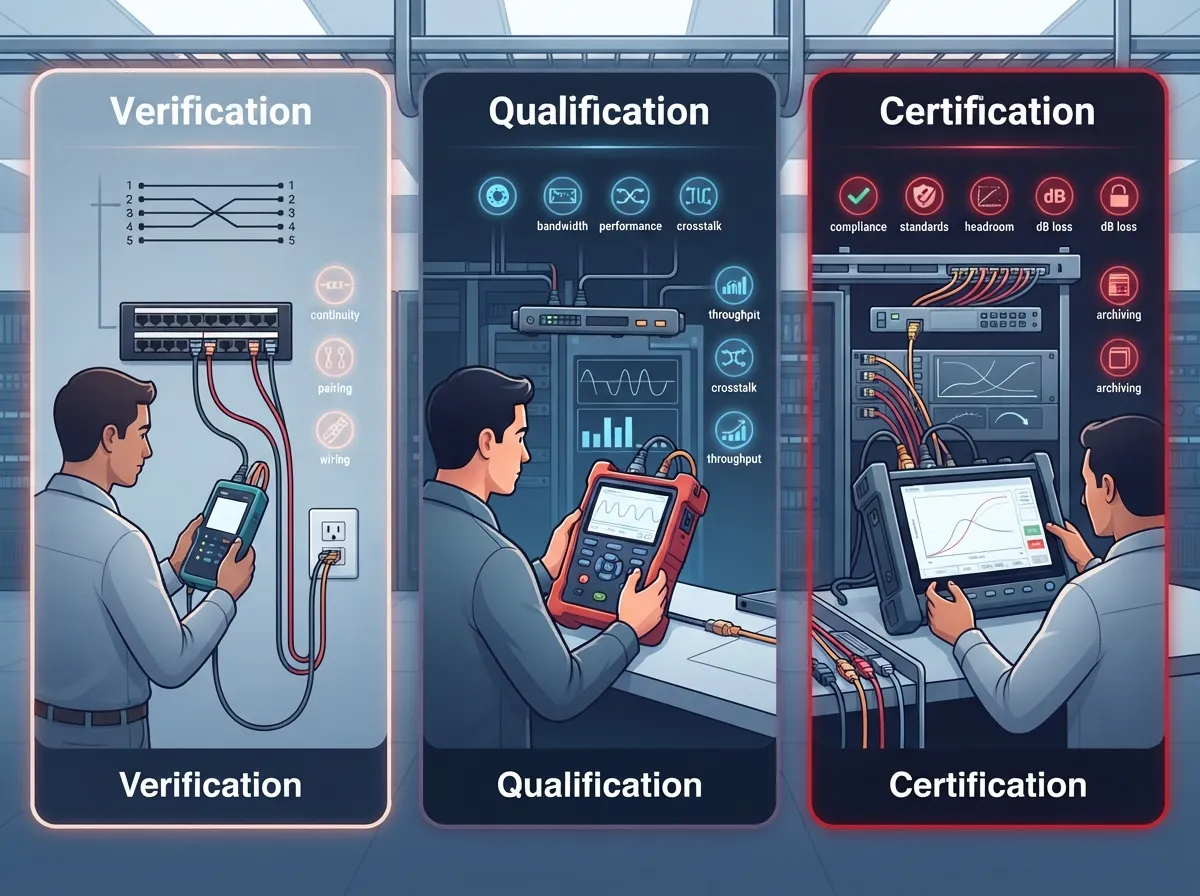
Not all cable tests are equal. There are three levels, and each one answers a different question. Mixing them up is where many businesses get fooled.
| Test Level | What It Checks | Best Used For |
|---|---|---|
| Verification | Basic continuity and wiremap | Quick troubleshooting |
| Qualification | Whether a link can support a specific speed or application | Checking if existing cable can handle an upgrade |
| Certification | Performance measured against a recognized cabling category or class standard | Accepting a new installation |
For a brand-new installation, certification is the right acceptance test. It gives you documented proof that every link meets its specified category. A simple continuity check, on the other hand, only tells you the wires are connected.
Why a Simple Wiremap Test Is Not Enough
A basic wiremap test is handy. It can find opens, shorts, crossed pairs, reversed pairs, and some split pairs. Those are real problems, and catching them is useful.
But here’s the catch. A wiremap test cannot prove that a cable meets Cat 5e, Cat 6, or Cat 6A performance requirements. A cable can pass a wiremap check and still run poorly at higher speeds because of interference or signal loss.
It’s a bit like checking that a pipe is connected without checking how much water actually flows through it. The connection is there, but the performance is unknown.
Wiremap testing is a great first step for quick fixes. For acceptance of new work, though, you’ll want the full certification treatment. If you’re weighing cable categories, this breakdown of the key differences between CAT5e and CAT6 cabling can help you decide what to specify.
What a Professional Certification Test Measures
When a technician certifies a copper link, the tester measures several things at once. You don’t need to memorize them, but it helps to know what the report is telling you.
- Length: Makes sure the run isn’t too long.
- Insertion loss: Shows how much signal strength fades along the cable.
- Return loss: Measures signal that bounces back because of mismatches.
- NEXT (near-end crosstalk): Detects signal leaking between pairs of wires.
- Power-sum NEXT: Looks at the combined crosstalk from all other pairs.
The exact measurements depend on the standard you select and the link model you test. Industry groups such as TIA and ISO/IEC publish these limits, and the tester compares your results against them automatically.
The result is a clear pass or fail for every single cable. No guessing, no arguing, just evidence.
Permanent Link vs. Channel: Pick the Right Test
This is the part that trips up even experienced folks. There are two common ways to certify a link, and the test limit must match the one you choose.
The Permanent Link
The permanent link is the fixed cabling between the patch panel and the wall outlet. Installers typically certify this, using the right field-test adapters. It covers the work they actually built and are responsible for.
The Channel
The channel includes the patch cords at both ends. It represents the full connection your network equipment really uses. Channel length is generally limited to 100 meters, counting the fixed cable and the patch cords together.
So which one should you use? Here’s a simple way to think about it:
- Use a permanent link test to accept a new installation, since patch cords are easy to swap.
- Use a channel test to verify an end-to-end connection as your equipment sees it.
- Always make sure the test limit loaded in the tester matches the link type you chose.
Using the wrong limit can make good cabling look bad, or bad cabling look good. Neither outcome is fun.
Step-by-Step: How to Run Ethernet Cable Testing
Ready to see how the process works? Here’s a practical walkthrough you can use to plan your own testing or to check that your contractor is doing it right.
- Set the project requirements. Decide the cabling category (Cat 5e, Cat 6, or Cat 6A), the link type, and any PoE needs before testing starts.
- Label every cable. Give each run a clear identifier so results match the right outlet and patch panel port.
- Choose the correct test limit. Load the standards-based limit that matches your category and link model into the tester.
- Attach the right adapters. Use proper permanent link or channel adapters for the tester and the cabling type.
- Run the certification test. Test each link and note any failures right away.
- Fix and retest failures. Common causes include poor terminations, kinked cable, and too much untwisting at connectors.
- Save the electronic reports. Keep the full results for handover and future reference.
Following this order keeps things tidy and makes problems far easier to trace. If you’re still planning your project, this guide on how to plan network cabling installation in Tampa Bay pairs nicely with these steps.
Cat 6 vs. Cat 6A: What Speeds Can You Expect?
One of the most common questions we hear is whether a cable can handle 10 Gigabit speeds. The honest answer depends on the category and the distance.
Cat 6A is designed to support 10GBASE-T over a channel up to 100 meters, and it’s specified to 500 MHz. That makes it a solid, future-friendly choice for busy offices.
Cat 6 can support 10GBASE-T over shorter distances, depending on the installation and conditions. But you shouldn’t assume it handles 10 Gb/s across the full 100-meter channel. That’s an easy mistake, and testing is how you catch it.
| Category | Frequency Rating | 10GBASE-T Support |
|---|---|---|
| Cat 6 | Up to 250 MHz | Possible over shorter distances, depending on conditions |
| Cat 6A | Up to 500 MHz | Designed for up to 100 meters on a channel |
Not sure which one fits your budget and growth plans? Here are some Cat6 cabling facts every business owner should know, plus a handy guide on choosing between Cat6 and Cat6A for your office.
Testing for PoE: Power Matters Too
Here’s something many people overlook. Passing a data certification does not automatically prove a link will deliver power reliably. If you run PoE phones, wireless access points, or cloud cameras, power delivery deserves its own attention.
Several factors matter for powered links:
- Insertion loss and conductor resistance affect how much power reaches the device.
- Resistance unbalance between wires can cause trouble.
- Heat can build up in tightly packed cable bundles, especially with high-power PoE.
To be safe, verify PoE operation with appropriate test equipment and check the real requirements of each powered device. Also confirm which PoE type and power budget your switches support, since older material may describe only the early 15-watt standard.
This matters a lot for security gear. Cloud cameras and door readers rely on steady power, and you can read more about how cabling supports them in these 13 ways structured cabling supports VoIP and cameras.
What to Keep in Your Cable Test Report
A pile of pass marks isn’t worth much if nobody can find them later. Good documentation turns a one-time test into a long-term asset.
A useful business test report should include:
- The cable identifier for each link
- The test limit and link model used
- Tester and adapter details
- The date of testing
- Clear pass or fail results for every run
Save these as electronic files, not just printouts. They help with troubleshooting, handover to new IT staff, warranty claims, and future moves, adds, and changes.
For franchise operators with several locations, consistent reports are a lifesaver. You can compare sites quickly and spot weak spots before they become outages. If you want to dig deeper into documentation habits, see this guide on how to build structured cabling documentation that works.
Common Problems Testing Helps You Catch
Testing isn’t just a box to tick. It surfaces real problems that would otherwise haunt you for months.
- Poor terminations at jacks or patch panels
- Cables stretched or bent beyond their limits
- Runs that are too long for the standard
- Interference from nearby electrical equipment
- Low-quality patch cords dragging down an otherwise good link
If your network already feels sluggish, don’t panic. Sometimes the fix is as simple as replacing a patch cord or re-terminating one jack. Here’s a helpful read on why your business internet might be slow and how to fix it.
When Should You Retest Your Cabling?
Cabling isn’t a set-it-and-forget-it item, though it’s pretty close. You don’t need to retest every month, but certain moments call for a fresh look.
- After any major move, add, or change that touches the cabling.
- Before upgrading to faster switches or adding PoE devices.
- When you see unexplained slowdowns, drops, or device resets.
- After renovations, water damage, or storm events.
- When taking over an older office with unknown cabling history.
Sunshine State weather and busy build-outs mean Tampa offices see a lot of change. A quick retest can save you from a long, frustrating hunt for the cause of a mystery problem.
DIY Testing or Call a Pro?
Basic continuity testers are cheap, and they’re fine for simple checks. But true certification takes specialized equipment, the right adapters, and training to read the results correctly.
For small fixes, a basic tester can be a handy tool. For new installations, multi-floor offices, or anything tied to PoE and security systems, working with an experienced team is the smarter move. Not sure where to land? Check out this comparison of DIY vs. professional cabling for Tampa offices.
A professional can also tie testing into the bigger picture, including your phones, internet, cameras, and access control. That’s where having a single partner makes life much easier.
Wrapping It Up: Test Once, Sleep Better
Ethernet cable testing is one of the easiest ways to protect your business from avoidable headaches. Verification catches the obvious errors, qualification checks whether a link can handle a speed, and certification gives you real proof for new work. Match the test to the link type, check PoE separately, and keep your reports safe.
At Ideal Solutions Provider, our Tampa-based team has spent more than 24 years helping businesses get cabling, phones, internet, cameras, and access control working together. Want a team that tests the work and hands you the proof? Contact us for a free consultation, or call us and let’s talk about your network. You can also follow our tips on YouTube.
FAQs
Q: What is ethernet cable testing, and why do businesses need it?
A: Ethernet cable testing checks whether installed copper cabling can reliably carry data and, where needed, power to devices like phones, cameras, and access points. Businesses need it because it proves the cabling meets the required standard before problems show up as slow networks or dropped calls.
Q: Can a wiremap test prove my cable meets Cat 6 or Cat 6A?
A: Nope, and that’s a common mix-up! A wiremap test finds wiring faults like opens, shorts, and crossed pairs, but it can’t prove Cat 6 or Cat 6A performance. For that, you need a certification test against the right standard.
Q: Should I test the permanent link or the channel?
A: Installers usually certify the permanent link, which is the fixed cabling between the patch panel and the wall outlet. A channel test includes patch cords and shows the full connection your equipment uses. Just make sure the test limit matches the link type you’re testing.
Q: Does certifying data cabling prove it will work for PoE devices?
A: Not by itself. Data certification doesn’t guarantee reliable power delivery, so it’s smart to verify PoE operation with the right test equipment and check each powered device’s needs. High-power PoE can also create extra heat in cable bundles.
Q: What should be included in an ethernet cable test report?
A: A solid report lists the cable identifier, test limit, link model, tester and adapter details, date, and pass or fail results for each link. Keep these as electronic files so they’re easy to find for troubleshooting, warranty claims, and future changes.





