
Key Takeaways
-
Modern commercial surveillance requires integrated infrastructure: cameras, network cabling, internet, and storage must work together seamlessly, as a weak component compromises the entire system's reliability.
-
IP-based camera systems outperform older analog systems by offering remote viewing, easy scalability, cloud storage integration, and access control compatibility—essential for Tampa businesses managing multiple locations.
-
Florida law requires all-party consent for audio recording (Fla. Stat. §934.03) and prohibits cameras in private areas like restrooms; video-only recording is the safer, legally compliant choice for most businesses.
-
Proper network infrastructure with structured cabling, PoE switches, and adequate internet bandwidth is critical—without it, camera systems experience lagging, dropped recordings, and reduced reliability.
-
Typical footage retention is 30 days for general commercial businesses, though alcohol-licensed establishments require 30 days minimum and high-risk industries like pawnshops need 90+ days; verify requirements with compliance advisors.
-
Integrating surveillance with access control and phone systems through a single provider enables real-time alerts with attached footage and prevents data silos between security, communications, and building access systems.
Picking security cameras used to feel simple. You bought a camera, hung it near the door, and called it done. Those days are gone, friends. Today, the best commercial surveillance Tampa businesses rely on is really a whole system working together: cameras, network cabling, internet, storage, and support. If any one piece is weak, the whole thing can let you down right when you need it most.
Here’s the good news. You don’t have to become a tech expert to get this right. You just need to know what questions to ask and what pieces actually matter. Whether you run a small shop in Ybor City or manage IT for a multi-location franchise across Tampa Bay, this guide will walk you through everything, step by step, in plain English. Let’s dig in together.
Why Commercial Surveillance Is a Telecom Decision, Not Just a Security One
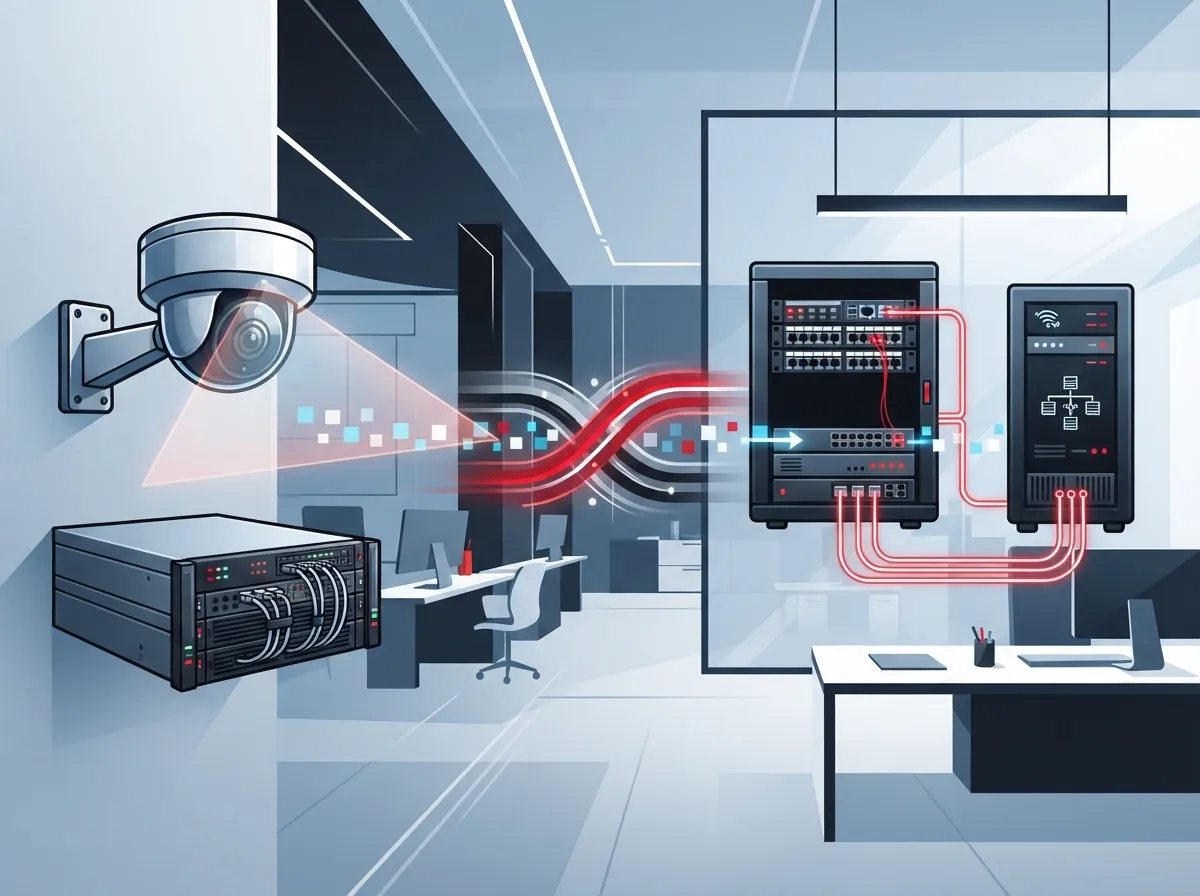
Here’s something a lot of business owners don’t realize until it’s too late. Your camera system depends heavily on your network. If your internet drops, your cameras might stop recording to the cloud. If your cabling is outdated, your footage might lag or freeze at the worst moment.
That’s why the best commercial surveillance Tampa companies choose isn’t just about the camera brand. It’s about how well that camera talks to your network, your internet connection, and your storage. A camera is only as good as the infrastructure behind it.
This is where a company like Ideal Solutions Provider stands out. They don’t just sell cameras. They look at your whole setup, from structured cabling to internet speed, and make sure everything works together smoothly.
The Building Blocks of a Great System
A properly designed commercial surveillance setup includes several parts working in harmony:
- IP cameras suited to your lighting, distance, and coverage needs
- Power over Ethernet (PoE) switches to simplify wiring and power
- A stable, fast internet connection for cloud storage and remote viewing
- Secure network segmentation so camera traffic doesn’t slow down your phones or computers
- Reliable storage, whether cloud-based, on-site, or a hybrid mix
Miss one piece, and you might end up with grainy footage, dropped recordings, or a system that just doesn’t hold up when you need answers fast.
What Areas Should Your Cameras Actually Cover?
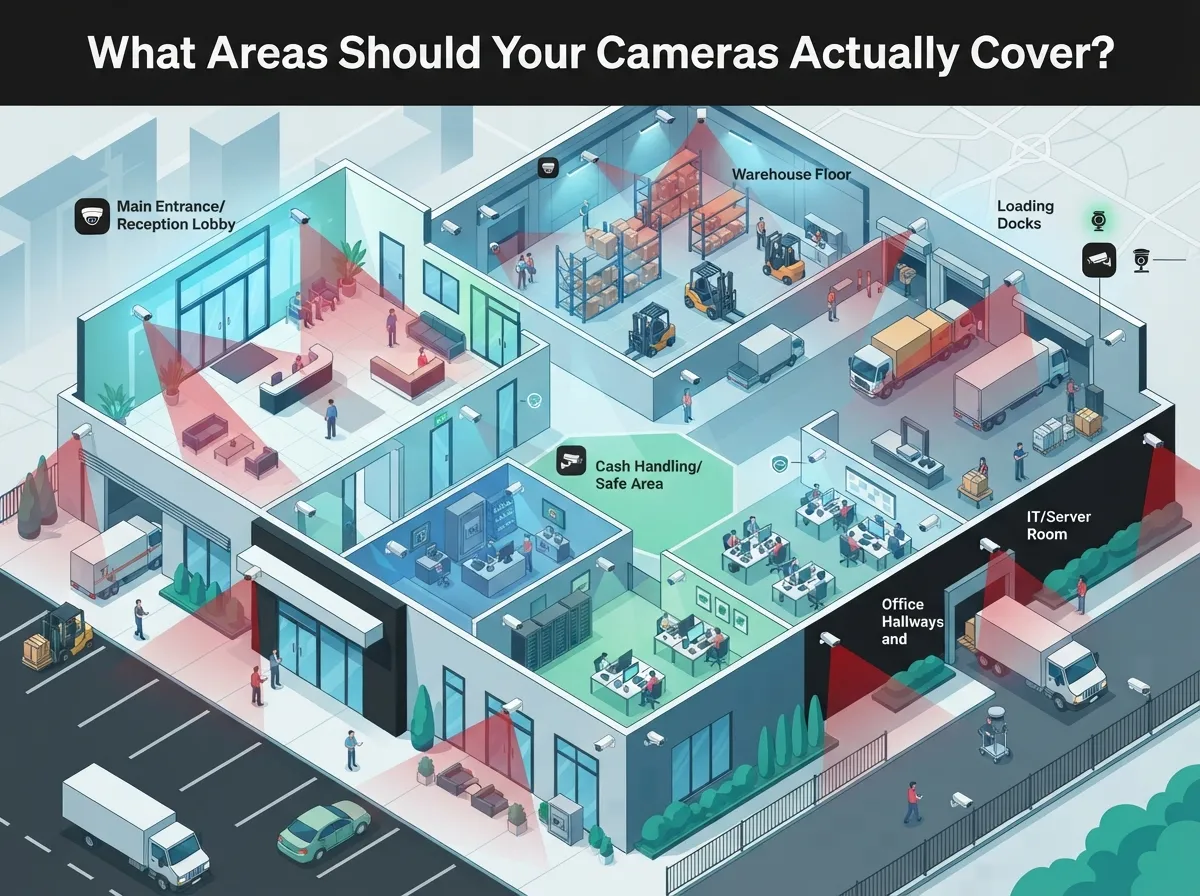
Every Tampa business is different, but most commercial setups need coverage in similar spots. Think about the places where people, money, or inventory move through your day.
- Entrances and exits, so you know who’s coming and going
- Sales floors and checkout counters, especially near registers
- Warehouses, storage rooms, and loading docks
- Parking lots and building perimeters
- Lobbies and hallways where visitors pass through
Camera choice matters here too. Dome cameras work great indoors for retail and offices. Bullet cameras handle outdoor and long-range views well. Turret cameras offer flexible, general-purpose coverage. And for really wide spaces like parking lots, panoramic cameras can save you from needing extra units.
IP Cameras vs. Older Systems: Why It Matters
If you’re setting up a new system in 2026, IP-based cameras are almost always the smarter choice. They use your existing network, which means centralized management, remote viewing from your phone, and easy integration with access control and alarms.
Older analog systems can still work, but they don’t offer the same flexibility. They’re harder to scale, and they usually don’t support the smart analytics that modern businesses want, like motion alerts or activity notifications.
| Feature | IP Camera Systems | Older Analog Systems |
|---|---|---|
| Remote Viewing | Yes, from any device | Limited or none |
| Network Integration | Uses existing LAN | Separate wiring often needed |
| Scalability | Easy to add cameras | More complex to expand |
| Cloud Storage Option | Yes | Rarely |
| Access Control Integration | Yes | No |
Cloud Storage, On-Premises, or Both?
This is a question we hear a lot, and honestly, there’s no one-size-fits-all answer. It depends on your business needs and budget.
Cloud-managed systems make life easier if you have multiple locations. You can check in on any site from your phone, no matter where you are. This is a huge win for franchise operators managing several Tampa Bay locations.
On-premises network video recorders give you more local control and predictable costs. Some businesses like knowing their footage lives on a physical device in their building. A hybrid approach, combining local recording with cloud backup, often gives you the best of both worlds.
Questions to Ask When Choosing Storage
- How long do I need to keep footage based on my industry?
- Do I need to view cameras remotely from multiple sites?
- What happens to my footage if my internet goes down?
- How much storage will my camera count and resolution require?
If you want to learn more about how cloud security cameras work for Tampa commercial buildings, it’s worth reading up before you commit to a system.
Florida Laws Every Tampa Business Owner Should Know
This part isn’t the most exciting topic, but it’s really important. Florida has specific rules about surveillance that could get your business into legal trouble if ignored.
First, Florida is an all-party-consent state under Fla. Stat. §934.03. That means if you’re recording audio, everyone being recorded generally needs to know and agree. Because of this, most commercial systems keep audio turned off unless there’s a clear legal process in place. Video-only recording is usually the safer, lower-risk choice.
Second, Florida’s video-voyeurism law, Fla. Stat. §810.145, creates serious legal risk for cameras placed in private areas. Never install cameras in restrooms, changing rooms, fitting rooms, or locker rooms. These are places where people expect privacy, and the law backs that up firmly.
How Long Should You Keep Footage?
There’s no single Florida law that says every business must keep footage for a specific number of days. It really depends on your industry and risk level. Here’s a general breakdown based on common industry guidance:
| Business Type | Typical Retention Guidance |
|---|---|
| General commercial businesses | 30 days (common baseline) |
| Alcohol-licensed establishments | 30 days minimum (verify with ABT) |
| Medical marijuana treatment centers | Around 90 days, continuous recording |
| Pawnshops | 90 days minimum |
Always double-check current requirements with your compliance advisor, since rules can shift and specific licenses may have added obligations.
Network and Cabling: The Hidden Foundation
Here’s something people forget until their cameras start lagging. Surveillance systems need solid network infrastructure behind them. That means proper structured cabling, enough bandwidth, and a network that can handle constant video traffic without slowing everything else down.
A good installer will start with a site survey. They’ll look at your entrances, blind spots, lighting, mounting points, and where your network closet sits. They’ll also check whether your current business network setup can actually support the extra camera traffic without a hiccup.
Steps a Professional Installer Should Follow
- Conduct a full site survey, checking lighting, distance, and mounting options
- Design a network plan that segments camera traffic from regular business data
- Install proper PoE switches and cabling to support all cameras
- Confirm your internet connection can handle upload demands for cloud storage
- Set up remote access and test video quality across devices
- Provide training on system use and ongoing maintenance support
If your internet connection is shaky, your whole camera system suffers. It’s worth reviewing our tips on high-speed internet for business to make sure your foundation is solid before adding cameras on top.
Monitoring vs. Just Recording: Which Do You Need?
Recording footage is great for looking back at what happened. But some businesses want more, like real-time alerts or professional monitoring services that respond immediately to unusual activity.
Think about your risk level. A quiet office might be fine with recorded footage and occasional remote checks. A warehouse full of inventory or a retail store handling cash overnight might benefit from active monitoring or motion-triggered alerts sent straight to a manager’s phone.
Integrating Surveillance With Access Control and Phones
One of the smartest moves a growing business can make is connecting surveillance with other systems. Imagine getting an alert on your phone the moment someone badges into your building after hours, with camera footage attached automatically.
This kind of integration works best when one provider handles everything. Instead of juggling separate vendors for cameras, access control, and your cloud phone system, a single telecom partner can make sure it all talks to each other smoothly. That’s a big time saver for busy office managers who already have enough on their plates.
What to Ask Before Hiring a Tampa Surveillance Installer
Not all installers are created equal. Before signing anything, ask these questions to protect your investment:
- What resolution and low-light performance do the cameras offer?
- How is footage stored, and what’s the retention period?
- Does the quote include cabling, PoE switches, and network configuration?
- Is there ongoing maintenance and support included?
- Can the system scale if I open new locations later?
- What cybersecurity protections are built into the network design?
Don’t just chase the lowest price. A cheap install today can turn into an expensive headache later if the system can’t grow with your business or fails when you need it most.
Bringing It All Together
The best commercial surveillance Tampa businesses invest in isn’t just a pile of cameras. It’s a thoughtfully designed system that blends cameras, cabling, internet, storage, and support into one reliable package. When these pieces work together, you get clear footage, dependable uptime, and peace of mind.
With over 24 years of experience and partnerships across 35+ vetted suppliers, Ideal Solutions Provider treats surveillance as part of your bigger communications picture, not a standalone gadget. That means your cameras, network, and phone systems all work as one connected team, built specifically for how your Tampa business operates.
Want to see what your business setup actually needs? Reach out to our team for a free consultation, or feel free to give us a call to talk through your options. You can also check out real client stories and setups on our YouTube channel or follow along on Facebook and Instagram for helpful tips and updates.
FAQs
Q: What is the best commercial surveillance system for a Tampa business?
A: The best system combines IP cameras with strong network cabling, reliable internet, and secure cloud or on-site storage. It’s really about how well all the pieces work together, not just the camera brand you pick. A properly designed setup will always outperform a random collection of parts.
Q: How much does commercial security camera installation cost in Tampa?
A: Costs vary based on camera count, resolution, cabling needs, and storage type. Rather than chasing the lowest bid, focus on getting a proposal that includes cabling, network setup, and ongoing support. That way you know exactly what you’re paying for and won’t get surprised later.
Q: Should a Tampa business choose cloud-based or on-premises video surveillance?
A: It really depends on your needs! Cloud storage is great for businesses with multiple locations who want remote access from anywhere. On-premises storage gives you more local control and predictable costs, and a hybrid setup can give you both benefits at once.
Q: Are audio-recording security cameras legal in Florida businesses?
A: Florida requires consent from all parties for recorded audio under state law. Because of this, most businesses keep camera audio turned off and stick with video-only recording. It’s simply the safer, lower-risk choice for most commercial setups.
Q: How long should a Florida business retain security camera footage?
A: A common baseline is around 30 days for general commercial businesses, though this isn’t a strict statewide rule. Some industries, like pawnshops or medical marijuana centers, face longer retention requirements closer to 90 days. Always check with your compliance advisor to confirm what applies to your specific business.





