
Key Takeaways
-
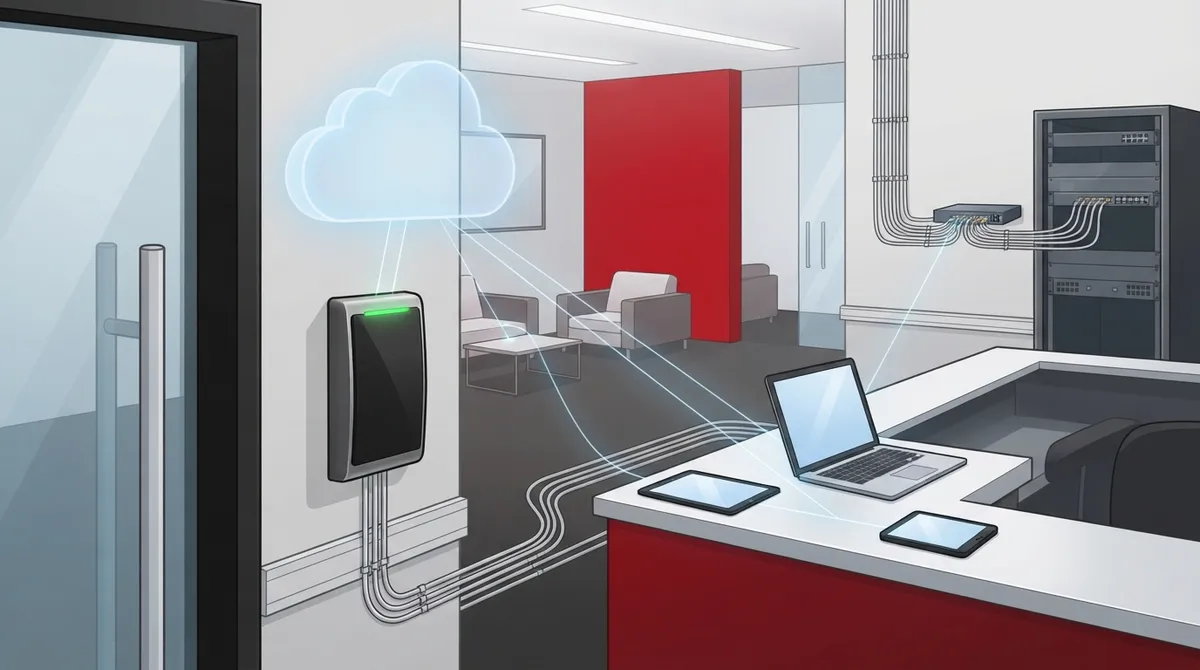
Kisi is cloud-managed, so admins can add users, change schedules, or remove former employees from any web browser without visiting a server closet.
-
Kisi devices need wired Ethernet: Controller Pro 1/2 use 10/100 Mbps Ethernet and Reader Pro 1/2 use PoE, so plan cabling and PoE switch ports before installation.
-
Verify current firewall rules against Kisi's official documentation, including outbound TCP 31314, 993, 443, 80, UDP 53 for DNS, and UDP 62435 for reader-to-controller sync.
-
Tie door access to identity tools like Microsoft Entra ID, Google, or Okta via SSO/SCIM so access is granted and removed automatically with HR changes.
-
Existing readers and cards may be reusable through phased or parallel deployments, but compatibility must be validated by Kisi or a qualified installer first.
-
Kisi is an access control platform, not a phone system, so plan doors, cabling, internet, and phones together on one reliable infrastructure.
Picture this: it’s Monday morning, and your new hire is standing outside the office door with no key. Someone has to leave their desk, find a spare card, and let them in. Sound familiar? That small hassle is exactly the kind of thing modern door security is built to fix.
Kisi access control systems are one popular way to solve it. Kisi is a cloud-managed platform that lets you control who enters your doors, when they can enter, and how they prove who they are. But here’s the thing many people miss. A door system like this only works well when your network, cabling, and power are ready for it. That’s where telecom and IT planning comes in.
In this friendly guide, we’ll walk through what Kisi access control systems are, what hardware they use, what your network needs to support them, and how to plan a smooth rollout. Whether you run a small shop in Tampa, manage a busy office, or oversee several franchise locations, you’ll leave with a clear picture of what to ask and what to expect.
What Is a Kisi Access Control System and How Does It Work?
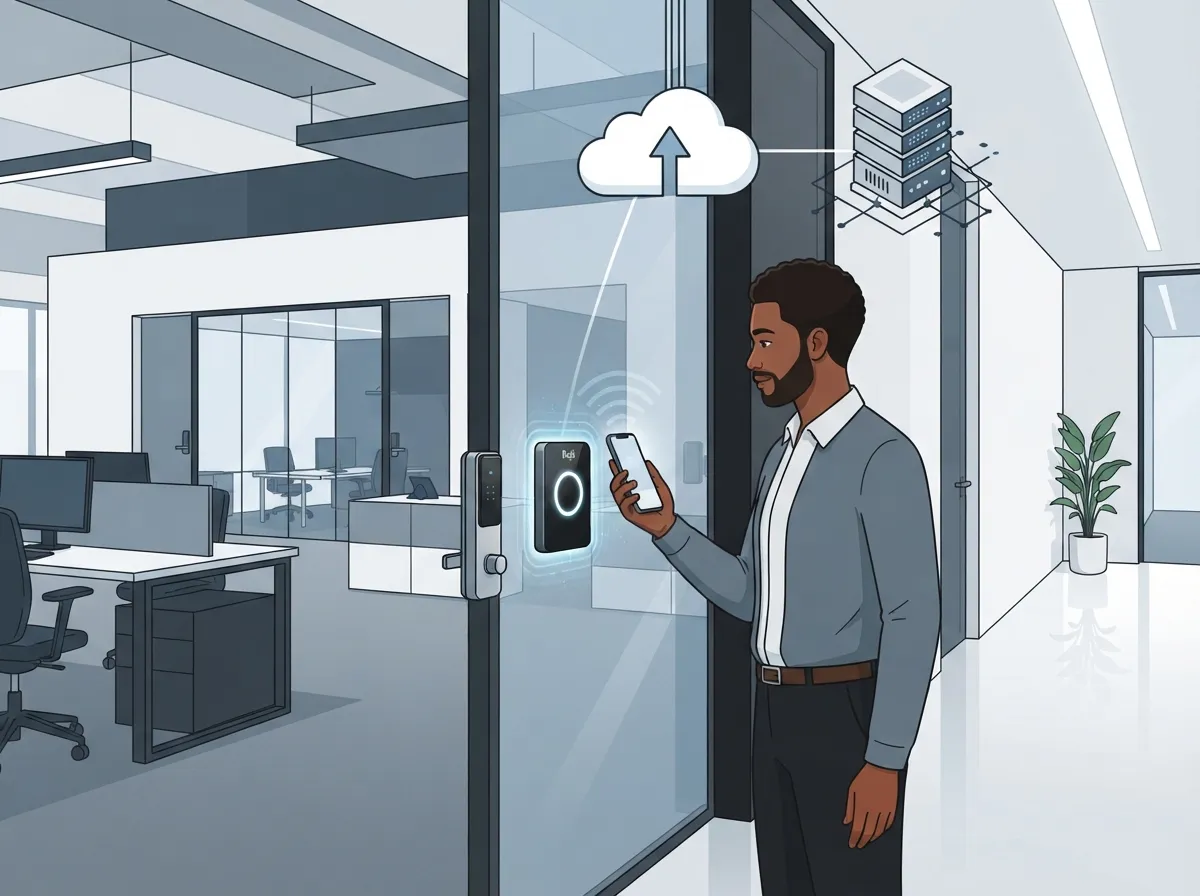
A Kisi access control system is a cloud-based way to manage door access for a business. It combines three main parts: controllers, door readers, and cloud software. Together, they let you manage users, credentials, permissions, and access events across one location or many.
Here’s the simple version. A person presents a credential, such as a phone, a QR code, or a card. The reader sends that request to the controller. The controller checks the rules set in the cloud dashboard and, if the person is allowed in, it triggers a relay that unlocks the door.
Because the software lives in the cloud, an administrator can add a new employee, remove a former one, or change a schedule from any web browser. No one has to visit a server closet or drive to a second office. For growing businesses, that is a real time saver.
If you want a broader look at why this model is catching on, our guide on 10 cloud access control benefits every business should know covers the big picture.
What Hardware Do You Need to Secure a Business Door?
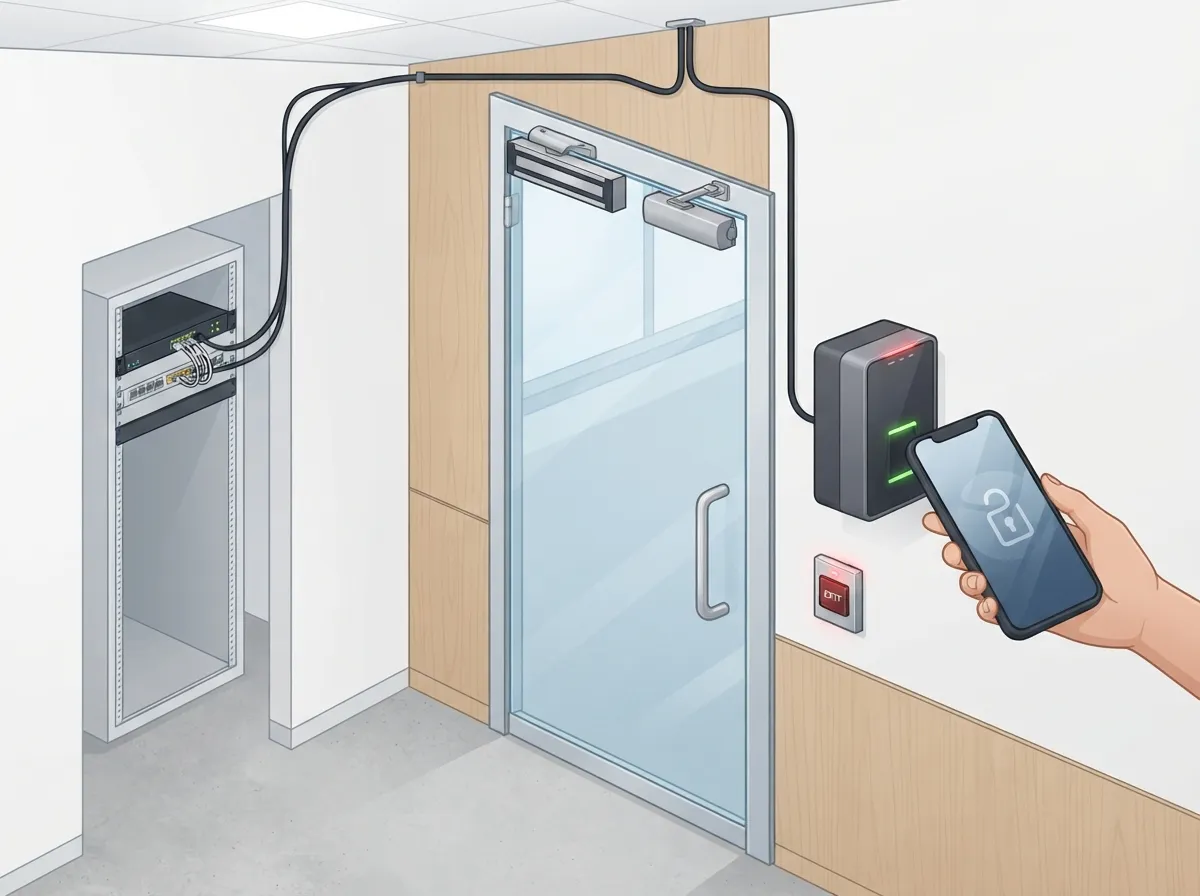
Kisi systems are built around a few core pieces of hardware. Knowing what each one does will help you plan your budget and your cabling.
The Controller
The Kisi Controller Pro 2 connects to the cloud, manages door access, and operates the relay that unlocks the door. Kisi’s documentation says a controller supports cloud unlocks and API-based integrations. In plain terms, the controller is the brain at the door.
The Reader
The reader is what people tap or scan. You need a reader for features that depend on it, such as tap-to-unlock and MotionSense. If you only plan to unlock doors remotely from software, a controller alone can do the job, but most businesses want a reader at the door.
The Credentials
Credentials are how people prove who they are. We’ll cover those in a moment. For now, just know that you have choices beyond the classic plastic card.
| Component | What It Does | Good to Know |
|---|---|---|
| Controller | Connects to the cloud and operates the door relay | Supports cloud unlocks and API-based integrations |
| Reader | Accepts taps, scans, and motion-based unlocks | Needed for tap-to-unlock and MotionSense |
| Credentials | Proves who is requesting entry | Mobile, QR code, or compatible cards and fobs |
| Cloud software | Manages users, rules, and access events | Accessible from any web browser |
What Credential Options Does Kisi Support?
One of the nicest parts of modern access control is flexibility. Kisi describes several ways for people to unlock a door:
- Mobile credentials: Employees use their smartphones to open doors.
- QR codes: Handy for visitors, contractors, or one-time guests.
- Compatible legacy cards and fobs: NFC and RFID cards may still work, depending on your equipment.
- Apple Wallet employee badges: Kisi describes support for these, depending on the deployment.
For phones, Kisi’s mobile SDK documentation lists three access modes: Tap to Unlock, Tap in-app, and MotionSense. That gives people a few comfortable ways to get through the door, whether they’re carrying coffee or holding a laptop bag.
Want to see how phone-based entry compares with older methods? Take a look at mobile vs. traditional access control for Tampa businesses.
Why Does Your Network Matter for Kisi Access Control Systems?
This is the part where telecom expertise really shines. Kisi devices need a network connection to talk to the cloud. If your internet drops or your cabling is shaky, doors can become frustrating very fast.
Kisi’s system architecture documentation lists wired Ethernet connectivity for current controller and reader models. Here’s what it says in a nutshell:
- Controller Pro 1 and 2 use 10/100 Mbps Ethernet.
- Reader Pro 1 and 2 use PoE (Power over Ethernet) at 10/100 Mbps.
- Wireless support is noted on older hardware revisions only.
That means a clean, well-labeled cabling plan is a big deal. Each reader and controller needs a reliable wired connection, and readers may need PoE-capable switch ports. If you are building out a new office, it’s smart to plan the door locations before the walls close up. Our article on whether you need structured cabling for a new office buildout explains why.
Good structured cabling is the foundation here. It keeps your doors, phones, and cameras running on one tidy, organized system instead of a tangle of one-off runs. Our structured cabling services are built for exactly this kind of project.
What Firewall and Port Requirements Should IT Teams Check?
If you’re an IT manager, you’ll want to share this section with whoever controls your firewall. Kisi’s architecture documentation lists outbound device connections that use these ports:
- TCP ports 31314, 993, 443, and 80 for outbound connections
- UDP port 53 for DNS
- UDP port 62435 for local reader-to-controller synchronization
A friendly reminder: these details can change with new hardware and firmware. Always verify the current requirements for your exact models against Kisi’s official documentation before you configure your firewall. A quick check now can save a frustrating troubleshooting session later.
If your network could use some tune-up before adding new devices, our post on how to improve business network performance in Tampa FL is a helpful place to start.
Can Kisi Connect With Your Other Business Tools?
Here’s where a door system starts to feel less like a lock and more like part of your business operations. Kisi publishes a JSON API, webhooks, and mobile SDKs, and its API is described as covering more than 40 resource types. That gives developers and IT teams a lot of room to connect doors to other systems.
Kisi also lists integrations with identity directories, single sign-on, and business apps. Examples in its documentation include:
- Microsoft Entra ID, Google, and Okta for identity and user management
- SSO and SCIM support for automated user provisioning
- Slack, Cisco Webex, and Microsoft Teams for messaging and collaboration
- Video systems and other business applications
Picture how that helps day to day. When HR adds a new hire to your identity directory, access can follow automatically. When someone leaves, their door access can be removed in the same workflow. That cuts down on forgotten badges and lingering permissions.
One honest note: integration capabilities depend on your specific setup. Check what’s supported for your deployment before you promise a feature to your team.
Is Kisi a Replacement for Your Phone System?
Short answer: no, and that’s okay. Kisi is not a telephony product. It doesn’t replace your VoIP phones or your business internet. Instead, it works alongside them.
The real connection is network readiness and systems integration. Your phones, internet, cabling, cameras, and doors all share the same infrastructure. When one part is planned well, the others benefit. If you’re also thinking about your voice setup, which cloud-based phone system is best for Tampa businesses is a great companion read.
Think of it like a well-run kitchen. You wouldn’t buy a fancy new oven without checking your gas line and outlets first. The same logic applies to doors, cameras, and phones.
Can You Keep Your Existing Readers and Cards?
Good news for budget-minded owners: you may not need to rip everything out. Kisi describes three deployment approaches:
- Install a brand-new Kisi system at your location.
- Run Kisi alongside an existing access system while you transition.
- Retain compatible legacy hardware while adding cloud and mobile capabilities.
How much of your old equipment can stay depends on what you have installed today. Kisi or a qualified installer should validate compatibility before you count on reusing anything. A quick site assessment will tell you what’s reusable and what’s ready for retirement.
| Approach | Best For | Key Consideration |
|---|---|---|
| New installation | New buildouts or outdated systems | Plan cabling and PoE ahead of time |
| Run alongside existing | Phased upgrades | Confirm both systems can coexist |
| Retain legacy hardware | Tight budgets | Compatibility must be validated first |
How Do Different Business Types Benefit?
Every business has its own rhythm, so the benefits look a little different depending on who you are.
- Small business owners: Skip the cost and worry of re-keying locks every time someone leaves.
- Mid-sized companies: Manage several doors and departments from one dashboard.
- IT managers: Tie door access to your identity directory and cut manual work.
- Office managers: Grant visitor access quickly without hunting for spare cards.
- Franchise operators: Keep consistent access rules across many locations without driving to each one.
If you run several sites, our article on scalable access control systems for multi-location Tampa businesses digs into how to keep things consistent as you grow.
What Should You Look for in a Kisi Installer or Telecom Partner?
Choosing who installs your system matters just as much as choosing the system itself. Here is a simple checklist to guide your search:
- Ask about network experience. Your installer should understand cabling, PoE, and firewalls, not just door hardware.
- Request a site assessment. A walkthrough should confirm network, power, cabling, and integration needs.
- Verify compatibility. If you plan to reuse old hardware, get that confirmed in writing.
- Look for ongoing support. Doors are part of your daily operations, so you want help when something needs attention.
- Prefer a single point of contact. Fewer vendors usually means fewer headaches.
That last point is a big one. Juggling a cabling contractor, an internet provider, a phone vendor, and a security installer can be exhausting. Working with one partner makes coordination much easier. Our guide on 11 reasons to use one telecom partner in Tampa FL explains the advantages.
Ideal Solutions Provider is a Tampa-based telecom and IT partner with over 24 years of experience and relationships with 35+ vetted suppliers. We handle consultation, installation, and ongoing support, and we serve businesses nationwide. You can learn more about our cloud based access control services, and you can also follow along on YouTube for helpful videos.
A Simple Planning Roadmap for Your Rollout
Ready to move forward? Here is an easy way to approach it, step by step:
- List your doors. Note which entrances need control and how people use them.
- Check your network. Confirm Ethernet runs, PoE switch capacity, and internet reliability.
- Decide on credentials. Choose mobile, QR codes, cards, or a mix.
- Map your integrations. Decide whether you’ll connect identity tools or messaging apps.
- Review firewall rules. Verify current port requirements for your exact hardware.
- Schedule a site assessment. Let a qualified installer confirm everything on site.
Also remember that your internet connection is the lifeline for any cloud system. If your speed or reliability is a concern, check out 13 high-speed internet for business tips that save money. A solid connection keeps your doors responsive.
Many businesses also pair door control with cameras so they can see who came and went. Our post on what security cameras really do for your business shows how the two work hand in hand.
Final Thoughts: Make Kisi Access Control Systems Work for You
Kisi access control systems offer a flexible, cloud-managed way to protect your doors. They combine controllers, readers, and software with options like mobile credentials, QR codes, and integrations with the tools your team already uses. But the smartest move isn’t just picking the hardware. It’s making sure your cabling, power, internet, and firewall are ready to support it.
When your network is planned well, your doors respond quickly, your team stays happy, and your IT folks stay calm. That’s a win all around.
Not sure where to begin? We’d love to help you sort it out. Contact us for a free consultation, or call us to talk through your access control and network needs with a friendly local expert.
FAQs
Q: What network requirements do Kisi access control systems have?
A: Kisi documents wired Ethernet for current controllers and readers, with 10/100 Mbps Ethernet for Controller Pro 1/2 and PoE for Reader Pro 1/2. It also lists outbound ports such as TCP 31314, 993, 443, and 80, plus UDP 53 for DNS. Always confirm the latest requirements for your exact hardware before setting up your firewall.
Q: Can Kisi work with my existing key cards and readers?
A: Often, yes! Kisi describes options to run alongside an existing system or keep compatible legacy hardware while adding cloud and mobile features. How much you can reuse depends on your installed equipment, so have Kisi or a qualified installer check compatibility first.
Q: Does Kisi support mobile credentials and Apple Wallet badges?
A: It does. Kisi supports mobile credentials, QR codes, and compatible legacy NFC/RFID cards or fobs, and it also describes Apple Wallet employee badges depending on the deployment. On phones, the mobile SDK lists Tap to Unlock, Tap in-app, and MotionSense modes.
Q: Can Kisi integrate with Microsoft Teams, Webex, or identity tools?
A: Kisi documentation lists integrations with Microsoft Entra ID, Google, Okta, Slack, Cisco Webex, and Microsoft Teams, plus SSO and SCIM options. It also offers a JSON API, webhooks, and mobile SDKs. Check that the specific integration you want is supported for your setup.
Q: Does a Kisi system replace my business phone system?
A: Nope, Kisi is an access control platform, not a telephony product. It works alongside your phones and internet, relying on the same network and cabling. A telecom partner can help make sure everything runs smoothly together.





