
Key Takeaways
-
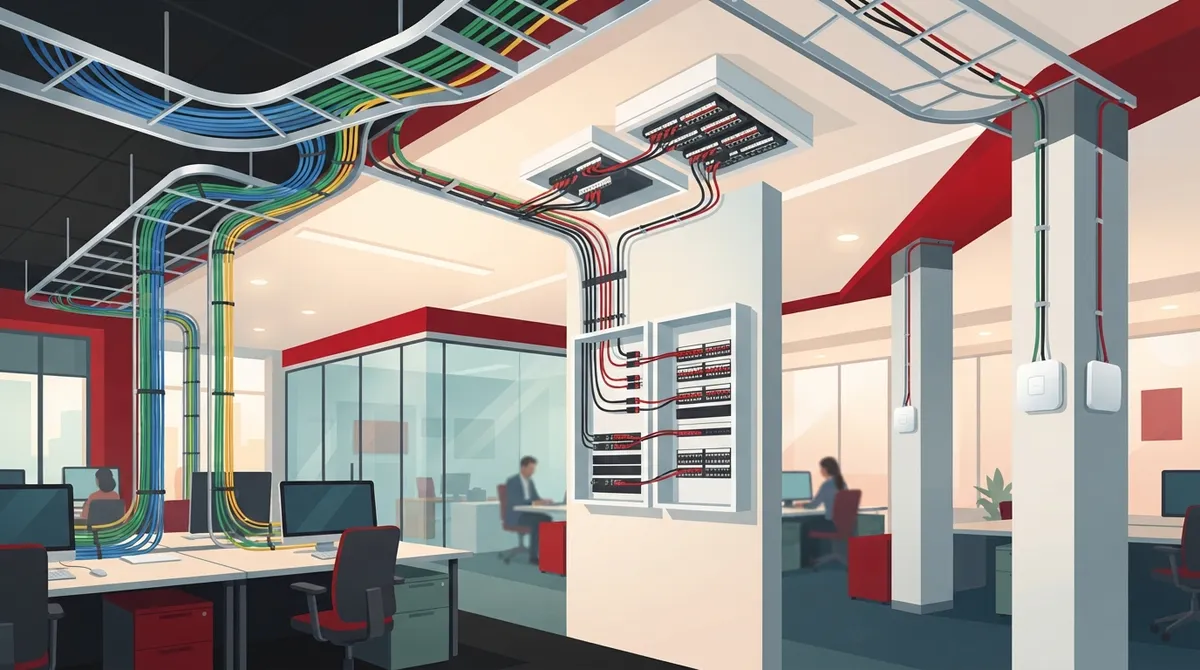
Choose between three proven designs—MUTOA for open offices with frequent desk moves, consolidation points for growing teams needing individual outlets, or zone cabling for multi-use spaces—based on how often your layout changes and what flexibility you need.
-
Plan cabling for 10+ years of use by building in spare capacity for future devices like wireless access points, security cameras, and printers; zone cabling excels at accommodating these additions without major rewiring.
-
Wireless networks cannot replace wired infrastructure; every access point requires a network cable and Power over Ethernet (PoE), so plan cabling and switch capacity alongside your Wi-Fi strategy to avoid gaps.
-
Keep cable runs within the 90-meter permanent link and 100-meter total channel limits, especially with MUTOA designs using longer work-area cords; overshooting these standards causes speed and reliability problems.
-
Label every cable at both ends, test and certify each run after installation, maintain updated outlet and patch panel drawings, and document everything accessibly so future office changes become quick patching jobs instead of construction projects.
-
Hire a structured cabling partner who verifies current TIA and ISO standards compliance, provides certified testing and documentation, understands local building codes, and supports phones, cameras, and access control systems for seamless integration.
Picture this: you finally get the desks just right, and then the sales team doubles, a new hire needs a standing desk, and someone wants to move the printer. Sound familiar? If your office changes often, your network wiring has to keep up. That is where flexible office space cabling comes in.
Flexible cabling is not about skipping wires and hoping Wi-Fi handles everything. It is about planning a smart, standards-based wiring system so desks, teams, and devices can move around without tearing out walls or ceilings every time. Phones, computers, printers, cameras, and wireless access points all still need solid wired connections behind the scenes.
In this friendly guide, we will walk through three proven cabling designs that make open offices and modular spaces easier to change in 2026. We will also share planning tips, simple rules of thumb, and mistakes to dodge. Whether you run a small shop, manage an office, or oversee many locations, you will find ideas you can use right away.

What Flexible Office Space Cabling Really Means
Flexible office space cabling is a planned, organized network wiring system built to handle change. Think of it like a good closet system. Everything has a place, and moving things around does not mean rebuilding the whole closet.
A proper structured cabling system uses a few key parts:
- Horizontal cabling: the copper or fiber runs from the telecom room to work areas.
- Telecom rooms: the organized hub where cables meet switches and patch panels.
- Backbone links: the main connections between rooms and floors.
- Outlets and patching: the connection points where devices plug in.
When these parts are planned well, office moves, adds, and changes (often called MACs) become quick patching jobs instead of big construction projects. The cabling is also expected to serve you for well over 10 years, though that is a planning expectation rather than a promise.
If you want a deeper look at the basics, our guide on what structured cabling is for your business network is a great starting point.
Design 1: The Multi-User Telecommunications Outlet Assembly (MUTOA)
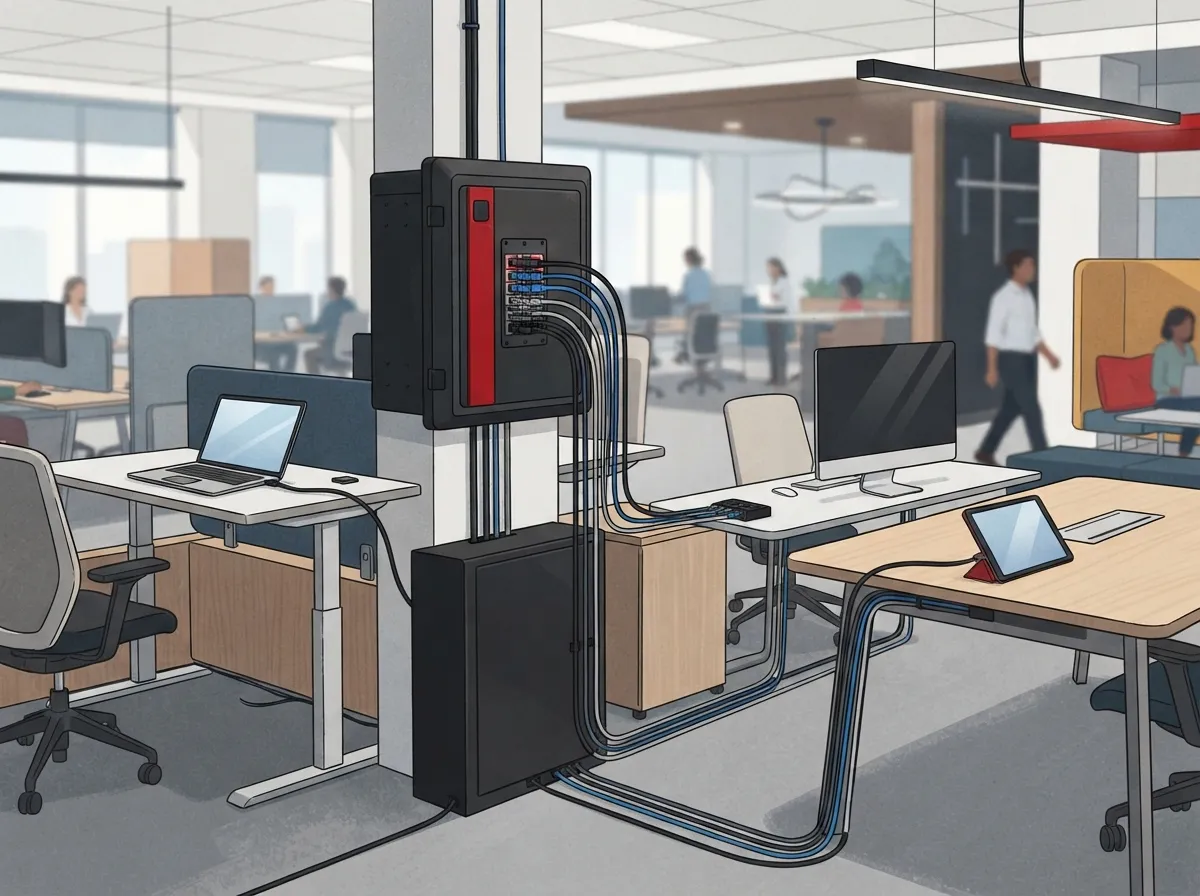
Our first design is a favorite for open-plan offices. A multi-user telecommunications outlet assembly, or MUTOA, serves several nearby work areas from one accessible, fixed location.
How a MUTOA Works
Instead of running a cable to every single desk, you install one outlet group in a spot that stays put, such as a column or wall. Then, long work-area cords run from that outlet to the desks around it. When furniture moves, you simply move the cords, not the permanent cabling.
Why Offices Love It
- Desks can shuffle around without new cable pulls.
- The permanent cabling stays hidden and protected.
- It works well with modular furniture and open floor plans.
What to Watch For
Longer cords add length to the full channel, so you need careful planning. The commonly used limit is 90 meters (295 feet) for the permanent link and 100 meters (328 feet) for the complete channel, including patch cords. Longer work-area cords used with a MUTOA need extra attention to stay inside those limits. Also, the outlet must be in an accessible spot, not buried in a ceiling or locked inside furniture.
This design is best for open offices, call centers, and training rooms where seating changes often.
Design 2: The Consolidation Point
Our second design uses a consolidation point. This is an intermediate connection between the telecom room and the work-area outlets. Unlike a MUTOA, you still keep individual outlets at each work area.
How a Consolidation Point Works
Cables run from the telecom room to the consolidation point, which sits in an accessible location in the ceiling space or floor. From there, shorter cables run to the individual outlets at each workspace. When the layout shifts, you only change the short final runs.
The Key Benefits
- Each desk keeps its own dedicated outlet.
- Rearranging pods or workgroups is much faster.
- Your main cable runs from the telecom room stay untouched.
Planning Tips
An older open-office recommendation, later folded into structured-cabling guidance, places a copper consolidation point at least 15 meters (49 feet) from the telecom room. Standards change over time, so confirm the current edition and your local requirements with a qualified designer before you finalize anything.
This design suits growing companies that want tidy desks with real outlets, while still keeping the freedom to reshuffle teams.
Design 3: Zone Cabling With Room to Grow
Our third design is zone cabling. You split the office into zones, then provide extra cable capacity and connection points in each one. Think of it as laying out a trail with plenty of rest stops, so you are never far from a connection.
How to Plan Zones
Each zone gets accessible pathways, spare outlets, and enough cable support for future needs. The FOA suggests a planning allowance of about 10 square meters (roughly 100 square feet) per user. Your actual needs depend on how your office is arranged, but this gives you a handy starting point.
Plan for More Than Desks
Flexible offices need more than desk connections. Add capacity for:
- Wireless access points on ceilings and walls
- Cloud security cameras
- Access control door readers
- Printers, conference room displays, and phones
This is where zone cabling shines. You build in extra pathways and spare ports once, so adding a camera or a new meeting room later is simple. Our article on how structured cabling supports VoIP and cameras shows how one wiring plan can power many systems.
Side-by-Side Comparison of the Three Designs
Not sure which design fits your space? This quick table can help you compare.
| Design | Best For | Main Strength | Main Watch-Out |
|---|---|---|---|
| MUTOA | Open offices, call centers | Easy desk moves with cord changes | Long cords affect channel length |
| Consolidation point | Growing teams, modular pods | Individual outlets stay at each desk | Needs accessible mounting spot |
| Zone cabling | Multi-use or fast-changing offices | Spare capacity for new devices | Needs careful upfront planning |
Many offices mix these approaches. For example, you might use zone cabling for the main floor and a MUTOA in a training room. A good designer will tailor the plan to your layout.
Why Wi-Fi Does Not Replace Cabling
It is tempting to think wireless solves everything. Sadly, it does not. Every wireless access point needs a network connection, and most also need Power over Ethernet (PoE). That means real cable, real switch ports, and real power planning.
When you plan your wireless coverage, think about these things together:
- Where each access point will mount
- Which cable category the run needs
- How many switch ports you will need
- How much PoE power your switches can supply
Wired connections also still matter for phones, desktops, printers, and cameras. If you are weighing your options, our post on structured cabling vs. wireless breaks down when each one makes the most sense.
Choosing the Right Cable Type
The cable you pick affects speed, power delivery, and how long your system lasts. Here is a simple view.
- Cat6: a solid, popular choice for most modern offices.
- Cat6A: better for higher speeds and demanding Wi-Fi setups.
- Fiber: ideal for backbone links between floors and rooms.
If you are comparing copper options, read our guide on how to choose between Cat6 and Cat6A. For links between telecom rooms or buildings, check out how to choose fiber cabling for your business network.
Planning Rules That Keep Your Office Flexible
Good design is mostly about a few simple habits. Follow these, and your space stays easy to change.
Build Accessible Pathways
Use proper cable trays, hooks, or conduits. Cables should never rest on ceiling tiles or ceiling grid rails. Pathways must also follow building, fire, and electrical codes, including the right indoor fire rating for your cable.
Size Your Telecom Rooms Properly
FOA guidance suggests generally planning a telecom room for each floor. You may need more rooms if the served area goes past about 1,000 square meters (10,000 square feet) or if cable runs would exceed 90 meters. Treat this as planning guidance and check it against your project and current standards.
Keep Components Consistent
Use matching parts, label every cable and port, and test everything. Clear documentation cuts troubleshooting time and makes future moves far more predictable.
Here is a quick checklist to keep handy:
- Label every cable at both ends.
- Test and certify each run after installation.
- Keep up-to-date drawings of outlets and patch panels.
- Leave spare capacity in pathways and switch ports.
- Store records where your team can easily find them.
For more on keeping your records tidy, see how to build structured cabling documentation that works.
Common Mistakes to Avoid
Even smart teams trip over a few classic errors. Here is what to steer clear of:
- Cabling only for today: you will outgrow it quickly.
- Skipping documentation: future changes become guesswork.
- Mixing cheap and quality parts: weak links cause slow, flaky connections.
- Ignoring PoE needs: your cameras and access points may not power up.
- Hiding outlets in hard-to-reach spots: flexibility disappears fast.
Want a longer list? Our article on 12 structured cabling mistakes that hurt your business covers even more traps.
Who Benefits Most From Flexible Cabling
Flexible cabling helps nearly every kind of business, but a few groups see big wins:
- Small business owners: avoid paying twice when your team grows.
- Mid-sized companies: support new departments without major rewiring.
- IT managers: simplify moves, adds, and changes with clean patching.
- Office managers: rearrange desks without waiting on a contractor.
- Franchise operators: roll out one repeatable cabling standard across many sites.
If you are building out a brand-new space, our guide on whether you need structured cabling for a new office buildout can help you decide.
How to Pick a Cabling Partner
Choosing the right installer matters as much as choosing the right design. Before you sign anything, ask these questions:
- Do you follow current TIA and ISO standards?
- Will you test and certify every cable run?
- Can you provide labeled drawings and documentation?
- Do you understand local building and fire codes?
- Can you support phones, cameras, and access control too?
A partner who handles it all saves you time and headaches. Ideal Solutions Provider is a Tampa-based telecom and IT partner with over 24 years of experience. They work with more than 35 vetted suppliers and serve as a single point of contact, from consultation and installation to ongoing support. Learn more about their structured cabling services or read how to find a reliable structured cabling contractor.
You can also follow along on YouTube for helpful tips and walk-throughs.
Putting It All Together
Flexible office space cabling is really about giving your future self a gift. A little planning now means fewer headaches, lower costs, and faster changes later. Choose a MUTOA for open layouts, a consolidation point for modular pods, or zone cabling for ultimate growth room. Pair your choice with accessible pathways, quality components, and clear labels.
Remember that standards, codes, and equipment needs vary, so always confirm details with a qualified designer or installer before you build. Also, plan your Internet Service Provider connection and switch capacity alongside your cabling so everything works smoothly together.
Ready to build an office that bends instead of breaks when things change? Contact us for a free consultation, or call us to talk through your space with a friendly expert. We would love to help.
FAQs
Q: What is flexible office space cabling?
A: It is a planned, standards-based wiring system that lets you move desks, teams, and devices without rebuilding your network each time. It uses organized pathways, accessible outlets, and clear patching so changes stay quick and simple.
Q: What is the difference between a MUTOA and a consolidation point?
A: A MUTOA serves several nearby work areas from one fixed, accessible outlet group, using longer cords to reach each desk. A consolidation point sits between the telecom room and the work areas, while each desk keeps its own individual outlet.
Q: How long can an office Ethernet cable run be?
A: Horizontal copper runs are commonly limited to 90 meters (295 feet) for the permanent link. The full channel, including patch cords, is generally limited to 100 meters (328 feet).
Q: Does a flexible office still need wired cabling if it has Wi-Fi?
A: Yes, it does. Wireless access points need network connections and often PoE, and phones, computers, printers, and cameras also depend on solid wired links behind the scenes.
Q: What should I check before hiring a structured cabling contractor?
A: Ask about current TIA and ISO standards, testing and certification, labeled documentation, and local code knowledge. A partner who can also support phones, cameras, and access control makes your life even easier.





