
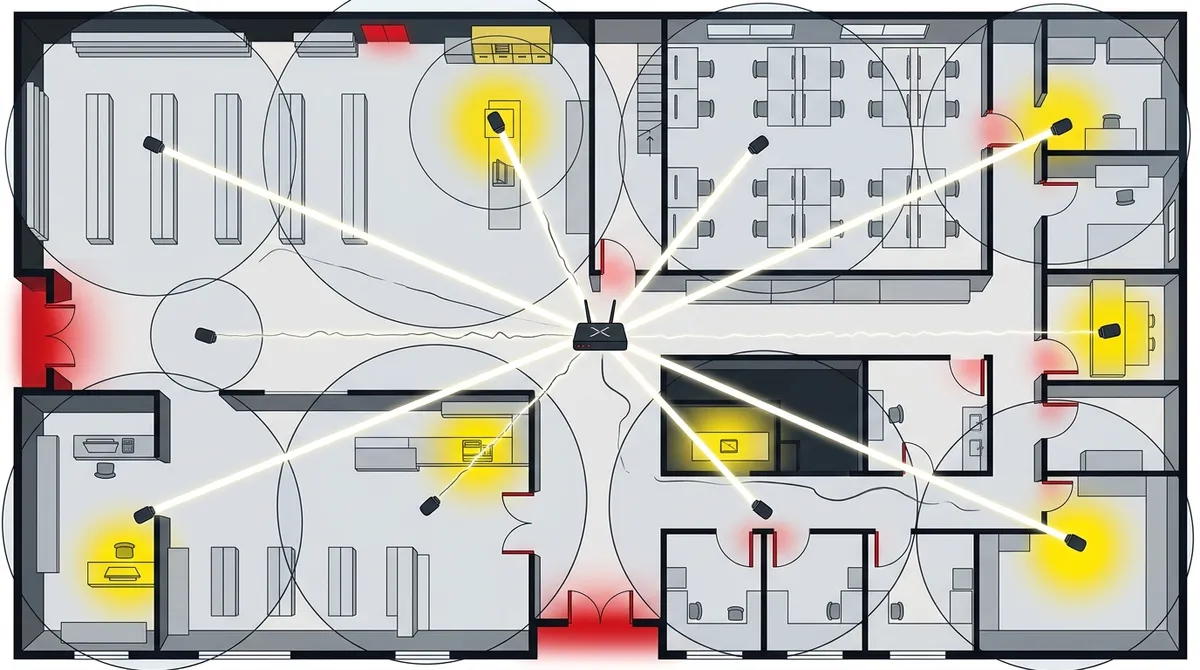
Key Takeaways
-
Camera count depends on building size, layout, risk level, and network capacity—there’s no universal number, but small businesses typically need 4–16 cameras while larger properties need 16–64.
-
Every entry/exit point and high-value zone (cash registers, server rooms, inventory) requires dedicated camera coverage; plan for at least one camera per entrance and additional cameras for theft-prone areas.
-
Network bandwidth is critical—4–8 cameras need 25–50 Mbps internet, while 16+ cameras require 50–200 Mbps or dedicated fiber; insufficient bandwidth causes choppy video and dropped feeds.
-
Camera type significantly affects coverage needs; PTZ and dome cameras cover wider areas than bullet cameras, potentially reducing total camera count needed for the same space.
-
Cloud storage and remote monitoring costs scale with camera count and retention period; plan storage budgets upfront and verify your network can handle simultaneous remote access without lag.
-
Design systems for future growth by planning 10–20% extra capacity and using structured cabling that supports adding cameras later rather than retrofitting your entire infrastructure.
So you’re ready to set up security cameras for your Tampa business — great move! But here’s the question almost every business owner asks first: how many security cameras does my Tampa business need? It’s honestly one of the most common questions we hear, and the answer isn’t a simple number. It depends on your space, your goals, and your network setup.
The good news? There’s a logical way to figure it out. Whether you run a small retail shop on Bayshore Boulevard or manage a multi-floor office in downtown Tampa, the right camera count comes down to a handful of key factors. Work through these 10 factors, and you’ll have a clear picture of what your business actually needs — no guesswork required.

Why There’s No Magic Number
Many business owners expect a straightforward answer like “you need 8 cameras.” But security professionals and telecom experts who install camera systems know it doesn’t work that way. The right number depends on your building’s size, layout, risk level, and how your network handles the data those cameras generate.
Industry guidance generally puts small businesses in the 4–16 camera range. Larger commercial properties may need anywhere from 16 to 64 cameras for full coverage. But what matters most is that every camera serves a real purpose — and that your network can support them all reliably.
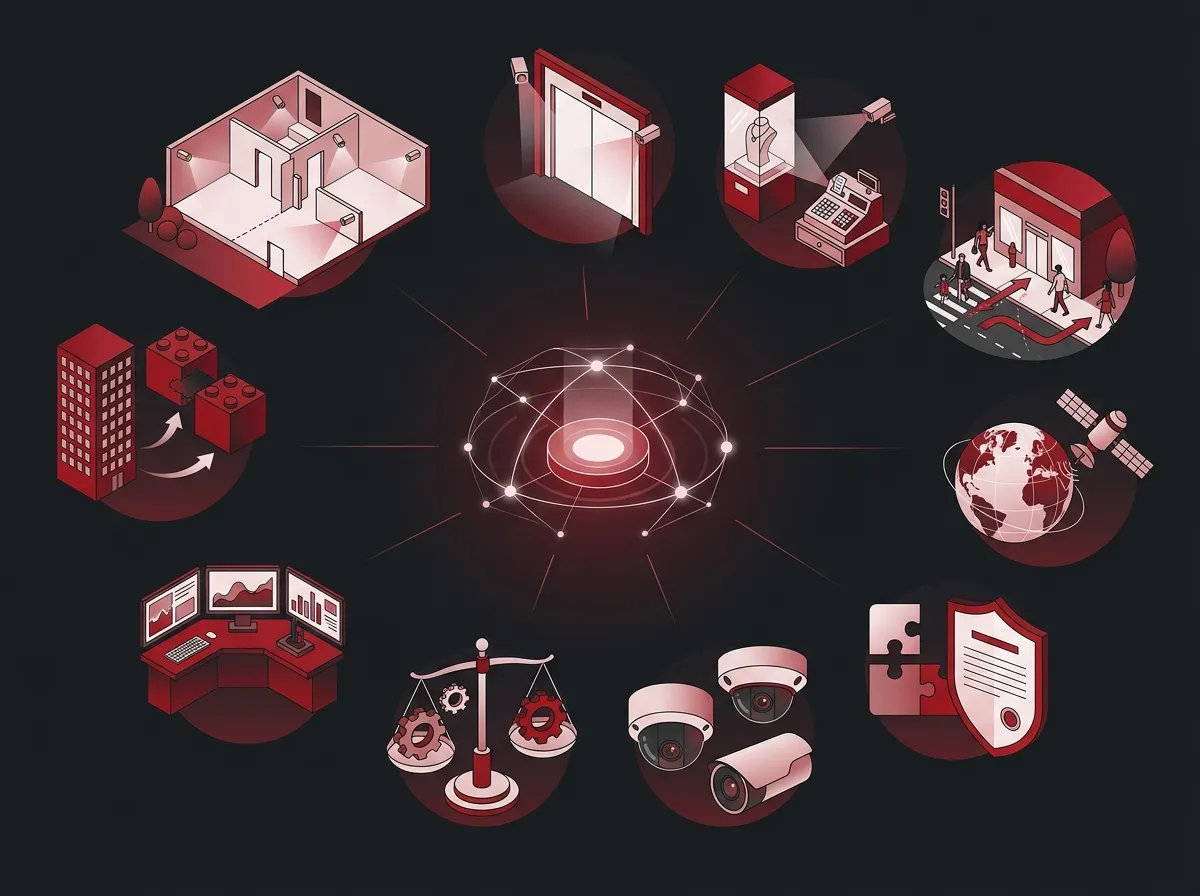
10 Factors That Determine Your Ideal Camera Count
1. Total Square Footage of Your Property
Bigger spaces need more cameras — plain and simple. A 1,000-square-foot office has very different needs than a 10,000-square-foot warehouse. As a starting point, think about how many distinct areas exist in your building and how many cameras it would take to cover each one without blind spots.
2. Number of Entry and Exit Points
Every door, loading dock, and access gate deserves its own camera. This is non-negotiable. Entrances and exits are the highest-priority zones for any business security system. If your Tampa location has five entry points, plan for at least five dedicated cameras just for those spots.
3. Indoor High-Value Zones
Think about the areas inside your business where theft, tampering, or unauthorized access is most likely. These areas almost always need dedicated coverage:
- Reception and lobby areas
- Cash registers and point-of-sale stations
- Server rooms and IT equipment closets
- Inventory storage and stockrooms
- Executive offices or restricted access areas
Each of these zones typically needs at least one camera, and sometimes two for overlapping coverage. If you want to learn more about protecting your tech infrastructure alongside your cameras, check out business network solutions that keep everything running securely.
4. Outdoor and Parking Areas
Outdoor coverage is often underestimated. Parking lots, loading areas, and building perimeters all need attention. Small parking lots with 10–20 spaces typically need 1–2 cameras. Larger lots may need 3–5 or more depending on layout and lighting conditions.
Tampa’s outdoor environment also matters here. Humidity, sun glare, and occasional storm conditions mean you need cameras rated for outdoor use — and enough of them to maintain visibility no matter the weather.
5. Camera Type and Coverage Angle
Not all cameras are created equal. The type of camera you choose affects how many you’ll need overall. A wide-angle dome camera can cover more ground than a narrow bullet camera. Here’s a quick breakdown:
| Camera Type | Best Use Case | Coverage Range |
|---|---|---|
| Dome Camera | Retail floors, lobbies, indoor spaces | Wide angle, 180°+ |
| Bullet Camera | Outdoor perimeters, long hallways | Narrow, focused range |
| PTZ Camera | Large open areas, active monitoring | Full 360° with zoom |
| Fisheye Camera | Small rooms needing full coverage | 360° panoramic |
Choosing the right camera type can actually reduce the total number of cameras you need. A PTZ (pan-tilt-zoom) camera in a large open warehouse, for example, can replace several fixed cameras.
6. Your Network Bandwidth and Infrastructure
This is where the telecom side of camera planning really matters. Every camera streams video data across your network. The more cameras you add, the more bandwidth you consume. If your internet connection or internal network can’t handle the load, your entire system will suffer — choppy video, dropped feeds, and slow remote access.
Before deciding on camera count, make sure your business high-speed internet and network infrastructure can support it. A solid foundation with proper bandwidth makes a huge difference. You might also want to read about high-speed internet tips that save money while keeping performance strong.
7. Cloud Storage and Recording Needs
Every camera you add means more video to store. Cloud-based systems store footage remotely, which is convenient and secure — but storage costs scale with the number of cameras and retention period you choose. Think about:
- How many days of footage do you need to retain?
- Do you need continuous recording or motion-triggered clips?
- Are multiple users accessing footage remotely?
A well-designed cloud video security system balances camera count with storage plans that fit your budget. Going overboard on cameras without planning storage is a common mistake that leads to unexpected costs.
8. Remote Access and Monitoring Requirements
Do you need to check in on your Tampa business from your phone while you’re traveling? Remote monitoring is one of the biggest advantages of modern cloud camera systems. But it also adds to your bandwidth needs. The more cameras streaming simultaneously to remote users, the more your network infrastructure needs to support.
If remote access is a priority for you, monitoring your Tampa business security cameras from your phone is easier than ever — as long as your telecom setup is built to handle it. Make sure your network is ready before adding more cameras to the mix.
9. Access Control Integration
Many Tampa businesses combine security cameras with cloud-based access control systems. When these two systems work together, you get a more complete picture of who’s entering your building and when. This integration can actually influence how many cameras you need — because access control data fills in gaps that cameras alone can’t cover.
For example, if a door has an access control reader, you may only need one camera nearby rather than two. Integration creates efficiency in your overall security design.
10. Future Growth and Scalability
Think beyond today. If your Tampa business is growing — adding employees, expanding to new floors, or opening additional locations — plan your camera system with room to scale. It’s much easier to add cameras to a network that was designed with growth in mind than to retrofit everything later.
This is especially true for multi-location businesses that need consistent coverage across all sites. A scalable network and structured cabling foundation means you can add cameras as needed without starting from scratch.
Camera Count by Business Type
Still looking for a ballpark number? Here’s a helpful reference table based on common Tampa business types. These are general starting points — your actual needs may vary.
| Business Type | Recommended Camera Range | Priority Coverage Areas |
|---|---|---|
| Small Retail Shop | 4–8 cameras | Entrance, register, sales floor, stockroom |
| Small Office (under 10 staff) | 4–8 cameras | Reception, server room, entrances |
| Medium Office (10–50 staff) | 8–12 cameras | All of the above plus hallways and parking |
| Restaurant or Cafe | 6–12 cameras | Entrance, dining area, kitchen, POS |
| Warehouse or Industrial | 12–24+ cameras | Loading docks, aisles, perimeter, exits |
| Large Commercial Property | 16–64+ cameras | Full perimeter, all floors, parking lots |
A Simple Planning Method That Works
Not sure where to start? Here’s a practical step-by-step method for figuring out how many security cameras your Tampa business needs:
- Draw a rough floor plan — Sketch out every room, hallway, entrance, and outdoor area.
- Mark every high-priority zone — Label entrances, cash areas, storage, and server rooms.
- Identify potential blind spots — Walk through your space and note areas that aren’t covered.
- Choose camera types for each zone — Match dome, bullet, or PTZ cameras to each area based on coverage needs.
- Count your total cameras — Add up the cameras needed and cross-reference with your network capacity.
- Add a buffer for growth — Plan for 10–20% more capacity than your current needs.
This method works for any size business, from a one-room office to a full commercial campus. If you want a professional to walk through this process with you, reach out to our team for a free consultation — it’s always worth getting expert eyes on your space.
How Network Infrastructure Ties It All Together
Here’s something many business owners don’t think about until it’s too late: your camera system is only as good as the network it runs on. That’s why working with a telecom and IT partner — not just a camera installer — makes such a big difference.
Good structured cabling services ensure every camera has a reliable, high-speed connection. Your internet bandwidth needs to support the data load. And your cloud storage plan needs to match the number of cameras you’re running.
That’s exactly the kind of end-to-end thinking that Ideal Solutions Provider brings to Tampa businesses. With 24+ years of experience and partnerships with 35+ vetted suppliers, they handle everything — from camera selection and cabling to network setup and ongoing support. It’s genuinely nice to have one trusted partner handle it all.
Quick Reference: Bandwidth Impact by Camera Count
Here’s a simple table showing how camera count affects your bandwidth needs. These are approximate figures for standard HD cameras streaming continuously.
| Number of Cameras | Approximate Bandwidth Needed | Recommended Internet Speed |
|---|---|---|
| 4–8 cameras | 8–20 Mbps upload | 25–50 Mbps business plan |
| 8–16 cameras | 20–40 Mbps upload | 50–100 Mbps business plan |
| 16–32 cameras | 40–80 Mbps upload | 100–200 Mbps dedicated fiber |
| 32+ cameras | 80 Mbps+ upload | Dedicated fiber or SD-WAN solution |
If your current internet plan doesn’t match the demands of your camera system, you’ll run into problems. Learn more about choosing the right internet speed for your Tampa business so your cameras always perform at their best. You can also follow Ideal Solutions Provider on Facebook for helpful tips and updates about business telecom solutions in Tampa.
Common Mistakes to Avoid
A lot of Tampa businesses make the same mistakes when setting up security cameras. Here’s what to watch out for:
- Buying cameras before auditing your network — Always check your bandwidth and cabling first.
- Ignoring outdoor areas — Parking lots and building perimeters are often overlooked.
- Choosing too few cameras to save money — Blind spots are exactly where incidents happen.
- Not planning for storage — More cameras mean more data. Budget for cloud storage upfront.
- Skipping professional installation — Tampa’s layout, lighting, and outdoor conditions require expert camera placement.
Watch some helpful installation and setup videos from Ideal Solutions Provider to get a better feel for what professional camera installations look like. You can also follow them on Instagram for real-world examples of business security setups across Tampa Bay.
Ready to Figure Out Your Exact Camera Count?
The question of how many security cameras your Tampa business needs doesn’t have to be overwhelming. Work through the 10 factors above, use the reference tables as a starting point, and don’t skip the network planning step. A great camera system built on a weak network will always let you down.
If you want expert help designing a camera system that fits your space and your network, the team at Ideal Solutions Provider is ready to help. They’ll audit your current setup, recommend the right number and type of cameras, and make sure your cabling and internet are fully prepared to support the system. To explore more resources, check out their YouTube channel for in-depth walkthroughs of business security and telecom solutions.
Take the first step toward a smarter, more secure Tampa business — give us a call at 813-388-4935 and let’s talk through exactly what your business needs.
FAQs
Q: How many security cameras does a small business in Tampa typically need?
A: Most small Tampa businesses do well with 4–8 cameras as a starting point. You’ll want to cover entrances, the reception area, any cash handling zones, and storage areas. Once you map out your space, the right number usually becomes pretty clear!
Q: Does my internet speed affect how many security cameras I can run?
A: Absolutely — and this is a big one! Every camera streams video data across your network, so more cameras means more bandwidth. A small system with 4–8 HD cameras typically needs 25–50 Mbps, while larger systems with 16+ cameras may require dedicated fiber. It’s always smart to audit your internet plan before adding cameras.
Q: What areas of my Tampa business should always have security cameras?
A: At minimum, you’ll want cameras at every entrance and exit, in the reception or lobby area, near cash registers or point-of-sale stations, and in any high-value storage areas. Parking lots and outdoor perimeters are also important — those areas are easy to overlook but really shouldn’t be!
Q: Can I monitor my Tampa business security cameras remotely?
A: Yes, and it’s one of the best features of modern cloud-based camera systems! You can check live or recorded footage from your smartphone or laptop from anywhere. Just make sure your business internet connection has enough upload bandwidth to support remote streaming without lag.
Q: Should I hire a professional to install security cameras at my Tampa business?
A: We’d strongly recommend it! Tampa’s unique layout, outdoor lighting conditions, and humidity can all affect where cameras should be placed and what types work best. A professional installer will identify blind spots you might miss and make sure your cabling and network are set up to support the whole system reliably.





