

Key Takeaways
-
Modular cabling systems allow you to make network changes at a central patch panel instead of running new cables, saving time and cost during office moves or expansions.
-
Choose Category 6A copper cabling for new builds to support 10 Gigabit Ethernet over 100 meters and accommodate future growth without premature replacement.
-
Plan for Power over Ethernet (PoE) to power IP phones, cameras, and access points through a single cable, reducing outlets and installation complexity while managing switch power budgets carefully.
-
Require your cabling contractor to provide comprehensive labeling, certification test reports, and as-built documentation to ensure smooth troubleshooting and future modifications.
Picture this: your team just hired three new people, and someone needs a desk moved across the room. Suddenly, you are staring at a tangled mess of wires, wondering who last touched that closet. Sound familiar? You are not alone, and there is a friendlier way to handle it.
That is where modular office cabling systems come in. Think of them as the organized, flexible backbone of your office network. Instead of running a brand-new wire every time something changes, you simply adjust connections at a central point. Your phones, Wi-Fi, security cameras, and computers all share one tidy, standards-based setup.
Whether you run a small shop, manage IT for a growing company, or oversee a franchise with several sites, this guide is for you. Below, you will find six practical tips to plan, build, and maintain a cabling system that works hard for you in 2026 and beyond. Let’s dive in!
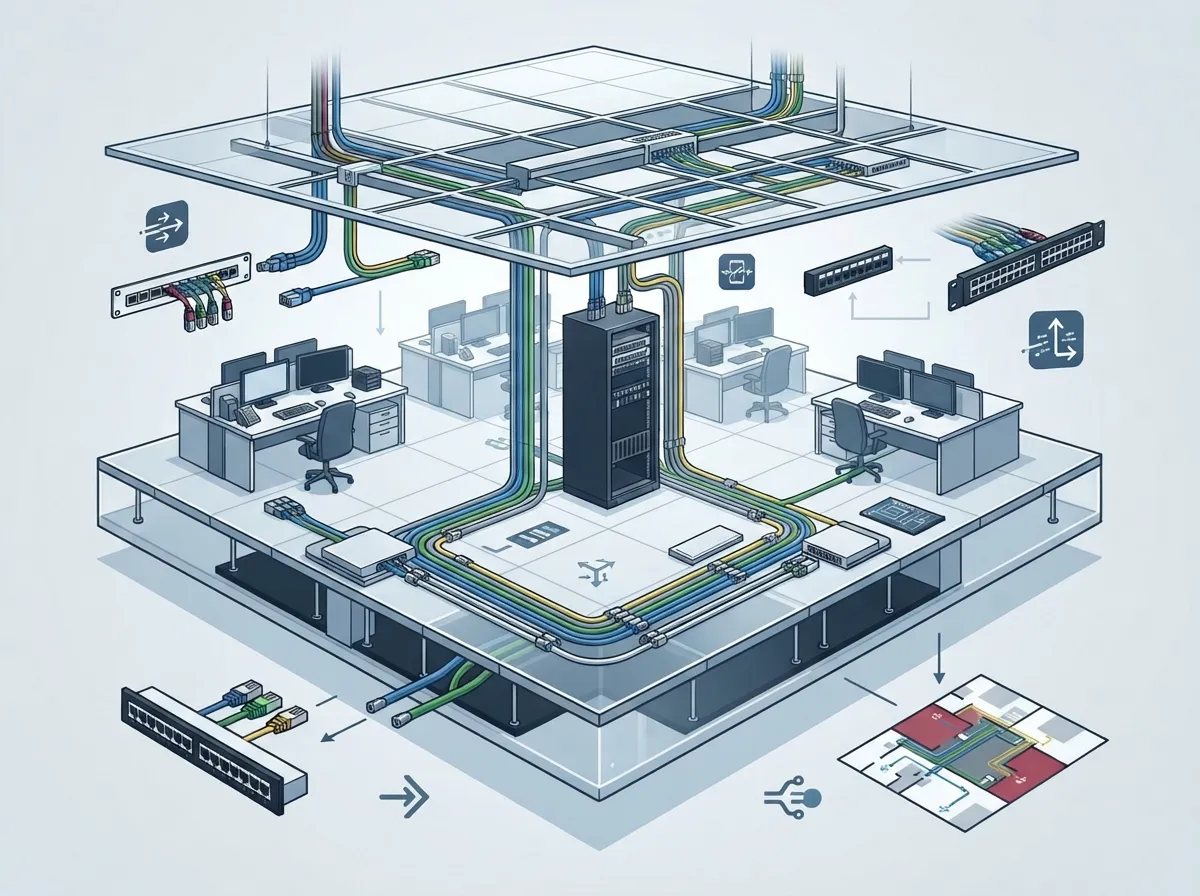
1. Understand What Modular Office Cabling Really Means
In business telecom, a modular office cabling system usually means structured cabling. It uses fixed cable runs, wall outlets, patch panels, and patch cords. The goal is simple: change services at the patch panel instead of ripping out permanent cable.
This setup supports voice, data, video, and building systems all at once. It is also vendor-neutral, so you are not locked into one brand. Common design guides include ANSI/TIA-568 and the ISO/IEC 11801 family. Always confirm the current edition and local code rules when you plan a project.
Structured Cabling vs. Point-to-Point Wiring
Old-school point-to-point wiring connects one device straight to another. It works until something moves, breaks, or grows. Then you are tracing wires by hand. Modular cabling avoids that headache. If you want a deeper comparison, check out Structured Cabling vs. Ad-Hoc Wiring: Which Wins for Tampa?
| Feature | Modular (Structured) Cabling | Point-to-Point Wiring |
|---|---|---|
| Changes and moves | Adjust at the patch panel | Often requires new cable runs |
| Troubleshooting | Labeled and documented | Trial and error |
| Multi-service support | Voice, data, video, security | Usually one service per run |
| Growth readiness | Built for expansion | Gets messy fast |

2. Know How the Layout Works
A typical office layout is easier to grasp than you might think. Cable runs from a telecommunications room out to outlets at each work area. That is called horizontal cabling. Backbone cabling then links telecom rooms and equipment spaces together.
Here are the key distance rules to remember:
- The TIA reference describes a maximum 90 meter horizontal permanent link.
- The full channel, including patch cords, is commonly limited to 100 meters for copper Ethernet.
- Longer runs may call for fiber or an extra telecom closet.
The modular magic comes from standardized outlets, patch panels, clear labels, and cross-connects. When someone moves desks, you can often make the change at the panel. The savings depend on your layout, your documentation, and how often your space changes. Still, many offices find it far less disruptive.
3. Choose the Right Cable Type and Category
Picking cable is a bit like picking shoes. The best choice depends on where you are going. Do not pick only by the lowest price today. Think about bandwidth, distance, power needs, the environment, and how long you want it to last.
Copper vs. Fiber
Copper twisted-pair cabling is the everyday choice for desk and device connections. Fiber shines for backbone links, longer distances, and high-capacity needs. Many offices use both. For a closer look at fiber, see How to Choose Fiber Cabling for Your Business Network.
| Media | Best For | Things to Consider |
|---|---|---|
| Copper (Cat6 / Cat6A) | Desks, phones, Wi-Fi access points, cameras | 100 m channel limit; supports PoE |
| Fiber (multimode or single-mode) | Backbone, long runs, high-capacity links | Needs compatible switches and optics |
Which Category Should You Pick?
The ISO/IEC 11801 overview notes that Category 6A supports 10 Gigabit Ethernet over 100 meters of horizontal cabling. That makes it a strong choice for new builds where you want room to grow. If you are weighing options, these guides help: How to Choose Between Cat6 and Cat6A for Your Office and 7 Key Differences Between CAT5e and CAT6 Cabling for Tampa Businesses. Always verify the standard edition and component specs for your project.
4. Plan for Power Over Ethernet (PoE)
PoE is a real time-saver. It sends both data and power over one Ethernet cable. That means fewer outlets and cleaner installs for IP phones, wireless access points, cameras, and access control gear.
Here is what the numbers look like, based on Ethernet Alliance material for IEEE 802.3bt:
- Type 3: delivers up to 51 W to a powered device.
- Type 4: supplies up to 90 W at the power-sourcing equipment and up to 71.3 W at the powered device.
Higher-power setups need extra care. Think about cable type, heat building up in large cable bundles, connectors, and your switch power budget. A good plan now saves headaches later. It also helps you support devices like VoIP phones and security cameras without surprises.
5. Follow a Smart Deployment Process
A great cabling project does not start with pulling wire. It starts with a plan. Here is a simple path that works well:
- Needs assessment: List your devices, users, and growth plans.
- Pathway and room planning: Map where cable will travel and where your telecom room will live.
- Component selection: Choose cable, outlets, patch panels, and cords that match your needs.
- Standards-based installation: Install according to applicable standards and local code.
- Labeling: Tag every cable, outlet, and port clearly.
- Certification testing: Test each run to confirm performance.
- As-built documentation: Record exactly what was installed and where.
- Maintenance plan: Decide how changes and checkups will be handled.
Testing and documentation are the unsung heroes here. They prove your system works today and make tomorrow’s changes simple. If you are just getting started, How to Plan Network Cabling Installation in Tampa Bay is a friendly place to begin.
6. Pick the Right Partner and Avoid Common Pitfalls
Even the best plan needs skilled hands. A reliable contractor will explain choices in plain language, follow standards, and hand you clear records. Watch out for these common slip-ups:
- Skipping labeling, which turns future changes into guesswork.
- Choosing cable only on price, then outgrowing it in a couple of years.
- Forgetting PoE power budgets when adding cameras or access points.
- Leaving out test reports and as-built drawings.
- Not leaving spare capacity for new hires or new devices.
For more on this, read 12 Structured Cabling Mistakes That Hurt Your Business. And if you are wondering whether to tackle it yourself, DIY vs. Professional Cabling: Which Is Right for Tampa Offices? lays out the trade-offs.
Why Franchises and Growing Teams Love Modular Setups
If you run several locations, a consistent cabling design makes every site easier to support. Staff learn one layout, and upgrades follow the same pattern. Growing mid-sized companies also benefit, since adding desks, phones, or cameras becomes a quick change rather than a construction project.
The TIA-568 reference describes the intended useful life of telecommunications cabling as more than 10 years. Treat that as a design goal, not a promise for every install. Still, it shows why building it right the first time matters so much.
How Ideal Solutions Provider Can Help
Ideal Solutions Provider is a Tampa-based telecom and IT partner with more than 24 years of experience. Our team installs CAT5, CAT6, and fiber cabling for new and existing offices. We act as your single point of contact, so you do not have to juggle multiple vendors for cabling, phones, internet, cameras, and access control. Curious about what a professional job looks like? See Professional Structured Cabling Services for Tampa Businesses. You can also follow our updates on YouTube.
Wrapping It Up
A well-built modular cabling system is like a good set of building blocks. It keeps your office organized, flexible, and ready for whatever comes next. Start by understanding the basics, choose the right media, plan for PoE, follow a clear process, and lean on a partner who documents everything.
Ready to build a cleaner, smarter network? Contact us for a free consultation, or call us to talk through your project. We would love to help.
FAQs
Q: What is a modular office cabling system?
A: It is a standards-based structured cabling setup with fixed cable runs, outlets, patch panels, and patch cords. You change services at the patch panel instead of replacing permanent wiring, which keeps moves, adds, and changes simple.
Q: How far can office Ethernet cabling run?
A: The cited ANSI/TIA-568 reference specifies a maximum 90 meter horizontal permanent link. The full copper channel, including patch cords, is commonly limited to 100 meters, so longer distances may call for fiber or another telecom closet.
Q: Should my office use copper or fiber cabling?
A: Most offices use both! Copper twisted-pair works great for desks, phones, and devices, while fiber is a smart pick for backbone links, longer runs, and high-capacity needs. Choose based on bandwidth, distance, PoE needs, and expected service life.
Q: Can my cabling support Wi-Fi access points, IP phones, and PoE cameras?
A: Yes, with the right planning. Power over Ethernet carries data and power to these devices, but you will want to check cable type, switch power budgets, and standards such as IEEE 802.3bt for higher-power gear.
Q: What should a cabling contractor provide when the job is done?
A: Look for clear labeling, certification test results, and as-built documentation. These items prove performance and make future changes much easier to manage.





