
Key Takeaways
-
Plan the system as a team effort: cameras, cabling, network switches, VMS software, and storage must all work together, since one weak link degrades the whole setup.
-
Use a site survey to map entrances, blind spots, lighting, power, and network access before buying gear, because placement and lighting matter more than an expensive camera.
-
Dedicate separate cameras to license plate capture at each entry and exit lane, aimed along the lane and tested at night, rather than relying on one wide-area camera to do everything.
-
Calculate bandwidth and storage using your actual camera specs, resolution, frame rate, and retention needs to avoid choppy video, full drives, or an internet bottleneck.
-
Choose a hybrid storage approach where local or edge recording keeps capturing during internet outages while cloud storage provides remote access and backup.
-
Secure cameras like any IT asset by changing default passwords, enabling multifactor authentication, updating firmware, and isolating cameras on their own network segment.
Picture this: it’s Monday morning, and you arrive at work to find a smashed car window in your parking lot. You pull up the camera footage, only to discover the video is too grainy to read a license plate. Sound frustrating? You’re not alone, and the good news is that it’s very fixable.
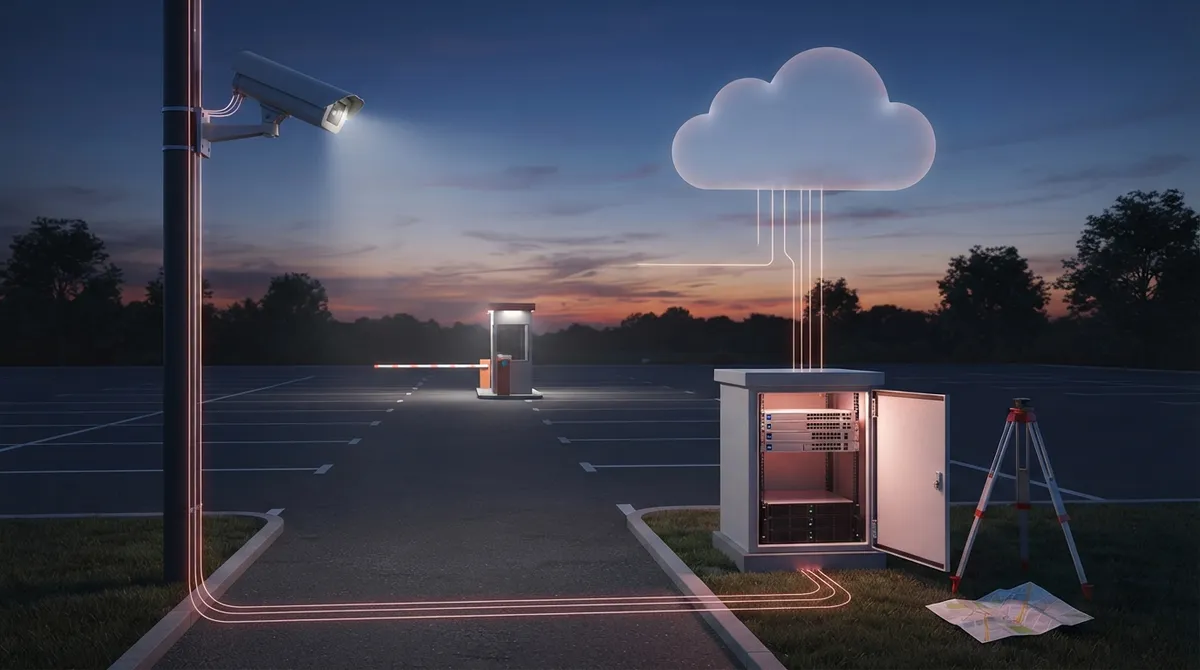
Many people think parking lot security cameras are just cameras on poles. In reality, a good system is a team effort. Cameras, network cabling, internet connections, software, and storage all work together. When one piece is weak, the whole system suffers.
In this friendly guide, we’ll walk through how these systems work, how to plan one, and how to avoid common mistakes. Whether you run a small shop, manage an office, or oversee several franchise locations, you’ll leave with a clear plan. Let’s get started!
What Makes Up a Parking Lot Security Camera System?
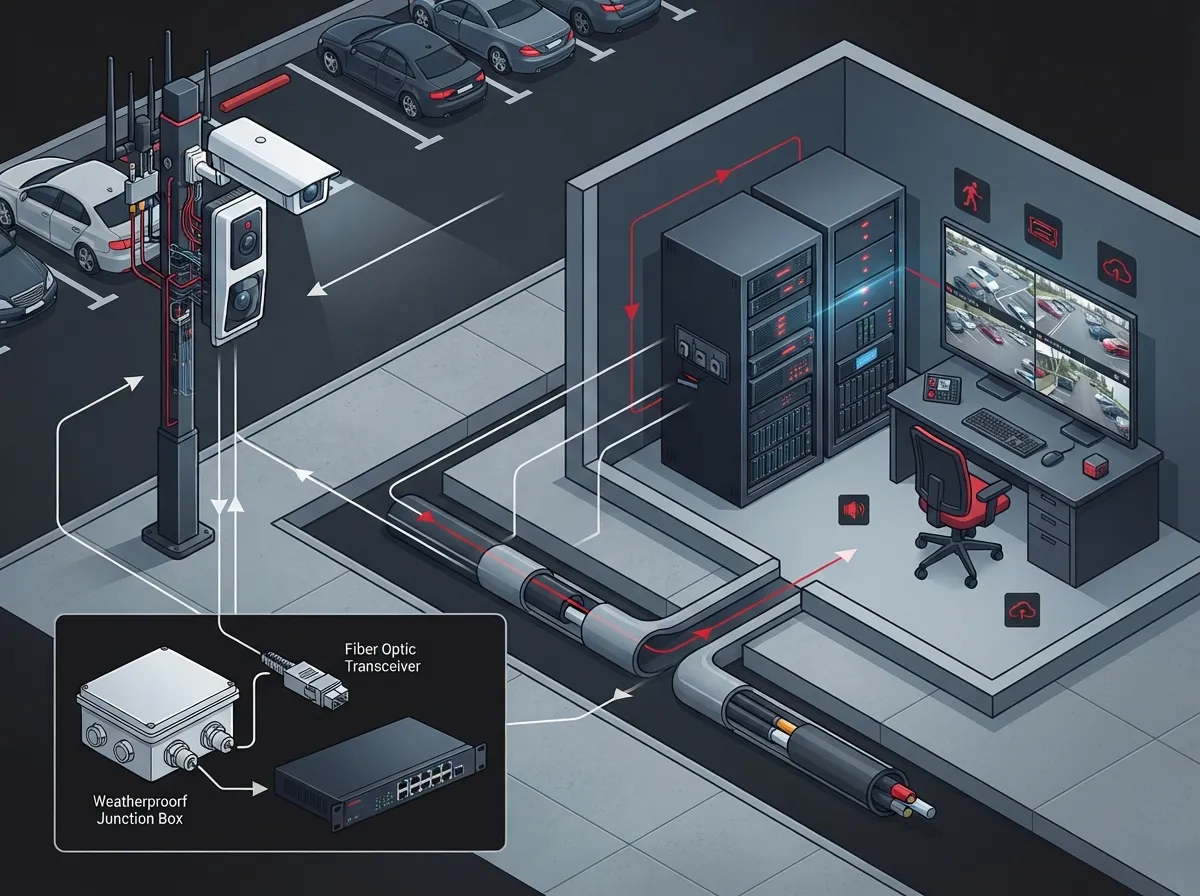
A modern business parking lot system is a networked security solution. It’s more than a camera. Think of it like a phone system: the handset is only one part of the picture.
Here are the main pieces:
- Outdoor-rated IP cameras that capture video and handle weather
- Cabling or wireless links that carry video back to your network
- Network switches that connect everything
- Video management software (VMS) to view, search, and manage footage
- Storage, either local, in the cloud, or both
- Remote access and alerts so the right people know what’s happening
If you’re curious about the bigger picture, our post on what security cameras really do for your business is a great companion read.
Why Do Parking Lots Need Cameras in the First Place?
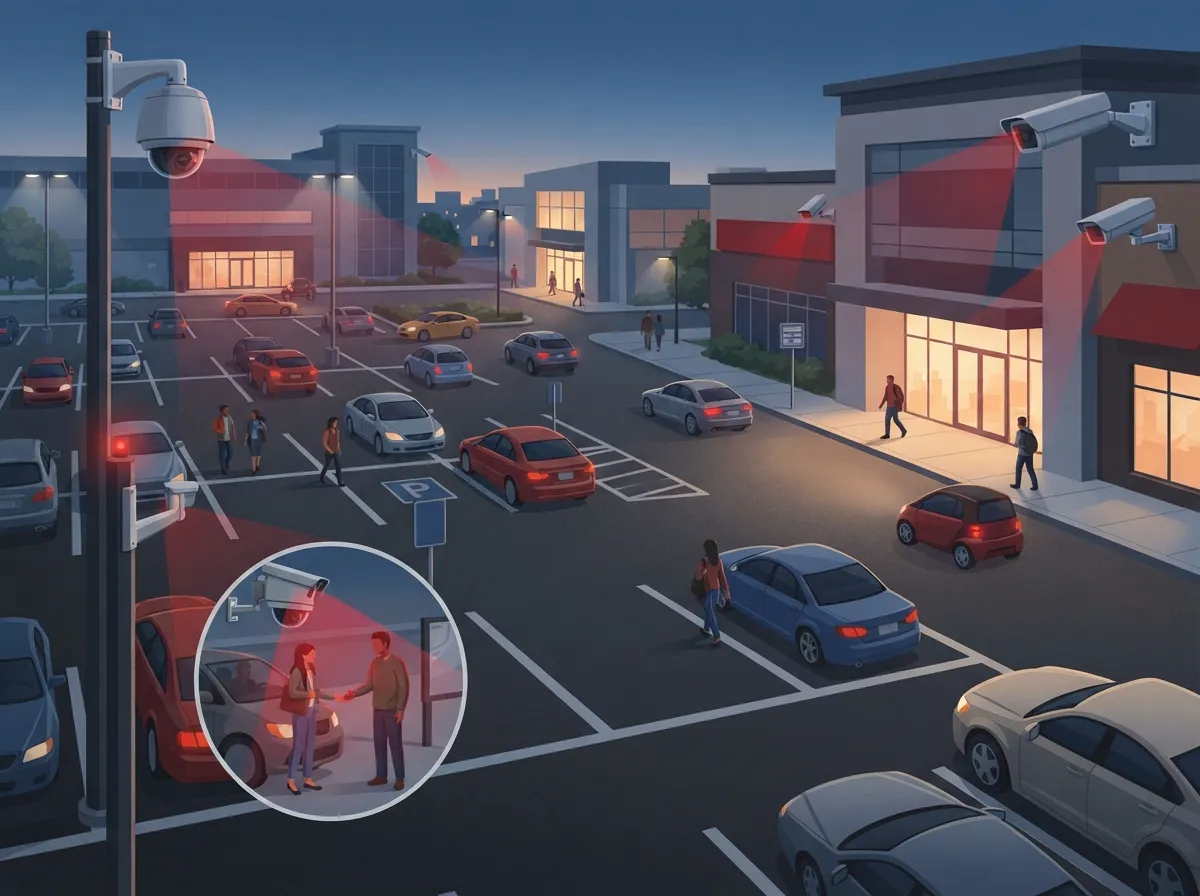
Parking areas are busy, open, and often poorly watched. According to ASIS Security Management, citing FBI Crime Data Explorer figures for 2019–2024, there were 239,998 reported violent-offense incidents in parking lots. Parking environments ranked third among reported locations, behind homes and residences, and behind highways, roads, or sidewalks.
A quick note: that number counts reported incidents. It isn’t a per-person risk rate. Still, it shows why a well-planned parking lot security camera system is a smart investment.
Cameras help businesses in several ways:
- Deterrence: Visible cameras make people think twice.
- Evidence: Clear footage helps with insurance claims and police reports.
- Employee safety: Staff feel better walking to their cars after dark.
- Liability protection: Video can help settle disputes about accidents or damage.
- Operations: You can watch deliveries, gates, and traffic flow.
How Do You Start With a Site Survey?
The best systems begin with a walk around the property. A site survey saves money because it catches problems before installation day.
During a survey, the team maps out:
- Entrances and exits
- Vehicle lanes and pedestrian walkways
- Perimeter areas and blind spots
- Payment points, gates, or kiosks
- Existing lighting and dark corners
- Possible mounting spots, like poles or building walls
- Power sources and available network service
Camera placement and lighting matter more than most people expect. A pricey camera pointed at a dark corner will still give you poor video. A moderately priced camera in the right spot with good lighting often wins.
Which Camera Type Fits Which Job?
Here’s a big tip: use different camera views for different jobs. One camera rarely does everything well.
| Camera Role | Best For | Key Consideration |
|---|---|---|
| Wide-area overview | Watching general activity and context | May not capture readable license plates |
| License plate recognition (LPR) | Entrances, exits, and single lanes | Must be aimed and tuned for each lane |
| Pole-mounted multi-sensor | Covering large open areas | Needs solid power and network connection |
| Entrance and pedestrian cameras | Faces and walking paths | Lighting and angle are critical |
A general overview camera might show a vehicle but miss the plate, especially at night, at speed, or with headlight glare. That’s why dedicated LPR cameras exist. They are set up for one lane and one job.
How Much Resolution Do You Need?
Many vendors suggest 4 MP (2560 × 1440) is enough for many parking areas. But that is not a universal rule. Real image detail depends on distance, lens choice, lighting, vehicle speed, and camera settings. Test the cameras on your actual site when you can.
How Many Cameras Do You Need and Where Should They Go?
This is one of the most common questions we hear. Honestly, there’s no single magic number. We’ve written more on this in 10 factors that decide how many security cameras you need.
Vendors often share rules of thumb. For example:
- Perimeter cameras roughly every 100–150 feet
- Mounting heights around 10–12 feet for many installs
- Identification ranges of about 50–100 feet under suitable conditions
Treat these as starting points, not promises. Site shape, lens choice, lighting, and how much detail you need will decide the final layout.
Tips for Capturing License Plates
- Dedicate a camera to each entry or exit lane.
- Aim along the lane, not across it, so cars approach the lens.
- Avoid pointing cameras directly into headlights or the setting sun.
- Set exposure carefully so plates don’t blur at speed.
- Test at night, since that’s when many incidents happen.
How Do Cameras Connect to Your Network?
This is where telecom know-how really matters. Cameras are only as good as their connection. Your choices depend on what’s already at your site.
| Connection Type | Best When | Things to Watch |
|---|---|---|
| Power over Ethernet (PoE) | Cabling is practical to run | One cable carries both power and data |
| Fiber | Long distances or remote network points | Needs proper installation and termination |
| Wireless bridge | Trenching isn’t an option | Needs clear line of sight and good signal |
| Cellular | No fixed internet at the pole or lot | Requires signal, data capacity, and recurring fees |
PoE is popular because it keeps things simple. For longer runs, solid structured cabling is the backbone of a reliable system. If you want to understand how cabling supports cameras and phones together, check out 13 ways structured cabling supports VoIP and cameras.
Cellular can be a lifesaver at remote lots, but plan for monthly data costs and make sure the signal is strong where the camera sits.
What About Bandwidth and Storage?
Video is hungry. It can put real pressure on your internet uplink and your storage. Rather than guess, add up the needs using your actual equipment.
Factors that affect bandwidth and storage include:
- Number of cameras
- Resolution and frame rate
- Compression type
- Continuous versus motion-only recording
- How long you keep footage (retention)
- How many people watch remotely at once
The smart move is to check the specs of your chosen cameras and VMS, then validate the numbers. A generic estimate can leave you with choppy video or full drives.
Your internet connection matters, too. If you’re sending video to the cloud, a weak connection will bottleneck everything. Our guide on how to choose the right internet speed for your business can help, and so can this look at cloud video security bandwidth facts.
Cloud, Local Recorder, or Both?
A cloud-managed VMS lets approved staff view live or recorded video from anywhere. That’s wonderful for owners, IT managers, and franchise operators with multiple sites. You can check a lot in Tampa from your phone while sitting in another state.
But think about outages. A local recorder or edge storage on the camera can keep recording if your internet drops. Ask any provider how the system behaves during a connectivity loss and how recordings get backed up afterward.
Many businesses choose a hybrid approach: local storage for resilience, cloud for access and backup. You can learn more in how to keep security cameras working during internet outages and the key differences between cloud video security and DVR systems.
How Do You Keep Your Camera Network Secure?
Here’s something many people forget: cameras are computers on your network. If they’re not protected, they can become an open door for bad actors. Treat them like any other part of your business IT.
Follow these steps:
- Change default passwords right away and use strong, unique ones.
- Turn on multifactor authentication wherever it’s available.
- Update firmware on a regular schedule.
- Restrict remote access to only the people who need it.
- Isolate cameras on their own network segment.
- Use firewall rules to block unneeded traffic.
These habits turn a basic camera setup into a safer business system. If you’re weighing options, our post on cloud security vs. traditional network security adds helpful context.
Can Cameras Handle Weather and Nighttime?
Outdoor lots are tough on gear. Heat, rain, dust, vibration, and even tampering can take a toll. Pick equipment rated for outdoor use, and make sure installers mount it properly. Florida sun and storms are no joke!
Night performance depends on several things:
- Existing lighting in the lot
- Infrared or low-light camera features
- Exposure settings
- Wide dynamic range (WDR) for tricky scenes
A great test is to watch headlights entering a dark lot. If the scene washes out, adjust the settings or the camera position before you sign off on the install.
What Can Video Analytics Do for You?
Many modern systems offer smart features, such as motion or intrusion alerts, vehicle searches, and LPR workflows. These can save hours of scrubbing through footage.
That said, analytics are not magic. Their performance depends on placement, image quality, setup, and conditions. Also decide ahead of time who gets alerts, how they are checked, and when to escalate. An alert nobody sees isn’t much help.
For a deeper dive, see how to deploy video analytics security systems right.
What About Privacy and Legal Rules?
Privacy rules vary by location and by how you use the video. Before you install, review notice, retention, access, disclosure, employment, and state privacy requirements. Posting clear signage is a common good practice.
Audio is a special case. Recording sound raises separate legal issues, so don’t turn it on without legal and operational approval. When in doubt, talk to a qualified attorney. For more, see 6 camera compliance rules every business must know.
A Simple Planning Checklist
Use this list when you start planning your system:
- Walk the site and list every entrance, exit, and blind spot
- Decide which views need context and which need plate capture
- Check power, cabling paths, and network access
- Estimate bandwidth and storage using real specs
- Choose cloud, local, or hybrid storage
- Lock down the network and accounts
- Test night scenes before final approval
- Set alert rules and a response plan
- Review privacy and signage needs
If you have several locations, a cloud-managed setup makes it easier to scale. Take a look at 10 cloud video security tips for parking lots and our commercial buyer’s guide for more ideas.
Why Work With One Telecom and IT Partner?
Parking lot cameras touch many areas: cabling, internet, networking, security software, and sometimes access control at gates. Managing a different vendor for each piece gets messy fast. When something fails, everyone points fingers.
Ideal Solutions Provider is a Tampa-based telecom and IT partner with over 24 years of experience and relationships with 35+ vetted suppliers. They handle consultation, installation, and ongoing support, so you get a single point of contact. That’s especially handy for small business owners, office managers, IT teams, and franchise operators who’d rather focus on running the business. You can explore their cloud video security services to see how it all fits together.
Ready to Protect Your Parking Lot?
A great parking lot security camera system comes down to smart planning: the right camera for each job, a solid network, secure settings, and clear alert rules. Get those right, and you’ll have footage you can actually use when it counts.
Want a hand? Contact us for a friendly consultation, or call us to talk through your site. You can also follow along with tips on YouTube. We’d love to help you feel safe and confident every time you walk to your car.
FAQs
Q: What type of security camera is best for a business parking lot?
A: It depends on the job! Wide-area cameras give you great context, while dedicated license plate recognition (LPR) cameras are best for capturing plates at entrances and exits. Most lots do best with a mix of both.
Q: Can parking lot security cameras work without wired internet?
A: Yes, they can. Wireless bridges and cellular links can help where trenching or fixed internet isn’t practical. Just remember that cellular needs a strong signal, enough data capacity, and a plan for monthly service costs.
Q: Should I use cloud storage or a local recorder?
A: Many businesses love a hybrid setup. Cloud storage makes remote viewing easy, while local or edge storage can keep recording if your internet goes down. Ask your provider how footage is backed up after an outage.
Q: How can I keep my IP security cameras safe from hackers?
A: Change default passwords, use strong unique ones, and turn on multifactor authentication when you can. Keep firmware updated, restrict remote access, and put cameras on their own network segment with firewall rules.
Q: Are there legal rules for recording audio in a parking lot?
A: Yes, audio recording raises separate legal issues and rules vary by location. Don’t turn on audio without legal and operational approval, and review notice and signage requirements for your area.





