
Key Takeaways
-
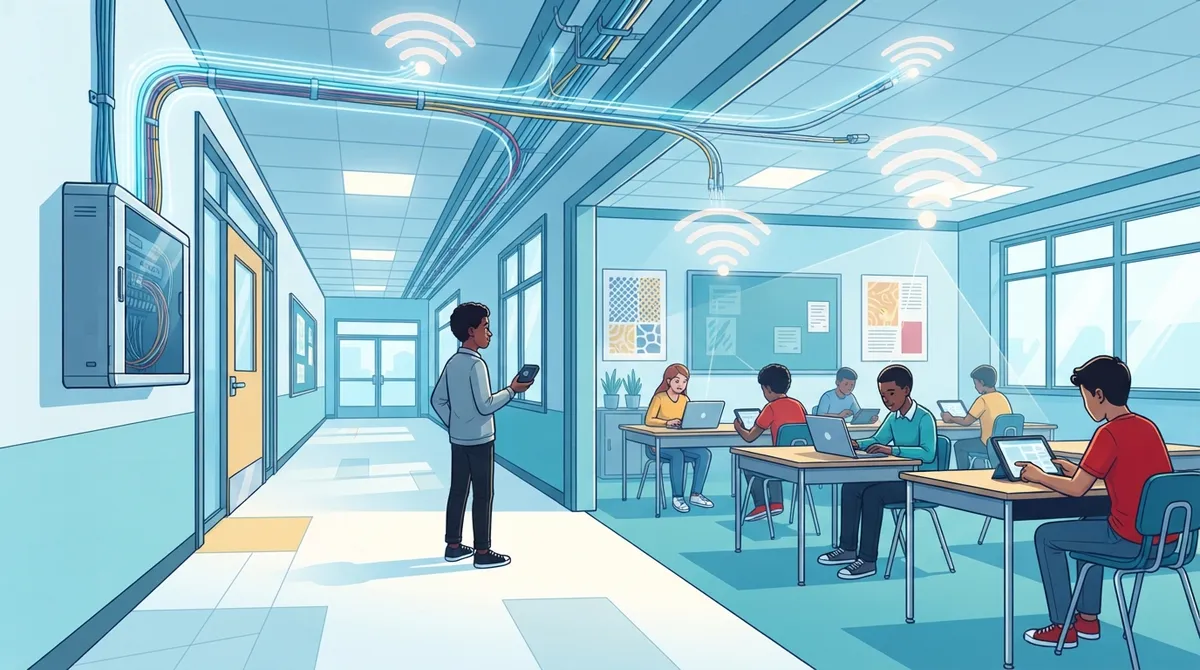
Schools need both a wide-area connection into the building (Category One) and a strong internal network for Wi-Fi and switches (Category Two); a fast line alone still leaves classrooms with weak Wi-Fi.
-
E-Rate can cover 20% to 90% of eligible telecom, internet, and internal network costs, but applicants must pay their share, follow competitive bidding, and verify each service's eligibility separately.
-
The FCC's planning benchmark is 1 Gbps per 1,000 students and staff, but real needs depend on concurrent users, apps like online testing, device counts, and future growth.
-
Many schools get the best results from a mix such as fiber as the main line with a second connection as backup, so one outage doesn't stop lessons or testing.
-
Starting in Funding Year 2025, E-Rate may support off-premises Wi-Fi hotspots for students ($15/month service and $90/device pre-discount limits), but eligibility must be confirmed before purchase.
-
Get uptime commitments, repair response times, school-hours support, and backup options in the written contract, not just in sales conversations.
Picture this: it is the first week of the semester. A teacher starts a live lesson, thirty students log in at once, and the video freezes. Sound familiar? When it comes to internet for schools, a weak connection does not just annoy people. It slows down learning, testing, and even front-office work.
The good news is that you can fix this with a clear plan. Today’s classrooms use laptops, tablets, cloud tools, VoIP phones, and security cameras all at the same time. That is a lot to ask from one network. In this friendly guide, we will walk through six practical steps to help your school choose, fund, and manage a connection that keeps up. We will cover E-Rate funding, how much speed you really need, which connection types fit best, and how to protect your network along the way. Grab a coffee, and let’s get started!

Step 1: Understand What School Internet Really Includes
When people say “school internet,” they often mean one thing. In reality, it is two parts that work as a team. Knowing the difference helps you ask providers the right questions and plan your budget with confidence.
In the U.S., the FCC’s E-Rate program groups school connectivity into two categories:
- Category One: The wide-area connection that brings internet into your school, such as fiber or other broadband access and data transmission.
- Category Two: The internal network that spreads that connection around your buildings, including Wi-Fi, switches, internal connections, basic maintenance, and managed internal broadband.
Think of it like water in a building. Category One is the main pipe from the street. Category Two is all the plumbing inside that gets water to every classroom. You need both to work well. A fast pipe feeding a weak internal network still leaves teachers with spotty Wi-Fi.
A good business telecom partner looks at the whole picture, not just the line coming into the building. If you want to learn more about how a quality connection supports every part of an organization, take a look at what makes high-speed internet essential for your business.

Step 2: Learn How E-Rate Can Lower Your Costs
Here is some wonderful news for school leaders. You do not have to cover every dollar yourself. The FCC’s E-Rate program helps eligible schools and libraries pay for certain telecommunications, internet access, and internal network costs.
E-Rate at a Glance
| Program Detail | What to Know |
|---|---|
| Discount range | 20% to 90% of eligible costs |
| What sets your discount | Poverty level and urban or rural status, among other factors |
| Funding Year 2025 cap | $5.059 billion |
| Funding Year 2025 dates | July 1, 2025 through June 30, 2026 |
| Key requirement | Competitive bidding and paying your share of costs |
A few friendly reminders will save you headaches. First, applicants must pay their share of the costs and follow program rules, including competitive bidding. Second, a provider’s product is not automatically eligible just because it is sold to schools. Eligibility depends on the specific service and the applicable funding-year eligible services list.
So always verify E-Rate eligibility and funding separately from your procurement decisions. Ask each provider to show you which parts of their proposal fit the eligible services list. It is a simple question, and a trustworthy partner will happily answer it.
Step 3: Figure Out How Much Speed Your School Needs
Next comes the question everyone asks: how fast is fast enough? The FCC’s school broadband benchmark is a helpful starting point. It suggests 1 Gbps per 1,000 students and staff.
Here is the important part. That number is a planning benchmark, not a promise that every school needs the same service. Your real needs depend on things like:
- How many people use the network at the same time
- Which apps and tools your teachers rely on, such as video lessons or online testing
- How many devices connect, including laptops, tablets, phones, and cameras
- How well your internal network is designed
A small elementary school with a few hundred students has different needs than a large high school running online exams. Plan for growth too. Student devices and digital tools keep multiplying, so a plan that fits today may feel tight in two years.
For more on matching speed to real-world use, our guide on how to choose the right internet speed walks through the thinking in plain language. And if your connection already feels sluggish, here is how to find and fix slow internet.
Step 4: Compare Your Connection Options
Not every connection type works equally well for schools. The right pick depends on your location, your budget, and how much capacity you need. Here is a simple side-by-side look.
Connection Types Compared
| Connection Type | Best For | Things to Consider |
|---|---|---|
| Dedicated fiber | Larger campuses and heavy daily use | Strong speed and consistency, but availability varies by address |
| Shared fiber or business broadband | Mid-sized schools with moderate needs | Good value, though speeds may vary at busy times |
| Cable | Smaller schools and offices | Widely available, but upload speeds are often lower |
| Fixed wireless | Rural or hard-to-reach locations | Useful where fiber is not available; performance depends on conditions |
| Satellite | Remote sites with few options | Can fill gaps, but may not suit heavy real-time use |
Many schools get the best results from a mix, such as fiber as the main line with a second connection as a backup. If you are weighing the main choices, check out fiber versus cable business internet and dedicated versus shared fiber to see how they stack up.
Here is where working with an independent partner helps. Instead of calling provider after provider, you can have one team compare options across many suppliers. That saves time and often reveals choices you did not know existed.
Step 5: Build a Strong Network Inside Your Buildings
A fast connection into the school is only half the story. The internal network decides whether a student in the far wing of the building gets the same experience as one next to the server room.
This is where E-Rate Category Two support can be a big help. Eligible internal connections, basic maintenance, and managed internal broadband services can all play a role, as long as you follow the applicable budgets and eligibility rules.
What a Healthy Internal Network Includes
- Quality cabling. Solid wiring is the backbone of everything. Schools with older or messy wiring often see random drops that are hard to trace. Learn why this matters in our post on structured cabling versus ad-hoc wiring.
- Smart Wi-Fi coverage. Classrooms, gyms, cafeterias, and hallways all need coverage. A proper layout beats simply adding more access points.
- Capable switches and equipment. Old gear can choke even a fast connection.
- Ongoing monitoring and support. Someone should watch the network and fix issues before the school day suffers.
If you are planning upgrades, our guide to professional structured cabling services explains what a well-built system looks like. Good structured cabling also makes future upgrades far easier and cheaper.
Don’t Forget Off-Campus Learning
Here is a newer option worth knowing about. Beginning in Funding Year 2025, eligible schools and libraries may seek E-Rate support for qualifying off-premises Wi-Fi hotspots and the mobile wireless internet service that goes with them, for students and staff.
The FCC set some limits. There is a three-year budget cycle that covers FY2025 through FY2027. The pre-discount limits are $15 per month for recurring mobile wireless service and $90 per hotspot device. These help students who lack reliable internet at home, so they can keep up with homework and online lessons. As always, confirm eligibility before you buy.
Step 6: Plan for Reliability, Security, and Backup
Speed gets the headlines, but reliability keeps school running. A good plan prepares for problems before they happen.
Questions to Ask Every Provider
- What uptime do you commit to, and is it in writing?
- How fast do you respond and repair when something breaks?
- Who do we call, and is support available during school hours?
- How will the service grow as our device count rises?
- What happens if our main line goes down?
Get those answers in the contract, not just in the sales conversation. If you are unsure what to look for, our article on what to look for in a business internet provider is a handy checklist. It also helps to understand how an Internet Service Provider differs from a partner who helps you compare many providers at once.
Protecting Students and Data
Schools hold sensitive information, and students deserve a safe online space. Build these basics into your plan:
- Content filtering to keep students away from harmful sites
- Network security to guard records and systems
- Backup connectivity so a single outage does not stop testing or lessons
- Smart design that separates guest, student, and staff traffic
Keep in mind that security tools, filtering, and backup lines are procurement and operational choices. E-Rate eligibility for each item should be checked on its own.
Your network also carries more than lessons. Many schools now run VoIP phones, security cameras, and door controls over the same connection. That is a great reason to plan capacity carefully. See how structured cabling supports VoIP phones and cameras for a closer look.
How a Single Telecom Partner Makes This Easier
Let’s be honest. Between funding rules, bidding, equipment, and providers, this can feel like a second job. That is where a trusted partner shines.
Ideal Solutions Provider is a Tampa-based telecom and IT partner with more than 24 years of experience and relationships with 35+ vetted suppliers. Instead of juggling many vendors, you get one point of contact for internet, networking, cabling, VoIP phones, cloud security cameras, and access control. They can audit your current setup, compare options side by side, and recommend what fits your campus rather than what fills a sales quota.
Curious how that approach works in practice? Read about the benefits of using one telecom partner, or learn how to work with a telecom expert who gets results. You can also explore their business high-speed internet services and business network solutions.
Your Quick Planning Checklist
Before you request quotes, run through this short list:
- Count your students, staff, and connected devices.
- Map your buildings and note Wi-Fi dead zones.
- Check the age of your cabling and network gear.
- Confirm your E-Rate eligibility and discount level.
- Decide on backup connectivity and security needs.
- Request comparisons from several providers, not just one.
Ready to Give Your School a Connection That Keeps Up?
Reliable internet for schools comes down to six steps: know what is included, use E-Rate wisely, size your speed, compare connection types, build a strong internal network, and plan for reliability and security. Take them one at a time, and the process feels much less scary.
You do not have to do it alone. If you would like a friendly second opinion on your current setup, contact us for a free consultation, or call us to talk through your campus needs. Better connectivity is closer than you think, and your teachers and students will thank you for it!
FAQs
Q: What is the best internet service for a school?
A: There is no single best option, because it depends on your campus size, location, and how many devices connect at once. Many schools do well with fiber as the main line plus a backup connection. An independent partner can compare providers for you and match the service to your real needs.
Q: How does E-Rate help schools pay for internet?
A: The FCC’s E-Rate program discounts eligible telecommunications, internet access, and internal network costs by 20% to 90%. Your exact discount depends on factors like poverty level and urban or rural status. Schools still pay their share and must follow program rules, including competitive bidding.
Q: What internet speed does a school need per student?
A: The FCC’s planning benchmark is 1 Gbps per 1,000 students and staff. It is a helpful starting point, not a rule for every school. Your real needs depend on how many people are online at once, which apps you use, and how well your internal network is built.
Q: Can schools use E-Rate to pay for Wi-Fi hotspots for students?
A: Yes, beginning in Funding Year 2025, eligible schools and libraries may seek E-Rate support for qualifying off-premises hotspots and mobile wireless service. The FCC sets limits of $15 per month for recurring service and $90 per hotspot device, within a three-year budget cycle. Be sure to confirm eligibility before purchasing.
Q: What should schools look for in a provider’s uptime and support commitments?
A: Ask for written uptime commitments, clear repair response times, and support that is available during school hours. Also ask how the service scales as your device count grows and what backup options exist if your main line fails. Getting these details in the contract protects you later.





