

Key Takeaways
-
Map every cloud app, phone, camera, and file tool your team uses and who uses it from where before buying anything, since this audit shapes every later decision.
-
Set measurable targets for uptime, bandwidth per site, compliance rules like HIPAA, and user access so you can objectively compare providers and reject quotes that miss them.
-
Use a mix of connection types: standard business internet for everyday SaaS and a dedicated or private link for voice, video, and sensitive systems.
-
Add SD-WAN to steer each app over the best live path and fail over to a backup link automatically, especially across multiple sites.
-
Layer cloud-delivered security such as secure web gateways, zero-trust access, and firewall-as-a-service, since users now work from homes, cafes, and job sites.
-
Assign clear ownership with diverse carrier links, 24/7 monitoring, and a single point of contact to avoid blame-shifting when outages occur.
Picture this: your team opens a cloud app, and it crawls. Phone calls get choppy. Someone blames the Wi-Fi, someone else blames the cloud, and nobody owns the fix. Sound familiar? You are not alone, and the good news is that it can be solved.
Cloud network integration is how a business connects its offices, remote workers, data centers, and devices to cloud apps through one planned network and security design. It is not a single product you buy off a shelf. It is a plan that ties together internet access, routing, security, and support.
In this friendly guide, we walk through 8 practical steps. They fit small business owners, office managers, IT managers, and multi-location franchise operators alike. Whether you run one Tampa office or twenty sites nationwide, these steps will help you build a cloud connection that is fast, safe, and easy to manage.
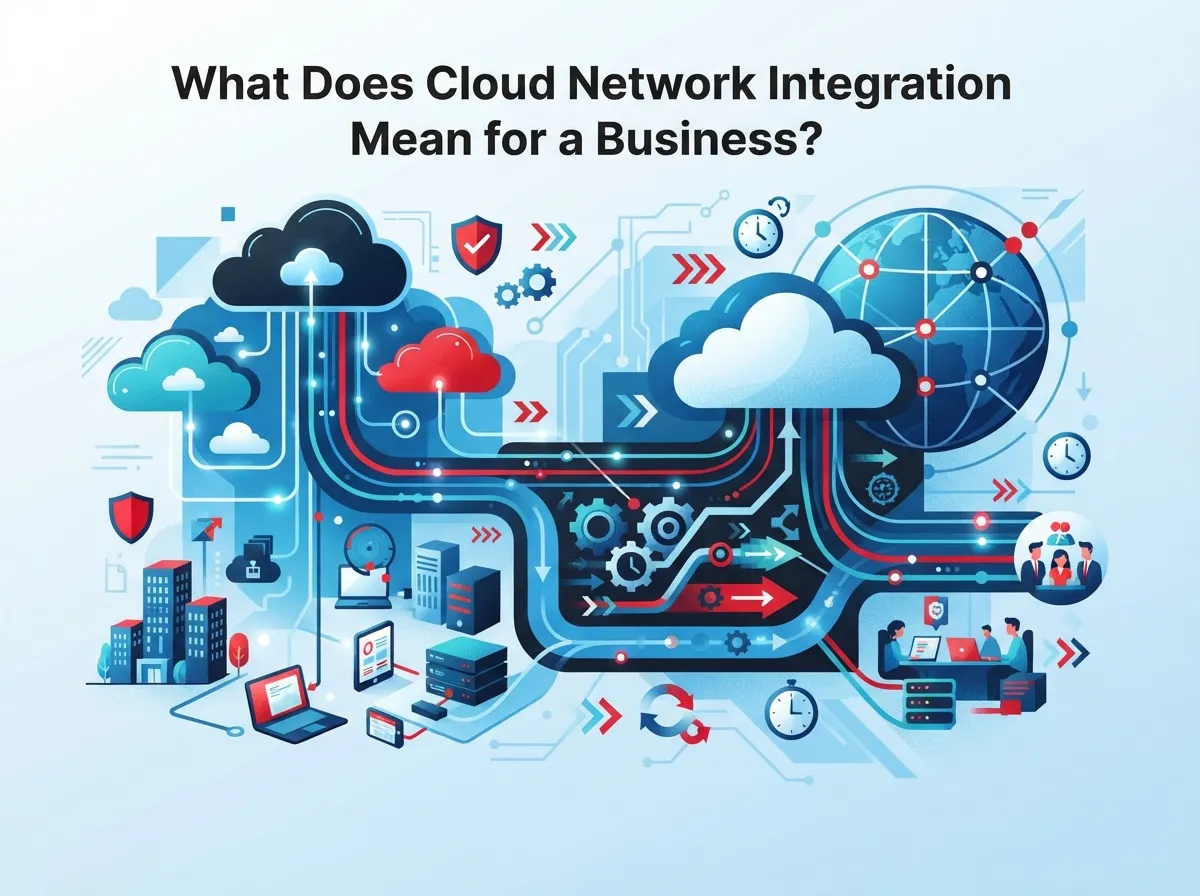
What Does Cloud Network Integration Mean for a Business?
In plain words, cloud network integration links your business locations and people to cloud services in a smart, coordinated way. Those services may include public cloud hosting, SaaS tools like Microsoft 365, cloud phone systems, and cloud security cameras.
The pieces usually include:
- Internet or private circuits at each site
- Routing rules that decide how traffic travels
- Security controls that protect users and data
- Monitoring and support so problems get fixed fast
Think of it like city planning. Roads (your circuits), traffic lights (your routing), and police (your security) must all work together. If one is missing, traffic jams follow.
One honest note: cloud integration does not automatically make things faster or safer. Results depend on the quality of your connections, how things are set up, and how well the network is watched over time.

Step 1: Map Your Applications and Traffic Flows
Before you buy anything, find out what actually runs on your network. List every cloud app, phone service, camera system, and file tool your team uses. Then note who uses each one and from where.
This simple map answers key questions:
- Which apps are most important to daily work?
- Which sites send the most traffic to the cloud?
- Which apps need very steady performance, like voice and video?
- Where does sensitive data travel?
Small businesses can do this on one page. Franchise operators with many sites should map a sample location first, then repeat it. If you want a structured way to review what you have, our guide on network infrastructure audit steps is a great companion.
Step 2: Set Clear Performance and Security Goals
Next, decide what “good” looks like. Without goals, every network choice becomes a guess.
Write down simple targets, such as:
- How much uptime you need (for example, can you survive an hour of downtime?)
- How much bandwidth each site needs today and in two years
- Which rules you must follow, like HIPAA for healthcare offices
- Who should be allowed to reach which systems
These goals guide every later decision. They also give you a fair way to compare providers. If one quote cannot meet your goals, you can set it aside with confidence.
Step 3: Choose the Right Cloud Connection Type
Not every business needs the same kind of link to the cloud. The right pick depends on your workload, budget, and risk level.
| Connection Type | Best For | Key Trade-Off |
|---|---|---|
| Standard business internet | Everyday SaaS apps and small offices | Performance can vary with congestion |
| Dedicated fiber or private circuit | Voice, video, and sensitive workloads | Higher monthly cost |
| Cloud interconnect (private link to a cloud provider) | Heavy data movement to public cloud | Needs careful planning and regional fit |
| Software-defined cloud interconnect | Multi-cloud setups and growing firms | Needs ongoing management |
For many small and mid-sized firms, a mix works best: fast business internet for general use, plus a dedicated link for the most important systems. If you are weighing options, our look at dedicated fiber internet explains when it pays off.
Step 4: Build a Strong Foundation With Cabling and Internet
Here is something many people forget: the cloud still depends on physical wiring. A shaky office network can make a great cloud service feel slow.
Good structured cabling gives you clean, organized, tested connections for phones, computers, Wi-Fi, and cameras. Poor cabling causes dropped packets and mystery slowdowns that no cloud upgrade can fix.
Check these basics:
- Cabling that matches your speed needs, such as Cat6 or fiber
- Clear labeling and documentation
- Enough internet bandwidth for peak hours, not just average hours
- A backup internet line for important sites
If you are planning upgrades, read about what structured cabling is for your business network before you start.
Step 5: Add SD-WAN to Steer Traffic Smartly
SD-WAN is a popular building block for cloud network integration. It lets you use several connections at once, such as fiber, cable, and cellular, and it steers each app over the best path based on rules and live link health.
Why it helps:
- Cloud app traffic can go straight from a branch to the internet instead of detouring through a central office
- Voice and video can be given priority over less urgent traffic
- If one link fails, traffic can shift to another
- You can manage many sites from one place
This is especially handy for franchise operators and growing companies with several locations. Industry analysts have forecast strong SD-WAN growth. For example, a Gartner forecast cited in a 2023 report projected a 14.6% compound annual growth rate for the SD-WAN market from 2022 through 2027. Treat that as a forecast, not a guarantee, and always confirm with current sources.
Curious whether it fits your business? Start with what SD-WAN services are and whether you need them, then see how SD-WAN solutions work for Tampa Bay businesses.
Step 6: Layer in Cloud-Delivered Security
When more work moves to the cloud, the old idea of one “office firewall” no longer covers everything. People work from home, coffee shops, and job sites. Security has to follow them.
That is where SASE comes in. SASE blends SD-WAN networking with cloud-delivered security tools. Common parts include:
- Secure web gateway: filters risky websites
- Cloud access security broker: controls how cloud apps are used
- Firewall as a service: protects traffic without a box at every site
- Zero-trust network access: checks who you are before granting access
A Gartner forecast reproduced in a 2023 SD-WAN report projected that 60% of new SD-WAN purchases would be part of a single-vendor SASE offering by 2026. That is a prediction from earlier research, so verify current numbers before relying on it.
Not sure how to pick? Our guide on choosing a data security service for business telecom breaks it down in simple terms.
Step 7: Bring Voice, Video, and Access Systems Into the Plan
Cloud network integration is not only about computers. Your phones, security cameras, and door locks can live on the same smart network. That is a big win for office managers who want fewer headaches.
Here is how each one benefits:
- Cloud phones (VoIP): Need steady, low-delay connections. Good routing and backup links keep calls clear.
- Cloud video security: Needs enough upload bandwidth. Cameras that stream constantly can overload a weak line.
- Cloud access control: Needs reliable connectivity so doors, badges, and mobile credentials respond fast.
Planning these together stops them from fighting over the same bandwidth. Our posts on internet speeds your cloud cameras actually need and whether VoIP is reliable for business can help you size things right.
When everything shares one plan, you can also pick a partner who handles it all. An integrated business platform for telecom keeps phones, internet, and security working as a team.
Step 8: Plan Failover, Monitoring, and Ongoing Ownership
A network is never “done.” Links fail, software updates roll out, and teams grow. The final step is making sure someone owns the outcome.
Build in these safeguards:
- Diverse links: use two different carriers where you can, so one outage does not stop you
- Automatic failover: traffic shifts to a backup path without anyone lifting a finger
- 24/7 monitoring: alerts that catch trouble before users notice
- A clear support path: know who to call for circuits, cloud, and security
Also write down who is responsible for what. When a telecom provider, a cloud provider, and your own team all share the stack, finger-pointing is common. Clear service-level commitments and a single point of contact prevent long, frustrating blame games. For ideas on picking a partner, see how to choose a managed service provider for business telecom.
Quick Comparison: SD-WAN vs. SASE
These two terms get mixed up a lot, so here is a simple side-by-side.
| Feature | SD-WAN | SASE |
|---|---|---|
| Main job | Smart traffic steering between sites and the cloud | Networking plus cloud-delivered security in one design |
| Security built in | Basic, depends on add-ons | Yes, such as secure web gateway and zero-trust access |
| Best for | Multi-site performance and link backup | Mixed office and remote teams needing consistent security |
| Complexity | Moderate | Higher, but more complete |
Many businesses start with SD-WAN and add SASE features as they grow. There is no single right path. The best choice follows your goals from Step 2.
Common Mistakes to Avoid
Even smart teams trip up. Watch out for these:
- Skipping the audit: buying tools before you know what you have
- Ignoring cabling: great cloud plans cannot fix bad wiring
- Underestimating bandwidth: cameras and voice need more than you think
- No backup link: one outage can stop the whole office
- Too many vendors: splitting phone, internet, and security among many providers makes problems hard to trace
That last one is huge for busy owners. Juggling several carriers eats time. Working with a single partner can simplify billing, support, and planning. If you are weighing this, our comparison of single vendor vs. multi-vendor telecom shows the trade-offs.
Why a Local Telecom Partner Makes It Easier
Cloud network integration touches many moving parts, and that can feel like a lot. Ideal Solutions Provider is a Tampa-based telecom and IT partner with over 24 years of experience and 35+ vetted suppliers. They act as a single point of contact, handling everything from consultation and installation to ongoing support for phones, internet, cabling, networking, and security.
Because they compare options across many suppliers, they can recommend what fits your needs instead of pushing one product. They also serve businesses nationwide, which helps franchise operators who need the same setup at every site. If you want a feel for the experience, take a look at why Tampa Bay businesses need one telecom partner.
Your Cloud Network Integration Checklist
Use this short list to keep yourself on track:
- Map your apps and traffic flows
- Set clear performance and security goals
- Pick the right cloud connection type
- Fix your cabling and internet foundation
- Add SD-WAN where multiple sites need smart routing
- Layer in cloud-delivered security
- Plan voice, video, and access systems together
- Set up failover, monitoring, and clear ownership
Print it, share it with your team, and check items off as you go. Small steady progress beats a rushed, messy rollout every time.
Ready to Connect Your Business to the Cloud the Right Way?
Cloud network integration does not have to be scary. With a clear plan, the right connections, and a partner who has your back, your business can enjoy faster apps, clearer calls, and safer data.
Ideal Solutions Provider offers free consultations to review your current telecom setup and spot ways to save. Contact us today to talk through your goals, or call us and speak with a friendly expert. You can also follow along on YouTube for more helpful tips.
FAQs
Q: What is cloud network integration for a business?
A: It is the process of connecting your offices, remote workers, data centers, and devices to cloud apps through one planned network and security design. It is not one product, but a mix of connections, routing, security, and support that work together.
Q: What is the difference between SD-WAN and SASE?
A: SD-WAN steers your traffic across multiple links so apps run well and stay online. SASE takes it a step further by combining that networking with cloud-delivered security like zero-trust access and secure web gateways. Many businesses start with SD-WAN and add SASE later.
Q: Should my business use a dedicated cloud connection or the public internet?
A: It depends on what you run. Everyday SaaS apps often do fine on solid business internet, while voice, video, and sensitive workloads may benefit from a dedicated or private link. A quick traffic review will help you decide.
Q: How can I keep my network running during an internet outage?
A: Use two different connections, ideally from separate carriers, and set up automatic failover so traffic shifts without anyone stepping in. Add 24/7 monitoring so you hear about trouble before your team does.
Q: What should I look for in a managed cloud networking provider?
A: Look for one clear point of contact, strong service-level commitments, experience with your type of business, and the ability to handle circuits, cabling, security, and support. A partner who compares many suppliers can recommend what fits you, not just what they sell.





