
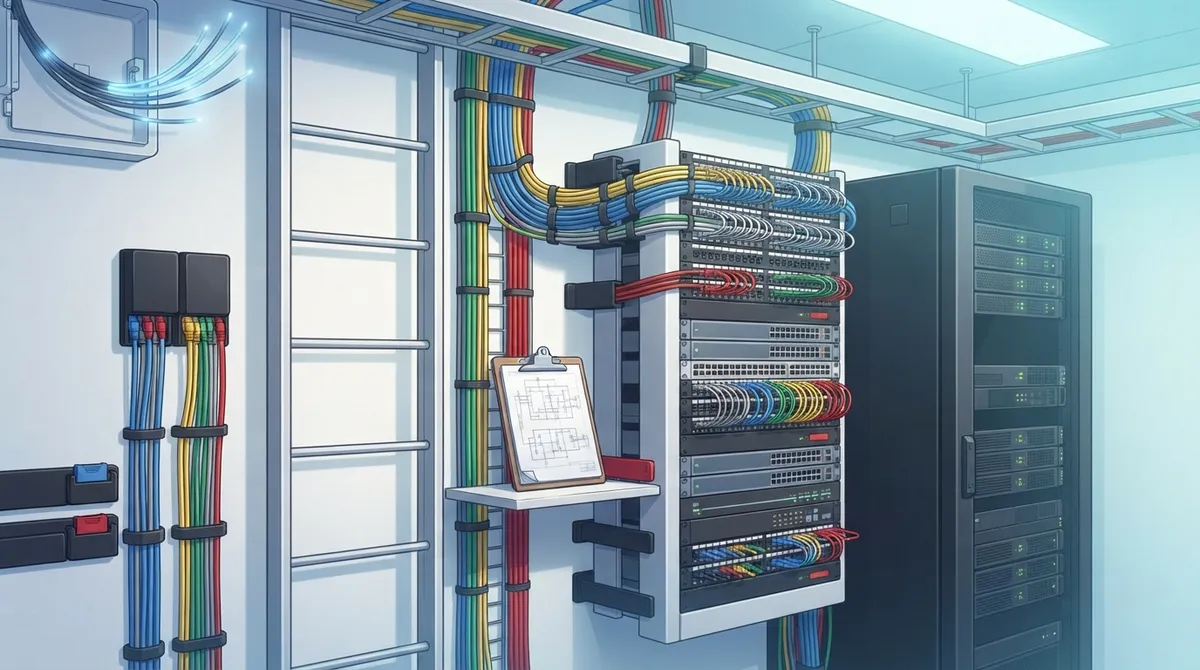
Key Takeaways
-
Certified testing and as-built documentation are essential: ask for test reports and drawings at handoff, since they prove the installation meets standards and speed up future troubleshooting.
-
Use structured cabling instead of ad-hoc wiring; standardized backbone, horizontal, telecom room, and outlet design makes moves, adds, changes, and troubleshooting far faster.
-
Plan for the 100-meter channel limit: TIA guidance sets 90 m for the permanent link plus 10 m of patch cords, so use fiber or an extra telecom closet for longer runs.
-
Choose cable by need: Cat 6 suits most office workstations, Cat 6A future-proofs new builds for 10GBASE-T over 100 m, and fiber fits backbones, long runs, and building-to-building links.
-
Cabling also powers VoIP phones, Wi-Fi access points, cameras, and door access systems, so plan it alongside phone, internet, and security upgrades to avoid dropped calls and lag.
-
Compare contractors on scope, not just price: look for BICSI-trained installers, standards-based work, clear warranty terms, and a written scope covering testing and labeling.
Picture this: your team is on a big video call, your VoIP phones are ringing, and your security cameras are streaming, all at the same time. Everything runs smoothly. Why? Chances are, someone did the cabling right. Most of us never think about the wires hiding in walls and ceilings until something goes wrong. Then those wires become the only thing anyone talks about.
That is where network cabling services come in. These services build the physical backbone behind your phones, internet, Wi-Fi, cameras, and door systems. Done well, you barely notice them. Done poorly, you notice them every single day.
Whether you run a small Tampa shop, manage a growing office, or oversee several franchise locations, this guide walks you through what network cabling services cover, how to choose the right cable, and how to pick a good partner. Grab a coffee and let’s make this simple.
What Are Network Cabling Services?
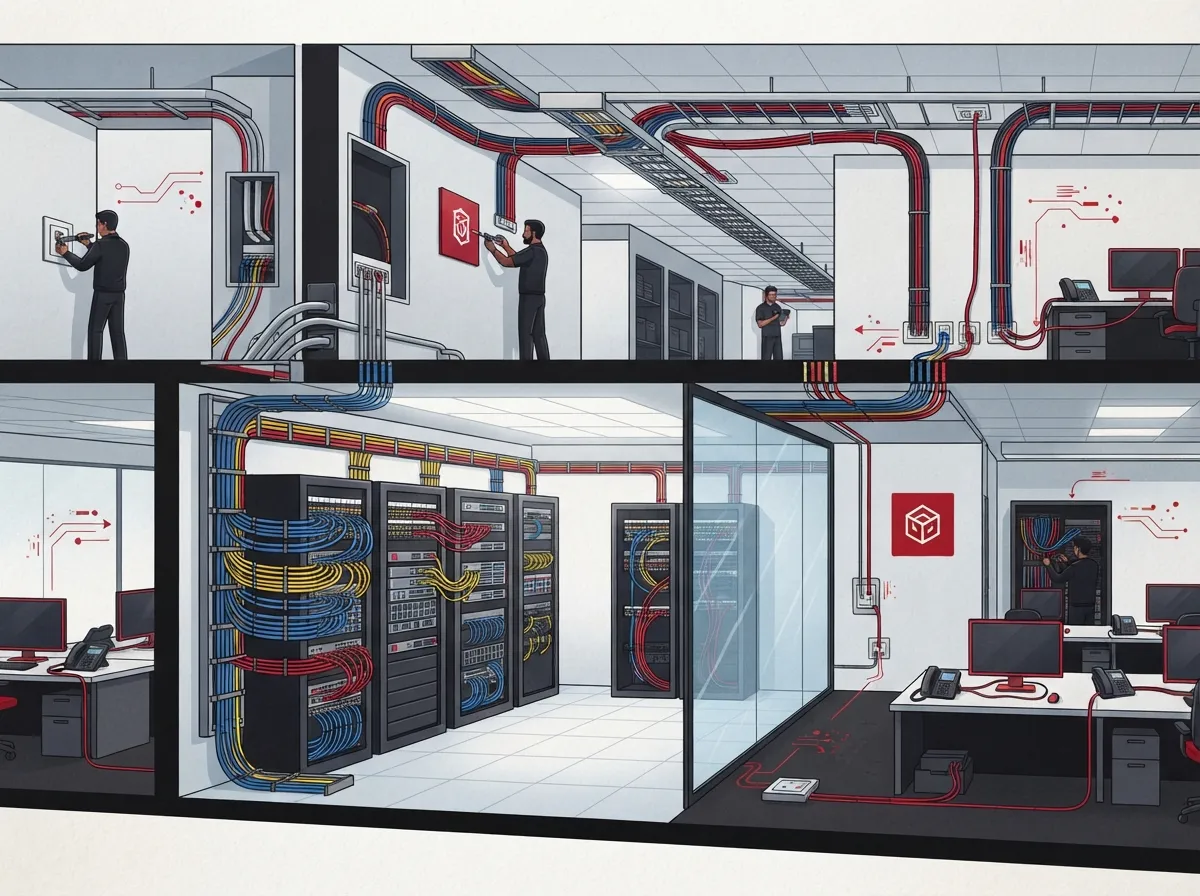
Network cabling services design, install, terminate, label, test, and document the physical cables that connect your business technology. Think of them as the roads and highways your data travels on. Your computers, VoIP phones, wireless access points, switches, and cameras all depend on those roads.
Most professional projects follow a structured approach. Instead of running random wires wherever they fit, installers build an organized system. If you want the big-picture background, this overview of structured cabling explains the concept well. You can also read our guide on what structured cabling is for your business network.
Here is what a full-service project typically includes:
- Site survey and planning: Walking the space, finding pathways, and mapping outlet locations.
- Cable and component selection: Choosing copper or fiber, plus jacks, patch panels, and racks.
- Installation and termination: Running cable and connecting each end properly.
- Labeling: Tagging every cable so future changes are quick and easy.
- Testing and certification: Proving each link performs as it should.
- Documentation: Delivering test results and as-built drawings.
That last item matters more than most people think. Good documentation turns a mystery tangle into a map your IT team can actually use.
Why Does Structured Cabling Beat Ad-Hoc Wiring?
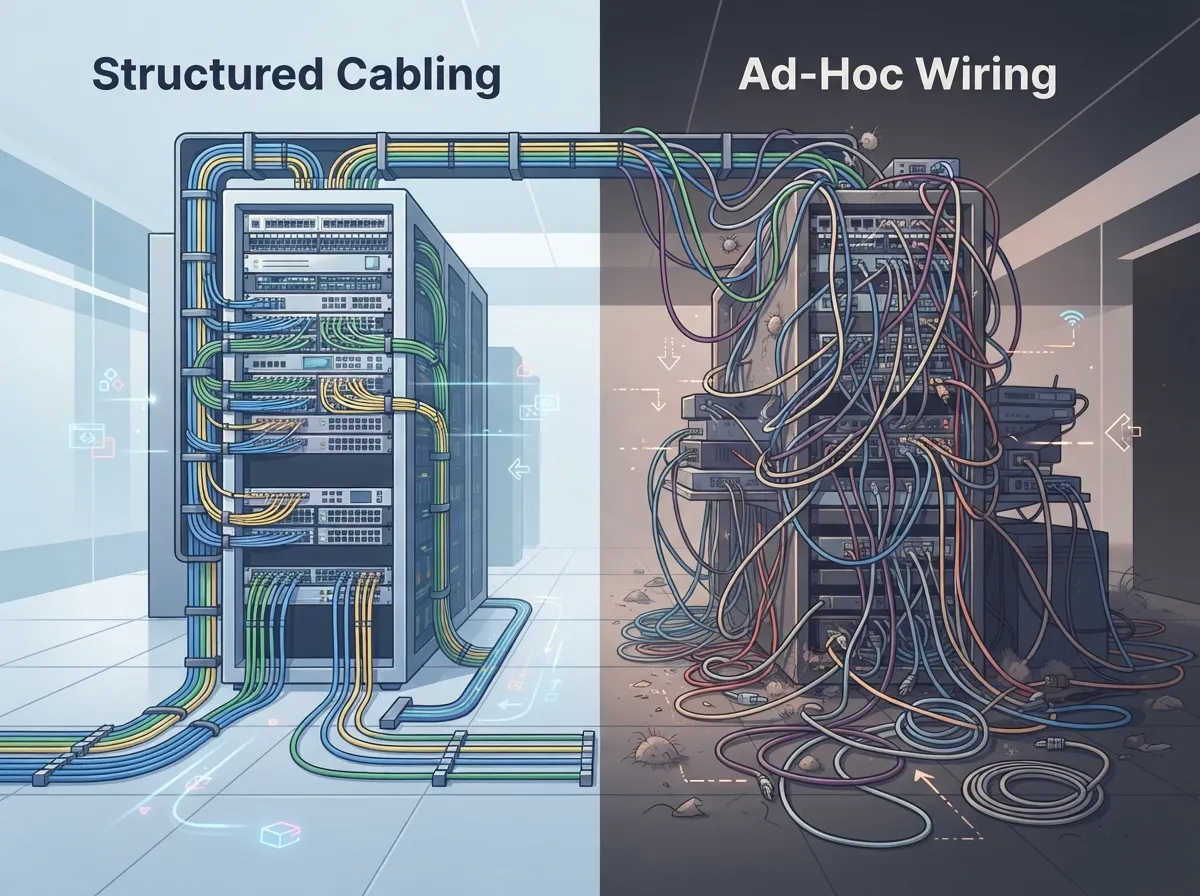
We have all seen the office closet that looks like a bowl of spaghetti. Cables run in every direction, nothing is labeled, and nobody dares touch anything. That is usually the result of ad-hoc wiring, where cables get added one at a time as needs pop up.
Structured cabling organizes everything into standard parts. These include horizontal cabling (from the telecom room to each outlet), backbone cabling (between floors or rooms), telecom rooms, and work-area outlets. Because everything follows a pattern, moves, adds, and changes become simple. Troubleshooting also gets much faster.
Want a deeper comparison? Check out Structured Cabling vs. Ad-Hoc Wiring: Which Wins for Tampa? for a side-by-side look.
Which Cable Type Should You Choose: Cat 5e, Cat 6, Cat 6A, or Fiber?
This is the question we hear most. The honest answer is that it depends on your speed needs, distances, and budget. Here is a quick comparison to help you decide.
| Cable Type | Best For | Key Notes |
|---|---|---|
| Cat 5e | Basic office connections, older systems | Fine for light use, but limited room to grow |
| Cat 6 | Most everyday office workstations and phones | Specified at 250 MHz; 10GBASE-T generally limited to about 55 m |
| Cat 6A | New installations needing extra headroom | Specified at 500 MHz; supports 10GBASE-T over a full 100 m channel |
| Fiber (single-mode or multimode) | Backbones, long runs, building-to-building links | High capacity; choice depends on distance, optics, and loss budget |
When Copper Makes Sense
Copper Ethernet cabling is the go-to for connections between your telecom room and nearby devices. For many offices, Cat 6 does the job nicely. If you are building something new and want to stay ready for faster speeds, Cat 6A gives you more breathing room. Our post on the key differences between CAT5e and CAT6 goes into more detail, and you can also see how to choose between Cat6 and Cat6A.
When Fiber Is the Better Call
Fiber-optic cabling shines for building backbones, longer runs, links between buildings, and high-capacity connections. Single-mode and multimode fiber serve different needs, so the right pick depends on link length, bandwidth, equipment, and loss budget. If you are weighing your options, read how to choose fiber cabling for your business network.
What Is the Maximum Distance for an Ethernet Cable Run?
Here is a number worth remembering. For standard twisted-pair horizontal cabling, TIA guidance commonly sets a limit of 90 meters for the permanent installed link. Add up to 10 meters of patch cords, and the full channel tops out at 100 meters.
These are design limits, not performance guarantees. Your actual speed depends on cable category, installation quality, and the network equipment on each end. That is why testing matters so much, and we will get to that shortly.
If you have a run that stretches past those limits, fiber or an additional telecom closet is usually the answer. A good installer will plan for this during the site survey, long before anyone pulls a single cable.
How Are Network Cable Installations Tested and Certified?
Think of testing as the final exam for your cabling. A professional crew does not just plug things in and hope for the best. They check each link against the standard for the cable category you selected.
- Copper certification: A certifier tool checks the electrical performance of each link and reports pass or fail results.
- Fiber insertion-loss testing: This measures how much light is lost along the fiber link.
- OTDR characterization (where appropriate): This gives a detailed view of fiber events, such as splices and connectors.
- Results delivery: You receive the test reports along with as-built documentation.
Ask for these reports. They are proof that the work meets the standard, and they come in handy for warranty claims or future troubleshooting.
How Much Do Commercial Network Cabling Services Cost?
Everybody wants a straight number, and we wish it were that simple. Pricing depends on the project, not a single flat rate. Several factors move the needle.
- Number of cable drops: More outlets mean more labor and materials.
- Cable type: Cat 6A and fiber usually cost more than Cat 5e or Cat 6.
- Building layout: Drop ceilings are easier than finished walls, concrete, or multi-story buildings.
- Pathways and equipment: Conduit, racks, patch panels, and cable trays add to the total.
- Testing and documentation: Certification and as-built drawings should be part of the scope.
- Existing cable removal: Cleaning up old, abandoned cable can add time.
Our guide on 10 factors that shape network cabling installation cost breaks these down further. The cheapest quote is not always the best deal. A low price that skips testing or labeling can cost you far more down the road.
How Do You Choose a Commercial Cabling Contractor?
Hiring the right crew is half the battle. Here are the things to look for, in plain language.
- Check experience and credentials. BICSI training and credentials can signal installer expertise. Pair that with real-world project experience in businesses like yours.
- Ask about standards. Installations should follow applicable ANSI/TIA standards, building codes, and manufacturer specs.
- Confirm testing and documentation. You should get test results and as-built drawings at handoff.
- Review warranty terms. Know what is covered and for how long.
- Get a clear scope in writing. Make sure the quote spells out what is included and what is not.
For more help, see how to find a reliable structured cabling contractor in Tampa and 6 signs you found the best structured cabling contractor.
How Does Cabling Support Phones, Cameras, and Access Control?
Here is something that surprises many business owners. Your cabling is not just for computers. Modern VoIP phones, wireless access points, cloud security cameras, and door access systems all rely on solid network cabling. Many of these devices even draw power over the same cable.
If your cabling is weak, your calls may drop, your video may stutter, and your doors may lag. That is why it makes sense to plan your cabling alongside your phone, internet, and security upgrades. We cover this in 13 ways structured cabling supports VoIP and cameras.
This is also where working with one partner pays off. Ideal Solutions Provider is a Tampa-based telecom and IT partner with over 24 years of experience. Instead of juggling separate vendors for cabling, phones, internet, cameras, and access control, you get a single point of contact who handles it from consultation through installation and ongoing support.
When Should a Business Upgrade or Replace Its Cabling?
Cabling does not last forever, and it does not always keep up with how fast your business grows. Watch for these signs:
- Slow speeds even when your internet plan is fast
- Frequent dropped connections or flaky phone calls
- A messy, unlabeled telecom closet nobody understands
- Older Cat 5 cable that cannot handle new equipment
- Plans to add Wi-Fi, cameras, or more workstations
- An office move, remodel, or new buildout
If any of that sounds familiar, our post on 9 signs your Tampa business needs structured cabling now is a helpful next read. Planning a new space? See how to plan network cabling installation in Tampa Bay.
Is DIY Cabling Ever a Good Idea?
We get it. Running a few cables looks easy on a video. But a poor termination, a kinked cable, or a run that is too long can cause problems that are hard to trace. Without certification tools, you cannot prove the link meets the standard.
For a single home-office drop, DIY might be fine. For a business that depends on its network every day, professional installation is usually the safer choice. We compare both paths in DIY vs. Professional Cabling: Which Is Right for Tampa Offices?
A Quick Planning Checklist for Your Cabling Project
Before you request quotes, run through this short list. It will make your conversations with contractors much smoother.
- Count how many devices need a wired connection today.
- Add extra drops for future growth. A little planning now saves money later.
- Decide whether you need copper, fiber, or both.
- Think about Wi-Fi, phones, cameras, and door readers, not just desktops.
- Ask for certification results and documentation in the scope.
- Confirm who handles ongoing support after the install.
Multi-location franchise owners should also think about consistency. Using the same standards at every site makes support and upgrades far easier across Tampa Bay and beyond.
Ready to Get Your Cabling Right?
Network cabling services may not be the flashiest part of your technology, but they hold everything else together. The right cable, installed and tested properly, keeps your phones clear, your internet quick, and your team productive for years. And when you plan ahead, growing your business gets a whole lot easier.
If you want a friendly expert to look at your setup, we would love to help. Contact us to schedule a free consultation, or call us to talk through your project. You can also follow our updates on YouTube. Let’s build a network foundation your business can count on.
FAQs
Q: What do business network cabling services include?
A: They typically cover a site survey, cable and component selection, installation, termination, labeling, testing or certification, and documentation. You should receive test results and as-built drawings when the job wraps up. It is a full package, not just running wire.
Q: What is the maximum distance for an Ethernet cable run?
A: For standard twisted-pair cabling, the commonly cited TIA limit is 90 meters for the permanent link and 100 meters for the full channel, including patch cords. These are design limits, so actual performance also depends on cable category, install quality, and your equipment. For longer runs, fiber is often the better choice.
Q: When does a business need fiber-optic cabling?
A: Fiber is a great fit for building backbones, long runs, links between buildings, and high-capacity connections. The right type, single-mode or multimode, depends on distance, bandwidth, and equipment. A good installer will help you sort that out during planning.
Q: Should my business use Cat 6 or Cat 6A cabling?
A: Cat 6 works well for many everyday office needs. Cat 6A is often chosen for new installations because it supports 10-gigabit Ethernet over a full 100-meter channel and gives you extra headroom for the future. If you expect to grow, Cat 6A is worth a close look.
Q: How do I choose a commercial structured cabling contractor?
A: Look for relevant experience, standards-aware work, BICSI-trained installers, clear warranty terms, and a written scope that includes testing and documentation. Asking for sample test reports is a smart move. A trustworthy partner will happily show you.





