
Key Takeaways
-
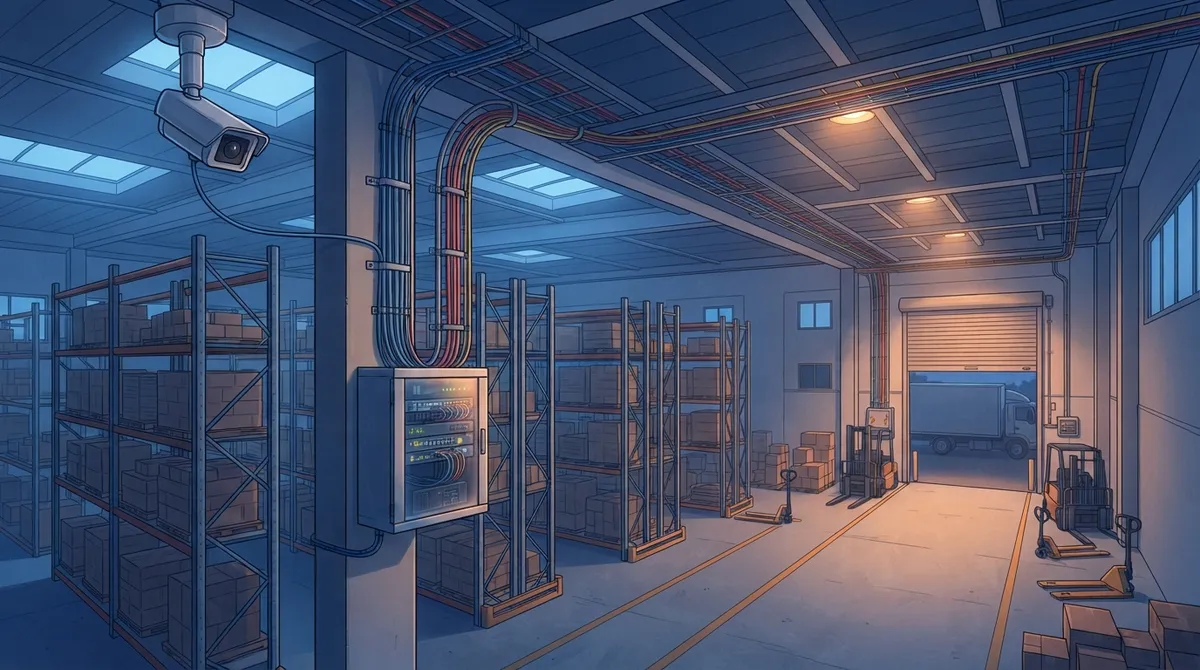
Warehouse camera systems are networked devices, so cabling, PoE switch capacity, internet bandwidth, and storage must be planned alongside the cameras to avoid dropped frames and lost footage.
-
Map risks zone by zone (entrances, loading docks, high-value inventory, packing areas, yards) and define whether each camera must identify people or plates versus simply observe activity.
-
Use wired Ethernet with PoE for fixed cameras; reserve Wi-Fi for locations where cabling is impractical, since metal racks and concrete can weaken wireless signals.
-
Size bandwidth and storage together, calculating for your exact camera count, resolution, frame rate, codec, and retention days rather than relying on generic per-camera figures.
-
Segment cameras and recorders onto a dedicated VLAN, change default passwords, keep firmware updated, and promptly remove access for former staff to prevent cameras becoming network entry points.
-
Test cameras at day, dusk, and night, and document uptime expectations, footage retention, failover plans, and maintenance responsibilities to prevent drift and degradation over time.
Picture this: it’s 2 a.m., a pallet of high-value inventory goes missing, and you pull up the camera footage to find a blurry, stuttering clip that shows almost nothing. Sound frustrating? You’re not alone. Many warehouse owners buy good cameras and still end up disappointed, because the cameras are only half the story.
Today’s warehouse security cameras are networked devices. They rely on cabling, switches, internet bandwidth, and storage to work well. That means smart camera planning is really a telecom and network planning job, too.
The good news? With a little preparation, you can build a system that captures clear footage, stays online, and grows with your business. In this friendly guide, we’ll walk through the steps, from mapping your risks to securing your network. Whether you run a small distribution site or manage several facilities, you’ll find practical tips you can use right away.
Why Warehouse Security Cameras Are a Network Project
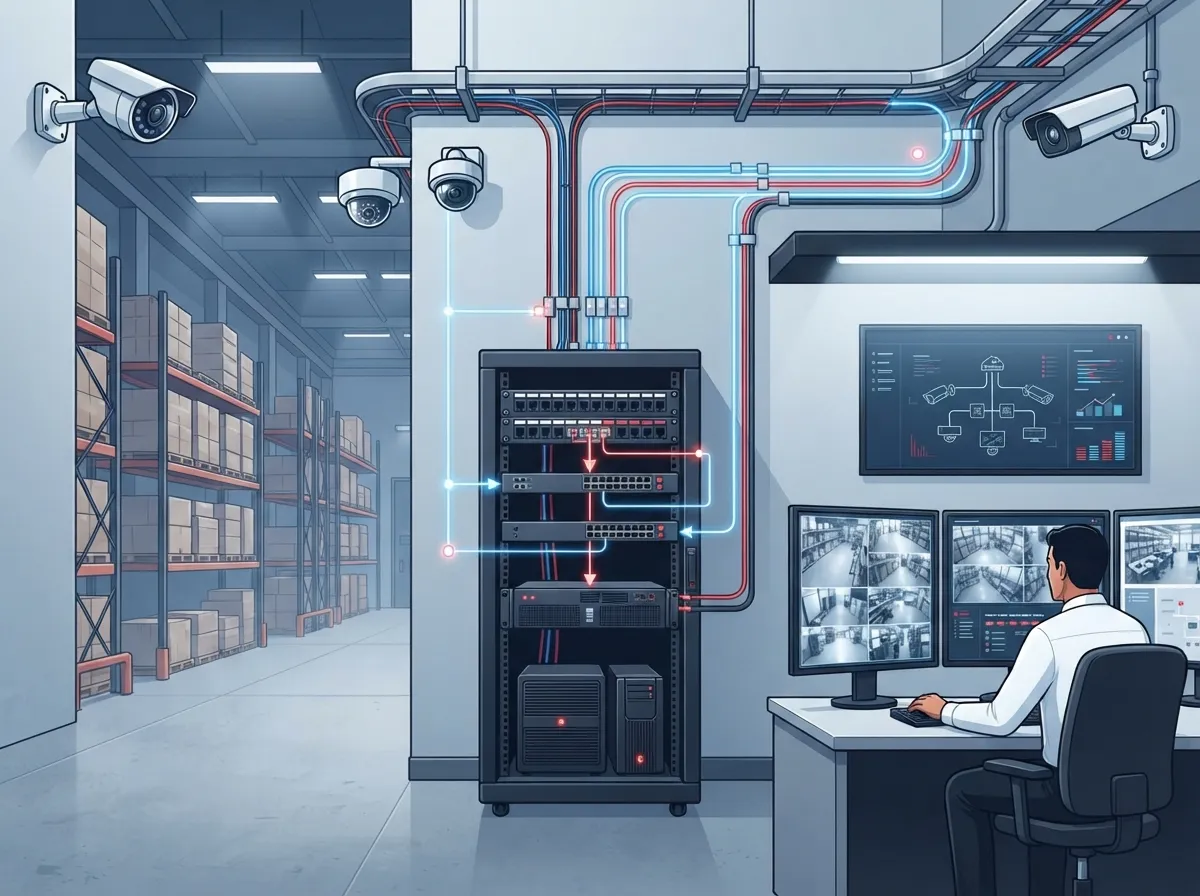
Most modern warehouse security cameras are IP cameras. They connect to your Ethernet network and send video to a network video recorder (NVR), video management software (VMS), or a cloud platform. Because of that, your telecom design affects video quality and uptime.
Think of your network as the highway. Cameras are the cars. If the road is too narrow or full of potholes, traffic jams happen. In camera terms, that means dropped frames, lost footage, and slow remote viewing.
The overall market is booming, too. Grand View Research estimates the global video surveillance market was valued at $83.5 billion in 2025 and projects $204.7 billion by 2033, with IP systems holding 55.7% of revenue in 2025. Those are broad market numbers, not warehouse-specific ones, but they show where the industry is heading: networked video.
If you want a deeper look at how this plays out in practice, our guide on how to set up cloud video security for warehouses is a great companion read.
Step-by-Step: How to Plan Your Warehouse Camera System
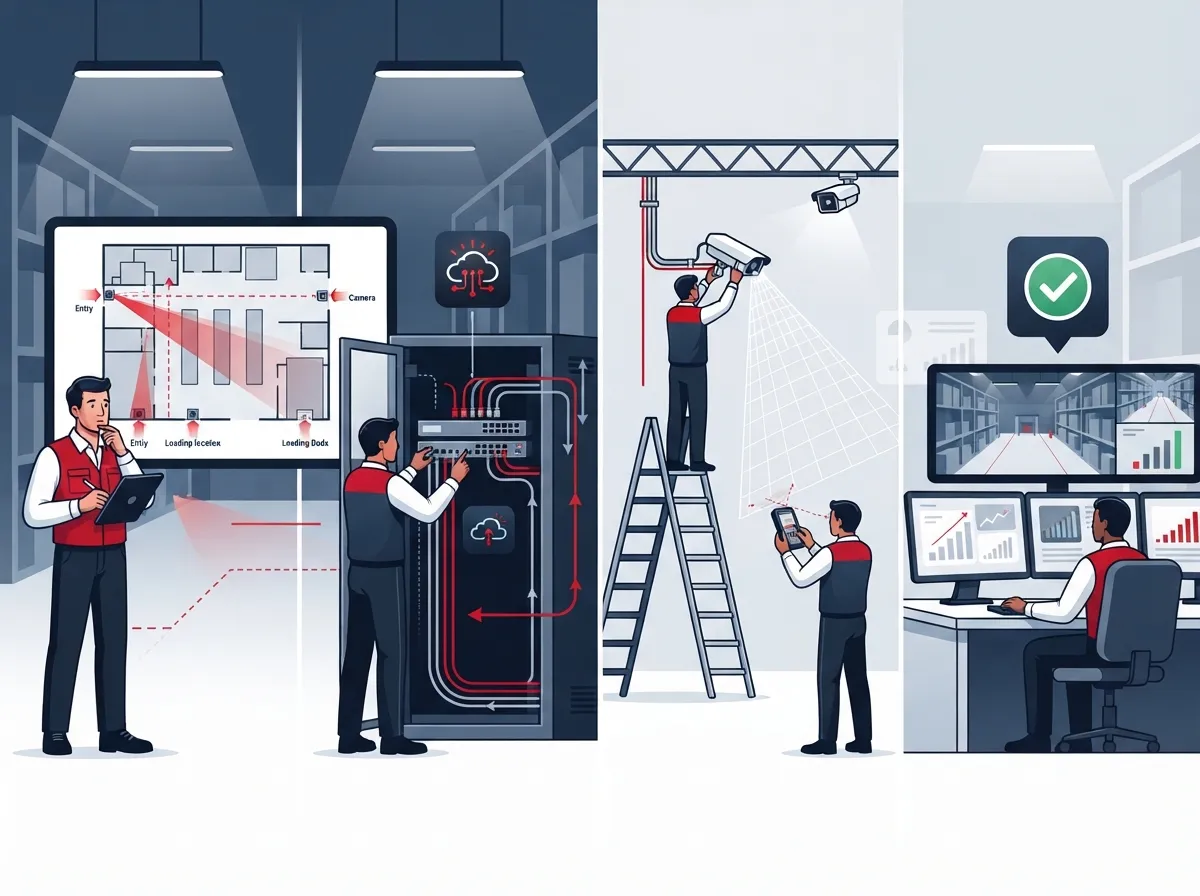
Here’s a simple roadmap you can follow. Each step builds on the one before it.
- Walk the site and list your risks. Note entrances, loading docks, high-value storage, packing areas, and parking.
- Decide what each camera must do. Identify faces or plates, or just observe general activity?
- Choose camera types and positions. Match lenses, resolution, and mounting height to each area.
- Design the cabling and switching. Plan PoE-capable switches and clean cable runs.
- Calculate bandwidth and storage. Size both for your retention goals.
- Secure the network. Segment cameras and control remote access.
- Test, document, and maintain. Verify coverage and set up support.
Let’s break these down one at a time.
Step 1 and 2: Map Your Risks and Define the Goal
Before you shop for a single camera, grab a floor plan and a notepad. Walk the building with the same eyes a thief would use. Where would you enter? Where would you hide? Where is your most valuable stock?
Most warehouses share a few key zones:
- Entrances and perimeter: doors, gates, fences, and fire exits
- Loading docks: where goods move in and out, and where mistakes or theft often happen
- High-value inventory areas: cages, racks, and secure rooms
- Aisles and packing stations: useful for process review and loss prevention
- Vehicle and pedestrian access points: including parking lots and yards
Next, decide the purpose for each zone. Do you need to identify a person, like at a door? Or just observe general activity, like in a wide aisle? Identification needs tighter views and higher detail. Observation can use wider views and fewer pixels per foot. Getting this right keeps you from overspending and from under-covering.
Step 3: Choose Camera Types and Placement
The best camera for a warehouse depends on the job. Resolution, lens, field of view, lighting, and mounting height all matter. Warehouses often have tall ceilings, dim corners, and bright dock doors, so planning for tricky lighting is a must.
| Camera Type | Best For | Key Consideration |
|---|---|---|
| Fixed dome | Aisles, indoor areas | Discreet and tough; limited viewing angle |
| Bullet | Doors, docks, perimeter | Visible deterrent; good for longer views |
| PTZ (pan-tilt-zoom) | Yards, large open floors | Covers wide areas; needs active control |
| Multi-sensor / panoramic | Large open spaces | Fewer cameras; higher bandwidth use |
A few placement tips to keep in mind:
- Mount cameras high enough to avoid tampering but low enough to capture useful detail.
- Avoid pointing cameras straight at bright dock doors, which can wash out the picture.
- Cover every entry and exit point, plus the path leading to your most valuable stock.
- Overlap coverage slightly so there are no blind spots between cameras.
Wondering how many cameras you’ll need? There’s no magic number, since it depends on layout, ceiling height, and goals. Our article on 10 factors that decide how many security cameras you need can help you estimate.
Step 4: Build the Right Cabling and Switching
This is where the telecom side really shines. Wired Ethernet is often the best choice for fixed warehouse cameras because it offers a stable connection and can deliver power at the same time.
That power trick is called PoE, or Power over Ethernet. One cable carries both data and power, so you don’t need a separate outlet at every camera location. That’s a huge time-saver in a big warehouse with high ceilings.
Here’s what to confirm with your installer:
- Your switches have enough PoE capacity for every camera and any other connected devices.
- Cable runs stay within Ethernet distance limits.
- Cabling is labeled, tested, and documented for easy troubleshooting.
- Cable routes avoid heavy machinery, forklifts, and sources of electrical interference.
Good cabling is the foundation of everything else. If you’re curious about the details, take a look at security camera cabling for business and gigabit cabling capabilities. A solid structured cabling plan means you won’t have to rip things out when you add cameras later.
Wired or Wireless?
Wi-Fi can help where running cable is truly impractical. But you’ll need to check coverage, interference, and reliability first. Metal racks and concrete can weaken wireless signals in a warehouse. For most fixed cameras, wired is the safer pick. Not sure which fits? See how to choose wired vs wireless business cameras.
Step 5: Calculate Bandwidth and Storage
Here’s a tip that saves a lot of headaches: plan bandwidth and storage together. They’re two sides of the same coin.
Several factors drive how much capacity you need:
- The number of cameras
- Resolution and frame rate
- Compression type (codec)
- How much motion happens in the scene
- Whether you record continuously or only on events
- How many days of footage you want to keep
Continuous high-resolution recording can need far more capacity than event-based recording. There’s no reliable one-size-fits-all number for bandwidth per camera or storage per day, so calculate it for your specific design rather than trusting a generic figure.
| Design Choice | Effect on Bandwidth | Effect on Storage |
|---|---|---|
| Higher resolution | Increases | Increases |
| Higher frame rate | Increases | Increases |
| Efficient compression | Decreases | Decreases |
| Event-based recording | Lower average use | Decreases |
| Longer retention period | No change | Increases |
If you use cloud or remote viewing, your internet connection matters, too. Multi-site systems depend on enough WAN and internet capacity to move video reliably. Check out internet speeds your cloud cameras actually need and security camera storage solutions to know for more on planning this part. For multi-site operators, SD-WAN services can also help keep traffic flowing smoothly.
Step 6: Lock Down Your Network Security
Here’s something many people forget: cameras and recorders are computers on your network. If they’re not protected, they can become an open door for trouble.
CISA guidance recommends segmenting networks by function and allowing only the communications that are truly necessary. In plain English, that means your camera system should live on its own lane, separate from your office computers and operational systems wherever practical.
Try these smart habits:
- Segment the network: place cameras and recorders on a dedicated VLAN or network segment.
- Limit remote access: allow only approved users and use strong authentication.
- Change default passwords: this simple step blocks a lot of common attacks.
- Keep firmware updated: patch cameras and recorders on a regular schedule.
- Review who has access: remove accounts for former staff right away.
Want to go deeper? Read is cloud video security actually safe for business and how to choose a data security service for business telecom.
Step 7: Test, Document, and Plan for Support
Once everything is installed, don’t just walk away. Do a walk-through at different times of day. Check the daytime view, the dim late-afternoon view, and the nighttime view. Make sure faces, plates, or inventory labels are readable where you need them to be.
Then put a few ground rules in writing:
- Set clear uptime and response-time expectations.
- Define how long footage is kept and who can export it.
- Decide on backup and failover plans if the internet goes down.
- Assign who is responsible for monitoring, maintenance, and updates.
That last point matters a lot. Cameras that nobody maintains slowly drift out of focus, lose connection, or fall out of date. A little routine care goes a long way. For more on this, see preventive maintenance steps for security systems.
Can Your Cameras Work With Access Control?
Yes, and they often should. When cameras and door access share one platform, you can match a badge swipe with a video clip in seconds. That’s a big help when you’re reviewing an after-hours event at a dock door or storage room.
Integration also helps you manage who can reach sensitive areas. If you’re considering this, explore cloud access control for logistics and cloud access control integration wins. A unified setup keeps your security story simple and easier to manage.
Why Work With a Telecom Integrator
You might be thinking, “This is a lot to juggle!” The truth is, you don’t have to do it alone. A telecom integrator can assess your site, design cabling and switching, calculate bandwidth and storage, set up secure connectivity, and support monitoring and maintenance.
That’s where a partner like Ideal Solutions Provider comes in. As a Tampa-based telecom and IT partner with over 24 years of experience and 35+ vetted suppliers, the team serves as a single point of contact. That means one conversation covers your cameras, cabling, internet, and access control instead of juggling several vendors. Learn more in why Tampa Bay businesses need one telecom partner.
If you want to learn from real scenarios, our YouTube channel shares helpful videos, and you can follow us on Facebook and Instagram for tips and updates.
Common Mistakes to Avoid
Even careful planners trip on a few classic problems. Watch out for these:
- Buying cameras before planning the network. Capacity problems show up later and cost more to fix.
- Ignoring lighting. A great camera still struggles in glare or deep shadow.
- Underestimating storage. Footage disappears sooner than you expected.
- Skipping network segmentation. Cameras then share space with sensitive business systems.
- Forgetting maintenance. Systems degrade without regular checkups.
Want a quick list of what else can go wrong? Browse commercial camera installation mistakes that waste money and IP camera system mistakes that cost businesses big.
Ready to Protect Your Warehouse?
Great warehouse security cameras start with great planning. Map your risks, pick the right cameras, build solid cabling, size your bandwidth and storage, and protect the network. Do these things, and you’ll get clear footage you can count on, day and night.
If you’d like friendly, expert help turning this plan into reality, we’d love to chat. Contact us for a free consultation, or call us to talk through your warehouse needs. We’ll review your current setup, spot savings, and help you build a system that keeps your inventory, team, and peace of mind safe in 2026 and beyond.
FAQs
Q: What type of security cameras are best for a warehouse?
A: Most warehouses do well with IP cameras, using fixed domes for aisles, bullet cameras for docks and doors, and PTZ cameras for large yards. The best mix depends on your layout, lighting, and whether you need to identify people or just observe activity. A site walk-through helps match the right camera to each zone.
Q: How much storage do warehouse security cameras need?
A: It depends on the number of cameras, resolution, frame rate, compression, motion activity, and how many days you keep footage. Continuous high-resolution recording takes far more space than event-based recording. The best approach is to calculate storage for your exact design instead of relying on a generic number.
Q: Are wired or wireless cameras better for warehouses?
A: Wired Ethernet is usually the better choice for fixed cameras because it’s stable and can deliver power through PoE. Wi-Fi can work where cabling isn’t practical, but metal racks and concrete can cause interference. Test coverage and reliability before committing to wireless.
Q: How can warehouse cameras be secured on a business network?
A: Place cameras and recorders on a separate network segment, such as a dedicated VLAN, and allow only necessary communications. Use strong passwords, keep firmware updated, and tightly control remote access. This follows CISA guidance on segmenting networks by function.
Q: Can warehouse security cameras be monitored remotely or tied to access control?
A: Yes! With proper internet capacity and secure remote access, you can view live and recorded video from a phone or computer. Many systems also integrate with access control, so you can pair a door badge event with the matching video clip.





