

Key Takeaways
-
Label both ends of every cable and every patch panel port using one consistent naming scheme, and keep records updated after each change so outages can be traced in minutes.
-
Use copper (such as Cat 6A) for equipment and endpoint connections, and fiber for backbone links, longer runs, and high-bandwidth needs, since most server rooms benefit from both.
-
Test every link before going live: certify copper with certification equipment, loss-test fiber, save the reports, and retest after any fix.
-
Plan pathways, extra ports, and fiber strands before pulling cable, since the cabling installed today will likely outlast several generations of equipment.
-
Protect airflow and cable health by respecting bend radius and pulling tension, avoiding overfilled trays, separating power and data pathways, and leaving accessible service loops.
-
Watch for upgrade signals such as frequent link drops, untraceable cables, overfilled trays, or new equipment needing faster links, and get a site assessment when two or more appear.
Picture this: it’s a busy Monday morning, and your network goes down. You walk into the server room and find a tangle of cables that looks like a bowl of spaghetti. Nobody knows which cable goes where. Sound familiar? You’re not alone, and the good news is that it’s fixable.
Server room cabling is the physical backbone of your business network. It connects your servers, switches, storage, and patch panels so your phones, internet, cameras, and apps keep running. When it’s done right, nobody notices it. When it’s done wrong, everybody notices.
This guide walks you through the basics in plain language. You’ll learn which cables to choose, which standards matter, how to keep things tidy, and how to test your work. Whether you run a small office in Tampa or manage IT for a growing company, you’ll leave with a clear plan. Let’s get your server room cabling in great shape!
What Is Server Room Cabling?
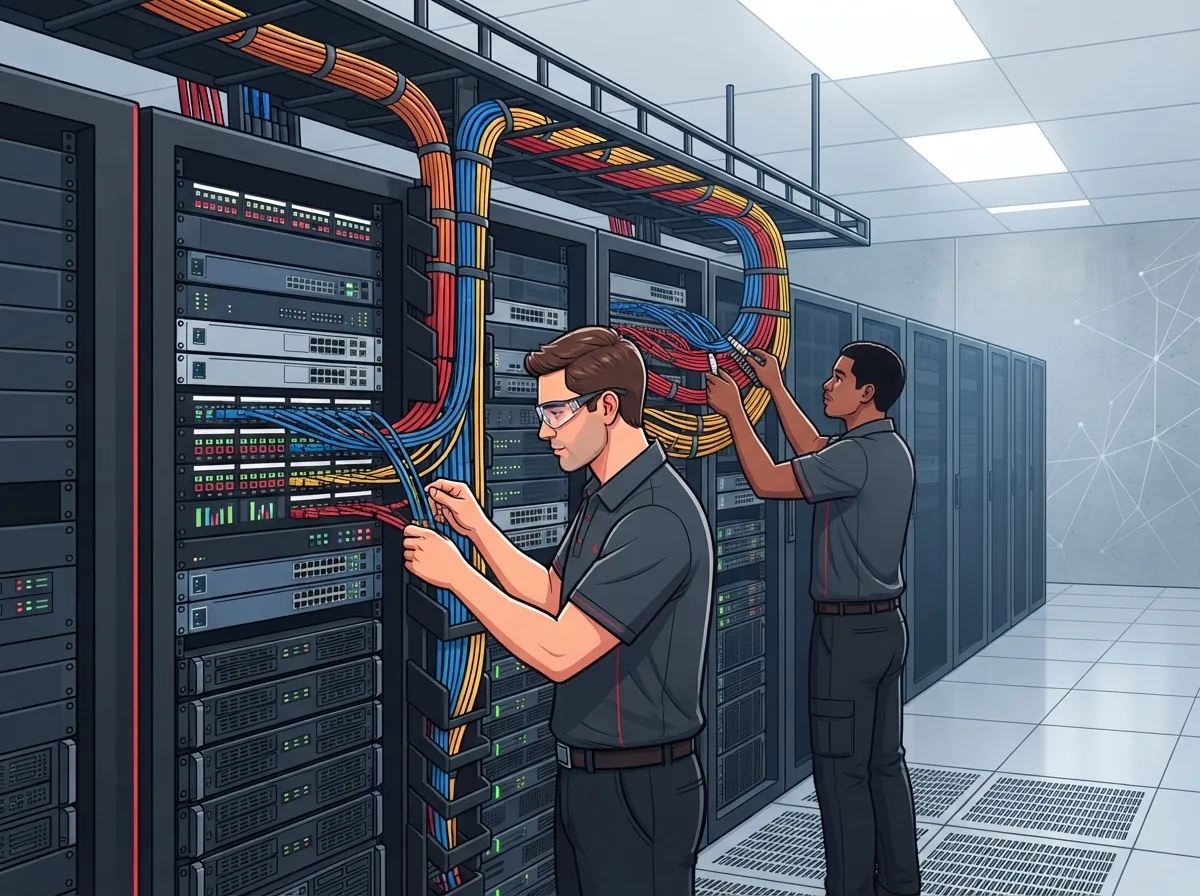
Server room cabling is the structured copper and fiber infrastructure that links your network equipment. Think of it as the highway system for your data. Every server, switch, and storage device needs a clean, reliable road to travel on.
A good design uses organized structured cabling instead of random point-to-point runs. That means horizontal cabling, backbone cabling, termination points, and patch panels, all laid out on purpose. If you want a refresher on the basics, our post on what structured cabling is for your business network is a great place to start.
Why does this matter? Because the cabling you install today will likely stay in place for many years. Your equipment will change. Your cabling should be ready for it.
Why Server Room Cabling Matters for Your Business
Your phone system, internet, security cameras, and cloud tools all depend on your network. If the cabling is weak, everything built on top of it feels weak too.
Here are the biggest benefits of well-planned server room cabling:
- Fewer outages: Clean, tested links mean fewer mystery problems.
- Faster troubleshooting: Labeled cables let you find issues in minutes, not hours.
- Room to grow: Extra capacity means you can add equipment without ripping everything out.
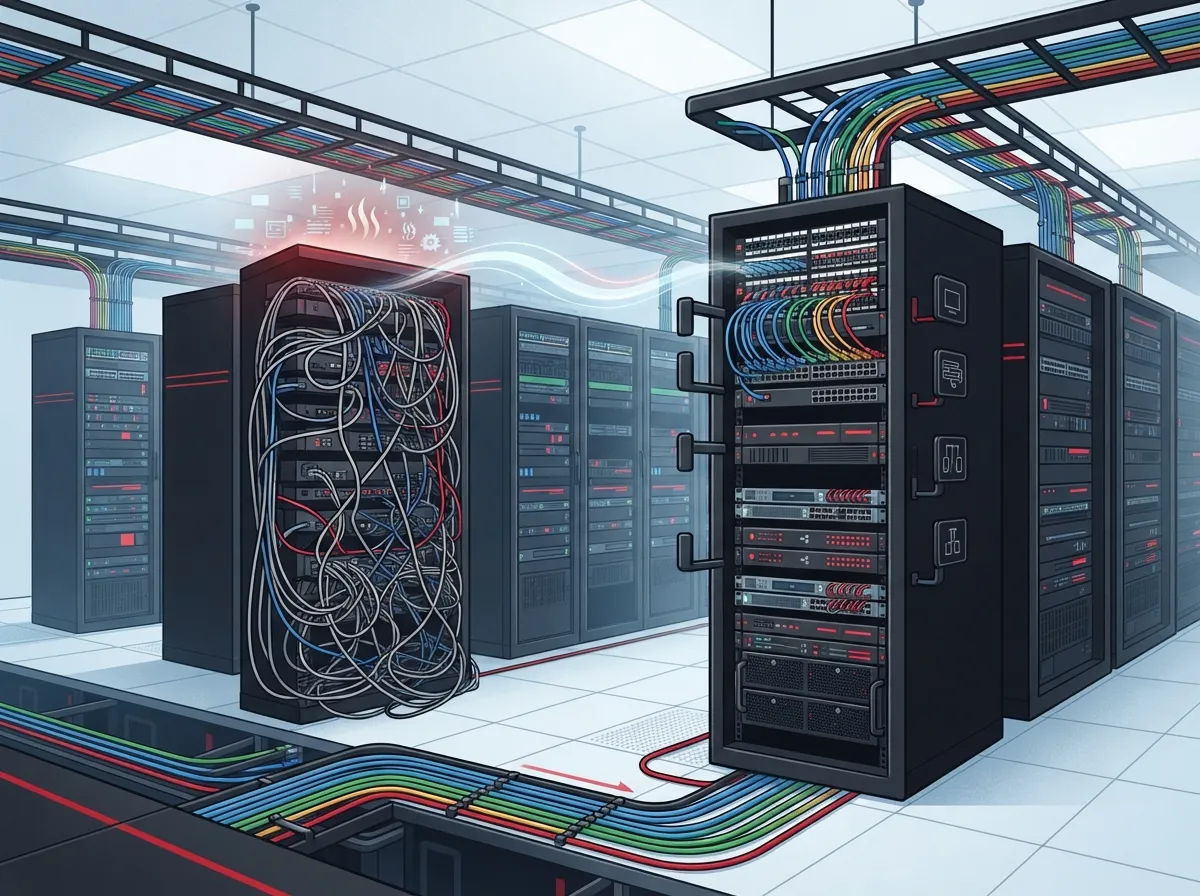
- Better airflow: Organized cables help your equipment stay cool.
- Lower long-term cost: Doing it right once beats fixing it over and over.
For small business owners, this means less downtime and fewer surprise bills. For IT managers, it means less firefighting. For office managers, it means the phones just work. Everyone wins.
Server Room Cabling Standards You Should Know
Standards keep everyone on the same page. They help installers, inspectors, and your own team agree on what “done right” looks like.
Here are the main ones to know:
- ANSI/TIA-568: The common standard for commercial telecommunications cabling in the U.S.
- ISO/IEC 11801: The international cabling standard.
- TIA-942: Covers data center infrastructure, including cabling.
- Local codes: Electrical, fire, and building codes also apply to your site.
Standards get updated from time to time, so always confirm the current edition and your project’s exact requirements before you finalize a plan. If you’d like a deeper look at one of them, check out these ANSI/TIA-568 cabling rules Tampa businesses must follow.
Recent TIA-942 updates reflect growing bandwidth and density needs. According to TIA (2024), the updated requirements include at least two Cat 6A-or-higher cables to wireless access points when balanced twisted-pair cabling is used. TIA also recommends at least two optical fibers for horizontal and backbone cabling. Verify the edition that applies to your project.
Choosing the Right Cable: Copper vs. Fiber
This is the question we hear most. Should you use copper, fiber, or both? The honest answer is that most server rooms use both. Each one has a job.
When Copper Makes Sense
Copper twisted-pair cabling is common for Ethernet connections to endpoints and nearby equipment. Category 6A is a frequent choice for new installs that need 10GBASE-T capability. The right category depends on your equipment, channel length, environment, and future plans.
Not sure about the differences between categories? Our guides on choosing between Cat6 and Cat6A and Cat5e vs. Cat6 can help you decide.
When Fiber Is the Better Fit
Fiber is often the best choice for backbone links, longer runs, higher bandwidth needs, and connections between rooms or buildings. There are two main types: multimode and single-mode. They have different reach limits and transceiver needs, so pick the one that matches your network design and upgrade plans.
Want to dig deeper? Read about fiber backbone cabling or compare options in copper vs. fiber structured cabling.
| Feature | Copper (Cat 6A) | Fiber (Multimode / Single-Mode) |
|---|---|---|
| Best use | Equipment and endpoint connections | Backbone, long runs, high bandwidth |
| Reach | Shorter channel lengths | Longer runs, especially single-mode |
| Speed potential | Supports 10GBASE-T | Very high bandwidth with matching optics |
| Cost considerations | Often lower cabling cost | Optics and connectors vary by type |
| Planning note | Match category to speed and distance | Match fiber type to transceivers |
Planning Your Server Room Cabling Layout
Great cabling starts on paper. A little planning up front saves a lot of pain later.
Here’s a simple step-by-step process:
- Assess the space. Measure the room, note power, cooling, and how cables will enter and leave.
- List your equipment. Count servers, switches, storage, and patch panels, plus what you expect to add.
- Match media to speed and distance. Decide where copper works and where fiber belongs.
- Plan pathways. Map out trays, ladder racks, and conduits before pulling a single cable.
- Leave room to grow. Plan extra ports and pathway capacity for future moves, adds, and changes.
- Document everything. Write down routes, port assignments, and labels from day one.
If you’re building across several floors or rooms, this guide on planning multi-floor office cabling adds helpful detail. And if you want to size your links correctly, see how to calculate cabling bandwidth requirements.
Density is growing, too. TIA (2024) reports a minimum cabinet width of 800 mm in specified functional areas housing switches under the updated TIA-942 provisions, which address higher cabling and rack power densities. Think about cabinet space early.
Best Practices for Installing Server Room Cabling
Now for the hands-on part. These habits separate a tidy, reliable room from a headache.
- Respect bend radius and pulling tension. Over-bending or over-pulling cable can damage it and hurt performance.
- Separate power and data pathways. Follow code and your design requirements for spacing and separation.
- Don’t overfill trays. Packed trays make changes hard and can strain cables.
- Protect airflow. Route cables so they don’t block cool air from reaching equipment.
- Leave service loops. Keep a little slack that’s accessible but doesn’t crowd your gear.
- Use proper management tools. Hook-and-loop ties, vertical managers, and horizontal managers keep things neat.
Cable management deserves its own spotlight. Our post on cable management services every business needs and this one on how to set up cable management for business networks are both worth a read.
Also steer clear of the usual traps. Our list of structured cabling mistakes that hurt your business is a handy checklist before you start.
Labeling and Documentation: Your Future Self Will Thank You
Here’s a little secret. Labeling feels boring, but it’s one of the most valuable things you can do. When an outage hits at 4:55 on a Friday, a clear label is a hero.
Follow these simple rules:
- Label both ends of every cable.
- Label patch panel ports with the same naming scheme.
- Record routes and port assignments in a shared document.
- Keep your records up to date after every change.
- Save test results for acceptance and future troubleshooting.
A well-documented system makes moves, adds, and changes much smoother as your business grows. For practical tips, see these network cable labeling tips and this guide on building structured cabling documentation that works.
Testing and Certification
Installing cable is only half the job. You also need to prove it works. Testing catches problems before your team does.
Here’s a simple testing flow:
- Inspect visually. Check terminations, routing, and labeling.
- Test copper links. Use appropriate certification equipment to verify performance to the target standard.
- Test fiber links. Use loss-testing equipment to measure signal loss on each run.
- Save the results. Keep reports for acceptance and later troubleshooting.
- Fix and retest. Correct any failures and test again until everything passes.
Skipping this step is a common and costly mistake. Learn what to watch for in 4 cable testing and certification mistakes to avoid, and see how OLTS and OTDR fiber testing compare.
Planning for Growth and the Future
Network demand keeps climbing. CRU reported that optical cable consumption for AI applications grew 138% in 2024 and forecast 80% growth in 2025 (CRU, 2025). Keep in mind that these are market forecasts, not measurements of server-room installations. Still, they show where the industry is heading: more bandwidth, more density, and more fiber.
You don’t need to chase every trend. You do want a cabling plan that can handle upgrades without a full rebuild. Here are smart ways to future-proof:
- Install more fiber strands and copper ports than you need today.
- Choose cable categories that support your likely next speed upgrade.
- Keep pathways roomy enough for added cable.
- Pick connector systems that match your planned equipment.
For more on this, see future-proof cabling systems mistakes to avoid and enterprise grade cabling solutions for 2026 growth.
When to Upgrade Your Server Room Cabling
How do you know it’s time? Watch for these signs:
- Frequent link drops or slow speeds that don’t match your internet plan.
- Cables you can’t trace or identify.
- Overfilled trays and blocked airflow.
- New equipment that needs faster links than your cabling supports.
- No test records or documentation on file.
If two or more of these sound familiar, a quick assessment is a smart next step. You may also recognize these in our list of signs your Tampa business needs structured cabling, or in the signs your business network needs an upgrade.
How Much Does Server Room Cabling Cost?
This is the question everyone asks, and the honest answer is: it depends. Pricing changes with room size, cable type, number of runs, pathway work, testing needs, and whether you’re building new or upgrading.
Here are the main cost drivers:
- Cable media (copper category or fiber type)
- Number of ports and links
- Racks, cabinets, trays, and cable managers
- Labor, access difficulty, and project timeline
- Testing, labeling, and documentation
For a deeper breakdown, read about factors that shape network cabling installation cost and cabling installation pricing in 2026. The best way to get a real number is a site assessment.
Why Work With a Telecom Cabling Partner?
You can try to handle server room cabling yourself, but a professional partner brings experience, tools, and a plan. A telecom cabling provider can support site assessment, pathway planning, installation, termination, testing, labeling, documentation, and ongoing moves, adds, and changes.
Ideal Solutions Provider is a Tampa-based telecom and IT partner with over 24 years of experience. We handle structured cabling alongside VoIP phones, internet, networking, cloud security cameras, and access control, so you have one team to call instead of many. Learn more about our structured cabling services and how they fit into your larger business network solutions.
Not sure how to pick a contractor? These tips on finding a reliable structured cabling contractor in Tampa will help. If you’re ready to talk through your plan, contact us for a friendly, no-pressure consultation.
Conclusion
Server room cabling may not be glamorous, but it’s the foundation your whole business runs on. Follow the standards, match copper and fiber to the job, keep everything neat and labeled, test every link, and leave room to grow. Do those things, and you’ll enjoy a calmer, faster, more reliable network for years.
You don’t have to figure it all out alone. Whether you’re building a new server room or cleaning up an old one, our team is here to help. Call us today or reach out online to start the conversation. You can also follow us on Facebook for tips and updates.
FAQs
Q: What type of cable is best for a server room?
A: Most server rooms use a mix. Copper, like Cat 6A, works well for equipment connections, while fiber is a great fit for backbone links, longer runs, and high bandwidth. The best choice depends on your equipment, distances, and upgrade plans.
Q: What cabling standards apply to a server room?
A: Common ones include ANSI/TIA-568 for commercial cabling, ISO/IEC 11801 internationally, and TIA-942 for data center infrastructure. Local electrical, fire, and building codes apply too, so always confirm the current edition for your project.
Q: How should server room cables be organized and labeled?
A: Use trays, vertical and horizontal managers, and hook-and-loop ties to keep things tidy. Label both ends of every cable and every patch panel port with one consistent naming scheme, and keep your documentation up to date.
Q: How do you test and certify server room cabling?
A: Copper links are tested with certification equipment, and fiber links are checked with loss-testing equipment. Save the results for acceptance and future troubleshooting, and retest after any fix.
Q: When should a business upgrade its server room cabling?
A: Consider an upgrade if you see frequent link drops, untraceable cables, overfilled trays, or new gear that needs faster links. A quick site assessment can tell you what needs attention first.





