
Key Takeaways
-
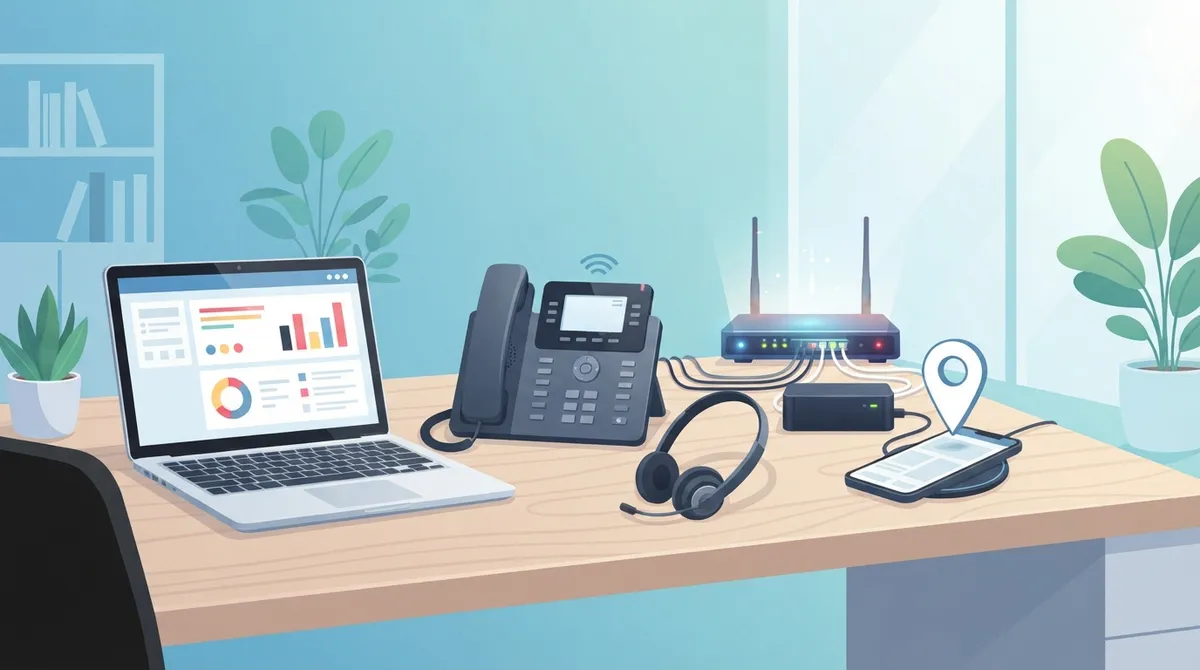
Confirm E911 support and register an accurate location for every user and desk phone, especially remote staff, since wrong location data can delay emergency dispatch.
-
Compare total cost of ownership, not just the advertised per-user rate; hosted VoIP often runs about $10 to $40 per user monthly, plus phones, number porting, taxes, and setup fees.
-
Test your network before switching: check bandwidth, latency and jitter, Wi-Fi coverage, and voice traffic prioritization, because call quality depends on your internet and local network.
-
Choose hosted VoIP if you want lower upfront costs and less maintenance; choose on-premises only if you have strong in-house IT and need direct control over the system.
-
Plan for outages with a backup internet connection and call forwarding to mobile phones, since VoIP still depends on power and internet and a cloud service doesn't replace continuity planning.
-
Protect your system with multifactor authentication, encryption, fraud monitoring, and regular updates, and ask providers for their security documentation and compliance details.
Picking a phone system is not exactly the most thrilling task on a busy owner’s list. But the choice you make shapes how customers reach you, how your team works, and how much you spend each month. A business VoIP phone system can make all of that easier, if you pick the right setup.
VoIP stands for Voice over Internet Protocol. In plain words, your calls travel over the internet instead of old copper phone lines. You can take calls on a desk phone, a laptop, or a mobile app. That means your team can stay connected from the front desk, the warehouse, or the kitchen table.
In this friendly guide, we will walk through how VoIP works, what it costs, which features matter, and how to avoid common surprises. Whether you run a small shop in Tampa, manage an office, oversee IT, or operate several franchise locations, you will find clear steps you can use today.

What Is a Business VoIP Phone System and How Does It Work?
A business VoIP phone system turns your voice into small data packets. Those packets travel over an IP network, such as your office internet connection, and get turned back into sound on the other end. It happens in a blink.
Instead of one line per phone, your system uses software to route calls. That software can send a call to a desk phone, a mobile app, or a computer headset. Many businesses like this because it feels flexible and simple to manage.
Here are the pieces that make it work:
- Phones and apps: Desk phones, softphones on computers, and mobile apps.
- Phone service: The provider that connects your calls to the wider phone network.
- Your network: The internet connection, router, switches, and Wi-Fi your calls depend on.
- Management tools: An online dashboard to add users, set call rules, and view reports.
If you want to see how this plays out in a real rollout, our guide on how VoIP implementation works for your business walks through each stage.
Hosted VoIP or On-Premises: Which One Fits You?
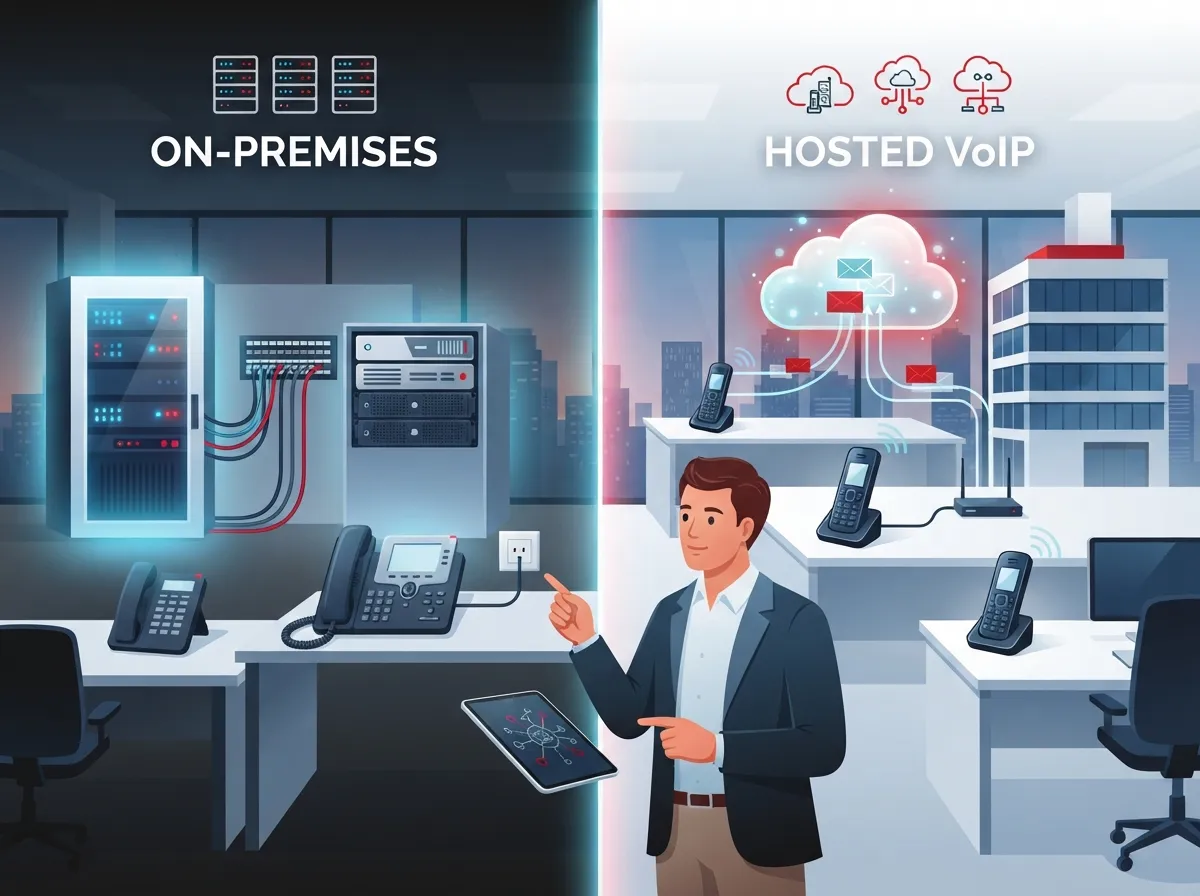
This is often the biggest decision. A hosted (cloud) system is run by a service provider. An on-premises system uses equipment that lives in your building, and you or your IT team maintain it.
Hosted service usually means lower upfront costs and less equipment to care for. On-premises gives you more direct control, but it needs people and time to keep it running. Neither answer is wrong. It depends on your team and your goals.
| Factor | Hosted (Cloud) VoIP | On-Premises VoIP |
|---|---|---|
| Upfront cost | Lower, since the provider hosts the system | Higher, because of servers and hardware |
| Maintenance | Handled by the provider | Handled by your IT team |
| Control | Shared with the provider | Direct and detailed |
| Scaling | Add or remove users in the dashboard | May require new hardware |
| Best for | Small and growing teams, multi-site firms | Teams with strong in-house IT and special needs |
Want to go deeper? Our comparison of hosted vs. on-premises business phone systems lays out the trade-offs side by side.
What Does a Business VoIP Phone System Cost?
Let’s talk money, because that is usually the first question. Pricing guides surfaced in 2026 research show hosted business VoIP often falls around $10 to $40 per user per month. Your actual rate depends on the provider, the plan, the contract length, and any add-ons.
An on-premises setup looks different. One provider pricing guide estimates PBX hardware and installation at $5,000 to $20,000 or more for a typical small-to-midsize deployment. Treat that as an illustration, not a quote. Your real number could be higher or lower.
The advertised price is just the start. Compare the total cost of ownership. Here is a quick list of costs people often forget:
- Per-user monthly service fees
- Desk phones, headsets, and conference phones
- Number porting (moving your existing numbers)
- Taxes and regulatory fees
- International calling charges
- Setup and implementation help
- CRM or app integrations
- Optional support plans and call recording
For a closer look, check out 9 costs behind how much a business phone system costs.
Which Features Does a Business VoIP Phone System Need?
Features vary by provider and plan, so it helps to know what you truly need. Start with the basics, then add the extras that match how your team works.
Everyday Essentials
- Auto attendant: A friendly digital receptionist that routes callers to the right person.
- Call forwarding and routing: Send calls to your cell, a team, or another office.
- Voicemail: Many systems can send messages to your email.
- Mobile and desktop apps: Take your business number anywhere.
Features That Help You Grow
- Call queues: Keep callers in line during busy times, not lost.
- Call recording: Useful for training and quality checks.
- Analytics: See call volume, wait times, and missed calls.
- SMS messaging: Text with customers from your business number.
- Integrations: Connect to CRM and collaboration tools.
Not sure which ones to prioritize? Our post on 12 VoIP phone system features every business needs in 2026 can help you sort the must-haves from the nice-to-haves.
Is Your Network Ready for a Business VoIP Phone System?
Here is a friendly truth: call quality depends on your internet and your local network. Even the best phone service can sound choppy on a weak connection. A little prep goes a long way.
Before you switch, check these things:
- Bandwidth: Make sure you have enough capacity for calls plus everything else your team does online.
- Latency and jitter: Delay and uneven timing can cause echo or robot-sounding voices.
- Wi-Fi coverage: Look for dead zones where mobile app users might roam.
- Network prioritization: Set up rules so voice traffic gets a fast lane.
- Backup connectivity: Plan a second connection in case your main one fails.
Wiring matters too. A tidy, well-built cabling setup keeps desk phones and access points stable. Learn the basics in what structured cabling is for your business network, or read the overview of structured cabling to understand the standards behind it.
Wondering about speed numbers? See what internet speed is needed for VoIP in 2026 for practical guidance. Your Internet Service Provider and plan type also play a big part, so it is worth reviewing your options.
How Reliable Is a Business VoIP Phone System During Outages?
Good news: VoIP can be very dependable when it is planned well. But it relies on power and internet, so outages can affect it. A cloud service does not remove the need for a business continuity plan.
Ask your provider about these reliability points:
- Uptime commitments in the service agreement
- Redundancy and failover options
- What happens during a power or internet outage
- Support response times when something breaks
Many businesses set calls to forward to mobile phones if the office goes offline. Others add an automatic backup internet line. If you want a clear walkthrough, read is VoIP reliable for business, and see these automatic internet failover tips for staying online when it counts.
Is VoIP Secure Enough for Your Business?
Security deserves a spot on your checklist. VoIP lives on the internet, so it needs the same care as email or banking tools. One vendor article reported that 46% of organizations in its cited research had experienced VoIP-related security incidents. That figure comes from a vendor source, so check the underlying study before treating it as a general rule. Still, it is a gentle reminder to take protection seriously.
Look for these protections:
- Multifactor authentication: An extra step when logging in to admin accounts.
- Encryption: Scrambles calls so they are harder to intercept.
- Fraud monitoring: Alerts for odd calling patterns or toll fraud.
- Regular updates: Keep phones, apps, and software patched.
- Clear recording policies: Decide who can access call recordings and how long you keep them.
Ask your provider for their security documentation, and confirm any compliance rules that apply to your industry. For related guidance, see how to choose a data security service for business telecom.
What About 911 Calls for Remote and Mobile Workers?
This one is important, and it is easy to overlook. Emergency calling works differently on VoIP than on a traditional landline. Your business should confirm E911 support and keep each user’s registered location accurate.
The risk is greatest for remote employees and devices that move between locations. If a call goes to the wrong dispatch center, help may be delayed. Here is a simple checklist:
- Ask how the provider handles E911 and emergency call routing.
- Register a correct address for every desk phone and user.
- Create a process for remote staff to update their location when they move.
- Test your emergency calling setup as your provider allows, and review it regularly.
A little care here protects your people. If you need help setting this up the right way, our team is happy to walk you through it.
How Do You Roll Out a Business VoIP Phone System Smoothly?
A good rollout feels calm, not chaotic. The secret is planning each step before launch day. Here is a simple path many businesses follow:
- Audit your current setup: List your lines, numbers, phones, and monthly bills.
- Check your network: Test bandwidth, Wi-Fi, and cabling for voice readiness.
- Choose hosted or on-premises: Match the model to your team and budget.
- Select features and phones: Pick only what your team will actually use.
- Port your numbers: Plan the timing so you do not lose your existing numbers.
- Train your team: A short walkthrough saves lots of questions later.
- Go live and fine-tune: Review call quality and routing in the first few weeks.
Keeping your current number matters to most owners. Read how to keep your phone number when switching to VoIP in Tampa before you begin. And to avoid costly slip-ups, peek at 15 business VoIP mistakes that cost you money.
Which Business Needs Matter Most for Your Team?
Every business is a little different. Here is how the right VoIP setup can fit common situations:
Small Business Owners
You want affordable, simple, and low-maintenance. A hosted system with a few core features often fits well. Bundling phone and internet can also cut down on vendor headaches. See 9 small business phone system tips for 2026 for ideas.
Office Managers
You care about smooth days and fast help when something goes wrong. Look for a provider with responsive support and easy user changes, like adding a new hire in minutes.
IT Managers
You need control, visibility, and security. Ask about admin tools, reporting, and how voice fits into your wider network. A single partner for cabling, internet, and phones can reduce finger-pointing.
Mid-Sized Enterprises and Franchise Operators
You need systems that scale across sites. Cloud service makes it easier to add locations and keep call routing consistent. Explore multi-location telecom solutions for Florida firms to see how it works.
Why Does the Right Partner Matter?
Phones, internet, cabling, and networking all depend on each other. When one vendor handles the phones and another handles the internet, problems can turn into a blame game. That is frustrating, and it costs time.
Ideal Solutions Provider is a Tampa-based telecom and IT partner with over 24 years of experience. The team works with 35+ vetted suppliers, so you get side-by-side options instead of a single sales pitch. They can review your current setup, point out where you may be overpaying, and help from consultation through installation and ongoing support. You can learn more about their cloud based phone systems and how they fit with the rest of your communications.
If you like seeing real people and real projects, you can also follow along on Facebook or watch helpful clips on YouTube. A single point of contact means fewer calls, fewer bills, and less stress. For more on that approach, see why Tampa Bay businesses need one telecom partner.
A Quick Word on Market Numbers
You may see big statistics about VoIP growth. One 2025 industry article estimates the global VoIP services market at $132.2 billion in 2024, with a projection of $349.1 billion by 2034. A vendor survey also reported that 62% of the small and midsize businesses it surveyed used VoIP as their primary phone system.
These figures are helpful for context, but remember that market scope varies by research firm, and survey results reflect only the people surveyed. Use them as signs of momentum, not as promises about your own results.
Ready to Choose Your Business VoIP Phone System?
You do not have to figure this out alone. A business VoIP phone system works best when it matches your team, your network, and your goals. Start by checking your internet and cabling, decide between hosted and on-premises, compare the total cost, and plan for security and emergency calling.
When you are ready for friendly, no-pressure guidance, contact us for a free consultation, or call us to talk with a real person about your phone setup. We would love to help you find a system that makes every call count.
FAQs
Q: What is a business VoIP phone system, and how does it work?
A: A business VoIP phone system sends your calls over an internet connection instead of traditional phone lines. You can answer on a desk phone, a computer, or a mobile app, which makes it easy for your team to stay connected from anywhere.
Q: How much does a business VoIP phone system cost per user?
A: Pricing guides from 2026 commonly show hosted VoIP around $10 to $40 per user per month, depending on the provider, plan, and add-ons. Remember to compare total cost, including phones, number porting, taxes, and setup, not just the advertised price.
Q: What is the difference between hosted VoIP and an on-premises phone system?
A: Hosted VoIP is managed by a service provider, so you skip most of the equipment and upkeep. An on-premises system keeps the hardware in your building, which gives more direct control but needs your own IT resources to maintain it.
Q: What internet and network setup does business VoIP require?
A: Good call quality depends on enough bandwidth, low latency and jitter, solid Wi-Fi coverage, and network prioritization for voice traffic. A backup internet connection is a smart addition so your calls keep flowing if your main line goes down.
Q: Does a business VoIP phone system support E911 for remote employees?
A: Many providers support E911, but you need to confirm it and keep each user’s registered location up to date. Remote workers and moving devices need extra care, so ask your provider how location updates and emergency routing work.





