
Key Takeaways
-
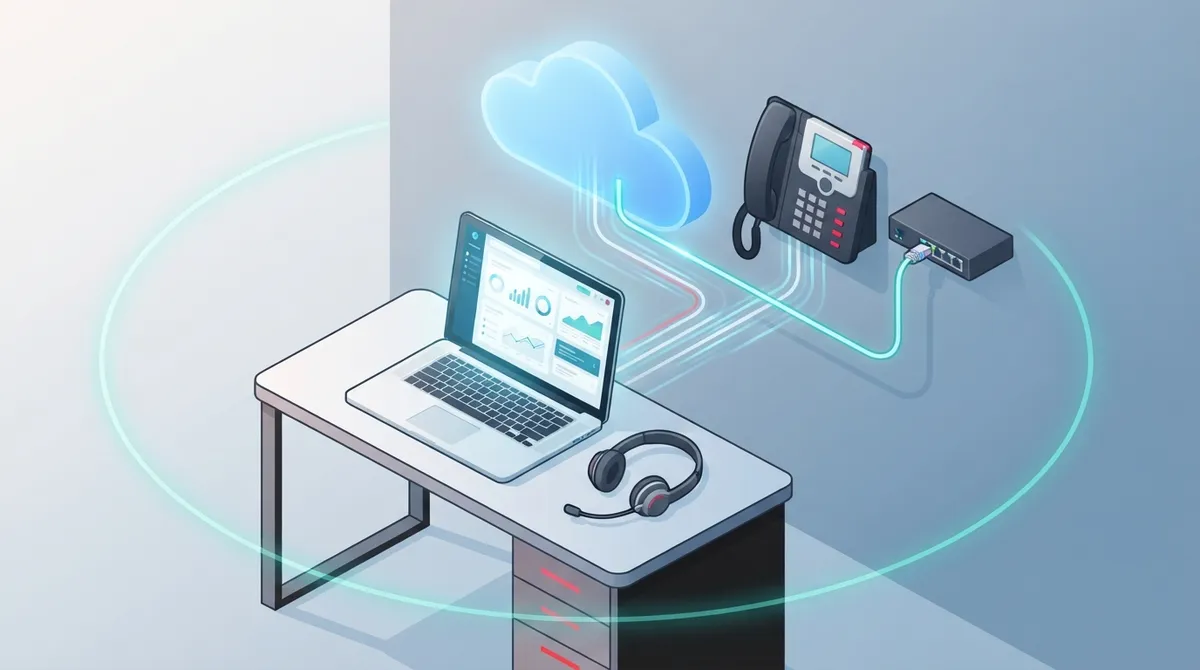
Cloud phone systems move the call-routing 'brain' from an on-site PBX box to a provider's secure platform, with calls carried as digital data over the internet.
-
Call quality depends on the whole network path: check bandwidth, latency, jitter, and packet loss, and use wired Ethernet with quality-of-service settings to prioritize voice.
-
Admins can add users, extensions, auto-attendants, and call routing from a web portal, so simple changes don't require a technician visit.
-
Confirm number porting, emergency 911 accuracy for every location, and provider uptime before switching, since these are common points of surprise.
-
Plan backup for internet outages, such as a second connection or automatic failover, and write down outage steps so calls keep flowing when the main link drops.
-
Security is shared: the provider protects the platform while you enforce strong passwords, multifactor authentication, encryption, and regular software updates.
Picture this: your phone rings at the front desk, but the call also pings a laptop in a home office and a mobile app in a delivery truck. Nobody has to run to a closet full of blinking boxes. That is the everyday magic behind a modern business phone setup. If you have ever wondered how does a cloud based phone system work, you are in the right place, and we promise to keep it simple and friendly.
In short, a cloud based phone system moves the “brain” of your phones from a box in your office to a secure platform run by a provider. Your calls travel over the internet as data. The provider handles routing, voicemail, and features. You manage everything from a web portal or app.
Below are 11 things to know, from the basics to the details that help you avoid headaches. Whether you run a small shop, manage an office, oversee IT, or operate several franchise sites, these tips will help you feel confident about your next step.

1. What a Cloud Based Phone System Actually Is
A cloud based business phone system is hosted by a service provider instead of running mainly on a company-owned, on-site PBX. A PBX is the older “private branch exchange” box that used to route every call inside a building. Most cloud systems use Voice over Internet Protocol, or VoIP, to carry calls over an internet connection.
Think of it like email. Years ago, many companies ran their own mail servers. Today, most use a hosted service. Cloud phones follow the same path. You get the features, and the provider keeps the heavy equipment running.
If you want a deeper starter guide, our blog explains what a cloud phone system is and how it works in more detail.

2. How a Call Travels, Step by Step
This is the heart of how does a cloud based phone system work. Here is the journey of a typical outbound call:
- You speak. Your desk phone, computer, or mobile app captures your voice.
- Your voice becomes data. The device encodes the sound into small digital packets.
- Packets cross your network. They move over your office network and out through your internet connection.
- The provider’s platform takes over. It checks the number, applies your rules, and picks the best route.
- The call reaches its target. That might be another user on the same platform or a regular landline or mobile phone through the public telephone network.
- The other side hears you. Their device turns the packets back into audio, in a blink.
Incoming calls work in reverse. The platform receives the call, follows your routing rules, and rings the right phone, app, or group.
3. The Cloud Platform Is the “Brain”
The provider’s platform manages call routing and business features. It does the work an old PBX used to do. That includes connecting extensions, running voicemail, and handing calls to the right person.
Because the platform lives in secure data centers, the provider keeps the core telephony equipment running and updated. You are not stuck buying a new box every few years. Instead, you pay a subscription that usually covers the platform and its upkeep.
4. You Control Everything From a Web Portal
One of the nicest parts of a cloud system is how easy it is to manage. Administrators can usually set up users, numbers, and extensions from a web portal or app. No special tools or technician visit needed for simple changes.
Common settings you can change yourself include:
- New users, extensions, and phone numbers
- Business hours and holiday schedules
- Auto-attendants (the friendly “press 1 for sales” greeting)
- Call queues and ring groups
- Voicemail and call forwarding rules
For office managers, this is a big win. Adding a new hire becomes a few clicks instead of a service ticket.
5. Work From Desk Phones, Computers, or Mobile
Employees can often make and receive calls on IP desk phones, softphone apps on a computer, or mobile apps. Depending on the service and setup, a person may keep the same business number across all of them.
That means your sales rep can answer the office line from a coffee shop and still show your business caller ID. It also helps with remote and hybrid work. If you want to explore this more, see what makes a remote work phone system actually work.
Quick note: a business cloud phone is not the same as a free consumer calling app. Business services add central administration, business numbers, routing, user management, and support. Those things matter once more than a couple of people take calls.
6. What You Need on Your End
Cloud phones are simple, but they still need a few basics to sound great. Here is a handy checklist:
| Item | Why It Matters |
|---|---|
| Reliable internet connection | Carries every call to the provider’s platform |
| Compatible devices | IP desk phones, headsets, or softphone apps |
| Well-configured local network | Keeps voice traffic smooth and prioritized |
| Quality cabling and switches | Wired connections reduce dropouts |
| Power for phones | Often delivered through Power over Ethernet switches |
Not sure how fast your internet should be? Our guide on what internet speed is needed for VoIP in 2026 breaks it down. And since many call problems start inside the building, solid structured cabling services are often the quiet hero behind clear calls.
7. Call Quality Depends on the Whole Path
Here is something many people miss. Call quality depends on the end-to-end network, not just the provider. Four things matter most:
- Bandwidth: enough room for voice, even when others are streaming.
- Latency: how long packets take to travel. Lower is better.
- Jitter: uneven timing between packets, which can cause choppy audio.
- Packet loss: missing packets that create gaps or robotic sounds.
You can improve consistency in friendly, practical ways. Use wired Ethernet where you can. Turn on quality-of-service settings so voice gets priority. Make sure your capacity fits your team size. And keep an eye on your network with simple monitoring.
If you are curious how reliable all this really is, read is VoIP reliable for business for a balanced look.
8. Features That Make Daily Work Easier
Cloud phone systems come with features that used to cost extra on older systems. Exact features vary by provider and plan, but common ones include:
- Auto-attendant and call menus
- Voicemail you can read or hear in email
- Call recording on many plans
- Video meetings and team chat
- Text messaging for business
- Reports on call volume and wait times
Many platforms can also connect to tools you already use, like customer relationship management (CRM) software and collaboration apps. Available integrations differ from one provider to another. Our post on how to choose VoIP features that help your business grow can help you pick the ones you will actually use.
9. Cloud vs. On-Site Phone Systems at a Glance
Many owners ask how a cloud system differs from the old on-site box. This table gives a quick snapshot:
| Topic | Cloud Based System | On-Site PBX |
|---|---|---|
| Where the “brain” lives | Provider’s secure platform | Equipment in your building |
| Upfront cost | Usually lower; subscription based | Often higher for hardware |
| Adding users or sites | Often simple and fast | May need new hardware |
| Maintenance | Provider handles core platform | You or a vendor handle it |
| Internet dependence | High; needs good connection | Lower for internal calls |
Neither choice is right for everyone. Our comparison of hosted vs. on-premises business phone systems walks through the trade-offs in depth.
10. Know the Risks, Not Just the Perks
Cloud hosting can cut the need to buy and maintain an on-site PBX. It can also make it easier to add users or locations. But it does not remove every cost or risk. A smart buyer looks at both sides.
Before you switch, think about these points:
- Total cost: subscriptions, calling charges, device costs, and any setup fees.
- Internet backup: what happens if your main connection drops?
- Emergency calling: make sure 911 works correctly for every user and location.
- Provider availability: ask about uptime and how outages are handled.
- Number porting: confirm you can keep your current numbers when you move.
On that last point, how to keep your phone number when switching to VoIP is a handy read. For backup planning, see these automatic internet failover tips for business.
Security is shared work. The provider protects the platform, and you protect your accounts. Good habits include strong passwords, multifactor authentication, regular software updates, fraud monitoring, and a written plan for outages. Encryption on calls adds another helpful layer.
11. The Bigger Picture: VoIP Is Already Mainstream
If cloud calling feels new, here is some reassurance. FCC data summarized in a 2026 industry report counted 52.6 million U.S. business wireline voice connections in June 2025. Of those, 44.0 million were VoIP and 8.6 million were switched access lines. That puts the VoIP share at about 83.6 percent.
A quick caution so we keep things honest: those numbers describe business voice connections, not the share of companies using cloud phone systems. Still, they show the industry has moved firmly toward internet-based calling. Market-size forecasts vary a lot between research firms, so treat any single projection as an estimate, not a fact carved in stone.
Many businesses are making the move for flexibility and simpler management. You can see why in these 14 reasons to switch to a cloud phone system in Tampa.
How It Fits Different Types of Businesses
Every team uses phones a little differently. Here is how a cloud system tends to help each group:
- Small business owners: lower upfront cost and fewer vendors to juggle.
- Mid-sized companies: easy growth as you add people, teams, and locations.
- IT managers: central control, fewer on-site boxes, and clear reporting.
- Office managers: quick user changes and less downtime worry.
- Franchise operators: the same setup across many sites, managed from one place.
For multi-site teams, multi-location telecom solutions can keep every location on the same page.
How to Get Started Without the Stress
Ready to take the first step? Here is a simple path that works for most businesses:
- Review what you have. List your phone lines, users, locations, and monthly costs.
- Check your network. Test your internet and look at your cabling and switches.
- Decide on must-have features. Think about auto-attendants, mobile apps, and integrations.
- Plan for backup. Choose a failover option and write down your outage steps.
- Compare providers. Look at price, support, and contract terms side by side.
- Plan the switch. Schedule number porting and staff training so launch day feels smooth.
This is where a trusted guide helps. Ideal Solutions Provider is a Tampa-based telecom and IT partner with over 24 years of experience. Because they work with 35+ vetted suppliers, they can compare options for you and handle consultation, installation, and ongoing support through a single point of contact. You can learn more about their cloud based phone systems, and see what to expect in how cloud phone system installation works for Tampa businesses.
For a wider look at your internet needs, it also helps to read up on your Internet Service Provider options, since your connection is the road every call travels on.
Wrapping It Up
So, how does a cloud based phone system work? Your voice becomes digital data, travels over the internet to a provider’s platform, gets routed by your rules, and reaches the other person in a flash. You manage it all from a simple portal, and you can take calls on a desk phone, computer, or mobile app.
The best results come from pairing a good provider with a healthy network, smart backup plans, and strong security habits. Do that, and your phones become one less thing to worry about.
If you would like a friendly, no-pressure review of your current setup, contact us for a free consultation, or call us to talk it through with a real person. We would love to help you find the right fit.
FAQs
Q: How does a cloud based phone system work in simple terms?
A: Your voice is turned into digital data and sent over the internet to a provider’s platform. That platform routes the call to another user or to a regular landline or mobile phone, then the other side hears you in real time. You manage settings like extensions and voicemail from a simple web portal.
Q: What equipment and internet do I need for a cloud phone system?
A: You need a dependable internet connection, compatible devices like IP desk phones or softphone apps, and a local network set up to handle voice traffic. Wired connections, quality-of-service settings, and enough bandwidth help keep calls clear. Good cabling and switches make a big difference too.
Q: What happens to my calls if the internet or provider goes down?
A: Calls can be affected, which is why backup planning matters. Many businesses use a second internet connection, automatic failover, and a plan to forward calls to mobile phones. It also helps to ask your provider about uptime and to write down simple outage steps for your team.
Q: Are cloud based phone systems secure for businesses?
A: They can be, and security is shared between you and the provider. Strong passwords, multifactor authentication, encryption, software updates, and fraud monitoring all help protect your accounts and calls. Ask any provider how they handle these protections before you sign up.
Q: Can I keep my current business phone number when I switch?
A: In many cases, yes, through a process called number porting. It is smart to confirm this with your provider early and plan the timing so there is no gap in service. Checking your number’s eligibility before you commit helps avoid surprises.





