
Key Takeaways
-
Copper (Cat 6A) suits desks, phones, cameras, and access points, supporting 10 Gb/s up to about 100 meters per channel when parts, installation, and testing all meet the standard.
-
Fiber is the better choice for building backbones, linking separate buildings, and runs beyond 100 meters, since it offers higher bandwidth, longer distances, and immunity to electrical interference.
-
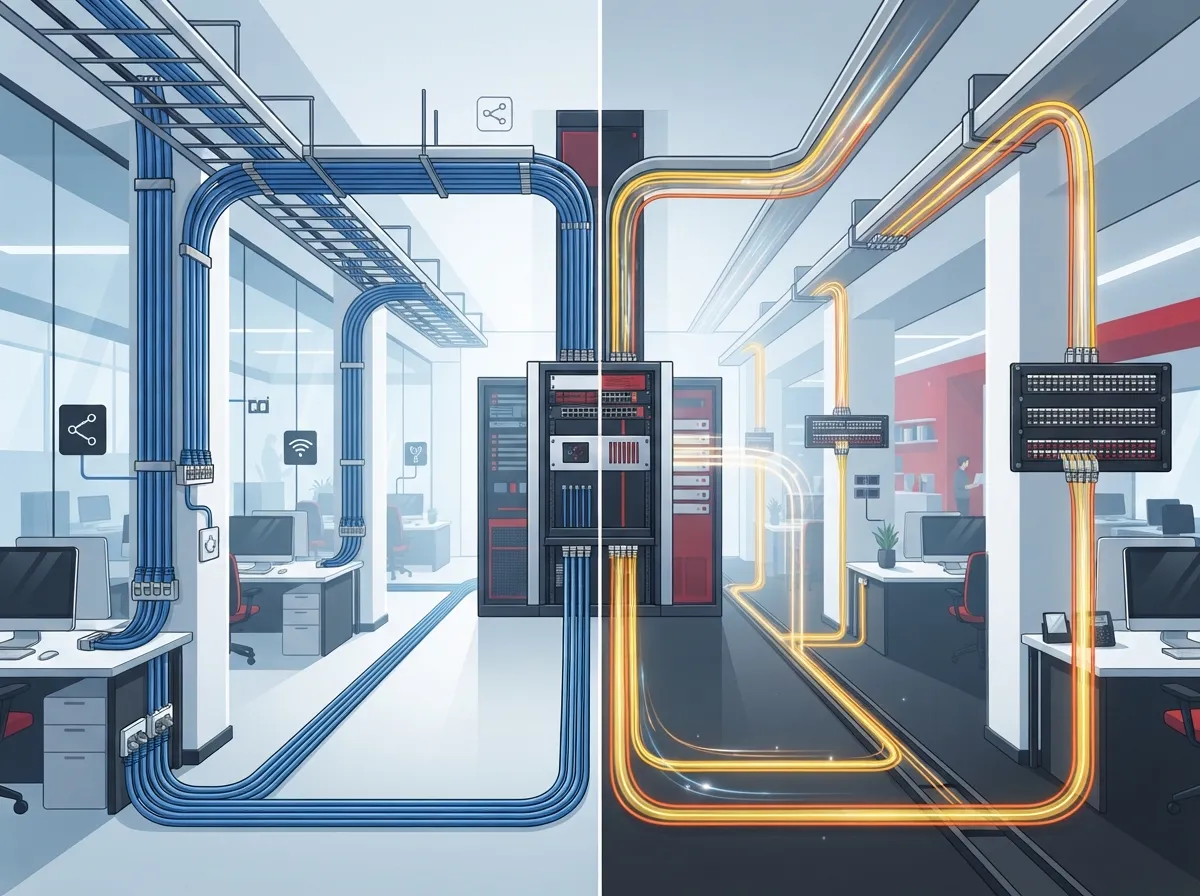
Most well-designed offices use a hybrid approach: fiber backbones between floors or rooms, with copper carrying the final connection to each device.
-
Power over Ethernet lets one copper cable deliver both data and power to devices like IP phones, cameras, and wireless access points, though fiber cannot do this.
-
Plan for growth over three to five years, and insist on certification testing and as-built documentation so future troubleshooting and changes are faster.
-
Quality installation matters as much as cable choice: planned pathways, proper bend radius, clear labeling, and separation from interference sources prevent slow speeds and costly rework.
Picture this: your team is on a video call, the phones are ringing, and the security cameras are streaming, all at once. Behind the walls, a bundle of cables is quietly doing the heavy lifting. If those cables are tangled, outdated, or mismatched, everything feels slow and shaky. If they are planned well, you never think about them at all. That is the magic of good structured cabling infrastructure.
One of the biggest questions we hear from business owners is simple: should we use copper, fiber, or a mix of both? It is a fair question, and the answer depends on how your office works today and where it is headed. In this friendly guide, we will compare copper and fiber side by side, explain where each one shines, and help you feel confident about your next step. Whether you run a small Tampa shop, manage a growing office, or oversee several franchise locations, you will find clear, plain-English answers here.
What Is Structured Cabling Infrastructure?
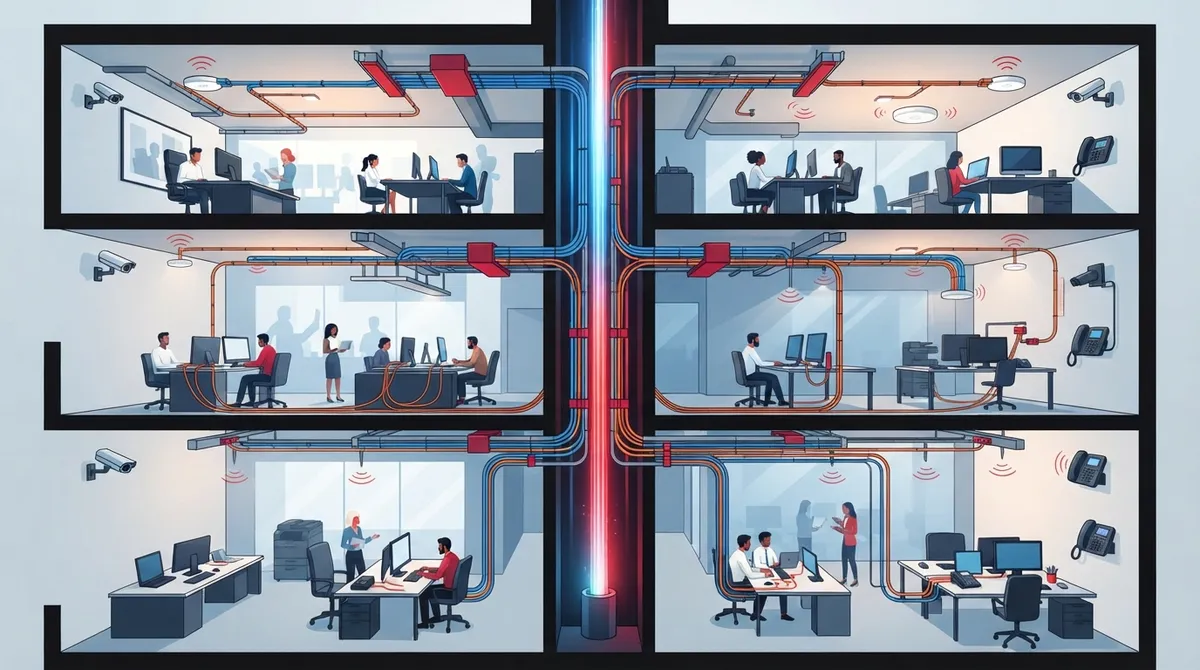
Structured cabling infrastructure is the organized, standards-based physical network inside your building. It carries voice, data, video, wireless, and other signals through cables, connectors, patch panels, racks, and pathways. Think of it as the roads and bridges of your office. Your internet service, phones, and cameras are the cars that travel on them.
If you want a quick background, here is a helpful overview of structured cabling and how it is organized. In short, a typical system includes these parts:
- Entrance facilities: where outside services enter your building.
- Equipment rooms: where main networking gear lives.
- Backbone cabling: the high-capacity links between floors or rooms.
- Telecommunications rooms: smaller hubs that serve each area.
- Horizontal cabling: the runs out to desks, phones, cameras, and access points.
- Work-area outlets: the wall jacks where devices plug in.
Because the layout is modular, adding a desk or moving a team is far easier than with ad hoc, point-to-point wiring. If you are curious how this compares to quick-fix wiring, our post on structured cabling vs. ad-hoc wiring breaks it down nicely.
Copper Cabling: The Everyday Workhorse
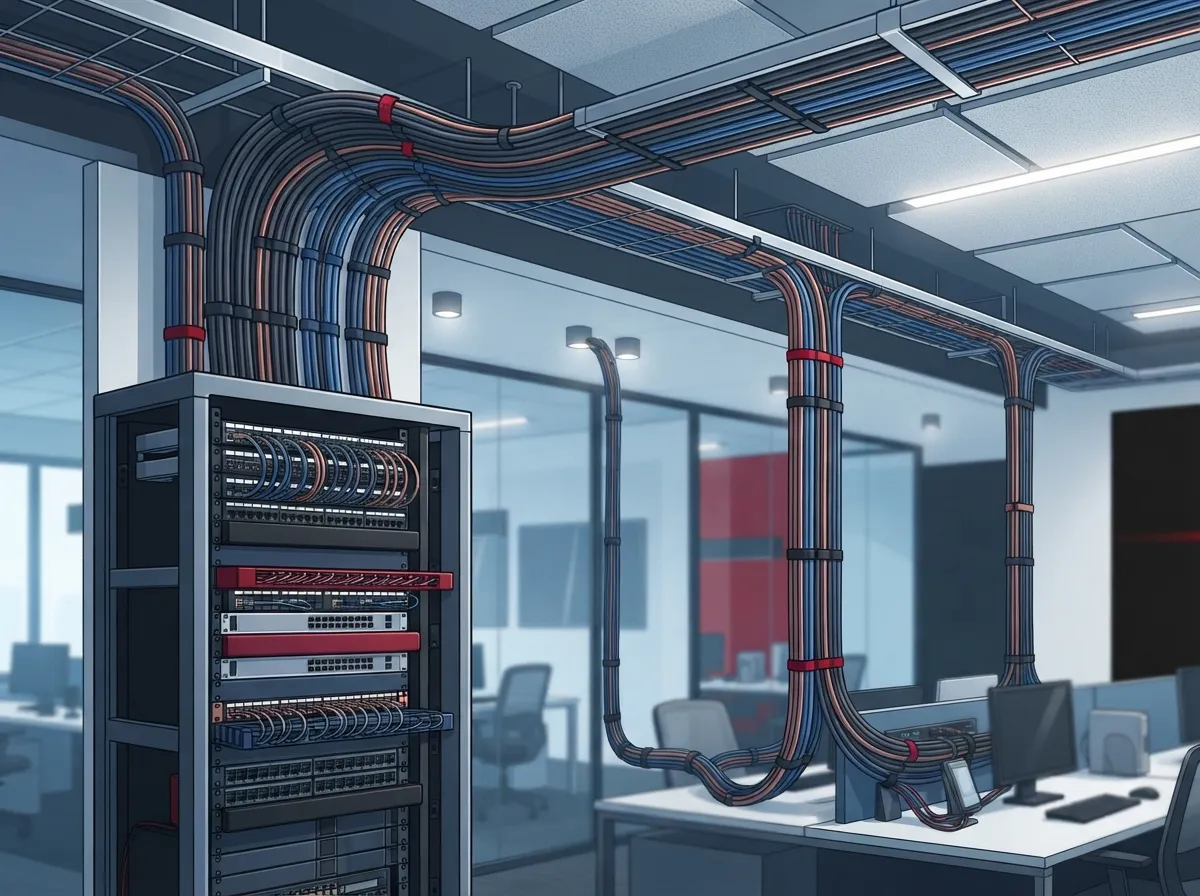
Copper twisted-pair cable is the most common choice for horizontal runs. These are the cables that reach desks, phones, wireless access points, and cameras. It is familiar, flexible, and works with a huge range of devices.
Where Copper Shines
Copper is a great fit for the last stretch of your network. It connects easily, costs less than fiber for short runs, and can carry power along with data through Power over Ethernet (PoE). That means a single cable can run an IP phone, a camera, or a wireless access point with no separate power outlet.
Category 6A copper supports 10 Gb/s Ethernet over a channel up to 100 meters, as long as the parts, installation, and testing all meet the standard. That is plenty of speed for most offices today. If you want to see how the categories differ, check out our guide on the differences between CAT5e and CAT6 cabling, or read 14 Cat6 cabling facts every business owner should know.
Where Copper Has Limits
Copper does have a distance ceiling. Standard Ethernet channels top out at about 100 meters. Copper can also pick up electrical interference if it runs too close to power lines or heavy equipment. And while copper is great for desks, it is not the best option for long backbone links between buildings.
Fiber-Optic Cabling: Built for Speed and Distance
Fiber-optic cable sends data as pulses of light. It handles higher bandwidth and much longer distances than copper. That makes it a favorite for building backbones, campus links, and data-center connections.
Where Fiber Shines
Fiber is the clear winner when you need to connect floors, link separate buildings, or plan for big bandwidth growth. It is not affected by electrical interference, and it keeps its strength over long runs. There are two main types:
- Single-mode fiber: best for long distances and high future capacity.
- Multimode fiber: often used for shorter runs inside buildings and data rooms.
Choosing between them depends on link distance, bandwidth needs, and the equipment (transceivers) you plan to use. Our friendly walkthrough on how to choose fiber cabling for your business network can help you sort this out. You can also explore fiber optic cabling services for commercial buildings in Tampa to see what a project looks like.
Where Fiber Has Limits
Fiber usually costs more for parts and termination, and it needs specialized tools and training to install well. It also cannot carry power the way copper does with PoE. For most desk-level connections, that makes copper the more practical choice.
Copper vs. Fiber: Side-by-Side Comparison
| Feature | Copper (Cat 6A) | Fiber Optic |
|---|---|---|
| Typical use | Desks, phones, cameras, access points | Backbones, campus links, data rooms |
| Speed example | Up to 10 Gb/s at 100 m | Very high bandwidth, scalable |
| Distance | About 100 meters per channel | Much longer, depending on type |
| Carries power (PoE) | Yes | No |
| Interference | Can be affected | Immune to electrical interference |
| Upfront cost | Generally lower | Generally higher |
| Install complexity | Moderate | Requires specialized skills |
The Real Answer: Most Offices Use Both
Here is the good news. You do not have to pick a side. Most well-designed systems combine copper and fiber. Fiber forms the backbone between rooms or floors, and copper carries the connection the last stretch to each device. This hybrid approach gives you speed where it counts and low cost where it does not matter.
Industry research backs up how common copper still is. One market report from Grand View Research notes that copper cables held about 48.0% of structured-cabling market revenue in 2025, though estimates vary by source. Another estimate from Market.us puts the global structured cabling market at USD 14.6 billion in 2025, with a forecast of USD 27.9 billion by 2035. Treat these as third-party estimates rather than hard facts, but they show that businesses everywhere are investing in their cabling.
How to Choose Between Copper, Fiber, or Both
Not sure where to start? Follow these simple steps:
- Map your devices. List desks, phones, cameras, access points, and any access control hardware that needs a connection.
- Measure your distances. If any run exceeds 100 meters, or if you are linking buildings, plan on fiber.
- Check your power needs. If you want PoE for phones, cameras, or wireless gear, use copper to the endpoint.
- Think about growth. Plan for the devices and bandwidth you expect in three to five years, not just today.
- Confirm standards and codes. Ask your installer which editions of ANSI/TIA-568 or ISO/IEC 11801 apply, plus any local code requirements.
- Plan for testing and documentation. Make sure certification results and as-built drawings are part of the job.
For a deeper planning checklist, take a look at how to plan network cabling installation in Tampa Bay.
Power Over Ethernet: A Big Reason to Love Copper
PoE lets one Ethernet cable carry both data and electricity. It is a huge time-saver for office managers and IT teams. You can mount an access point on a ceiling or place a camera in a parking lot without running a separate power line.
The IEEE 802.3bt standard supports up to 90 W at the power-sourcing equipment. Keep in mind that the power actually delivered to the device is lower because some energy is lost along the cable. That is one more reason quality cable and proper installation matter. Our post on 13 ways structured cabling supports VoIP and cameras shows how this plays out in real offices.
What a Quality Installation Includes
Choosing the right cable is only part of the story. A reliable structured cabling infrastructure also depends on how it is installed. Here is what a good installer should handle:
- Planned pathways and spare capacity for future needs
- Separation from electrical interference sources
- Proper bend radius and pulling limits so cables are not damaged
- Fire-rated cable where required by code
- Clear labeling on every cable, port, and panel
- Grounding and bonding where applicable
- Certification testing with saved results
- As-built documentation for troubleshooting and future changes
Skipping any of these can lead to slow speeds, mystery outages, and expensive rework. If you want to avoid the common traps, read our list of 12 structured cabling mistakes that hurt your business. And if you are weighing a do-it-yourself approach, our comparison of DIY vs. professional cabling is worth a look.
Which Option Fits Your Business?
Every business is a little different, so here is a quick way to think about it:
- Small business owners: Start with Cat 6A copper to desks and devices. Add fiber only if you are linking buildings or expect heavy growth.
- Mid-sized enterprises: Use fiber backbones between floors or wiring closets, with copper to the desk. This setup scales smoothly.
- IT managers: Insist on certification testing and clear documentation. It saves hours of troubleshooting later.
- Office managers: Focus on labeling and a tidy layout so moves, adds, and changes are painless.
- Franchise operators: Standardize your cabling design across locations so every site is easy to support and upgrade.
A solid cabling foundation also makes everything else easier. It supports fast internet, reliable cloud phones, and dependable cameras. If you are planning upgrades across the board, you may enjoy our guide to what structured cabling is for your business network and our overview of the best cabling options for business networks in Tampa.
A Quick Word on Budget
People often ask what cabling costs. The honest answer is that it depends. Pricing varies with the number of drops, the building layout, cable type, ceiling access, fire-rating requirements, and testing needs. Fiber typically costs more than copper per run, but it may save money over time by reducing future upgrades. Getting a clear scope and written estimate up front is the best way to avoid surprises. Our article on 10 factors that shape network cabling installation cost explains what drives the price.
Work With a Partner Who Handles It All
Ideal Solutions Provider is a Tampa-based telecom and IT partner with over 24 years of experience. Because we work with 35+ vetted suppliers and handle everything from consultation and installation to ongoing support, you get one friendly point of contact instead of a pile of vendors. We design cabling that fits your phones, internet, cameras, and access control, so everything works together. You can learn more about our structured cabling services and see how we approach each project.
Final Thoughts and Next Steps
So, copper or fiber? For most offices, the best answer is both. Use copper where you need flexible, PoE-ready connections to devices, and use fiber where you need distance, speed, and room to grow. Add careful planning, standards-based installation, and good documentation, and you will have a network that quietly works for years.
Ready to take the guesswork out of your cabling? Contact us for a free consultation, or call us to talk through your project with a friendly expert. We would love to help you build a solid foundation for your business.
FAQs
Q: What is structured cabling infrastructure and why does my business need it?
A: It is the organized, standards-based physical network of cables, connectors, patch panels, racks, and pathways that carries your voice, data, and video. Your business needs it because it keeps phones, internet, cameras, and Wi-Fi running reliably, and it makes future moves and upgrades far easier.
Q: Should I choose Cat 6, Cat 6A, or fiber for my office?
A: Cat 6A copper is a smart pick for desks, phones, cameras, and access points, since it supports 10 Gb/s up to 100 meters. Choose fiber for backbones, long distances, or linking buildings. Many offices happily use both together.
Q: How far can Ethernet cable run before I need fiber?
A: A standard copper Ethernet channel reaches up to about 100 meters. If you need to go farther, such as between buildings or across a large campus, fiber is the better choice because it handles much longer distances.
Q: How does Power over Ethernet work with structured cabling?
A: PoE lets one copper Ethernet cable carry both data and power to devices like IP phones, cameras, and wireless access points. IEEE 802.3bt supports up to 90 W from the power source, though the device receives a bit less due to cable losses.
Q: What should an installer provide after finishing a cabling job?
A: You should receive clear labeling, certification test results, and as-built documentation. These records make troubleshooting and future changes much simpler, and they prove the system meets the required standards.





