
Key Takeaways
-
Hosted (cloud) VoIP usually offers the simplest upkeep, lower upfront hardware costs, and easier scaling for new users or locations, though it depends heavily on internet quality.
-
On-premises IP-PBX gives full local control and suits businesses needing legacy equipment support or strict call-handling policies, but requires more upfront cost and ongoing maintenance.
-
Most call-quality problems come from the network, so test peak-hour bandwidth, latency, jitter, packet loss, switches, Wi-Fi, and cabling before choosing any deployment option.
-
Plan number porting carefully: confirm account details early, schedule the move for a quiet window, and set up backup routing so customers can still reach you during cutover.
-
Don't overlook security, outage continuity, and E911 obligations; U.S. interconnected VoIP providers must handle emergency calls and location data, so keep remote and desk locations current.
-
A hybrid setup can blend a local PBX at headquarters with cloud lines for branches, but it requires careful planning to work well.
Picking a new business phone system feels exciting until you hit the first big question: where should the brains of that system live? Some businesses want everything in the cloud. Others want a box in the server closet they can call their own. Both paths work, but each one changes how your voip installation services project looks, feels, and costs.
If you are a small business owner, an office manager, or an IT pro juggling too many vendors, you are in good company. The good news is that this choice gets much easier once you know what each option involves. In this guide, we compare hosted and on-premises installs side by side. We also cover the hybrid middle ground, the network checks every install needs, and how to avoid the mistakes that cause headaches on cutover day.
Let’s walk through it together, one step at a time.
What VoIP Installation Services Actually Include
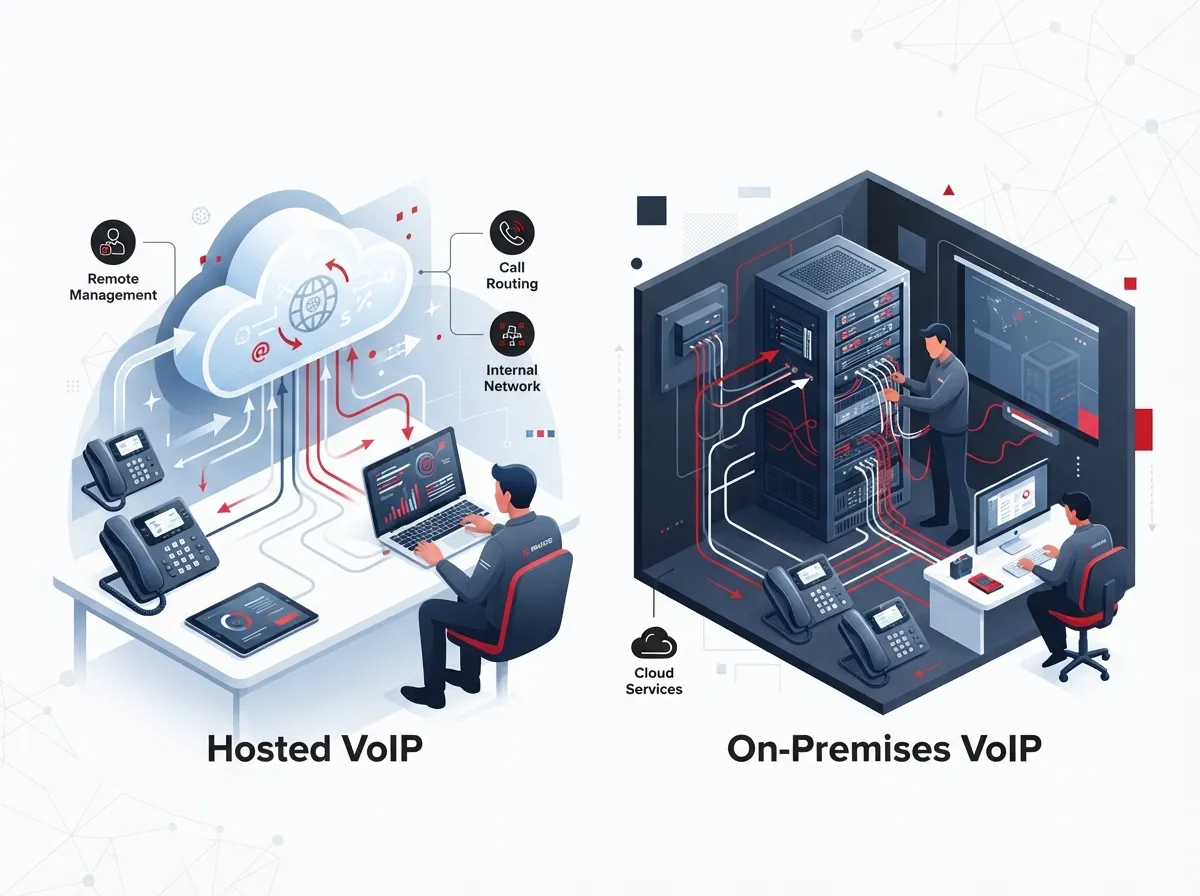
Here is the first thing to know: a business VoIP install is a project, not a plug-and-play moment. Sure, the phones are the part you can see. But the real work happens behind the scenes.
Professional voip installation services usually cover these steps:
- Needs assessment: How many users, sites, and call volumes you have.
- Network readiness check: Bandwidth, switches, routers, Wi-Fi, and cabling.
- System and device setup: Desk phones, softphones, extensions, and voicemail.
- Call flow design: Auto-attendants, hunt groups, call queues, and business-hours routing.
- Number porting: Moving your current phone numbers to the new system.
- Testing and training: Making sure it works and your team feels confident.
- Ongoing support: Help when something needs a tweak down the road.
The scope changes with your size. A five-person office is a very different project from a ten-location franchise. That is why a clear plan up front saves time and money.
The Three Deployment Options in Plain English
Before comparing, let’s define the players.
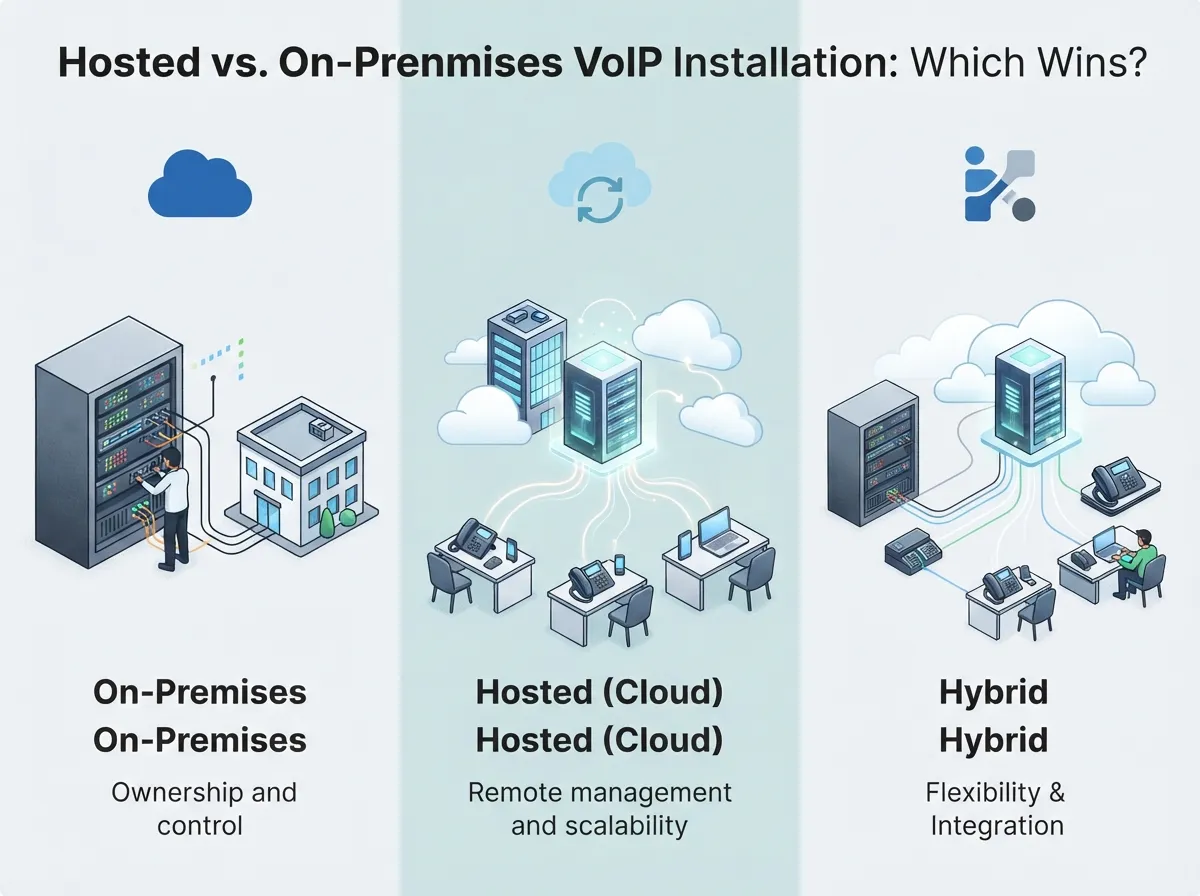
Hosted (Cloud) Phone System
A hosted system runs in your provider’s data centers. Your phones connect over the internet. You do not manage a local phone server, and updates happen behind the scenes. If you want a deeper primer, our guide on what a hosted phone system is breaks it down nicely.
On-Premises IP-PBX
An on-premises system puts the phone server in your building. You own and maintain the hardware. This can suit businesses with strict control needs or legacy equipment they must keep connected.
Hybrid System
A hybrid design blends both. Maybe your headquarters keeps a local PBX while branch offices use cloud lines. It is a flexible option, though it takes careful planning.
Hosted vs. On-Premises: Side-by-Side Comparison
Let’s put the two main options on one table so you can scan the differences fast.
| Factor | Hosted (Cloud) | On-Premises IP-PBX |
|---|---|---|
| Upfront hardware | Low (mostly phones) | Higher (server plus phones) |
| Who maintains the system | Provider | You or your IT partner |
| Install complexity | Simpler on-site setup | More on-site work |
| Scaling to new users or sites | Quick and flexible | May need added hardware |
| Control and customization | Good, within provider limits | High, full local control |
| Remote worker support | Built in | Needs extra setup |
| Legacy equipment fit | Varies | Often easier to integrate |
| Internet dependence | High | Moderate (for outside lines) |
No single column is always the winner. The right pick depends on your size, budget, and how your team works. For a closer head-to-head, see our breakdown of hosted vs. on-premises business phone systems.
Why Hosted Is Winning Over Many Businesses
The market is leaning cloud, and the numbers back it up. Mordor Intelligence estimates the global VoIP services market at USD 172.49 billion in 2025, with a forecast of USD 308.41 billion by 2030. The same firm reports that hosted and cloud PBX held 52.3% of VoIP services market share in 2024. These are market-research estimates, and figures vary by report, but the direction is clear.
On the business side, FCC subscription data summarized by Brightlio shows U.S. business VoIP subscriptions grew 4.1% from June 2024 to June 2025. Residential VoIP subscriptions fell 13.4% over the same period.
Why do so many companies go hosted? A few reasons stand out:
- No phone server to babysit in a closet.
- Easier to add a new hire or a new location.
- Remote and hybrid staff can use the same system from anywhere.
- Software updates arrive without a service call.
If you are a Tampa-area small business, you might also like our look at why businesses are switching to cloud phones.
When On-Premises Still Makes Sense
Cloud is popular, but it is not the answer for everyone. An on-premises setup can be a smart fit when:
- You must keep call handling inside your own walls for policy reasons.
- You rely on older equipment that needs a local connection.
- Your site has limited or unreliable internet options.
- You want deep, custom control over call routing and features.
The tradeoff is more upfront cost and more upkeep. You will need someone to handle patches, backups, and hardware repairs. Many mid-sized companies pair an on-prem system with a trusted partner for ongoing care.
The Network Check Every Install Needs
Here is a secret that seasoned installers know: most call-quality problems are network problems. It does not matter whether you pick hosted or on-prem. A weak network will make any phone system sound rough.
A solid pre-install assessment should look at:
- Bandwidth at peak use: Not just average days, but your busiest hour.
- Latency, jitter, and packet loss: The three gremlins of choppy audio.
- Routers and switches: Can they handle voice traffic and, if needed, PoE for phones?
- Wi-Fi coverage: Important for softphones and mobile users.
- Cabling and power: Old or damaged cable can quietly cause trouble.
Depending on your design and provider requirements, quality of service (QoS) rules and voice network segmentation may also help. If your cabling is aging, it is worth reading about what structured cabling is and how it supports phones, data, and cameras together. Our guide on what internet speed you need for VoIP is another handy reference.
A Simple Step-by-Step Install Roadmap
Whether you go hosted or on-prem, a well-run project tends to follow the same path. Here is a roadmap you can use as a checklist.
- Define your needs. List users, locations, must-have features, and any integrations with your business apps.
- Assess the network. Test bandwidth, check switches and cabling, and fix weak spots first.
- Choose your deployment. Pick hosted, on-prem, or hybrid based on your findings.
- Configure the system. Build extensions, voicemail, auto-attendants, and call queues.
- Plan the number port. Confirm account details and schedule the move.
- Test everything. Try inbound, outbound, transfers, voicemail, and after-hours routing.
- Train your team. A short walkthrough prevents a lot of day-one questions.
- Cut over and monitor. Go live, then watch call quality closely for the first few days.
Want a fuller view of the process? Our post on how VoIP implementation works covers each stage in more depth.
Number Porting and Cutover: Avoid the Downtime
Few things make a business owner sweat like a phone line going dark. The fix is careful planning.
A good installer will confirm your numbers and account details early. They will schedule the migration for a quiet window, test inbound and outbound calls right after, and set up temporary or backup routing. That way, customers still reach you even if something hiccups.
Yes, you can usually keep your existing numbers. We cover the steps in how to keep your phone number when switching to VoIP.
Security, Backup, and E911: The Parts People Forget
A smooth install also plans for the “what if” moments. Three areas deserve attention.
Security
Protect device and admin access, configure your firewall, use supported encryption, and keep software updated. The exact controls depend on your provider and risk level.
Continuity
Plan for internet or power outages. Backup call routing, such as forwarding to mobile phones, keeps your business reachable when the unexpected happens.
Emergency Calling (E911)
In the United States, interconnected VoIP providers have FCC E911 obligations, including handling emergency calls and location information. Ask your installer how emergency calling and dispatchable location work for fixed desk phones, mobile users, and remote workers. Then keep those location records current as people move or desks change.
What Does It Cost and How Long Does It Take?
Honest answer: it depends. Cost and timeline shift with the number of users, sites, integrations, hardware, and your existing infrastructure.
These factors usually move the price most:
- Number of users and phones.
- Number of locations.
- Network or cabling upgrades needed first.
- Complexity of call flows and integrations.
- Training and ongoing support level.
A small single-site hosted install can move quickly. A multi-site rollout with number porting and custom routing takes longer. For budgeting ideas, check the costs behind a business phone system.
Which Option Fits Your Audience?
Let’s make this practical by matching options to real business types.
- Small business owners: Hosted is often the easiest and most affordable start.
- Mid-sized companies: Hosted or hybrid, depending on growth plans and legacy needs.
- IT managers: Hybrid or on-prem if you need deep control, hosted if you want less maintenance.
- Office managers: Hosted with managed support keeps daily life simple.
- Franchise operators: Hosted shines for adding locations with consistent setup.
Why a Single Partner Makes the Install Easier
Phones rarely live alone. They depend on internet circuits, cabling, switches, and sometimes even your security systems. When one vendor handles the phones and another handles the cabling, finger-pointing can follow.
That is where Ideal Solutions Provider comes in. As a Tampa-based telecom and IT partner with over 24 years of experience, the team works with 35+ vetted suppliers and serves as your single point of contact, from consultation and install to ongoing support. If you like the idea of fewer vendors, take a peek at why Tampa Bay businesses want one telecom partner.
You can also follow the team on Facebook, Instagram, and YouTube for tips and updates.
Final Verdict: So, Which One Wins?
If we had to name a winner for most businesses today, hosted gets the nod for simplicity, speed, and flexibility. But on-premises still earns its place for companies needing tight control or legacy support. And hybrid can be the best of both worlds when planned well.
The real winner is the option that matches your network, your team, and your goals. Start with the network check, pick a deployment that fits, and plan the cutover carefully. Do that, and your new phone system should feel like an upgrade, not an ordeal.
Ready for a clear recommendation? Contact us for a free consultation, or call us to talk through your voip installation services project with a friendly expert.
FAQs
Q: What do business VoIP installation services include?
A: They usually cover a needs assessment, network readiness check, system and phone setup, call flow design, number porting, testing, user training, and ongoing support. Think of it as a full project, not just plugging in phones.
Q: How long does a business VoIP installation take?
A: It depends on your size and setup. A small single-site hosted install can move fairly fast, while multi-site projects with number porting, custom call flows, and network upgrades take more time. A good installer will give you a clear timeline after the assessment.
Q: Can I keep my existing phone numbers when I switch to VoIP?
A: In most cases, yes! Your installer confirms your numbers and account details, schedules the port, and tests inbound and outbound calls right after. Backup routing helps keep calls flowing during the move.
Q: How does E911 work with VoIP for office and remote employees?
A: In the U.S., interconnected VoIP providers have FCC E911 duties, including handling emergency calls and location info. Ask your installer how location works for desk phones, mobile users, and remote staff, and keep those records up to date.
Q: Should I choose hosted VoIP, an on-premises PBX, or a hybrid system?
A: Hosted usually suits businesses wanting simple upkeep and easy growth. On-premises fits those needing local control or legacy equipment support, and hybrid blends both. Your network, budget, and team setup should guide the choice.





