

Key Takeaways
-
A structured cabling contractor plans, installs, tests, labels, and documents the physical backbone for your phones, internet, Wi-Fi, cameras, and access control, not just pulls wire.
-
Insist on documented test results, clear labels, and updated as-built drawings after installation, and ask to see sample reports before you hire.
-
Planning and design come first: a site assessment and future-growth allowance prevent messy, unreliable wiring and costly rework later.
-
Use Cat6 for standard desktop and IP phone connections, Cat6A for high-speed or PoE-powered devices like Wi-Fi access points, and fiber for building backbones and long distances.
-
Verify licensing, insurance, BICSI-credentialed technicians, experience with similar projects, knowledge of TIA standards, and written warranty terms when vetting contractors.
-
Request a detailed written quote after a site walk-through and compare scope, materials, testing, and warranty, since a cheap bid that skips documentation can cost more later.
Picture this: your team is on a video call, your IP phones are ringing, and the Wi-Fi is humming along. Everything just works. What most people never see is the quiet hero behind that smooth day, the cabling hidden in your walls and ceilings. A good structured cabling contractor makes that magic happen.
If you run a small shop, manage a busy office, or oversee several franchise locations, you have probably wondered what these pros really do. Do they just pull wire? Not at all. They plan, install, test, label, and document the physical backbone that your phones, internet, cameras, and door systems all depend on.
In 2026, businesses lean on more connected devices than ever. That makes the right cabling partner a big deal. In this friendly guide, we will walk through five key things a structured cabling contractor does, how to pick a good one, and what to expect from start to finish. Let’s dive in!
What Is a Structured Cabling Contractor?
A structured cabling contractor designs and installs the fixed, low-voltage wiring that connects your business network equipment and devices. Think of it as the roads and highways of your office. Your data, voice, and video travel along them every single day.
This work usually includes copper and fiber cabling, pathways, racks, patch panels, telecommunications rooms, and labeled wall outlets. You can read a quick overview of the concept on this structured cabling reference page.
One helpful point: the contractor installs the physical layer. Setting up switches, routers, and software is often handled by your IT team or a separate provider. A good contractor works hand in hand with them. If you want a deeper primer, check out What Is Structured Cabling for Your Business Network?

1. They Plan and Design Your Cabling System
Great cabling starts long before anyone drills a hole. A skilled contractor begins with a site assessment. They walk your space, talk about how your team works, and learn what you plan to add in the next few years.
From there, they build a design that fits your goals. This usually covers:
- Where outlets, access points, and cameras should go
- Which pathways, conduit, and cable trays to use
- Where to place racks and telecommunications rooms
- How much room to leave for future growth
Planning saves money and headaches later. Skipping it is one of the biggest reasons offices end up with messy, unreliable wiring. Our guide on how to plan network cabling installation in Tampa Bay shares more tips for this stage.
Why Design Matters for Every Business Type
A small office may need a simple layout with a handful of drops. A growing company might need dozens of cable runs and a dedicated server closet. Franchise operators often need the same design repeated across many sites. A good contractor adjusts the plan to fit each situation instead of using a one-size-fits-all approach.
2. They Choose the Right Cable Types
Not all cable is created equal. Your contractor helps you pick the right media for each job based on distance, speed needs, power over Ethernet (PoE), the environment, and how long you want the system to last.
Here is a simple comparison to help you see the differences:
| Cable Type | Best Use | Key Strength |
|---|---|---|
| Cat6 | Desktop connections, IP phones, standard offices | Solid performance for everyday business use |
| Cat6A | High-speed links, Wi-Fi access points, powered devices | Better performance and room to grow |
| Fiber Optic | Building backbones, long distances, high-capacity links | Handles long runs and heavy bandwidth |
Copper cabling such as Cat6 and Cat6A is typically used for horizontal runs to work areas and powered devices. Fiber is commonly chosen for backbones between floors or buildings. If you are weighing options, read How to Choose Between Cat6 and Cat6A for Your Office and Copper vs Fiber Cabling: Which Wins for Your Office?
When Fiber Makes Sense
Fiber shines when you need to connect network rooms across long distances or move large amounts of data. Many businesses use fiber for the backbone and copper for the final connection to desks and devices. For more on this topic, see How to Choose Fiber Cabling for Your Business Network.
3. They Install, Terminate, and Organize Everything
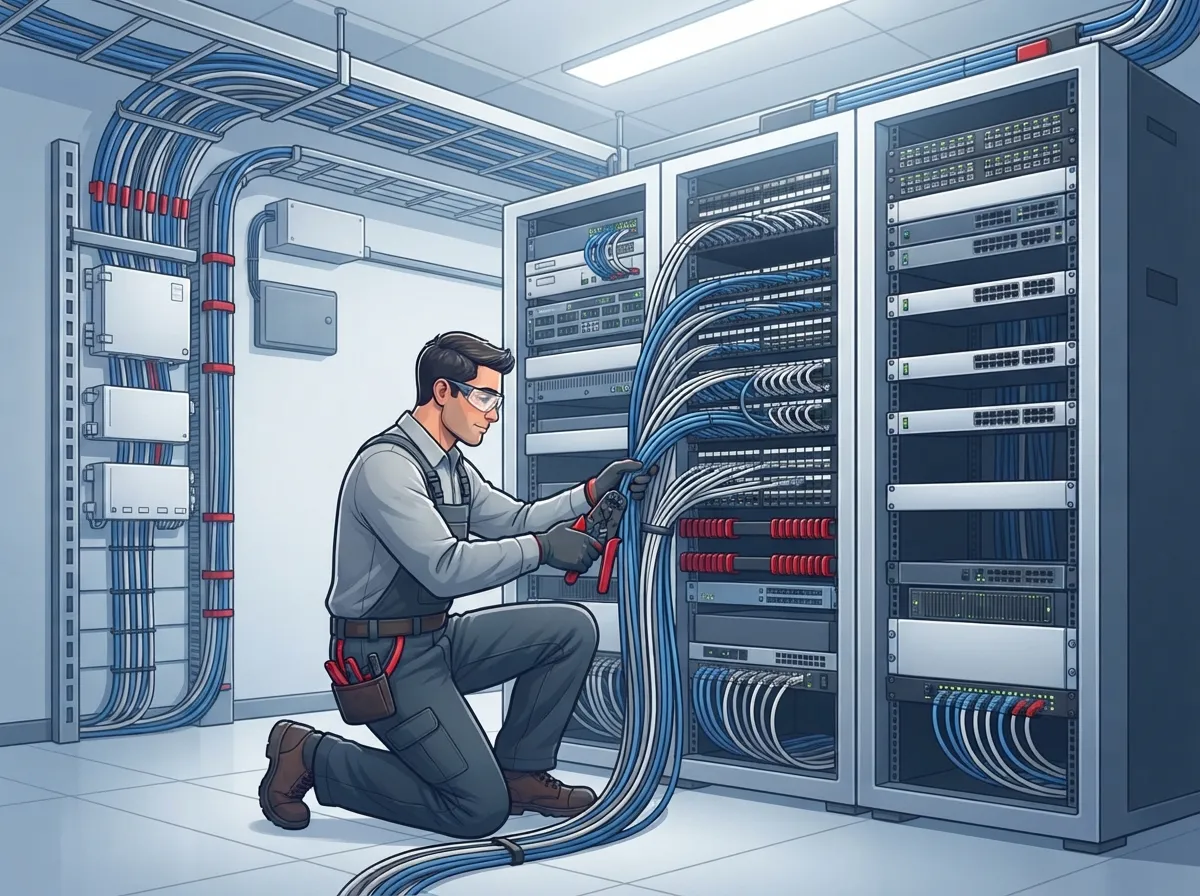
This is the hands-on part most people picture. The contractor pulls cable through walls, ceilings, and conduit, then terminates it at outlets and patch panels. They also mount racks and tidy everything so it is easy to manage.
Clean installation matters more than you might think. Messy cable bundles can cause performance trouble and make future changes a nightmare. A well-built system lets your team make moves, adds, and changes without chaos.
Here is what a typical installation process looks like:
- Walk-through and planning: Review the space and confirm the design.
- Pathway prep: Set up conduit, trays, and supports as needed.
- Cable pulling: Run cable from the telecom room to each outlet location.
- Termination: Connect cables to jacks and patch panels.
- Rack setup: Mount equipment and organize patch cords.
- Testing and labeling: Verify every link and mark every cable and port.
Want to avoid common slip-ups? Take a peek at 12 Structured Cabling Mistakes That Hurt Your Business.
4. They Test, Label, and Document the Work
Here is where a true professional stands out. After installation, the contractor should test every cable run and hand you clear records. This step proves the system works and makes life easier for whoever manages it next.
Good acceptance deliverables include:
- Documented test results that match the installed cable type and category
- Clear labels on cables, outlets, and patch panel ports
- Updated as-built drawings showing what was actually installed
- Fiber test reports, such as optical loss testing, and OTDR results where appropriate
Copper links should be tested with equipment suited to the performance level you specified. Do not be shy about asking for these reports. A contractor who takes pride in their work will happily share them. Our article on how to build structured cabling documentation that works explains why this paperwork pays off.
Standards They Should Follow
A professional installation follows recognized industry standards. The ANSI/TIA-568 series covers cabling, TIA-569 covers pathways and spaces, TIA-606 covers administration and labeling, and TIA-607 covers bonding. Your contractor should also follow local electrical and fire codes. Standards get updated, so always confirm the current edition for your project. For a quick background, see this overview of ANSI/TIA-568.
5. They Support Voice, Wi-Fi, Cameras, and Access Control
One of the best perks of structured cabling is how many systems it can serve. A single well-planned cabling system can support computers, IP phones, wireless access points, security cameras, door access devices, and conference room gear.
That is a big deal for anyone running a modern business. Instead of separate wiring for each system, you build one organized foundation. It keeps things neat, simpler to troubleshoot, and ready for growth.
Here is how it connects to the systems you may already use or want:
- Phones: Cabling carries voice traffic for cloud and VoIP phones. See 13 Ways Structured Cabling Supports VoIP & Cameras.
- Cameras: PoE cabling powers and connects cloud security cameras.
- Access control: Door readers and controllers rely on solid cable runs.
- Wi-Fi: Access points need quality wired links back to the network.
Even your internet service depends on it. The best Internet Service Provider connection in the world will not help much if your inside wiring is weak. That is why many businesses pair cabling projects with business high speed internet services.
How to Choose a Structured Cabling Contractor
Now that you know what a contractor does, how do you pick a good one? Think of it like hiring any trusted partner. You want skill, honesty, and a track record.
Use this checklist when you compare options:
- Licensing and insurance: Confirm relevant low-voltage licensing and proper coverage.
- Training and credentials: Look for trained technicians, including BICSI credentials where possible.
- Similar experience: Ask about projects like yours, whether an office, warehouse, or multi-site rollout.
- Standards knowledge: They should speak comfortably about TIA standards and local codes.
- Test equipment and reporting: Ask how they test and what reports you will get.
- Documentation quality: Request samples of as-built records and labeling.
- Warranty terms: Get the details in writing.
- Safety and scheduling: Make sure they can work around your daily operations.
For more help, read How to Find a Reliable Structured Cabling Contractor in Tampa and 6 Signs You Found the Best Structured Cabling Contractor in Tampa.
Questions to Ask Before You Sign
A few friendly questions can reveal a lot. Ask who will be on site, how long the project should take, and how they handle surprises like hidden obstacles. Also ask how they coordinate with your IT team, general contractor, electrician, and property manager. Smooth teamwork keeps projects on track.
What About Cost and Timeline?
Everyone wants a number, and that is fair. The honest answer is that cost depends on your site and scope. Reliable market-wide pricing is hard to pin down because every building is different. Factors include the number of drops, cable type, distances, ceiling access, existing pathways, and how much testing and documentation you need.
The best move is to request a detailed written quote based on a site walk-through. Compare scope, materials, testing, and warranty, not just the bottom line. A low price that skips documentation can cost far more later.
Timeline also varies with project size and building conditions. A small office may wrap up quickly, while a large commercial building takes longer. For a closer look, see how long structured cabling installation takes for a commercial building in Tampa.
Why Work With a Single Telecom Partner?
Here is something many business owners and office managers appreciate: you do not have to juggle five different vendors. Ideal Solutions Provider is a Tampa-based telecom and IT partner with over 24 years of experience. They offer structured cabling services alongside VoIP phones, internet, networking, cloud security cameras, and access control.
Working with one point of contact means your cabling matches your phone system, your cameras, and your door access from day one. That coordination can save time, reduce finger-pointing, and keep projects moving. Our team also supports businesses nationwide, which is a great fit for franchise operators with multiple locations.
You can learn more about our approach on the About Ideal Solutions Provider page, or see our latest tips on Facebook, Instagram, and YouTube.
Final Thoughts
A structured cabling contractor does far more than run wire. They plan your system, choose the right cable, install it cleanly, test and document everything, and make sure your voice, data, Wi-Fi, cameras, and access control all have a solid foundation. Get this piece right, and everything built on top of it runs smoother.
Ready to build a network foundation you can count on? Contact us for a free consultation, or call us to talk through your project. We would love to help you get connected the right way.
FAQs
Q: What does a structured cabling contractor do for a business?
A: A structured cabling contractor plans, installs, tests, and documents the physical cabling that connects your computers, phones, Wi-Fi, cameras, and access control devices. They handle cable pulling, termination, racks, patch panels, labeling, and records, so your network has a solid, organized foundation.
Q: What testing and documentation should I receive after installation?
A: You should get documented test results that match your installed cable type, clear labels on cables and ports, and updated as-built records. For fiber, this may include optical loss testing and OTDR results. Always ask to see sample reports before you hire anyone.
Q: Can a structured cabling contractor install cabling for Wi-Fi, cameras, and access control?
A: Yes, and that is one of the biggest perks! One well-planned cabling system can support wireless access points, security cameras, door access devices, IP phones, and conference room gear. Planning them together keeps your setup tidy and ready to grow.
Q: When should a business use fiber instead of copper cabling?
A: Fiber is a great choice for building backbones, long distances, and high-capacity links between network rooms or buildings. Copper like Cat6 or Cat6A is usually used for the final connection to desks and devices. Many businesses use a smart mix of both.
Q: How much does structured cabling installation cost for a business?
A: Cost depends on your site and scope, including the number of drops, cable type, distances, and testing needs. The best approach is to request a detailed written quote after a site walk-through, then compare scope and warranty, not just price.





