
Key Takeaways
-
Plan cabling for future growth by adding spare drops in offices and common areas, leaving room in racks and pathways, and choosing Cat6A where faster devices or heavy Wi-Fi are expected.
-
Keep copper Ethernet runs within the 100-meter channel limit (about 90 m permanent plus patch cords); use fiber or an extra telecom closet for longer links.
-
Choose Cat6A when you need 10 Gb/s over a full 100 m channel, and use fiber for backbones, between floors, and between buildings.
-
Account for PoE power budgets, device power classes, and cable heat, since power reaching the device is lower than the switch output due to cable loss.
-
Require test results, consistent labels on both cable ends, and as-built records at project closeout to prove the work meets spec and simplify future changes.
-
Avoid weak labeling, skipping documentation, and ad-hoc wiring, which turn small fixes into costly projects and can undo a good design.
If you have ever stared at a tangled mess of cables behind a desk and thought, “There has to be a better way,” you are in good company. Most businesses start out with a few wires here and a few there. Then the team grows, new phones arrive, a camera goes up, and suddenly nobody knows which cable does what.
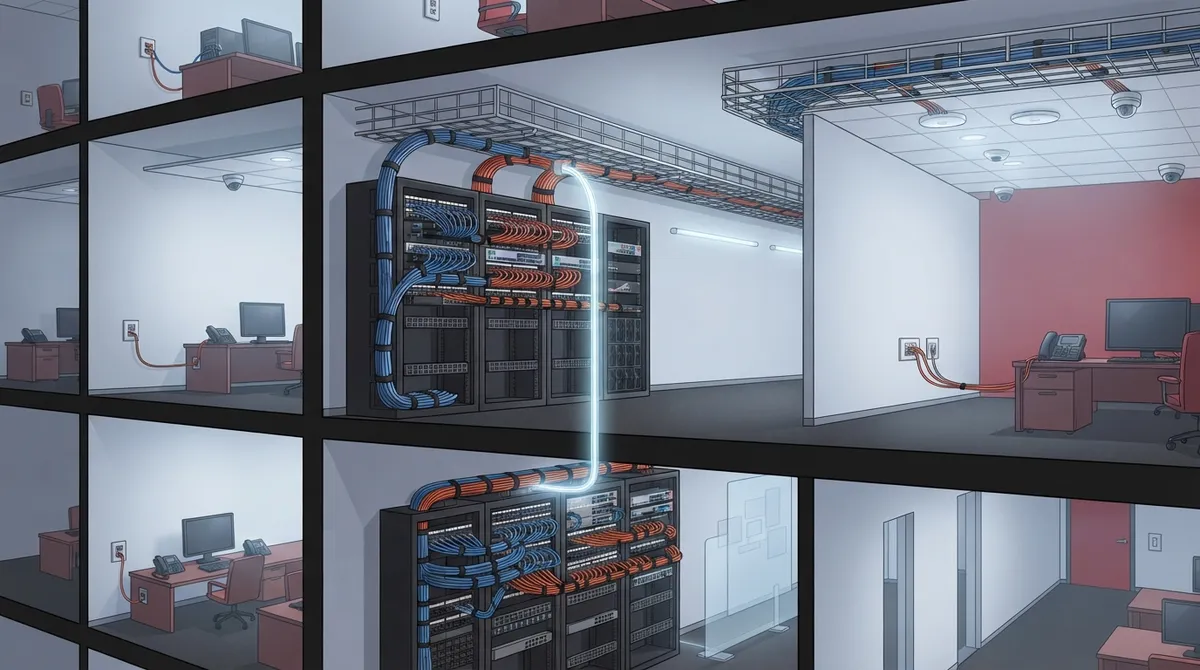
That is where commercial structured cabling comes in. It is the organized wiring foundation that connects your phones, computers, Wi-Fi, cameras, and door systems. Think of it like the plumbing in your building. You rarely notice it when it works, but you sure notice when it fails.
In 2026, more devices than ever rely on your wiring. VoIP phones, wireless access points, and security cameras all need a steady, fast connection. This guide walks you through six things every business owner, office manager, and IT lead should know before planning a cabling project. We will keep it friendly, simple, and practical. Let’s dive in!

1. What Commercial Structured Cabling Really Is
Commercial structured cabling is a standards-based network of copper and fiber cables, connectors, patch panels, racks, and pathways. It supports voice, data, Wi-Fi, video, security, and other IP-connected systems. Instead of running wires in a random way, everything follows a clear plan.
A typical design has two main parts:
- Horizontal cabling: Runs from a telecommunications room (often called an IDF) to each desk, phone, access point, or camera.
- Backbone cabling: Links your closets together and ties them to the main equipment room (often called the MDF).
Why does this matter? Because an organized system makes moves, adds, and changes much easier. Need to move a desk? Add a phone? Troubleshoot a slow connection? With structured cabling, you follow the labels instead of playing detective. If you want a quick background read, the structured cabling overview gives a helpful big-picture look.
For a deeper look at the planning side, check out What Is Structured Cabling for Your Business Network?
2. Picking the Right Cable: Cat6, Cat6A, and Fiber
Choosing cable can feel like a big puzzle. The good news is that the choices are simple once you know what each one does best.
Copper Cabling for Everyday Connections
Balanced twisted-pair copper is the workhorse for most offices. Cat6 and Cat6A are the most common choices for phones, computers, access points, cameras, and access-control devices. Cat6A is a popular pick when you need 10 Gb/s over the full channel distance or plan for faster devices down the road. Cat6 can work well for lighter needs, depending on the distance and performance you require.
Fiber for Backbones and Long Runs
Fiber-optic cabling shines when you need high capacity or long distances. Businesses often use it between floors, between closets, and between buildings. Multimode and single-mode fiber serve different needs, so link length, equipment, and future growth should guide your choice.
| Cable Type | Best For | Key Strength | Things to Consider |
|---|---|---|---|
| Cat6 | Standard desks, phones, basic Wi-Fi | Solid performance at a friendly cost | 10GBASE-T works only over shorter distances |
| Cat6A | High-bandwidth endpoints, future growth | Supports 10GBASE-T up to 100 m when the full channel is compliant | Thicker cable and a higher material cost |
| Multimode Fiber | Shorter backbone links inside buildings | High capacity over moderate distances | Distance limits depend on equipment |
| Single-Mode Fiber | Long runs and inter-building links | Very long reach and room to grow | Transceivers and gear need to match |
Not sure which way to lean? Our post on how to choose between Cat6 and Cat6A for your office breaks it down step by step. And if backbone links are on your radar, see How to Choose Fiber Cabling for Your Business Network.
3. Standards and Distance Rules That Keep You Safe
Good cabling follows rules. These rules are not there to make your life harder. They help your system perform well and pass inspections.
Here are the main standards you will hear about:
- ANSI/TIA-568: Covers system architecture and performance.
- TIA-569: Covers pathways and spaces.
- TIA-606: Covers administration and labeling.
- TIA-607: Covers grounding and bonding.
Local building, fire, and electrical codes apply too. Always confirm the current editions and your local requirements during design.
The 100-Meter Rule
Copper Ethernet channels are generally limited to 100 meters. That usually means up to 90 meters of permanent cabling plus patch cords on each end. Go past that limit, and you risk slow speeds or dropped connections. A smart design keeps every run inside the limit or uses fiber and extra closets where needed.
Want to learn more about how far a run can go? Read How Far Can Network Cable Run? Cabling Distance Limits.
4. Planning for PoE, VoIP, Wi-Fi, and Cameras
Today, your cabling does more than carry data. With Power over Ethernet (PoE), one cable can deliver both power and data to VoIP phones, wireless access points, and cameras. That means fewer outlets, cleaner installs, and easier upgrades.
But PoE needs thoughtful planning. IEEE 802.3 standards list these maximum power levels at the switch:
| PoE Standard | Max Power at the Switch | Common Uses |
|---|---|---|
| 802.3af | 15.4 W | Basic VoIP phones |
| 802.3at | 30 W | Wi-Fi access points, many cameras |
| 802.3bt Type 3 | Up to 60 W | Advanced cameras, video phones |
| 802.3bt Type 4 | Up to 90 W | High-power devices |
Remember, the power that actually reaches the device is lower because of cable loss. Your design should also account for device power classes, your switch power budget, and heat that can build up in large cable bundles. It is not just about the cable category.
Curious how this plays out in real life? We cover it in 13 Ways Structured Cabling Supports VoIP & Cameras. If you are pairing cabling with a new phone system, our guide on what internet speed you need for VoIP is also a handy companion.
5. What a Quality Cabling Project Looks Like
A good project is more than pulling wire through a ceiling. It follows a clear path from the first conversation to the final handoff. Here is what to expect:
- Needs assessment: Count your users, devices, and future plans. Ask about growth, office moves, and new tech.
- Pathway and closet planning: Decide where cables will travel and where racks and equipment will live.
- Installation and termination: Run the cable, then connect it to jacks and patch panels with care.
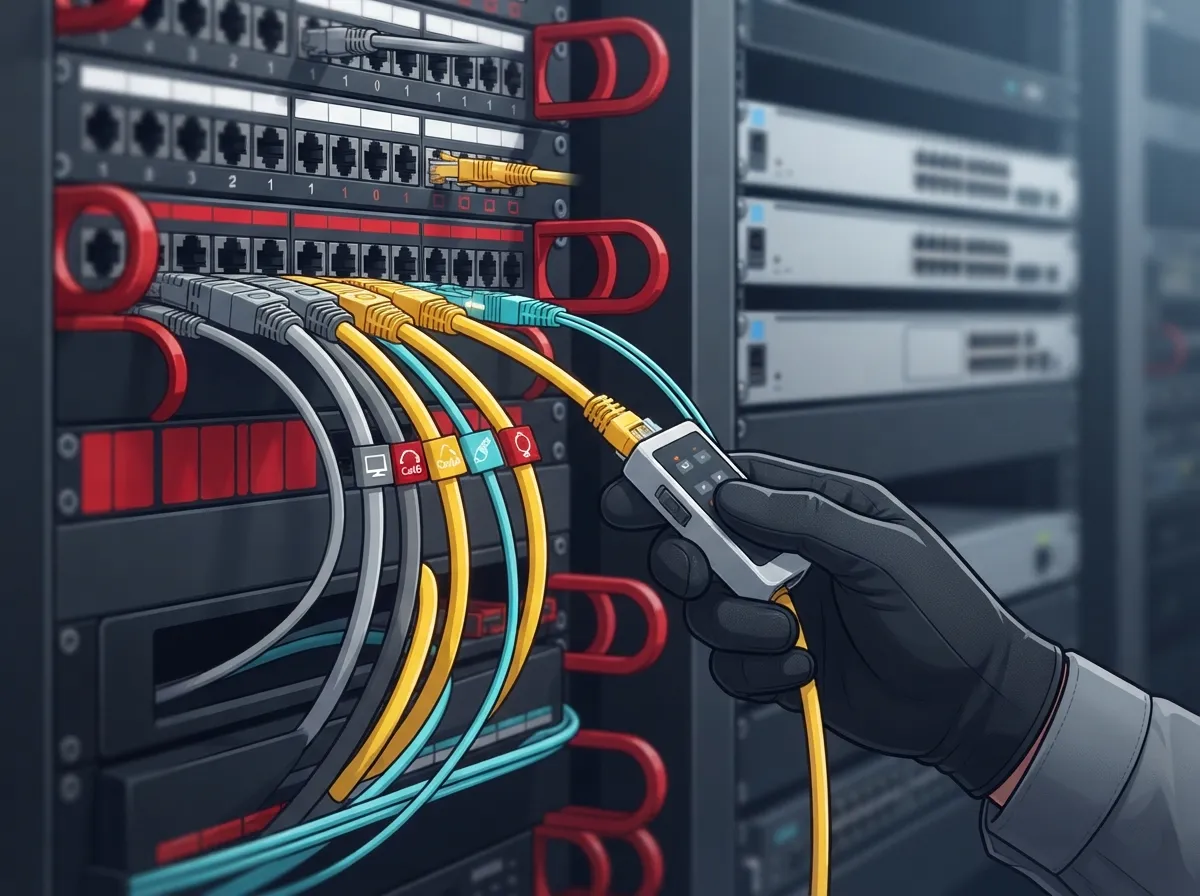
- Consistent labeling: Label both ends of every cable so troubleshooting is quick.
- Performance testing: Test copper links to the specified category and link model. Test fiber with proper optical loss methods.
- Closeout documentation: Receive test results, labels, and as-built records.
That last step is the one many teams forget to ask about. Test results and as-built drawings are your proof that the work was done right. They also save hours later when you add a new device or change vendors.
If you are weighing whether to tackle this yourself, our post on DIY vs. Professional Cabling is worth a read. And for a project timeline, see How to Plan Network Cabling Installation in Tampa Bay.
At Ideal Solutions Provider, we have spent over 24 years helping businesses plan and install cabling alongside phones, internet, cameras, and access control. Having one team handle it all means fewer handoffs and fewer headaches. You can explore our structured cabling services to see how it works.
6. Common Mistakes to Avoid
Even smart teams trip over the same few issues. Watch out for these:
- Skipping future growth: Installing only what you need today often means costly rework next year. Plan a few extra drops.
- Ignoring the distance limit: Runs that are too long cause weak performance.
- Weak labeling: Unlabeled cables turn small fixes into big projects.
- No testing or paperwork: Without results and records, you cannot prove quality.
- Overlooking PoE needs: A switch with too small a power budget leaves devices offline.
- Mixing quick fixes with the plan: Ad-hoc wiring can slowly undo a good design.
Franchise operators and multi-location owners should pay extra attention here. A repeatable cabling standard across sites makes support easier and keeps every location running the same way. For more cautionary tales, check out 12 Structured Cabling Mistakes That Hurt Your Business and Structured Cabling vs. Ad-Hoc Wiring.
How to Plan Cabling for Future Growth
Technology keeps moving, and your cabling should be ready to move with it. A few simple habits go a long way:
- Add spare drops in offices, conference rooms, and common areas.
- Choose Cat6A where you expect faster devices or heavy Wi-Fi use.
- Leave room in racks and pathways for extra panels and cable.
- Keep your documentation updated after every change.
Cabling often outlasts the equipment connected to it. That is why a bit of extra planning up front pays off for years. It also pairs nicely with other upgrades. If your internet speed is the bottleneck, our guide on how to choose the right internet speed can help you match your connection to your wiring.
Ready to Build a Cleaner, Faster Network?
Commercial structured cabling may not be the flashiest part of your business, but it is the foundation everything else stands on. When it is planned well, installed carefully, tested, and documented, your phones, Wi-Fi, cameras, and door systems all run better.
You do not have to figure it out alone. Ideal Solutions Provider is your single point of contact for cabling, VoIP, internet, networking, cloud video security, and access control. We start with a friendly consultation, handle the install, and stay with you for ongoing support.
Ready to take the next step? Contact us for a free review of your current setup, or call us to chat with our team. You can also catch tips and updates on YouTube, Facebook, and Instagram.
FAQs
Q: What is commercial structured cabling, and what systems does it support?
A: Commercial structured cabling is an organized, standards-based network of copper and fiber cabling, patch panels, racks, and pathways in a business. It supports phones, data, Wi-Fi, video, security cameras, and access-control systems, all from one tidy foundation.
Q: What is the difference between Cat6 and Cat6A for a business installation?
A: Cat6A supports 10 Gb/s over a full 100-meter channel when installed to spec, so it is a great pick for growth and high-bandwidth devices. Cat6 works well for lighter needs, but 10 Gb/s only works over shorter distances.
Q: How far can commercial Ethernet cabling run?
A: Copper Ethernet channels are generally limited to 100 meters. That typically means up to 90 meters of permanent cabling plus patch cords. For longer links, fiber or an extra telecommunications closet is the way to go.
Q: Can structured cabling support PoE devices like VoIP phones and cameras?
A: Yes! PoE lets a compatible switch send power and data over one copper cable to phones, access points, and cameras. Just plan for device power classes, your switch budget, and heat in large cable bundles.
Q: What should a cabling contractor provide when the project is done?
A: You should get copper and fiber test results, clear labels on every cable, and as-built records of the final layout. These deliverables prove the work meets spec and make future changes much easier.





