
Key Takeaways
-
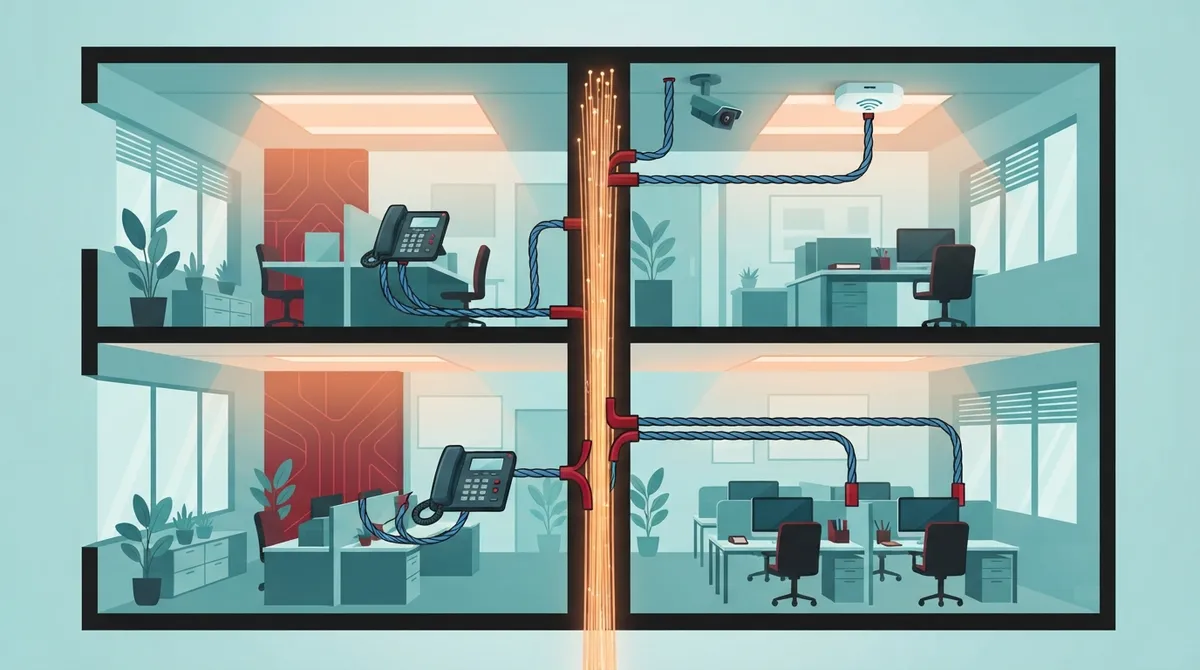
Most offices benefit from a hybrid design: fiber for backbone links between floors or buildings, and copper (Cat 6 or Cat 6A) for the final run to desks, phones, cameras, and access points.
-
Copper supports Power over Ethernet (PoE), powering phones, cameras, and Wi-Fi access points over one cable, while fiber does not carry power and needs separate power at each device.
-
Fiber resists electrical interference and reaches much farther than copper, making it the better choice for long runs, building-to-building links, and high-capacity connections.
-
Insist on certification testing, labeled cables and ports, and as-built drawings; a basic wire-map check only confirms pair connections, not full link performance.
-
Heavy PoE use can create heat in large cable bundles, so cable grade, bundle size, and pathway conditions should be planned with the installer from the start.
-
Vet providers for licensing, insurance, standards-based design, clear written scope, and warranty terms, and get a site walk before committing, since costs and timelines vary widely by project.
If you have ever stared at a tangled mess of cables behind a desk and wondered how any of it works, you are not alone. Most business owners never think about cabling until something breaks. Then suddenly, calls drop, Wi-Fi crawls, and the security cameras go dark.
That is where low voltage cabling services come in. These services plan, install, test, and label the cables that carry your phone calls, internet, video, and door-access signals. And one of the biggest choices you will face is simple: copper, fiber, or both?
Whether you run a small Tampa office, manage IT for a growing company, or oversee several franchise locations, this guide will help. We will compare copper and fiber side by side, explain what a professional project includes, and show you how to choose with confidence. Let’s untangle this together!

What Are Low Voltage Cabling Services?
In business telecom, low voltage cabling services cover the planning, installation, termination, testing, labeling, and upkeep of the cables that carry voice, data, video, and control signals. Think of it as the nervous system of your building.
This is different from electrical power wiring. Electricians install the circuits that power your outlets and lights. Low voltage cabling carries information, not building power. One small twist: some network cables can also deliver power to devices through Power over Ethernet (PoE).
Most projects fall under what the industry calls structured cabling, a standards-based system that combines copper cable for runs to desks and devices with fiber-optic cable for longer or faster links. If you want a deeper primer, our post on what structured cabling is for your business network walks through the basics.
What a Professional Project Typically Includes
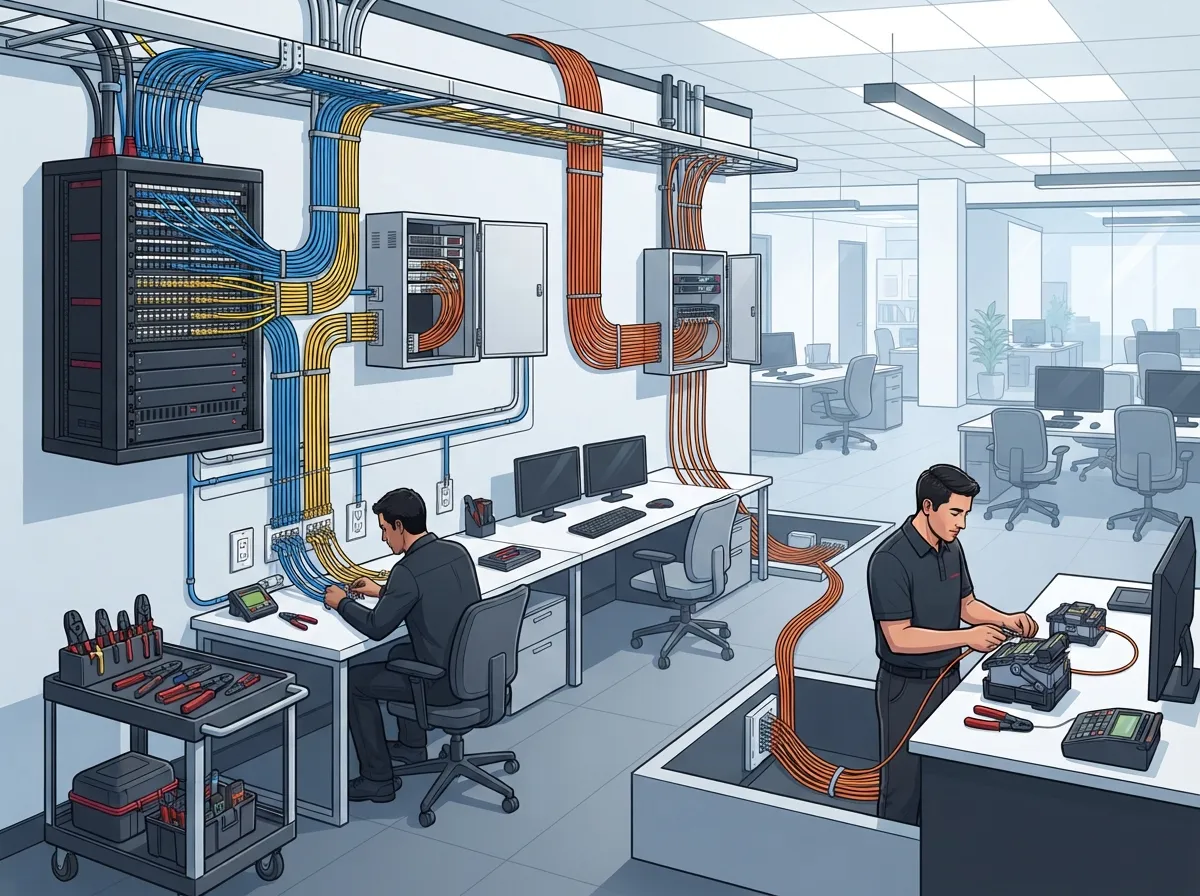
A good cabling partner does far more than pull wire through a ceiling. Here is what a complete project usually covers:
- Site survey and design: Walking the building, mapping outlets, and planning cable paths.
- Pathways and telecom rooms: Preparing conduit, trays, racks, and enclosures.
- Copper and fiber installation: Running the right cable to each location.
- Terminations: Patch panels, wall outlets, and connectors.
- Labeling and documentation: Marking every cable and port so changes are easy later.
- Testing: Verifying that each link performs as specified.
- Ongoing moves, adds, and changes: Support as your team grows.
Good planning pays off. Our guide on how to plan network cabling installation in Tampa Bay shares more tips for getting started.
Copper Cabling: The Workhorse of the Office
Copper twisted-pair cable, such as Cat 5e, Cat 6, and Cat 6A, is what most people picture when they think of network cable. It connects desktops, VoIP phones, printers, Wi-Fi access points, and cameras.
Where Copper Shines
- Great for short runs: It handles typical office distances very well.
- Budget-friendly: Cable and connectors usually cost less than fiber gear.
- Supports PoE: It can power phones, cameras, and access points over one cable.
- Easy to work with: Most network equipment is built for it.
Where Copper Falls Short
Copper has distance limits, and it can be affected by electrical interference in some environments. For longer links between buildings or floors, or for very high-capacity connections, copper may not be the best fit.
If you are deciding between copper grades, these posts can help: how to choose between Cat6 and Cat6A for your office and 14 Cat6 cabling facts every business owner should know.
Fiber-Optic Cabling: Built for Distance and Speed
Fiber-optic cable sends data as light through thin glass strands. It is commonly used for backbone links, which connect floors, telecom rooms, or separate buildings, and for high-capacity connections.
Where Fiber Shines
- Long distances: It carries signals much farther than copper without trouble.
- High capacity: It is well suited to heavy data demands.
- Interference resistance: It is not affected by electrical noise the way copper can be.
- Room to grow: It helps prepare your network for future upgrades.
Where Fiber Falls Short
Fiber usually costs more to install, needs specialized termination and testing tools, and does not carry PoE power on its own. Devices at the end of a fiber run need their own power source.
Market-research firm Mordor Intelligence estimates that fiber made up roughly 64% of structured-cabling revenue in 2025, and projects the overall market to grow from about $12.08 billion in 2025 to $21.26 billion by 2031. Treat these as third-party forecasts rather than official census numbers, but they show where the industry is heading. To learn more about options, see how to choose fiber cabling for your business network.
Copper vs. Fiber: Side-by-Side Comparison
| Factor | Copper (Cat 6 / Cat 6A) | Fiber-Optic |
|---|---|---|
| Best use | Runs to desks, phones, cameras, access points | Backbone links, long runs, high-capacity connections |
| Distance | Limited by standard channel length | Much longer reach |
| PoE support | Yes | No (devices need separate power) |
| Interference | Can be affected in noisy areas | Highly resistant |
| Upfront cost | Generally lower | Generally higher |
| Installation skill | Common skill set | Specialized tools and training |
| Future capacity | Good, especially with Cat 6A | Excellent |
The Real Answer: Most Offices Use Both
Here is the secret many people miss. This is rarely an either-or choice. A well-designed network often uses fiber as the backbone and copper for the final stretch to each device.
For example, a two-floor Tampa office might run fiber between the main telecom room and the second-floor closet. From there, Cat 6A cables fan out to desks, phones, and Wi-Fi access points. You get speed where it counts and PoE where you need it.
That hybrid approach is exactly what the industry’s structured cabling model is built for. For a closer look at how the pieces fit, check out copper vs. fiber cabling for your office.
Why PoE Changes the Conversation
Power over Ethernet sends electrical power and data over one compatible Ethernet cable. It is a favorite for Wi-Fi access points, IP cameras, and VoIP phones because you skip the extra power outlets.
But PoE is not plug-and-play magic. It can create heat inside large bundles of cable, so cable selection, bundle size, and pathway conditions matter. BICSI publishes guidance on cabling designed to support remote-power applications, and a skilled installer will follow it.
This is one reason many businesses choose higher-grade copper when they plan to power lots of devices. It also ties directly to your security setup, as explained in 13 ways structured cabling supports VoIP and cameras.
Standards That Keep Your Network Healthy
Professional cabling follows published standards, not guesswork. Here are the main ones to know:
- ANSI/TIA-568: The family of standards for telecommunications cabling.
- TIA-569: Guidance for pathways and spaces, like conduits and telecom rooms.
- TIA-606: Rules for administration and labeling.
- TIA-607: Requirements for bonding and grounding.
BICSI and NECA/BICSI also publish design and installation guidance. Editions, local codes, fire ratings, and local authority requirements should be confirmed for each project. Our post on 14 structured cabling standards mistakes to avoid covers the common slip-ups.
Testing and Documentation: Do Not Skip This Part
A cable that “seems to work” is not the same as one that is proven to work. A basic wire-map check only confirms the pairs are connected correctly. Certification testing goes further and helps verify that each link meets the performance you specified.
A quality handoff should include:
- Test results suited to the installed cable type
- Labels on every cable and port
- As-built drawings showing what was installed and where
- Warranty information, where offered
Good records save you time and money every time you move a desk or add a camera. Want to see how documentation fits in? Read how to build structured cabling documentation that works.
How Much Does It Cost, and How Long Does It Take?
We wish there was a simple number to share, but honesty matters here. There is no broadly applicable, authoritative statistic for typical business installation cost or project length. Both vary a lot based on:
- Cable type and category
- Ceiling, wall, and pathway access
- Number of drops and total distance
- Testing and documentation scope
- Local labor conditions
The best way to get a real answer is a site walk and a written scope. For timing guidance, see how long structured cabling installation takes for a commercial building.
Which Option Fits Your Business?
Use this quick guide to point you in the right direction:
Small Business Owners
A single-floor office usually does great with Cat 6 or Cat 6A copper to every desk and device. Add fiber only if you have a long run or a building-to-building link.
Mid-Sized Enterprises and IT Managers
Plan for a fiber backbone with copper to the edge. This gives you room to grow and keeps Wi-Fi, cameras, and phones running smoothly together.
Office Managers
Focus on labeling and documentation. When someone moves desks, you will be glad every port is clearly marked.
Franchise Operators
Standardize your design across every location. A repeatable cabling plan makes new openings faster and support simpler.
How to Choose a Cabling Provider
Whichever cable you pick, the installer matters just as much. Look for these signs:
- Relevant licensing and insurance
- Experience with your building type and systems
- Standards-based design
- Clear testing and documentation practices
- Coordination with your IT team and other trades
- Clear scope and warranty terms
You can learn more in how to find a reliable structured cabling contractor in Tampa and 6 signs you found the best structured cabling contractor.
Ideal Solutions Provider is a Tampa-based telecom and IT partner with over 24 years of experience. We handle everything from consultation to installation and ongoing support, so you have one point of contact instead of many. Explore our structured cabling services to see how we work.
Conclusion: Build a Network That Lasts
So, copper or fiber? For most businesses, the answer is both, used where each one works best. Copper handles your desks, phones, cameras, and access points, and fiber carries the heavy lifting between floors, rooms, and buildings.
The smartest move is to plan for tomorrow, test everything, and document it all. That way, your network supports growth instead of getting in its way. You can also follow our updates on Facebook, Instagram, and YouTube for more helpful tips.
Ready to talk through your project? Contact us for a friendly, no-pressure consultation, or call us and let’s map out the right cabling plan for your business.
FAQs
Q: What do low voltage cabling services include for a business?
A: They typically include site surveys, design, pathway preparation, copper and fiber installation, terminations, labeling, testing, and documentation. Many providers also offer ongoing moves, adds, and changes as your team grows.
Q: What is the difference between low voltage cabling and electrical wiring?
A: Low voltage cabling carries voice, data, video, and control signals, while electrical wiring delivers building power to outlets and lights. Some Ethernet cables can also carry small amounts of power to devices through PoE, but that is still different from standard electrical circuits.
Q: Should my business use Cat 6, Cat 6A, or fiber-optic cabling?
A: It depends on your bandwidth needs, distances, and future plans. Many offices use Cat 6 or Cat 6A copper to desks and devices and add fiber for backbone links between floors or buildings.
Q: How is business network cabling tested and certified?
A: Certification testing checks that each installed link meets its specified performance, which goes beyond a basic wire-map check. A good installer will give you the test results along with labels and as-built drawings.
Q: Can Ethernet cabling support Wi-Fi access points, cameras, and phones with PoE?
A: Yes, compatible Ethernet cabling can deliver both data and power to these devices. Cable choice, bundle size, and pathway conditions matter, because PoE can create heat in large cable bundles.





