
Key Takeaways
-
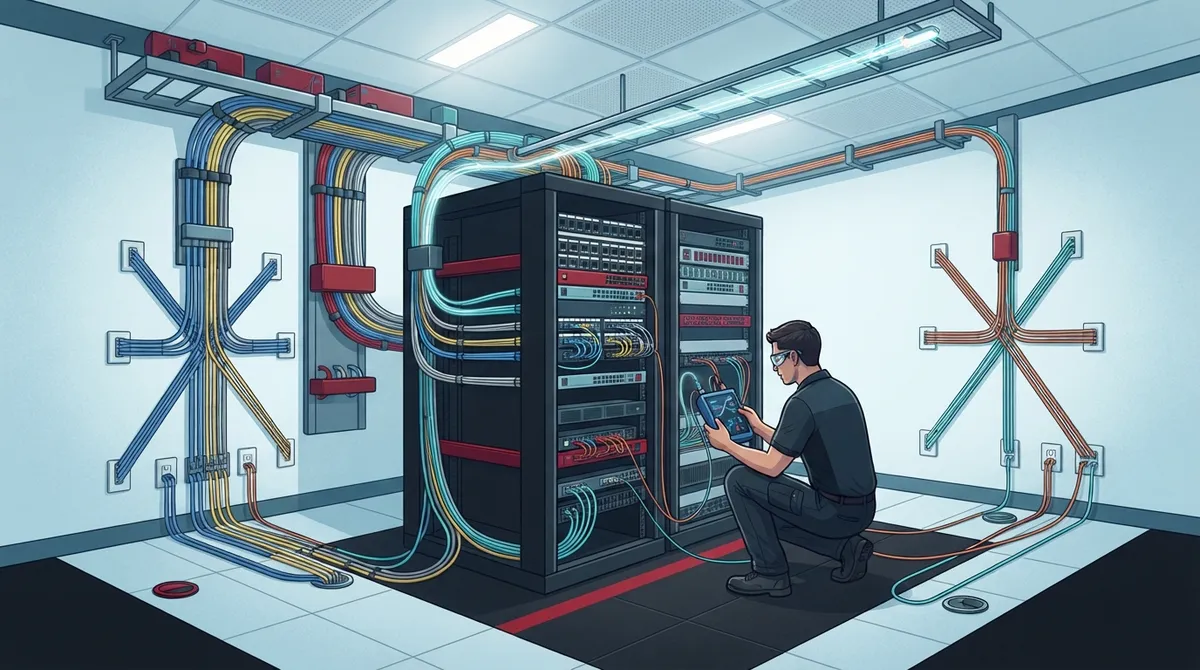
Plan cabling from business goals first: map headcount, VoIP phones, cameras, and door readers for the next two years before choosing any cable types.
-
Use a hierarchical star topology so a single failed outlet stays isolated and moves, adds, and changes are easier to manage.
-
Do not stretch horizontal runs past the 100-meter channel limit to save a telecom room; a run that fails certification costs far more to fix.
-
Use copper twisted pair for desks, Wi-Fi access points, phones, and cameras, and fiber for backbones and room-to-room links, choosing categories with headroom.
-
Require field certification of every installed link, plus test records and as-built drawings, since a cable that merely lights up may not meet the standard.
-
Build in spare outlets, patch panel ports, and pathway space now, and label every cable and document the design per TIA-606 to speed troubleshooting.
Let’s be honest: nobody gets excited about the wires hidden in their walls. But here’s the thing. Those wires carry your phone calls, your Wi-Fi, your security cameras, and almost everything else your team relies on every day. When they’re planned well, nobody notices them. When they’re planned poorly, everybody notices.
Good structured cabling design is the difference between a network that quietly works and one that keeps your IT manager up at night. It’s a plan for your cables, outlets, pathways, equipment rooms, and labels, built to support what you need today and what you’ll add tomorrow.
Whether you run a small Tampa office, manage IT for a growing company, or open new franchise locations, these 14 tips will help you get it right. We’ll keep it simple, friendly, and practical. Grab your coffee and let’s dive in.
What Is Structured Cabling Design, Really?
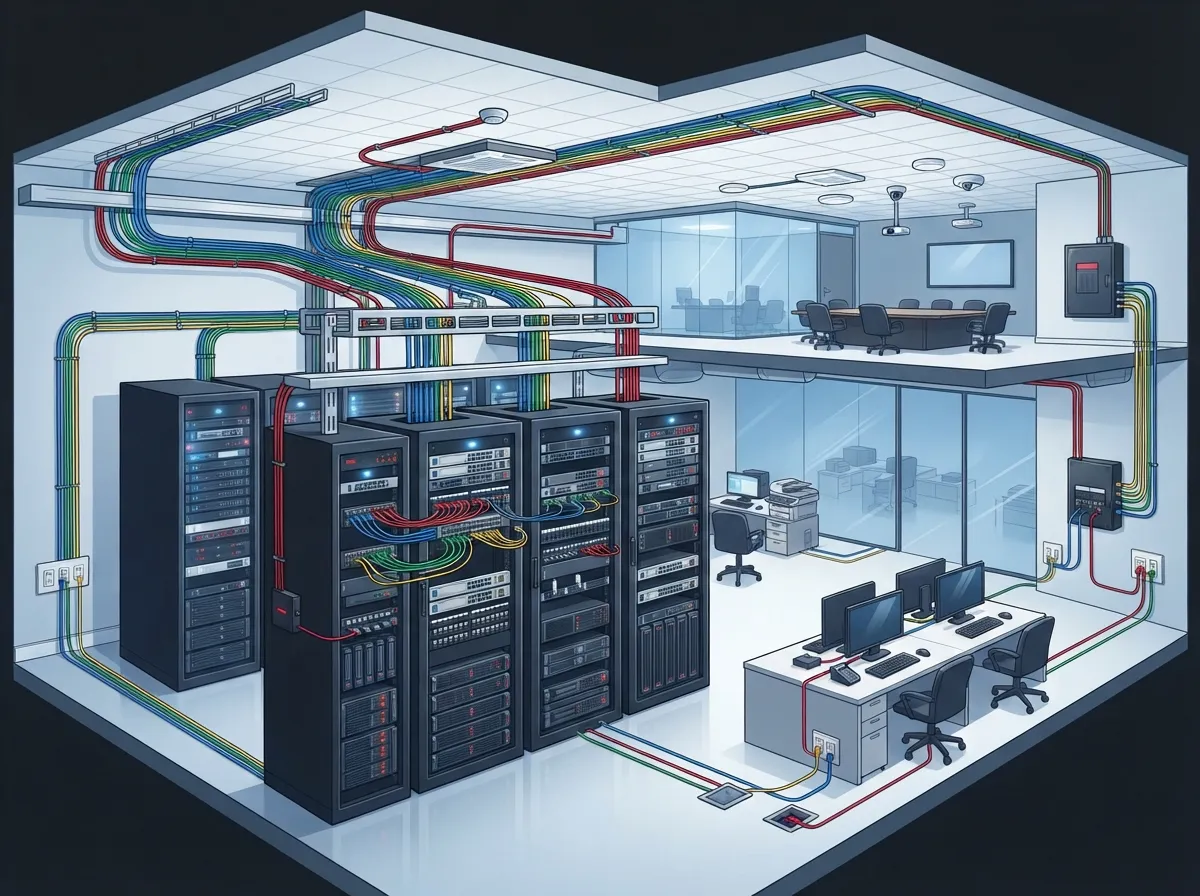
Structured cabling is an organized, standards-based system of cables, connectors, outlets, patch panels, pathways, and equipment spaces. It supports voice, data, Wi-Fi, security, and other building systems. Think of it as a reusable platform, not a bunch of one-off cable runs.
Structured cabling design is the planning stage that comes before anyone pulls a single cable. It covers where outlets go, which cable types you use, how cables travel through the building, and how everything gets labeled and tested. If you want a deeper primer, our guide on what structured cabling is for your business network is a great starting point.

The 14 Tips
1. Start With Your Business Goals, Not Your Cables
Before talking about cable categories, talk about people and devices. How many employees will you have in two years? Will you add VoIP phones, cameras, or door readers? A design built around real business goals saves you from expensive rework later.
Write down your must-haves and your nice-to-haves. This simple list guides almost every decision that follows.
2. Follow the TIA Standards Family
Standards keep your cabling consistent, testable, and easy to support. For commercial buildings, the TIA family is the key reference. Here is a quick look at the main ones:
| Standard | What It Covers |
|---|---|
| ANSI/TIA-568 | Cabling topology and performance |
| TIA-569 | Pathways and spaces |
| TIA-606 | Labeling and administration |
| TIA-607 | Telecommunications grounding and bonding |
Always confirm which edition applies to your project. Also check local codes and your contract requirements, since they can add rules of their own.
3. Use a Hierarchical Star Topology
Most business buildings use a hierarchical star layout. Horizontal cabling runs from a telecommunications room out to each work-area outlet. Backbone cabling then connects those rooms to your main equipment room.
This layout keeps problems contained. If one outlet fails, the rest of the network keeps humming along. It also makes moves, adds, and changes much easier to handle.
4. Know the Difference Between Horizontal and Backbone Cabling
This one trips up a lot of people, so let’s make it simple:
- Horizontal cabling connects a telecommunications room to desks, access points, phones, and cameras on the same floor.
- Backbone cabling links telecommunications rooms and your main equipment room, often between floors or buildings.
Planning them separately, then tying them together, gives you a clean and scalable design.
5. Choose the Right Copper Category
Balanced twisted-pair copper is the workhorse for connections to desks, wireless access points, phones, and cameras. The category you pick affects speed, distance, and how long the cabling stays useful. Our breakdown of CAT5e vs. CAT6 differences can help you weigh the options, and this look at choosing between Cat6 and Cat6A goes even deeper.
A good rule of thumb: if you are building for the long haul, choose a category that gives you headroom. Cabling is one of the hardest things to replace once the walls are closed up.
6. Use Fiber Where It Makes Sense
Fiber is often the best choice for building backbones, longer links, and connections between equipment rooms. It handles higher bandwidth and longer distances than copper. The right pick depends on distance, speed needs, environment, and lifecycle goals.
If you are weighing options, read how to choose fiber cabling for your business network. Many designs mix copper to the desk and fiber between rooms, and that is perfectly normal.
7. Respect the 100-Meter Channel Rule
ANSI/TIA-568 balanced twisted-pair designs commonly use a maximum 100-meter channel model. The permanent link is shorter, because the channel also includes patch cords and other components. The exact numbers depend on the standard and cable type, so confirm them for your project.
The takeaway? Do not stretch cable runs to save a telecommunications room. A longer run that fails certification costs far more than another room would have.
8. Plan Your Telecommunications Rooms Carefully
Your telecommunications rooms are the hearts of your network. Give them enough space, power, cooling, and secure access. Cramped closets with no airflow lead to overheating gear and miserable technicians.
Place rooms so horizontal runs stay within distance limits. Also leave space for growth, because you will almost certainly add equipment.
9. Design Smart Pathways
Pathways are the routes your cables travel, like trays, conduit, and J-hooks. TIA-569 addresses them for a reason. Pathway capacity, bend radius, and pulling tension all affect performance and safety.
A few pathway pointers:
- Leave extra room in trays and conduit for future cables.
- Keep data cables separated from sources of electrical interference.
- Do not over-bend or over-pull cables, since this damages performance.
- Plan firestopping wherever cables pass through fire-rated walls and floors.
10. Coordinate With Other Trades Early
Your cabling does not live in a vacuum. Architects, electricians, and HVAC teams all share the same ceilings and walls. When you coordinate early, you avoid clashes like a duct blocking your cable tray.
For new buildouts, bring your cabling partner into the project early. We cover this in detail in do you need structured cabling for a new office buildout.
11. Design for Wi-Fi, VoIP, Cameras, and Access Control
Today’s cabling carries far more than computers. Wireless access points, VoIP phones, IP cameras, and door readers all need reliable connections, and many of them need power over Ethernet too.
Plan outlet counts with all these devices in mind. Our article on how structured cabling supports VoIP and cameras shows how one smart design serves everything at once. Cloud systems also depend on solid wiring, which we explain in our cloud video security overview.
12. Plan for Growth With Spare Capacity
How much extra capacity should you plan? There is no single magic number, but adding spare outlets, spare pathway space, and spare patch panel ports is almost always wise. Businesses grow, layouts change, and new devices appear.
Think about where you might add desks, conference rooms, or cameras in the next five to ten years. A little extra now costs far less than a second construction project later.
13. Label Everything and Document It
Good labeling is the unsung hero of a healthy network. TIA-606 covers labeling and administration, and for good reason. Clear cable identifiers make troubleshooting, moves, and audits much faster.
A complete design package should include:
- Outlet and room plans
- Cable and pathway schedules
- Rack and patch-panel layouts
- Cable identifiers and labeling scheme
- Grounding details
- Test and acceptance requirements
Skipping documentation is a classic money-wasting move. See our list of 12 structured cabling mistakes that hurt your business for more pitfalls to dodge.
14. Test and Certify the Installed System
A cable that lights up is not necessarily a cable that meets the standard. Your design should require testing the installed system as a channel or permanent link against the selected category. Ask for field certification, saved test records, and as-built documentation.
Visual inspection or a basic connectivity check does not prove standards compliance. Certification results give you confidence, and they protect you if problems pop up later.
Copper vs. Fiber at a Glance
| Factor | Copper Twisted Pair | Fiber Optic |
|---|---|---|
| Best use | Desks, Wi-Fi access points, phones, cameras | Backbones, long links, room-to-room |
| Distance | Shorter, with a 100 m channel model | Much longer runs |
| Bandwidth headroom | Good, depends on category | Very high |
| Power over Ethernet | Supported | Not carried over the fiber itself |
Most real-world designs use both. Copper handles the last stretch to the device, and fiber handles the heavy lifting between rooms.
Why Good Design Matters More Than Ever in 2026
Demand for cabling keeps growing. A market report cited by Cabling Installation, referencing BSRIA’s World Structured Cabling 2026 report, estimated the global structured cabling market at $9.08 billion in 2025, up 21% year over year. Much of that jump came from data-center demand, so treat it as a market estimate rather than a standards measurement.
The same report said data centers accounted for more than 41% of cabling installed worldwide in 2025. LAN cabling still plays a big role in office connectivity, Wi-Fi, and security deployments. In short, the world is building more network infrastructure, and your business needs a plan that keeps up.
Who Benefits Most From a Thoughtful Design?
Different businesses feel the benefits in different ways:
- Small business owners avoid paying to redo cabling after a few years.
- Mid-sized companies get a network that scales as headcount and devices grow.
- IT managers spend less time chasing mystery cables and more time on real projects.
- Office managers see fewer outages and smoother phone system setups.
- Franchise operators can repeat one proven design across many locations.
If you are still comparing approaches, our article on structured cabling vs. ad-hoc wiring makes the case clearly. And if you are weighing whether to tackle this yourself, DIY vs. professional cabling is worth a read.
A Simple Design Process You Can Follow
Not sure where to start? Here is an easy path from idea to finished system:
- List your users, devices, and growth plans.
- Walk the building and mark outlet, room, and pathway locations.
- Pick cable types for horizontal and backbone runs.
- Check distances against standard limits.
- Coordinate routes with other building trades.
- Create drawings, schedules, and labeling plans.
- Install, then test and certify every link.
- Collect as-built documents and test records.
For a Tampa Bay-focused walkthrough, check out how to plan network cabling installation in Tampa Bay.
Why Work With One Telecom Partner?
Cabling touches almost every other system you use. Your phones, internet, cameras, and access control all depend on it. When one partner handles everything, the pieces fit together without finger-pointing.
Ideal Solutions Provider has more than 24 years of experience and works with 35+ vetted suppliers. As a single point of contact, the team handles consultation, installation, and ongoing support, so you do not have to juggle multiple vendors. You can learn more about our structured cabling services, and you can browse our YouTube channel or follow us on Facebook for helpful tips.
Final Thoughts
A strong structured cabling design is like a good foundation under a house. You may never think about it, but everything else depends on it. By following standards, planning pathways, choosing the right media, leaving room to grow, and insisting on testing and documentation, you set your business up for years of smooth connectivity.
You do not have to figure it all out alone. Ready for a design that fits your business and your budget? Contact us for a friendly, no-pressure consultation, or call us at 813-388-4935 to talk through your project.
FAQs
Q: What is structured cabling design, and how does it support business telecom systems?
A: Structured cabling design is the standards-based plan for your cables, outlets, pathways, equipment rooms, and labels. It gives your phones, internet, Wi-Fi, cameras, and access control one organized platform to run on. That means fewer outages and much easier upgrades down the road.
Q: Which TIA standards apply to commercial structured cabling design?
A: The main ones are ANSI/TIA-568 for topology and performance, TIA-569 for pathways and spaces, TIA-606 for labeling and administration, and TIA-607 for grounding and bonding. Always confirm the current editions and any local code or contract requirements for your project.
Q: Should my business use Cat 6, Cat 6A, or fiber optic cabling?
A: Copper twisted pair, like Cat 6 or Cat 6A, is common for connections to desks, access points, phones, and cameras. Fiber is often the better pick for backbones, longer runs, and higher bandwidth between rooms. Many businesses use a mix, based on distance, speed needs, and long-term plans.
Q: What testing and documentation should I require after installation?
A: Ask for field certification of each installed channel or permanent link against the selected cabling category. You should also receive test records, labeled cable identifiers, and as-built drawings. A simple visual check or basic connectivity test does not prove the system meets the standard.
Q: How much extra capacity should I plan for future growth?
A: There is no single number that fits everyone, but adding spare outlets, spare patch panel ports, and spare pathway room is almost always smart. Think about where you might add desks, conference rooms, cameras, or access points over the next five to ten years, and build in a little breathing room.





