
Key Takeaways
-
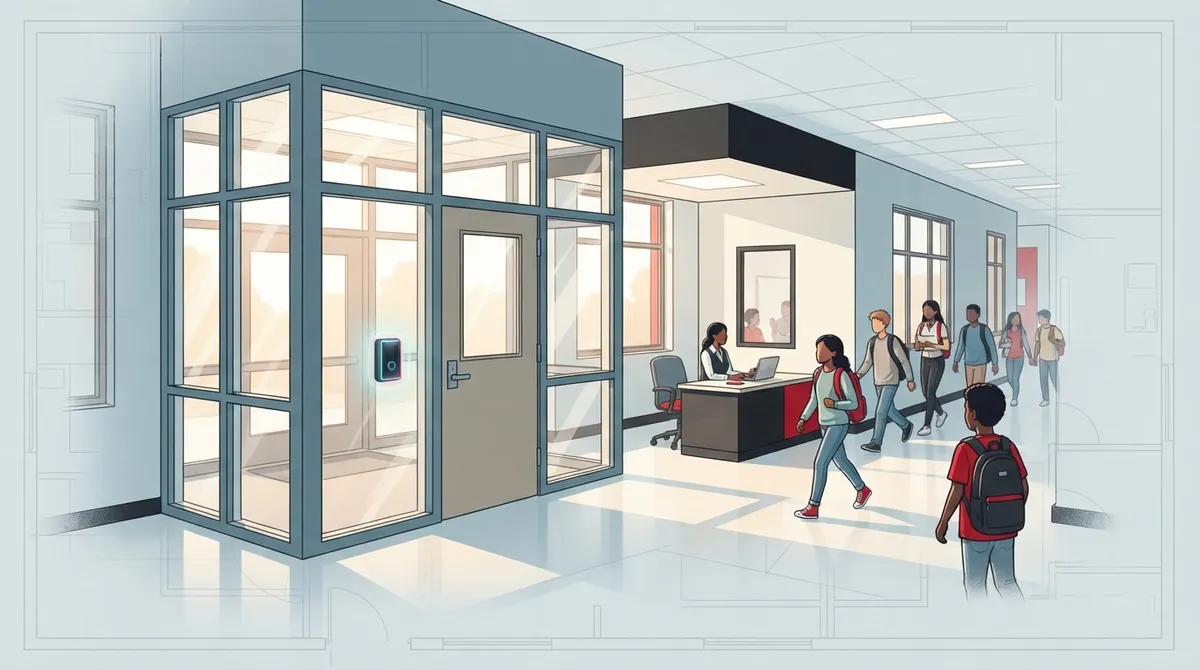
Limit building entry to a single or small number of monitored points, such as a front-entrance vestibule where visitors check in at the office before reaching main hallways, per CISA's K-12 guidance.
-
Access control is only one layer of school security; pair it with building design, staff procedures, communications, and training, since a great lock on a propped-open door protects no one.
-
Plan every door for both entry and exit, checking fire and building codes and deciding in advance how first responders will gain access, then practice procedures with drills.
-
Decide ahead of time how each door behaves during power or network loss or a cyber incident, including battery backup, local unlock options, and whether doors fail open or locked.
-
Map roles and schedules before buying hardware, listing each group's areas and time rules so permissions can be changed quickly instead of rekeying locks.
-
Budget beyond hardware by including network cabling, internet capacity, installation, staff training, procedures, and ongoing support, and get a site walk and written quote rather than relying on generic prices.
Picture a busy school morning. Buses roll in, parents head to the front office, a delivery driver waits at a side door, and teachers are trying to get kids settled. Somewhere in the middle of all that, someone needs to know who is walking into the building. That is the job of a school access control system, and getting it right takes more than buying a few electronic locks.
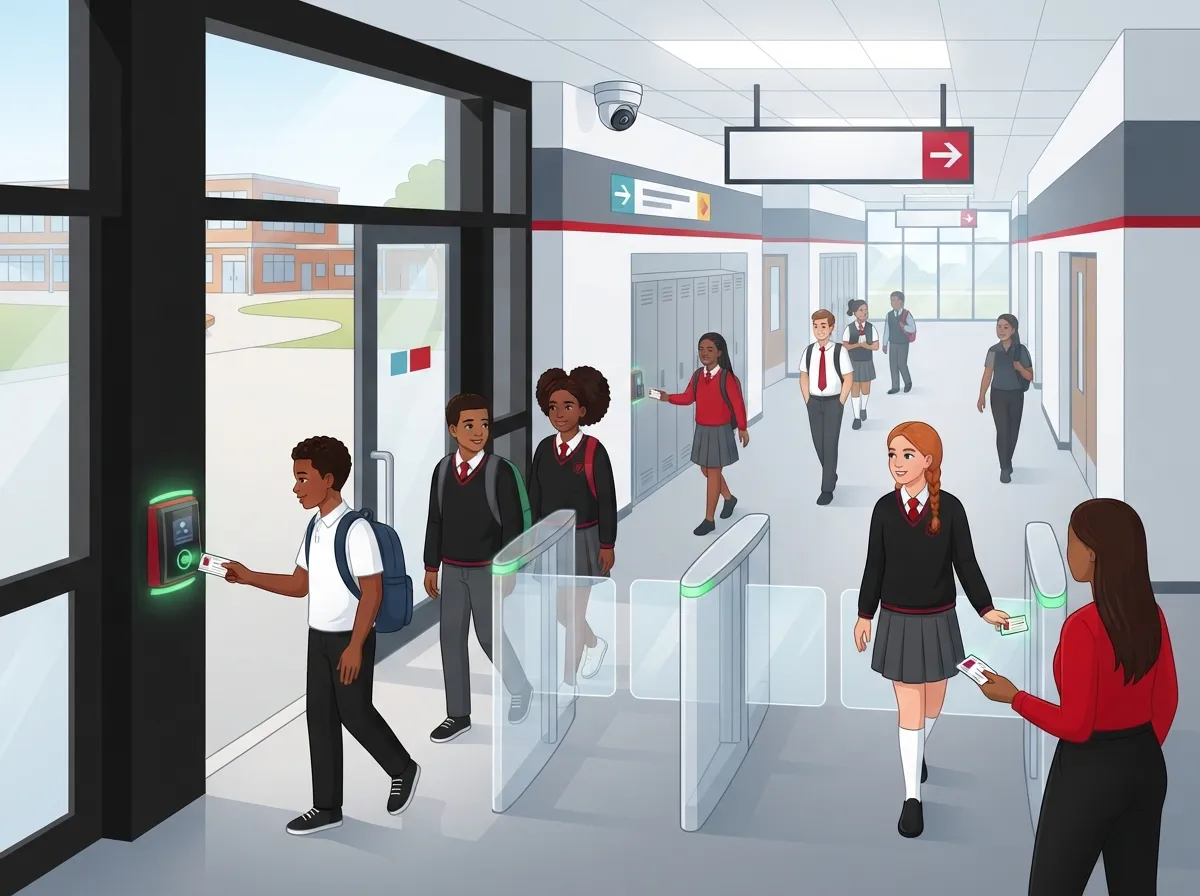
A school access control system manages who can enter campus buildings and restricted areas. It usually combines controlled doors, credentials like cards or mobile devices, and software that tracks and manages entry. In 2026, many schools also tie these systems into their network, intercoms, video, and public address tools.
This guide walks you through the process step by step, in plain language. Whether you are a business owner who serves schools, an IT manager, or an office manager asked to help with a campus project, you will find a friendly, practical roadmap here. We will cover planning, network needs, integration, cyber safety, and what to ask before you buy.
What a School Access Control System Really Does
At its core, a school access control system decides who can go where and when. A teacher might have all-day access to classrooms and the staff lounge. A custodian might have after-hours access to utility areas. A visitor might only be allowed through the front entrance during school hours.
Most systems include four main parts:
- Controlled entry points: doors, gates, and vestibules where entry is managed.
- Electronic locks: hardware that locks and unlocks doors based on rules.
- Credentials: cards, key fobs, mobile credentials, or other ways to prove identity.
- Management software: the tool that sets rules, schedules, and keeps records.
If you want a refresher on how credentials work day to day, our guide on how a key fob access control system works explains the basics in simple terms.
Start With the Big Picture: Layered Security
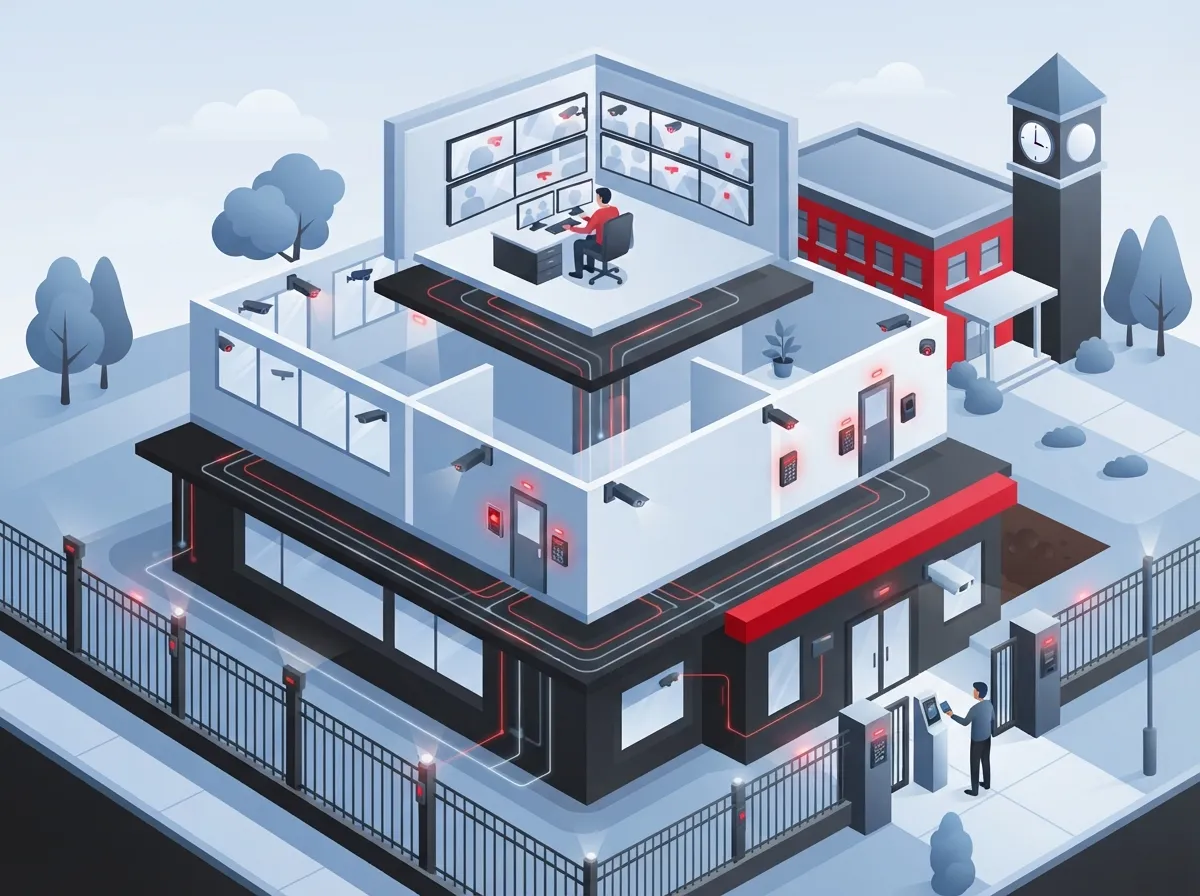
Here is the most important idea in this whole article. Access control is not a magic shield. The Cybersecurity and Infrastructure Security Agency (CISA) recommends a layered, systems-based approach to school physical security. Access control is one piece, working alongside building design, staff procedures, communications, and training.
Think of it like a good raincoat, boots, and an umbrella. Each one helps. Together they keep you dry. No single item does the whole job.
So as you plan, keep asking: how do the doors, the people, the policies, and the communication tools work together? A great lock on a propped-open door does not help anyone.
How to Plan Your School Access Control System: 7 Steps
Ready to dive in? Here is a simple, step-by-step path.
- Assess your campus and risks. Walk the grounds and buildings. Note every entry point, blind spots, and how people move through the day.
- Define who needs access and when. List staff roles, students, volunteers, vendors, and visitors. Decide what each group can reach.
- Limit and monitor entry points. Where possible, funnel visitors to a single or small number of monitored entrances.
- Choose credentials and hardware. Pick cards, fobs, or mobile credentials, plus locks and readers that fit your doors.
- Check your network and cabling. Make sure the wiring and internet can support the system reliably.
- Plan integrations. Decide how access control will connect to intercoms, video, and emergency communications.
- Write procedures and train staff. Technology only works when people know how to use it.
Let us look at each of these a little closer.
Step 1: Assess Your Campus First
CISA offers a free School Security Assessment Tool (SSAT). It helps schools review their current measures and think about how equipment, people, policies, and training fit together. Starting here keeps you from buying hardware that does not match real needs.
During your walkthrough, think about daily flow. When do most visitors arrive? Which doors are used for deliveries? Which areas have accessibility needs? Every campus is different, so a cookie-cutter plan rarely fits.
Step 2: Map Roles and Schedules
A simple spreadsheet works well here. List each group of people and the areas they need. Then add time rules, such as staff access during school hours and limited access on weekends.
Good role planning also makes life easier later. When a substitute teacher joins for a week or a staff member leaves, you can change permissions quickly instead of rekeying locks. Our article on cloud access control revocation steps shows how fast removal of access can work.
Step 3: Limit Entry Points
CISA’s K-12 guidance suggests limiting building entry to a single or small number of monitored points where possible. Many schools do this with a front-entrance vestibule. Visitors check in at the office before they ever reach the main hallways.
This is also where a telecom partner adds real value. A video intercom at the front door lets office staff see and speak with visitors before unlocking anything. That kind of setup depends on solid network and phone infrastructure, which is exactly what business telecom teams handle every day.
Credentials and Hardware: Picking What Fits
Credentials are how people prove they belong. Each type has strengths, and many schools mix them.
| Credential Type | Best For | Things to Consider |
|---|---|---|
| Key cards or fobs | Staff and regular users | Can be lost or shared; easy to deactivate |
| Mobile credentials | Staff with smartphones | Needs a good app and phone policy |
| Keypads or PIN codes | Low-risk interior doors | Codes can be shared; change them often |
| Visitor badges | Guests and contractors | Pair with a check-in process |
For more on mobile options, take a look at how to manage doors with a mobile access app. And if you are weighing hosted software against on-site servers, our comparison of cloud vs. on-premise access control can help you decide.
Balance Controlled Entry With Safe Exit
This one matters a lot, so let us slow down. Locked doors are great for keeping unwanted people out. But people must also be able to get out quickly in an emergency, and first responders must be able to get in.
CISA notes that automatic locks and other controls need clear operating procedures, and they must be considered alongside emergency access and egress. In plain terms, this means:
- Plan every door with both entry and exit in mind.
- Check local fire and building codes before you finalize any lock choice.
- Decide how first responders will get access, and write it down.
- Make sure accessibility needs are covered for students and staff.
- Practice your procedures with drills, not just on paper.
When in doubt, work with your fire marshal, local law enforcement, and emergency services early. They know your community and can spot problems before they become costly changes.
The Telecom Side: Network, Cabling, and Internet
Here is where a business telecom partner really shines. A modern school access control system lives on your network. If the network is weak, the system is weak.
Cabling Comes First
Every reader, lock controller, camera, and intercom needs a reliable connection. Good structured cabling gives you a clean, organized foundation that can support these devices now and add more later. Poor wiring is a common cause of mysterious door problems and offline readers.
If you are planning a new build or a renovation, read about access control cabling choices that pay off. It can save you from tearing into walls twice.
Internet and Bandwidth
Cloud-managed systems rely on your internet connection to sync settings and send alerts. Video intercoms and cameras use even more bandwidth. A dependable business connection from a trusted Internet Service Provider makes a big difference. Our post on getting reliable internet for schools offers friendly, practical tips.
It also helps to understand why cloud-based security systems fail without fast internet, so you can plan backup options before problems show up.
Connect Access Control to Intercoms, Video, and PA
Integration is where a school access control system becomes more than a set of locks. When connected well, the pieces help staff communicate and respond quickly.
Here are a few common examples:
- Video intercom at the entrance: office staff see and talk to visitors, then unlock the door remotely.
- Linked school office phones: a door call rings the front desk or a set of staff phones.
- Camera pairing: a door event brings up the matching video clip for quick review.
- Emergency notifications: alerts reach staff through phones, PA, or other campus-wide tools.
Exact capabilities depend on the products, network, and setup you choose. So ask vendors to show you real examples, not just brochures. If video is part of your plan, our guide on choosing premium cloud surveillance solutions is a handy companion. You can also see how cloud access control integration ties systems together.
Many schools also use cloud-based phones to make this easier. A hosted phone system can route door calls to the right people, even across multiple buildings. See what a cloud phone system is and how it works to learn more.
Plan for Cyber Safety and Outages
Network-connected doors bring a new question: what happens if the network goes down, or if someone attacks it? CISA’s K-12 cybersecurity guidance points out that schools should consider whether physical-security devices, including magnetic locking systems, will work as expected during network or cyber incidents.
That is a big deal. A door that fails open might be a security gap. A door that fails locked might trap people. You need to decide the right behavior for each door ahead of time, with input from safety officials.
Here is a simple checklist to talk through with your IT team and installer:
- What does each door do if power or network is lost?
- Is there battery backup for controllers and locks?
- Can doors still be unlocked locally if the cloud is unreachable?
- Who gets alerts when a device goes offline?
- Are admin accounts protected with strong passwords and extra verification?
- Is software kept up to date?
CISA also encourages coordinating physical and cyber incident response, so your IT staff and safety team are not working in separate silos. For more ideas, see how to protect cloud access control data and disaster recovery musts for cloud access control.
Budgeting: Look Beyond the Hardware Price
It is easy to focus on the price of readers and locks. But CISA’s companion guidance for school business officials reminds us that costs go further. Budgeting, legal requirements, staff training, operating procedures, and coordination with staff, law enforcement, and emergency services all matter.
Here is a quick look at cost areas to plan for:
| Cost Area | What to Include |
|---|---|
| Hardware | Readers, locks, controllers, intercoms, door hardware |
| Network and cabling | Wiring, switches, power, internet upgrades |
| Software and licensing | Management software, cloud subscriptions, updates |
| Installation | Professional install, testing, and commissioning |
| Training and procedures | Staff training, drills, written policies |
| Ongoing support | Maintenance, monitoring, replacements |
Costs vary widely by campus size and goals, so avoid relying on a single number from the internet. Instead, get a site walk and a written quote. Our guides on budgeting for cloud access control cost and how a cloud access control subscription works can help you ask smart questions.
Questions to Ask Before You Buy
A good partner will welcome tough questions. Bring this list to your first meeting:
- Can you walk the campus and review our entry points with us?
- How does the system behave during power or network loss?
- Which intercoms, cameras, and PA tools can it connect with?
- How do we add or remove users quickly?
- What reports and audit logs are available?
- Who handles installation, training, and ongoing support?
- How will the system support accessibility and emergency egress?
It also helps to avoid common missteps. Our article on cloud access control education mistakes is a friendly heads-up on what trips schools up.
Why a Single Telecom Partner Helps
School security projects touch many systems at once: phones, internet, cabling, cameras, and doors. Juggling several vendors can get messy fast. A single partner can keep everything coordinated and accountable.
Ideal Solutions Provider is a Tampa-based telecom and IT partner with over 24 years of experience. The team works across VoIP phones, high-speed internet, structured cabling, networking, cloud security cameras, and cloud-based access control, and it serves businesses and organizations nationwide. Because it compares options across 35+ vetted suppliers, it can recommend solutions that fit your campus rather than pushing one product. Learn more about why one telecom partner can simplify things.
If you want to see the team in action, you can find them on YouTube and keep up with news on Facebook.
Wrapping Up Your School Access Control Plan
A strong school access control system starts with listening, planning, and teamwork. Assess your campus, limit and monitor entry points, choose the right credentials, and build on a solid network. Then connect your intercoms, video, and communication tools, and plan carefully for outages and cyber risks. Most of all, remember that technology supports people and procedures, not the other way around.
You do not have to figure it all out alone. If you would like a friendly second set of eyes on your plan, contact us for a free consultation, or call us at 813-388-4935. We would be glad to help you build a safer, smoother campus.
FAQs
Q: What is a school access control system?
A: A school access control system manages who can enter campus buildings and restricted areas. It uses controlled doors, electronic locks, credentials like cards or mobile devices, and software to set rules and track entry. It works best as one layer in a larger security plan.
Q: Can a school access control system connect to intercoms and PA systems?
A: Yes, many systems can connect with video intercoms, school office phones, cameras, and emergency notification tools. The exact features depend on the products, network, and setup you choose, so ask your provider for real examples before you buy.
Q: How do schools balance locked doors with emergency exits?
A: Plan every door for both entry and exit, and check local fire and building codes first. Write clear procedures, decide how first responders will get in, and practice with drills. Working with your fire marshal and local emergency services early helps avoid problems.
Q: What happens to a school access control system during a network outage?
A: It depends on how each door is set up, which is why planning matters. Ask about battery backup, local unlock options, and whether doors fail open or locked. Coordinate your physical safety plan with your IT team so both are ready for outages or cyber incidents.
Q: How can a school figure out its access control needs before choosing a system?
A: Start with a campus walkthrough and review entry points, visitor flow, and daily routines. CISA’s free School Security Assessment Tool can help you review current measures and see how equipment, people, policies, and training fit together.





