

Key Takeaways
-
Check serviceability at each specific business address before comparing plans, since the national broadband availability figure does not guarantee your building can get a given connection.
-
Evaluate internet beyond headline speed by checking upload speed, latency, consistency, and whether you need a static IP, because cloud calling and video depend on these.
-
Decide whether to bundle or use separate providers by weighing one bill and one support contact against the risk of finger-pointing during outages, and confirm who owns troubleshooting.
-
Plan outage backup with a secondary circuit or cellular failover and call forwarding to mobile numbers, so phone service keeps running if the main internet connection drops.
-
Read the contract for actual speeds, uptime commitments, installation lead time, renewal terms, price increases, equipment charges, and early termination fees before signing.
-
Verify that phone features like number porting, enough extensions, emergency calling per location, and integrations with your existing tools work for your team before buying.
Picking a business phone and internet provider sounds simple until you start comparing. One company shouts about speed. Another pushes a bundle. A third promises the best phone features. Before long, you are buried in quotes and fine print, and your day job is waiting.
Take a breath. You can sort this out, and this friendly guide will help. We will cover what a provider actually supplies, how internet and phone options differ, and what to check before you sign. We will also look at bundling, backup plans, and contract traps.
Whether you run a small shop in Tampa, manage an office, oversee IT, or operate several franchise sites, the same core questions apply. The right choice depends on your address, your tolerance for downtime, and the full cost over the contract term. It rarely depends on a headline speed alone.

What a Business Phone and Internet Provider Really Does
A business phone and internet provider supplies connectivity, voice service, or both. Some companies sell broadband and phone together. Others focus on one piece, like fiber circuits or cloud phone systems. You can also buy each from a different source.
That last point matters. Based on FCC data reported for June 2025, about 26.4 million business VoIP subscriptions were “over-the-top,” meaning the voice service rides on broadband from another company. That figure comes from a secondary source, so check the original FCC tables before relying on it. Still, the idea is clear: phone and internet do not have to come from one company.
A good provider should help with:
- Internet access that fits your site, from cable and fiber to fixed wireless
- Voice service, such as hosted VoIP or a traditional phone system
- Installation, support, and clear service commitments
- Planning for outages, security, and growth
If you want a deeper look at what to ask, see what to look for in a business internet provider.
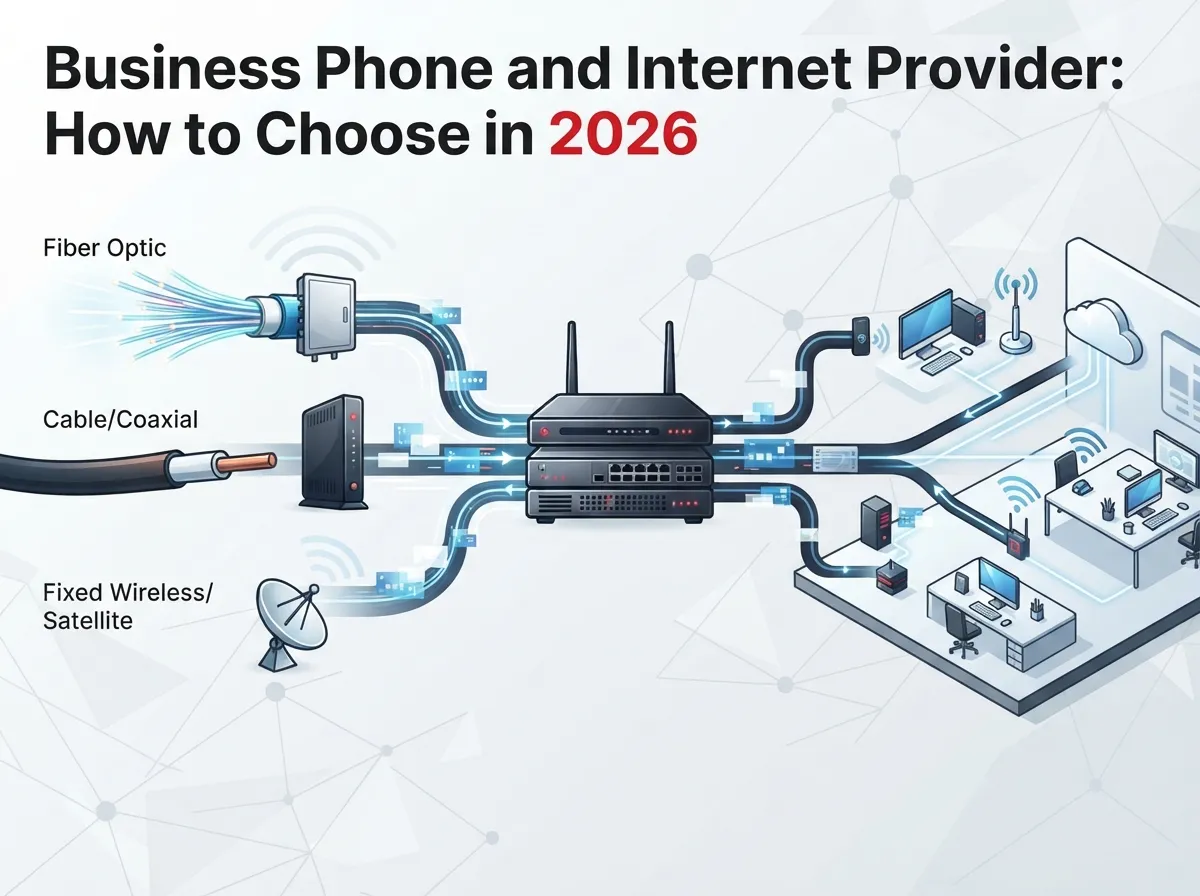
The Internet Side: Your Main Connection Options
Your phone service often depends on your internet, so start there. Business internet usually comes in a few forms.
| Connection Type | How It Works | Best For | Watch Out For |
|---|---|---|---|
| Cable broadband | Shared network over coaxial cable | Small offices with moderate needs | Upload speeds are often lower; speeds can vary at busy times |
| Business fiber | Fiber-optic line, often with faster upload speeds | Offices using cloud apps, video, and VoIP | Availability varies by address; installation lead time |
| Dedicated fiber or leased line | Private capacity with stronger service commitments | Mid-sized and multi-site firms with low outage tolerance | Higher cost; longer contracts |
| Fixed wireless or cellular | Radio or mobile network connection | Backup links, remote sites, or places without wired options | Performance depends on signal and location |
Availability is the first filter. A national figure can sound great. The FCC reported that 96.9% of Americans had access to fixed terrestrial broadband at 100/20 Mbps as of June 2025. But that is a national number, not a promise for your building. Always check serviceability at each business address. Our guide on how to find business internet providers by address walks through it.
If you are weighing fiber against other options, dedicated fiber internet explained is a helpful read.
The Phone Side: VoIP, Hosted, or On-Premises
VoIP stands for voice over internet protocol. It carries calls over an IP network instead of old copper phone lines. Most businesses now look at VoIP first, and the trend is strong. FCC data cited for June 2025 counted 63.4 million interconnected VoIP subscriptions versus 15.0 million switched access lines. Verify those numbers against the original FCC report if you plan to quote them.
Hosted or Cloud VoIP
With hosted VoIP, the provider runs the phone system for you. You get phones or apps, and the provider handles the heavy lifting. This is popular with small businesses and multi-location teams because it scales easily.
On-Premises PBX
An on-premises system keeps more equipment at your office. Some organizations prefer that level of control. You also take on more upkeep. Our comparison of hosted vs. on-premises phone systems lays out the tradeoffs.
Unified Communications
UCaaS bundles calling with video meetings, messaging, and related tools. If your team works from several places, it can be a nice fit. For help picking one, see how to choose unified communications as a service.
Features Worth Checking Before You Buy
Phone features sound alike on every brochure. Ask how each one works for your team. Here is a short checklist:
- Number porting, so you can keep your current phone numbers
- Enough extensions for today and next year
- Auto-attendants and call queues for busy lines
- Voicemail, mobile apps, and desktop apps
- Integrations with the tools you already use
- Emergency calling that works for each location
- The provider’s approach to call authentication and spam prevention
Porting is a common worry. It is usually very doable with a plan. Read how to keep your phone number when switching to VoIP to see the steps. You can also review VoIP phone system features every business needs to build your must-have list.
Should You Bundle Phone and Internet?
Bundling can be wonderful or just okay. It depends on your goals.
| Approach | Upsides | Downsides |
|---|---|---|
| Bundled provider | One bill, one support number, simpler setup | Less flexibility; you depend on one supplier |
| Separate providers | Pick the best fit for each service; less single-supplier risk | More vendors to manage; finger-pointing during outages |
The key is total cost and responsibility. When something breaks, who do you call? A bundle can make that clear. Separate providers can cost less or fit better, but only if someone owns troubleshooting.
This is where an independent partner can help. Ideal Solutions Provider, a Tampa-based telecom and IT partner with more than 24 years of experience, compares options across 35+ vetted suppliers and acts as a single point of contact. That gives you choice without the vendor juggling. For more on the idea, see how to bundle your business phone and internet service and single vendor vs. multi-vendor telecom.
How Much Internet Speed Do You Need?
Speed gets all the attention, but it is only one piece. For cloud calling and video, look at these too:
- Upload speed: Calls and video send data up as well as down
- Latency: Lower delay means smoother conversations
- Consistency: Steady performance beats a big number that dips
- Static IP needs: Some systems and security tools require one
Add up your users, video meetings, cloud apps, and any cameras sharing the line. Then leave room to grow. Our guides on what internet speed is needed for VoIP and how to choose the right internet speed can help you estimate.
Plan for Outages Before They Happen
Cloud phones depend on connectivity. If the internet drops, calls can drop too. That sounds scary, but a little planning goes a long way.
- Decide your tolerance. Ask how long you can be down before it hurts.
- Add a second path. A secondary circuit or cellular failover can keep you online.
- Use redundant equipment for key devices where it makes sense.
- Set up call forwarding to mobile numbers as a fallback.
- Document recovery steps and know who to call at your provider.
If this is a top concern, see automatic internet failover tips for business and whether VoIP is reliable for business.
Do Not Forget the Wiring
Great service can still stumble on poor cabling. Old or messy wiring can slow a network and cause odd call problems. Structured cabling gives your phones, computers, and cameras a clean, organized backbone.
If you are moving, expanding, or upgrading, plan the cabling at the same time. It is far easier than fixing it later. Start with what structured cabling is for your business network, or compare Cat5e vs. Cat6 if you are choosing a cable type.
Check the Contract Before You Sign
Price is more than the monthly number. A quote that looks cheap can grow once everything is added. Use this checklist:
- Actual upload and download speeds, not just “up to” claims
- Uptime commitments and what happens if they are missed
- Support hours and response time targets
- Installation lead time
- Contract length, renewal terms, and price increases
- Equipment charges and any extra fees
- Early termination fees
Take your time with this step. A short review now can save a lot later. See 9 ways to compare telecom providers and 10 smart steps for switching telecom providers for a fuller walkthrough.
Tips for Different Types of Buyers
Small Business Owners
Keep it simple. Look for a provider that handles phones, internet, and setup so you are not chasing three vendors. Our small business telecom guide is a good starting point.
Office Managers
You want things to just work. Ask about support hours, response times, and who handles moves and changes. Smooth day-to-day support matters as much as features.
IT Managers
Dig into the details: latency, static IPs, failover, security, and documentation. A single point of contact for vendors, cabling, and cameras can save you real time.
Franchise Operators
Consistency across sites is the goal. Look for scalable cloud phones and standard cabling you can repeat at each location. Read about multi-location telecom solutions for ideas.
A Quick Note on Statistics
You will see big numbers about the VoIP market online. Estimates vary widely, because each source uses different methods. Treat them as rough signals, not settled facts. When a number matters, prefer regulator data or clearly documented research, and check the date, location, and definitions behind it.
Ready to Find the Right Fit?
Choosing a business phone and internet provider does not have to feel heavy. Start with address-level availability, match the connection to your needs, pick a phone setup that fits your team, and plan for backup. Then read the contract with care.
If you would like a friendly second set of eyes, contact us for a free review of your current setup, or call us to talk it through. We are happy to help you compare options and find a solution that fits.
FAQs
Q: What should a business phone and internet provider offer?
A: At a minimum, it should offer internet that fits your address, voice service that fits your team, and clear support. Look for stated uptime commitments, fast installation, and help with number porting. The best ones also help you plan for backup and growth.
Q: Is it better to bundle business phone and internet or use separate providers?
A: Bundling gives you one bill and one support contact, which is simple. Separate providers can give you a better fit for each service, but you manage more vendors. Compare total cost and decide who will own troubleshooting before you choose.
Q: How can a business keep phone service running during an internet outage?
A: Add a backup connection, like a secondary circuit or cellular failover, and set up call forwarding to mobile numbers. Redundant equipment and written recovery steps help too. A little planning keeps your team reachable when the main line drops.
Q: What should I check in a business telecom contract before signing?
A: Review actual speeds, uptime commitments, support hours, installation timing, contract length, and renewal terms. Also check for price increases, equipment charges, and early termination fees. Reading these details up front can prevent surprise costs later.





