
Key Takeaways
-
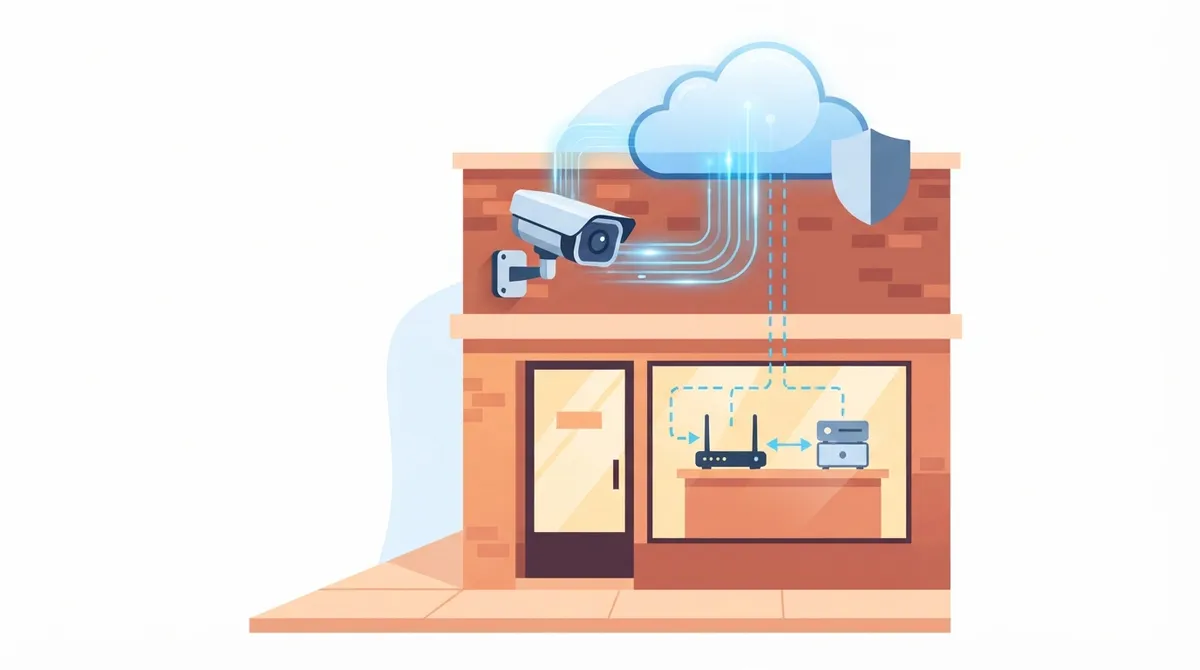
Cloud cameras depend heavily on upload speed, not just download speed, since continuous streaming uses steady upstream bandwidth from every camera.
-
Choose between direct-to-cloud, edge with cloud access, or hybrid designs based on your bandwidth limits and how much outage resilience you need.
-
Ask providers whether cameras buffer locally during outages, how many hours or days they hold, and how quickly footage uploads after service returns.
-
Compare total cost of ownership, including subscriptions, retention fees, installation, and connectivity upgrades, since a cheap camera with high monthly fees can cost more over three years.
-
Verify security features such as encryption, multifactor authentication, role-based permissions, and audit logs before signing with any cloud video provider.
-
Test actual upload speed at every site and plan for cameras, phones, and cloud apps sharing the same connection, and confirm you can export footage if you switch providers.
Picture this: it’s 9 p.m., you’re at home on the couch, and your phone buzzes. A door at your office just opened after hours. With cloud based security cameras, you can pull up the live feed in seconds, see who it is, and decide what to do next. No drive to the office. No guessing. Just clear answers.
That kind of peace of mind is why so many businesses are moving away from old recorder boxes stuffed in a closet. But cloud cameras are not magic. They depend on your internet, your network, and smart planning. Get those pieces right, and you have a system that works hard for you. Get them wrong, and you may be frustrated.
In this friendly guide, we’ll walk through what cloud cameras are, how they connect to your business network, what they need to run well, and how to choose the right setup. Whether you run one small shop or ten franchise locations, you’ll leave with a clear plan.
What Are Cloud Based Security Cameras for a Business?
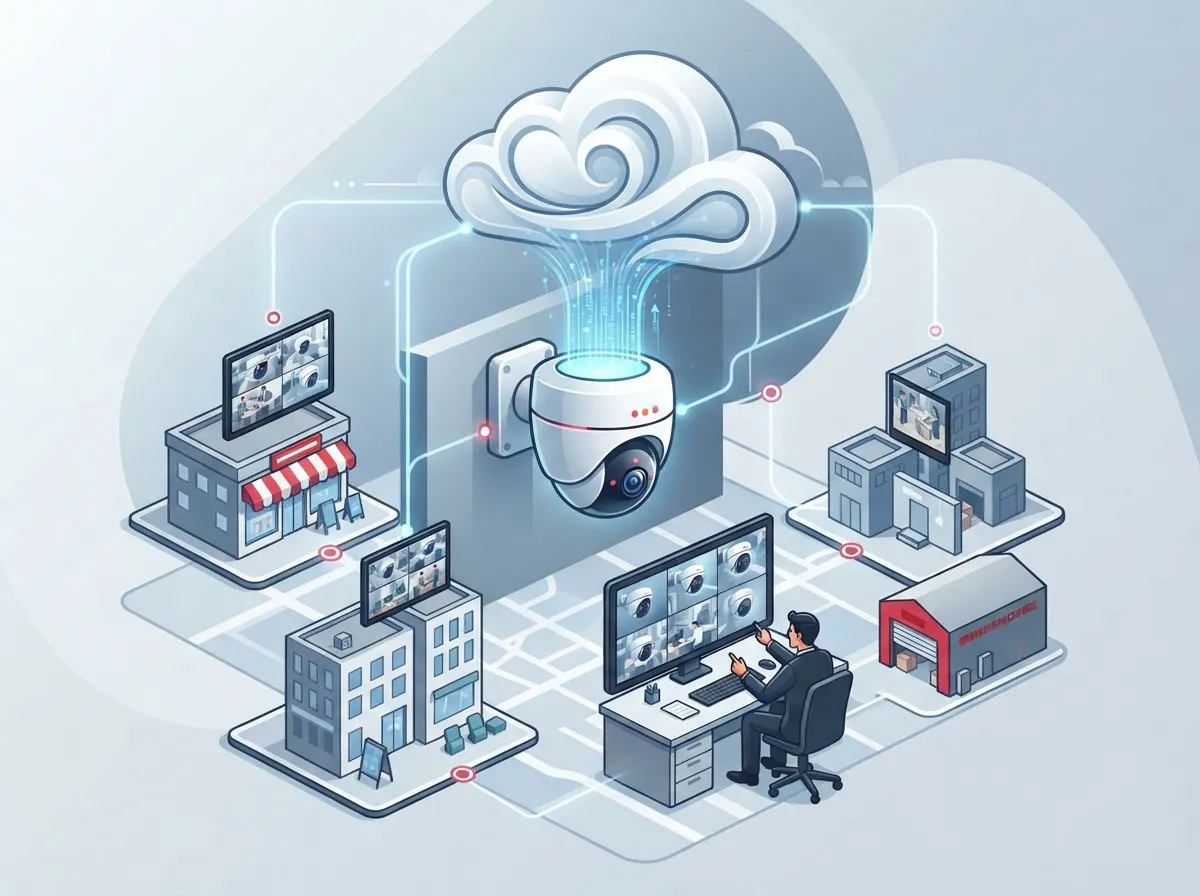
Cloud based security cameras are IP cameras that use a hosted online platform to store video, manage settings, or both. You view footage through a web browser or a phone app instead of a box on your office wall. Think of it like switching from a filing cabinet to a secure online folder you can open from anywhere.
In the telecom world, these systems are often sold as video surveillance as a service, or VSaaS. The camera is the eyes. Your internet connection is the road. The cloud platform is the brain that stores, organizes, and shares what the camera sees.
Here is what a cloud platform typically helps you do:
- Watch live video from any location with internet access
- Search and pull up past footage quickly when something happens
- Manage many cameras and many sites from one dashboard
- Push software updates without a technician visit
- Share video clips with managers, insurers, or police
If you want a simple overview of why cameras matter for daily operations, our post on what security cameras really do for your business is a nice companion read.
How Do Cloud, On-Premises, and Hybrid Systems Differ?
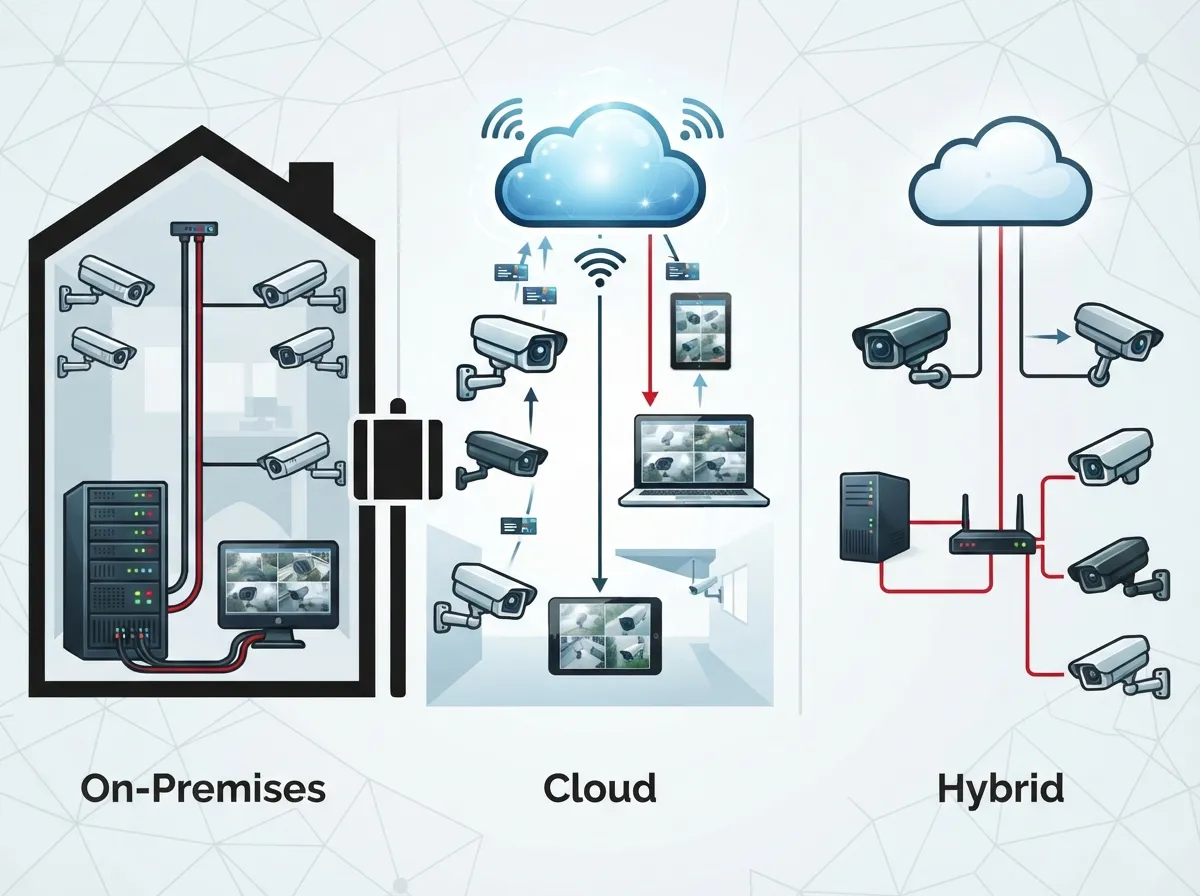
Not every “cloud” camera works the same way. This is where many buyers get tripped up. There are three common designs, and each fits different needs.
Direct-to-cloud cameras stream video straight to the hosted platform. Edge or local recording systems save video on the camera or a nearby device, then let you access it through the cloud. Hybrid systems keep a local copy and send selected clips or copies to the cloud.
| Design | Where Video Is Stored | Internet Use | Best For |
|---|---|---|---|
| Direct-to-cloud | Hosted platform | High, steady upload | Sites with strong upstream bandwidth |
| Edge with cloud access | On the camera or local device | Low, mostly on demand | Sites with limited bandwidth |
| Hybrid | Local plus cloud copies | Moderate, selective | Businesses wanting backup and resilience |
| Traditional on-premises | Local recorder only | Minimal | Single sites with in-house IT |
There is no single winner. The right pick depends on your site, your internet, and how much footage you need to keep. For a deeper side-by-side, check out 6 key differences between cloud video security and DVR systems.
Why Are So Many Businesses Making the Switch?
The shift is real, and the numbers show it. Global Market Insights estimates the overall video surveillance market at USD 63.1 billion in 2025, with the cloud-deployment segment at USD 22.6 billion, projected to reach USD 63.7 billion by 2035. Separately, Business Research Insights estimates the cloud video surveillance market at USD 7.56 billion in 2025, growing to USD 15.83 billion by 2034. Keep in mind these are market-research estimates, and different firms define the market differently. Still, the direction is clear: more businesses are choosing cloud.
Why? Here are the benefits business owners tell us they care about most:
- Remote access: Check in on your shop, office, or warehouse from your phone.
- Easier multi-site management: Franchise operators can see every location in one place.
- Less hardware to maintain: Depending on the design, you may not need a recorder at every site.
- Simple scaling: Adding a camera is often as easy as plugging it in and adding it to your account.
- Faster evidence retrieval: Searching a cloud dashboard beats scrolling through hours of tape.
Cloud systems are not automatically cheaper or safer. They shift where the work happens. That is why planning matters, and we’ll get to that next.
How Much Internet Do Cloud Security Cameras Need?
This is the question we hear most. And it’s a smart one. Cloud cameras send video upstream, which means your upload speed matters just as much as your download speed. Many business owners only look at the download number on their plan, then wonder why their video stutters.
Continuous cloud recording uses steady upstream bandwidth from every camera. The exact amount depends on resolution, frame rate, compression, audio, and recording mode. As one vendor-specific example, continuous cloud streaming can run roughly 1 to 2 Mbps per camera, while an edge-storage design from the same example uses about 20 kbps in steady state. Treat those as illustrations only, not universal rules. Always ask your provider for per-camera upload estimates based on your exact settings.
Here is a simple way to plan your bandwidth:
- Count how many cameras you plan to install at each location.
- Ask the vendor for the upload estimate per camera for your chosen resolution and recording mode.
- Multiply by your camera count and add a safety buffer.
- Compare that total to your actual upload speed, not just your advertised download speed.
- Remember that phones, VoIP calls, and cloud apps share the same connection.
That last point is a big one. Your cameras, your phones, and your software all share the same internet pipe. If you’re also running VoIP, you’ll want to look at what internet speed you need for VoIP and plan for both at once. And if you’re unsure how fast your plan should be, how to choose the right internet speed for your business walks you through it.
Do Cloud Security Cameras Keep Recording If the Internet Goes Down?
The honest answer: it depends on the design. A pure direct-to-cloud camera with no local storage may miss footage when your connection drops. An edge or hybrid system often keeps recording locally and syncs to the cloud once the connection returns.
Before you buy, ask your provider these questions:
- Does the camera buffer video locally during an outage?
- How many hours or days of footage can it hold?
- What footage stays available while the internet is down?
- How quickly are recordings uploaded after service returns?
Your internet quality is the backbone here. Businesses that care about uptime often look at dedicated or redundant connections. Our guide on how to keep security cameras working during internet outages goes deeper, and why Tampa businesses need dedicated fiber internet explains one way to boost reliability.
What Equipment Do You Need to Get Started?
A cloud camera system is more than just a camera. A solid setup usually includes a few key pieces working together:
- IP cameras: Indoor, outdoor, dome, or bullet styles chosen for each spot.
- PoE-capable switches: Power over Ethernet sends power and data through one cable.
- Solid cabling: Quality cable keeps video clean and stable.
- A reliable internet connection: With enough upload capacity for your design.
- A gateway, local recorder, or direct-to-cloud camera: Depending on the architecture you choose.
This is where your telecom and IT foundation really shows up. Poor cabling can cause dropped video, flickering feeds, and constant service calls. Good structured cabling gives every camera a clean, dependable path. If you’re curious how wiring supports your devices, see 13 ways structured cabling supports VoIP and cameras.
You also need a healthy network behind it all. If you’re planning a bigger rollout, our post on how to set up remote business video monitoring is a helpful roadmap.
How Secure Is Cloud Video Surveillance?
Cloud access changes your security risk. It does not erase it. A camera that anyone can hack is worse than no camera at all, so it pays to ask tough questions before you sign.
When you compare providers, look for these protections:
- Encryption for video in transit and at rest
- Multifactor authentication for every user
- Role-based permissions so staff only see what they should
- Single sign-on options for larger teams
- Audit logs that show who viewed or exported footage
- Regular patching and security updates
- Clear data-center location and provider access policies
- Breach notification terms and data export rights if you leave
It also helps to understand how cloud security compares with older approaches. Our article cloud security vs. traditional network security breaks that down in plain language, and how secure is cloud video storage for your business covers storage in detail.
How Long Can You Keep Footage in the Cloud?
Retention is how long your system holds video before it deletes it. Common retention needs vary by industry, insurance rules, and your own risk comfort. Some businesses keep a couple of weeks. Others need months. Longer retention means more storage, which often means a higher monthly cost.
Before choosing a plan, decide:
- How many days of footage you truly need
- Whether you must record all the time or only on motion
- Which cameras need longer retention than others
- Any privacy or regulatory rules that apply to your business
Want the specifics? 6 key facts about cloud video security footage storage is worth a read.
What Does a Cloud Camera System Really Cost?
Camera price alone does not tell the whole story. To compare fairly, add up the total cost of ownership. That means more than the sticker price on the hardware.
| Cost Area | What to Ask About |
|---|---|
| Hardware | Cameras, switches, gateways, mounts |
| Installation | Cabling, mounting, configuration, testing |
| Subscriptions | Per-camera or per-site monthly licenses |
| Storage and retention | Extra fees for longer video history |
| Connectivity | Possible internet upgrades for more upload speed |
| Support | Maintenance, monitoring, and help desk access |
A low camera price with a high monthly fee can cost more over three years than a pricier camera with a lighter subscription. Do the math over the whole life of the system. For a closer look at budgeting, see how to budget for commercial video surveillance and 9 tips for affordable cloud security camera installation.
How Do You Choose a Provider for Multiple Locations?
If you run a franchise or a growing company, multi-site management is where cloud cameras shine. One login. One view. Every location. But the wrong provider can create headaches fast. Use this checklist to stay on track:
- Map your needs. List every site, camera count, and special areas like entrances, registers, and parking lots.
- Set your retention goals. Decide how long each site needs to keep video.
- Check your internet at every site. Test actual upload speed, not just the plan on paper.
- Decide on your resilience level. Choose cloud, edge, or hybrid based on outage tolerance.
- Review security features. Confirm encryption, multifactor login, and audit logs.
- Ask about integration. See if cameras can work with your access control and phone systems.
- Compare total cost. Include subscriptions, installs, and connectivity upgrades.
- Plan your exit. Ask how you can export your footage if you ever change providers.
You may also want cameras to pair with door control. Many businesses add cloud-based access control so they can see who enters and review video at the same time. For franchise and multi-location setups, scalable access control for multi-location businesses shows how these systems grow together.
Why Work With a Telecom Partner Instead of Going It Alone?
Here is the thing about cloud cameras: they live on your network. That means your internet, your cabling, your switches, and even your phone system all play a part. If one piece is weak, the whole system feels it. A camera vendor often focuses on cameras. A telecom partner looks at the full picture.
That’s where Ideal Solutions Provider comes in. Based in Tampa with over 24 years of experience, the team works with 35+ vetted suppliers and acts as your single point of contact. They can review your current internet, cabling, and network, then recommend a cloud video setup that fits. No juggling vendors. No finger-pointing when something goes wrong. You can learn more about their cloud video security services and see how they bundle everything with phones, internet, and access control.
If you’re comparing options, choosing the best cloud video security provider and how to choose cloud security cameras for commercial buildings are great next reads. And if you like seeing real people behind a business, you can follow along on YouTube or connect on Facebook.
Common Mistakes to Avoid
After years of helping businesses, a few patterns pop up again and again. Dodge these, and you’ll save time, money, and stress:
- Buying cameras before checking upload bandwidth
- Skipping a plan for internet outages
- Ignoring cabling quality and PoE capacity
- Choosing a provider without checking security features
- Focusing only on camera price instead of total cost
- Not planning for retention needs up front
- Forgetting to ask about exporting footage if you switch providers
Want to see these in more detail? 15 cloud video security mistakes to avoid in 2026 covers many of them.
Ready to Take the Next Step?
Cloud based security cameras can give you clear visibility, easier management, and real peace of mind. The best results come from matching the right design to your internet, your cabling, and your goals. Start by mapping your sites, your camera needs, and your uptime expectations. Then pick a partner who looks at the whole network, not just the camera.
If you’d like friendly, no-pressure help, contact us for a free consultation, or call us to talk through your setup. We’ll review what you have, answer your questions, and help you build a cloud video plan that fits your business.
FAQs
Q: What is a cloud based security camera system for a business?
A: It’s a set of IP cameras that use a hosted online platform to store video, manage settings, or both. You watch live and recorded footage from a web browser or phone app instead of a recorder box at your office. It’s a friendly way to keep an eye on one site or many.
Q: How much upload bandwidth do business cloud security cameras need?
A: It depends on resolution, frame rate, compression, and recording mode. As one vendor example, continuous cloud streaming can use roughly 1 to 2 Mbps per camera, while an edge-storage design can use far less. Ask your provider for per-camera estimates for your exact setup, and check your upload speed before you buy.
Q: Do cloud security cameras keep recording if the internet goes down?
A: It depends on the design. Edge and hybrid systems often keep recording locally and sync to the cloud once your connection returns, while pure direct-to-cloud cameras may miss footage during an outage. Always ask how footage is buffered and what stays available when the internet is down.
Q: How secure is cloud video surveillance for businesses?
A: Cloud access changes your security risk rather than removing it. Look for encryption, multifactor login, role-based permissions, audit logs, and regular patching, plus clear data export and breach notification terms. A trusted telecom partner can help you compare providers with confidence.
Q: What equipment and internet connection are needed to install cloud security cameras?
A: You’ll typically need IP cameras, PoE-capable switches, quality cabling, and a reliable internet connection with enough upload speed. Depending on the design, you’ll also use a gateway, a local recorder, or direct-to-cloud cameras. Planning your network first helps everything run smoothly.





