

Key Takeaways
-
Network cabling problems often cause Wi-Fi drops, dropped calls, and camera glitches that get blamed on the internet provider, so cabling quality matters for every connected system.
-
Cat6A supports 10-gigabit Ethernet over standard channel distances and suits Wi-Fi access points and high-demand workstations, while Cat6 handles everyday desk drops and fiber suits backbone and long runs.
-
Ask every contractor for written pass/fail test results per cable run, the standards and test limits used, labeling charts, and closeout documentation before accepting the job.
-
Confirm permit requirements with the City of Tampa or the local authority and coordinate with your property owner or general contractor, since permit needs depend on project scope.
-
Compare written scopes side by side rather than just prices, because a low bid that omits testing or labeling can cost more later.
-
Plan extra drops and telecom room capacity during the first install, since adding drops later costs far more and most offices will add devices over time.
Picture this: it’s Monday morning, your team is logging in, and the Wi-Fi crawls. Calls drop. The security cameras glitch. You blame the internet provider, but the real culprit is often hiding above the ceiling tiles. It’s the cabling.
If you run a business in the Bay Area, network cabling Tampa is one of those behind-the-scenes things that quietly decides whether your day runs smoothly or turns into a headache. Good cabling is the foundation for your wired network, Wi-Fi, VoIP phones, and connected devices.
The good news? You don’t need to be a tech wizard to make smart choices. In this friendly guide, we’ll walk through what network cabling really is, which cable types fit which jobs, how installs work, and how to pick a contractor you can trust. Grab a coffee and let’s dive in.

What Does Network Cabling Mean for Tampa Businesses?
In the business telecom world, network cabling usually means structured cabling. That’s an organized, standards-based system of copper and fiber links, wall outlets, patch panels, racks, and pathways. It carries data, voice, Wi-Fi, and more.
Think of it like the plumbing in your building. You don’t think about it when it works. When it fails, everything stops. If you want a deeper primer, our post on what structured cabling is for your business network covers the basics in plain English.
What a Typical Project Includes
A full commercial cabling scope often goes beyond just pulling wire. Here’s what many projects cover:
- Horizontal cabling (Cat6 or Cat6A) from your telecom room to desks, offices, and devices
- Fiber-optic backbone links between the main distribution frame (MDF) and intermediate distribution frames (IDFs)
- Racks, patch panels, and cable management
- Pathways such as conduit, cable tray, and J-hooks
- Wi-Fi access point cabling and PoE connections
- Labeling, testing, and documentation
- Coordination with your ISP demarcation point
All of these pieces affect how well your phones, wireless, security cameras, and other systems perform.
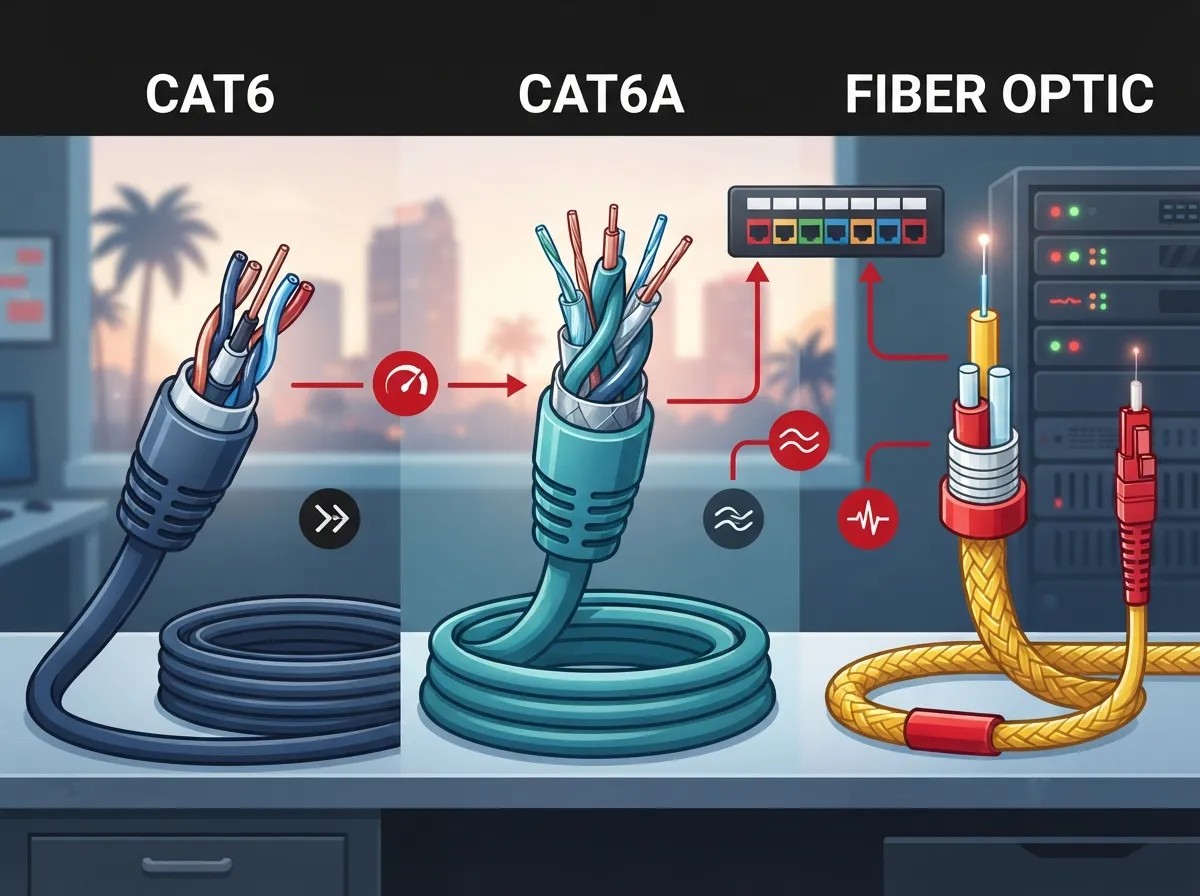
Cat6, Cat6A, or Fiber: Which Cable Fits Your Business?
This is the question we hear most. The honest answer is that the right choice depends on your bandwidth needs, distances, building layout, and future plans. No single cable fits every spot.
Cat6A is often chosen when a business wants 10-gigabit Ethernet capability over standard copper channel distances. Fiber is commonly used for backbone connections and for longer or higher-capacity links. A good contractor specifies cable for the real application instead of assuming one type works everywhere.
| Cable Type | Best Used For | Key Strength | Things to Consider |
|---|---|---|---|
| Cat6 | Everyday desk drops, phones, standard office use | Solid performance at a friendly price | May limit future 10-gig plans on longer runs |
| Cat6A | Wi-Fi access points, high-demand workstations, future growth | 10-gigabit capability over standard channel distances | Thicker and stiffer, so pathways need planning |
| Fiber-optic | Backbone links between MDF and IDFs, long runs, high capacity | Great for distance and speed | Needs proper termination and testing tools |
Want to compare further? Our guides on choosing between Cat6 and Cat6A and copper vs. fiber for low voltage cabling go deeper on each option.
Planning Your Telecom Room and Pathways
Cable is only half the story. Where it lives and how it travels matters just as much. A tidy telecom room makes troubleshooting faster and upgrades easier.
MDF and IDF Basics
The MDF is your main hub. It’s where your internet service enters and your core equipment lives. IDFs are smaller closets on other floors or in other areas that connect back to the MDF, usually by fiber.
Does your Tampa office need both? If you’re in a single small suite, probably just one network closet. If you have multiple floors, a large warehouse, or a spread-out campus, an MDF and IDF design often makes sense. For multi-story buildings, check out how to plan multi floor office cabling the right way.
Pathways and Environment
Pathways are the routes your cables take. Good ones protect your investment and keep things neat. Here are a few things a pro will think about:
- Proper cable support so wires don’t sag or get crushed
- Correct bend radius so signal quality stays strong
- Separation from electrical interference sources like power lines and fluorescent lighting
- Ceiling conditions, building access, and work in occupied spaces
- Room to grow, because you will almost certainly add devices later
Skipping these details is how businesses end up with the problems we cover in 9 cabling mistakes that cripple your network.
How a Commercial Cabling Project Usually Works
Every project is a little different, but most follow a similar path. Knowing the steps helps you feel confident and ask the right questions.
- Consultation and site walk. A pro visits your space, learns how your team works, and notes ceilings, walls, and existing wiring.
- Design and scope. You get a written plan listing drop counts, cable types, racks, and equipment, plus a clear price.
- Permit check. Your contractor confirms whether the work needs a permit.
- Installation. Technicians pull cable, build the telecom room, and terminate everything consistently.
- Labeling and testing. Every cable is labeled at both ends and tested to meet performance standards.
- Documentation and handoff. You receive test results, labeling charts, and closeout paperwork.
As for timing, a local contractor example describes a professional office project with roughly 80 data drops. Larger office floors or warehouses can take a week or more, depending on the number of drops and telecom room needs. That’s a provider estimate, not a guarantee, so always ask for a written schedule for your own site. Our article on how long structured cabling installation takes in Tampa breaks down what affects the clock.
Permits and Local Code in Tampa
This one surprises people. Tampa’s building code requires permits for certain regulated construction and system work. Whether your specific low-voltage cabling project needs one can depend on the scope and the applicable code.
The smart move is to confirm requirements with the City of Tampa or the relevant local authority. You’ll also want to coordinate with your property owner or general contractor, especially for a new buildout. A reputable contractor will help you sort this out so you don’t hit a surprise mid-project.
Why Installation Quality Matters So Much
Two offices can buy the exact same cable and get very different results. The difference is workmanship. Consistent termination, clear labeling, and careful routing keep your network stable for years.
Good labeling alone saves a ton of time when something goes wrong. Imagine tracing one unlabeled cable out of 80. Not fun. For tips on this, see 10 network cable labeling tips that save time, and learn how to prove your work with ethernet cable testing.
Testing and Documentation
Testing is how you know the install is truly done. Ask your contractor for test results and closeout documentation. A solid package often includes:
- Pass/fail test results for each cable run
- The standards and test limits used
- Labeling and port maps
- Rack and patch panel layouts
- Warranty terms for materials and labor
If you want to avoid common slip-ups here, read about cable testing and certification mistakes, and see how to keep records current with structured cabling documentation that works.
How to Vet a Tampa Network Cabling Contractor
Plenty of local providers say they serve Tampa, Hillsborough County, and the wider Bay Area. Those are provider claims, not independent reviews, so it pays to do your own homework. A friendly way to approach it is to treat the first call like an interview.
Here are smart questions to ask any prospective contractor:
- Do you provide test results and closeout documentation?
- What standards and test limits do you use?
- Are your technicians qualified for this type of project?
- How do you handle permits, building access, and ceiling conditions?
- Can you work in occupied spaces without disrupting my team?
- Are you insured, and what warranty do you offer?
- Can you share references from similar projects?
Compare written scopes side by side, not just prices. A low bid that leaves out testing or labeling can cost you more later. For more guidance, see how to find a reliable structured cabling contractor in Tampa and 5 mistakes to avoid when hiring cabling installers.
What About Cost?
Everyone wants a number, and we get it. The honest truth is that cabling cost depends on many things: the number of drops, cable type, ceiling access, distance, telecom room needs, and any permit or after-hours requirements. There’s no single Tampa-wide average we can quote with confidence.
What we can say is that planning ahead usually saves money. Adding extra drops during the first install costs far less than coming back later. Our article on 10 factors that shape network cabling installation cost will help you build a realistic budget.
Cabling Supports More Than Just Computers
Modern buildings run on cable. Beyond laptops and desktops, your cabling supports:
- VoIP desk phones and cloud phone systems
- Wi-Fi access points powered over PoE
- IP security cameras
- Door controllers and access control readers
- Conference room displays and video gear
That’s why it’s smart to plan everything together. A weak cable plant can make even the best cloud based phone systems sound choppy. And cameras and badge readers rely on stable wiring too, which we explain in 13 ways structured cabling supports VoIP and cameras.
Who Benefits Most From Good Cabling?
Different businesses feel the benefits in different ways:
- Small business owners: Fewer dropped calls and slow-downs, without juggling several vendors.
- Office managers: A tidy, labeled system means fewer “who do I call?” moments.
- IT managers: Clean documentation and tested links make troubleshooting faster.
- Mid-sized companies: A scalable backbone that handles growth, new floors, and new tech.
- Franchise operators: A repeatable cabling standard across Tampa Bay and beyond.
Where Ideal Solutions Provider Fits In
At Ideal Solutions Provider, we’re a Tampa-based telecom and IT partner with over 24 years of experience. Cabling is just one piece of the puzzle we handle, alongside VoIP phones, high-speed internet, networking, cloud security cameras, and access control.
The big plus is having one point of contact. Instead of coordinating a cabling crew, an internet provider, and a phone vendor, you talk to one team. If you’re planning an install, our walkthrough on how to plan network cabling installation in Tampa Bay is a great next read. You can also follow along on YouTube for helpful tips.
Final Thoughts
Great network cabling Tampa projects start with a little planning and end with a system you can forget about, in the best way. Choose the right cable for each job, plan your telecom room and pathways, insist on testing and documentation, and pick a contractor who answers your questions clearly.
Ready to talk through your space? Contact us for a free consultation, or call us and let’s map out a cabling plan that keeps your business humming.
FAQs
Q: What does commercial network cabling installation in Tampa include?
A: It usually covers Cat6 or Cat6A cabling to desks and devices, fiber backbone links, racks, patch panels, pathways, labeling, testing, and documentation. Many projects also include Wi-Fi access point cabling and coordination with your ISP demarcation point.
Q: Should my Tampa business use Cat6, Cat6A, or fiber-optic cabling?
A: It depends on your speed needs, distances, and future plans. Cat6 works well for everyday office use, Cat6A suits high-demand spots and Wi-Fi access points, and fiber is a great fit for backbone and longer runs. A good contractor will match the cable to each job.
Q: Do I need a permit for network cabling work in Tampa?
A: Tampa’s building code requires permits for certain regulated construction and system work, and whether yours applies depends on your project’s scope. Check with the City of Tampa or the local authority, and coordinate with your property owner or general contractor.
Q: How can I verify that my installed cabling was properly tested?
A: Ask for written test results for every cable run, along with the standards and test limits used. You should also receive labeling charts and closeout documentation so your team can maintain the system easily.
Q: Can a cabling contractor also help with Wi-Fi, VoIP phones, and PoE devices?
A: Many can, since these systems all depend on solid cabling. Ask whether your contractor handles access point cabling, switch installation, and PoE connections, or whether a single telecom partner can coordinate it all for you.





